Which Restaurant Printer is the Best for Receipts and Labels in 2026
7th Jan 2026
Key Highlights
- Reliable restaurant printers boost speed, accuracy, and communication across front, kitchen, and delivery stations.
- Thermal and linerless printers minimize waste, maintenance, and downtime during peak restaurant operations.
- Fast printing speeds ensure smooth order flow, reducing customer wait times and kitchen bottlenecks.
- Durable, compact designs withstand heat, spills, and heavy daily restaurant use effortlessly.
- Multi-connectivity options, USB, Ethernet, WiFi, Bluetooth, enable seamless POS and mobile integration.
- Linerless label printers like Epson TM-L100 and Godex DT4L improve prep and packaging efficiency.
- Mobile models like Brother RJ4250WBL empower flexible, tableside, or delivery printing anytime, anywhere.
- DuraFast Canada offers top brands, expert support, and fast shipping for complete restaurant printing solutions.
Running a restaurant is hectic, orders flying in, chefs calling out, and customers waiting. In the middle of all that chaos, a reliable printer might not sound glamorous, but trust me, it can make or break your day.
Whether it’s printing receipts quickly or labelling orders correctly, the right restaurant printer keeps things moving smoothly. The wrong one? Let’s just say it can lead to messy mistakes and frustrated staff.
So, how do you pick the best printer in 2026 without getting lost in a sea of options? Don’t worry, we’ve done the hard work for you. In this guide, you’ll discover the top receipt and label printers that can save time, reduce errors, and make your restaurant run like a well-oiled machine.
Why Do Restaurants Really Need a Reliable Printer for Orders and Receipts?
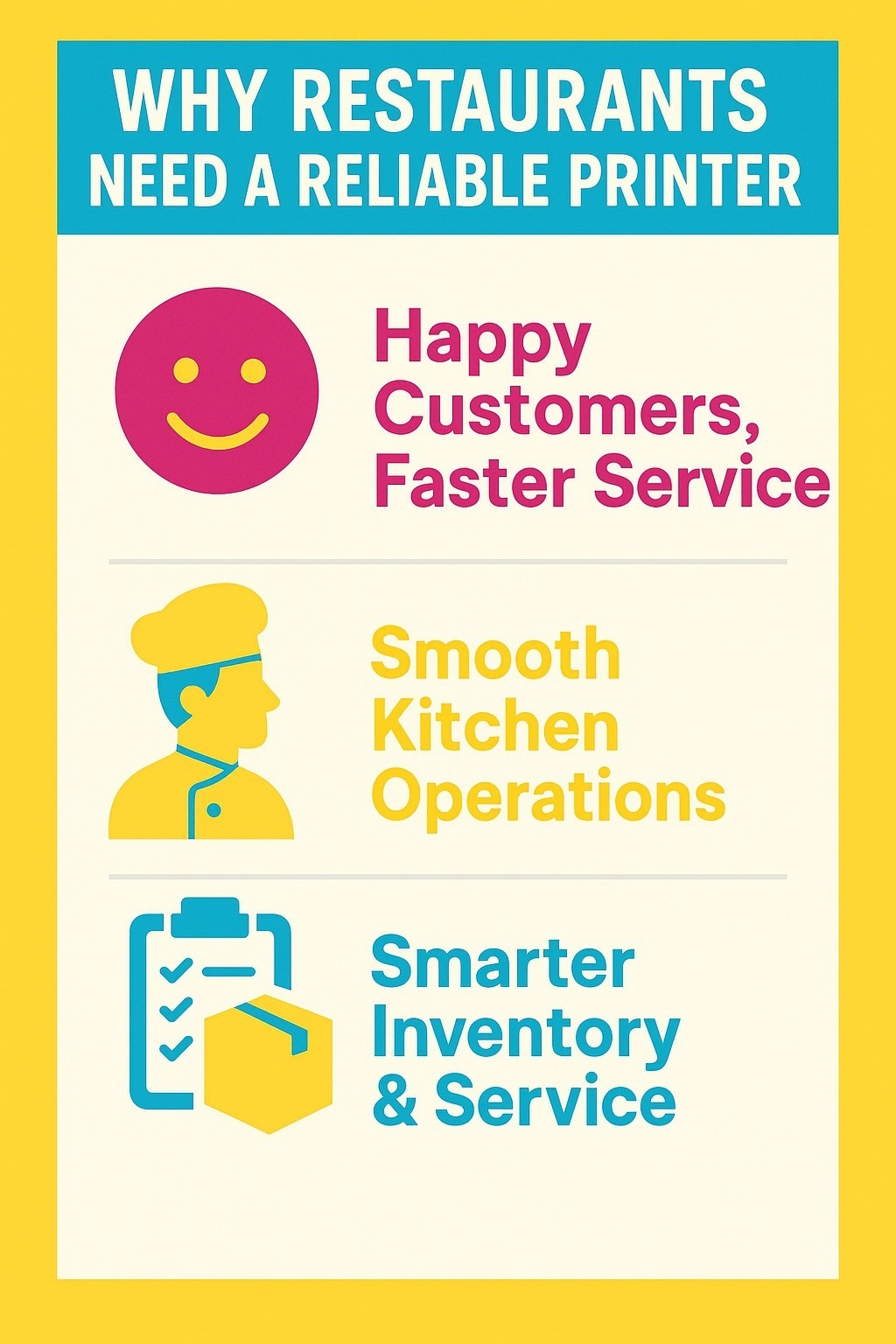
Running a restaurant, or even a small café, means juggling numerous moving parts. From taking orders to managing inventory, every second counts. That’s why having the right receipt printer isn’t just a “nice-to-have”; it’s essential for keeping your kitchen running smoothly and your customers satisfied.
1. Boost Customer Experience with Reliable Printing
A reliable receipt printer ensures that order details are clear, print quality is consistent, and staff can work without unnecessary delays. Whether you’re using a POS system with Star Micronics or an Epson POS, a dependable thermal receipt printer can make a huge difference in customer experience and fast service.
2. Keep the Kitchen Running Smoothly
Imagine the kitchen during peak hours, with tickets flying, high temperatures, and staff moving quickly. A kitchen printer with faster print speeds and a rugged design can handle the chaos, reducing errors and ensuring orders flow smoothly.
And if you’re using portable printers or mobile printers with Bluetooth connectivity, you can even take the printer to the table or bar area for faster, more flexible service.
3. Beyond Printing: Inventory & Customer Service
POS receipt printers aren’t just about speed; they can also improve inventory management and customer service. With additional features and connectivity options, restaurants can tailor their printers to specific needs, whether that’s handling multiple order types, printing types of receipts, or integrating seamlessly with their POS system.
Ultimately, making the final decision on a reliable receipt printer isn’t just about brand; it’s about finding a device that fits your workflow, withstands high temperatures, delivers consistent print quality, and offers the types of features your restaurant truly needs.
What Are the Must-Have Features in a Restaurant Printer?
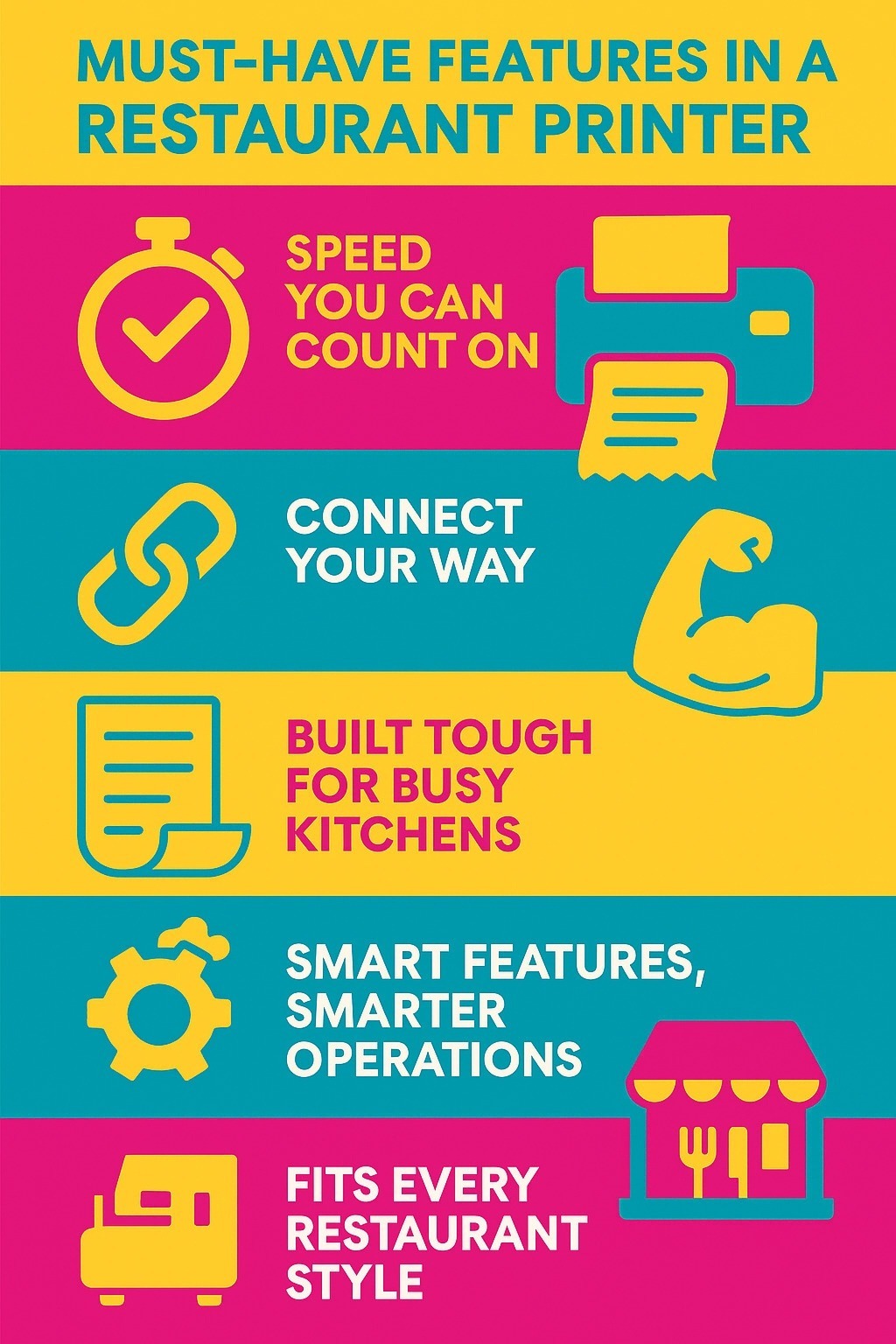
If you’ve ever worked in a busy restaurant, you know that a printer isn’t just a machine; it’s the backbone of your order workflow. From the moment an order is placed to the time it hits the kitchen, the right restaurant printer can make your life a whole lot easier. But what features should you really look for?
1. Fast and Reliable Printing
Speed matters. During peak hours, a printer with faster print speeds ensures that order details reach the kitchen without delay. Whether it’s a thermal receipt printer or a kitchen printer, consistent print quality ensures tickets are readable and mistakes are minimized, helping staff stay on top of every order.
2. Connectivity Options That Fit Your Workflow
Modern restaurants need flexibility. Bluetooth connectivity, Wi-Fi, or integration with your POS system can make a big difference, especially if you use portable printers or mobile printers for tableside service. The right POS receipt printer adapts to your restaurant’s specific needs, whether you’re running a small café or a full-service kitchen.
3. Durable Design for Busy Environments
Restaurants aren’t gentle environments. From high temperatures to constant use, a rugged design ensures your printer continues to work day after day. Look for printers designed for long-term reliability to avoid downtime during peak hours.
4. Advanced Features for Smarter Operations
Modern restaurant printers offer additional features, such as inventory management integration, auto-cutter functionality, and multi-format printing. Some even provide error alerts if paper runs out or jams occur, keeping your workflow smooth and uninterrupted.
5. Flexibility for All Restaurant Types
Whether you run a small business, a busy café, or a full-service restaurant, the printer should be a good fit for your workflow. Portable receipt printers, also known as mobile printers, enable tableside orders, while traditional POS receipt printers are designed to work seamlessly with counter-based operations.
Choosing a restaurant printer isn’t just about brand; it’s about functionality, reliability, and features that actually make your workflow smoother. From print speeds and connectivity options to rugged design, thermal receipt compatibility, and advanced features, focusing on these must-have features ensures your restaurant runs efficiently while keeping both staff and customers happy.
Which Durafast Restaurant Printers Are Best for Receipts and Labels?
Choosing the right printer is key for any restaurant. Durafast offers reliable options for both receipts and labels, ensuring fast, accurate printing to keep your operations running smoothly.
Here are the Durafast printers that excel at handling both receipts and labels, ensuring fast, accurate printing to keep your restaurant operations running smoothly.
1. Godex DT200L 2" Liner-free Direct Thermal Barcode Printer, 203 dpi, 7 ips, USB, LAN (Cutter Not Included)
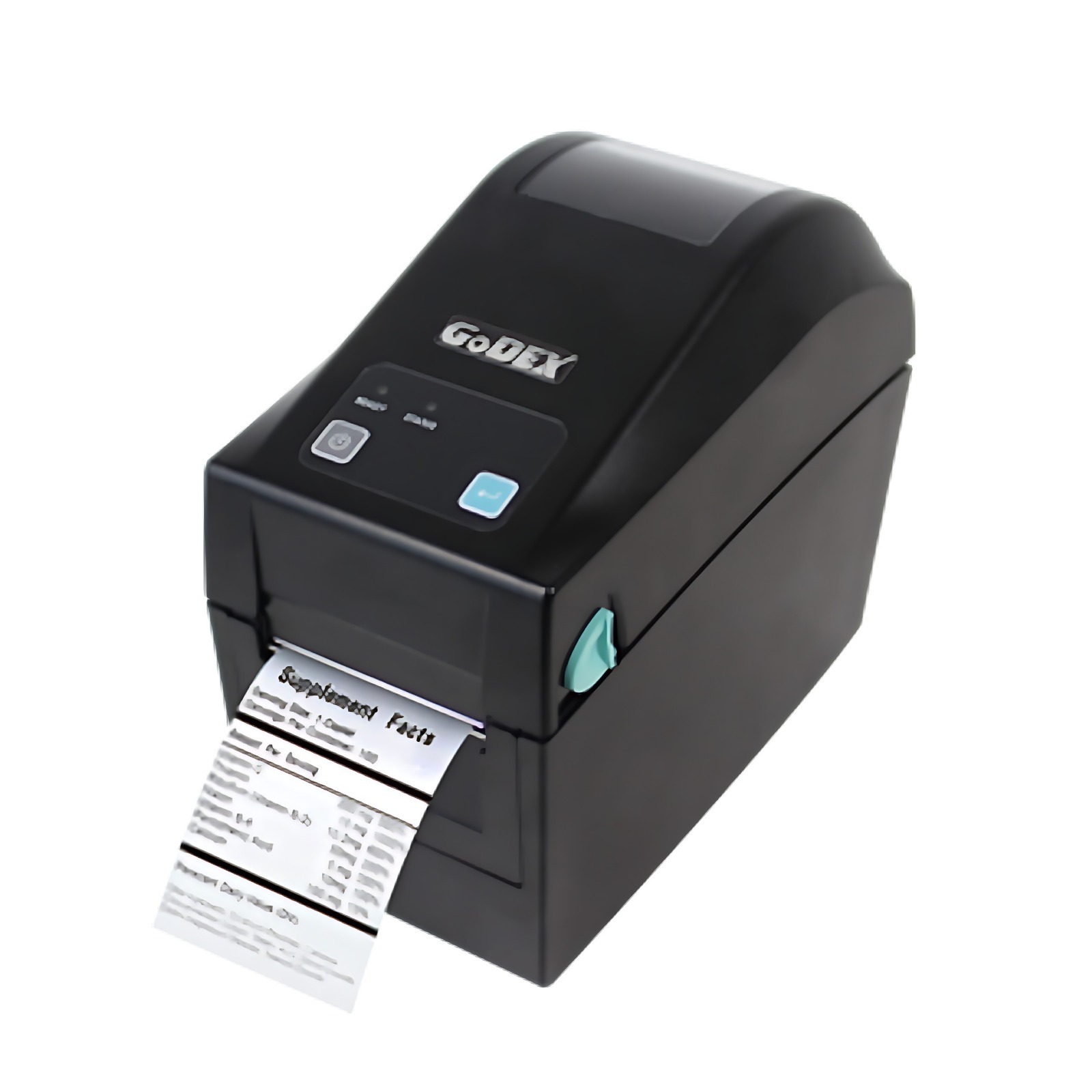
Alt text: Godex DT200L 2" Liner-free Direct Thermal Barcode Printer
The Godex DT200L is a compact GoDEX desktop printer designed for direct thermal (liner-free) printing, ideal for restaurants or kitchens where space is limited but performance is essential. It supports linerless media, meaning less waste and fewer backing sheets, which works well when printing labels for food prep, delivery, and other applications.
Key Features
- Direct thermal print method, 203 dpi (and 300 dpi option) resolution.
- Print speed up to approx. 6 ips (152 mm/s) / 4 ips (102 mm/s) depending on model.
- Print width ~2.12″ (54 mm) / 2.24″ (57 mm).
- Interfaces: USB 2.0, RS‑232 serial, Ethernet.
Key Advantages & Considerations
|
Pros |
Cons |
|
Compact footprint, ideal for kitchens with limited space. |
Print width is narrow (2″ class), may not fit wider label needs. |
|
Supports linerless (less waste) in series label models. |
Not as fast or wide as some higher‑end models for heavy workflows. |
|
Multiple connectivity options (USB/Ethernet). |
May require more frequent maintenance for high‑volume use. |
2. Godex DT4L 4" 203 dpi, 6 ips Linerless Desktop Direct Thermal Printer with USB, RS232, LAN, Cutter Included
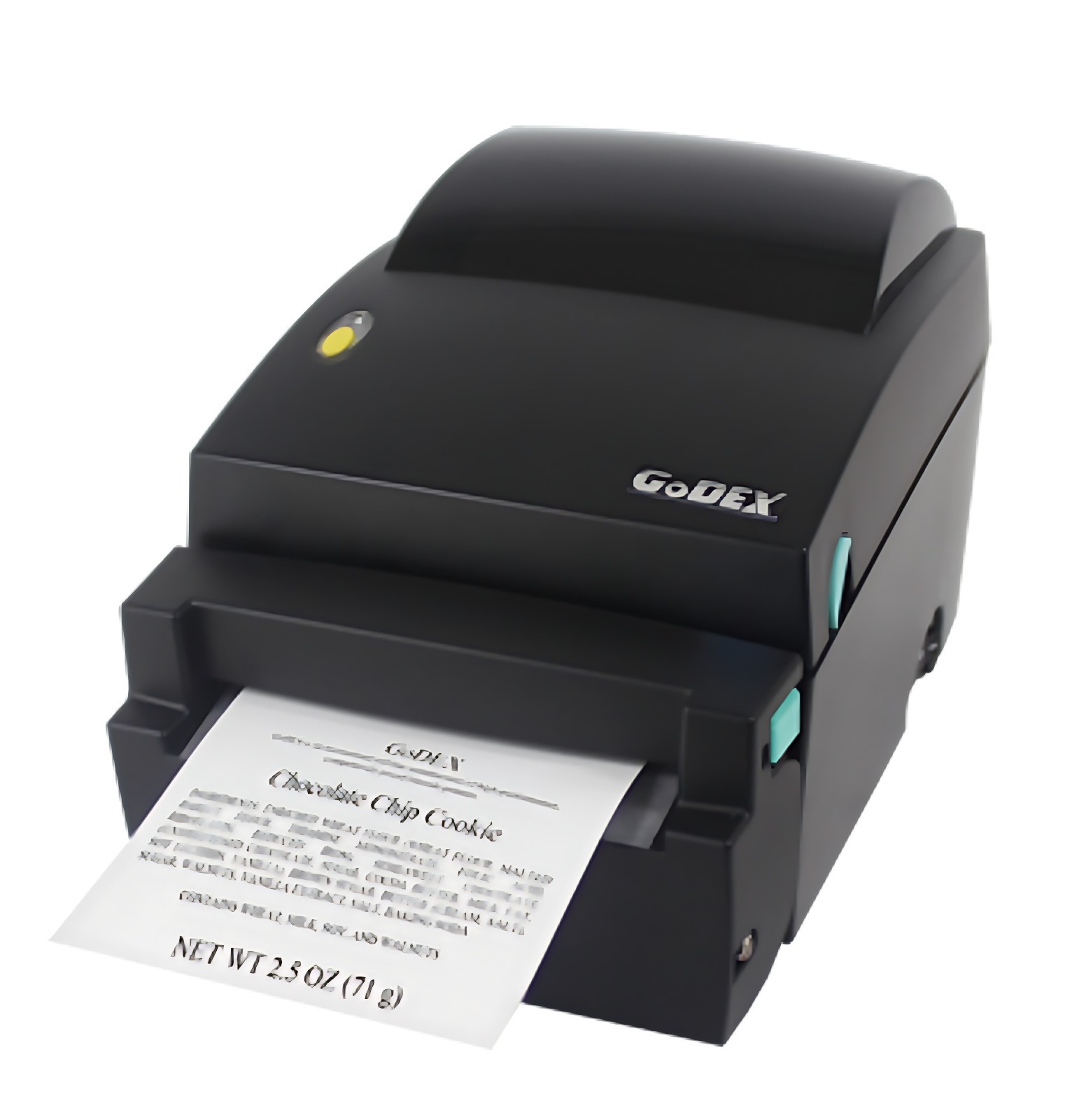
The Godex DT4L is a desktop‑style, linerless label printer designed to streamline operations where you’re printing labels (for prep, delivery, storage) rather than standard tickets. It supports a waste-reducing linerless roll (with no backing paper) and a built-in cutter, making it well-suited for restaurant environments that generate a high volume of sticky labels (for takeaway bags, kitchen orders, and packaging).
For a restaurant, this means less waste, faster label application, and a streamlined workflow, mainly if you operate a delivery/packaging side, or a prep area that tags orders by time, station, or bag.
Key Features
- Direct thermal print method, 203 dpi resolution.
- Print speed up to ~152 mm/s (approx. 6 ips).
- Maximum print width of 108 mm (≈4.25″), generous for labels larger than narrow receipts.
- Built‑in linerless cutter module (so it supports “Print–Cut–Apply” workflow), which is rare in the receipt/label printer world.
- Interfaces include USB, RS‑232 serial, and Ethernet (standard) for POS/label‑system connectivity.
- Compact size and memory: 8 MB Flash + 16 MB SDRAM; minimum print length down to ~45 mm; supports long labels up to ~1727 mm.
- Anti-stick mechanism/platen design optimized for linerless labels, suitable for high-volume and sticky media.
Strengths & Limitations
|
Pros |
Cons |
|
Great for label‑heavy operations (delivery bags, storage tags) thanks to the linerless and built‑in cutter. |
It’s a label printer first; if you need standard receipt width for POS tickets, this might be over‑spec or less optimal. |
|
A wider print width (108 mm) provides flexibility. |
No built‑in WiFi/Bluetooth in standard spec, integration may require a wired connection or optional modules. |
|
Reduces waste (no liner backing sheet), suitable for sustainability and cost savings. |
Linerless roll media may require specific sourcing (may cost more or have fewer local options). |
|
Multiple interfaces (USB/Serial/Ethernet) for POS/label system integration. |
Print speed (~152 mm/s) is good, but in extremely high-volume kitchen scenarios, you may prefer a printer optimized for receipts rather than labels. |
|
Robust feature set (cutter, anti‑stick design) in a compact format. |
If you only need simple receipts (not labels), the extra features will go unused, and you might pay extra. |
3. Epson C31CJ52A9991 TM-L100 Liner-Free Thermal Label Printer w/ USB Type-A 2.1 A Port + Wireless
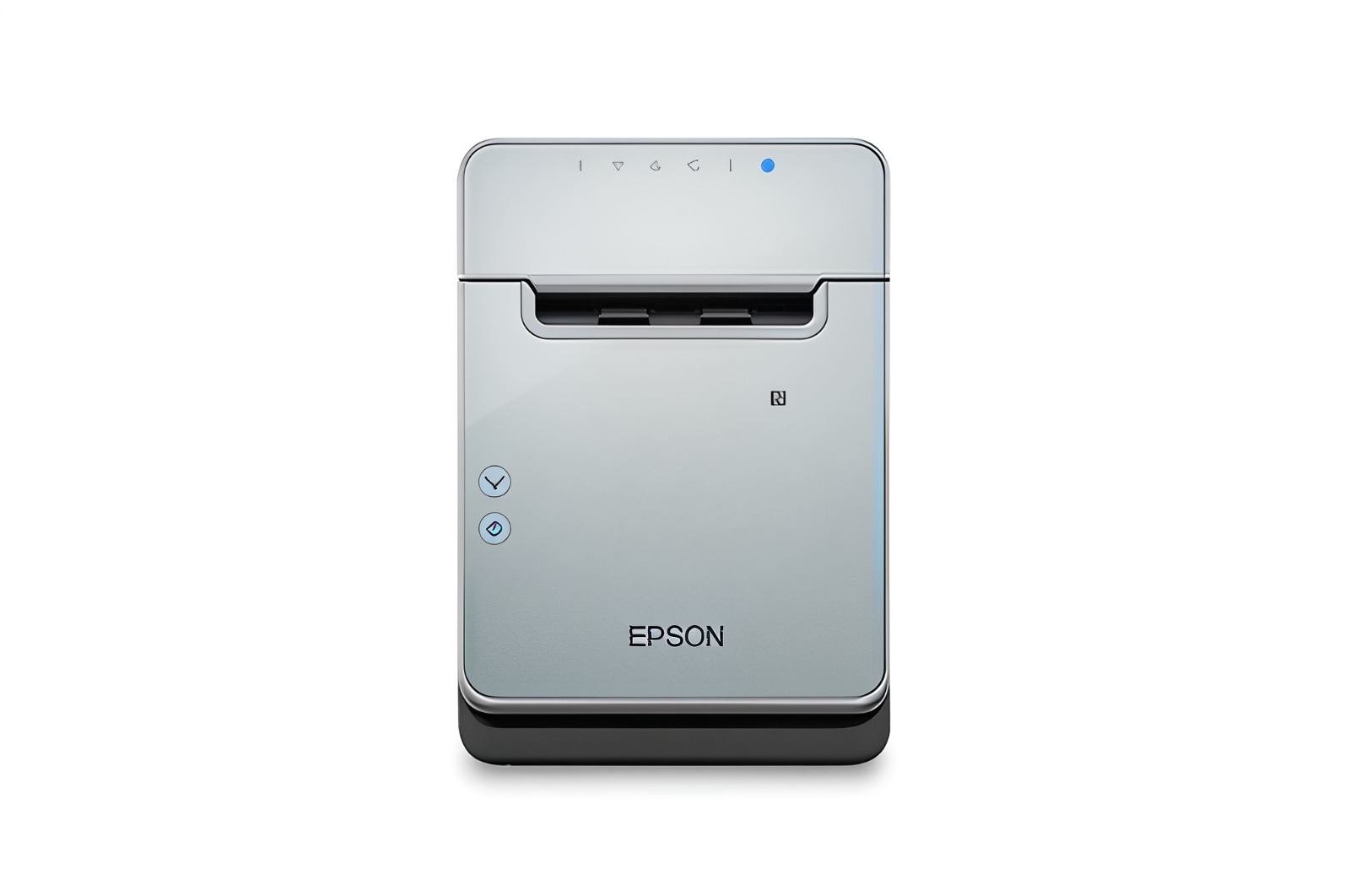
This is Epson’s liner-free thermal label printer model (TM-L100), featuring strong connectivity, designed for retail/hospitality environments. For restaurants offering grab-and-go, delivery, or requiring combined receipt and label printing, this printer has a lot to offer.
Key Features
- Built for liner-free high-adhesive media, great when you want labels that stick (e.g., food containers, delivery bags).
- Flexible connectivity: USB, Ethernet, WiFi, Bluetooth, and mobile charging (USB Type‑A 2.1 A port) included.
- Paper-saving design: can reduce paper usage by up to 47% through whitespace and character-height optimization.
- Reliable build: designed for POS peripheral compatibility and a busy retail/hospitality environment.
Why You’ll Love It
|
Pros |
Cons |
|
Strong connectivity options help integrate with modern POS systems (mobile, WiFi, etc). |
Liner‑free media may cost more or require sourcing the right label stock. |
|
Paper/label savings are attractive for cost control and sustainability. |
Installation & setup might be slightly more complex for non‑tech staff. |
|
Good brand reliability (Epson), with practical customer service and long-term usage. |
If you only need simple receipts, some of the advanced features may go unused. |
4. Seiko SLP720RT 2" Linerless Label Printer w/ WiFi | SLP720RT-W2FU1-03
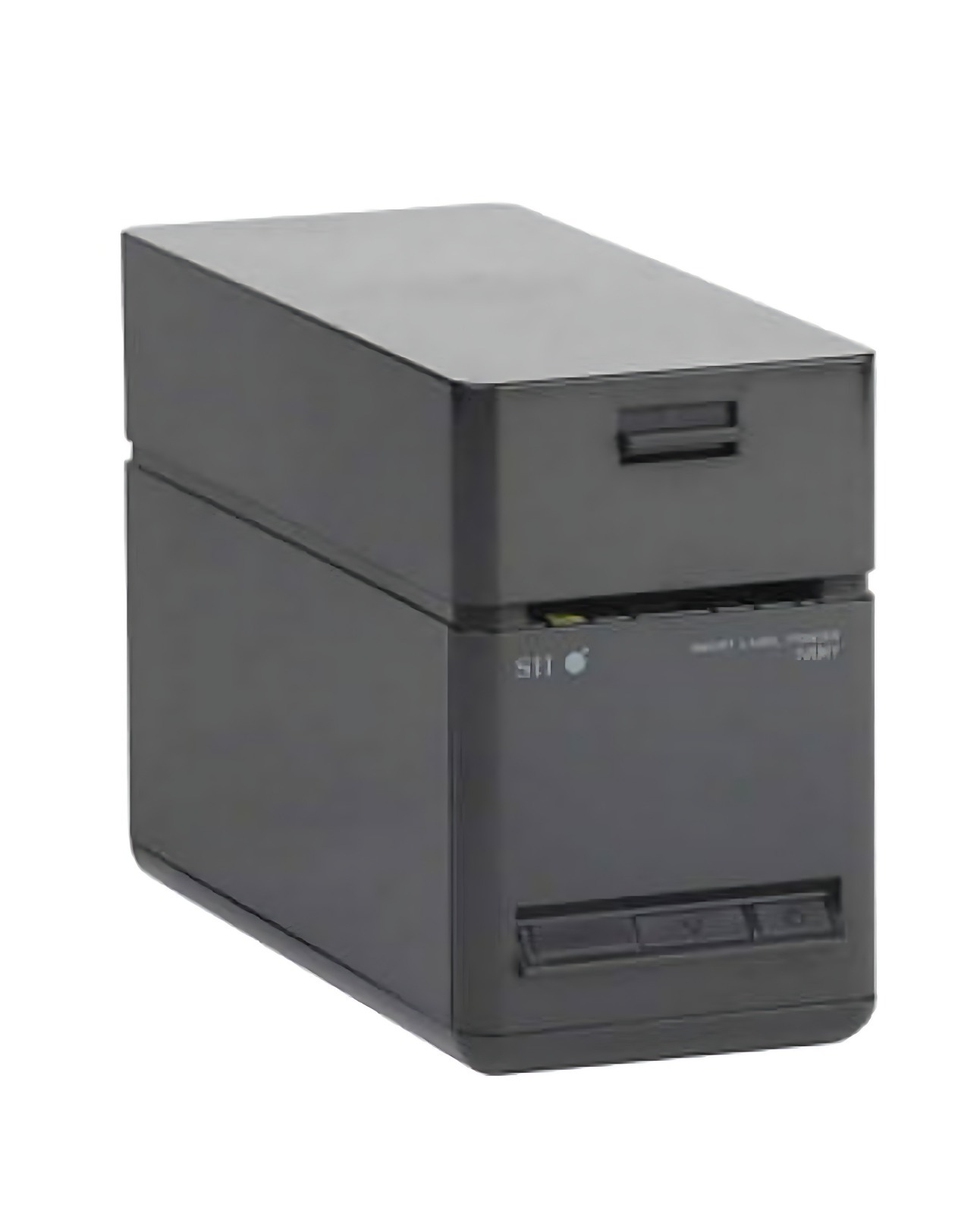
Seiko’s compact 2‑inch liner‑free label & receipt printer. If your restaurant needs a super space‑efficient printer in a tight corner or behind a counter, this one shines. Also suitable for printing small labels or receipts in the food service industry.
Key Features
- Supports liner‑free labels, standard labels, and receipt paper widths of 40 mm / 58 mm (so quite narrow).
- Print speed of up to 200 mm/s (~7.9 in/sec) in some configurations.
- Compact footprint: e.g., width ~90mm, designed to fit tight spaces.
- Interfaces: USB, Ethernet + USB, and WLAN supported; OS support for Windows, iOS, and Android.
What Works Well
|
Pros |
Cons |
|
Very compact, great for counters with limited space. |
Narrow print width limits label size; may not work if you need wide labels (e.g., full 3‑inch). |
|
Good speed for small labels/receipts. |
May need careful matching of label stock (liner‑free, correct width). |
|
Flexible OS & connectivity support, modern tech-friendly. |
Because it’s smaller and narrower, it may not suit all restaurant workflows (especially large kitchens). |
5. Brother RJ4250WBL-CP | RuggedJet 4-Inch Rugged Mobile Label & Receipt Printer | Bluetooth / WiFi / Battery / Charging Conductor Plate
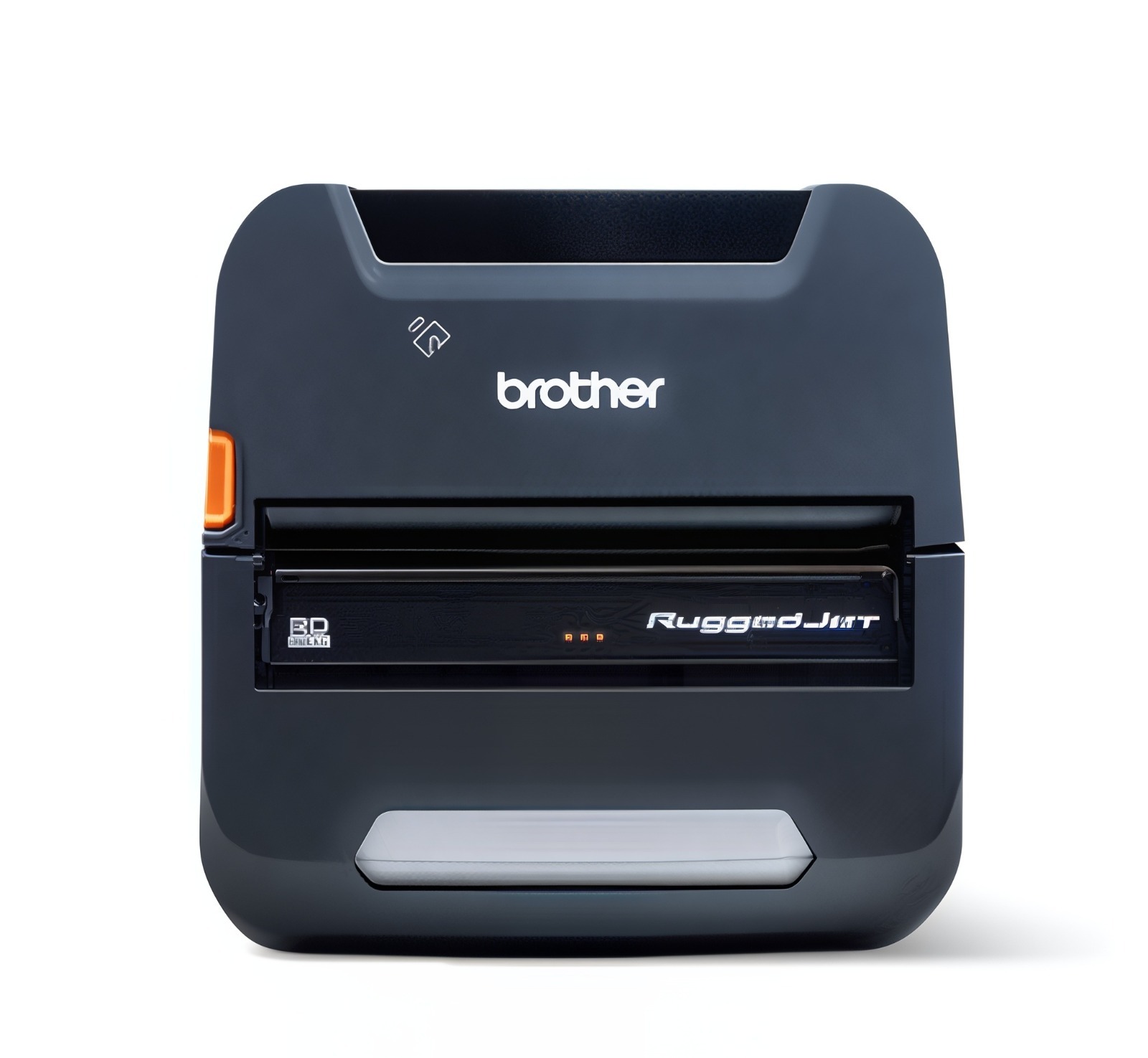
Brother RJ4250WBL-CP is a mobile, rugged 4-inch printer from Brother, ideal for those who need portable printing (e.g., restaurants that take orders at tables, delivery services, or mobile operations). It’s built to withstand drops (with drop protection and rugged housing) and supports receipt & label printing in a mobile environment.
Key Features
- Direct thermal print method; 203 dpi resolution; maximum width ~4.09″ (104 mm).
- Connectivity: USB, Bluetooth (Classic/LE/MFi), WiFi (IEEE 802.11 a/b/g/n) + NFC pairing.
- Rugged build: drop protection (6.59 ft) and IP54 certification; rubber housing and reinforced parts.
- Long battery life with Li‑ion battery (3000 mAh) supporting full‑shift mobile use.
Pros & Cons
|
Pros |
Cons |
|
Ideal for mobile operations, tableside printing, delivery, and pop‑up kiosks. |
Higher cost than stationary desktop printers. |
|
Rugged design means it’s built for tough restaurant/field use (spills, drops, mobile). |
Battery-based means you must manage charging and the battery's lifecycle. |
|
Wide print width (~4 inches) provides flexibility for larger labels or receipts. |
Mobile printers may have slower print speeds compared to fixed, high-throughput models in a busy kitchen. |
6. BIXOLON SRP-S300L Black 3-Inch Linerless Thermal Printer w/ USB/Serial/Cutter | SRP-S300LOSK
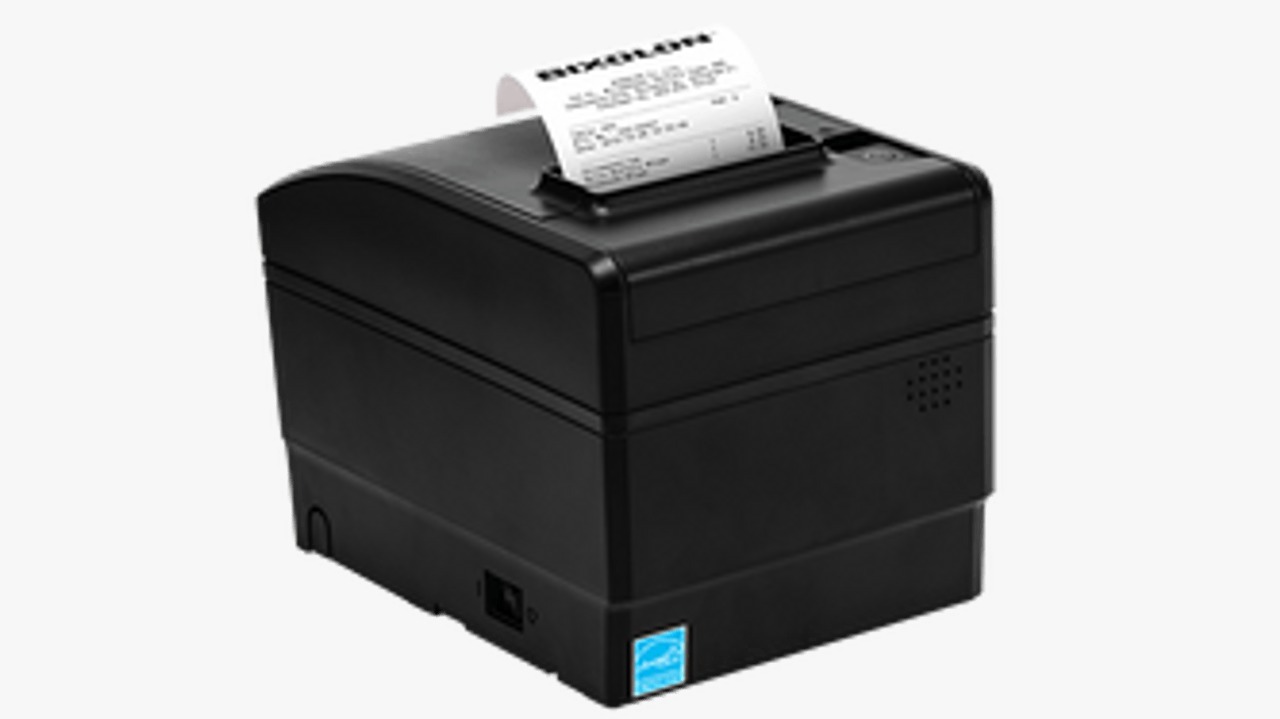
BIXOLON SRP-S300L is a 3-inch (80 mm) liner-free thermal label & receipt printer from BIXOLON, suited for restaurant or retail environments where you want versatile media, fast speeds, and label/receipt versatility.
Key Features
- Supports liner‑free label printing as well as standard receipt printing; media widths from 40mm up to 83mm.
- Print speed up to 170 mm/s for liner‑free, and up to 300 mm/s for receipts in some models.
- Paper‑saving mode: reduces the length of the receipt up to 25%.
- Built-in power supply (for desktop), saving counter space; optional wireless connectivity.
Key Advantages & Considerations
|
Pros |
Cons |
|
Versatile media width options, suitable for various label/receipt types. |
Desktop only, not mobile; fixed position. |
|
High print speed (especially for receipts) helps fast service. |
Liner-free label setup may require the correct media and may be more costly. |
|
Built‑in power supply and optional wireless help modern POS systems. |
If you don’t need liner‑free labels, you might be paying for features you won’t use. |
Ready to streamline your restaurant operations?
Upgrade to linerless labels for faster, cleaner, and more sustainable printing. Explore Linerless Labels Now!
How Do Different Types of Restaurant Printers Fit Into Your Daily Operations?
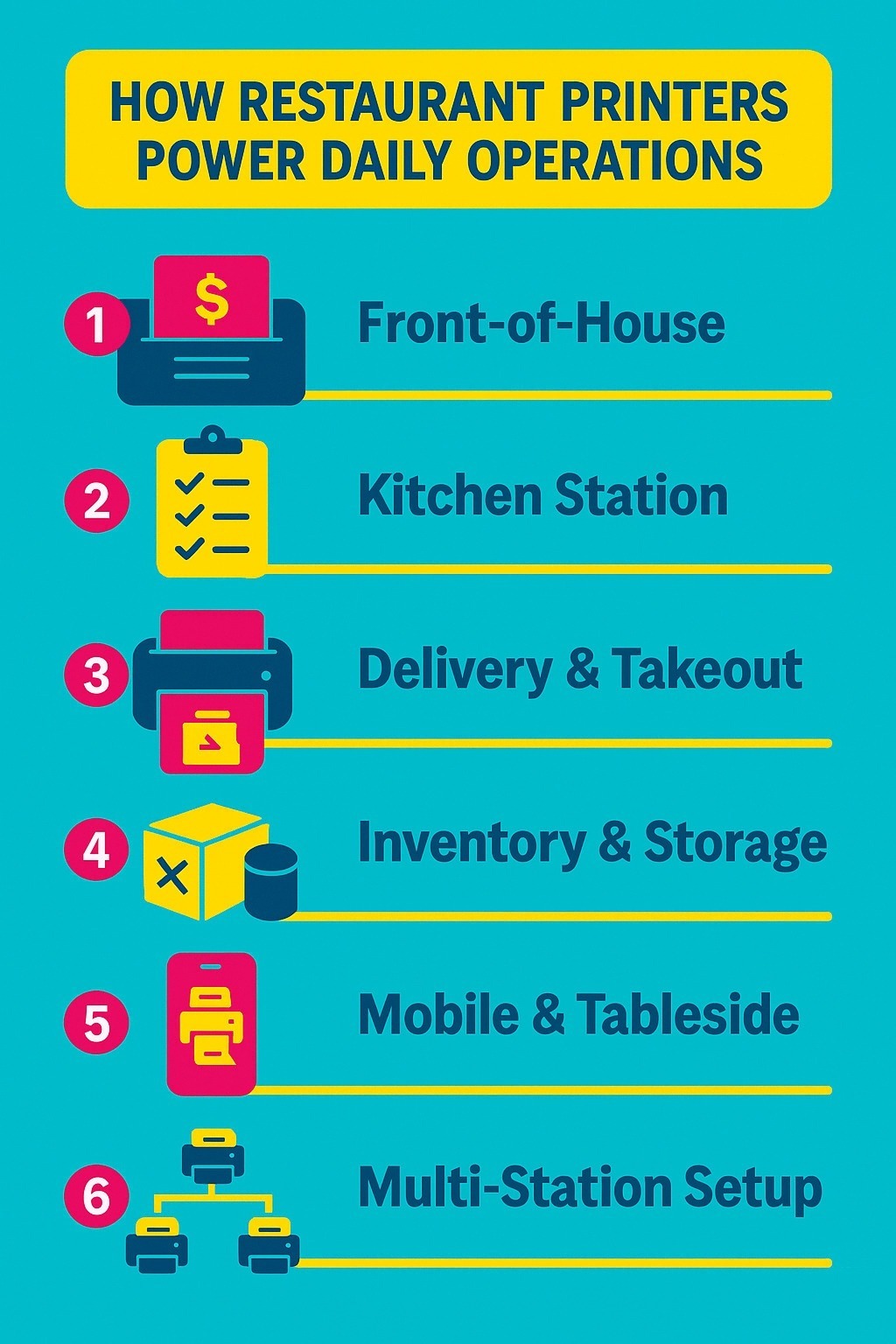
Alt text: Infographic showcasing how different printers fit into daily operations
Every restaurant has unique printing needs. From order tickets to delivery labels, each station in your business benefits from having the right type of printer in the right place. Here’s how restaurant printers can optimize each area of your workflow:
1. Front-of-House: Receipts and Customer Transactions
At the point of sale, speed and clarity are most important. A thermal receipt printer ensures customers get quick, easy-to-read receipts with minimal maintenance. Fast printing reduces waiting time at checkout, while consistent print quality reflects a professional image.
Best choice: Compact 3-inch thermal printers like the BIXOLON SRP-S300L or Epson TM-L100, both support liner-free printing and integrate smoothly with POS systems.
2. Kitchen Station: Order Tickets and Food Prep Labels
In the kitchen, your printer needs to be tough. Heat, steam, and fast-paced action require durable, high-speed printers that can handle constant printing without jamming or fading. For prep stations, linerless label printers enable chefs to quickly tag food items or orders, eliminating wasted liner paper and mess.
Best choice: Godex DT4L or Epson TM-L100 for liner-free labels that stick to containers or order tickets.
3. Delivery and Takeout: Bag Labels and Order Identification
As takeout and delivery continue to grow, correctly labelling each bag or container is critical. Linerless label printers print adhesive labels that stick securely to packaging, keeping orders organized and reducing mix-ups. Customizable templates can include order numbers, customer names, or time stamps for easy tracking.
Best choice: Seiko SLP720RT or Brother RJ4250WBL, ideal for printing mobile or counter-based takeout labels.
4. Inventory and Storage: Date Labels and Stock Management
Restaurants must monitor freshness and storage times. Using thermal label printers for expiry or date labels simplifies stock rotation and reduces waste. Clear, smudge-free labels help staff identify when ingredients were opened or prepped.
Best choice: Godex DT200L or DT230i, compact, reliable, and perfect for back-of-house labeling.
5. Mobile or Tableside Printing: Flexibility and Faster Service
For cafes, bars, or large dining areas, a portable printer can revolutionize the service experience. Servers can print receipts, tickets, or customer labels directly from a tablet or handheld POS device, eliminating the need to return to the counter. This improves efficiency, minimizes errors, and enhances customer experience.
Best choice: Brother RJ4250WBL, a rugged, battery-powered printer that connects via Bluetooth or Wi-Fi.
6. Multi-Station Integration: One Workflow, Multiple Printers
Larger restaurants often utilize multiple printers, one for the bar, another for the kitchen, and a third for front-of-house transactions. Integrated POS connectivity ensures that each order is automatically routed to the correct station. The result? Faster communication, fewer mix-ups, and smoother coordination between staff.
Best setup: A mix of Epson TM-L100 (for labels) and BIXOLON SRP-S300L (for receipts) connected through a unified POS system.
How to Choose the Best Restaurant Printer for Smooth Operations?
Alt text: Infographic showcasing steps to choose a printer
Selecting the right restaurant printer can make a big difference in how efficiently your business runs. The right choice depends on your workflow, printing volume, and the type of service you offer, whether it’s dine-in, takeout, or delivery. Here’s what to look for:
1. Match the Printer to Its Location
Decide where the restaurant printer will be used:
- Front-of-house: Use a fast thermal receipt printer for customer transactions.
- Kitchen: Choose a durable, linerless label printer that can handle heat and humidity.
- Delivery or mobile use: Go with a portable restaurant printer that supports Bluetooth or Wi-Fi.
2. Prioritize Print Speed and Volume
During rush hours, a slow restaurant printer can create bottlenecks. Look for:
- 200 mm/s or faster for receipts.
- 150 mm/s or faster for labels.
Quick printing keeps orders moving and ensures customer satisfaction.
3. Ensure Strong Connectivity
Your restaurant printer should easily integrate with your POS system and devices. Look for models with USB, Ethernet, Wi-Fi, and Bluetooth options for maximum flexibility.
4. Choose Durable, Space-Saving Designs
Restaurants are harsh environments. A reliable restaurant printer should:
- Resist heat, spills, and heavy use.
- Offer compact or wall-mountable designs for small spaces.
5. Select the Right Media Type and Width
Pick a restaurant printer that fits your paper or label needs:
- 2-inch for compact receipts.
- 3-inch for standard POS receipts.
- 4-inch for delivery or storage labels.
If you use linerless labels, confirm your printer supports that media type.
Why Choose DuraFast Canada for Your Restaurant Printers?
When it comes to reliable, high-quality restaurant printers, no one understands your business like DuraFast. We’re more than a supplier, we’re your printing partner for speed, precision, and performance.
At DuraFast, you’ll find the best brands, including Epson, GoDEX, Brother, BIXOLON, Zebra, and more, along with every supply you need to keep your restaurant running smoothly. From thermal receipt printers to linerless label printers, we stock it all right here in Canada.
With fast nationwide shipping, expert local support, and flexible leasing options, DuraFast makes professional-grade printing accessible for every restaurant, café, and kitchen. Additionally, you can request free label samples or contact our team at any time for personalized guidance.
Trusted. Canadian. Reliable.
Contact DuraFast, the restaurant printer partner that keeps your restaurant running.
Conclusion
Choosing the best restaurant printer goes far beyond specifications; it’s about finding a tool that keeps your entire operation running smoothly. From front-of-house receipts to kitchen labels and delivery packaging, the right printer enhances communication, reduces mistakes, and keeps service flowing even during the busiest hours.
Whether you prioritize speed, durability, or flexibility, focus on printers that match your workflow, integrate seamlessly with your POS system, and can withstand the demands of a fast-paced food service environment.
Frequently Asked Questions
What type of printer is best for restaurants?
Thermal receipt printers are ideal for front-of-house operations, while linerless label printers are perfect for use in kitchens and for delivery. Choose based on your workflow, speed, print width, and durability, as these factors matter most for smooth restaurant performance.
Can the SLP-720 RT print both receipts and food prep labels?
The Seiko SLP-720RT supports both linerless and standard paper, making it suitable for both receipts and food preparation labels. It’s compact, fast, and integrates easily with POS systems for efficient restaurant use.
Do restaurants need linerless label printers?
Linerless label printers reduce waste, save time, and keep workstations cleaner. They’re perfect for labeling takeout bags, containers, and kitchen orders, streamlining workflows and supporting sustainable, cost-effective operations.
Which printer is best for high-volume kitchens?
The Godex DT4L and Epson TM-L100 are top choices for busy kitchens. Both handle linerless labels, high speeds, and demanding environments, ensuring nonstop, accurate printing even during peak service hours.
Are thermal printers more suitable than inkjet printers for restaurants?
Thermal printers are faster, more reliable, and require no ink cartridges, making them ideal for the heat and fast-paced environment of restaurants. They produce clear, durable receipts and labels with minimal maintenance.