Jewellery and Ring Labels: The Complete 2026 Guide to Professional In-House Labelling
30th Sep 2026
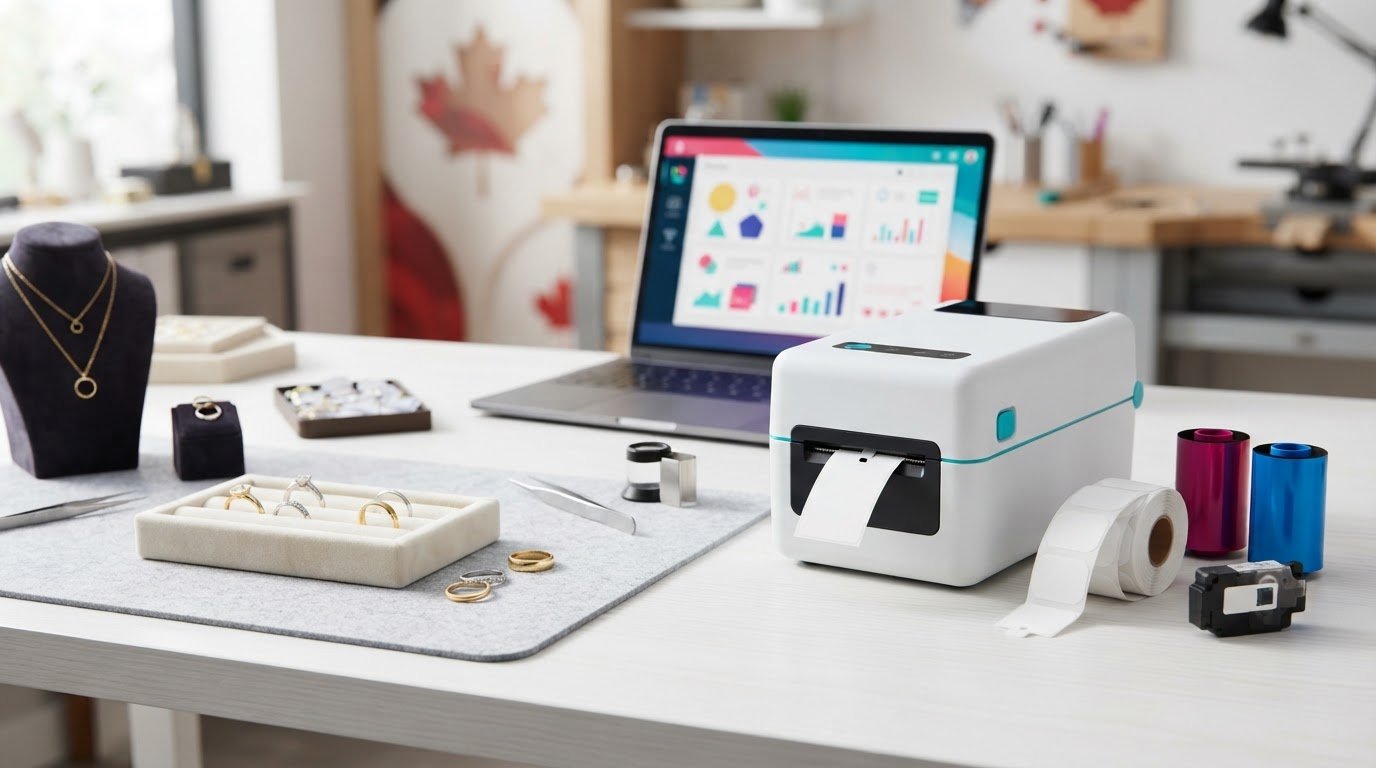
What if the label that makes your jewellery easier to manage is also the one putting delicate finishes, stones or presentation at risk? Choosing jewellery and ring labels means balancing a clean, professional look with practical demands: tags must stay attached through handling, print must remain legible under display lights, and the attachment should suit the piece.
If you’ve dealt with labels that loosen during cleaning, adhesive residue on valuable items or the expense of repeatedly ordering pre-printed tags, those concerns are understandable. The right setup depends on more than the printer: tag shape, material, attachment method and printing technology all affect how well labels perform. No single option should be assumed to suit every piece or cleaning process.
This guide explains how to choose and print durable jewellery tags in-house, with attention to presentation, inventory needs and cost-efficiency for small and large batches. We’ll look at specialized tag styles, compare thermal and colour inkjet approaches, and outline what to consider when selecting a printer and compatible supplies. You’ll have a clearer basis for producing professional-looking tags and choosing a setup that fits the way your business handles, displays and cleans jewellery.
Key Takeaways
- Choose jewellery and ring labels by considering tag style, attachment method and how each tag will be handled, so presentation and inventory needs work together.
- Compare in-house printing with pre-printed stock to see how producing small or large batches yourself can make price and product-detail updates more flexible.
- Match printer technology to your needs for colour, print volume and durability, rather than choosing by speed alone.
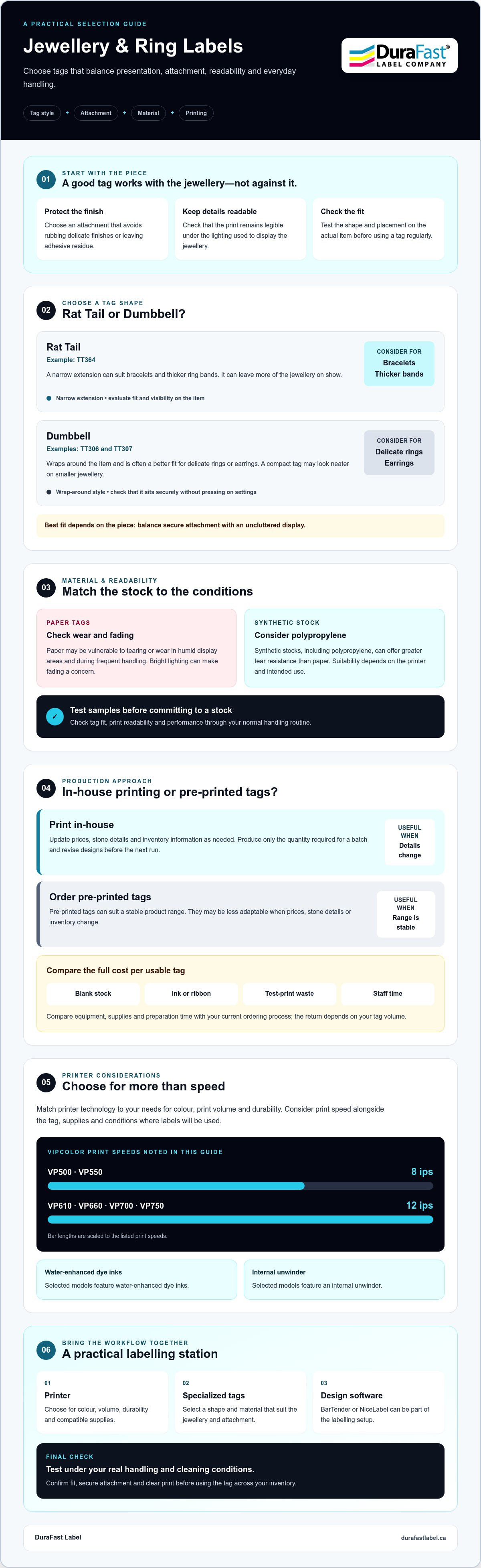
- Learn how VIPColor models differ: the VP500 and VP550 print at 8 ips, while the VP610, VP660, VP700 and VP750 print at 12 ips; selected models also feature water-enhanced dye inks or an internal unwinder.
- Plan a practical labelling station with a printer, specialized tags and label design software such as BarTender or NiceLabel, then assess tag performance under your actual handling and cleaning conditions.
Understanding Jewellery and Ring Labels: Materials and Styles
Jewellery tags have to do two jobs in very little space: display useful details clearly and stay intact through handling. The attachment matters just as much as the print. A tag that rubs against a stone or leaves adhesive on a metal finish can undermine an otherwise careful presentation.
Some jewellery tags use an adhesive-free centre: adhesive closes the tag around the item while the area touching the jewellery remains free of adhesive. This helps keep sticky residue off the piece, but the tag still needs to fit securely without pressing on delicate settings. Check the tag’s shape and placement on the actual item before putting it into regular use.
Retail tags identify items for pricing and inventory; they are not the same as official marks applied to precious metals. For background on the purpose and history of official hallmark standards, see the linked overview. Keeping these functions distinct helps staff use each mark or tag appropriately.
Rat Tail vs. Dumbbell Labels: Which is Better?
Rat Tail tags, including TT364, have a narrow extension that can suit bracelets and thicker ring bands. Dumbbell tags, such as TT306 and TT307, wrap around an item and are often a better fit for delicate rings or earrings. Test the fit and visibility on each piece: rat-tail tags can leave more of the item on show, while a compact dumbbell tag may look neater on smaller jewellery. The best choice balances a secure fit with an uncluttered display.
Why Material Choice Matters for Fine Jewellery
Paper tags may be vulnerable to tearing or wear in humid display areas and during frequent handling. Bright lighting can also make fading a concern, so check that the print remains legible in the conditions where jewellery is displayed. Synthetic stocks, including polypropylene, can offer greater tear resistance than paper, but the right material depends on the printer and the tag’s intended use. Test samples before adopting a stock for your full inventory.
Material and shape work together to support a polished, consistent presentation. Suitable jewellery and ring labels can help keep item information visible while reducing visual clutter around the piece. Choose a tag that suits the jewellery, then confirm its fit, print readability and performance through your normal handling routine.
In-House Printing vs. Outsourcing: A Strategic Comparison
Pre-printed tags can suit a stable product range, but they’re less adaptable when prices, stone details or inventory change. Printing jewellery and ring labels in-house lets staff update tag information as needed and produce only the quantity required for a particular batch. That flexibility can reduce the risk of setting aside tags that no longer match current stock.
In-house production can also support new inventory launches without waiting for a separate print order. Add a logo or a QR code to a design when the tag format, printer and software support it, then confirm that the code remains readable at the tag’s small size. The return on investment depends on your tag volume and the cost of equipment, supplies and staff time, so compare those ongoing inputs with your current ordering process rather than relying on a generic savings estimate.
The Cost-Per-Label Advantage
Buying blank labels and printing them as needed can make sense for both short runs and larger batches. To assess cost per usable tag, include the blank stock, ink or ribbon, wasted test prints and the time spent preparing labels. In-house printing may help limit obsolete stock because you can revise a design before producing the next batch. As a Canadian jewellery business grows, production can scale with demand, provided the printer and workflow suit its volume.
Inventory Tracking and Barcoding
A barcode can make product lookup and checkout more consistent than reading handwritten details or typing them manually. It doesn’t remove every possible error, but scanning can reduce reliance on manual entry. Before adopting barcodes, check that your POS system can read the chosen code and connect it to the right product records. A QR code may offer another way to link a tag to product information, if your systems support it.
Clarity matters on a tiny tag. Keep essential text legible, use a barcode or QR code only if it can be scanned reliably at the printed size, and test a sample before committing to a full run. High-resolution printing can support crisp text and a more consistent branded appearance, but the result also depends on the tag design and printer settings.
If you’re comparing tag options or printers for your workflow, you can contact DuraFast Label Company Canada to discuss the products available for jewellery tagging.
Choosing the Right Printer Technology for Jewellery Retail
Printer choice comes down to the information your tags need to carry, how many you print, and whether colour is important to your presentation. Thermal transfer uses a ribbon to print durable text and barcodes, making it a practical option for straightforward, mainly monochrome identification. Colour inkjet can add logos and colour accents, which may help create a consistent branded look across professional retail tags.
Both technologies can suit jewellery applications, but the printer must also handle the tag stock and format you plan to use. Rat-tail and dumbbell shapes differ in how they feed and are presented, so confirm that the printer and tag combination is compatible before choosing a setup. For occasional small runs, a desktop printer may be sufficient; for frequent production or colour-rich designs, a high-speed inkjet model may better fit the workflow.
Standard Memjet Series for High-Volume Production
For colour printing at higher volumes, the VIPColor VP500, VP610 and VP700 use Memjet technology and standard Memjet dye inks. The VP500 prints at 8 ips and uses 200 ml cartridges, while the VP610 prints at 12 ips and uses 250 ml cartridges. Both have external label unwinders. The VP700 shares the VP610’s speed, print quality and cartridge size, but has an internal unwinder that helps protect the label roll from environmental debris.
If moisture resistance is a priority, the related VP550, VP660 and VP750 models use water-enhanced dye inks. Match the model to your production pace and environment, and remember that the VP750 has an internal unwinder. In every case, confirm that the particular jewellery tag stock is suitable for the printer and the intended design.
Seiko SLP850: A Compact Option for Small Runs
For a boutique producing mostly text or barcodes, the Seiko SLP850 printers offer a compact desktop alternative. The 2-inch, 300 DPI format can support legible small text on appropriately designed tags. SLP850 configurations include USB, serial or Bluetooth connectivity, so check the specific model’s connection options against your shop setup.
To narrow the choice, estimate how many tags you print during a typical day, decide whether colour branding is needed, and test a sample using the intended tag shape and stock. This practical check helps ensure your printer can feed the tags reliably and produce readable information without adding unnecessary complexity to your jewellery labelling workflow.
Durability Requirements: Surviving Cleaners and Handling
Jewellery labels can face more than routine handling. Tags may encounter moisture, condensation, rubbing during try-ons, and cleaning processes such as ultrasonic or steam cleaning. No printer ink alone can guarantee a tag will survive every cleaner or method. Performance depends on the tag material, print technology, attachment and exposure, so test a complete printed tag using your actual cleaning routine before relying on it for valuable inventory.
For moisture-prone applications, VIPColor’s VP550, VP660 and VP750 use Memjet water-enhanced dye inks. These inks are intended to provide greater durability in wet or condensation-prone conditions than the standard dye inks used in the VP500, VP610 and VP700. That doesn’t establish resistance to ultrasonic cleaning, steam or prolonged exposure. Check the results on your chosen tag stock, and avoid assuming a tag is suitable for a process just because its ink is water-enhanced.
The Water-Enhanced Series for Professional Durability
The VP550 prints at 8 ips and uses 200 ml ink cartridges, making it an option for smaller batches. The VP660 prints at 12 ips, uses 250 ml cartridges and has an external unwinder. The VP750 also uses water-enhanced inks and has an internal unwinder, which helps keep the label roll protected from environmental debris in dusty work areas. Select based on your print volume and workspace, then validate tag durability separately.
Resisting Environmental Debris and Display Fading
An internal unwinder addresses a specific issue: it helps shield the label roll from dust and debris while printing. It doesn’t protect completed tags from workshop conditions, cleaning or display lighting. Bright LED lighting can contribute to fading over time, so check printed samples in the case where they’ll be displayed and compare their legibility after exposure.
Dye and pigment inks behave differently. The VIPColor water-enhanced models described here use dye inks, not pigment inks. While pigment ink technology can offer stronger resistance to light and abrasion in some applications, don’t assume that advantage applies to these dye-ink models. For jewellery and ring labels, match the printer, tag stock and cleaning conditions, and inspect small text and barcodes after handling. A stock that smudges or a print that fades can make item details harder to verify.
To discuss VIPColor printers and jewellery tag options for your environment, contact DuraFast Label Company Canada about durable jewellery labelling.
Setting Up Your Jewellery Labelling Station
A reliable station brings together three essentials: a printer suited to your tag format, label design software, and compatible jewellery tags. Set them up as one workflow. A design that looks right on screen may not print cleanly if the tag feeds unevenly or the text sits too close to an edge.
Before production, print a test on the exact rat-tail or dumbbell tag you plan to use. Check that the tag feeds straight, the print lands within its printable area and small text remains legible. Adjust the template or printer alignment as needed, then keep the approved design settings available for repeat runs.
Software and Design Best Practices
Tools such as BarTender and NiceLabel can help staff create consistent layouts and manage barcode designs. Where the software and your inventory system support it, use product records as the source for changing prices or item details, rather than retyping each tag. Keep layouts simple: reserve a safe zone around the printable edges and any fold or adhesive area, and prioritize essential details over decorative elements.
A logo or colour accent can reinforce your brand, but it shouldn’t crowd the item description or barcode. Print and scan a sample at its final size before rolling out a design. If you use thermal transfer, match the ribbon to both the printer and synthetic tag material. The available thermal transfer ribbons are one part of that compatibility check, not a substitute for testing the complete tag and ribbon combination.
Maintenance and Printhead Care
Good print quality depends on routine care and using supplies suited to the printer. For VIPColor inkjet printing, use compatible ink cartridges and label stock intended for the printer; DuraFast Label Company Canada’s inkjet label options can help you review compatible media. Follow the printer manufacturer’s instructions for printhead checks and cleaning. Avoid touching print surfaces or using unapproved cleaning materials, which could affect print quality or damage components.
For multiple locations, standardize the approved tag templates, product-data process, printer settings and sample-check routine. This gives staff a consistent reference when replacing supplies or setting up a print run, while leaving room for location-specific inventory details.
Ready to modernize your Canadian jewellery business? Start by matching your printer, software and tag stock to the way your team labels and tracks inventory, then validate the setup with a real print test.
Build a Jewellery Labelling Workflow That Grows With You
Professional jewellery and ring labels need to do more than display a price. The right tag style and material help protect delicate pieces while keeping key details clear, and a compatible printer and software setup makes it easier to produce tags as inventory changes. In-house printing can also support a consistent brand presentation, whether you’re preparing a small batch or regular production.
Before settling on a setup, test your chosen tags with the printer, supplies and handling conditions you use in the shop. DuraFast Label Company Canada offers specialized jewellery tags, durable synthetic materials for retail use, and VIPColor and Seiko hardware to suit different workflows. You can also draw on expert Canadian technical support as you compare options.
Ready to choose a practical next step? Contact DuraFast Label Company Canada to discuss jewellery labelling options for your business. With a considered setup, you can create clean, professional tags and build an in-house process that keeps pace with your inventory. Your next print run can be a confident step towards a more consistent retail experience.
Frequently Asked Questions
Do jewellery labels leave sticky residue on rings?
They don’t have to. Some jewellery tags use an adhesive-free centre, so adhesive holds the tag closed while the area touching the ring stays free of it. This can help prevent sticky residue on delicate finishes, but fit and placement still matter. Check that the tag suits the ring’s band and setting, and test it on a representative piece before using it across your inventory.
Can I print my own jewellery tags with a standard office printer?
Possibly, but a standard office printer may not feed specialized rat-tail or dumbbell tags reliably. These small, shaped tags require a compatible printer and suitable tag stock to help prevent misfeeds and misplaced text. Before committing, check the printer’s media compatibility and test a sample. A dedicated label printer designed for the tag format can provide a more repeatable in-house workflow.
What is the difference between rat-tail and dumbbell jewellery labels?
Rat-tail tags have a narrow extension that can work well with bracelets and thicker ring bands. Dumbbell tags wrap around the item and can suit delicate rings or earrings. Rat-tail tags may leave more of a piece visible in a display, while a compact dumbbell shape can appear less prominent on small items. DuraFast Label offers TT364 rat-tail tags and TT306 and TT307 dumbbell tags.
Will inkjet-printed jewellery tags smudge if they get wet?
It depends on the ink, tag material and amount of moisture. VIPColor VP500, VP610 and VP700 printers use standard Memjet dye inks; the VP550, VP660 and VP750 use water-enhanced dye inks for greater durability in wet or condensation-prone applications. Neither ink choice guarantees resistance to every exposure or cleaning process. Use compatible inkjet tag stock and test a printed sample under your actual conditions.
Which printer is best for a small jewellery boutique in Canada?
The right choice depends on your tag volume and whether you need colour. For compact, small-batch printing, the Seiko SLP850 is a 2-inch, 300 DPI desktop option suited to detailed text and barcodes on compatible tags. If colour branding or higher-volume printing matters, compare VIPColor models instead. Confirm tag compatibility and connectivity for your setup before selecting a printer.
Do I need special software to print barcodes on jewellery tags?
You need software that can create and print the barcode format your inventory or POS system uses. Label design and barcoding software such as BarTender or NiceLabel can help you build tag layouts and connect barcode data to product records, depending on your system. Check that the printed code fits the tag and scans reliably, then test it with the equipment used at checkout.
Are these labels durable enough for ultrasonic jewellery cleaners?
There’s no universal guarantee that a jewellery tag will withstand ultrasonic cleaning. Results depend on the tag stock, ink or ribbon, attachment and the cleaning conditions. Water-enhanced dye inks are intended for improved durability in wet or condensation-prone applications, but that doesn’t confirm ultrasonic-cleaner resistance. Test a complete printed tag using your own cleaning process, and remove tags beforehand if your results are uncertain.
What is an internal unwinder and why do I need one for my jewellery labels?
An internal unwinder is built into the printer and holds the label roll inside the printer. It can help protect the roll from environmental debris in dusty work areas. For example, the VIPColor VP700 and VP750 have internal unwinders, while the VP500 and VP610 have external unwinders. An internal unwinder may be useful in a dusty workspace, but it isn’t essential for every jewellery labelling station.