Afinia L801 Labels in Canada: How to Choose the Right Roll
28th Sep 2026
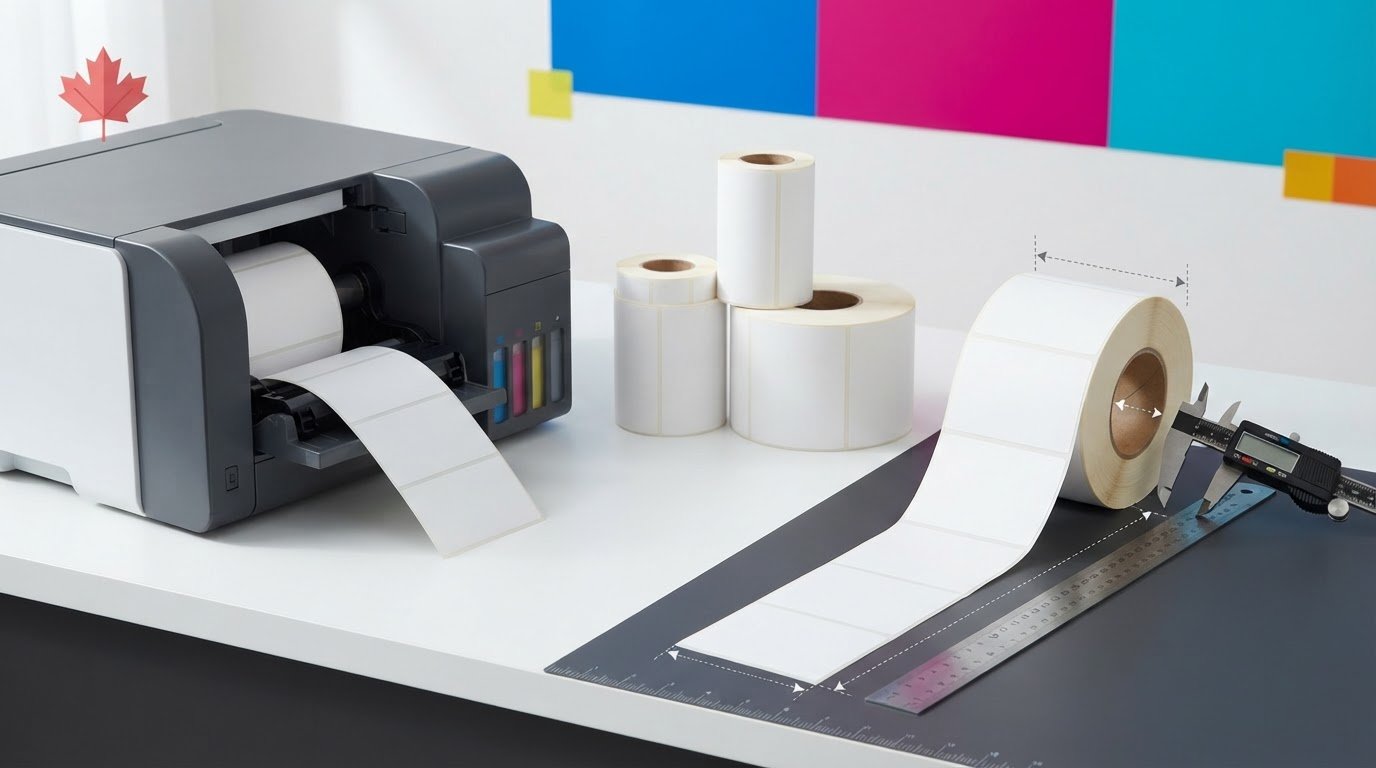
A label roll can look right on paper and still be the wrong fit for your printer or product. When comparing Afinia L801 labels Canada suppliers offer, check the roll’s dimensions and core against the printer requirements before ordering. Then consider whether the label surface and adhesive suit the product and conditions it will encounter.
It’s understandable to focus on label size or price first, but compatibility matters just as much. A mismatch can waste labels, ink and production time. Your printer model matters too: the Afinia L801 and L801 Plus use different ink systems, so match the label material to your exact printer and intended use.
This guide explains how to shortlist suitable rolls and what to check before placing an order. You’ll review printer fit, label construction and application needs, including possible moisture exposure. You’ll also learn what to confirm with a Canadian supplier, such as roll specifications and current availability, before choosing a product.
Key Takeaways
- Start with the exact printer model, then compare roll dimensions, core size and other fit requirements with its documentation or confirm them with a supplier.
- Choose the label surface and adhesive based on the product, desired appearance and conditions the label will encounter.
- Prepare your roll specifications, application details and operating conditions before asking about Afinia L801 labels Canada.
- Confirm the specific label’s compatibility and current availability before ordering to help avoid wasted supplies and production time.
- DuraFast Label Company Canada serves customers across Canada and offers Afinia L801 labels and related printing supplies.
Afinia L801 labels in Canada: what to check before choosing a roll
Whether you’re replacing a depleted roll or preparing for a new production run, dependable labels start with the right match. A roll that feeds incorrectly can interrupt work, while a label that doesn’t suit its application may not provide the appearance or performance you need. For Afinia L801 labels, Canada buyers should assess printer fit and intended use separately.
An Afinia L801 label is a roll verified to fit the printer and selected for the product, surface and conditions it will face. A roll may suit a particular application but fail the printer’s requirements. It may also fit the printer but be unsuitable for the product. Check exact compatibility against verified product specifications rather than relying on a broad description.
Why the Afinia L801 label search needs a model-specific check
A listing for inkjet labels may describe a broad category without confirming every roll requirement for a specific printer. Check the Afinia L801 documentation for the details that affect loading and feeding, then compare them with the roll’s stated specifications. Don’t assume a roll fits because it is described as inkjet-compatible or works with a similar printer. Similar models aren’t automatically interchangeable.
Keep the two checks distinct: printer compatibility means the roll meets the printer’s requirements; application suitability means the label construction fits your product and operating conditions. If a listing leaves a fit detail unclear, ask the supplier to verify it before ordering.
What a label roll needs to do in your operation
Start by defining what the label needs to do. It may need to present product information legibly, maintain a consistent appearance throughout a run and apply smoothly to a particular container or package. Next, consider the conditions: will labels face moisture, frequent handling, refrigeration or routine indoor use? These details help you identify which surface and adhesive to ask about. Confirm performance for the specific label and application rather than assuming it.
Adhesive is part of the match, not a detail to overlook. A pressure-sensitive adhesive bonds when pressure is applied, but the right choice depends on the label and the surface it needs to adhere to. Describe that surface to the supplier and ask about available face stocks, finishes and adhesives. For example, weatherproof and UL-certified labels are a distinct product-label category. That description alone doesn’t establish compatibility with the Afinia L801.
Write down the operating conditions before comparing rolls. With those requirements in hand, you can verify printer fit first, then narrow options by appearance, application and exposure. This helps avoid choosing on the basis of a similar printer model or a broad product description.
How to confirm Afinia L801 label compatibility before ordering
A product listing is a useful starting point, but it shouldn’t be the only basis for choosing a roll. Use a simple verification process: identify the exact printer, compare the roll’s physical specifications with printer requirements, then check the intended application. For Afinia L801 labels, Canada buyers can check these details before purchase to help avoid a roll that won’t feed as expected and interrupts production.
Which printer and roll details should you compare?
First, identify the exact printer model from its documentation or unit. Then check the roll format specified for that model. Compare label width, core size, outside roll diameter and feed format, including how labels are presented on the roll. Look for an explicit Afinia L801 compatibility statement. If a listing gives only general information or leaves one of these details unclear, don’t assume the roll fits.
Before ordering, confirm the printer model, roll width, core size, outside diameter and feed format against reliable specifications. Consult the printer documentation for its requirements and compare those details with the product information. If either source doesn’t provide a clear match, ask a supplier to verify the exact roll. Don’t rely on a similar printer model or a broad “inkjet” description.
How to resolve a compatibility question
Gather the printer model, the specifications of your current roll or proposed replacement, and a short description of the label’s use. This gives a supplier practical details to check, especially if the listing doesn’t name the L801 or leaves a fit requirement unanswered. You can browse available inkjet label rolls, but verify the specific roll’s fit before ordering.
- Identify: Record the exact printer model.
- Compare: Check width, core, outside diameter and feed format against documented requirements.
- Describe: Note the product or surface being labelled and the conditions the label may face.
- Confirm: Ask the supplier to verify the exact product specifications before purchase.
If your label carries consumer product information, consult the Government of Canada’s Consumer Packaging and Labelling Act guide as a reference. Treat content requirements and printer-roll fit as separate checks. Confirming one doesn’t establish the other.
Still unsure which specification to check? Share the printer model, roll details and application with DuraFast Label Company Canada’s team and ask them to confirm the specific product information before you order.
Choose Afinia L801 label material for the product and conditions
After verifying the roll’s fit, choose its construction based on the job it needs to do. Start with the product surface and desired appearance, then consider possible exposure to moisture, condensation, abrasion or frequent handling. A finish that looks right on screen may not meet the needs of the application, so confirm the specific label details before ordering.
Match label surface and appearance to the product
Matte and gloss are appearance choices, not universal rankings for print quality or durability. Consider the package’s look and whether small text, colour or product photography needs to remain easy to read under the lighting where customers will see it. Most importantly, confirm that the proposed face stock and finish are intended for the exact printer and ink system. Don’t judge suitability by appearance alone.
| What to assess | Questions to ask | Application consideration |
|---|---|---|
| Surface and finish | Is the proposed stock matte, gloss or another finish, and is it confirmed for the printer and ink system? | Will the finish support the desired appearance and keep essential details legible? |
| Adhesive | Is the adhesive suitable for the actual package or container surface? | Will the label be applied to a clean, dry surface, or are other conditions expected? |
| Exposure | What conditions is the label construction intended to handle? | Could moisture, condensation, refrigeration, abrasion or repeated handling affect the label? |
| Application | How will the label be applied and used? | Does the product need a consistent, readable label through normal storage and handling? |
Check adhesive and exposure requirements
Describe the surface precisely, such as the type of package or container, and explain any expected temperature changes, moisture or handling. Ask the supplier to confirm whether the adhesive and complete label construction suit those conditions. The ASTM D3330 standard for peel adhesion describes a test method for peel adhesion of pressure-sensitive materials. A reference to a test method alone doesn’t establish that a particular label will suit your application.
If you’re considering weatherproof labels, treat that category as a starting point for questions, not proof of Afinia L801 compatibility or performance for your product. Confirm the exact stock, finish and adhesive for the printer and intended use. For Afinia L801 labels, Canada buyers should base their decision on verified label construction and the conditions it will encounter.
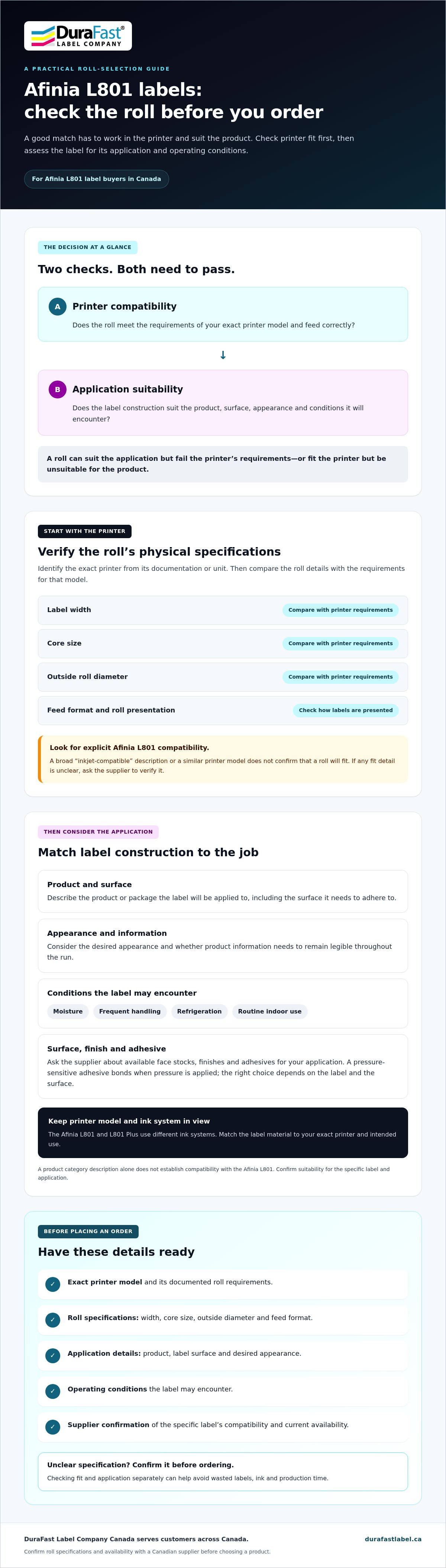
Use this Afinia L801 label pre-order checklist for a smoother workflow
Preparing a few details in advance makes it easier to compare rolls and get clear answers before ordering. Gather the information below, especially if a product listing doesn’t specify every requirement for your printer. For Afinia L801 labels, Canada buyers can use this checklist to organize fit, application and operating-condition questions instead of guessing about compatibility.
Prepare the information a supplier needs
Record the exact printer model and any roll requirements you’ve confirmed in its documentation. Then describe the label’s job. Include its known dimensions and shape, your preferred material or finish, the surface it will be applied to and any adhesive requirements you need checked. If a detail is unknown, list it as a question rather than treating an assumption as a specification.
- Printer: Exact model, plus any relevant information from the printer documentation.
- Roll: Verified width, core size, outside diameter and feed format, where specified.
- Label: Intended dimensions and shape, desired appearance, and material or finish preference.
- Application: Product or packaging surface, how the label will be applied, and what it needs to communicate.
- Conditions: Expected handling and any exposure to moisture, condensation, refrigeration or abrasion.
These details help a supplier assess the exact roll instead of recommending an option based only on a broad label category. DuraFast Label Company Canada serves customers across Canada and offers Afinia L801 labels and related printing supplies. Its wider range also includes colour label printers, which may be useful if you’re comparing printing equipment as a separate decision.
Review the product listing before placing an order
Check whether the listing explicitly names the Afinia L801 or gives the specifications needed to compare it with your printer documentation. Look for roll details that affect fit, along with clear information about stock, finish and adhesive. A missing specification doesn’t mean the roll is unsuitable, but it is a reason to ask before ordering.
Ask the supplier to clarify gaps and confirm the exact product specifications for your printer and application. Also verify current availability and ordering or shipping details directly. Don’t assume stock or delivery timing based on a general listing. With your checklist ready, contact DuraFast Label Company Canada to confirm your Afinia L801 label requirements before placing an order.
Source Afinia L801 labels in Canada with your requirements ready
Choosing a roll comes down to three checks: verify that it fits the exact printer, define the product and conditions it needs to serve, then confirm the specific label details before ordering. Keeping these steps in order separates printer compatibility from application suitability and helps prevent choosing a roll based on a product description alone.
DuraFast Label Company Canada serves customers across Canada and offers Afinia L801 labels, label printers and related printing supplies. If you’re comparing Afinia L801 labels Canada options, contact the team with your requirements and ask about any unclear specifications. Confirm product availability and ordering details directly.
What to include when asking about Afinia L801 labels
A clear enquiry gives the supplier practical information to check. Include the exact printer model and any roll specifications you’ve verified in the printer documentation. Describe the product being labelled, the application surface and the conditions the label may encounter, such as frequent handling or possible moisture exposure.
If you’re unsure about a roll’s width, core, outside diameter, feed format, face stock, finish or adhesive, identify the missing detail and ask for confirmation. Don’t guess or assume a specification for a similar printer applies to your L801. Describing the intended use precisely helps focus the question on the product information you need.
Take the next step with a clear requirements list
Before placing an order, have these details ready:
- Printer: Exact model.
- Roll: Specifications confirmed from documentation, plus any details that still need checking.
- Application: Product, label surface and intended appearance.
- Conditions: Expected handling and exposure during use.
Use the list to confirm the roll’s fit and whether its construction suits your application. Ask the supplier to clarify missing compatibility or material information, and verify current availability and ordering details before committing. For product questions, ask about Afinia L801 labels with your printer and label requirements ready.
Choose your next label roll with confidence
Choosing the right roll starts with the exact printer model and verified fit details. Then match the label’s surface and adhesive to the product, application and conditions it will face. If a listing leaves a specification unclear, confirm it before ordering instead of relying on assumptions.
With your printer model, known roll details and application requirements ready, you can ask focused questions about Afinia L801 labels Canada. DuraFast Label offers Afinia L801 labels and related printing supplies to customers across Canada. Confirm product specifications, availability and ordering details directly so your decision is based on current information.
Ready to check a roll against your needs? Ask about Afinia L801 labels and share the details you’ve gathered. A clear requirements list is a practical first step towards a smoother label-supply decision.
Frequently Asked Questions
Which labels fit an Afinia L801 printer?
Labels fit an Afinia L801 only when their verified roll specifications meet the requirements for that exact printer. Check the printer documentation and compare details such as roll width, core size, outside diameter and feed format with the label listing. If a specification is missing or unclear, ask the supplier to confirm it before ordering. Don’t assume a roll will fit just because it’s described as inkjet-compatible.
Can I use any inkjet labels in an Afinia L801?
No. A label described as inkjet-compatible isn’t automatically suitable for the Afinia L801. The roll still needs to meet the printer’s physical requirements, and its face stock and finish should be confirmed for the printer and ink system. Check both printer fit and intended application. If the listing doesn’t identify the L801 or provide enough detail, request confirmation of the exact label specifications before buying.
How do I choose between matte and gloss labels for an Afinia L801?
Choose matte or gloss based on the look you want and how the printed information should appear on your product. Consider whether small text, colour or product photography needs to be easy to read under typical viewing conditions. Neither finish is automatically best for every application. Before ordering, verify that the specific surface is intended for your printer and ink system, then consider handling and exposure requirements.
What should I check before ordering Afinia L801 label rolls?
Confirm the exact printer model and compare the roll’s width, core size, outside diameter and feed format with verified printer requirements. Then check the label’s surface, finish and adhesive against the product and expected conditions, such as handling or moisture exposure. Ask about missing specifications before purchasing. These checks help you assess printer fit and application suitability separately rather than relying on a broad product description.
Are weatherproof labels suitable for every Afinia L801 application?
No. A weatherproof description alone doesn’t establish that a label suits every product, printer or operating condition. Verify that the roll fits the Afinia L801, and ask whether its specific face stock, finish and adhesive match the application. Consider actual exposure, such as moisture, condensation or abrasion. Confirm the complete label construction for your use conditions instead of relying on a category name.
Where can I buy Afinia L801 labels in Canada?
DuraFast Label offers Afinia L801 labels and related printing supplies to customers across Canada. Before ordering, confirm current availability and any ordering or shipping details directly with the retailer. Have the exact printer model and known roll requirements ready so you can ask about the specifications that matter to your setup and intended label application.
What information should I give a supplier when asking about Afinia L801 labels?
Share the exact printer model, any roll details you’ve verified and the product or packaging surface the label will be applied to. Describe your preferred label dimensions, shape, material or finish, if known, and mention expected handling or exposure to moisture, refrigeration or abrasion. Identify any missing compatibility details and ask the supplier to confirm the exact product specifications before placing an order.