2 1/4 Linerless Thermal Labels: The Canadian Business Guide to Efficiency
26th Sep 2026
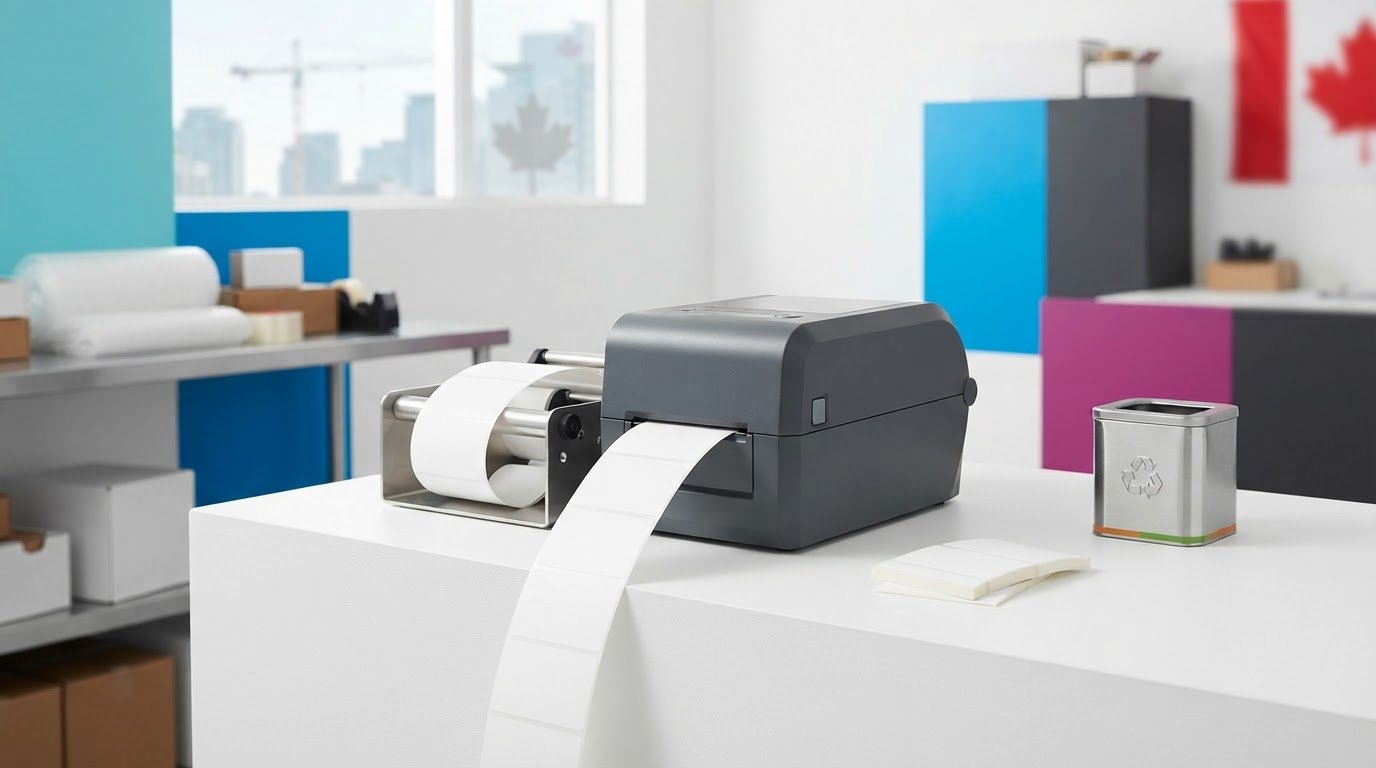
What if the backing paper from your labels is creating extra work after each label is printed? Excess liner adds waste, frequent roll changes interrupt production, and discarded backing can clutter floors. If you’re considering 2 1/4 linerless thermal labels, first check whether they’ll work with your printer. Compatibility matters because a standard thermal printer may not be designed to handle linerless media.
The right linerless setup can reduce backing-paper waste, keep work areas clearer and support longer runs with more labels per roll. This guide explains how 2 1/4-inch linerless media works, what to check before switching and how to assess whether it suits your workflow.
The Seiko SLP720RT is one hardware option to consider for this label size. Before choosing a printer and media, compare their specifications with your existing process. A careful match can help you reduce waste and interruptions without assuming that every linerless setup will deliver the same results.
Key Takeaways
- Learn how a release coating helps linerless media feed without a separate backing liner.
- Compare roll capacity and workflow requirements to assess the value of switching, not just the media cost.
- Check why 2 1/4 linerless thermal labels need a printer designed for linerless media, such as the Seiko SLP720RT.
- Audit your label volume and waste to identify where a liner-free setup may fit your operation.
- Confirm roll dimensions and media compatibility before choosing hardware.
What are 2 1/4 Linerless Thermal Labels?
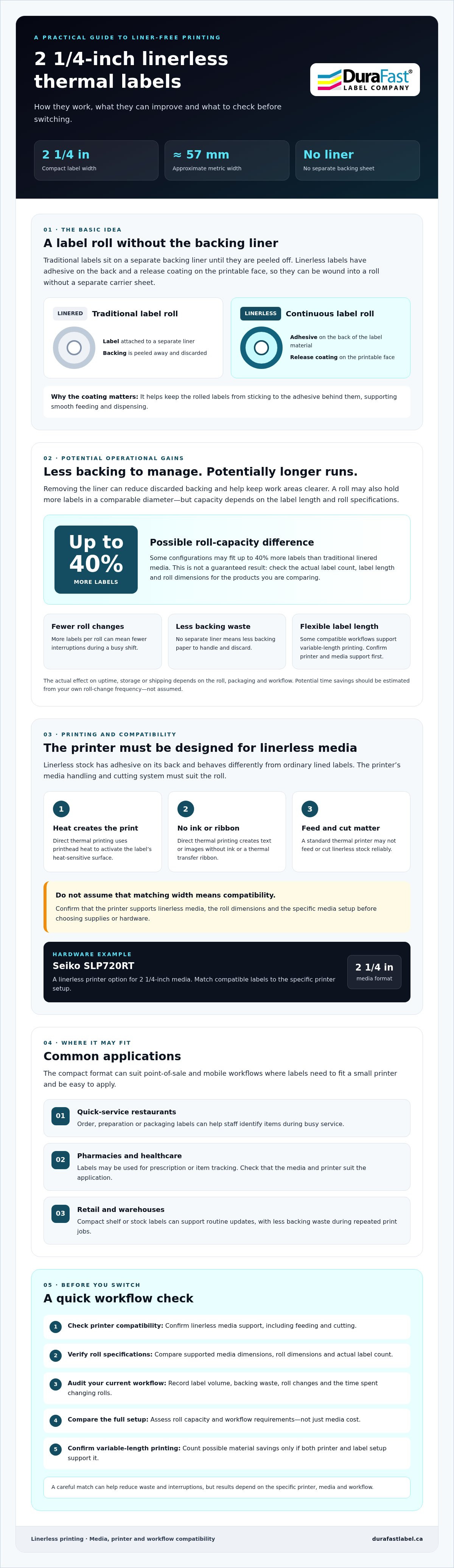
Traditional labels are attached to a backing liner that supports them until they’re peeled off. Linerless labels have no separate carrier sheet. They come on a continuous roll, with adhesive on the back and a release coating on the printable face. Without the liner, there’s less backing paper to handle and discard during everyday labelling.
The 2 1/4-inch width, approximately 57 mm, is a compact format for point-of-sale and mobile workflows where labels need to fit a small printer and be easy to apply. Before ordering, check the printer’s supported media dimensions and roll specifications. The Seiko SLP720RT is a linerless printer option for this media size. Match compatible Seiko SLP720RT labels to the specific printer setup.
These labels use direct thermal printing. Heat from the printhead activates the label’s heat-sensitive surface to create text or images, without ink or a thermal transfer ribbon. For an overview of the thermal printing process, see Wikipedia’s explanation of how thermal printers produce images.
The Mechanics of Liner-Free Printing
With linerless media, adhesive is applied to the back of the label material rather than to a label carried on a separate backing sheet. A release agent on the printable face helps prevent the rolled labels from sticking to the adhesive behind them. This coating supports smooth feeding and dispensing.
Adhesive-backed stock behaves differently from ordinary lined labels, so use a printer designed for linerless media. Its media handling and cutting system must suit the roll. A regular thermal printer may not feed or cut linerless stock reliably. Confirm compatibility rather than assuming that media of the same width will work.
Common Applications in the Canadian Market
Where labels are printed frequently, removing the liner can simplify the work area and reduce discarded backing near workstations. This can help keep operations tidier, though safe housekeeping practices are still essential.
- Quick-service restaurants: Print order, preparation or packaging labels to help staff identify items during busy service.
- Pharmacies and healthcare: Use appropriately configured labels for prescription or item tracking, while checking that the media and printer suit the application.
- Retail and warehouses: Produce compact shelf or stock labels for routine updates. Linerless printing can reduce backing waste during repeated print jobs.
The Operational Advantages of Switching to Linerless
How much time does your team spend changing rolls, clearing scraps and restocking labels? Linerless media can reduce some of these interruptions. Without a separate backing liner, a roll may hold more labels in a comparable diameter. Depending on label length and roll specifications, some configurations may fit up to 40% more labels than traditional linered media. Check the actual label count and roll dimensions before comparing options, because capacity varies by product.
Maximizing Productivity and Uptime
More labels per roll can mean fewer changes during a busy shift, helping teams keep printers running when demand is high. To estimate potential time savings over a fiscal quarter, record how many roll changes you make and the average time spent on each. Then compare that baseline with the expected change frequency for the linerless roll you’re considering. The difference is a practical estimate, not a guaranteed production gain.
Some compatible workflows also allow variable-length printing, so staff can print the length needed for each task rather than using a longer fixed format. Confirm that your printer and label setup support this before counting possible material savings. Denser rolls may take up less space when storing label stock, although any effect on shipping depends on packaging and the shipment as a whole. Efficient labelling supports processes critical for inventory management, but the operational benefit depends on matching the media to the work.
Environmental and Workplace Safety Benefits
Removing the liner means there’s no backing paper to collect, store or discard after labels are used. For Canadian businesses working towards waste-reduction goals, this can reduce one recurring source of label-related waste. It also avoids the resources used to produce and transport a separate liner, though the overall environmental impact depends on the full media and supply chain.
There can be a housekeeping benefit as well. Discarded silicone liners can accumulate around labelling stations and become a slip hazard if they reach the floor. Linerless media removes that particular waste stream. It doesn’t replace routine cleaning, but it can help keep work areas clearer and easier to maintain.
Before switching, compare the actual labels-per-roll figure, roll dimensions and printer compatibility. Then track roll changes and waste in your own workflow. If you’re assessing 2 1/4 linerless thermal labels, contact DuraFast Label Company Canada to ask about compatible media and printer options for your application.
Linerless vs. Traditional Linered Labels: A Comparison
A useful comparison looks beyond the price per roll. Traditional linered labels come on a backing sheet, while linerless rolls omit that liner and may carry more labels within a similar roll diameter. Compare the stated label count and dimensions for each roll rather than relying on diameter alone. Label length, core size and printer compatibility all affect how many usable labels a roll provides.
Higher label density can reduce the space needed to store a given quantity of labels, which may help businesses managing limited stockroom or warehouse space. For a meaningful comparison, use the supplier’s roll specifications and calculate storage based on the quantity your operation uses. The capacity advantage discussed earlier is a starting point, not a guarantee that every roll will contain the same proportion of extra labels.
Total cost of ownership can include roll-change labour, time spent handling backing waste, storage and any hardware requirements. Compare those factors over a representative period alongside media prices. This gives you a more useful basis for choosing than purchase price alone.
Variable Length Printing: A Potential Material Saver
Fixed-length labels can leave unused space when a short message is printed on a longer format. With a compatible linerless printer and suitable label setup, variable-length printing can match the label length to the content, while a cutter separates each printed label. This may reduce excess material in some workflows, but results depend on the application and configuration.
For a pharmacy workflow, compare the labels used for equivalent prescription or tracking tasks before and after a change. Record label dimensions and quantities, then calculate any difference from your own data. Don’t assume a particular percentage saving. Actual results vary, and any estimate should be supported by measured evidence.
Maintenance and Mechanical Considerations
Linerless adhesive media needs compatible printer components and a feed path designed to handle it. Some linerless-ready printers use media-contact parts intended for this application, but hardware designs differ. Don’t assume a standard thermal printer can use linerless stock, or that a printer’s expected service life will change solely because of the media type.
Follow the printer manufacturer’s cleaning instructions and use only recommended methods. If adhesive residue appears, check the guidance for the specific printer instead of applying an unapproved cleaner or scraping a component. Matching Seiko SLP720RT labels to compatible hardware helps make the comparison practical. Assess label count, print needs, storage and maintenance requirements together.
Selecting Hardware: The Seiko SLP720RT Solution
Choosing a printer for linerless media involves more than fitting the roll into the printer. The Seiko SLP720RT is an option for businesses considering compact, 2-inch linerless printing, including compatible media around 2 1/4 inches wide. Since 2 1/4 inches is approximately 57 mm, confirm the supported media width, roll diameter and core size for the exact printer and label roll before ordering.
Direct thermal printing creates images using heat, so there is no ink or thermal transfer ribbon to replace. Product information identifies the SLP720RT as a direct thermal printer for 2-inch media. Printer configurations and connectivity can vary. Check the specific unit’s interface and operating-system requirements against your desktop or mobile workflow rather than assuming that every configuration has the same connections.
Seiko SLP720RT Technical Highlights
Resolution matters for barcode legibility, so verify the exact model’s resolution and test your own barcode size and content before deployment. If your process depends on a label-present or label-taken sensor for dispensing, confirm that the selected printer supports the required function. Do not rely on a feature listed for a different model.
A cutter can be useful for separating printed labels, but confirm the cutter and media-handling details for the exact configuration rather than assuming that every printer includes the same features. Include the Seiko SLP720RT’s linerless printer specifications in your hardware check.
Compatibility with 2 1/4 Linerless Media
Before purchasing 2 1/4 linerless thermal labels, compare the roll width, outside diameter, core size and media specifications with the printer documentation. Width alone does not establish compatibility, and you should verify the exact roll diameter for the SLP720RT. Use media specified for linerless printing and the selected printer. Do not assume that a direct thermal roll or outdoor label stock is suitable for this feed path.
Outdoor use requires a separate media assessment. DuraFast Label Company Canada offers Ultramax DT direct thermal labels for outdoor applications, but confirm whether a particular product is appropriate for your printer and whether it is linerless before using it in this setup. See the Seiko SLP720RT label options for media intended for this printer.
For a reliable setup, match the printer, roll and workflow requirements before transitioning. Contact DuraFast Label Company Canada to discuss SLP720RT media compatibility for your application.
Implementing Linerless Technology in Your Workflow
A successful switch starts with your actual workflow, not a guess about potential savings. Use these steps to assess whether linerless media fits your operation and how to introduce it with fewer surprises.
- Step 1: Audit labelling volume and waste. Track the number of rolls used, how often staff change them and how much backing paper is collected over a representative period. Note where labels are printed and what information each one must carry.
- Step 2: Confirm the hardware. Match the printer to your required label width, roll diameter, core size and linerless media type. The Seiko SLP720RT is an option for this format, but verify exact roll compatibility and the printer’s supported connections before choosing.
- Step 3: Select compatible media. Confirm that the labels are designed for linerless direct thermal printing and suit the application. DuraFast Label Company Canada offers direct thermal label options, including linerless media.
- Step 4: Prepare staff. Show operators how to load rolls correctly and follow the printer manufacturer’s instructions for routine cleaning and maintenance. Keep the guidance available at the workstation so staff can refer to it during a roll change.
- Step 5: Measure the results. Compare roll changes, backing waste, media use and interruptions against your baseline. Use your own records to evaluate operational and cost differences rather than assuming a specific return.
Plan the Transition Around Your Workflow
Assess a hardware purchase as part of your longer-term operations. Compare its requirements with the labour currently spent changing rolls, handling waste and storing media, then use those figures to inform your decision. Before implementation, check whether the printer and label format work with your existing point-of-sale or warehouse management system (WMS). Confirm required drivers, connections and label dimensions with the relevant product documentation and software provider.
Plan cleaning around the printer manufacturer’s instructions as well. Set a routine that suits your print volume, use only recommended cleaning methods and train staff to recognize when the printer needs attention. Avoid applying a generic schedule or cleaner without checking the guidance for the specific model.
Canadian Media and Practical Support
For a national rollout, consistent access to compatible media and clear hardware information can help keep locations aligned. DuraFast Label is a Canadian online retailer offering label printers, consumables, software and accessories. Its products include Seiko thermal printers and linerless media, including options for the SLP720RT. These products can be considered as you plan purchasing and replenishment.
Keep the change manageable: validate the printer and roll combination, prepare staff and review performance using your own workflow data. This measured approach helps you determine whether 2 1/4 linerless thermal labels can support a cleaner, more efficient labelling process in your operation.
Make Your Liner-Free Transition Work for You
Moving to linerless labelling can help reduce backing-paper waste and interruptions from frequent roll changes. Start with a practical review: measure your current label use, check printer and media compatibility, and track the impact after switching. Your own results provide a clearer basis for deciding whether a liner-free workflow fits your operation.
For Canadian businesses considering 2 1/4 linerless thermal labels, the Seiko SLP720RT is one hardware option to assess alongside compatible media. Confirm the roll specifications for your printer before ordering. DuraFast Label Company Canada offers label printers, consumables, software and accessories, including Seiko thermal printers and linerless media.
Ready to check the right setup for your workflow? Contact DuraFast Label Company Canada to discuss linerless labels and printer compatibility.
Frequently Asked Questions
Can I use linerless labels in any thermal printer?
No. Linerless labels need a printer designed to feed and cut adhesive-backed media, so a standard thermal printer may not handle them reliably. Before ordering, check the printer manufacturer’s specifications for linerless support and confirm the media’s width, roll diameter and core size. Matching the roll to the printer helps reduce feeding problems and supports consistent printing.
Do linerless labels cause more adhesive buildup on the printhead?
Adhesive contact is a consideration with linerless media, but buildup depends on the printer design, media and use. Choose a linerless-ready printer and compatible labels, then follow the manufacturer’s instructions for inspecting and cleaning the printhead and other media-contact parts. Use only recommended cleaning methods. If you notice residue or changes in print quality, consult the printer documentation before attempting maintenance.
Are 2 1/4 linerless labels BPA-free?
Not necessarily. The label size or linerless format alone doesn’t confirm whether thermal media is BPA-free or made without other bisphenols. Check the specific product information or ask the supplier for documentation about the media’s composition. If your organization has material requirements, verify them for the exact roll before ordering rather than relying on a general description of linerless labels.
How many more labels do I get on a linerless roll compared to a linered roll?
There isn’t one fixed difference. Without a backing liner, a linerless roll may hold more labels in a similar diameter, but the actual count depends on label length, roll dimensions and core size. Some configurations may offer up to 40% more labels, but treat that as a possibility, not a guarantee. Compare the stated label counts and specifications of the rolls you’re considering.
Can linerless labels be used for outdoor applications in Canada?
Some direct thermal media may suit particular outdoor uses, but linerless construction alone doesn’t make a label weather-resistant. Check the label’s specifications for exposure to moisture, sunlight, temperature changes and the surface it will be applied to. Confirm that the media is also compatible with your linerless printer. Test the selected label in its intended conditions before relying on it outdoors.
What is the shelf life of linerless thermal labels?
Shelf life varies by label material, adhesive, storage conditions and manufacturer guidance, so there isn’t one reliable duration for all linerless thermal labels. Heat, light and humidity may affect media over time. Keep rolls in the conditions recommended by the supplier, and check the product documentation for storage and use-by guidance. Rotate stock so older rolls are used first.
Is the Seiko SLP720RT compatible with mobile devices?
Compatibility with mobile devices depends on the printer configuration, connection and application. Check the exact printer’s available interface and confirm it works with your device and software before choosing it for a mobile workflow.
Do linerless labels work with standard barcode design software like BarTender?
They can work in a suitable setup, but compatibility depends on the printer driver, software configuration and label dimensions. BarTender label software is available from DuraFast Label. Confirm that your printer is supported and set the layout to match the linerless media. Also check that the printer can handle the required label length and cutting workflow before moving an existing design into production.