
What Is Label Orientation? A Comprehensive Guide
17th Jul 2026
Key Highlights
-
Label orientation defines how text, graphics, and barcodes are positioned and read once applied; it affects scanning, machine application, and shelf presentation.
-
Orientation labels are used when package direction impacts safety, transport, or handling, especially for liquid or regulated shipments.
-
In automated systems, orientation must match applicator direction, conveyor movement, sensor placement, and barcode scan path.
-
Common types include horizontal, vertical, wrap-around, and specific barcode orientations like ladder and picket fence.
-
Packaging shape, viewing angle, and regulatory rules determine the correct orientation for bottles, cartons, pouches, drums, and warehouse labels.
-
Most errors come from rotated artwork, incorrect barcode direction, or wrong roll unwind; proofing and testing prevent reprints.
-
At DuraFast Label Company, we help you choose the right printers, materials, and roll configuration to ensure your labels print and apply correctly the first time.
Labelling errors are more expensive than most businesses realize. A rotated barcode, an upside-down product label, or a misaligned warehouse label can slow scanning, interrupt production lines, and trigger costly reprints. In high-volume environments, even small orientation mistakes can create major operational inefficiencies.
The issue often comes down to one overlooked detail: label orientation. While companies carefully select label size, material, and adhesive, they frequently misunderstand how labels are positioned, read, and applied.
This guide breaks down label orientation in a clear, practical way. You’ll learn how labels are read, how orientation affects machines and barcodes, and how to choose the correct setup for your packaging and production line.
What Is Label Orientation?
Label orientation is the directional layout of a label’s artwork and data relative to the product, packaging surface, or scanning path. It defines how text, graphics, and barcodes are positioned and read when the label is applied and viewed.
In practical terms, label orientation determines:
-
The reading direction of text (left-to-right, top-to-bottom, bottom-to-top)
-
Whether the layout is horizontal (landscape) or vertical (portrait)
-
The direction of barcode bars in relation to the scanner
Label orientation is a design and production specification that ensures the label appears correctly aligned, readable, and scannable once applied to the product. It is especially critical in automated labeling systems, warehouse environments, and regulated industries where accuracy and consistency are essential.
When Is an Orientation Label Used?
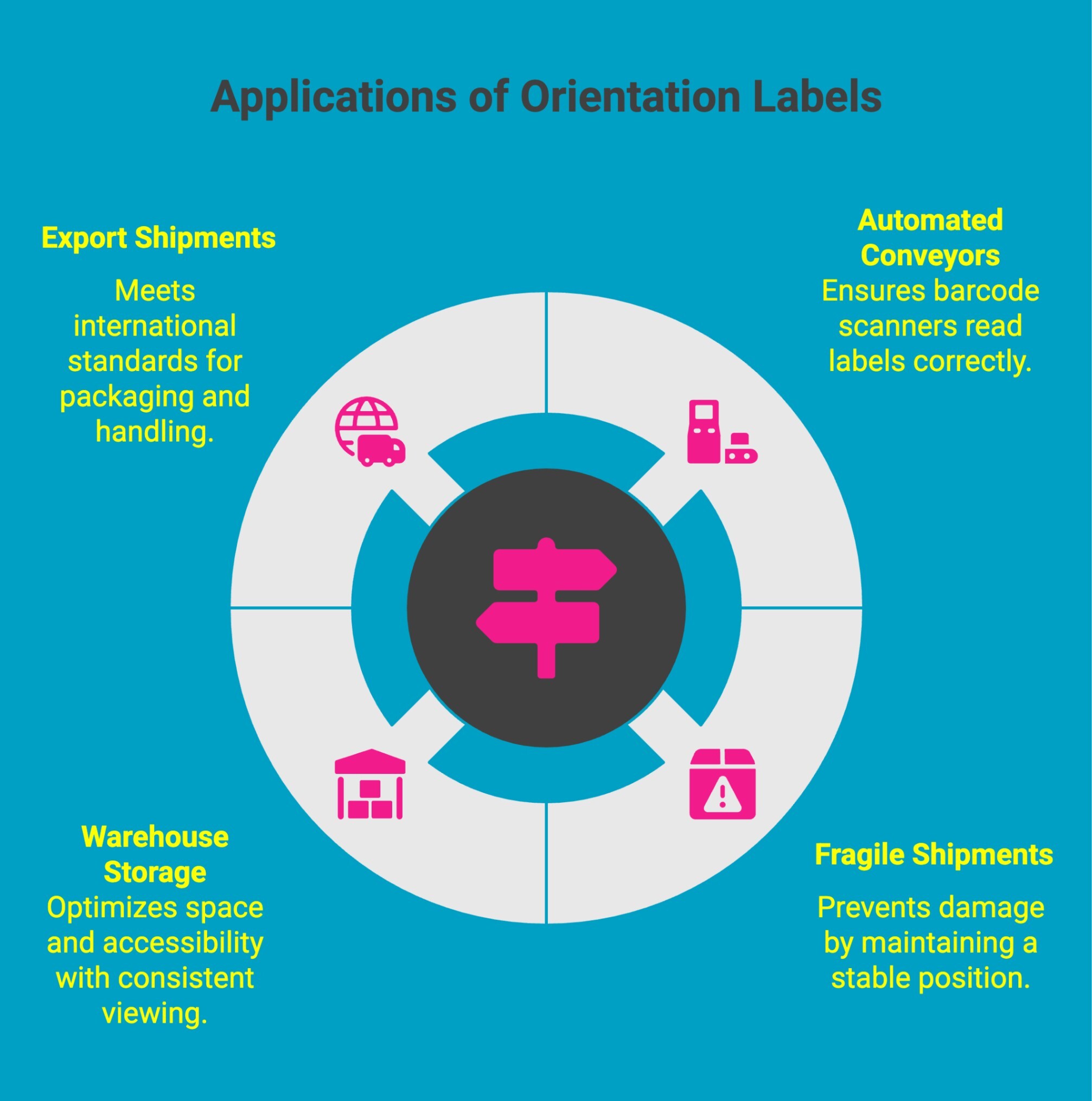
Label orientation applies whenever the direction of a label affects how it reads, scans, or appears on a product.
For product labels, this means text reads left to right when held normally, barcodes align with scanner direction, and artwork appears upright after application.
For roll-fed systems, orientation determines how the label feeds through the applicator. The unwind direction and leading edge must match your equipment to prevent misalignment, waste, and downtime.
Proper orientation ensures clean presentation, accurate scanning, and smooth automation. Beyond regulatory requirements, orientation indicators are used in operational settings such as:
-
Automated conveyor systems where the scan direction must align with barcode readers
-
Fragile shipments that cannot be tilted or inverted
-
Warehouse storage systems that depend on consistent viewing angles
-
Export shipments that must meet international packaging standards
In short, an orientation label is used whenever the direction of a package directly affects safety, compliance, or efficiency. Understanding when direction matters helps prevent costly delays and ensures products move smoothly through the supply chain.
Need labels printed and oriented the first time correctly? Get your custom label quote today.
Why Does Label Orientation Matter in Industrial and Commercial Settings?
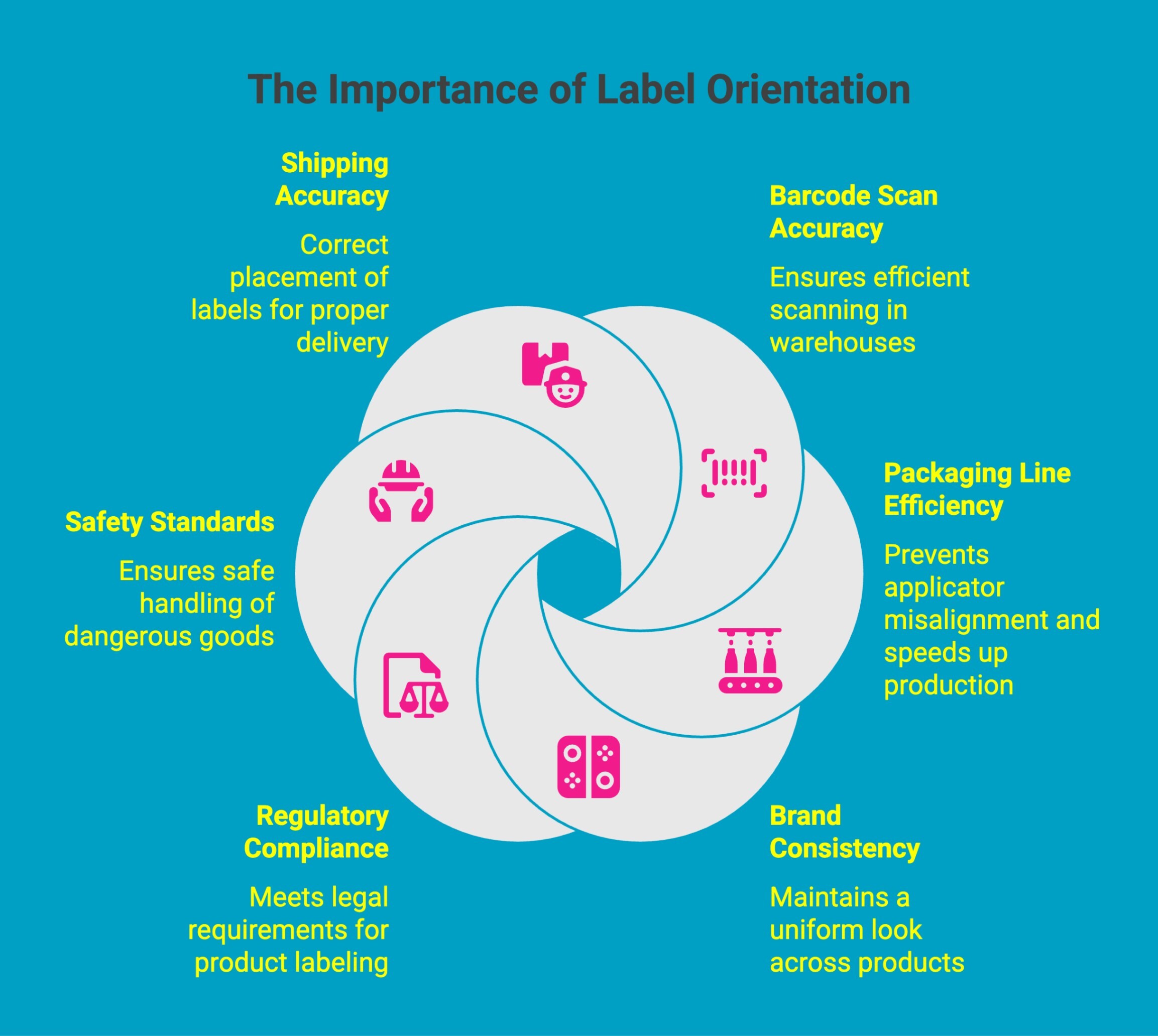
In industrial and commercial environments, label orientation affects far more than appearance. It directly impacts scanning performance, regulatory compliance, production efficiency, and brand presentation.
A label may be printed clearly and at the correct size, but if the orientation is wrong, it can slow conveyor systems, cause barcode read failures, or result in upside-down application on products.
Proper orientation is critical for:
-
Barcode scan accuracy on conveyors and warehouse systems
-
Packaging line efficiency by preventing applicator misalignment
-
Brand consistency across retail shelves and multi-panel packaging
-
Regulatory compliance, particularly when using a package orientation label
-
Meeting safety standards for an orientation label on dangerous goods
-
Correct placement of orientation arrow labels during shipping
By understanding orientation at the ordering and design stage, businesses can reduce reprints, avoid scanning errors, and ensure smooth production across industrial and commercial applications.
Looking for reliable printers tailored to tough applications? Discover the best cable label printer options that help you maintain accurate orientation even on challenging surfaces.
What Are the Different Types of Label Orientation?
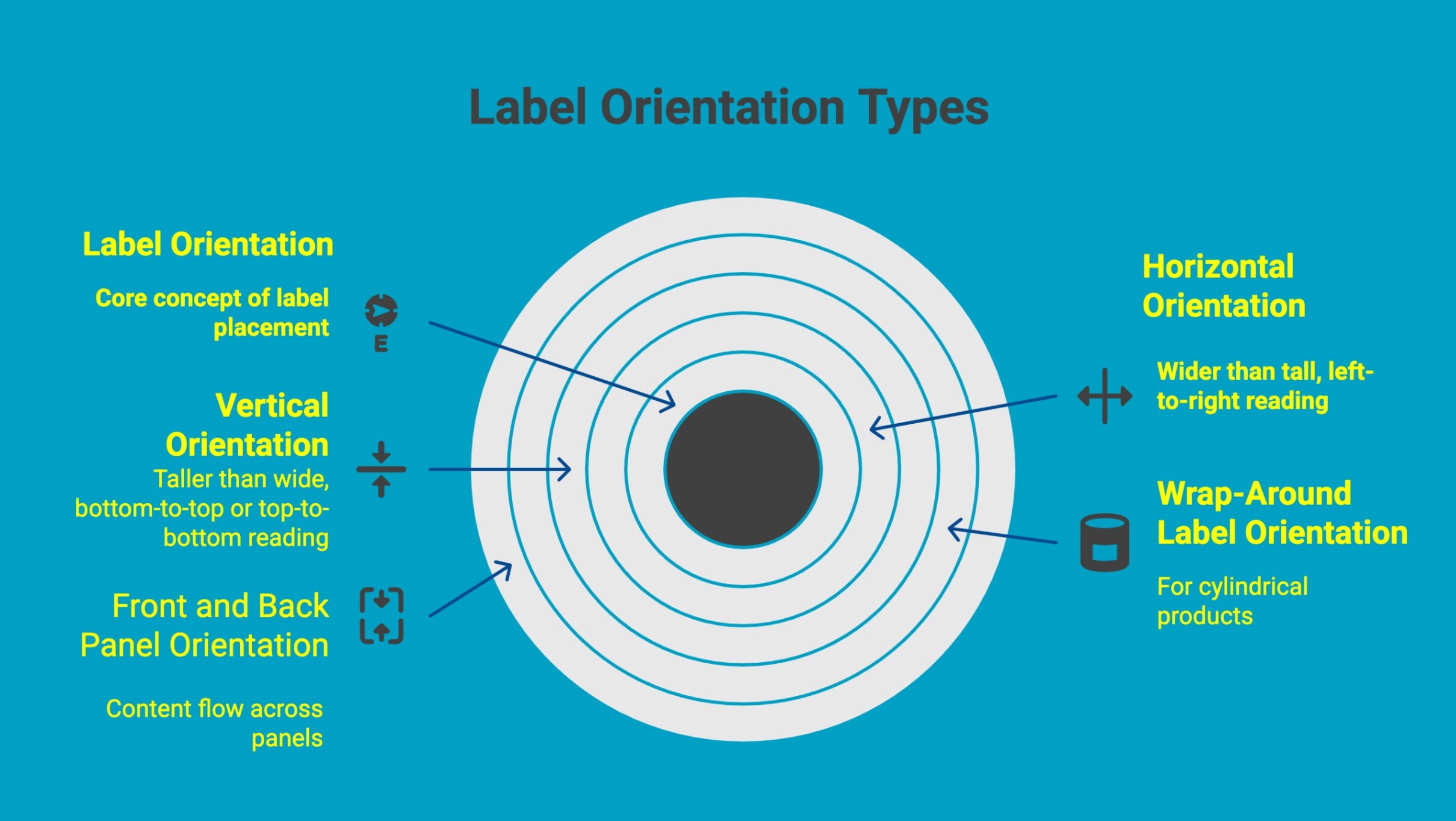
Label orientation is not one-size-fits-all. The correct setup depends on how the product is packaged, how it will be viewed, and whether it will be applied by hand or machine. Understanding the different types of orientation helps prevent rotation errors and ensures consistent application across production runs.
Below are the most common types of label orientation used in commercial and industrial environments:
1. Horizontal Orientation (Landscape)
In horizontal orientation, the label is wider than it is tall, and the content reads left to right when applied.
Common uses include:
-
Shipping cartons
-
Wide product packaging
-
Shelf-facing retail labels
-
Warehouse identification labels
This format is often preferred when there is more horizontal space available or when barcodes need to stretch across a wider surface.
2. Vertical Orientation (Portrait)
In vertical orientation, the label is taller than it is wide, and the content reads from bottom to top or top to bottom depending on the setup.
Common uses include:
-
Bottles and narrow containers
-
Cosmetic and personal care packaging
-
Small retail products
-
Cylindrical containers
Vertical layouts are useful when surface width is limited, but height is available.
3. Top-to-Bottom vs Bottom-to-Top Reading Direction
Reading direction becomes important when labels are applied vertically.
-
Top-to-bottom means the text reads naturally when the product is tilted to the right.
-
Bottom-to-top means the text reads correctly when tilted to the left.
Industry conventions often dictate which direction is standard, especially in regulated environments. Consistency is key to maintaining a professional presentation.
4. Wrap-Around Label Orientation
Wrap-around labels are used for cylindrical products such as bottles, jars, and cans.
Key considerations include:
-
Where the label starts and ends
-
Seam positioning
-
Alignment of branding elements
-
Barcode placement relative to the curve
Improper orientation of cylindrical containers can result in misaligned graphics or distorted barcode scanning.
5. Front and Back Panel Orientation
For multi-panel packaging such as boxes and cartons, orientation determines how content flows across panels.
Important factors include:
-
Proper positioning of regulatory information
-
Alignment of nutrition or ingredient panels
-
Ensuring front-facing branding remains upright
Incorrect orientation in multi-panel packaging can disrupt both visual appeal and compliance requirements.
Understanding these orientation types ensures labels are positioned correctly before printing and production begins, reducing errors and improving overall workflow efficiency.
How Does Label Orientation Affect Barcode Performance?
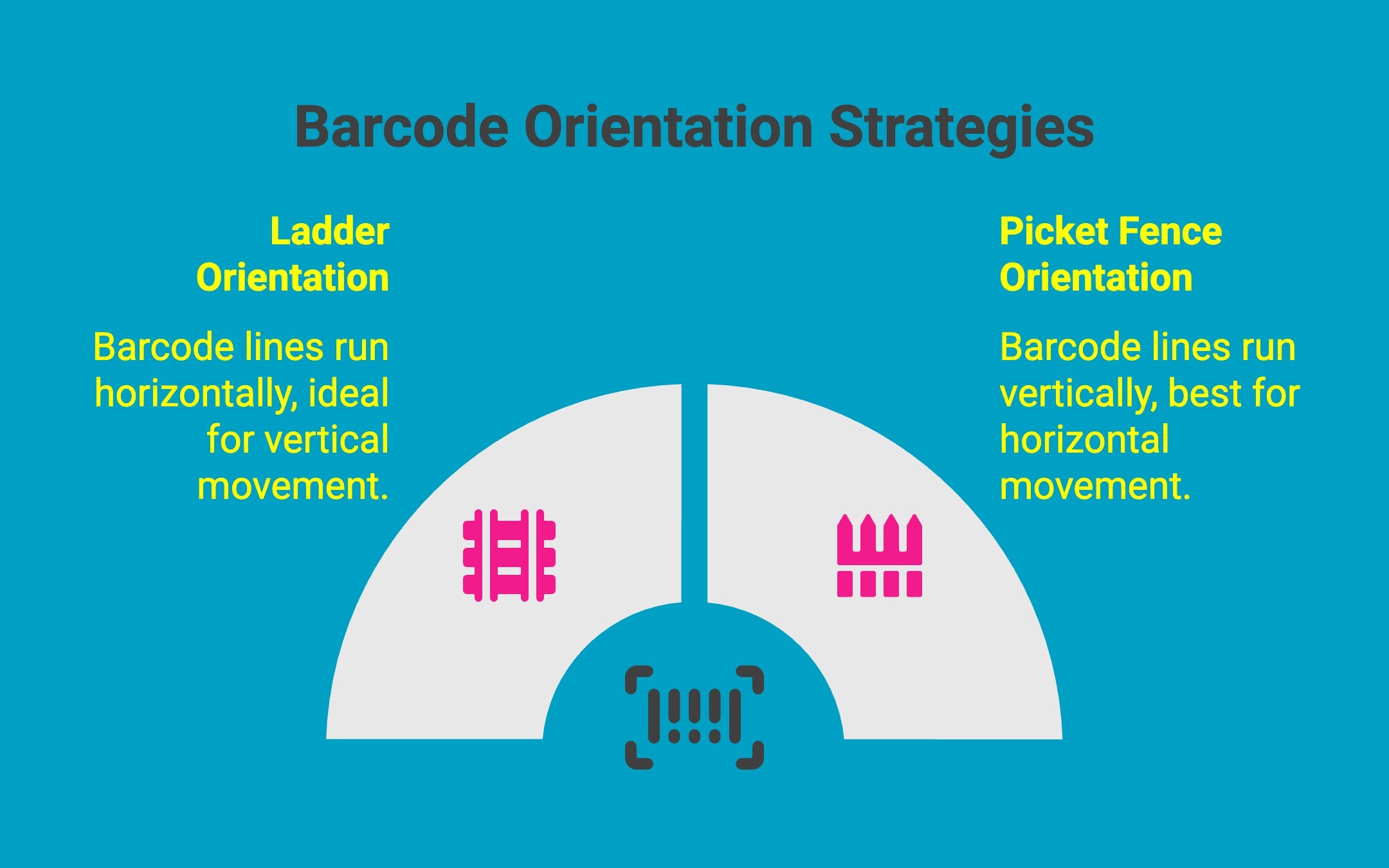
Barcode performance is directly influenced by label orientation. Even when a barcode is printed clearly and meets size requirements, improper orientation can reduce scan reliability, slow conveyor systems, and increase manual handling.
There are two primary barcode orientation types used in industrial settings:
1. Ladder Orientation
In ladder orientation, the barcode lines run horizontally across the label, resembling the rungs of a ladder.
Best suited for:
-
Applications where labels move vertically past a scanner
-
Certain packaging lines with side-mounted scan heads
-
Situations where printhead consistency across width is preferred
However, ladder orientation can be more sensitive to vertical print defects, which may affect scan accuracy in some printer setups.
2. Picket Fence Orientation
In picket fence orientation, the barcode lines run vertically, resembling a row of fence posts.
Best suited for:
-
Conveyor systems where products move horizontally past scanners
-
High-speed warehouse environments
-
Applications requiring maximum scan reliability
Picket fence orientation is often preferred because scanners typically read across the bars, which improves consistency and tolerance for minor print imperfections.
Which Orientation Scans Better?
In most warehouse and logistics environments, picket fence orientation provides more reliable scanning performance, especially at higher speeds. However, the best choice depends on:
-
Conveyor movement direction
-
Scanner placement and angle
-
Available label space
-
Printer capabilities
Choosing the correct orientation ensures barcodes scan quickly and accurately, reduces rejected reads, and maintains efficient warehouse operations. Testing orientation during setup is one of the simplest ways to prevent long-term scanning issues.
Need durable labels that stay correctly oriented through harsh environments? Check out effective labelling solutions for automotive services using oil change labels.
How Does Label Orientation Work in Automated Labeling Systems?
In automated environments, label orientation must align precisely with the printer, applicator, and conveyor system. One of the most common and costly orientation errors happens when a product is placed sideways in an applicator, such as a bottle laid on its side for front-label application.
In this setup, the width of the label on the roll becomes the height of the label on the product. A label ordered as 4″ wide × 3″ tall on the roll will appear as 4″ tall × 3″ wide once applied.
Artwork must be designed and rotated accordingly before ordering, not after. Always visualize how your product sits in the applicator before finalizing label dimensions and orientation.
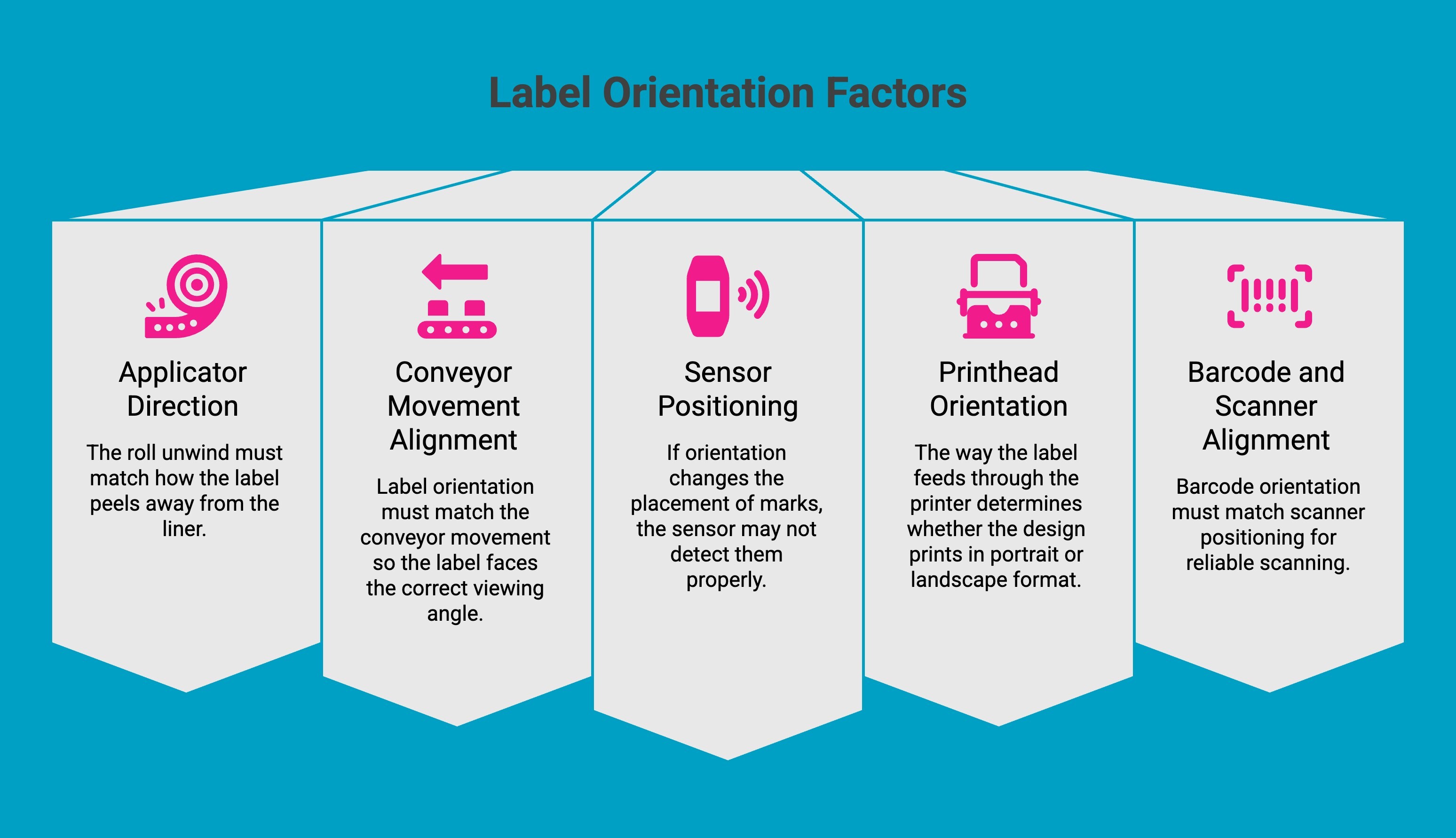
To ensure proper performance, several key factors must be carefully evaluated:
1. Applicator Direction
Every label applicator dispenses labels in a specific direction. Some apply labels from the top, others from the side or front of the product. The roll unwind must match how the label peels away from the liner. If the unwind direction is incorrect, the label may rotate during application or fail to align with the product surface.
2. Conveyor Movement Alignment
Products move along conveyors in a defined direction. Label orientation must match this movement so the label faces the correct viewing angle once applied. For example, if products move left to right, the label content must be positioned so it appears upright from the intended viewing side.
3. Sensor Positioning
Automated systems use sensors to detect label gaps, registration marks, or black marks on the liner. If orientation changes the placement of these marks, the sensor may not detect them properly. This can cause skipped labels, double feeds, or misplacement during application.
4. Printhead Orientation
Thermal and inkjet printers have fixed print directions. The way the label feeds through the printer determines whether the design prints in portrait or landscape format. An incorrect setup can rotate artwork or distort barcode alignment, affecting scan performance.
5. Barcode and Scanner Alignment
Barcode orientation must match scanner positioning. If a barcode is rotated incorrectly relative to the scanner path, scan reliability decreases. In high-speed warehouse environments, even minor orientation mismatches can slow operations.
When all these factors are aligned, automated labeling systems operate smoothly and efficiently. When they are not, production lines experience errors, reprints, and unnecessary troubleshooting.
Proper planning of label orientation during design and ordering prevents these issues before they reach the production floor.
For high-speed production and automated workflows, durable thermal printing is essential. Industrial direct thermal labels deliver consistent, long-lasting prints that maintain correct orientation and scan performance in demanding environments.
How Should Label Orientation Be Adjusted for Different Packaging Types?
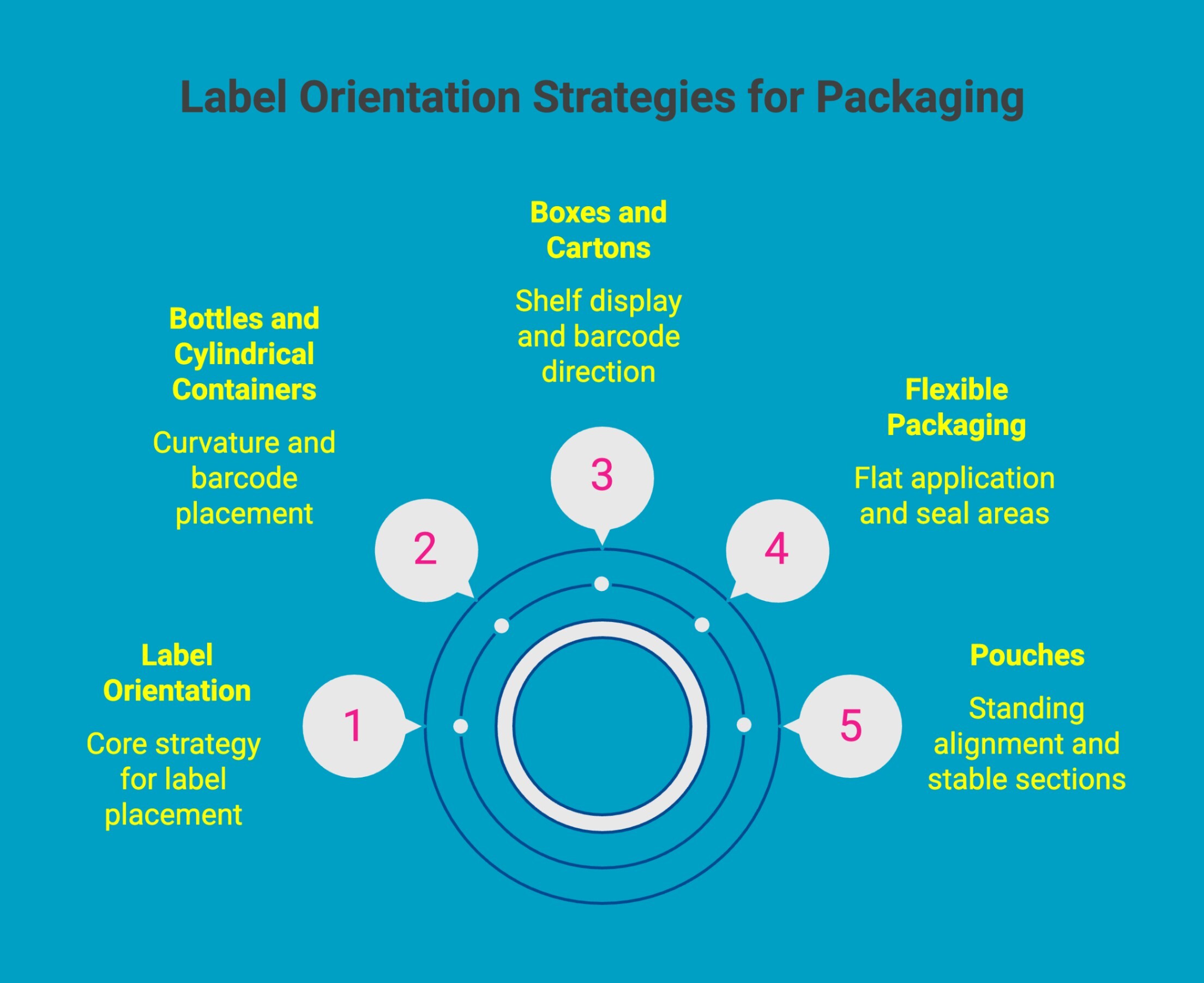
Different packaging formats require different label orientation strategies. The surface shape, viewing angle, and handling process all influence how a label should be positioned for maximum readability, scan performance, and compliance.
1. Bottles and Cylindrical Containers
For bottles and other round containers, orientation must account for curvature. Labels should be positioned so branding faces forward at the main viewing angle, and seams should not cut through logos or critical information.
Barcodes are typically placed vertically to improve scan reliability and should avoid extreme curved edges where distortion can occur. Regulatory panels must remain upright and fully readable once applied.
2. Boxes and Cartons
Flat cartons provide more flexibility, but orientation still matters. Labels should align with the primary display panel so they appear upright on shelves. Barcode direction must match conveyor and scanner positioning to prevent read errors.
Consistency across production batches is essential to avoid rotated artwork or panel misplacement, especially for regulated information.
3. Flexible Packaging
Flexible materials such as bags can shift or expand during filling. Labels should be applied in areas that remain flat after the package is filled to prevent distortion.
Critical information should not sit near fold lines or seal areas. Orientation must ensure that mandatory details remain visible once the product is sealed and displayed.
4. Pouches
Stand-up pouches require careful front-facing alignment. The label must appear upright when the pouch is standing, not when it is lying flat during application.
Barcodes should be placed on stable, smooth sections to maintain scan accuracy. Designers must also account for zipper seals and resealable tops that can shift label positioning.
5. Drums and Chemical Containers
Large industrial containers demand clear, durable labeling with correct orientation for safety and compliance. Hazard information should be positioned at eye level for visibility during storage and handling.
Orientation must ensure that warning symbols and regulatory markings remain clearly visible even when containers are stacked or transported.
Adjusting orientation based on packaging type helps prevent misalignment, scanning failures, and compliance risks while ensuring professional, consistent presentation across all products.
For electronics and precision components, orientation must be exact. Circuit board labels are designed to stay aligned, readable, and durable during assembly and inspection, even in high-heat or tight-space environments.
What Are the Most Common Label Orientation Mistakes and How Can You Prevent Them?
Even experienced teams can overlook label orientation during design or ordering. Small orientation errors often go unnoticed until production begins, where they quickly turn into costly reprints, downtime, and compliance concerns.
Recognizing these common issues early and building simple verification steps into your process can prevent most problems.
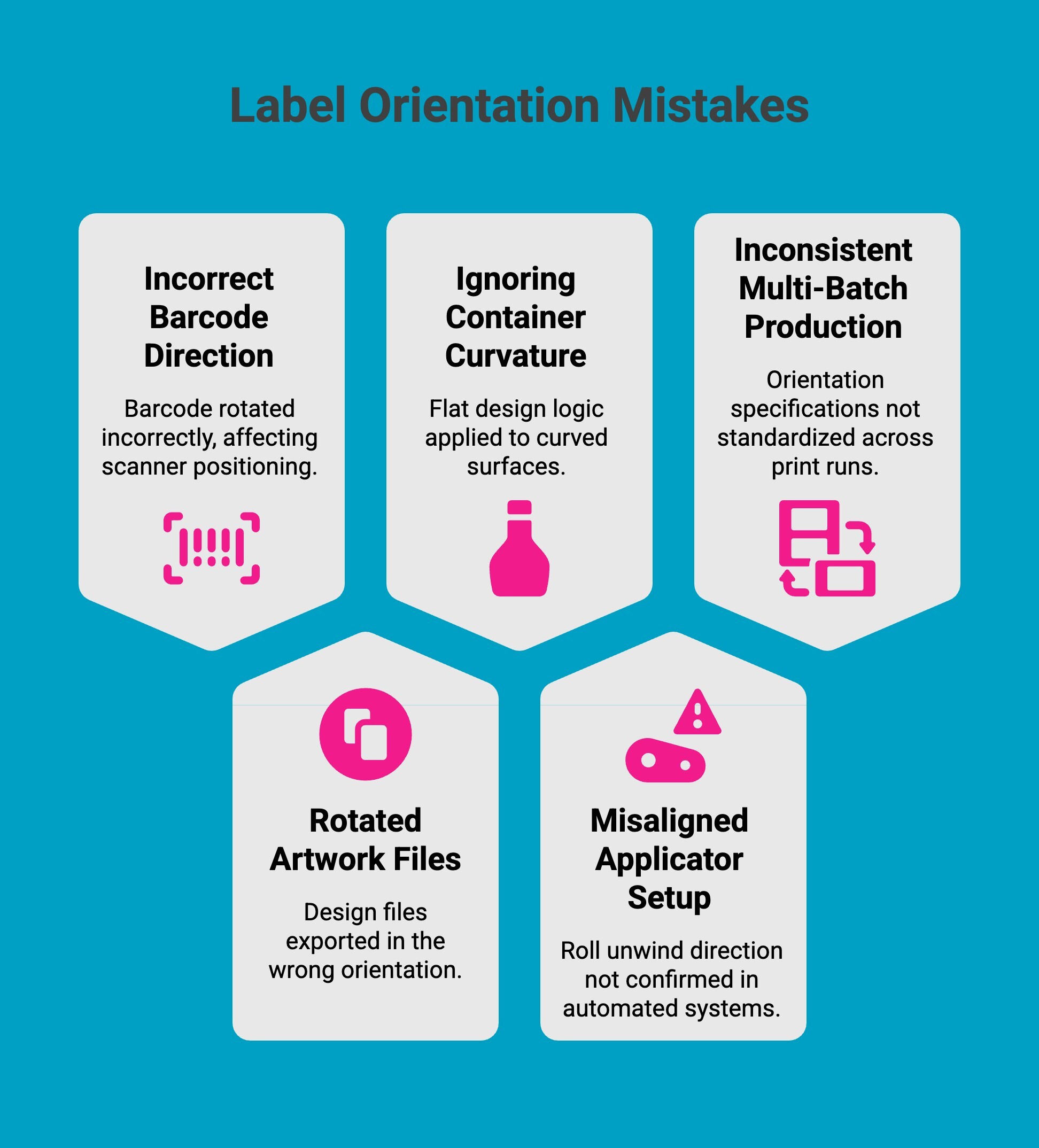
1. Incorrect Barcode Direction
A common mistake is rotating the barcode in a direction that does not align with scanner positioning or conveyor movement. When orientation does not match the scan path, read rates drop, and manual rescanning increases.
This can be avoided by confirming scanner placement and product travel direction before finalizing artwork, and by testing barcode orientation during sample runs to ensure consistent first-pass reads.
2. Rotated Artwork Files
Design files are sometimes exported in portrait instead of landscape, or rotated unintentionally during setup. The label dimensions may be correct, but the printed result appears sideways or upside down.
Reviewing a detailed print proof that clearly identifies the top edge, bottom edge, and feed direction helps eliminate confusion. Including orientation details in file names or production notes adds another layer of protection.
3. Ignoring Container Curvature
Applying flat design logic to curved surfaces often causes alignment and scanning issues. On cylindrical containers, incorrect orientation can shift branding off-centre or place barcodes too close to curved edges, affecting readability.
Creating physical mockups on the actual container and positioning barcodes on flatter sections ensures the final result performs properly in real-world conditions.
4. Misaligned Applicator Setup
In automated systems, failing to confirm the roll unwind direction can result in labels applying sideways or inverted. Even if the artwork is correct, the roll configuration must match the applicator’s feed direction.
Verifying machine specifications and clearly communicating unwind requirements during ordering prevents costly production interruptions.
5. Inconsistent Multi-Batch Production
When orientation specifications are not standardized, different print runs may produce slightly varied results. This can affect shelf presentation and regulatory panel placement. Maintaining clear orientation guidelines within brand documentation and keeping approved reference samples ensures consistency across every reorder.
By building orientation checks into your design, proofing, and production workflow, most errors can be eliminated before labels ever reach the production floor.
Warehouse operations rely on clear, durable labels that face the right direction for scanning and retrieval. Warehouse floor labels help improve aisle navigation, forklift visibility, and scan accuracy across high-traffic areas.
How Do You Choose the Right Label Orientation for Your Application?
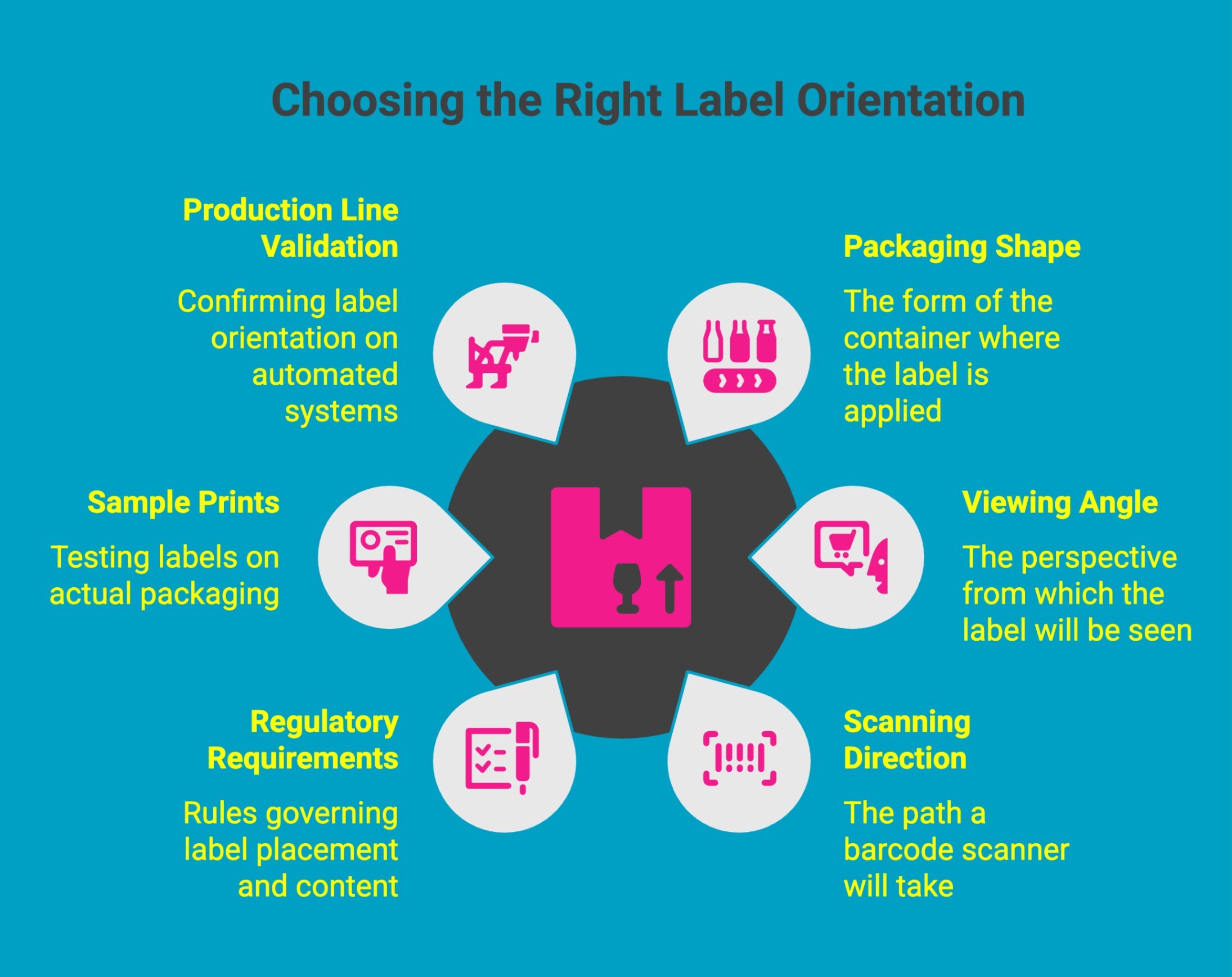
Selecting the correct label orientation starts with understanding how and where the label will be used. Orientation decisions should be made before printing, not after production begins. A structured approach helps prevent costly mistakes and ensures smooth application.
1. Identify the Packaging Shape
Begin by evaluating the surface where the label will be applied. Flat cartons, curved bottles, flexible pouches, and industrial drums each require different orientation considerations. The shape determines how the label will sit, wrap, and be viewed once applied.
2. Determine the Primary Viewing Angle
Consider how the product will be seen by customers, warehouse staff, or operators. Retail products must face forward on shelves, while warehouse labels must be readable from the direction of travel. Orientation should always match the natural viewing position.
3. Consider Scanning Direction
If the label includes a barcode, align the orientation with scanner positioning and conveyor movement. In high-speed environments, proper alignment improves first-pass scan rates and reduces handling delays.
4. Review Regulatory Requirements
Certain industries require specific panel positioning, warning placement, or directional markings. When shipping liquids or hazardous goods, directional indicators must remain upright and visible. Compliance rules may dictate where and how labels are oriented.
5. Test with Sample Prints
Before full production, apply sample labels to actual packaging. This allows you to confirm readability, alignment, barcode performance, and visual presentation under real-world conditions.
6. Validate on the Production Line
For automated systems, confirm that roll configuration, unwind direction, and applicator setup align with the chosen orientation. A short validation run helps identify potential issues before scaling production.
By following a step-by-step evaluation process, businesses can confidently choose the right orientation for their specific application. Proper planning ensures labels are applied accurately, scan reliably, and maintain a professional appearance across every batch.
Why Choose DuraFast Label Company for Your Labeling Needs?
Getting label orientation right starts before production, and DuraFast Label Company helps you get it right the first time. We work with you to confirm container specifications, applicator setup, and roll configuration before your labels go to print, so you avoid costly mistakes on the production floor.
Whether you are launching a new product or troubleshooting a sideways application, our team provides practical support that includes:
-
Reviewing your container dimensions and labeling surface
-
Confirming portrait or landscape orientation
-
Verifying unwind direction and leading edge for your applicator
-
Providing free label samples in your chosen orientation for real-world testing
-
Helping prevent reprints, delays, and wasted materials
This hands-on approach ensures your labels apply correctly, scan properly, and maintain a clean, professional presentation across every production run.
What Should You Confirm Before Ordering Roll Labels From DuraFast?
When placing a roll label order on DuraFast’s site, you will be asked to confirm:
-
Label dimensions in width × height format
-
Portrait or landscape orientation
-
For machine-applied rolls: unwind direction, core size, and maximum roll diameter
Here is how to determine each correctly:
-
Measure your container and confirm how it will sit in the applicator before selecting dimensions
-
If your product is applied upright, match your artwork orientation to how it reads on the finished product
-
If your applicator lays the product sideways, rotate your artwork to account for the width-to-height shift
-
If you are unsure of your machine’s unwind direction, check your applicator manual or call DuraFast’s team before ordering. This is the most common cause of sideways label application
Confirming these details upfront helps prevent reprints, delays, and wasted materials.
Final Words
Label orientation is a small detail with a big impact. When set up correctly, labels scan faster, apply smoothly, meet compliance requirements, and look consistent across every product. When overlooked, they cause reprints, downtime, and unnecessary costs.
By confirming orientation during design, ordering, and production setup, you remove guesswork from your workflow. The result is fewer errors, smoother operations, and stronger brand presentation.
Get the orientation right once, and everything else runs better.
Frequently Asked Questions
Can you provide examples of common orientation labels used in dangerous goods shipping?
Common examples include package orientation arrows for liquid hazardous materials, markings for infectious substances in combination packaging, and directional labels for cryogenic receptacles. These are applied to the outer packaging in compliance with TDG regulations and international transport of dangerous goods standards.
When must orientation arrows be displayed on a package?
Orientation arrows are required when shipping liquid hazardous materials in combination packaging, particularly when inner packagings contain liquids. They must be displayed on the outer packaging under various regulations, including TDG regulations and international air transport rules.
What is the correct order for items in a shipping description?
The correct order is: shipping name, primary class, subsidiary class if applicable, UN packaging number, and quantity of dangerous goods. This format supports emergency response and ensures compliance with domestic regulations and international transport of dangerous goods standards.
How do you know whether you should be using a label or a place card as a safety mark?
Use a primary class label or subsidiary class label for a small means of containment. Use a primary class placard on a large means of containment, such as a highway tank, based on gross mass and TDG Act general requirements.
How do I change the label orientation in Word?
In Word, select the label template, go to Layout, and adjust page orientation or rotate text boxes. Ensure the rectangular border and content align with the intended print direction before finalising for a means of transport.
Should orientation labels be affixed to at least two sides of a package?
Yes. Orientation markings must appear on opposite sides of a means of containment, typically on opposite vertical sides of the package, to meet general requirements for display of dangerous goods marks during transport.
What happens if I order the wrong label orientation for my applicator?
Labels may apply sideways, upside down, or misaligned. In automated systems, this can also cause sensor errors, skipped labels, and production stoppages. Always confirm orientation with your applicator specs before ordering.
What is the difference between portrait and landscape label orientation?
Portrait orientation means the label is taller than it is wide, so the artwork reads vertically. Landscape means it is wider than tall, so the artwork reads horizontally. Orientation affects readability, barcode alignment, and how the label fits the size of the package.
How do I know which orientation to choose for my label?
Choose orientation based on how the container sits during labeling and display. Align artwork with the correct upright direction and size of the package. For flammable liquids or toxic substances, ensure the dangerous goods safety mark stays clearly visible on the containment.
Does label orientation matter if I apply labels by hand?
Yes. Even with hand application, orientation affects readability and compliance. Labels on primary receptacles or pressure receptacles must remain visible on the side of a means of containment, using a suitable contrasting background to clearly indicate the presence of danger.
What happens if I order the wrong label orientation for my applicator?
Wrong orientation can cause sideways application, scanning failures, and downtime. A quality control manager may reject misapplied lithium battery marks, subsidiary class placards, or orange panel labels, creating compliance risks in the United States for flammable gas or radioactive materials shipments.