Premium Toshiba Industrial Printer Supplies in Canada
9th Aug 2026
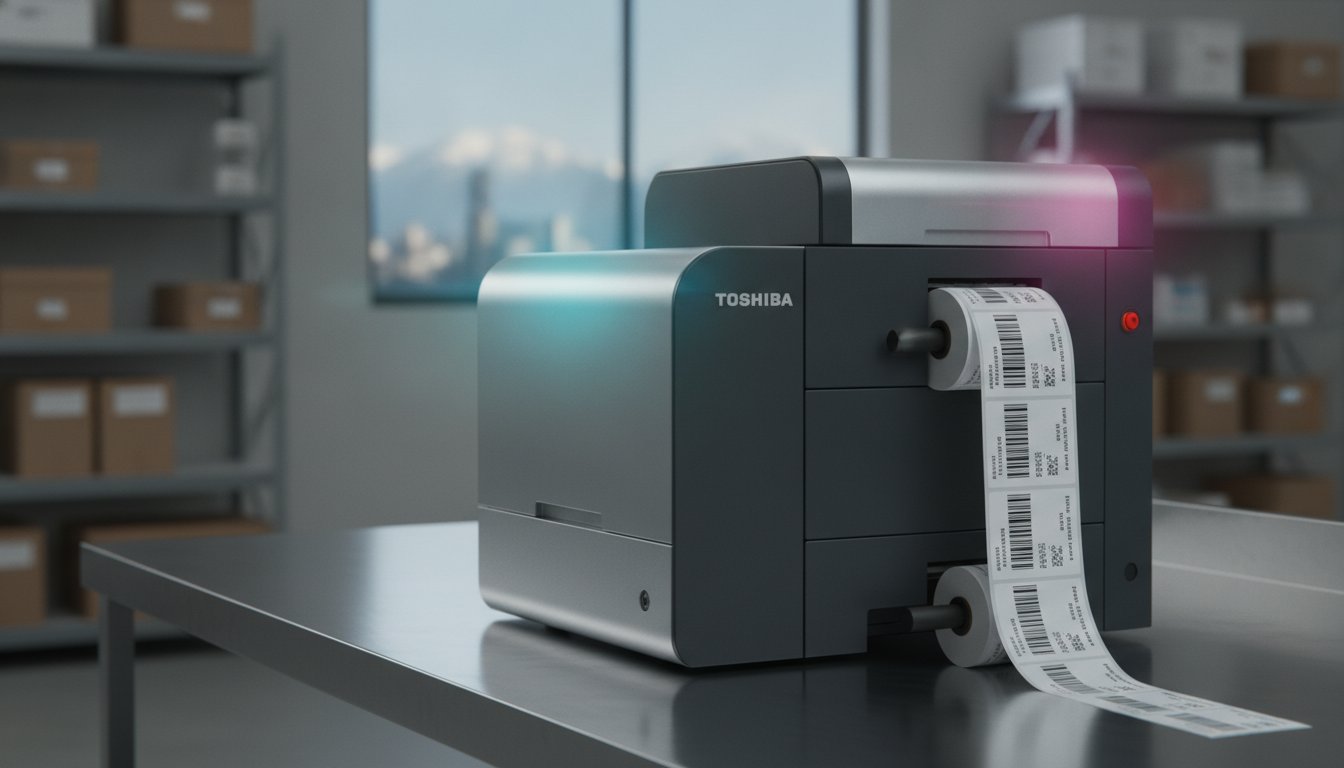
Is your high-performance Toshiba hardware reaching its full potential, or is a mismatched ribbon quietly shortening the life of your printhead? Many Canadian facility managers realize that while these machines are industrial workhorses, using the wrong Toshiba industrial printer supplies can lead to peeling labels in damp cold storage or inconsistent barcode scannability. You likely prioritize reliability, yet high shipping costs and frequent downtime for maintenance can erode your operational margins.
Mastering your labelling efficiency starts with understanding the precise synchronization between your hardware and its consumables. This article will guide you through choosing the right ribbons, labels, and printheads to extend your equipment's lifespan and ensure compliance with Bill 96 and new CFIA nutrition labelling standards. We will explore how matching specific technical metrics, such as print speeds measured in ips, to the correct media can reduce downtime and solidify your position as a leader in industrial production. By the end of this guide, you will know exactly how to select the components that turn your Toshiba printer into a strategic asset for your Canadian business.
Key Takeaways
- Learn why synchronizing your ribbon chemistry with your specific label material is the most effective way to prevent premature printhead failure.
- Discover how to protect your hardware by matching ribbon width to label width, reducing the abrasive wear caused by exposed ceramic edges.
- Ensure your facility remains compliant with Canadian GHS and WHMIS standards by choosing media engineered for harsh industrial environments and condensation.
- Streamline your operations and lower overhead by sourcing high-quality Toshiba industrial printer supplies from a dedicated Canadian partner to avoid international shipping delays.
Understanding the Toshiba Industrial Printing Ecosystem
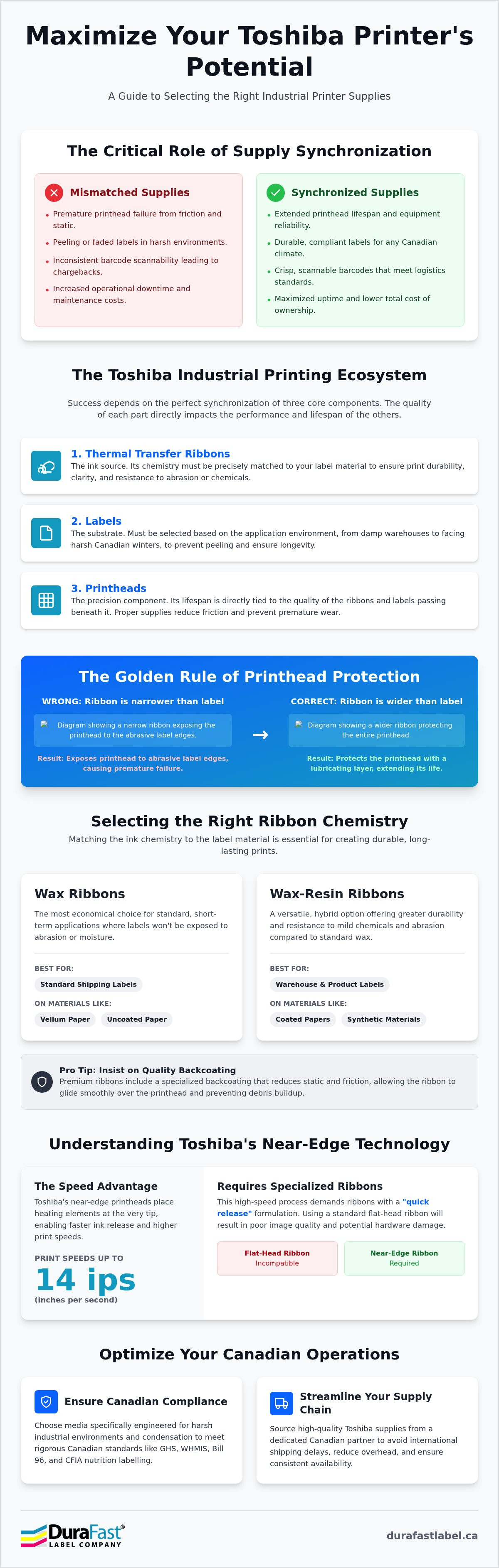
The industrial printing ecosystem isn't just about the heavy-duty machine sitting on your warehouse floor; it's a delicate balance of chemistry and mechanics. In Canadian logistics and manufacturing, the "Total Cost of Ownership" (TCO) often hinges on the quality of your consumables. While a lower-priced ribbon might seem fiscally responsible upfront, the long-term impact on your hardware can be devastating. Choosing the right Toshiba industrial printer supplies ensures that your ribbons, labels, and printheads work in perfect synchronization to maintain uptime and compliance.
Why Supply Quality Dictates Hardware Longevity
How often does your production line stop because of a faded barcode or a burnt-out printhead? Poor-quality ribbons often lack the necessary backcoating to shield the printhead from friction and static. This leads to premature failure of the most expensive component in your printer. Beyond hardware damage, inconsistent supplies result in labels that fail scannability tests, leading to costly chargebacks from retailers or shipping delays. Investing in high-performance thermal ribbons protects your investment and ensures your barcodes meet strict logistics standards.
Toshiba B-EX and B-SX Series: A Legacy of Reliability
Canadian facilities frequently rely on the B-EX and B-SX series for their rugged build and efficiency. The Toshiba B-EX4T1, for instance, is a favourite for its 14 ips (inches per second) print speed and its ENERGY STAR certification. However, hitting those top speeds without sacrificing print quality requires specific Toshiba industrial printer supplies. High-speed printing generates significant heat; if your labels and ribbons aren't engineered to handle that thermal energy, you'll see "ghosting" or blurred edges. By using supplies designed for these specific models, you support the printer's "green" credentials by reducing waste and maximizing energy efficiency.
The core components of this ecosystem include:
- Thermal Transfer Ribbons: The ink source that must match your label material to ensure durability.
- Labels: The substrate, which must be chosen based on whether it will face Canadian winters or damp warehouse environments.
- Printheads: The precision component that transfers data. Its lifespan is directly tied to the cleanliness and quality of the media passing under it.
Selecting Thermal Transfer Ribbons: Wax, Resin, and Wax-Resin
Selecting the right Toshiba industrial printer supplies requires more than just picking a price point; it is about matching the ink chemistry to your specific hardware configuration. One of the most common mistakes in Canadian warehouses is using a ribbon that is narrower than the label substrate. This exposes the printhead to the abrasive edges of the paper, leading to premature failure. Always ensure your ribbon is slightly wider than the label to provide a protective layer of lubrication. Friction is the enemy of longevity.
High-quality ribbons include a specialized backcoating. This feature is vital for reducing static buildup and friction, which allows the ribbon to glide smoothly across the printhead. Without this coating, static can attract environmental debris, causing "clogged" pixels and inconsistent barcode scannability. The main difference between premium and budget options is often the quality of this protective layer.
Near-Edge Technology: The Toshiba Advantage
Many Toshiba models, such as the B-EX4 and B-SX series, utilize near-edge technology. Unlike traditional flat-head printers where the heating elements are located on the flat underside of the printhead, near-edge printers place them at the very tip of the ceramic. This design allows for higher print speeds, often reaching up to 14 ips. However, it also means the ink must release almost instantly. Near-edge ribbons are specifically formulated with a "quick release" layer to handle this rapid heat transfer. Using a flat-head ribbon in a near-edge Toshiba printer will result in poor image transfer and potential hardware damage.
Ribbon Chemistry for Every Application
The only difference in many high-speed applications is the ribbon's ability to transfer under lower pressure. Choosing the correct chemistry ensures your labels remain legible throughout their lifecycle:
- Wax Ribbons: Best for standard shipping labels on vellum or uncoated paper. It's the most economical choice for short-term applications.
- Wax-Resin Ribbons: The versatile choice for Canadian manufacturers using coated papers or synthetic films. It offers superior smudge resistance for retail and pharmaceutical labelling.
- Resin Ribbons: When your labels face harsh chemicals, oil, or the extreme temperatures of a Canadian winter, resin is the only choice. It provides the highest level of scratch and chemical resistance.
Browse our full range of thermal transfer ribbons to find the exact match for your substrate and hardware. If you aren't sure which chemistry suits your specific environment, reach out to our technical team for a tailored recommendation based on your production volume.
Matching Label Media to Industrial Applications
How do you ensure your labels stay attached when temperatures plunge to -30°C during Canada's harsh winter months? In Canadian manufacturing and logistics, the label substrate is just as critical as the printer hardware. Choosing the right Toshiba industrial printer supplies means evaluating how an adhesive performs against humidity, condensation, and extreme temperature fluctuations. The main difference between a standard retail label and an industrial-grade substrate is the adhesive's ability to "wet out" on rough or cold surfaces. While direct thermal media is efficient for short-term shipping labels, thermal transfer media remains the standard for industrial applications requiring multi-year durability.
In the context of Canadian logistics, the choice between direct thermal and thermal transfer media often comes down to the environment of the final destination. Direct thermal labels are sensitive to heat and UV light. They're excellent for 4x6 shipping labels that move quickly through the supply chain. However, if your products sit in a sunlit warehouse or a high-heat manufacturing zone, thermal transfer labels are the better choice. They offer the longevity required for asset tracking and long-term storage, ensuring your Toshiba industrial printer supplies provide value throughout the entire product lifecycle.
Durable Labels for Harsh Environments
Synthetic materials like Polyethylene (PE), Polypropylene (PP), and Polyester (PET) offer the moisture and chemical resistance needed for outdoor storage or damp production floors. For businesses involved in cold storage or long-haul winter transport, standard paper labels often fail as the adhesive becomes brittle and loses its bond. Explore durable weatherproof and UL-certified labels designed to maintain tackiness in sub-zero conditions. These synthetic options ensure your barcodes remain scannable even after being introduced to water or heavy condensation, preventing the "environmental debris" issues common in dusty or wet Canadian warehouses.
Specialized Media: From GHS to Tire Labelling
Compliance with GHS and WHMIS standards is a non-negotiable requirement for Canadian chemical manufacturers and distributors. These regulations demand that labels remain legible even after exposure to corrosive substances or harsh marine environments. The only difference between a compliant label and a regulatory failure is often the topcoat's ability to lock in the resin ribbon. Beyond chemicals, specialized industries like automotive manufacturing require tire labels that can tackle high-surface-energy and rough, oily substrates. High-adhesion tire labels for automotive applications are engineered with aggressive adhesives that won't flag or peel off during transit. By matching your media to these specific Canadian environmental challenges, you reduce the risk of non-compliance and costly logistical errors.
Maximizing Printhead Life and Equipment Reliability
The printhead is the most sophisticated and expensive consumable within your hardware. It's essentially the "engine" of your labelling operation. While your Toshiba B-EX series is built for industrial endurance, the ceramic coating on the printhead is susceptible to abrasive wear. This wear is often caused by accumulated dust or the use of low-quality media that lacks sufficient backcoating. To maintain a low total cost of ownership, you must prioritize the health of this component through the consistent use of high-grade Toshiba industrial printer supplies.
Your printer's settings also play a significant role in longevity. Are you running your printer at the highest darkness setting or maximum ips unnecessarily? Excessive heat and speed increase the thermal stress on the printhead pixels. By optimizing these settings to the lowest effective levels for your specific label material, you can significantly extend the interval between replacements. This proactive approach delivers a clear ROI by reducing both hardware costs and the downtime associated with sudden equipment failure.
The 5-Step Printhead Maintenance Routine
Establishing a rigid maintenance schedule is the best way to protect your investment. Follow these five steps to ensure peak performance:
- Step 1: Clean with every ribbon change. Use a lint-free cloth and 90% isopropyl alcohol to remove residue from the heating elements.
- Step 2: Monitor pressure settings. Ensure the printhead pressure is balanced across the width of the media to prevent uneven wear.
- Step 3: Remove environmental debris. Regularly blow out the internal housing with compressed air to prevent dust from acting as an abrasive.
- Step 4: Use the correct ribbon width. As discussed previously, a ribbon slightly wider than the label prevents the ceramic edges from burning against the substrate.
- Step 5: Inspect the platen roller. A dirty or worn platen roller can cause the media to slip, forcing the printhead to work harder and generate more heat.
When to Replace Your Toshiba Printhead
Even with meticulous care, printheads eventually reach the end of their lifecycle. The primary indicator is the appearance of "dead pixels," which manifest as thin white vertical lines running through your printed images. These gaps can render barcodes unscannable, leading to compliance failures in Canadian retail and logistics networks. Continuing to print with a damaged printhead can also lead to further internal hardware strain. Learn how thermal printheads extend equipment life by understanding the technical indicators of wear. If you've noticed a decline in print quality, contact our support specialists to secure a genuine replacement and restore your operation's reliability.
Optimizing Your Canadian Supply Chain with DuraFast Label
Why settle for a generic vendor when you can have a strategic partner? For Canadian businesses, the primary logistical hurdle isn't just finding supplies; it's finding the right materials that arrive on time without the headaches of international customs delays or high cross-border shipping fees. DuraFast Label Company Canada acts as a centralized hub for all your Toshiba industrial printer supplies, ensuring that your production line never stops due to a stock-out. By moving beyond a simple transaction, you gain access to a consultative relationship that prioritizes your operational seamlessness and long-term fiscal responsibility.
Scaling your in-house labelling isn't just about adding more printers to your floor. It's about ensuring your media and ribbons keep pace with higher volumes and more demanding environments. DuraFast Label Company Canada provides the technical expertise to match supplies to your expanding hardware fleet, helping you avoid the bottlenecks that occur when consumables don't meet the rigorous demands of high-speed industrial printing. This proactive management allows you to take full control of your production processes, achieving better results with fewer disruptions.
Custom Labelling Solutions for Unique Needs
Does your application require a non-standard size or a specialized adhesive? Not every industrial task fits a standard template. Whether you require specific die-cut shapes for electronics or heavy-duty tags for extreme outdoor environments, DuraFast Label Company Canada helps you organize custom label sizes and materials that match your hardware's capabilities. This level of customization is vital for specialized Canadian industries that face unique environmental challenges. For example, horticulture labels and tags for Canadian nurseries must withstand constant UV exposure and moisture while maintaining perfect barcode scannability. We work with you to identify the specific synthetic materials and resin ribbons that will perform in your unique environment, ensuring your labels remain legible from the greenhouse to the retail centre.
Streamlined Procurement and Support
Managing supplies for multi-site Canadian operations can quickly become a logistical challenge. The main difference between a fragmented supply chain and a streamlined one is consistency. DuraFast Label Company Canada ensures that every one of your facilities receives the same high-quality media, preventing the drift in print quality that leads to retail chargebacks or compliance issues. Our team understands the intricate challenges of GHS, WHMIS, and CFIA standards, providing a comprehensive resource for technical support and supply matching. We don't just ship boxes; we offer a structured consultation that prioritizes clarity and informed decision-making. Ready to eliminate the uncertainty in your labelling process? Contact DuraFast Label Company Canada today for a supply audit to ensure your Toshiba hardware is running with the most efficient and cost-effective consumables available in the Canadian market.
Future-Proofing Your Industrial Labelling Operations
Your Toshiba hardware is a significant investment; protecting it requires a commitment to quality consumables. By synchronizing your ribbon chemistry with your specific substrate and maintaining a rigid cleaning schedule, you ensure consistent barcode scannability and maximum printhead life. It's clear that the right Toshiba industrial printer supplies don't just produce labels; they safeguard your facility's uptime and reduce the total cost of ownership across your Canadian operations.
DuraFast Label is here to act as your strategic partner, offering expert Canadian support and high-performance industrial ribbons that meet the most demanding standards. Whether you need WHMIS-compliant labelling solutions for chemical safety or durable tags for outdoor storage, we provide the technical guidance to help you scale your production with confidence. Don't let supply chain bottlenecks or poor-quality media hinder your growth. Request a quote for your Toshiba industrial supplies today and experience the difference that professional synchronization makes. We're ready to help you optimize every aspect of your printing process.
Frequently Asked Questions
Can I use third-party ribbons in my Toshiba industrial printer?
Yes, you can use high-quality compatible ribbons as long as they match your printer's specific head technology. While genuine supplies are often recommended, the only difference in many high-performance compatible options is the price point. It's vital to ensure the ribbon includes a specialized backcoating to protect your printhead from friction and static buildup during high-speed production runs.
What is the difference between near-edge and flat-head Toshiba printers?
The main difference lies in the physical placement of the heating elements on the printhead. Near-edge printers, such as the Toshiba B-EX4T1, place the elements at the very tip of the ceramic to allow for faster print speeds and immediate ink release. Flat-head printers use a traditional underside placement. You must match your Toshiba industrial printer supplies to this specific hardware design to ensure proper image transfer.
How do I know if my labels are WHMIS 2015 compliant?
Compliance depends on the durability of the printed image when exposed to specific chemicals and environmental stressors. For Canadian industrial safety, a compliant label system typically pairs synthetic media with a full resin ribbon. This combination ensures that hazard symbols and safety data remains legible even if the container is introduced to water, oil, or corrosive substances during transport or storage.
How often should I clean my Toshiba thermal printhead?
You should clean your printhead every time you replace a roll of thermal transfer ribbon. Using a lint-free cloth and 90% isopropyl alcohol removes the accumulated "environmental debris" and ribbon residue that causes abrasive wear. This simple preventative maintenance routine is the most effective way to avoid dead pixels and extend the lifespan of your most expensive hardware component.
Why are my Toshiba barcodes not scanning correctly?
Inconsistent scannability is usually the result of a mismatch between your print speed and your ribbon's release chemistry. If you're printing at high ips settings but using a standard wax ribbon, the ink may not transfer clearly. Adjusting your darkness settings or switching to a high-performance wax-resin ribbon often provides the crisp edges required for logistics compliance and reliable barcode scanning.
Do you ship Toshiba industrial printer supplies across Canada?
Yes, we provide national coverage for all Toshiba industrial printer supplies from our Canadian distribution centres. Localized shipping helps you avoid the high costs and customs delays associated with cross-border procurement. Whether your facility is in the Maritimes or British Columbia, we ensure your consumables arrive quickly to prevent production bottlenecks and maintain your operational rhythm.
What is the best ribbon for printing on synthetic labels?
Resin ribbons are the better choice for synthetic materials like Polyethylene or Polyester. Because synthetic labels are often used in harsh environments, they require an ink chemistry that can bond permanently to the non-porous surface. Resin provides the necessary scratch and chemical resistance to ensure your labels remain legible when exposed to the extreme cold or moisture common in Canadian industrial settings.
Can I use direct thermal labels in a thermal transfer Toshiba printer?
Yes, you can use direct thermal labels by simply removing the ribbon and changing your printer's driver settings to "Direct Thermal" mode. This allows the printhead to apply heat directly to the chemically coated label surface. While this is an efficient solution for short-term shipping labels, remember that thermal transfer remains the standard for any application requiring long-term durability or heat resistance.