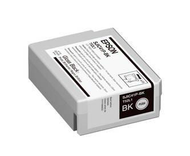
When Should You Replace Epson C4000 Ink Cartridges?
10th Jul 2026
Most people replace their ink cartridges when the printer tells them to. That's not necessarily wrong, but it's also not the full picture. If you're running an Epson ColorWorks C4000 label printer for any kind of business output, waiting for a low-ink alert before thinking about cartridges can cost you more than you'd expect.
Downtime mid-run, degraded barcodes, colors that don't match your last batch: all of these trace back to cartridge management that was reactive instead of proactive. Here's what you actually need to know about replacing Epson C4000 ink cartridges.
How the Epson C4000 Ink System Works
The Epson C4000 printer uses four individual CMYK pigment ink cartridges: cyan, magenta, yellow, and black. Because each color is a separate cartridge, you only replace the one that's running low, which reduces waste and keeps printing costs down. This is a meaningful advantage over tri-color cartridge systems, where a single depleted color forces you to discard remaining ink in the others.
The printer uses Epson's UltraChrome DL pigment ink, which is worth understanding. DURABrite Ultra Pigment ink produces crisp, easy-to-read text and barcodes along with vibrant graphics that resist smudges and water even on plain paper, and the ink is fast-drying, making it practical for all sorts of label environments. That durability is exactly why the Epson ColorWorks C4000 label printer is a go-to for businesses in food production, nutraceuticals, and supply chain compliance where label integrity matters.
Ink usage varies considerably based on images printed, print settings, paper type, frequency of use, temperature, and humidity, and variance may be more pronounced when printing infrequently or predominantly with one ink color. So there's no single universal answer to how long a cartridge lasts. It depends entirely on your operation.
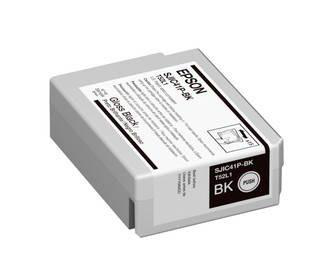
Signs It's Time to Replace Your Epson C4000 Ink
Your printer displays a low-ink warning. This is the obvious one, but don't ignore it. A variable amount of ink remains after the "replace ink" indicator comes on, so you have a window, but it's not unlimited. For businesses running barcode printing solutions or high-volume label jobs, plan replacements before you hit that window mid-production.
Print quality is visibly degrading. Streaking, banding, faded colors, or barcodes that won't scan cleanly are all signs that a cartridge is on its way out or that the printhead needs attention.
One color is dominating your label designs. If your labels are heavy on a particular color, that cartridge will deplete significantly faster than the others. Monitor individual ink levels, not just the overall status.
The cartridge has been installed for an extended period without heavy use. Once installed, ink is exposed to air and begins to evaporate and dry over time; the longer the printer remains idle, the more severe the symptoms become.
What About Cartridges You Haven't Opened Yet?
This matters more than most people realize, especially for businesses that stock up. Unopened inkjet cartridges typically last 18–24 months when stored in a cool, dry place in their original sealed packaging. Over that shelf life, the ink's chemical compounds can slowly break down: pigments can settle out of solution, and micro-evaporation can still occur, meaning an old "new" cartridge can perform poorly from the first print.
The practical takeaway: don't stockpile ink in quantities you can't use within roughly 18 months. Buy ahead, but not years ahead.
The Maintenance Box: The Part People Forget
Replacing ink cartridges is only half the equation. The Epson C4000 also requires an SJMB4000 maintenance box, which collects waste ink generated during printhead cleaning cycles. Once the maintenance box becomes full, the printer generates an error and becomes inoperable until it's replaced. That means if the box fills up mid-job and you don't have a spare on hand, you're stopped completely.
Keep at least one spare maintenance box on your shelf at all times. It's a low-cost component, and the cost of an unexpected production halt is far higher.
Keeping your Epson ColorWorks C4000 label printer running at its best comes down to one habit: staying stocked before you need to scramble.
Ink management is only half the picture, though. The label material you run through the printer matters just as much as the cartridges feeding it. Using fully compliant Epson C4000 labels that are specifically designed for this printer helps ensure consistent color output, proper ink adhesion, and fewer print quality issues overall. All Epson TM-C3500 labels manufactured by DuraFast Label Company are fully compatible with the C4000, giving you one less variable to troubleshoot when something looks off.
As a dedicated source for Epson ColorWorks printer inks, DuraFast Label Company carries genuine-quality replacement pigment ink cartridges priced at the lower end of the spectrum, making it practical to stay stocked without overspending.
Ready to stop running low at the wrong moment? Shop Epson C4000 ink cartridges and keep your label operation running without interruption.