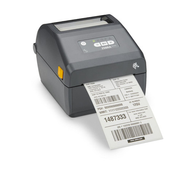
Thermal Label Printers in Canada: A Buyer's Guide for 2026
28th Jul 2026
Every Canadian business that ships, stocks, or scans something eventually runs into the same question: which thermal label printer actually fits how the operation works. The market is crowded with desktop, industrial, and portable options, and it's easy to end up with a printer that's either overkill for your volume or, worse, not built to survive your environment.
This buyer's guide for 2026 breaks down what actually matters when choosing a thermal label printer in Canada: print technology, print volume, environment, and connectivity. By the end, you should have a clear framework for matching a printer to your operation instead of guessing.
Direct Thermal vs. Thermal Transfer: The First Fork in the Road
Before volume or budget even enters the conversation, every buyer has to choose between two underlying print technologies. Direct thermal labels use heat-sensitive paper that darkens when it passes under the printhead, with no ribbon and no ink involved.
Thermal transfer printing works differently. The printer melts ink from a ribbon onto the label surface, creating a bonded image that resists heat, moisture, and abrasion far longer than direct thermal output.
Direct thermal:
- lower upfront cost and fewer moving parts, since there's no ribbon to load or replace
- sensitive to heat, sunlight, and friction, so the print can fade before the label itself wears out
Thermal transfer:
- requires a ribbon (wax, resin, or a blend), which adds an ongoing consumable cost
- holds up under heat, chemicals, and abrasion, making it the standard for compliance and long-term tracking
For day-to-day shipping labels and receipts, direct thermal is usually the practical, cost-effective choice. For anything that needs to stay legible for months, whether that's an asset tag, a chemical drum, or an outdoor equipment label, thermal transfer is the safer bet.
How Much You Print Decides More Than You'd Think
Print volume is usually the single biggest factor in choosing the right printer, and it's the one buyers most often get wrong: either by under-buying and burning out a desktop unit, or over-buying an industrial machine that sits mostly idle.
Low volume, a few hundred labels a week: a compact desktop printer is usually enough, and it keeps upfront costs down
Moderate volume, daily but not constant printing: mid-range desktop or entry industrial models strike a balance between cost and durability
High volume, thousands of labels a day: industrial printers are built for continuous runs without overheating or premature wear
On-the-go printing: portable, battery-powered printers cover field service, delivery, and warehouse-floor labeling where a fixed workstation isn't practical
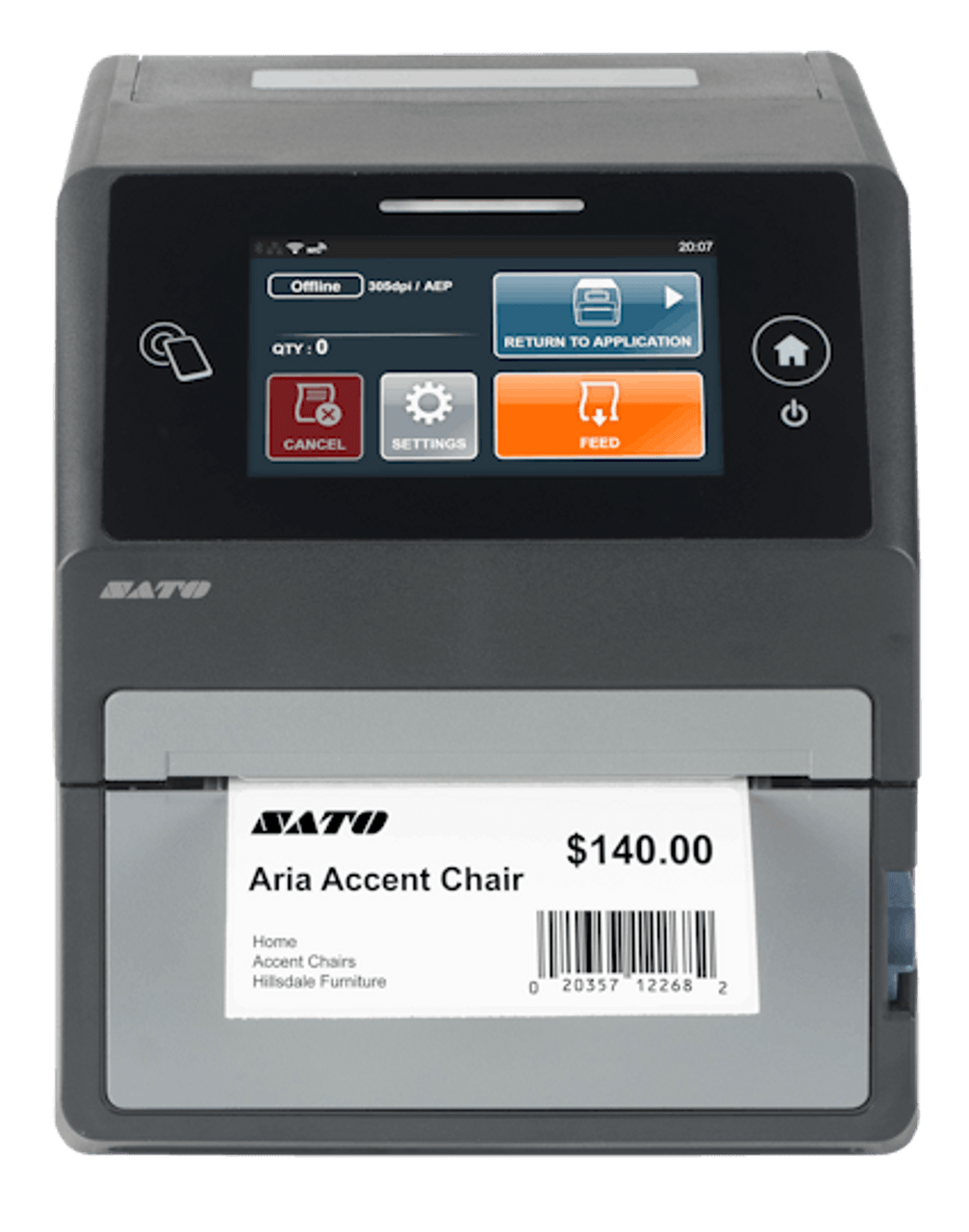
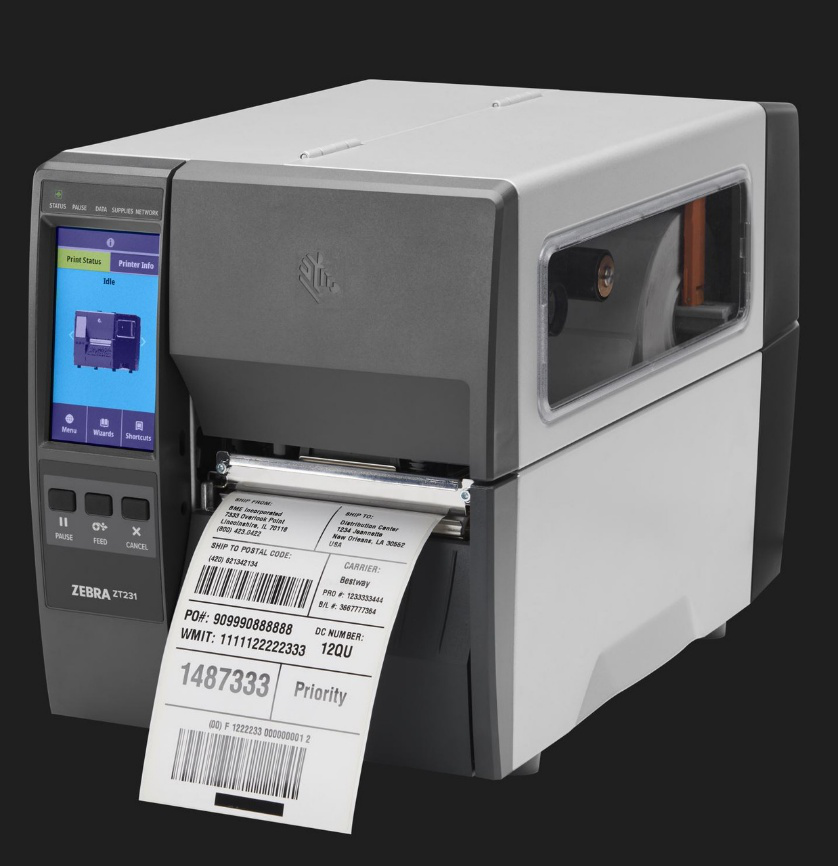
A desktop model such as the SATO CT4-LX is a common starting point for retail counters, small warehouses, and office shipping stations. Once volume climbs into the thousands of labels per day, though, businesses typically move up to an industrial platform like the Zebra ZT411, which is built with an all-metal frame and higher-capacity ribbon rolls to keep pace with continuous manufacturing or distribution runs.
For teams that need to print away from a fixed station, whether that's a delivery route or a warehouse aisle, a portable label printer such as the Brother RuggedJet RJ4250WBL adds flexibility that a desktop or industrial unit simply can't.
Built for Canadian Conditions
Environment is where a lot of buyers get caught out. A printer and label combination that works fine in a climate-controlled office can fail quickly in a cold warehouse dock, an unheated storage trailer, or outdoor equipment exposed to a Canadian winter.
Cold, damp, and rapid temperature swings all put extra stress on label adhesives and face stock, which is one reason many Canadian warehouses and logistics operations lean on synthetic materials, such as polyester or polypropylene, rather than standard paper stock, especially for anything that needs to survive cold storage, salted equipment, or repeated handling.
- Indoor shipping and receiving with stable temperatures: direct thermal paper labels are usually sufficient
- Cold storage, outdoor equipment, or weatherproof labels for exposed assets: thermal transfer with synthetic or vinyl labels holds up far better
- Automotive and service applications like oil change labels: thermal transfer resin ribbons resist smudging from oil and grease
If your labels are ever exposed to moisture, temperature swings, or physical handling outside a controlled environment, it's worth building that into the printer and label decision from the start rather than discovering the gap after a batch of labels has already failed.
This is also where the printer itself matters, not just the label. Printers destined for unheated warehouses, loading docks, or vehicles benefit from rugged, all-metal construction rather than lightweight consumer-grade builds, since repeated temperature swings and dust exposure wear down cheaper components faster. A printer that's rated for continuous industrial use will generally tolerate a cold Canadian dock far better than an entry-level desktop model designed for a climate-controlled office.
Software and Connectivity: Don't Overlook This Part
A printer is only half the system. Design and label-management software like BarTender or NiceLabel lets businesses standardize label templates, pull data from inventory or shipping systems, and reduce the manual errors that come with retyping information for every label.
Connectivity matters just as much. Most current-generation desktop and industrial printers support USB, Ethernet, Wi-Fi, and Bluetooth, which makes it easier to integrate a printer directly with point-of-sale systems, warehouse software, or carrier platforms like Canada Post and other shipping providers. Businesses running label printing machines for business at scale increasingly pair printers with barcode scanners to close the loop between labeling and inventory accuracy.
Matching Printer Type to Common Canadian Industries
Volume and environment are the two biggest variables, but industry adds a third layer to the decision. Different sectors tend to converge on similar setups because their day-to-day labeling needs are so consistent.
- Retail and hospitality: desktop printers paired with POS systems handle receipts, price tags, and shelf labels without needing industrial-grade output
- Warehousing and logistics: industrial or high-speed desktop printers keep pace with shipping labels, pallet tags, and inventory tracking across busy fulfillment operations
- Manufacturing: thermal transfer printers dominate here, since compliance labels, asset tags, and parts identification all need to survive handling, oils, and long storage periods
- Field service and delivery: portable printers let technicians and drivers produce labels or receipts on the spot instead of returning to a fixed workstation
None of these categories are fixed rules. A growing e-commerce seller might start with a single desktop printer and outgrow it within a year, while a small manufacturer might need thermal transfer output from day one because of compliance requirements. The point isn't to fit your business into a category; it's to recognize which factors, volume, environment, or mobility, matter most for your specific operation.
Cost of Ownership: Look Past the Price Tag
It's tempting to compare printers purely on sticker price, but the real cost shows up over months of use.
- Direct thermal has a lower upfront cost and no ribbons, but reprints from faded labels add up in labour and wasted material
- Thermal transfer adds an ongoing ribbon cost, but significantly reduces reprints in demanding environments
- Industrial printers cost more initially but tend to have a lower cost per label at high volumes, thanks to larger ribbon and label capacities
Businesses that plan to buy thermal label printers online should weigh the full picture: printer cost, ribbon or label consumables, and how often reprints are likely to happen given the environment and volume.
Print Speed and Resolution: The Details That Get Overlooked
Beyond print technology and volume, two specs quietly shape day-to-day performance: print speed and resolution. Print speed, usually measured in inches per second, determines how quickly a batch of labels comes off the printer, which matters most in shipping and fulfillment settings where delays at the label station slow down the whole line.
Resolution, measured in dots per inch, affects how sharp small text and dense barcodes appear. Standard 203 dpi printers handle most shipping and general barcode labels without issue, but smaller barcodes, fine print, or compliance labels with dense information often call for 300 dpi or higher to stay scannable at a glance.
- Standard shipping and inventory labels: 203 dpi is typically sufficient
- Small components, jewellery tags, or dense compliance labels: 300 dpi or higher keeps barcodes and text legible
- High-volume shipping or fulfillment: faster print speeds reduce bottlenecks at the packing station
A Quick 2026 Decision Checklist
- How many labels do you print in a typical day or week?
- Will the label ever face heat, moisture, chemicals, or rough handling?
- Do you need mobility, or does the printer stay at a fixed station?
- Does the printer need to integrate with existing POS, shipping, or inventory software?
- What's your total cost over a year, not just the printer's price tag?
FAQs
- What's the difference between direct thermal and thermal transfer printers?
Direct thermal printers use heat-sensitive labels and require no ribbon, which keeps costs low and maintenance simple but limits durability over time. Thermal transfer printers use a ribbon to bond ink onto the label surface, producing prints that resist heat, chemicals, and abrasion for months or years, depending on the material used.
- How many labels a day justifies moving to an industrial printer?
There's no single number that applies to every business, but as a general guide, operations printing in the thousands of labels daily, or running continuous shifts without much downtime, typically outgrow desktop printers within a year or two and see better reliability and lower long-term costs from an industrial model built for continuous duty.
- Do thermal label printers perform well in cold Canadian warehouses?
Most printers themselves handle cool indoor environments without issue, but the labels are usually the weaker link. Cold, damp, or outdoor conditions typically call for thermal transfer printing paired with synthetic or vinyl label materials rather than standard paper stock, which can become brittle or lose adhesion in the cold.
- Can one printer handle both direct thermal and thermal transfer labels?
Yes. Many desktop and industrial models, including several SATO and Zebra printers, support both print methods in a single unit. However, switching to thermal transfer requires a compatible ribbon to be loaded and, in some cases, a different print head setting.
Choosing the right thermal label printer really comes down to matching three things: how much you print, what conditions those labels need to survive, and how the printer fits into your existing systems. Getting that match right the first time saves far more than the price difference between models ever will.
For Canadian businesses ready to make that decision, DuraFast Label Company offers a complete range of label printing solutions in Canada, from compact desktop printers to industrial and portable systems built for demanding environments.
Our selection includes thermal label printers from Zebra, SATO, Brother, and other leading manufacturers, along with the direct thermal labels and thermal transfer labels, ribbons, and design software needed to run them. Whether you're setting up your first system or scaling into a high-volume operation, our team can help match the right printer, media, and software to your workflow.
Contact us today to talk through your 2026 labeling plans and find the thermal label printer that actually fits how your business runs.