
Seiko Smart Label Printer Software: A Complete Guide to Smarter Labeling
22nd Jan 2026
Key Highlights
-
Discover the Seiko Smart Label Creator, the official software for your label printing needs.
-
The software is compatible with various operating systems, from Windows XP to the latest Mac OS.
-
Easily print labels of all kinds, including address labels, shipping labels, and custom designs.
-
Take advantage of powerful features like a drag-and-drop designer and a built-in barcode generator.
-
Seamlessly integrate with Microsoft Office applications to import data for your labels.
-
Find direct download links for the software for both Windows and Mac platforms.
Are you looking for an efficient way to organize your office, manage inventory, or streamline your shipping process? The right tool can make all the difference.
With a Seiko Smart Label Printer, you get a compact and powerful device, but it's the software that unlocks its full potential.
This guide will walk you through everything you need to know about the Seiko Smart Label Creator software, from its top features to where you can download it for your Windows or Mac computer. Get ready to simplify the way you print labels.
What Is Seiko Smart Label Printer Software and Why Is It So Useful?
The Seiko Smart Label Creator is the official software designed to work seamlessly with Seiko Smart Label Printers, making label creation fast, simple, and dependable. Its intuitive interface allows anyone to design and print labels without dealing with complex formatting or templates.
Optimized for Seiko hardware, it performs smoothly on both Windows and Mac while supporting text, images, and barcodes. And with direct thermal printing, everything is managed in one place without ink or toner.
Common Uses
-
It allows you to create clean and organized addresses and file labels, making everyday tasks much easier to manage.
-
You can generate barcodes and inventory tags to efficiently track items, ensuring smooth operations.
-
It provides the ability to print accurate shipping labels, which is especially helpful for small business needs and ensuring timely deliveries.
-
With it, you can produce professional name badges, making it perfect for meetings, events, and networking opportunities.
What Are the Top Features of Seiko Label Printer Software?
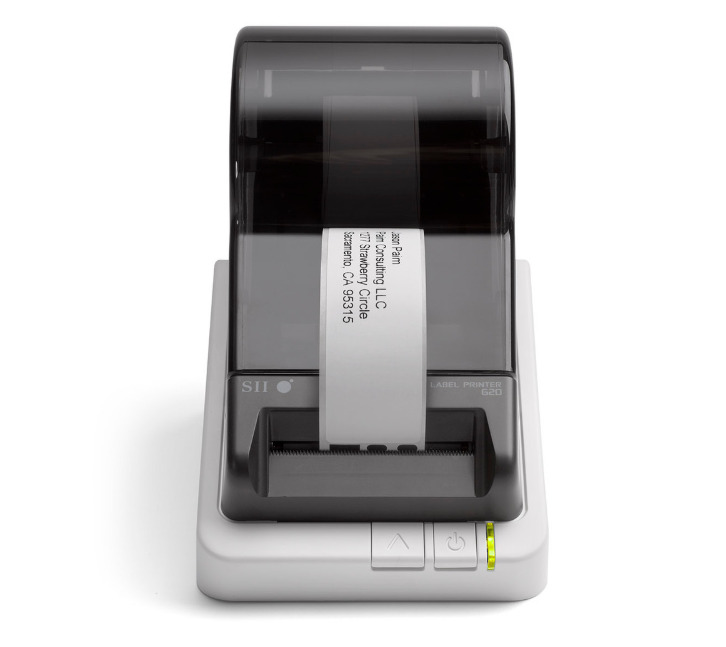
Seiko's Smart Label Creator software is packed with features that transform your label printing from a chore into a simple task. It’s designed to be intuitive, allowing you to get started with your printing projects almost immediately. The software provides a comprehensive suite of tools that cater to both simple and complex labeling needs.
Let’s explore some of the standout features that make this software a must-have for any Seiko printer owner.
1. Drag-and-Drop Label Designer
The drag-and-drop label designer lets you arrange text, images, and barcodes visually, making customization straightforward while offering real-time feedback that simplifies layout decisions and ensures clear, accurate labels for basic office tasks everywhere.
2. Built-In Templates for Common Label Types
Built-in templates provide ready-made designs for address, file folder, barcode, and shipping labels, letting users start quickly with consistent formatting that reduces setup time, improves accuracy, and keeps labeling workflows efficient for everyday.
3. Support for Graphics and Logos
The software supports high-quality graphics and logos, allowing users to import images, adjust sizing, and maintain sharp resolution, creating branded labels that enhance professionalism, improve visual recognition, and deliver clear identification across businesses.
4. Integration With Word, Excel, and Outlook
Seamless integration with Word, Excel, and Outlook lets users import data directly into labels, automating mail merges, batch printing, and contact-based workflows while reducing manual entry and ensuring consistent accuracy across everyday administrative.
5. Print Preview and Batch Printing
Print preview helps users confirm alignment before printing, while batch printing processes large sets of labels from spreadsheets or databases, streamlining workflows and reducing preparation time for mailings, product organization, and inventory updates everywhere.
6. Barcode Generator for Multiple Formats
The built-in barcode generator produces crisp scannable codes in multiple formats supporting retail logistics and inventory workflows by enabling accurate identification, simplified tracking and professional-quality results directly from the software without requiring advanced.
7. Custom Label Sizes and Automatic Roll Detection
Custom label sizing and automatic roll detection allow users to switch between varied label formats easily, ensuring precise alignment, accurate layouts and dependable performance that adapts automatically to the dimensions of whichever label.
Which Seiko Smart Label Printers Work Best with the Smart Label Creator Software?
The Seiko Smart Label Creator software is designed to work seamlessly with the complete SLP 600 series, making these printers the best match for smooth setup, full feature access, and consistently high print quality.
The software taps directly into each printer’s hardware capabilities, ensuring accurate label detection, crisp print clarity, and reliable performance across everyday labeling tasks.
SLP-620: Fast, Simple, And Perfect for Everyday Office Labeling

The Seiko SLP-620 is ideal for users who need a dependable, no-frills labeling solution.
Key features:
-
203 dpi resolution for sharp text and basic graphics.
-
Fast 2.76 inches-per-second printing.
-
USB connectivity for easy plug-and-play setup.
Best uses:
-
File folders and office organization.
-
Address and shipping labels.
-
Shelf tags and basic barcode labels.
-
Storage bins, equipment, and supply labels.
SLP-650: High Resolution and Speed for Professional Labels
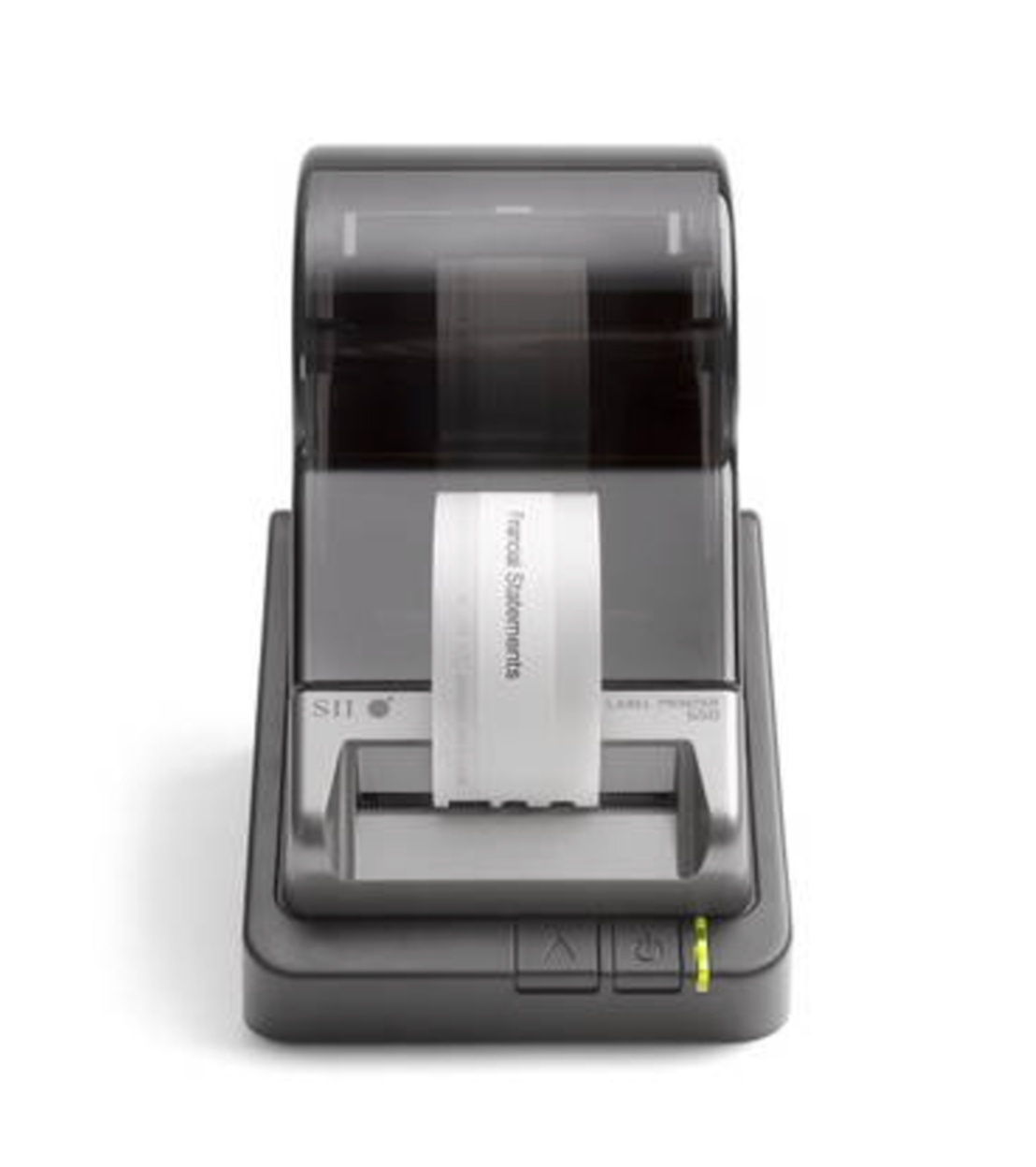
The Seiko SLP-650 is one of the most popular models because it offers excellent print quality and speed.
Key features:
-
High-resolution 300 dpi printhead for crisp barcodes and graphics.
-
Faster printing at 3.94 inches per second.
-
USB connectivity for Windows and Mac.
Best uses:
-
Retail barcode labeling.
-
Product ID labels.
-
Healthcare tags and prescription labels.
-
Name badges and event materials.
-
Small graphics or logo labels.
SLP-650SE: Advanced Connectivity for Specialized Environments
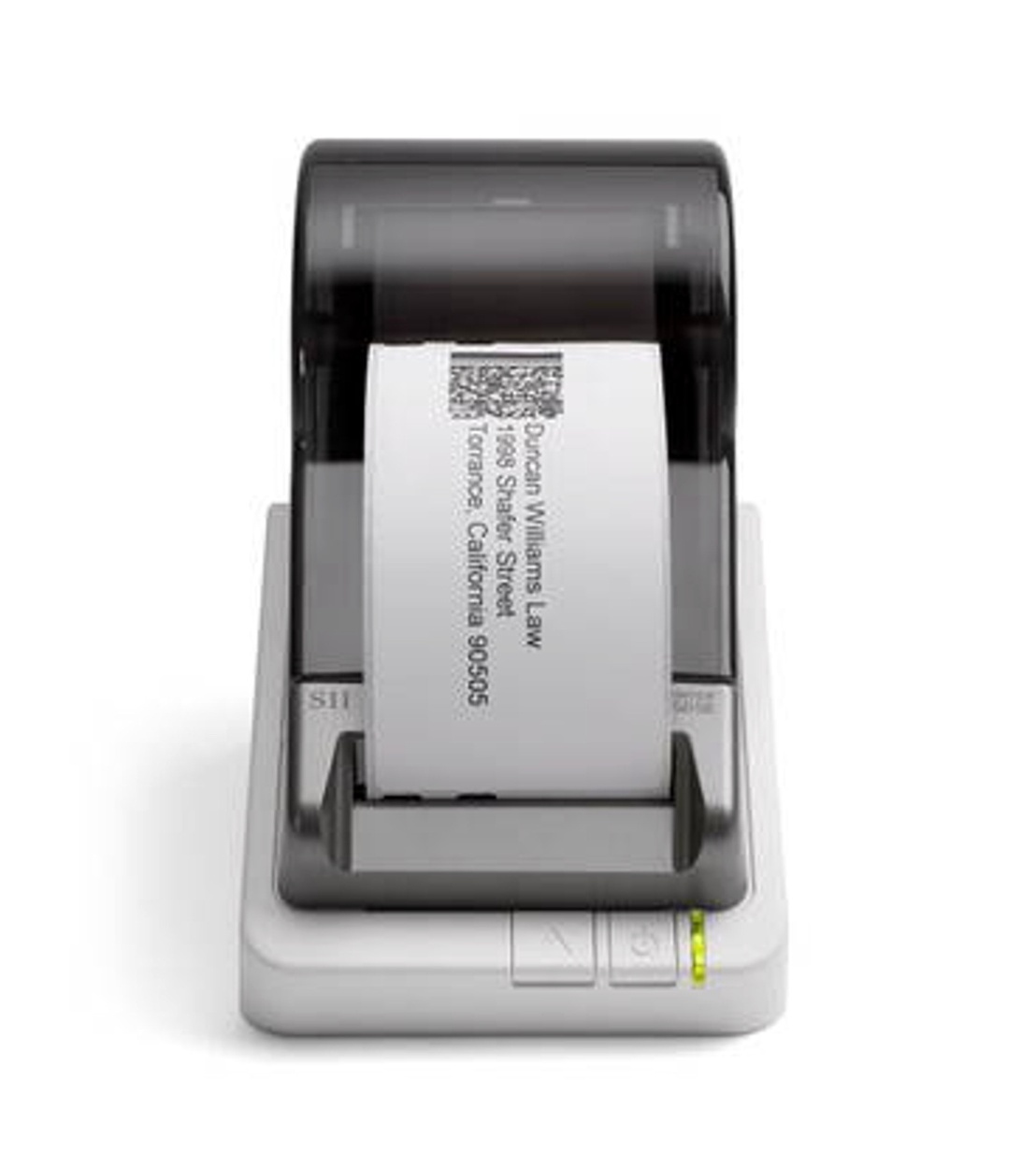
The Seiko SLP-650SE includes all the strengths of the SLP 650, plus added communication options for more demanding workflows.
Key features:
-
300 dpi high-resolution printing.
-
3.94 inches per second output.
-
USB and RS-232C interfaces for system integrations.
Best uses:
-
Warehousing and logistics.
-
POS systems requiring serial connectivity.
-
Industrial or technical environments.
-
Custom integrated labeling applications.
Where Can You Download Seiko Instruments Smart Label Printer 650 Software?
Downloading the correct software for your Seiko Smart Label Printer 650 is important because using outdated or incorrect programs can cause connection issues, print errors, or missing features. The most reliable source for the official Smart Label Creator software is the Seiko Instruments support website, where updates are maintained and tested specifically for SLP printers.
The official download page provides separate installers for Windows and Mac, along with the latest printer drivers and the SDK (Software Development Kit) for custom integrations. This guarantees full compatibility with your SLP 650, including features like automatic label detection, precise print alignment, and seamless communication between the printer and Smart Label Creator.
What You’ll Find on the Official Download Page
-
The Smart Label Creator software (latest version).
-
The SLP 650 printer driver for your operating system.
-
The SDK for developers and IT teams.
-
Detailed release notes outlining improvements and fixes.
-
System requirements for Windows and Mac.
Once installed, the Smart Label Creator automatically recognizes your SLP 650, allowing you to begin printing address labels, barcodes, file tags, and more within minutes.
How Seiko Software Compares to Other Labeling Programs?
Seiko’s Smart Label Creator is designed specifically for Seiko Smart Label Printers, giving users stronger compatibility, smoother operation, and more reliable performance than most third-party options. While alternative programs can work, they often miss Seiko-specific features and automations that improve everyday labeling.
The table below highlights the key differences.
|
Feature / Benefit |
Seiko Smart Label Creator (Official) |
Third-Party Software (e.g., Label LIVE) |
|---|---|---|
|
Designed for Seiko Printers |
Yes, manufacturer-built |
No, built for multiple brands |
|
Automatic Label Roll Detection |
Supported |
Often not supported |
|
Windows Support |
Excellent, fully optimized |
Supported |
|
Mac Support |
Excellent, fully optimized |
Supported |
|
Linux Support |
Not supported |
Supported by some programs |
|
Ease of Setup |
Seamless, plug-and-play |
May require manual adjustments |
|
Access to All Seiko Printer Features |
Full access |
Partial or limited access |
|
Integration Options |
SDK available for custom workflows |
Varies depending on the software |
|
Reliability |
Highly stable with Seiko printers |
Good but not hardware-optimized |
|
Best Use Case |
Users wanting full feature access and perfect compatibility |
Users needing cross-platform or multi-brand flexibility |
How Different Industries Use Seiko Smart Label Printers?
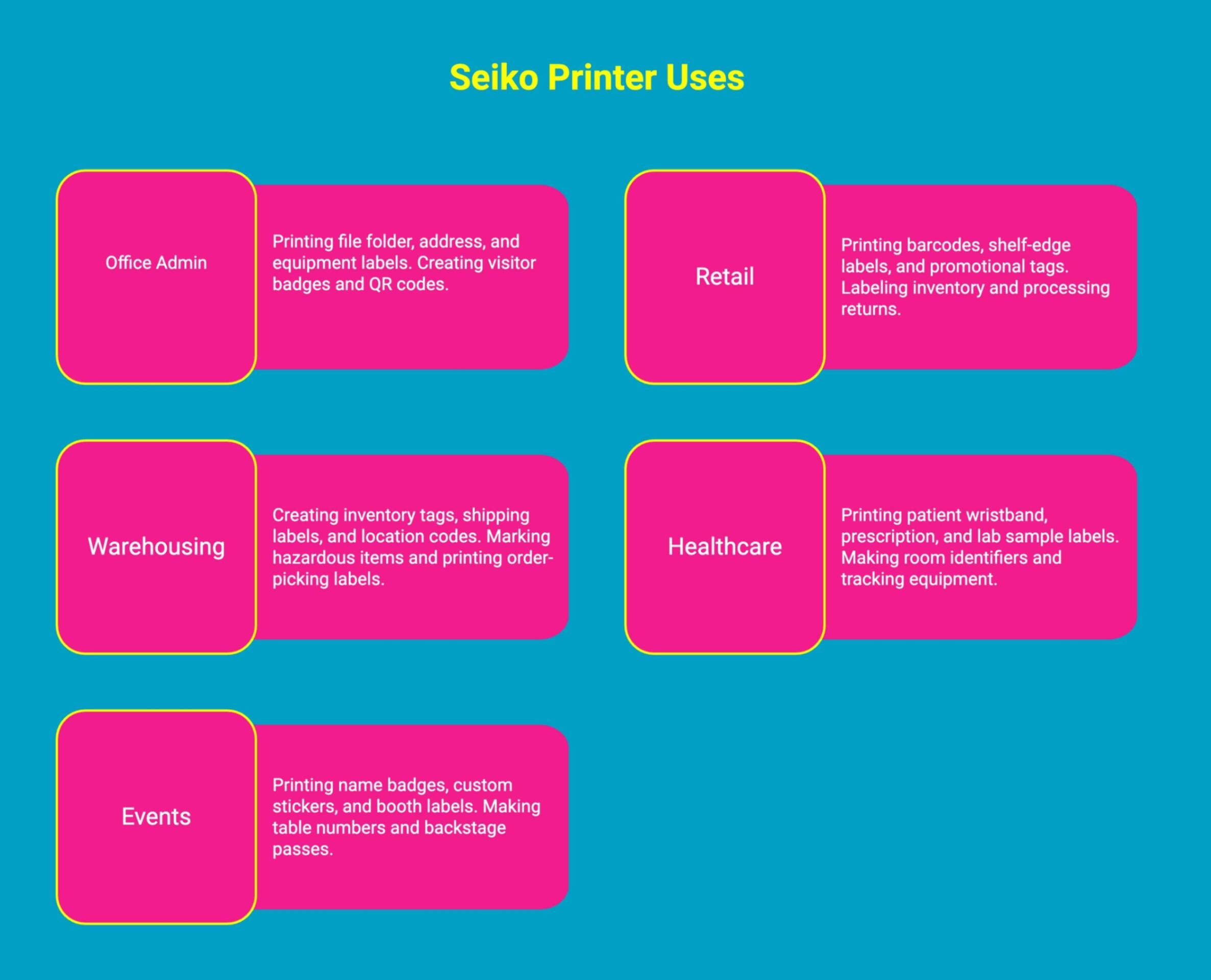
Seiko Smart Label Printers are easy to use, fast, and incredibly versatile. Whether you're organizing an office, managing inventory, running a store, supporting healthcare teams, or hosting events, these printers help you create clean, professional labels in seconds.
1. Office Admin: File Folder And Address Labels
For office admins, staying organized is essential. Seiko printers make labeling simple, quick, and consistent, helping keep paperwork and supplies in perfect order.
Common office admin uses:
-
Printing clear, durable file folder labels.
-
Creating address labels for mail and packages.
-
Labeling office equipment, drawers, and storage bins.
-
Making visitor badges for front desk check-ins.
-
Creating labels for binders, notebooks, and project files.
-
Printing QR codes for digital document tracking.
2. Retail: Barcode And Shelf-Edge Labels
Retail teams rely on fast, accurate labeling. With Smart Label Creator, printing scannable and visually clean labels becomes effortless.
Common retail uses:
-
Printing scannable barcodes for products.
-
Creating shelf-edge pricing labels.
-
Producing promotional and sale tags.
-
Labeling stockroom inventory for faster restocking.
-
Printing SKU stickers for product bundles.
-
Making labels for returns and exchanges processing.
3. Warehousing: Inventory Tags And Shipping Labels
Warehouses need durable, easy-to-read labels to keep operations running smoothly. Seiko printers handle high-volume tasks with ease.
Common warehousing uses:
-
Creating inventory tags with barcodes.
-
Printing shipping labels with addresses and tracking.
-
Labeling pallets, racks, and bulk storage.
-
Producing location codes for aisles and shelving.
-
Marking hazardous or fragile items.
-
Printing order-picking labels for faster workflow.
4. Healthcare: Patient ID And Prescription Labels
Clear labeling supports patient safety and smooth operations. Seiko printers help healthcare teams print essential information quickly and accurately.
Common healthcare uses:
-
Printing patient wristband labels.
-
Creating prescription and medication labels.
-
Labeling lab samples and specimen containers.
-
Making room, bed, and chart identifiers.
-
Printing equipment and device tracking labels.
-
Producing barcode tags for digital medical records.
5. Events: Name Badges And Custom Stickers
Event setups move fast, and Seiko printers simplify last-minute changes, custom branding, and on-site organization.
Common event uses:
-
Printing personalized attendee name badges.
-
Creating custom logo stickers for giveaways.
-
Labeling booth materials, AV equipment, and signage.
-
Making table numbers, seating labels, and backstage passes.
-
Printing activity-specific labels for workshops or breakout rooms.
-
Producing quick tags for gift bags, swag items, and supplies.
Seiko Direct Thermal Labels in Canada: All the Label Types You Can Print
DuraFastLabel.ca carries a full range of Seiko direct thermal labels made for Seiko Smart Label Printers, including the SLP-620, SLP-650, and SLP-650SE. Since these printers use the same compatible label rolls, it is easy to switch between label types without changing your setup.
You can stock the exact labels you need for daily office work, shipping, retail, and inventory, including address labels, shipping labels, file folder labels, multipurpose labels, name badge labels, and barcode labels.
There are also speciality options like clear labels, coloured labels, removable labels, media labels, and security labels, such as tamper-evident and expiring styles, depending on your workflow.
To browse all Seiko label roll options available in Canada, visit Seiko Direct Thermal Labels on DuraFastLabel.ca.
Where Can You Buy The Latest Seiko Smart Label Printers In Canada?
If you’re ready to upgrade your labeling setup, the best place to buy the latest Seiko Smart Label Printers is DuraFast Label Company. We carry the newest models, including the popular SLP 620 and SLP 650, all backed by expert support and fast delivery. These printers feature compact designs, easy USB connectivity, and reliable direct thermal printing so you never have to purchase ink or toner again.
When you buy from DuraFast, you get more than a printer. You get access to high-quality Seiko-compatible labels and the free Smart Label Creator software, giving you everything you need to produce clean, professional labels for home, office, or business.
Shop at DuraFast Label Company and enjoy a smarter, more efficient way to stay organized.
Conclusion
Whether you're in retail, healthcare, or event management, this software can significantly elevate your labeling capabilities. By downloading the software, you can take full advantage of its functionalities and optimize your workflow. Don't hesitate to explore the benefits of Seiko Smart Label Printer software; it's time to elevate your labeling experience! For more information or guidance, feel free to reach out for more information!
Frequently Asked Questions
Is there official Seiko SLP 650 software for Windows 10 or 11?
Yes, there is official Seiko software for the SLP 650 that is fully compatible with Windows 10 and Windows 11. The Smart Label Creator V1.2.7 download package is designed to work on modern systems, including Vista and 8.1.
Are there third-party software options compatible with Seiko label printers?
While some third-party programs might work with Seiko printers, the official Smart Label Creator software is recommended for the best experience on Windows and Mac. Using other software may result in losing key features.
How do I update my Seiko Smart Label Printer firmware or drivers?
To update your printer's drivers, visit the official Seiko Instruments website. You can download the latest software package, which includes the most current drivers. Simply run the installer on your PC to complete the update.
How do I download Seiko Smart Label Printer Software?
You can download the Seiko Smart Label Printer software directly from the Seiko Instruments official website. Navigate to the support or download section for your printer model. From there, you can download the correct setup file for your operating system.
Is the Seiko Smart Label Printer 650 software compatible with Windows 11?
Yes, the software for the Seiko Smart Label Printer 650 is compatible with Windows 11. The official Smart Label Creator software from Seiko Instruments Inc. (SII) is designed to run on the latest Windows operating systems.
Can I use Seiko software with all Seiko printer models, including the SLP-620, SLP-650, and SLP-650SE?
Yes, the latest Smart Label Creator software from Seiko Instruments Inc. (SII) is designed to work perfectly with the entire SLP 600 series, including the SLP-620, SLP-650, and SLP-650SE models.
Where can I find user manuals for Seiko Smart Label Printer software?
You can find user manuals for Seiko Smart Label Printer software on the official Seiko Instruments support page, where downloadable guides, setup instructions, and software documentation are provided for all compatible printer models.