Why Do Label Roll Sizes Matter for Your Printer?
21st Jul 2026
Key Highlights
-
Label roll sizes include dimensions, core size, unwind direction, and diameter of the roll
-
Machine applicators and hand application need different roll configurations, and confusing them can lead to reprints and wasted stock
-
Barcode label roll sizes must align with scanner and printer specifications
-
Custom-sized roll labels improve efficiency and reduce extra costs
-
Roller ball label size is critical for curved and small container surfaces
-
Material choice affects colour reproduction and ink performance
-
Proper configuration prevents incorrect files and reprints
-
DuraFast Label Canada helps optimize label roll sizes before production
Incorrect label roll sizes can stop your production line. Feeding failures, upside-down labels, and halted applicators are common issues when roll configuration is overlooked. While artwork and finishes matter, roll size, core diameter, and unwind direction directly affect how labels perform during application.
If label roll sizes are wrong, printers may misfeed, machine applicators may place labels sideways, and operators may need to stop and reset equipment. Machine applicators and hand application require different roll configurations, and confusing them often leads to reprints and wasted stock. A mismatch in core size or unwind direction can quickly turn into production delays and avoidable extra costs.
This guide explains how label roll sizes work, how orientation and roll configuration affect application, and how to choose the correct setup for both hand and machine use so your labels perform exactly as intended.
What Are Label Roll Sizes?
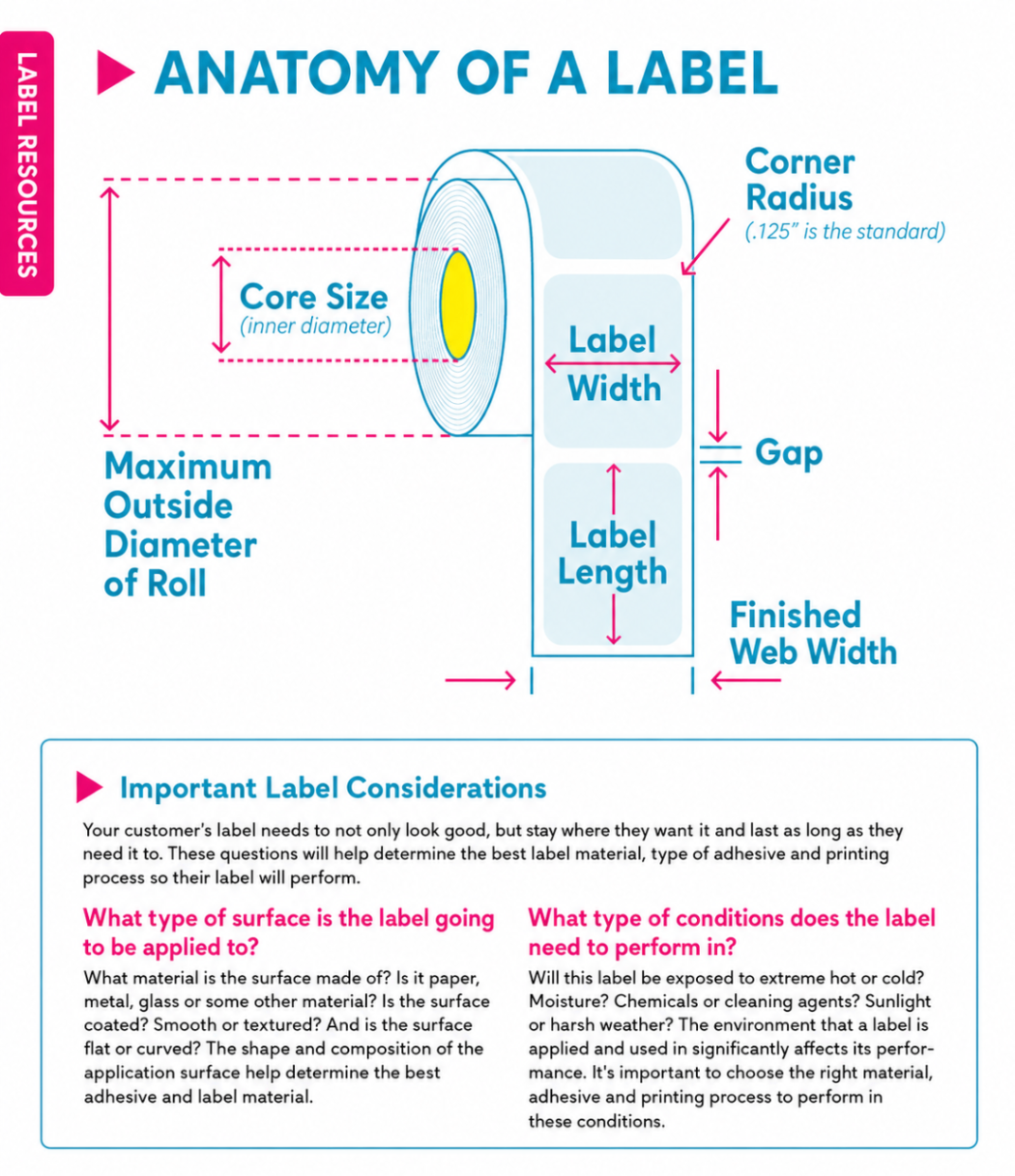
Label roll sizes refer to the complete configuration of labels wound onto a roll, not just the printed sticker dimensions. While many buyers focus on artwork size, the labelling process and technical roll setup determine whether labels will feed, apply, and align correctly in real production environments.
When evaluating label roll sizes, each specification plays a different operational role:
-
Label width and height
Determines barcode readability, compliance space, and fit on the product surface. Critical for retail packaging, cylindrical containers, and scanner alignment. -
Core diameter
Controls whether the roll fits your printer spindle or applicator hub. A mismatch here can prevent mounting entirely. -
Diameter of the roll (outer diameter)
Affects how often rolls need replacement. Important for high-volume machine applicators where downtime impacts throughput. -
Orientation
Ensures artwork faces the correct direction during application. Incorrect orientation can cause upside-down or sideways labels. -
Unwind direction
Must match the feeding path of your printer or applicator. Machine applicators and hand application often require different unwind configurations. -
Gap spacing between labels
Impacts sensor detection. Too small or inconsistent spacing can cause feeding errors or skipped labels. -
Base sheet material
Influences print quality, adhesive performance, and compatibility with thermal or digital printing systems.
Understanding which of these specifications matters most depends on whether you are printing in-house, applying by hand, or running automated labelling systems. Getting the configuration right prevents reprints, feeding failures, and production delays.
How Are Label Dimensions Read in Label Roll Sizes?
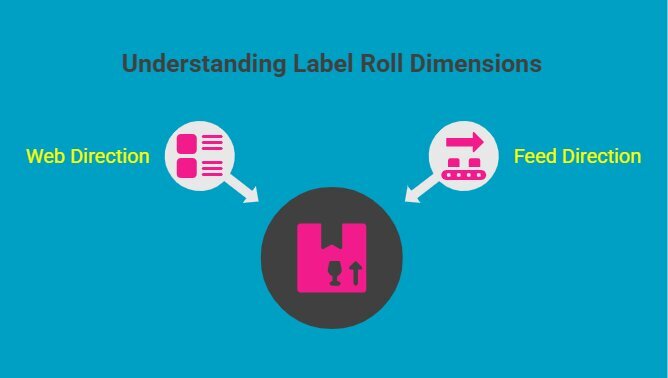
Label dimensions are expressed as width by height, and this order matters more than most people realize.
For example, a 3 inch x 2 inch label means:
-
3 inches across the web of the roll
-
2 inches in the direction of feed
The width runs across the roll, while the height runs in the direction the roll unwinds through the printer or applicator.
If width and height are misunderstood or reversed, the orientation of your artwork changes automatically. Reversing width and height means ordering a completely different label shape, and there is no correcting it at the printer. On cylindrical primary packaging, such as roller bottles or essential oil containers, this can cause product labels to apply sideways or wrap incorrectly.
When hand applying, you can compensate by rotating the label. Automated applicators cannot. The dimension order must be exact for machine application.
Correctly reading dimensions is a foundational step in configuring accurate label roll sizes. It prevents orientation errors and ensures consistent placement across personal care products, cosmetics packaging, and food packaging lines.
Why Does Orientation Matter in Label Roll Sizes?
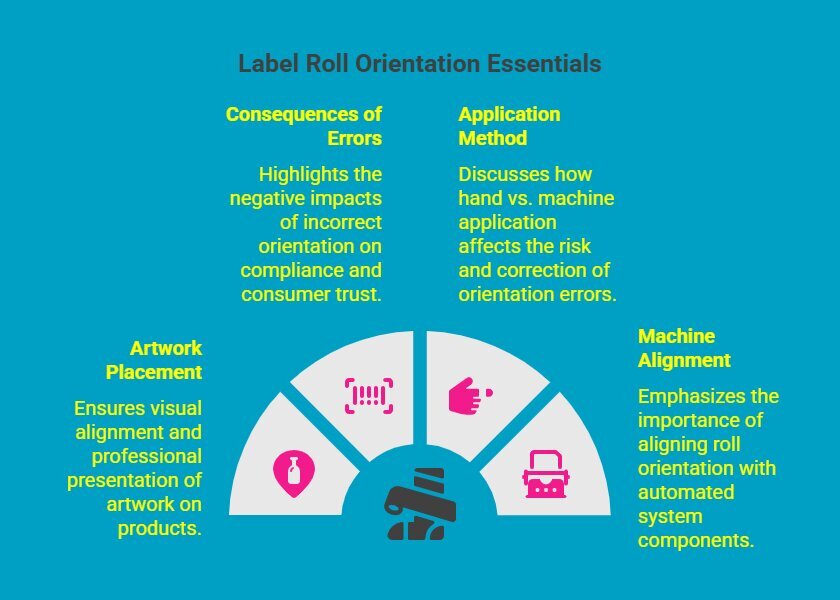
Before finalizing label roll sizes, orientation must be reviewed carefully. It is not just a design preference. Orientation directly affects how your artwork transfers from roll to product during the labelling process and overall production efficiency.
1. Artwork Placement and Visual Alignment
Orientation controls how the artwork appears once the label is applied. Even if your file is perfectly designed, incorrect orientation within the roll can distort the final presentation.
When labelling roller bottles, essential oil containers, or other cylindrical primary packaging, the feed direction determines how the label wraps around the surface. A rotated layout can make branding look inconsistent or unprofessional.
2. Consequences of Incorrect Orientation
If orientation does not match the intended application method, several issues may occur:
-
Text wrapping improperly around curved surfaces
-
Barcodes misaligning with scanners
-
Design elements crossing the edge of the container
-
Regulatory information appearing sideways
-
Logos positioned at unintended angles
These are not minor aesthetic flaws. They can affect compliance, readability, retail acceptance, and consumer trust.
3. Hand Application vs Machine Application: Why the Risk Level Changes
The impact of orientation errors depends heavily on how labels are applied.
Hand application:
Orientation errors can often be caught and corrected on the spot. An operator can rotate the label before placement and adjust visually.
Machine application:
Orientation must be correct before the roll is loaded. Errors do not surface until labels are already applied at speed. By the time the issue is noticed, dozens or hundreds of products may need rework.
Machine workflows leave no margin for guesswork.
4. Alignment with Machine Setup
Orientation becomes critical when using custom roll labels in automated systems. The roll configuration must align precisely with:
-
The applicator’s feed guide direction
-
The peel plate orientation
-
Conveyor movement direction
-
Sensor positioning and gap detection
Before full production:
-
Confirm orientation against your applicator’s feed guide diagram
-
Run a short test roll of 10–20 labels
-
Check sensor alignment immediately after loading
-
Inspect first-applied samples before increasing line speed
If orientation is incorrect, production may slow down while adjustments are made, or worse, incorrect labels may already be applied at scale.
Correct orientation within your label roll sizes protects presentation, prevents reprints, and ensures consistent application across every production run.
Not sure about feed direction or unwind? Contact DuraFast Label Canada to confirm your roll configuration before production.
What Is Unwind Direction and Why Is It Critical?
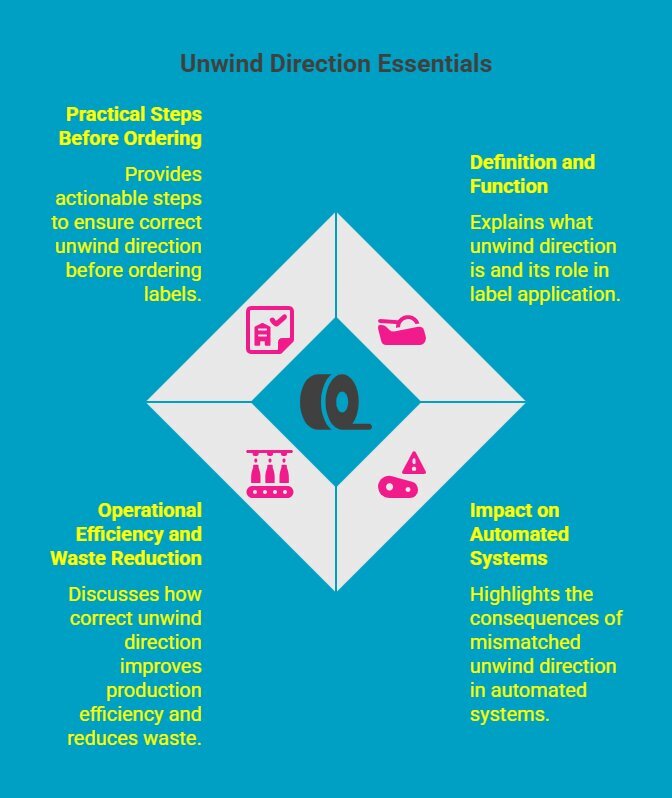
Once orientation is confirmed, the next technical factor to verify in label roll sizes is unwind direction. While it may seem minor, the unwind direction determines how labels peel and apply during printing and automated application.
Definition and Function
Unwind direction refers to how labels peel off the roll as it rotates through a printer or applicator. It determines which edge of the label reaches the peel plate first and how the design faces during application.
There are four standard unwind positions:
-
Top first
-
Bottom first
-
Left first
-
Right first
Each configuration corresponds to a specific machine feed path and applicator setup.
Impact on Automated Systems
When configuring label roll sizes for automated labelling systems or dispensers, unwind direction must match the machine’s feed path. If it does not, labels may:
-
Apply upside down
-
Face the wrong direction
-
Shift alignment during peel
-
Trigger sensor errors
-
Require manual repositioning
Unwind direction matters across all industries and label types. Whether you are labelling food products, cosmetics, pharmaceuticals, or industrial packaging, a mismatch interrupts workflow and increases waste.
Operational Efficiency and Waste Reduction
In high-volume production environments, small configuration errors create major inefficiencies. A mismatched unwind direction can cause:
-
Production downtime
-
Slower line speeds
-
Rework and relabelling
-
Increased material waste
Because the unwind direction is machine-dependent, it must be confirmed before ordering.
Practical Steps Before Ordering
To avoid costly mistakes:
-
Check your applicator or printer manual for the required unwind position
-
Confirm feed direction in your machine’s setup diagram
-
Run a short test roll of 10–20 labels before full production
-
Provide your machine model to your label supplier for confirmation
If you are unsure about the unwind direction for your equipment, contact DuraFast Label Canada before finalizing your label roll sizes. Confirming this detail upfront prevents avoidable reprints and production delays.
How Does Core Size Affect Label Roll Sizes?
Core size refers to the diameter of the inner cardboard tube that holds the roll together. While it may seem like a small specification, core size plays a direct role in printer compatibility.
If the core size does not match your printer spindle, the roll simply will not mount properly. This immediately halts production before printing even begins.
The most common core sizes include:
|
Core Size |
Typical Application |
|---|---|
|
1 inch |
Desktop label printers |
|
3 inch |
Industrial printers and applicators |
|
76 mm |
Metric-based industrial systems |
Desktop colour label printers typically use a 1-inch core. Most industrial thermal printers and many custom roll labels require a 3-inch core.
To confirm your core size, measure the inner cardboard tube diameter. Standard options are 1 inch (25.4 mm) for desktop printers and 3 inches (76.2 mm) for industrial systems.
Before confirming label roll sizes, always verify your equipment specifications. Matching the correct core size prevents downtime and ensures smooth feeding during the labelling process.
Looking for compact, high-performance direct thermal labels? Explore our 1.5 x 1.5-inch white direct thermal labels, designed for crisp printing and smooth feeding across compatible desktop and industrial systems.
Why Does the Diameter of the Roll Matter?
After confirming core compatibility, the next specification to evaluate in label roll sizes is the diameter of the roll. The outer diameter directly affects production efficiency, workflow stability, and equipment compatibility during daily runs.
1. Impact on Production Efficiency
The diameter of the roll determines how many labels are wound onto a single roll. A larger outer diameter holds more labels per roll, reducing changeovers and interruptions.
In production environments, larger roll diameters:
-
Reduce the frequency of roll changeovers
-
Increase overall production efficiency
-
Lower labour interruptions
-
Minimize downtime during high-volume runs
Your supplier can calculate the total label count per roll based on outer diameter, core size, and label calliper (material thickness). This helps forecast inventory and production planning accurately.
2. Equipment Limitations and Capacity
While larger rolls improve efficiency, every printer and applicator has a maximum outer diameter capacity.
As a general guideline:
-
Desktop printers typically accept rolls up to 5–6 inches outside diameter
-
Industrial printers and applicators may accommodate 8–12 inches outside diameter
Always verify your equipment’s maximum roll capacity in the printer or applicator manual before ordering.
If a roll exceeds machine limits, it may not fit inside the housing or may cause:
-
Improper tracking
-
Sensor misalignment
-
Uneven feeding
-
Increased mechanical strain
Roll diameter must always be evaluated alongside core size and media width when determining correct label roll sizes.
3. Pre-Order Roll Diameter Checklist
Before placing an order, confirm the following:
|
✔ |
Specification to Confirm |
Where to Check |
|---|---|---|
|
☐ |
Maximum outer diameter (OD) capacity |
Printer or applicator manual |
|
☐ |
Core size compatibility |
Spindle or hub specification |
|
☐ |
Media width compatibility |
Machine feed guide |
|
☐ |
Internal housing clearance |
Printer enclosure dimensions |
|
☐ |
Desired label count per roll |
Confirm with supplier's calculation |
|
☐ |
Material thickness (calliper) |
Label specification sheet |
Reviewing this checklist prevents ordering rolls that are too large for your equipment or too small for efficient production.
Optimizing the diameter of the roll is one of the most practical ways to reduce changeovers, control labour time, and maintain consistent production flow.
Explore a wide range of custom roll labels, specialty materials, and application-ready solutions from DuraFast Label Company to support a smoother, more efficient labelling process.
What Is Roller Ball Label Size?
Roller ball label size typically applies to small, curved containers such as essential oil bottles, personal care products, and other cylindrical primary packaging.
Because these containers have limited surface area, precision is critical.
Common 10ml Roller Bottle Label Size
A standard 10ml roller bottle typically has:
-
Diameter: approximately 0.78–0.82 inches (20–21 mm)
-
Circumference: approximately 2.45–2.58 inches
Common label sizes for 10ml roller bottles include:
-
2" x 1"
-
2" x 1.25"
-
2" x 1.5"
In most cases, the width ranges between 1.9" and 2.1" to avoid full wrap overlap, while height depends on available vertical space between the shoulder and base.
Common 5ml Roller Bottle Label Size
A standard 5ml roller bottle typically has:
-
Diameter: approximately 0.63–0.67 inches (16–17 mm)
-
Circumference: approximately 1.98–2.10 inches
Common label sizes for 5ml bottles include:
-
1.5" x 0.75"
-
1.5" x 1"
These sizes prevent overlap while preserving readability.
Key Considerations for Roller Bottle Labelling
When sizing roller ball labels:
-
Width must align with the container circumference without overlapping
-
Height must avoid shoulder curves and bottom taper
-
Design elements must not cross the edge of the piece
-
Adhesive must perform well on curved surfaces
-
Material must remain flexible to prevent lifting
An incorrect roller ball label size can cause wrinkling, lifting, air bubbles, or visible seam overlap.
Because roller bottles are small, even a 1–2 mm sizing error becomes noticeable.
Practical Tip Before Ordering
Measure the true straight wall area, not the full bottle height. Avoid including curved shoulders in your measurement.
Discover how linerless direct thermal labels reduce waste, improve efficiency, and support an environmentally responsible business. Learn when they are the ideal choice for high-volume product labelling applications.
How Do Custom-Size Roll Labels Improve Efficiency?
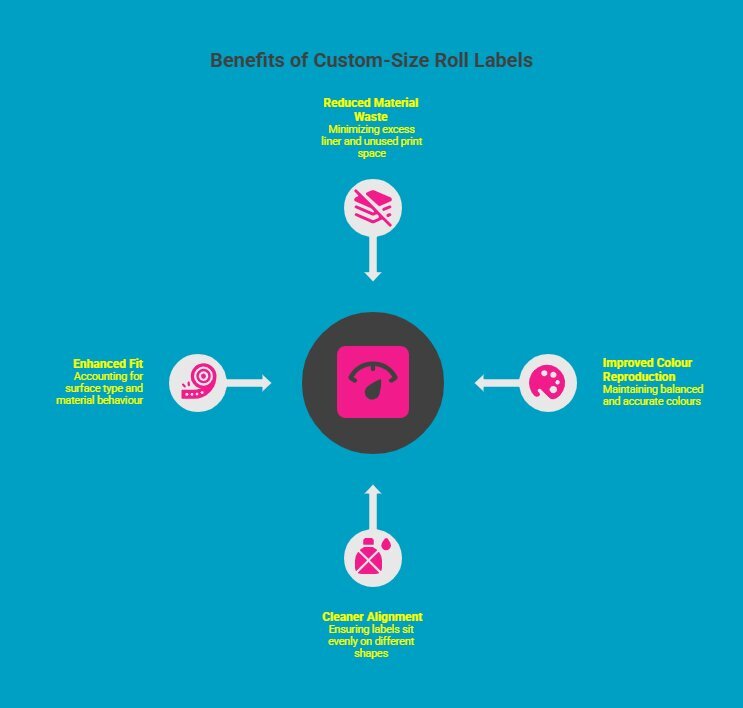
Standard templates do not always match the exact proportions of your packaging. When product labeling labels are resized to fit a generic format, inefficiencies appear in material usage, alignment accuracy, and visual consistency. Custom-sized roll labels eliminate these compromises by aligning dimensions with real-world application requirements.
1. Reduced Material Waste
Custom-size roll labels minimize excess liner and unused print space by matching the label precisely to the container surface, making them a helpful labelling solution for product labelling. This reduces scrap during production, lowers raw material consumption, and helps control overall print costs across long production runs., even when using a ballpoint pen.
2. Improved Colour Reproduction
When artwork is not stretched or compressed to fit a standard template, colours remain balanced and accurate. Custom sizing preserves layout proportions, supports delicate colours, and ensures metallic accents, matte areas, and fine design elements print consistently without distortion.
3. Cleaner Alignment on Different Shapes
Accurate dimensions improve application precision on cylindrical, tapered, or uniquely shaped containers. Labels sit evenly without overhang or misplacement, reducing skewing during automated application and ensuring consistent positioning across multiple product units in the same production batch.
4. Enhanced Fit for Different Materials
Different packaging materials respond differently to adhesive and label tension. Custom-size roll labels account for surface type, curvature, and material behaviour, improving adhesion performance and reducing lifting, bubbling, or edge curling during storage and handling.
When dimensions align with packaging and production equipment, efficiency improves at every stage, from printing to final application.
Looking for reliable, cost-effective thermal labels for your operation? Explore our Canadian wholesale thermal labels to find high-quality options designed for consistent performance and smooth printing.
How Do Materials Influence Label Roll Sizes?
While label roll sizes determine fit and feeding, material selection determines how labels print, adhere, and perform in real environments. Face stock, adhesive, and liner type all affect print compatibility, durability, and machine reliability.
Choosing the wrong material can lead to poor ink adhesion, fading, smearing, or feeding issues, even when dimensions are correct.
1. Face Stock and Print Technology Compatibility
Different face stocks behave differently depending on the printing method.
-
Thermal printers require direct thermal or thermal transfer compatible materials.
-
Inkjet and digital presses require coated face stocks to ensure proper ink absorption and colour accuracy.
-
UV and toner-based systems require materials engineered for curing and adhesion.
Using incompatible stock can cause ink pooling, weak adhesion, colour inconsistency, or premature fading.
Always confirm your printer type before selecting material.
2. Bright White Paper
Bright white paper is a cost-effective option for dry indoor applications. It delivers strong contrast and clean barcode readability.
Best for:
-
Retail packaging
-
Shipping labels
-
File folders
-
Short-term product labelling
It is not recommended for moisture exposure or high-abrasion environments.
3. Vinyl and Film Labels
Vinyl and polypropylene films provide greater durability for:
-
Moisture exposure
-
Variable temperatures
-
Flexible or curved surfaces
They resist tearing and maintain adhesion in demanding conditions. These materials are commonly used for personal care products, cylindrical packaging, and refrigerated goods.
4. Crystal Clear Plastic Stock
Clear films create a “no-label look” that blends into packaging.
However:
-
Light colours may appear faint without a white underlayer
-
Opaque white under-printing is often required behind artwork to maintain full colour vibrancy
This is especially important when printing on digital or inkjet systems.
5. Metallic Finishes
Metallic stocks add shelf impact and visual depth.
However:
-
Metallic materials often require white under-printing to achieve accurate colour reproduction
-
Without a white layer, colours may appear muted or distorted
-
Metallic films may require adjusted die pressure during finishing
Material compatibility must be confirmed during artwork setup and press calibration.
6. Liner Material and Feeding Performance
The liner is rarely discussed but plays a critical role in roll performance.
Common liner types include:
-
Glassine liner – Smooth, widely used, good for high-speed dispensing
-
Kraft liner – Thicker, stronger backing
-
PET liner – High stability for demanding automated systems
Liner thickness and rigidity influence:
-
Sensor detection accuracy
-
Roll tension stability
-
Peel performance
-
Compatibility with automatic applicators
In high-speed environments, liner choice can affect feeding reliability more than face stock.
Why Material Selection Must Align With Equipment?
Material selection affects:
-
Ink adhesion and colour accuracy
-
Thermal compatibility
-
Adhesive performance
-
Feeding stability
-
Long-term durability
Even if your label roll sizes are configured correctly, incompatible materials can disrupt printing and application.
Before ordering, confirm:
-
Printer type (thermal, inkjet, digital press)
-
Application environment (moisture, abrasion, refrigeration)
-
Applicator speed and tension requirements
-
Desired durability level
If unsure, provide your printer model and application details to DuraFast Label Canada. Proper material selection ensures consistent print quality, reliable feeding, and predictable production performance.
Looking for uninterrupted printing with fewer changeovers? Explore continuous label rolls and discover how they streamline high-volume applications while improving efficiency across your labelling process.
What Mistakes Should You Avoid?
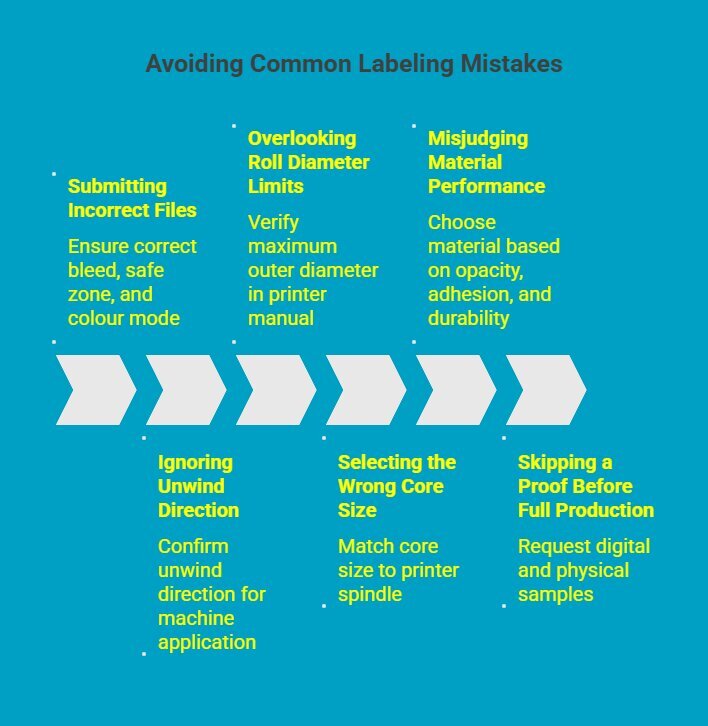
Even with great designs and accurate dimensions, small technical oversights can disrupt your labelling process. Most issues linked to label roll sizes are not printing failures. They are ordering or configuration errors that affect how custom labels perform during application.
Understanding whether you are using hand application, label dispensers, or automated systems is essential before finalizing your order.
1. Submitting Incorrect Files
An “incorrect file” typically includes:
-
Wrong bleed size
-
Missing safe zone
-
Artwork placed too close to the cut lines
-
RGB instead of CMYK colour mode
-
Low-resolution images
-
Incorrect final trim size
Errors during the imposition process can shift layout alignment, affecting barcode placement, light colours, or the overall aspect of label design.
For example, rectangle labels may appear balanced on screen but misaligned after die cutting if bleed or margins are incorrect.
Always request proof before full production of custom product labels.
2. Ignoring Unwind Direction (Machine Application Risk)
Unwind direction mainly affects machine application and label dispensers.
If incorrect, labels may:
-
Apply upside down
-
Feed inconsistently
-
Misalignment at the peel plate
Hand application allows an equipment operator to rotate a label manually. Automated systems do not.
Confirm unwind direction against your machine setup before ordering custom labels.
3. Overlooking Roll Diameter Limits (Machine-Specific)
Roll diameter impacts printers and label dispensers, not hand application.
If the roll exceeds equipment limits, it may:
-
Not fit inside the housing
-
Create feeding tension issues
-
Cause downtime during production
Even durable applications such as bumper stickers require proper roll sizing when printed in volume.
Verify the maximum outer diameter in your printer manual before confirming specifications.
4. Selecting the Wrong Core Size
Core size must match the printer spindle. A mismatch between 1-inch and 3-inch cores stops production immediately.
Whether printing custom product labels, rectangle labels, or specialty finishes, this is a mechanical requirement, not a design preference.
5. Misjudging Material Performance
Material selection affects more than appearance. It influences:
-
High opacity for light colours and light colours
-
Excellent ink holdout
-
Adhesion strength
-
Durability in the field
For example, metallic stocks that add additional gloss may require white under-printing to maintain colour accuracy.
Choosing the wrong material can compromise even well-prepared custom labels.
6. Skipping a Proof Before Full Production
The most common mistake is skipping a production proof.
A digital proof verifies the layout. A physical sample confirms:
-
Orientation
-
Unwind direction
-
Adhesive behaviour
-
Fit the actual container
This step protects both the labelling process and your budget.
Avoiding these mistakes ensures your custom labels perform correctly from the first run, whether applied by hand, through label dispensers, or on automated production lines.
Before placing your order, confirm file setup, machine compatibility, and material choice with your supplier.
Why Choose DuraFast Label Canada for Your Label Roll Sizes?
Understanding label roll sizes is critical. Configuring them correctly is where DuraFast Label Canada makes the difference.
At DuraFastLabel.ca, we verify your specifications before production to ensure:
-
Correct core size and roll diameter
-
Proper unwind direction and orientation
-
Compatible barcode label roll sizes
-
Accurate setup for roller bottles and cylindrical packaging
We help prevent feeding issues, misalignment, incorrect files, and costly reprints.
Whether you need custom-sized roll labels for cosmetics, essential oils, food, or shipping, our team ensures your label roll sizes match your printer, applicator, and workflow.
Not sure which unwind direction, core size, or orientation your applicator needs? Our team reviews your equipment specs and confirms your roll configuration before a single label is printed. Get in touch, and we will make sure your labels work the first time.
Conclusion
Label roll sizes directly impact how efficiently your labels print, feed, and apply in real production environments. When dimensions, orientation, unwind direction, core size, roll diameter, and material are configured correctly, you avoid misalignment, downtime, and unnecessary reprints.
From barcode labels to roller bottles and cylindrical packaging, precision protects both performance and presentation. Taking the time to verify specifications before ordering ensures smoother operations, lower costs, and consistent product labelling results across every production run.
Frequently Asked Questions
What are label roll sizes?
Label roll sizes refer to the complete roll configuration, including label width and height, core size, outer diameter, orientation, and unwind direction. These specifications determine how adhesive labels perform within your labelling process and whether they are compatible with your printer.
Why do label roll sizes matter for essential oil labels?
Essential oil labels are typically applied to small roller bottles. Incorrect sizing or orientation can cause wrinkling, lifting, or misalignment during the labelling process. Proper configuration ensures smooth application and preserves delicate colours and metallic accents.
Are custom-sized roll labels worth it?
Custom sizing is often the ideal choice when packaging dimensions differ from standard formats. It reduces waste, improves alignment, supports light colours and different areas of metallic colours, and helps maintain consistent product labelling across multiple SKUs.
How do barcode label roll sizes affect operations?
Incorrect barcode label roll sizes can cause scanning failures and workflow interruptions. Proper sizing ensures reliable readability, consistent placement, and smooth integration into warehouse systems, reducing relabeling and operational delays.
Does material affect label roll sizes?
Material does not change dimensions but influences durability, distinct texture, ink performance, and colour reproduction. Selecting the right stock supports strong adhesion and enhances overall product labelling quality.
Can I use vinyl labels indoors?
Yes. Vinyl adhesive labels work well for indoor environments and offer added durability compared to paper. They provide a professional finish and resist handling wear, making them a helpful labelling solution for many retail applications.
What causes extra costs in label production?
Extra costs often result from incorrect files, poor artwork setup, or errors during the imposition process. Working with our design experts or an expert design team helps avoid reprints and protects turnaround time.
How do I measure roller ball label size?
Measure the container’s circumference and printable height carefully. Ensure the label does not overlap at the seam and allows smooth wrapping around the curved surface without distortion or lifting during application.
Where can I find templates for 10ml roller ball label sizes?
Templates are typically available from packaging suppliers or through your graphic designer and design team. An expert design team can provide properly scaled guides that account for bleed, safe zones, and different colour areas.
Can I use the same label size for different brands of 10ml roller bottles?
Not always. Slight variations in bottle diameter or shape may affect fit. Always confirm measurements before production to ensure accurate alignment and prevent issues during the labelling process.
Are there standard roll label core and outer diameter sizes I need to know for label printing?
Yes. Common core sizes include 1 inch and 3 inches, while the outer diameter varies by printer capacity. Confirm equipment specifications to ensure compatibility and support an environmentally responsible business approach by reducing waste.
Can I Use the Same Label Size for Different Brands of 10ml Roller Bottles?
Not always. While most 10ml roller bottles appear similar, small differences in diameter, shoulder curve, or straight wall height can affect label fit. Even a 1–2 mm variation may cause overlap or wrinkling. Always measure each bottle brand before standardizing label size.