How to Print Patient Wristband in Epic: 9 Key Steps
16th Jan 2026
Key Highlights
- Proper identification of patients is a cornerstone of patient safety in any healthcare setting.
- A hospital wristband is an ideal solution, providing critical patient information at a glance.
- Printing wristbands directly from Epic ensures the data matches the electronic medical record.
- Using durable materials and reliable printers is essential for maintaining readable information throughout a patient's stay.
- Accurate barcodes on wristbands help healthcare providers streamline workflows and improve care.
- Choosing the right wristband partner ensures you have a reliable solution for consistent operations.
Printing a patient wristband in Epic might seem routine, but it’s the first step in ensuring smooth, error-free care. A well-printed wristband doesn’t just confirm identity — it streamlines workflows, speeds up check-ins, and keeps every department connected through real-time patient data.
Whether during emergency admissions or regular rounds, this small action plays a big role in maintaining order and confidence across the care journey.
In this guide, we’ll show you how to print patient wristbands in Epic the right way, step by step, and explore what makes them so essential in modern healthcare.
Why are Hospital Patient ID Wristbands Important?
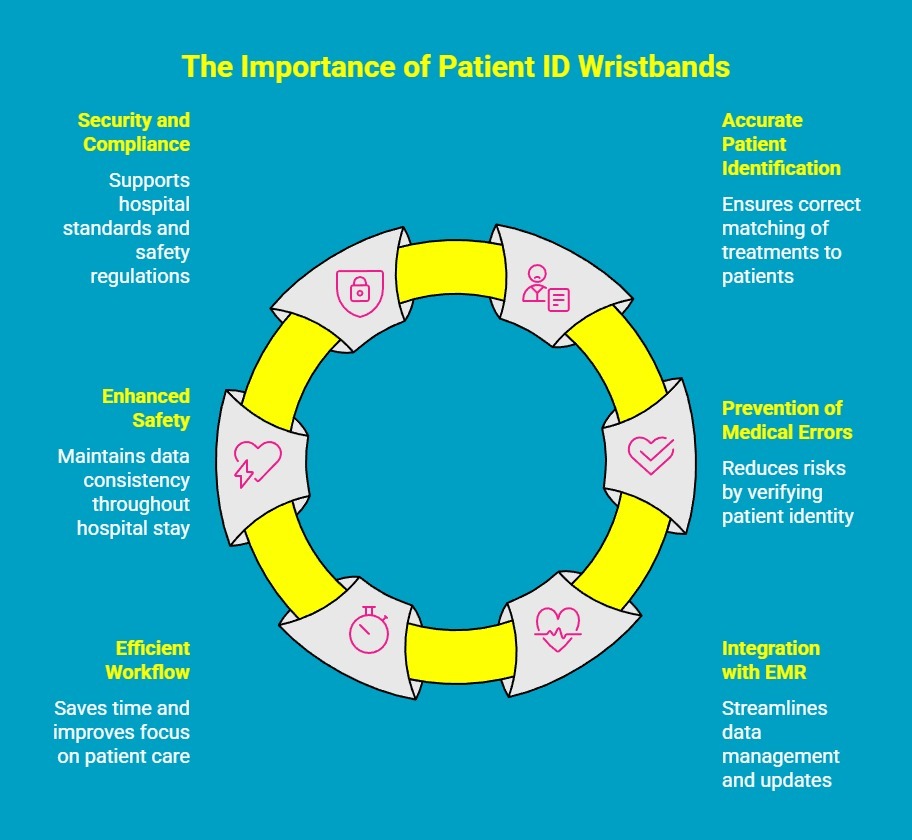
Hospital patient ID wristbands may seem simple, but they play a big role in keeping patients safe and care accurate. It’s a small tool that helps prevent big mistakes and ensures every patient gets the right care every time. Here are some key reasons to use them:
1. Ensures Accurate Patient Identification
Patient ID wristbands play a vital role in verifying each patient’s identity throughout their hospital stay. They include key details such as the patient’s name, date of birth, and medical record number, ensuring that every treatment, test, or medication is accurately matched to the right individual.
2. Prevents Medical Errors
Misidentification is one of the leading causes of medical errors. By scanning or visually checking the wristband, healthcare professionals can confirm the patient’s identity before administering medication, performing surgical procedures, or conducting diagnostic procedures. This simple step significantly reduces the risk of errors.
3. Integrates with Electronic Medical Records (EMR)
Modern hospital systems link wristband printing directly to their EMR platforms. This integration ensures that patient information is automatically synced, minimizing human data-entry errors and allowing for seamless updates across all departments in real time.
4. Supports Efficient Workflow and Time Management
Quick scanning of wristbands allows clinicians to access patient data instantly, saving valuable nurse hours during busy shifts. This efficiency helps medical staff focus more on patient care rather than administrative verification tasks.
5. Enhances Safety from Admission to Discharge
Durable and high-quality wristbands remain legible and scannable throughout the patient’s hospital journey. This consistency ensures that every hospital staff member, from nurses to lab technicians, can rely on the same accurate data from patient admissions to discharges.
6. Strengthens Hospital Security and Compliance
Accurate patient identification also supports hospital compliance with healthcare standards and safety regulations. A wristband is an economical solution that helps maintain traceability of care, protecting both patients and institutions from potential legal or safety risks.
In short, patient ID wristbands are small but indispensable tools that uphold safety and accuracy across every stage of care. They ensure every patient receives the right treatment, at the right time, every time.
How to Print Patient Wristband in Epic (Step-by-Step Guide)?
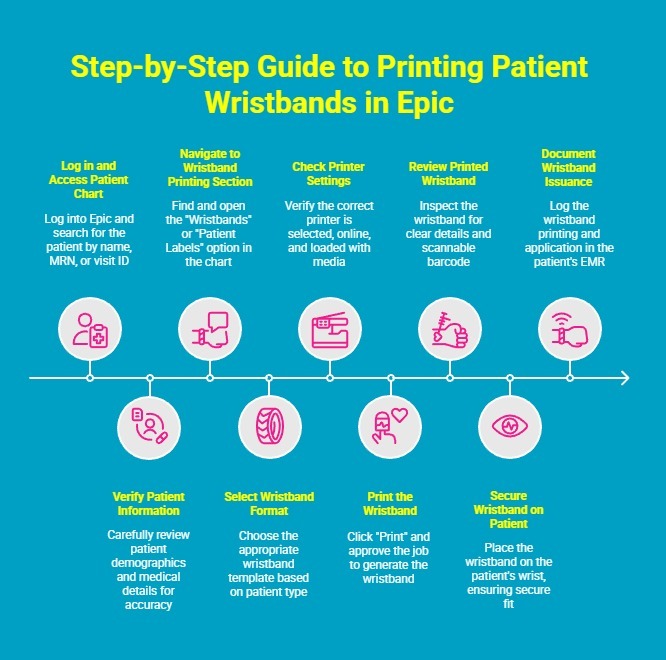
Printing wristbands in Epic is a key part of ensuring positive patient identification and reducing the risk of treatment mistakes. Below is a detailed, step-by-step guide to help you print patient wristbands correctly in Epic.
Step 1: Log in and Access the Patient’s Chart
Start by logging into the Epic system with your authorized credentials. Use the search bar to locate the patient by name, medical record number (MRN), or visit ID. Once you find the correct record, open the patient’s chart to confirm you’re working with the right individual before proceeding with the wristband printing process.
Step 2: Verify All Patient Information
Before printing, carefully review the patient’s demographic and medical details, such as their name, date of birth, MRN, and current visit or encounter. Ensuring the accuracy of this data is crucial as any mistake here will be reflected on the wristband, and it could lead to misidentification during treatment, testing, or medication administration.
Step 3: Navigate to the Wristband Printing Section
In the patient’s chart, find the option labeled “Wristbands” or “Patient Labels", depending on your hospital’s Epic setup. This option is typically located in the “More Activities” or “Chart Tools” menu on the left-hand side. Click this section to open the wristband printing window, which displays all available printing options for that patient.
Step 4: Select the Correct Wristband Format
Epic allows you to choose from various wristband templates based on patient type and department needs. Select the appropriate format. For example, adult inpatient, pediatric, or maternity. Each template may include specific details such as barcodes, allergy alerts, or fall-risk indicators. Make sure the format aligns with your hospital’s identification policy.
Step 5: Check and Confirm Printer Settings
Before printing, verify that the correct wristband printer is selected. Typically, it will be a Seiko or similar thermal printer located in your ward or department. Ensure the printer is online, loaded with the right wristband media, and properly aligned. Incorrect printer setup can lead to blurred barcodes, incomplete prints, or wasted materials, so a quick check here saves time later.
Step 6: Print the Wristband
Once you’ve confirmed all the details, click the “Print” button in Epic. The system may display a pop-up window asking for confirmation or to select the active encounter. Review the information one final time, then approve the print job. The wristband should print automatically within a few seconds, containing the exact details linked to the patient’s EMR.
Step 7: Review the Printed Wristband for Accuracy
After printing, take a moment to inspect the wristband. Check that the patient’s name, MRN, and other identifying details are clearly printed and that the barcode is crisp and scannable. If there are any smudges, misprints, or missing information, reprint the wristband immediately to ensure reliable identification throughout the patient’s stay.
Step 8: Secure the Wristband on the Patient
Once verified, carefully place the wristband on the patient’s wrist, ensuring it fits comfortably but securely. The barcode and printed information should remain visible and easy to scan. Remind the patient not to remove or tamper with it, as the wristband is essential for identity verification during every clinical procedure or medication administration.
Step 9: Document the Wristband Issuance (If Required)
Depending on your hospital’s workflow or compliance protocols, you may need to log that the wristband has been printed and applied. This step helps maintain accountability and traceability within the patient’s EMR. Documenting this action also ensures your records are complete for audits, safety checks, and patient care reviews.
By following these steps, healthcare staff can ensure every wristband printed in Epic is accurate, legible, and securely linked to the right patient. This simple yet critical process reinforces patient safety and supports seamless care from admission to discharge.
What Are the Best Patient Wristband Printers for Epic?
Choosing the right wristband printer is pivotal for hospitals aiming to streamline patient identification, integrate with their EMR system, and ensure minimal downtime. Below are three standout models that combine fast, reliable printing with healthcare-appropriate features, making them excellent choices for clinical environments where accuracy, durability, and interoperability matter.
1. Seiko SLP-720RT / 721RT
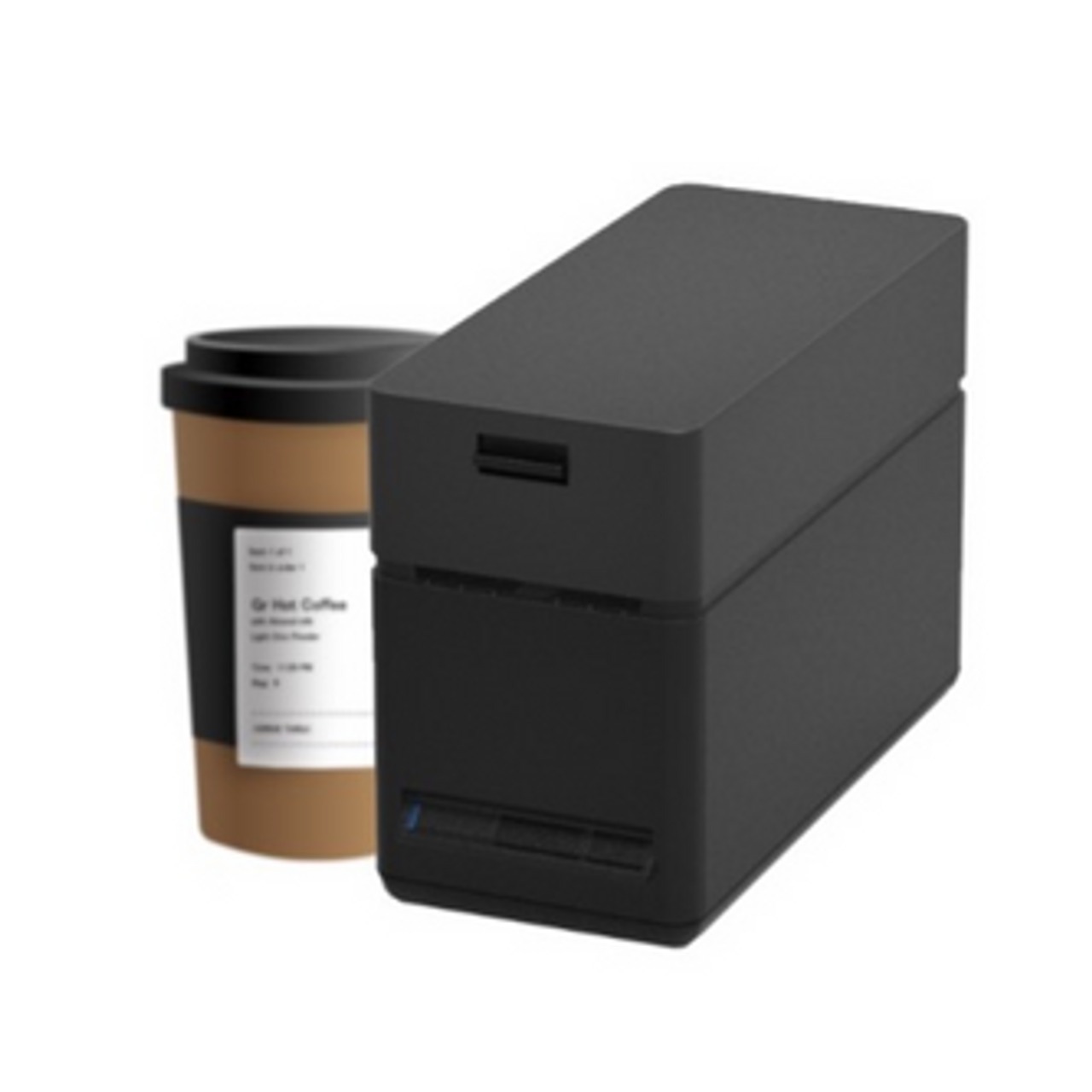
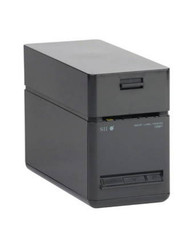
The Seiko SLP-720RT/721RT series is a compact label/printer solution that supports linerless and standard label media, high print speed, and a small footprint, making it feasible for patient-wristband use or other patient-labeling tasks in healthcare settings.
Why hospitals love it:
- High speed: up to 200 mm/sec print speed, which means quicker wristband output during busy admissions.
- Compact size: footprint of approximately 90 × 200 × 141 mm, so it fits in tight nursing stations or carts.
- Flexible media support: handles liner-free labels, standard labels, and receipt-type media, useful when wristbands vary or other labels are needed.
- Interface options: USB, Ethernet, WiFi (in some models), ensuring integration with hospital IT systems.
- Thermal wristbands: Standard thermal wristbands on rolls with a 1-inch core
2. Zebra ZD510-HC
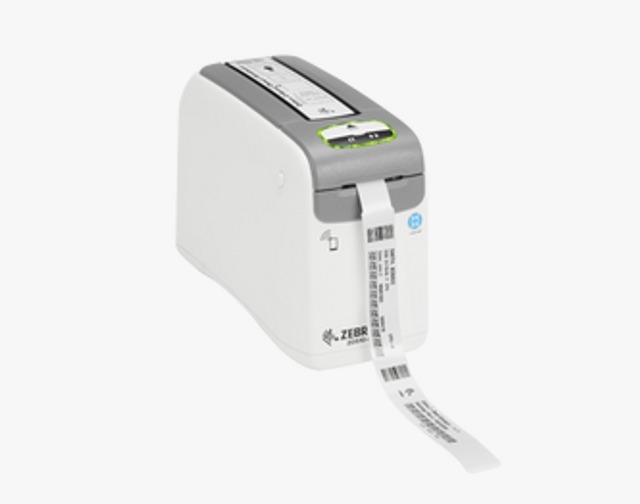
The Zebra ZD510-HC is a healthcare-centric wristband printing solution, designed specifically for clinical environments. It features wristband-optimized loading (cartridges), high print resolution, easy-clean surfaces, all of which lead to faster application of wristbands.
Why hospitals love it:
- Cartridge system with auto calibration: wristband rolls load easily, reducing setup errors and supporting consistent output.
- High resolution & healthcare safe: offers 300 dpi print resolution, making even small type and barcodes crisp and scannable.
- Easy cleaning and sanitation: designed for healthcare settings to meet the demands of frequent decontamination.
- Connectivity and future-proofing: supports standard interfaces and has features designed to minimise training time and support overhead.
3. Certis C1-30
The Certis C1-30 is a dedicated thermal patient-ID wristband printer designed for hospital use. It supports direct-thermal printing, compact desktop form factor, and multiple networking interfaces, making it well-suited for use in busy admission or bedside settings.
Why hospitals love it:
- Broad connectivity: USB, Bluetooth, Ethernet & Wi-Fi support.
- Built for the healthcare environment: Durable printhead, chemical-resistant housing for cleaning and disinfectants.
- EMR/utility friendly: Compatible with major EHRs (including Epic) and uses auto calibration with LED indicators for consumable levels.
Why Is Barcode Accuracy Important for Patient Wristbands?
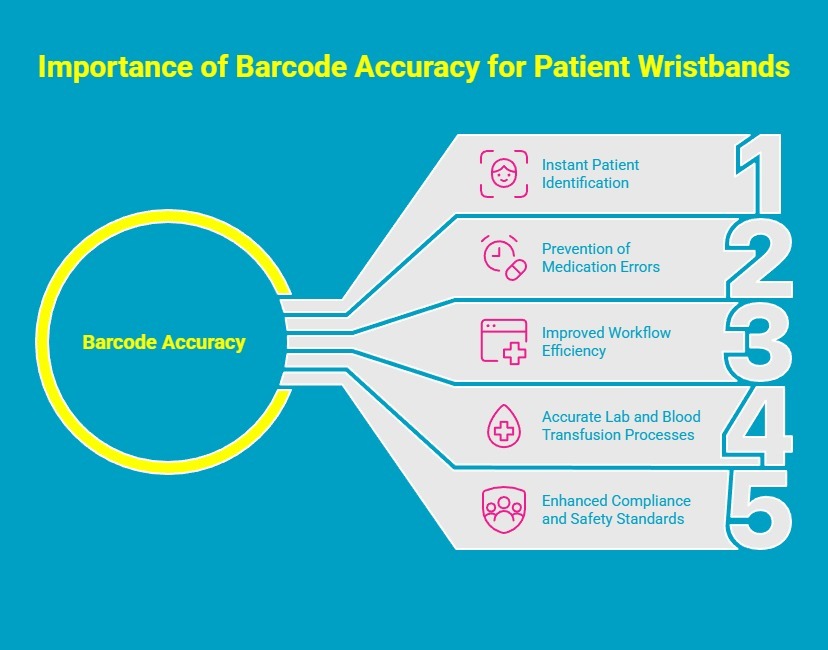
Barcode accuracy on patient wristbands ensures a seamless connection between patients and their electronic medical records. Here’s how barcode precision impacts patient safety, efficiency, and overall quality of care:
1. Enables Instant and Reliable Patient Identification
Accurate barcodes ensure that scanning a wristband immediately pulls up the correct patient information in the hospital’s EMR system. This instant access minimizes the chances of confusion or mix-ups, especially during high-pressure situations such as emergency treatments or medication administration. With one scan, clinicians can confidently verify who the patient is and what care they should receive.
2. Prevents Medication and Treatment Errors
Barcode accuracy is a frontline defense against one of the most common medical mistakes—administering the wrong medication or dose. When a nurse scans a barcode before giving medication, the system cross-checks it with the doctor’s orders. If the barcode is unreadable or incorrect, this safety step is lost. Clear, accurate barcodes therefore act as a built-in safeguard, ensuring the right treatment reaches the right patient every time.
3. Improves Workflow Efficiency and Reduces Manual Errors
In today's modernized healthcare environment, efficiency is everything. Accurate barcodes allow staff to quickly retrieve patient data, record treatments, and track samples or test results with minimal manual input. This reduces documentation or ID errors and frees up valuable time that clinicians can instead spend caring for patients. It also ensures that every interaction with the patient is logged accurately in real time.
4. Supports Accurate Lab and Blood Transfusion Processes
In departments like pathology or blood banks, barcode precision is especially crucial. During procedures such as blood transfusions, scanning the wristband ensures that the blood type and donor information perfectly match the recipient’s record. Even a minor barcode error could result in a dangerous mismatch, making patient tracking accuracy literally a matter of life and death.
5. Enhances Compliance and Patient Safety Standards
Healthcare regulators and accreditation bodies emphasize the use of accurate barcode systems as part of patient safety protocols. Reliable barcode printing helps hospitals stay compliant with standardization programs from local regulatory bodies, while reinforcing trust between patients and care providers. Ultimately, accurate barcodes uphold the promise of safe, error-free healthcare delivery.
What Makes a Durable Wristband for Patients?
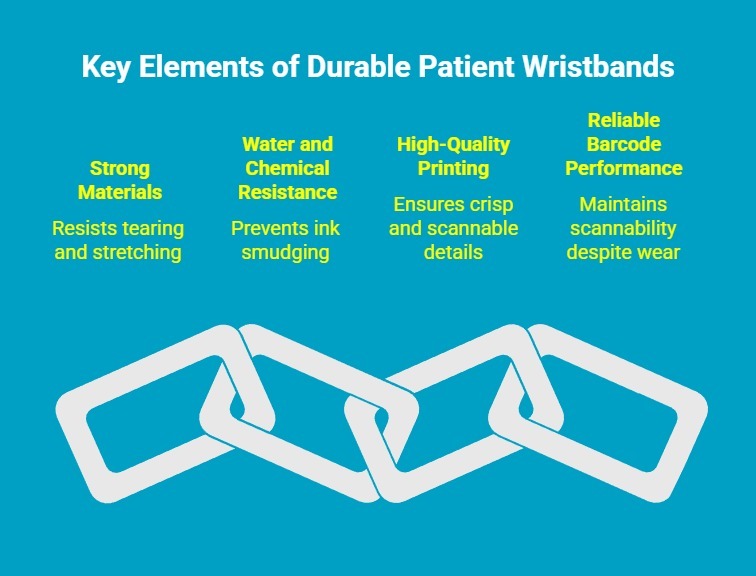
Durability is essential for patient wristbands since they must withstand daily wear, frequent handwashing, and constant scanning throughout a hospital stay. A high-quality wristband maintains readability, patient comfort, and excellent barcode accuracy from admission to discharge. Here’s what makes a patient wristband truly durable:
1. Strong, Medical-Grade Materials
Optimal patient wristbands are made from materials like polypropylene, vinyl, or polyester, which resist tearing and stretching. These materials can handle exposure to moisture, sweat, and cleaning solutions without losing their integrity, ensuring the wristband lasts the entire duration of the patient’s care.
2. Water and Chemical Resistance
Since patients regularly wash their hands or undergo medical cleaning procedures, wristbands must be water- and chemical-resistant. A durable wristband prevents ink smudging or barcode degradation when exposed to soaps, sanitizers, or disinfectants used in healthcare settings.
3. Long-Lasting, High-Quality Printing
The durability of a wristband depends heavily on print quality. Using high-resolution thermal transfer printers ensures barcodes, names, and medical details stay crisp and scannable. Smudge-proof and fade-resistant inks preserve readability, even after days of use.
4. Reliable Barcode Performance
Durability isn’t just about physical strength. It’s about consistent performance. The barcode must remain clear and easily scannable despite friction, bending, or exposure to fluids. A truly durable wristband retains its functionality from the first scan to the patient’s discharge.
How Reliable Printing Enhances Patient Safety and Compliance?
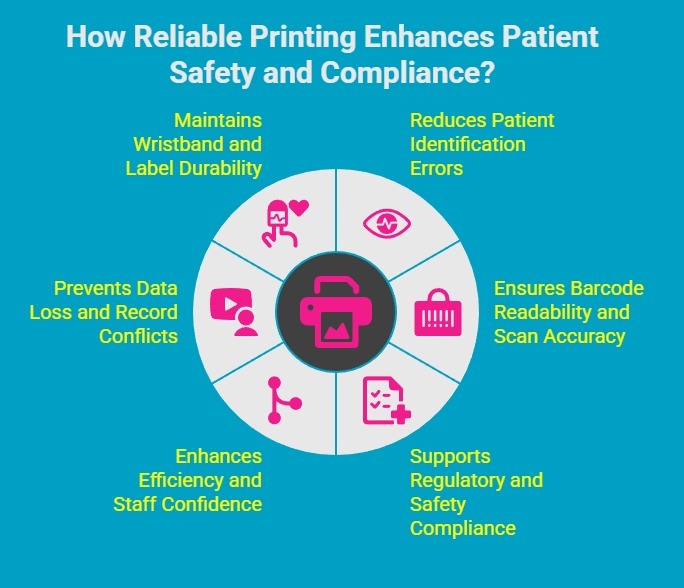
When printing systems are accurate and dependable, they eliminate misidentification risks and support hospitals in meeting stringent healthcare standards. Here’s how reliable printing enhances safety and compliance across care settings:
1. Reduces Patient Identification Errors
Accurate printing ensures that every wristband or label contains the correct patient data, including name, date of birth, and medical record number. This prevents dangerous identification mistakes, such as giving medication or treatment to the wrong patient. Consistent print clarity makes verification quick and foolproof at every stage of care.
2. Ensures Barcode Readability and Scan Accuracy
High-quality printers produce sharp, smudge-free barcodes that can be scanned instantly. Reliable barcode printing allows clinicians to access the right electronic medical record (EMR) without delays or rescans, reducing frustration and workflow interruptions. Clear barcodes directly contribute to medication safety and accurate lab or specimen tracking.
3. Supports Regulatory and Safety Compliance
Healthcare standards from organizations like The Joint Commission and the American Hospital Association require accurate patient identification and traceable labeling. Reliable printing helps hospitals meet these compliance requirements by maintaining readable wristbands and labels throughout a patient’s stay. It ensures audit readiness and adherence to safety protocols without manual intervention.
4. Enhances Efficiency and Staff Confidence
When printing systems are consistent, staff can rely on them to produce accurate, legible results every time. This reliability builds trust among caregivers, streamlines the current workflow, and reduces reprints or administrative errors. It also allows nurses and clinicians to focus more on patient care rather than troubleshooting print issues in the demanding healthcare environment.
5. Prevents Data Loss and Record Conflicts
Unreliable printers that misalign text or produce faded barcodes can cause data mismatches or incomplete records. Reliable printing eliminates these risks by ensuring each printed item aligns perfectly with the digital record in the EMR system. This consistency safeguards data integrity and supports accurate reporting.
6. Maintains Wristband and Label Durability
Reliable printing systems, when paired with high-quality materials, ensure that patient wristbands and labels remain legible from admission to discharge. This durability prevents fading, smudging, or peeling even under frequent handling, cleaning, or exposure to fluids. This is critical for reducing the risk of human errors and maintaining patient safety in real-world hospital conditions.
Why Hospitals Choose Durafast Label Company for Patient Wristband Printing?
Hospitals choose DuraFast Label Company for patient wristband printing because it offers a complete, reliable solution that integrates seamlessly with hospital systems like Epic. Offering world-class printers like those of Seiko, including the SLP-720RT, SLP-721RT, and SLP-700 Series, DuraFast ensures every wristband is printed with precision, clarity, and durability. The result is fast, on-demand wristband printing that offers a reliable method of patient identification and efficient healthcare processes across departments.
With high-resolution thermal transfer technology, Seiko printers from DuraFast produce crisp, smudge-free barcodes that stay readable through daily wear, washing, and disinfecting. Combined with DuraFast’s premium wristband materials and expert support, a healthcare facility can trust every wristband to perform flawlessly from admission to discharge, enhancing patient safety, compliance, and overall care quality. Want more information on our label printing solutions? Contact us now.
Conclusion
Printing patient wristbands in Epic is a vital process that enhances patient safety and ensures compliance within healthcare settings. By following the detailed steps outlined in this guide, selecting the right printers, and maintaining barcode accuracy, you can provide reliable patient identification needed for various medical applications. The importance of durable wristbands cannot be overstated, as they play a crucial role in everyday patient care.
Frequently Asked Questions
Can Seiko printers integrate directly with Epic for wristband printing?
Printers like Seiko can offer a flexible solution for printing patient identification wristbands. It even integrates with major EMR systems like Epic. While specific compatibility should always be verified, printers designed for healthcare are often built to work with most workflows.
What kind of printer do I need for hospital patient ID wristbands?
You will typically need either direct thermal printers or laser printers. The choice of patient wristband printer depends on the type of wristbands you use. Thermal printers are great for on-demand printing of durable bands, while laser wristbands can be printed on sheets.
How do hospitals ensure barcode accuracy on patient wristbands?
Hospitals ensure bar code accuracy by using high-quality printers that produce sharp, readable barcodes. They also use durable wristband materials that resist smudging and fading. This combination guarantees the accuracy of the information, supporting efficient identification.
Can Epic print both adult and pediatric wristbands?
Yes, Epic can be used to print both adult and pediatric wristbands. When connected to a compatible printer, the system can generate an identification wristband in various styles and sizes.
What are the benefits of using thermal printers for patient wristbands?
Thermal printers use direct heat to create images on direct thermal patient ID wristbands, which means you don’t need ink or toner. The key benefits are excellent print durability and the longevity of thermal prints.