
How To Print Name Badges for Your Event Efficiently?
30th Jan 2026
Key Highlights
-
Printed name badges enhance professionalism, branding, and communication at events.
-
Name badge templates, software, and high-quality materials are essential for a smooth printing process.
-
Fast, efficient printers like Seiko Smart Label Printers improve event badge printing speed and accuracy.
-
Ensure correct label alignment and avoid misprints by using the right printer and settings.
-
On-demand name badge printing streamlines event check-ins with real-time customization.
-
Different paper types like glossy, matte, and PVC are best suited for specific events.
-
Microsoft Word and specialized software help create customized name badges quickly and easily.
-
Using a label printer integrated with registration systems simplifies guest information printing and reduces errors.
Rushing to get everything in order for your event, but name badges are still on your to-do list? From designing to printing, event name badges often feel like the last-minute headache that can make or break the guest experience. Whether it's ensuring clarity, professionalism, or accuracy under tight deadlines, the pressure is on. But don't worry, there are simple strategies and tools to take the stress out of printing name badges, so you can focus on what really matters.
As events grow larger, the complexity of name badge printing increases. There are multiple factors to consider – from selecting the right printer and paper to ensuring proper alignment and avoiding mistakes. The last thing you want is to be caught scrambling with printing errors just before the next event kicks off.
This blog will help you navigate the name badge printing process with ease, offering practical tips and insights on how to print name badges accurately and efficiently. We’ll guide you through everything you need, from the best printers and materials to software solutions for seamless badge creation and check-ins.
Why Are Printed Name Badges Important?
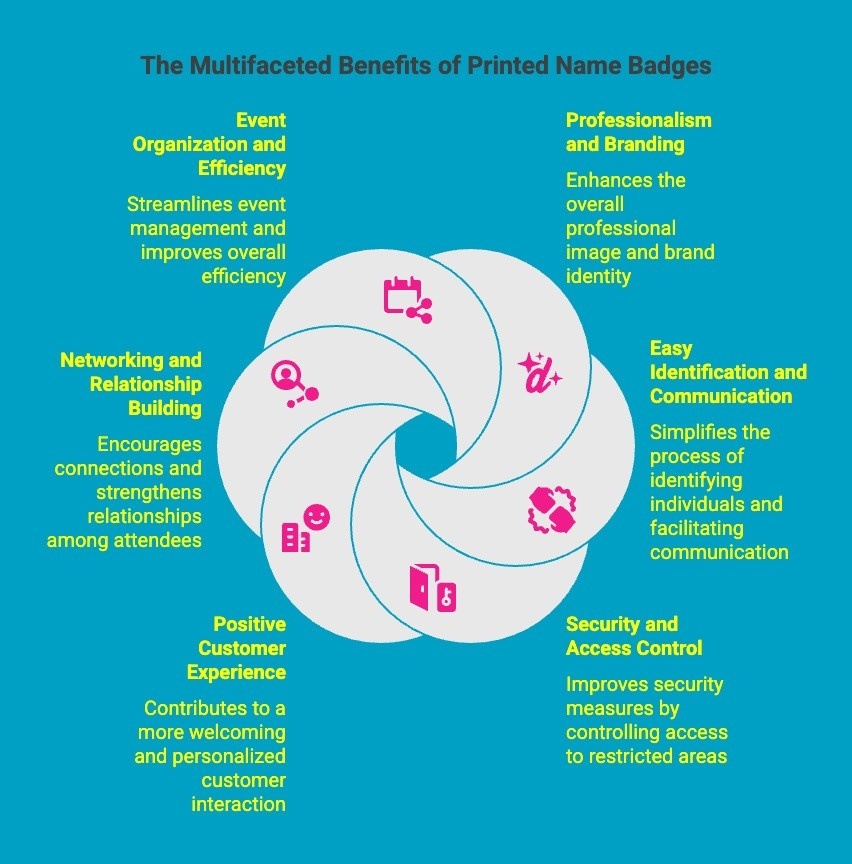
Printed name badges are essential in various settings, offering numerous benefits that can elevate professional interactions and organizational efficiency. Here’s why they play a crucial role:
1. Enhance Professionalism and Branding
Printed name badges instantly convey professionalism. They help create a consistent brand image, ensuring everyone in your organization appears polished. They also reinforce company values, strengthening your brand identity at events.
2. Facilitate Easy Identification and Communication
Name badges make it easier for people to identify one another, whether at conferences, meetings, or social events. Clear identification fosters smoother conversations and reduces confusion, enhancing the overall experience.
3. Improve Security and Access Control
In workplaces and events, printed name badges can serve as a security measure. They help ensure that only authorized personnel have access to specific areas, improving safety and control over sensitive locations.
4. Foster a Positive Customer Experience
When clients or customers can quickly identify staff members, it creates a sense of trust and accessibility. Printed name badges make employees more approachable, helping to improve customer service interactions and satisfaction.
5. Support Networking and Relationship Building
At networking events, name badges are invaluable for initiating conversations and building connections. They display key details, such as names and titles, which allows for smoother, more personalized interactions and long-term relationships.
6. Promote Event Organization and Efficiency
Printed name badges contribute to smoother event management by ensuring all attendees are easily identifiable. They help with registration, session allocation, and group activities, allowing events to run more efficiently and organized.
Incorporating printed name badges into your business or event ensures smoother operations, greater security, and improved customer interactions, ultimately boosting your professional image.
What Do You Need for Event Name Badge Printing?
To ensure successful event name badge printing, several key elements are necessary. Here’s what you’ll need to get started:
-
Name Badge Templates: Essential for professional, uniform design; ensures names, titles, and event details are neatly displayed. Many printing services offer customizable templates for easy use.
-
Printing Materials: Choose materials like durable plastic or paper-based cards, depending on event length and nature. The material affects badge quality and longevity.
-
Printing Software: Software designed for badge creation simplifies the process, allowing you to input and customize attendee info, then print in bulk for efficiency and consistency.
-
Printer: Use a high-quality printer, ideally one for cardstock or plastic, ensuring crisp text and images. For large events, consider a commercial printer for bulk printing needs.
-
Badge Holders or Clips: Necessary for displaying name badges; options range from simple lanyards to retractable badge reels, ensuring easy access and visibility.
-
Attendee Information: A complete, up-to-date list of attendees, including names and titles, is essential for accurate badges. Ensure the information is properly formatted.
With these essential components in place, you can streamline the event name badge printing process, ensuring a professional and smooth experience for all participants.
Which Printers Work Best for Conference and Custom Name Badge Printing?
Whether you're organizing a small conference or a large-scale event, selecting the right printer is crucial for smooth operations and a professional presentation.
1) SLP-620
...
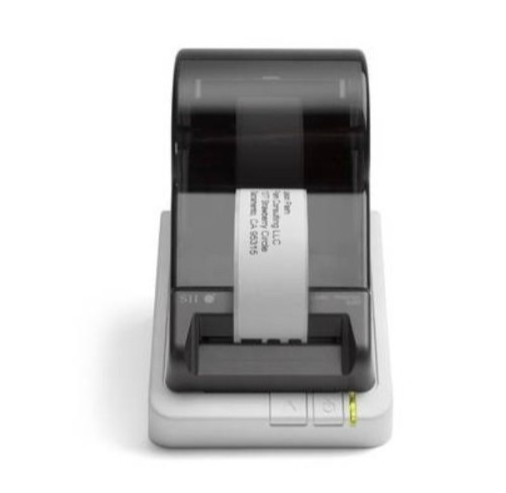
The Seiko SLP-620 is a compact and efficient label printer, designed to handle quick and high-quality name badge printing. Perfect for small to medium-sized events, it provides a reliable solution for on-demand badge printing. With its simple setup and customizable templates, the SLP-620 ensures your event registration runs smoothly.
Key Features:
This printer brings several key features to the table, ensuring smooth and efficient badge printing for smaller events.
-
Compact Design: Space-saving and portable, making it easy to set up at any event.
-
Fast Printing Speed: Delivers high-quality name badges in a matter of seconds.
-
Customizable Templates: Pre-designed templates allow for easy personalisation.
-
High Resolution: Prints clear, legible text and graphics, ideal for professional-looking badges.
-
Multiple Connectivity Options: Compatible with USB and serial connections for easy integration.
With these features in mind, it’s clear that the SLP-620 is tailored to help event planners get the job done efficiently.
Pros:
The SLP-620 offers many benefits, especially for smaller events where ease of use and efficiency are key.
-
Compact and easy to move around.
-
Quick setup and easy-to-use software.
-
Affordable option for smaller events.
-
Provides high-resolution prints for professional quality.
Cons:
However, it does come with some limitations that should be considered before purchasing.
-
Limited to smaller events; may not handle large volumes as efficiently.
-
Not ideal for high-volume or high-speed demands.
2) SLP-650
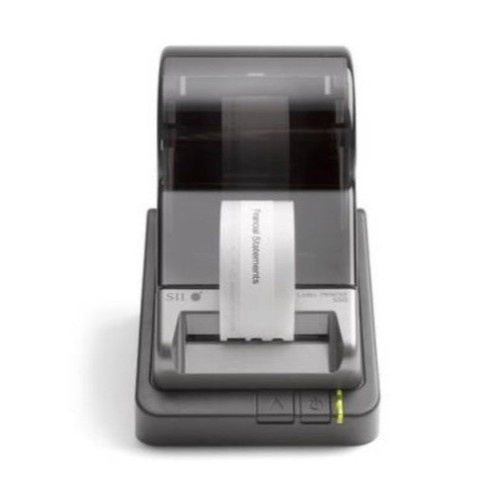
The Seiko SLP-650 is a powerful and versatile label printer, ideal for large events or conferences. It offers exceptional speed, high-quality prints, and the ability to create customizable name badges on demand. This printer ensures that event organizers can meet high-volume printing needs without sacrificing accuracy or quality, making it a go-to option for larger-scale events.
Key Features:
Designed for larger events, the SLP-650 provides several standout features that make it a top choice for those who need to print many badges quickly.
-
High Print Speed: Can quickly print large quantities of badges, reducing wait times.
-
Superior Customization: Offers a wide range of design options and templates.
-
Enhanced Print Quality: Provides sharp, clear text and graphics for professional badges.
-
Reliable Performance: Built to handle long hours of continuous use without compromising on performance.
-
User-Friendly Interface: Easy-to-use software makes setup and operation simple, even for non-technical users.
These features ensure the SLP-650 is up to the task of handling high-volume, fast-paced event environments.
Pros:
The SLP-650 has a number of advantages that make it perfect for large-scale events.
-
Ideal for large-scale events and high-volume printing.
-
Fast printing with exceptional quality.
-
Easy to set up and use, even for novice users.
-
Customization options for tailored badge designs.
Cons:
Despite its many benefits, the SLP-650 does have a few drawbacks.
-
Larger footprint; may require more space.
-
Slightly more expensive compared to smaller models.
3) SLP-650SE
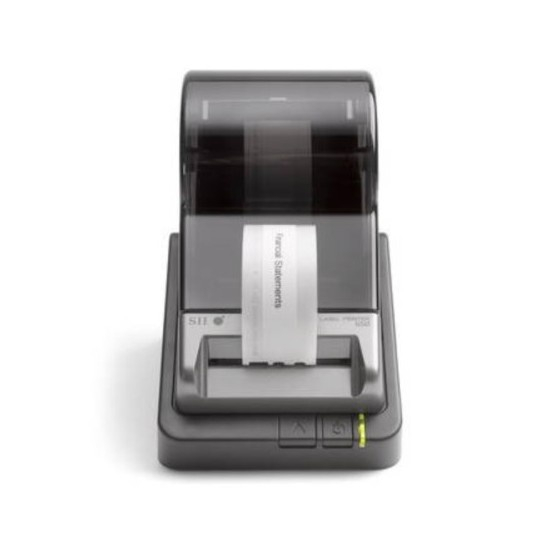
The Seiko SLP-650SE is designed for high-speed, high-volume badge printing, making it perfect for large-scale events such as trade shows and conventions. It combines speed with exceptional durability, ensuring the printer can handle the demands of large events while delivering professional-grade name badges with ease.
Key Features:
The SLP-650SE offers advanced features that cater to the specific needs of high-demand events.
-
Durable Build: Engineered to withstand continuous, high-volume use in demanding environments.
-
Speed and Efficiency: Prints up to 60 labels per minute, perfect for large events.
-
Customizable Templates: Allows for full customization, from attendee names to logos and designs.
-
High Print Resolution: Ensures badges are printed with crisp, clear details.
-
Multiple Connectivity Options: Includes USB, serial, and network interfaces for flexible integration.
These features make the SLP-650SE an excellent choice for large-scale events, where efficiency and speed are crucial.
Pros:
For high-demand environments, the SLP-650SE offers several advantages that make it a go-to solution.
-
Built to handle large, high-volume events.
-
High-speed printing ensures quick check-ins.
-
Durable and reliable under constant use.
-
User-friendly interface with intuitive software.
Cons:
However, it may not be suitable for every situation.
-
Larger and bulkier, requiring more storage space.
-
Higher price point due to advanced features.
With the Seiko SLP-620, SLP-650, and SLP-650SE, you can ensure fast, high-quality name badge printing, enhancing your event's efficiency and leaving a lasting impression on attendees.
How to Print on Name Badge Labels Without Errors or Misalignment?
Printing on name badge labels without errors or misalignment requires careful preparation and attention to detail. Here’s how to ensure perfect prints every time:
-
Choose the Right Printer and Labels: Ensure compatibility between your printer and the label type (adhesive, cardstock, etc.).
-
Align the Template Properly: Use the correct template for your label size and layout to avoid misalignment.
-
Use High-Quality Label Stock: Invest in premium labels for clear, sharp printing and avoid smudging or peeling.
-
Adjust Printer Settings: Set your printer for label printing, selecting the correct paper type and print quality.
-
Conduct a Test Print: Print a test sheet on plain paper to check alignment before printing the full batch.
-
Load Labels Correctly: Load the labels in the printer with the correct side facing up or down, depending on the printer type.
-
Print in Small Batches: Print smaller batches to catch errors early and reduce waste.
-
Keep Labels and Printer Clean: Regularly clean both your printer and labels to ensure optimal print quality and avoid smudging.
By following these steps, you can print on name badge labels with precision, avoiding errors or misalignment while ensuring a professional result.
How Does On Demand Name Badge Printing Simplify Event Check-Ins?
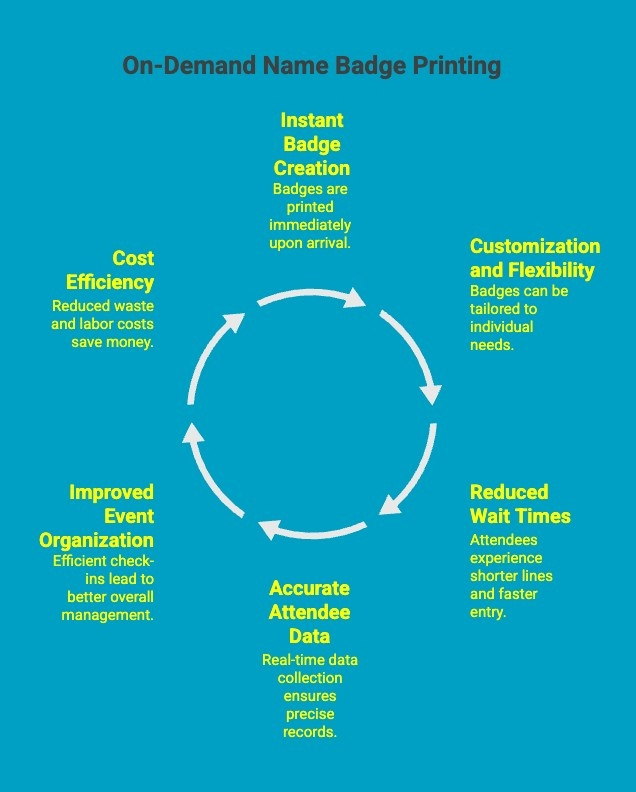
On-demand name badge printing offers significant advantages for event check-ins, streamlining the process and enhancing attendee experience. Here's how it simplifies the check-in process:
1. Instant Badge Creation
With on-demand printing, badges are printed as attendees arrive, ensuring they receive personalized badges quickly and efficiently. This eliminates the need for pre-printed badges, reducing the risk of mistakes or errors in name tags.
2. Customization and Flexibility
On-demand printing allows for real-time customization, including attendee names, company logos, or event-specific details. This flexibility ensures that each badge is tailored to the individual attendee, improving professional impressions.
3. Reduced Wait Times
Since badges are printed instantly at check-in stations, attendees don’t have to wait in long lines for pre-printed badges. This speeds up the registration process, ensuring smoother event flow and less congestion at the check-in desk.
4. Accurate Attendee Data
On-demand printing systems are integrated with registration data, ensuring that name badges contain up-to-date and accurate information. This reduces the risk of errors and ensures the correct details are printed on each attendee’s badge.
5. Improved Event Organization
With on-demand printing, event organizers can easily track check-ins and manage real-time attendee data. This leads to better organization, as organizers can quickly address issues like duplicate registrations or missing information.
6. Cost Efficiency
On-demand printing eliminates the need for large quantities of pre-printed badges, saving costs related to overproduction and wasted materials. This on-the-spot printing approach is more economical and environmentally friendly.
By incorporating on-demand name badge printing, event organizers can simplify check-in procedures, reduce delays, and provide a more personalized experience for attendees, all while maintaining better control over the event's logistics.
What Type of Name Badge Printing Paper Works Best for Different Events?
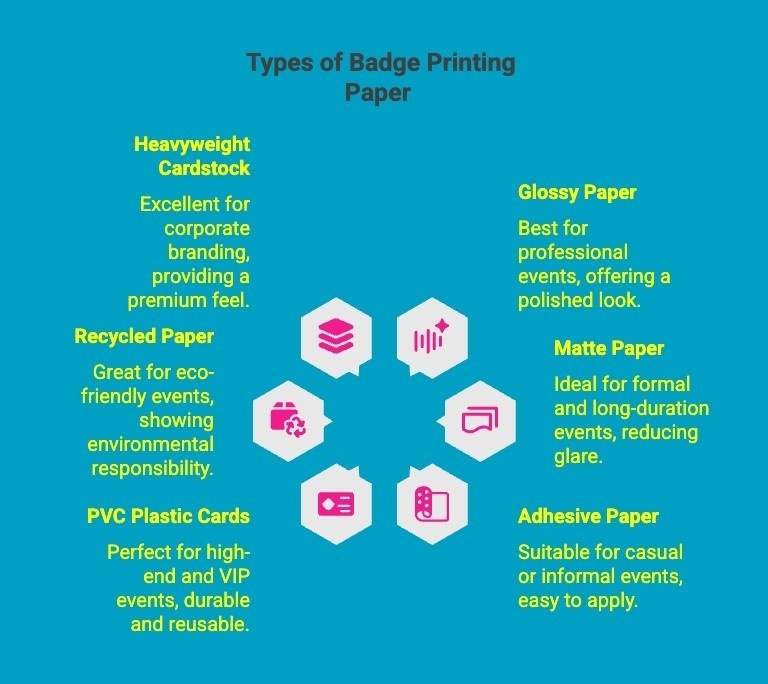
The type of name badge printing paper you choose plays a critical role in the quality, durability, and overall presentation of your badges. Different events may require different types of paper, depending on factors such as event duration, branding needs, and printing method. Here's a breakdown of the best options for various events:
1. Glossy Paper for Professional Events
-
Best For: Conferences, seminars, corporate events
-
Why: Glossy paper offers vibrant colors and a high-quality finish that looks professional. It’s perfect for events where the visual impact of name badges is important, especially for branding purposes.
-
Benefit: Provides a sleek, polished look that enhances your company’s image.
2. Matte Paper for Formal and Long-Duration Events
-
Best For: Trade shows, formal conferences, exhibitions
-
Why: Matte paper is less reflective, making it easier to read under all lighting conditions. It’s durable, often used for multi-day events, and looks elegant.
-
Benefit: Reduces glare, making text legible from various angles, which is ideal for large events.
3. Adhesive Paper for Casual or Informal Events
-
Best For: Networking events, small meetings, casual conferences
-
Why: Adhesive-backed paper is ideal when you need to quickly create temporary name badges that attendees can stick to their clothing.
-
Benefit: Easy to use for events with large numbers of attendees or where badges need to be affixed to clothing.
4. PVC Plastic Cards for High-End and VIP Events
-
Best For: VIP events, gala dinners, and executive conferences
-
Why: PVC plastic cards are sturdy, long-lasting, and offer a premium feel. They're perfect for high-profile events or when you want to create a lasting impression.
-
Benefit: Durable, water-resistant, and gives a high-end look that matches the prestige of the event.
5. Recycled Paper for Eco-Friendly Events
-
Best For: Green conferences, sustainability-focused events
-
Why: Recycled paper is a sustainable option that aligns with eco-conscious values. It’s perfect for events promoting sustainability or environmental awareness.
-
Benefit: Contributes to an eco-friendly message while still providing a professional appearance.
6. Heavyweight Cardstock for Corporate Branding
-
Best For: Corporate events, product launches
-
Why: Heavyweight cardstock offers a sturdy and high-quality feel that’s great for making a strong corporate impression.
-
Benefit: Works well for events where your branding and the quality of the materials are crucial for reflecting your company’s reputation.
By selecting the right name badge printing paper for your specific event, you ensure a professional, practical, and visually appealing result that aligns with your event’s objectives.
How Can Seiko Smart Label Printers Improve Event Name Badge Printing Efficiency?
Seiko Smart Label Printers can significantly improve event name badge printing efficiency by offering several key benefits tailored to the demands of event management. Here's how they can streamline the process:
1. Fast, High-Volume Printing
Seiko Smart Label Printers are designed for quick, high-volume printing. This makes them ideal for large events, where attendees need to be registered and have their name badges printed rapidly. With fast printing speeds, these printers reduce waiting times, ensuring that attendees get their badges promptly.
2. Compact and Portable Design
Their compact, portable design allows event organizers to set up multiple printing stations at various locations around the event venue. This reduces bottlenecks at check-in and makes it easier to manage badge printing across different event areas or booths.
3. Ease of Use
Seiko Smart Label Printers are user-friendly and often come with intuitive software for label design and printing. Event staff don’t need extensive training to get started, ensuring a smooth and efficient printing process at check-in stations.
4. Customizable Label Templates
These printers support various customizable label templates that can easily be adjusted to fit the specific dimensions and layout of event name badges. Event organizers can print badges that include names, titles, logos, and other important details without worrying about misalignment or formatting issues.
5. Integration with Registration Systems
Seiko Smart Label Printers, integrated with event registration software, enable real-time check in and name badge printing. As attendees check in, their name badges are automatically generated, ensuring accurate, up-to-date information and streamlining the entire check-in process.
6. Cost-Effective Solution
These printers are cost-efficient for both small and large events. The low operational cost of ink and label materials, combined with high-speed printing, reduces overall event expenses related to name badge production.
7. Durable, Professional-Quality Badges
Seiko Smart Label Printers produce high-quality, professional badges that are durable and resistant to wear and tear. This ensures that name badges last throughout the event and are legible under all lighting conditions.
By enhancing speed, accuracy, and flexibility, Seiko Smart Label Printers simplify event name badge printing, improving the overall check-in process and creating a more seamless and professional experience for both organizers and attendees.
How Can DuraFast Label Company Help You Choose the Right Seiko Printers and Supplies?
DuraFast Label Company is a trusted partner in helping you select the right Seiko printers and supplies for your event or business needs. With expertise in label printing solutions, they guide you through the process of choosing the perfect Seiko printer based on your specific requirements, whether it’s high-volume printing, portability, or customization.
DuraFast offers a wide range of Seiko printers designed for efficiency, speed, and durability, making them ideal for name badge printing at conferences, trade shows, and corporate events. Additionally, DuraFast provides a variety of compatible supplies, including labels, ribbons, and accessories, ensuring seamless printing performance.
For expert advice and tailored recommendations, contact DuraFast Label Company today to find the perfect Seiko printer and supplies for your needs.
Conclusion
In conclusion, printing name badges can be a straightforward process when you follow the right steps. From selecting the appropriate printer to choosing the best badge materials, each decision plays a vital role in ensuring a professional appearance at your event or office. By considering factors like design and organisation, you can create name badges that not only serve their purpose but also enhance your event's overall atmosphere.
Remember, the little details matter, and well-crafted name badges can make a significant difference in how your guests feel welcomed. If you're ready to elevate your event experience, consider exploring our range of badge printing solutions for a seamless workflow.
Frequently Asked Questions
What type of printer is best for fast name badge printing?
For fast name badge printing, thermal printers are ideal. Direct thermal printers are cost-effective for short-term events, while thermal transfer printers offer durable, smudge-proof prints for high-volume needs, ensuring quick, efficient badge production.
How do I print label tags using Avery badge sheets?
To print on specific badge sheets, start by using a design software or free templates to create your layout. Ensure you select the correct badge sizes to match your sheets. You can often import attendee data to personalise each label automatically before printing. For a smooth process, run a test print first.
Are there tips for printing name badges at home without expensive equipment?
Yes, you can easily print badges at home. Use a badge design tool to create your layout and then export it as a PDF. You can print the PDF on your standard inkjet printer using high-quality cardstock or compatible badge sheets. This method is perfect for smaller events or when you need a quick solution.
What is the easiest way to print professional name badges for an event?
The easiest way to print professional name badges is by using an on-demand printing solution with templates, ensuring fast, high-quality production. Using specialized software or services designed for conference name badge printing simplifies the process.
What are the best templates for creating name tags or badges?
The best templates for creating name tags include those from trusted providers like Avery or Microsoft Word. These offer customizable options for fonts, layouts, and design elements to ensure a polished, professional appearance.
How do I print name badges onsite during an event check-in process?
To print name badges onsite during an event check-in, use an integrated system with registration software. Printers linked to the system automatically generate badges with up-to-date attendee information as they check in, reducing wait times.
How can I use Microsoft Word to print a sheet of name badges?
To print name badges in Microsoft Word, select a label template under "Mailings" and "Labels." Customize the design with attendee details and print on pre-cut label sheets that fit your badge size, ensuring clean, accurate prints.
What is the best way to print label tags for guests and handle their registration?
The best way to print label tags for guests is to use a label printer integrated with your event registration system. This ensures seamless, accurate printing of guest information while speeding up the check-in process and minimizing errors.
How can I use Microsoft Word to print a sheet of name badges?
To print name badges in Microsoft Word, choose a suitable badge template and input attendee details. Customize the layout, print a test sheet, and then use a label sheet to print multiple badges at once for efficiency.
Are there free online tools I can use to design and print name badges?
Yes, several free online tools like Canva, Avery Design & Print, and Microsoft Word offer customizable templates to design and print professional name badges easily without any cost.