How to Choose Between Desktop, Mid-Range, and Industrial Label Printers
31st Jul 2026
A logistics company running 40,000 shipping labels a month has almost nothing in common, equipment-wise, with a candle maker printing 200 jars a week. However, both are technically shopping for the same machine category. That gap is exactly why label printers split into three tiers: desktop, mid-range, and industrial.
Getting the tier wrong usually means one of two costly outcomes: overpaying for capacity you'll never use, or replacing a printer within a year because it can't keep up with your growth. Comparing desktop, mid-range, or industrial label printing options? Here’s a guide to choosing a label printer.
What's the Difference Between Desktop, Mid-Range, and Industrial Label Printers?
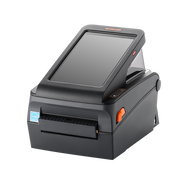
The three tiers differ mainly by monthly volume capacity, build quality, and cost per label. Desktop printers are built for roughly 500 to 2,500 labels a month, mid-range machines comfortably handle 2,500 to 20,000, and industrial printers are engineered for continuous, multi-shift runs beyond that.
Desktop units tend to use lighter plastic housings, while mid-range and industrial models add steel components and hardware rated for near-constant use. Durability requirements and budget push this decision just as much as raw volume does.
How Do I Know a Desktop Label Printer Is Right for My Business?
A desktop printer is usually the right call if you're printing roughly 2,500 labels a month or fewer and don't need industrial-grade durability. This tier suits home-based sellers, small retailers printing shipping labels a few times a week, or anyone comparing thermal label printer options for the first time. If you're mainly generating tracking numbers and packing slips, look at compact shipping label printers, or thermal POS receipt printers if you're also running a checkout counter. For businesses testing the waters before committing to a full setup, portable label makers are a low-cost way to start.
When Should I Upgrade to a Mid-Range Color Label Printer?
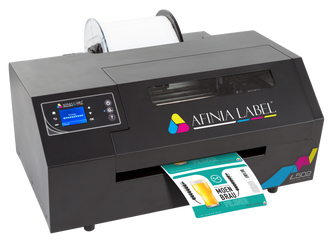
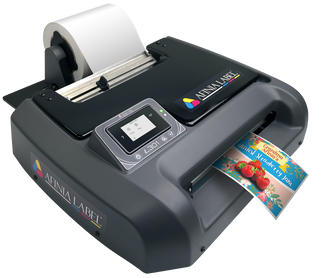
It's time to move up once your volume climbs past roughly 2,500 labels a month, or once your packaging needs full color rather than plain black-and-white text. Two machines illustrate this jump well. The Afinia L502 uses dual dye-and-pigment ink technology and is rated for 2,500 to 20,000 labels per month, which gives a growing product line room to scale without an immediate hardware upgrade. Its pigment-ink mode is also tested to BS 5609 and GHS compliance standards, useful for anyone shipping chemical or personal-care products.
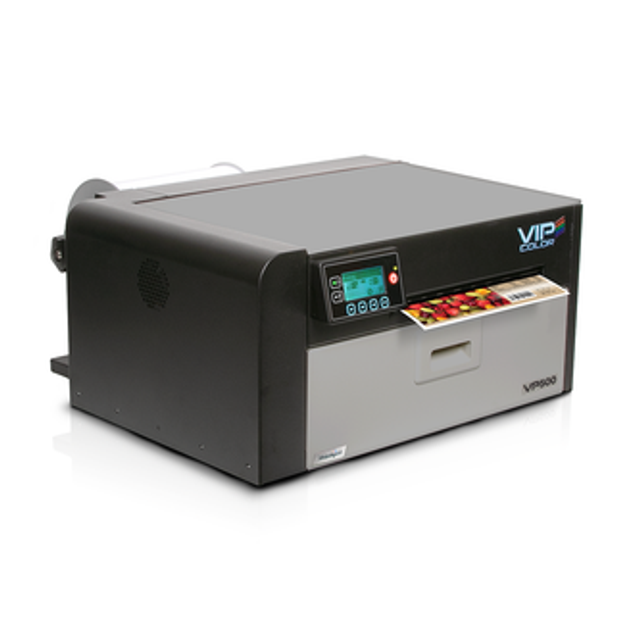
The VIPColor VP500 takes a similar approach from the other direction; it's a desktop color printer purpose-built for medium-volume runs, using Memjet inkjet technology to print full-color labels at up to 8 inches per second and 1,600 dpi.
Both printers fall squarely into the category of custom product label printers that brands turn to once they've outgrown pre-printed rolls but aren't yet running a full production floor.
What Makes an Industrial Label Printer Worth the Investment?
An industrial printer earns its higher price tag through durability, not just speed; it's built to survive moisture, chemicals, temperature swings, and heavy daily use without failing mid-run. This tier makes sense for manufacturers producing waterproof barcode labels, vinyl labels for outdoor or long-term use, and anyone printing weatherproof labels for products that leave a controlled environment.
Automotive shops printing oil change labels and warehouses generating custom barcode labels that carriers can scan reliably both fall into this category too; the labels have to hold up to grease, friction, and repeated handling, not just look good on day one.
How Much Does Print Volume Actually Matter?
Printing volume matters more than most buyers expect because it drives both the hardware you need and the ROI timeline. Desktop label printers are the fastest-growing segment among small businesses because they're compact, inexpensive, and well-suited to moderate volume, while thermal technology continues to dominate the broader label printer market due to speed and low upkeep.
On the higher-volume end, packaging companies now account for the largest share of digital label printing demand, a trend tied directly to the complexity of e-commerce packaging requirements. If your monthly volume is trending upward, it's worth buying one tier above your current needs rather than replacing hardware every year.
What Software and Accessories Should I Pair With My Printer?
The printer is only half the setup; labeling software and scanning hardware determine how smoothly your workflow actually runs. NiceLabel software is a common choice for designing and automating label templates across multiple printers, especially once you're managing more than one product line.
On the scanning side, Bluetooth and wireless barcode scanners both cut down on manual data entry errors. Round out the setup with reliable consumables so a mid-run stockout never becomes a shipping delay.
There's no single "best" label printer, only the best fit for your current volume, your durability needs, and where your business is headed next. Match the tier to the job in front of you, and leave room to grow into the next one.
Of course, choosing a label printer is only half the equation: sourcing the right printer, ink, labels, and software from one place is what actually makes the switch easy. DuraFast Label Company carries all three tiers under one roof, from compact desktop and thermal POS receipt printers for small operations to color label printers, plus rugged industrial thermal transfer systems built for continuous, high-volume runs.
Whether you're outfitting your first desktop setup or upgrading to an industrial line, our team can help match the printer to your volume and durability needs; contact us today.