How to Build a Barcode Labeling System from Scratch
21st Jul 2026
Why Are So Many Businesses Still Losing Time and Money to Manual Tracking?
Studies consistently show that inventory inaccuracies can cost businesses thousands of dollars annually through misplaced products, shipping mistakes, and inefficient stock management. In warehousing, manufacturing, retail, and healthcare environments, even a small labelling error can create delays that affect operations across the entire supply chain.
That is why more businesses are investing in reliable barcode printing solutions. A properly designed barcode system improves product identification, inventory visibility, and data accuracy while reducing manual entry errors. Whether we are managing a small retail operation or a growing warehouse, implementing the right barcode infrastructure can create measurable operational improvements.
At DuraFast Label Company, we help businesses access professional barcode printing equipment, labels, and supplies that support long-term operational efficiency. From colour label printers for small businesses to industrial-grade printing systems, having the right tools from the beginning can make implementation significantly easier.
In this guide, we will discuss the key components of building a barcode labeling system, including printers, scanners, labels, software, and implementation best practices.
Understanding the Core Components of a Barcode Labeling System
Before purchasing equipment, it helps to understand the major elements involved in building a barcode labeling system.
A complete solution typically includes:
- Barcode label printers
- Barcode scanners
- Label materials
- Barcode design software
- Database or inventory management software
- Network and connectivity infrastructure
Each component must work together to create accurate, readable labels that support day-to-day business operations.
Step 1: Define Your Barcode Labeling Goals
Every successful implementation begins with identifying business requirements.
Ask the following questions:
- What products or assets need labels?
- How many labels will be printed daily?
- Will labels be used indoors or outdoors?
- Do labels need colour graphics?
- Will products require regulatory information?
- How often will labels be updated?
For example, a small food manufacturer may require a colour label printer for small business operations that can print ingredient information and branding on demand.
A warehouse operation may prioritize high-volume barcode printers with durable labels designed for inventory tracking.
Documenting these requirements first helps prevent unnecessary purchases later.
Step 2: Select the Right Barcode Printer
The printer is the foundation of the entire system.
Several printer categories are available depending on production requirements.
Desktop Barcode Printers
Best suited for:
- Small businesses
- Retail stores
- Offices
- Low-volume production
These printers are compact and cost-effective while still producing professional barcode labels.
Industrial Barcode Printers
Best suited for:
- Warehouses
- Manufacturing facilities
- Distribution centres
Industrial printers are designed for continuous operation and higher daily print volumes.
Colour Barcode Printers
Many businesses now require colour labels that combine branding and barcode functionality.
Benefits include:
- Improved product presentation
- Better product identification
- Reduced need for pre-printed labels
- Greater flexibility for short production runs
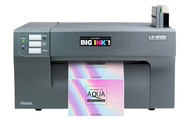
When evaluating the best printer for printing colour labels, businesses often compare solutions from manufacturers such as Afinia Label, Primera Technology, VIPColor, and Epson product lines.
Some organizations that currently use an Epson C4000 printer or similar systems may also require ongoing supplies such as Epson C3500 ink and compatible label stock for daily operations.
The right printer choice depends on print volume, label size, and application requirements.
Step 3: Choose Appropriate Label Materials
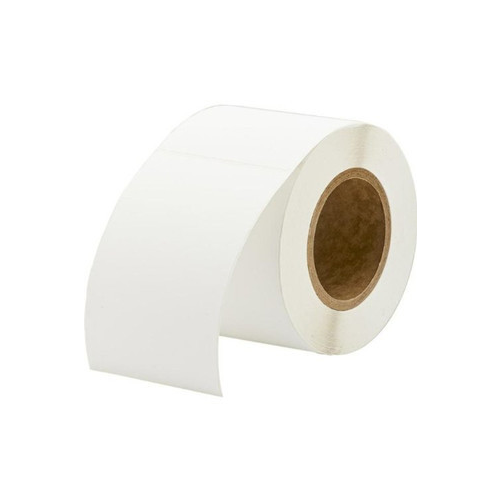
Even the highest-quality barcode printer cannot compensate for poor label materials.
Barcode readability depends heavily on selecting the correct label stock.
Common label options include:
Paper Labels
Suitable for:
- Shipping labels
- Retail labels
- Temporary product identification
Advantages:
- Lower cost
- Easy printing
- Wide availability
Synthetic Labels
Suitable for:
- Manufacturing
- Chemical products
- Outdoor environments
Advantages:
- Water resistance
- Tear resistance
- Longer lifespan
Specialty Labels
Designed for:
- Freezer storage
- Healthcare applications
- High-temperature environments
Matching the label material to environmental conditions helps maintain barcode readability throughout the product lifecycle.
Step 4: Determine Label Sizes and Formats
Label dimensions affect scanning performance and information capacity.
One of the most commonly used formats is the 4x6 label printer configuration.
A 4x6 label printer is frequently used for:
- Shipping labels
- Logistics operations
- Warehouse management
- E-commerce fulfilment
Other common label sizes include:
- Product labels
- Asset tracking labels
- Shelf labels
- Compliance labels
When designing labels, ensure there is sufficient space for:
- Barcode symbols
- Product descriptions
- Lot numbers
- Dates
- Company branding
Overcrowded labels can reduce scanning reliability.
Step 5: Select Barcode Symbologies
Barcode symbology refers to the barcode format being used.
Popular options include:
Code 128
- Inventory management
- Warehousing
- Shipping
UPC
Commonly used for:
- Retail products
- Point-of-sale systems
QR Codes
Suitable for:
- Marketing materials
- Product information
- Mobile interactions
Data Matrix
Frequently used in:
- Healthcare
- Manufacturing
- Electronics
The chosen barcode format should align with industry requirements and software compatibility.
Step 6: Invest in Reliable Barcode Scanners
A barcode system is only effective if labels can be scanned quickly and accurately.
Scanner options include:
Handheld Scanners
Best for:
- Retail
- Warehousing
- Office environments
Wireless Scanners
Best for:
- Larger facilities
- Mobile workers
Fixed-Mount Scanners
Best for:
- Production lines
- Automated processes
Modern imaging scanners can read:
- Traditional barcodes
- QR codes
- Damaged labels
- Labels displayed on screens
Selecting reliable scanners reduces workflow interruptions and improves operational efficiency.
Ready to Turn Barcode Data Into Better Business Decisions?
A barcode system is far more than a collection of printers and scanners. When properly implemented, it creates a structured process for tracking products, improving inventory visibility, and supporting operational efficiency across the organization.
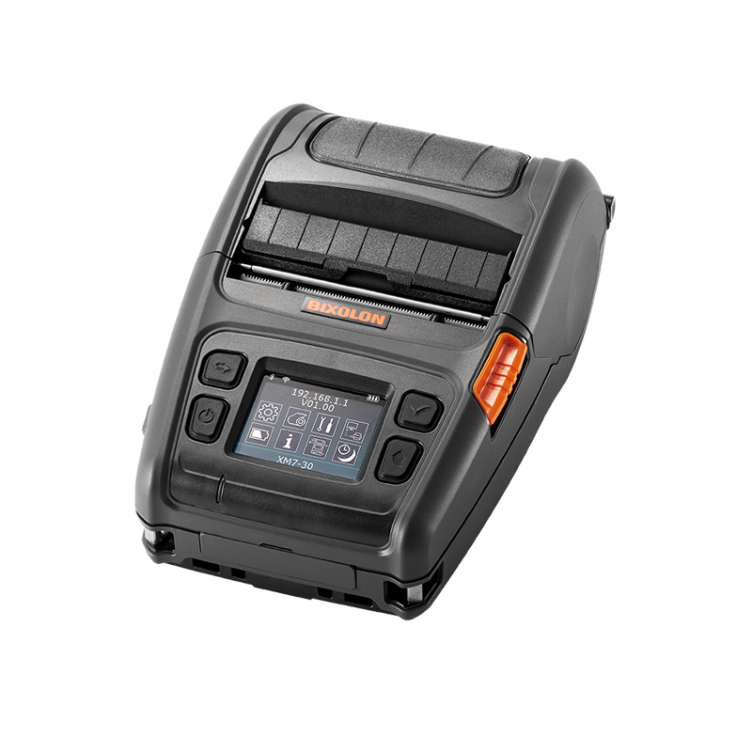
Whether we need a compact colour label printer for small business operations, durable industrial equipment, label supplies for an Epson C4000 printer, compatible Epson C3500 ink products, or professional barcode printers for sale from leading manufacturers, selecting the right components from the beginning can simplify implementation and support long-term growth.
At DuraFast Label Company, we provide a broad selection of barcode printing equipment, label materials, ink supplies, and professional guidance to help businesses build dependable labeling systems that fit their operational requirements.
Contact our team today to find the right solution for your barcode labeling needs and create a system that supports accuracy, productivity, and future expansion.