How to Choose the Best High-Resolution Label Printer?
2nd Feb 2026
Key Highlights
-
Label clarity directly impacts efficiency and accuracy, with high-resolution printing reducing scan errors, reprints, and manual corrections across retail, healthcare, logistics, and manufacturing.
-
300 dpi is the best resolution for print labels for most businesses, offering the right balance of sharp barcodes, clear small text, speed, and cost efficiency.
-
High-resolution label thermal printers improve consistency and reliability, using heat instead of ink or toner to deliver clean edges, better contrast, and lower maintenance.
-
203 dpi, 300 dpi, and 600 dpi printers serve different needs, from basic administrative labelling to professional workflows and specialized micro-detail applications.
-
Real-world performance improves with higher resolution, leading to faster scanning, better compliance, and smoother barcode-driven operations.
-
Proper setup, materials, and maintenance are essential to print labels at high resolution without quality loss.
Label quality directly affects how efficiently a business operates. Blurry barcodes, faint text, and inconsistent prints slow down scanning, increase manual corrections, and raise the risk of errors. In sectors such as retail, healthcare, logistics, and manufacturing, poor label clarity can disrupt workflows, impact compliance, and weaken customer trust.
As organizations grow, their labelling needs become more demanding. Smaller fonts, dense barcodes, QR codes, and detailed product or regulatory information require greater print precision to remain readable. At this point, investing in a high-resolution label printer becomes a practical step toward accuracy, consistency, and professional presentation.
This guide explains how to choose the right high-resolution label printer, identify the best resolution for printing labels, and understand how thermal printing technology supports reliable, high-quality output across different business environments.
What Makes a High-Resolution Label Printer Essential for Business Accuracy and Branding?
A high-resolution label printer ensures clear text, accurate barcodes, and consistent label quality across business operations. Higher resolution reduces scanning errors, limits reprints, and improves overall workflow reliability.
Key benefits include:
-
Sharper barcodes that scan correctly the first time
-
Clear small text for product, compliance, and tracking labels
-
Fewer delays caused by unreadable or low-quality prints
Label appearance also impacts brand credibility. Clean, legible labels on packaging, files, and shipping cartons reflect professionalism and organization.
Printers like the Seiko SLP 650 and SLP 650SE, offering 300 dpi, represent the best resolution for printing labels in most professional environments, delivering dependable clarity without industrial complexity.
What Is the Best Resolution for Print Labels?

When choosing a high-resolution label printer, print resolution directly affects readability, barcode accuracy, and overall label quality. Resolution is measured in dots per inch (DPI). The higher the DPI, the sharper the text, barcodes, and fine details appear.
The best resolution for print labels depends on how detailed your labels are and where they will be used.
1. 203 dpi: Suitable for Basic Labelling
203 dpi printers are designed for simple, high-contrast labels where fine detail is not required. They work well for:
-
Basic mailing and shipping labels
-
Large, low-density barcodes
-
Simple text used in home or small office settings
While reliable, 203 dpi output can struggle with small fonts and dense barcodes. As label complexity increases, this resolution often becomes a limiting factor.
2. 300 dpi: The Professional Standard for Most Businesses
For most organizations, 300 dpi is the best resolution for print labels. A high-resolution label printer at 300 dpi delivers clear text, sharp barcodes, and accurate QR codes without sacrificing print speed.
This resolution is widely used across:
-
Retail pricing and product labels
-
Healthcare patient and specimen labelling
-
Office file and asset labels
-
Shipping and logistics workflows
Models such as the Seiko SLP-650 and SLP-650SE are strong examples of high-resolution label thermal printers, offering consistent 300 dpi output for professional-grade results. Many businesses upgrade to 300 dpi when scan reliability, compliance, and presentation quality become operational priorities.
3. 600 dpi: Built for Specialized Applications
600 dpi printers are intended for niche use cases where extreme detail is required. These include:
-
Micro text and electronics labelling
-
Wash care and textile labels
-
Certain high-resolution colour label printer applications
Although highly precise, 600 dpi printers are typically more expensive and slower. For everyday business labelling, they often exceed practical needs.
Why 300 dpi is the Most Practical Choice?
Industry comparisons consistently show that 300 dpi offers the best balance of clarity, performance, and cost. It provides the resolution needed to print labels at high resolution without unnecessary complexity or overhead.
For most businesses, a 300 dpi high-resolution label printer delivers the accuracy and reliability required for daily operations while remaining efficient and scalable.
How Does a High-Resolution Label Thermal Printer Improve Print Quality and Performance?
A high-resolution label thermal printer uses heat instead of ink or toner, which reduces inconsistencies and produces more reliable output. With fewer moving parts and consumables, print quality stays consistent across both small and large print runs.
Key performance benefits include:
-
Sharper barcodes and small text, especially at 300 dpi, which supports the best resolution for print labels
-
Even contrast and clean edges, improving scan accuracy and reducing read errors
-
Lower maintenance and operating costs, since there are no ink or toner cartridges
Direct thermal high-resolution label printers such as the Seiko SLP-650 and Seiko SLP-620 are well-suited for retail, healthcare, office, and shipping environments where clarity and efficiency matter. They deliver professional results with minimal upkeep.
For applications that require a longer label lifespan, thermal transfer printers offer added durability. Models like the Godex GE300, GE330, and G530 perform well in settings where labels face heat, moisture, or frequent handling.
Across both technologies, higher resolution reduces reprints, improves scan reliability, and supports smoother barcode-driven workflows.
What Can You Expect from a High-Resolution Colour Label Printer?
A high-resolution colour label printer is best used when visual impact is important. Colour labels help communicate branding, warnings, and product differentiation more clearly than monochrome output.
Typical use cases include:
-
Retail packaging and shelf labels
-
Warning and compliance labels
-
Promotional and presentation-focused materials
However, colour printing usually relies on inkjet or thermal transfer technology, which increases consumable costs and maintenance. Print speed and long-run consistency can also be limiting factors.
For most operational labelling needs, such as shipping, inventory, healthcare, and office use, monochrome high-resolution label thermal printers remain the most efficient and reliable option. Colour printers are best reserved for situations where visual appeal outweighs speed and cost efficiency.
How Do Different High-Resolution Label Printer Options Compare Side by Side?
The right high-resolution label printer depends on how much detail your labels need and how they are used. Higher DPI improves clarity, but it also affects speed and cost. The comparison below shows where each resolution fits best.
|
Feature |
203 dpi Label Printer |
300 dpi High-Resolution Label Printer |
600 dpi Ultra-High-Resolution Printer |
|---|---|---|---|
|
Print Quality |
Basic text and large barcodes |
Sharp text, accurate barcodes, small fonts |
Micro text and ultra-fine graphics |
|
Ideal Use |
Mailing and light admin |
Retail, office, healthcare, shipping |
Electronics and specialised labeling |
|
Example Models |
Entry-level printers |
Seiko SLP-650, Seiko SLP-650SE |
Godex RT863i |
|
Cost |
Low |
Moderate |
High |
|
Print Speed |
Fast, lower detail |
Balanced |
Slower due to the detail |
For most businesses, a 300 dpi high-resolution label printer, such as the Seiko SLP-650 or SLP-650SE, delivers the best balance of precision, efficiency, and cost.
How Do High-Resolution Label Printers Perform in Real-Life Business Scenarios?
A high-resolution label printer delivers clear, reliable output in workflows where small text and barcodes must scan correctly the first time. Higher resolution directly reduces errors and reprints.
1. Office and Administrative Use
In office settings, high-resolution label printers are commonly used for file folders, asset tags, visitor badges, and internal identification labels. Printing at 300 dpi produces sharper text and cleaner edges, which improves readability and reduces the likelihood of misfiling. This is particularly important in shared offices, records management, and compliance-driven departments, where accuracy is crucial.
2. Retail Pricing and Inventory
Retail operations depend on fast, reliable barcode scanning at checkout and during inventory counts. High-resolution printing improves barcode definition, which speeds up scanning and reduces errors during stock handling. While a high-resolution colour label printer may be useful for promotions or branding, monochrome thermal printers remain the most efficient choice for daily pricing and shelf labels.
3. Healthcare and Clinical Applications
Healthcare environments require absolute precision. Patient wristbands, specimen labels, and medication tags must remain legible and scannable throughout their lifecycle. A 300 dpi high-resolution label thermal printer supports traceability, patient safety, and regulatory compliance by producing clear text and barcodes that hold up during handling and storage.
4. Warehousing and Logistics Operations
In warehousing and logistics, shipping labels move through multiple scanning points, from picking and packing to delivery. High-resolution printing improves barcode consistency and reduces scan failures across automated systems. Models like the Seiko SLP-650SE are well-suited for higher-volume environments that demand dependable, repeatable output.
For most businesses, 300 dpi offers the best resolution for print labels. It balances clarity, print speed, and cost efficiency while making it easier to print labels at high resolution without compromising productivity.
Which High-Resolution Label Printer Should You Choose for Your Needs?
Choosing the right high-resolution label printer starts with understanding how much detail your labels require, how long they need to last, and how often you print. Not every business needs the highest DPI available, but choosing too low a resolution can quickly lead to scanning issues, reprints, and inefficiencies.
Below is a practical way to match printer resolution and technology to real business needs.
1. 203 dpi Printers for Basic Administrative Labelling
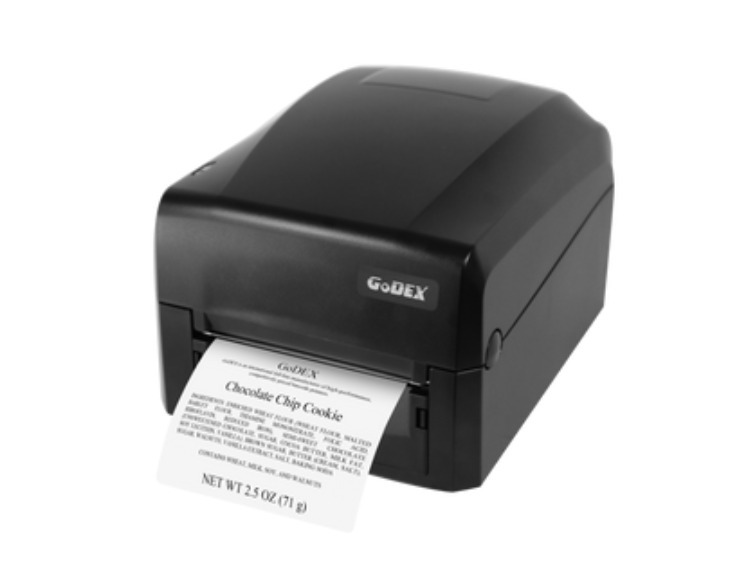
203 dpi printers are best suited for simple labelling tasks where text is large, and barcodes are not densely packed. These printers are commonly used in home offices, small businesses, and administrative settings.
-
Ideal for mailing labels, basic inventory tags, and internal file organization
-
Cost-effective for low to moderate print volumes
-
Best when fine detail and small fonts are not required
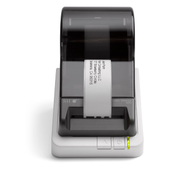
For direct thermal printing, the Seiko SLP 620 offers straightforward, ink-free operation for everyday office use.
When labels need to withstand handling or environmental exposure, the Godex GE300 provides a 203 dpi thermal transfer option with improved durability.
This category prioritizes simplicity and affordability over precision.
2. 300 dpi High Resolution Label Printers for Professional Use
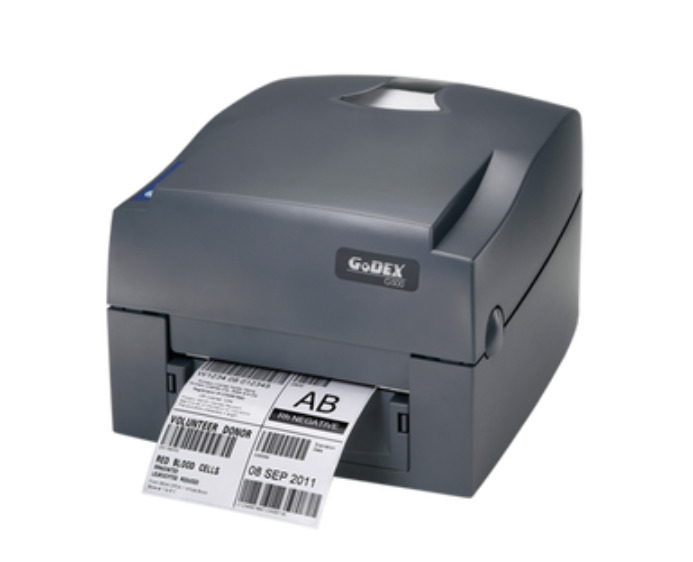
For most businesses, 300 dpi is the best resolution for print labels. It delivers noticeably sharper text, more accurate barcodes, and cleaner small fonts without slowing down workflows. This is the resolution where print quality starts to support professional accuracy and branding.
-
Suitable for retail, healthcare, logistics, and office environments
-
Supports QR codes, dense barcodes, and small text
-
Balances clarity, speed, and operating cost
The Seiko SLP 650 is a strong example of a high-resolution label thermal printer for direct thermal applications. Its 300 dpi output ensures consistent barcode readability and professional-looking labels for daily operations.
For environments where labels must last longer or face wear, thermal transfer models like the Godex GE330 and Godex G530 add durability while maintaining high-resolution print quality.
This category delivers the most versatility and long-term value for growing businesses.
3. 600 dpi Thermal Transfer Printers for Specialized Applications
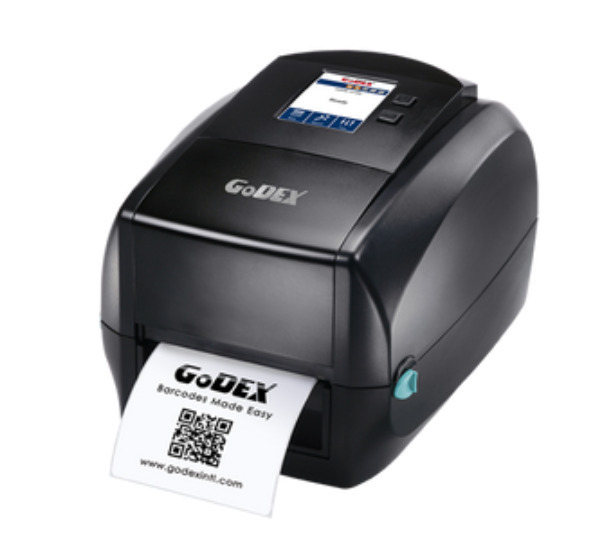
600 dpi printers are designed for situations where extreme precision is required. These are not general-purpose printers, but tools for very specific labelling needs.
-
Used for micro text, wash care labels, and electronics labelling
-
Required when regulatory or technical standards demand ultra-fine detail
-
Higher cost and slower speeds compared to lower resolutions
The Godex RT863i fits this category well, offering ultra-high resolution thermal transfer printing for specialized production. For most standard barcode and shipping applications, this level of resolution is unnecessary.
4. Industrial Printers for High Volume Barcode Production
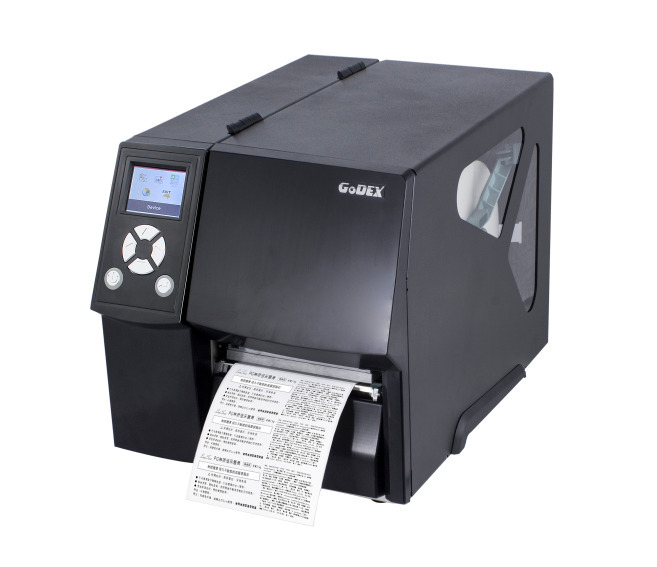
When label volumes increase significantly, desktop printers may no longer be sufficient. Industrial barcode printers are built to handle continuous operation while maintaining consistent output.
-
Designed for long duty cycles and demanding environments
-
Higher durability and faster throughput
-
Suitable for warehouses, manufacturing, and distribution centres
The Godex ZX420i Plus at 203 dpi supports fast, high-volume printing where the barcode size is large.
The Godex ZX430i Plus at 300 dpi adds clarity for smaller barcodes and detailed information.
For ultra-detailed industrial labelling, the Godex ZX1600i at 600 dpi supports specialized, high-resolution production at scale.
Choosing an industrial printer is less about resolution alone and more about matching print quality with production demands.
How to Print Labels High Resolution Without Quality Loss?
Sharp output from a high-resolution label printer comes from alignment across settings, materials, design, and maintenance. Use this step-by-step checklist to keep prints crisp and scannable.
Step 1: Match Your DPI Across Printer and Software
Set your label design software to the printer’s native DPI and confirm the same DPI in the printer driver. For most business use cases, 300 dpi is the best resolution for print labels, especially for small text and barcodes.
Step 2: Choose Label Stock Built for High Resolution
High-resolution label thermal printers perform best on smooth, consistent label surfaces. Low-quality stock can create uneven heat transfer, leading to fuzzy edges or patchy barcodes even at higher DPI.
Step 3: Use the Right Supplies for Your Print Method
-
Direct thermal: Use compatible direct thermal labels to avoid faded output
-
Thermal transfer: Use the correct ribbon type for your label material
Avoid off-brand supplies that can lower contrast and reduce barcode readability.
Step 4: Optimize Your Label Design for Clarity
High DPI helps, but layout still matters. Use readable font sizes, leave adequate quiet zones around barcodes, and size QR codes properly for scanning distance and use case.
Step 5: Keep the Print Head Clean and Calibrated
-
Clean the print head regularly to prevent dust and adhesive buildup
-
Ensure label roll alignment is straight
-
Recalibrate if you notice streaks, fading, or inconsistent darkness
Step 6: Test Before Full Production
Print a small batch and test in real conditions. Confirm barcode scanning, adhesion, smudge resistance, and readability before committing to volume runs.
When these steps are followed, a high-resolution label printer delivers consistent, professional results in office, retail, logistics, and healthcare workflows.
When these steps are followed, high-resolution printing becomes reliable and repeatable, not trial and error.
The right setup ensures every label prints cleanly, scans accurately, and performs as expected in real-world use.
Where Can You Buy Reliable High-Resolution Label Printers and Supplies?
If you need labels that scan cleanly, look professional, and stay consistent at scale, DuraFastLabel.ca is the partner Canadian businesses trust for high-resolution label printing.
DuraFast is not just a retailer. It is a specialist in professional labelling systems, offering:
-
High-resolution label printers from trusted brands like Seiko and Godex, covering 203 dpi, 300 dpi, and 600 dpi requirements
-
Expert guidance to match the right printer to your application, volume, and resolution needs
-
Proven solutions for retail, office, healthcare, logistics, and industrial barcode environments
-
In-stock printers, labels, ribbons, and accessories, tested for compatibility and performance
-
Reliable Canada-wide shipping and post-purchase support from teams who understand labelling technology
Whether you need a 300 dpi high-resolution label printer like the Seiko SLP-650 or SLP-650SE, a durable thermal transfer system, or an industrial printer for large-scale barcode production, DuraFastLabel.ca offers solutions that scale with your business.
Do not leave print quality or scan accuracy to chance.
Work with a supplier that understands resolution, materials, and real-world performance.
Explore the full range of high-resolution label printers and supplies at DuraFastLabel.ca and print with confidence.
Final Thoughts
Choosing the right high-resolution label printer comes down to clarity, consistency, and operational fit. For most business environments, 300 dpi provides the best balance of sharp barcodes, readable text, and efficient performance.
When resolution, materials, and setup are aligned, label printing becomes more reliable and scalable. The result is fewer errors, smoother workflows, and labels that meet professional and compliance standards as business demands continue to grow.
FAQs
What resolution do I need for barcode labels?
Most barcode labels perform best at 300 dpi, as it delivers clean edges, strong contrast, and reliable scan accuracy. This resolution is ideal for retail, healthcare, warehousing, and logistics environments where barcode readability directly affects efficiency.
Can thermal label printers produce high-resolution prints?
Yes. High-resolution thermal printers can produce sharp text and highly accurate barcodes using heat instead of ink or toner. Models like the Seiko SLP 650 are designed to deliver consistent, professional-quality output.
Is 300 dpi good for professional label printing?
Yes. 300 dpi is considered the professional standard for business labeling. It supports small fonts, dense barcodes, and QR codes while maintaining good print speed and reliable performance across most commercial applications.
What’s the difference between thermal and inkjet label printing?
Thermal printing uses heat to create images and does not require ink or toner, resulting in lower maintenance and consistent output. Inkjet printing allows colour labels but involves higher consumable costs and more frequent upkeep.
Can I print high-resolution colour labels?
Yes, high-resolution colour labels can be printed using inkjet or thermal transfer printers. These are best suited for branding, packaging, and visual identification rather than high-volume operational or barcode-heavy labelling tasks.