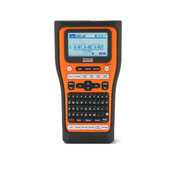
How to Choose the Best QR Code Printer for Professional Use?
23rd Jun 2026
Key Highlights
-
Selecting the best mobile printers for QR code printing ensures reliable scanning, durable labels, and consistent asset tracking in industrial and field environments.
-
Professional QR code printers deliver higher resolution, stronger contrast, and laminated output that outperforms standard label and sticker printers.
-
The Brother PT-E560BTVP is a proven portable QR code printer built for on-site use, offering rugged design, Bluetooth connectivity, and precise QR printing.
-
QR code readability depends on correct tape width, DPI, contrast, and lamination, with 12 mm to 24 mm tapes providing optimal scan performance.
-
Portable QR code printers improve operational efficiency by enabling immediate labelling, quick reprints, and streamlined maintenance documentation.
-
Evaluating QR code printer price should focus on long-term value, durability, and reduced relabeling costs rather than upfront cost alone.
QR codes now sit at the centre of how modern operations run, whether teams realize it or not. From asset tracking and inventory control to equipment records and compliance documentation, these small squares connect physical work to digital systems. When they scan instantly, workflows stay smooth, and data stays reliable.
Problems start when print quality is overlooked. QR codes that blur, fade, or peel under heat, moisture, or constant handling quickly become unreliable. Scanning slows, labels need replacing, and teams lose time retracing steps or switching to manual workarounds. Over time, these disruptions add labour costs and friction.
That is why choosing the best QR code printer is a business decision, not a technical detail. The right printer delivers sharp, durable codes and holds up in demanding environments. This guide explains what matters most, how the Brother PT-E560BTVP supports workflows, and how to choose a solution that performs long-term.
What Makes the Best QR Code Printer Different From Standard Label Printers?
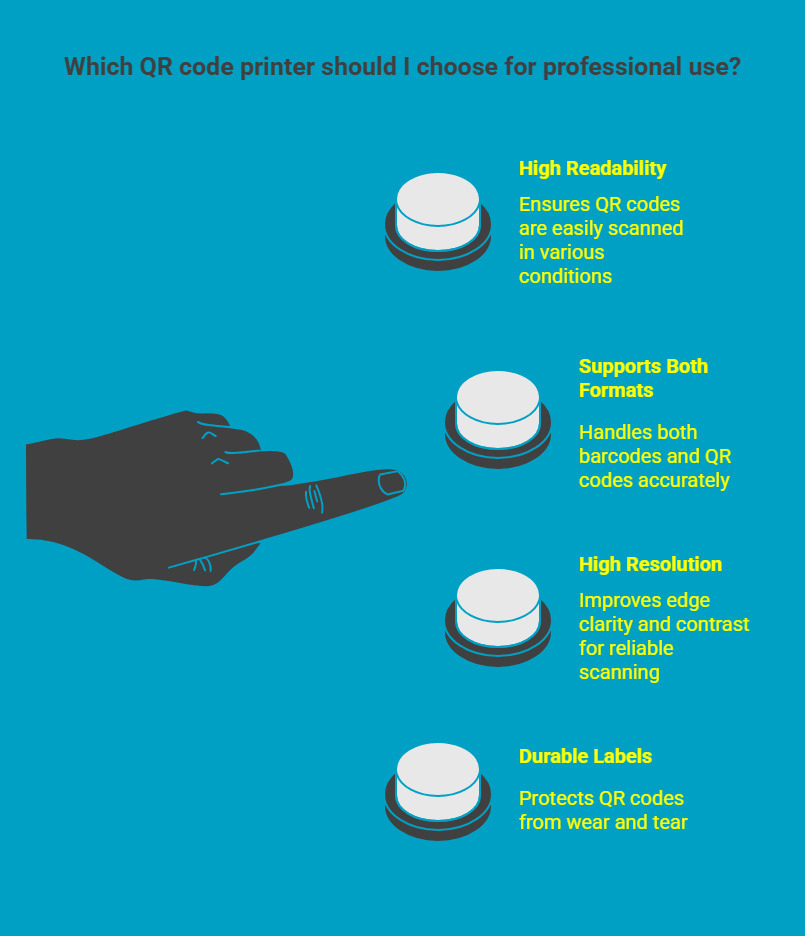
Not all label printers are built for QR codes. While many devices can handle text or basic barcodes, QR codes require higher precision, tighter spacing, and more durable output to remain reliably scannable in professional environments.
1. QR Readability and Scan Accuracy
QR codes store dense data in a compact grid. Each module must be printed with sharp edges and consistent spacing. Poor alignment or blurred output quickly leads to scan failures, especially in low-light or high-wear conditions.
2. Different Printing Requirements for Barcodes and QR Codes
Barcodes and QR codes rely on different structures.
-
Barcodes use linear spacing
-
QR codes require precise square alignment
-
Dense QR codes demand tighter print tolerances
A barcode and QR code printer must support both formats without compromising accuracy.
3. Print Resolution and Contrast
A thermal printer QR code setup should support at least 300 dpi. Higher resolution improves edge clarity, while strong contrast, typically dark print on a light background, ensures faster and more reliable scanning.
4. Label Durability
QR labels must withstand abrasion, chemicals, heat, moisture, and UV exposure. The best QR code printer supports laminated or protected labels that prevent fading and smearing over time.
In short, professional QR code printers focus on precision, consistency, and durability, ensuring QR labels remain readable long after application.
Why Choose a Brother QR Code Label Printer for Industrial and Commercial Applications?
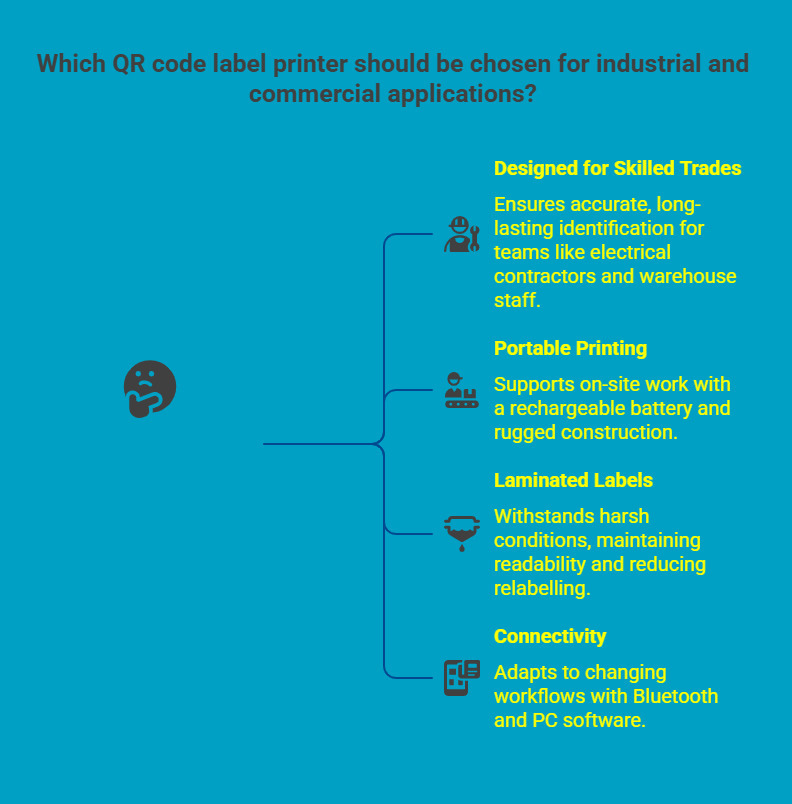
In industrial and commercial settings, label printers are rarely used in ideal conditions. Labels are applied in tight spaces, exposed to dust, heat, moisture, and frequent handling, and expected to remain readable long after installation. Brother designs its professional label printers specifically for these realities, focusing on reliability, durability, and ease of use beyond office environments.
1. Designed for Skilled Trades and Operational Teams
Because of these demands, a Brother QR code label printer such as the PT-E560BTVP is commonly adopted by teams that rely on accurate, long-lasting identification as part of daily operations. Typical users include:
-
Electrical contractors working with panels, wiring, and control systems
-
Warehouse and logistics teams managing assets, shelving, and inventory flow
-
Facilities and maintenance personnel tracking, inspections and service history
-
IT and network technicians labelling cables, racks, and infrastructure
-
Manufacturing and production teams supporting equipment identification
Across these environments, consistency and clarity are critical to safety and efficiency.
2. Portable Printing That Supports On-Site Work
To support work where it happens, the PT-E560BTVP is built around portability rather than fixed-location printing. This allows teams to create and apply labels immediately, without interrupting workflows.
-
A built-in rechargeable battery enables printing without access to power outlets
-
Rugged construction is suited for daily handling in industrial environments
-
On-site printing removes reliance on shared or office-based printers
As a result, teams spend less time moving between locations and more time completing tasks accurately.
3. Laminated Labels That Withstand Harsh Conditions
Once labels are applied, durability becomes the next priority. QR codes must remain readable despite ongoing exposure to environmental stress.
-
Supports laminated TZe tapes designed for industrial use
-
Labels resist moisture, oils, solvents, heat, abrasion, and UV exposure
-
QR codes retain scan accuracy long after installation
This level of protection reduces relabelling frequency and supports dependable asset tracking over time.
4. Connectivity That Adapts to Changing Workflows
Finally, flexibility in how labels are created and printed helps teams scale their processes. The PT-E560BTVP supports both mobile and structured labelling needs.
-
Bluetooth printing enables quick label creation from mobile devices in the field
-
PC software allows bulk printing and database-driven label management
-
Suitable for one-off tasks as well as standardized, repeatable workflows
This adaptability ensures the printer remains useful as operational requirements evolve.
Taken together, these capabilities make the Brother PT-E560BTVP a strong and practical choice when evaluating the best QR code printer for industrial and commercial applications.
How to Print QR Codes Using the Brother PT-E560BTVP?
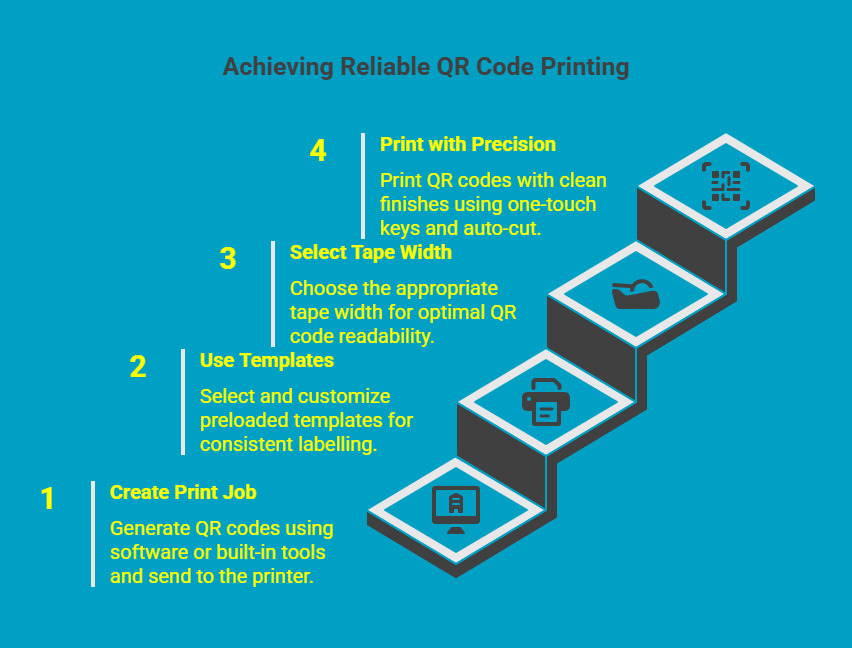
Printing QR codes with the Brother PT-E560BTVP is designed to fit seamlessly into professional workflows, whether you are working on-site, in a facility, or in a warehouse. The process prioritizes speed, consistency, and accuracy, allowing teams to create scannable labels without unnecessary setup or rework.
Step 1: Create and Send the Print Job
QR codes can be generated using Brother P-Touch software, compatible mobile applications, or the printer’s built-in QR creation tools. Print jobs can then be sent via Bluetooth from a mobile device or through a USB connection to a computer, depending on your working environment.
Step 2: Use Templates and Serialization for Consistency
The printer includes preloaded templates for QR codes, asset identifiers, and serial numbers. Serialization features automatically increment data, reducing manual entry errors and helping teams maintain consistent labelling standards across multiple assets and locations.
Step 3: Select the Appropriate Tape Width
Tape width directly affects QR readability and scan reliability. Wider tapes allow larger QR modules, which improve scanning accuracy, especially in industrial settings. Selection should be based on data density, scanning distance, and environmental exposure.
Step 4: Print with Precision and Clean Finishes
One-touch keys simplify frequent tasks, while the auto-cut feature ensures clean edges and uniform spacing between labels. Consistent output reduces relabeling and helps maintain a professional appearance across all applications.
With a streamlined process and built-in controls, the Brother PT-E560BTVP supports reliable QR code printing without slowing down active operations. This makes it a practical choice for teams that require accuracy, efficiency, and repeatable results in real-world environments.
Now that you understand how QR code printing supports reliable operations, the next step is choosing labels built for real-world use.
Explore practical QR code label applications and durability insights to plan a setup that performs long-term.
What is the Best Way to Ensure QR Codes Print Sharp and are scannable?
To achieve consistent scanning performance that addresses specific needs, print quality and label materials must work together. The right resolution, contrast, tape width, and protection ensure QR codes remain readable, durable, and reliable across daily use in demanding professional environments.
|
Quality Factor |
Recommended Setting |
Why It Matters |
|---|---|---|
|
DPI resolution |
300 dpi or higher |
Ensures each QR module prints with sharp, defined edges, which is essential for accurate scanning, especially on compact or information-dense codes. |
|
Contrast |
Dark print on a light background |
Improves scan recognition across different lighting conditions, allowing scanners to capture the code quickly without repeated attempts. |
|
Tape width |
12 mm to 24 mm |
Provides enough surface area for proper QR sizing, supporting better readability on equipment, assets, and storage labels. |
|
Lamination |
Laminated TZe tape |
Adds a protective layer that shields the QR code from abrasion, moisture, chemicals, and UV exposure, helping labels remain scannable over time. |
When these settings are applied consistently, businesses see fewer scan failures, reduced relabeling, and longer label lifespans. This combination of proper configuration and durable materials allows QR codes to perform reliably across warehouses, job sites, and industrial facilities.
What Is the Smallest a QR Code That Can Be Printed While Staying Scannable?
There is no single minimum size that works in every situation. How small a QR code can be printed depends on the amount of data it contains and the conditions in which it will be scanned. Understanding these constraints helps avoid scan failures in real-world use.
The first and most important factor is data complexity.
Data density
-
QR codes storing more information require more internal modules.
-
Higher data density leaves less tolerance for printing or scanning imperfections.
-
Simple URLs or asset IDs can be printed smaller than QR codes used for instructions, maintenance records, or authentication.
As data density increases, QR codes need additional physical space to maintain clean separation between modules.
Environmental conditions further influence the minimum printable size.
Environmental conditions
-
Low lighting, dust, moisture, and surface wear reduce scan accuracy.
-
Industrial and warehouse environments require a larger margin for error.
-
Labels that are frequently handled or cleaned benefit from increased QR size for effective product labeling.
Under ideal conditions, such as clean surfaces, good lighting, and close-range scanning, a simple QR code may remain scannable at approximately 10 mm by 10 mm. This size is typically limited to controlled applications like packaging or short-term identification.
For professional and industrial use, larger formats deliver more consistent performance. Tape widths between 12 mm and 24 mm allow QR codes to maintain sharp edges, improve scan speed, and remain readable over time.
Industrial-grade QR code label printers maintain consistent resolution and contrast at these sizes. In comparison, low-cost QR code sticker printer models often struggle with precision, leading to blurred edges and reduced scan reliability as labels age.
How Does a Portable QR Code Printer Improve Workflow and Efficiency?
Portability removes friction from everyday operations. Instead of treating labelling as a separate task that requires planning and delays, teams can respond in real time as work progresses. This shift has a direct impact on speed, accuracy, and overall productivity.
1. On-site labelling at the point of work
-
Labels are printed exactly where assets, equipment, or inventory are located.
-
Eliminates reliance on centralized printers or office-based workflows.
-
Reduces interruptions and keeps field and warehouse teams moving.
2. Immediate updates and corrections
-
Damaged, missing, or outdated labels can be reprinted on the spot.
-
Prevents temporary workarounds that lead to data gaps or errors.
-
Minimizes downtime caused by relabeling delays.
3. Stronger asset visibility and tracking
-
QR codes connect physical assets directly to digital systems.
-
Supports maintenance logs, inspections, audits, and compliance records.
-
Improves traceability without adding manual documentation steps.
By enabling on-demand labelling wherever work happens, a portable QR code printer helps teams maintain momentum, reduce administrative overhead, and keep operational data accurate and up to date.
What Is the Difference Between a Barcode and QR Code Printer?
While barcode and QR code printers may look similar, they serve different operational needs. Understanding how each format works helps businesses select a solution that aligns with their tracking, documentation, and compliance requirements.
1. Data capacity
-
Barcodes store a limited amount of information in a one-dimensional format, usually a short numerical or alphanumeric string.
-
QR codes use a two-dimensional structure, allowing them to store far more data, such as URLs, serial numbers, maintenance records, and authentication details.
2. Practical use cases
-
Barcodes are well-suited for straightforward inventory counting and point-of-sale tracking where speed and simplicity are priorities.
-
QR codes are better for asset management, compliance labelling, equipment documentation, and workflows that link physical items to digital systems.
3. Flexibility across teams
-
Many organizations choose a barcode and QR code printer that supports both formats.
-
This approach allows different departments to use the same device for inventory tracking, asset identification, and operational documentation without managing multiple printers.
Choosing a printer that supports both barcode and QR code formats gives businesses the flexibility to adapt as tracking and documentation needs evolve, without investing in separate systems.
What Types of Tapes Are Compatible With QR Code Printing on Brother P-Touch Printers?
The effectiveness of a QR code label depends not only on print quality but also on the tape used. Brother P-Touch printers support several specialized tape types designed to perform reliably across industrial, technical, and facility environments. Choosing the right tape ensures QR codes remain readable over time and stay securely bonded to the surface.
1. Flexible ID tapes
These tapes are designed for uneven and rounded surfaces where standard labels may lift or wrinkle.
-
Well-suited for cables, wires, and narrow conduits
-
Wrap securely around curved objects without distorting the QR code
-
Commonly used in electrical, network, and maintenance applications
2. Heat shrink tubing
Heat-shrink tapes provide permanent identification in electrical and data installations.
-
Shrinks tightly around wires when heated
-
Protects the printed QR code from abrasion and handling
-
Ideal for long-term wire and cable identification in control panels and racks
3. Laminated industrial TZe tapes
These tapes are engineered for high-exposure environments where durability is critical.
-
Suitable for shelves, bins, tools, panels, and equipment
-
Resistant to chemicals, moisture, temperature changes, and abrasion
-
Keeps QR codes scannable even after extended use
4. Recommended tape sizes
Tape width plays a key role in QR readability and layout flexibility.
-
Common widths include 12 mm, 18 mm, and 24 mm
-
Wider tapes allow clearer QR codes with supporting text or symbols
-
Proper sizing improves scan accuracy, especially in industrial settings
Selecting the appropriate tape type and width helps ensure QR labels remain clear, durable, and functional throughout their lifecycle.
What Is the QR Code Printer Price Range and How Should You Evaluate Value?
The price of a QR code printer varies based on its print capability, build quality, and the environment for which modern printers are designed. While lower-priced models may appear attractive at first, the real cost often becomes clear only after prolonged use.
Entry-level QR code printers are typically suited for light office tasks where labels face minimal exposure. These models focus on basic functionality rather than long-term durability.
-
Lower upfront investment
-
Suitable for occasional QR code printing
-
Limited resistance to moisture, abrasion, and heat
-
More frequent label replacement over time
As printing demands increase, professional and industrial QR code printers offer greater reliability and consistency. These devices are built for continuous use in the field, warehouse, and production settings.
-
Higher initial purchase cost
-
Designed for harsh and mobile environments
-
Support laminated, long-lasting labels
-
Minimize relabeling, scanning failures, and downtime
Evaluating value requires looking beyond the purchase price. The best QR code printer often delivers stronger long-term returns through reduced maintenance, fewer operational interruptions, and dependable label performance across real working conditions.
Where Can You Buy QR Code Label Printer Supplies and Replacement Tapes?
Consistent QR code printing depends on using the right supplies, including label size and material compatibility. Low-quality tapes can fade, peel, or affect scan accuracy, even when using professional printers.
Businesses across Canada source Brother-compatible laminated tapes and industrial labelling supplies from DuraFastLabel.ca. The platform offers durable materials designed for reliable QR code printing in warehouse, field, and industrial environments.
-
Laminated Brother-compatible tapes
-
Materials built for harsh conditions
-
Reliable Canadian availability and fulfilment
Explore Brother-compatible laminated tapes and industrial label supplies at https://www.durafastlabel.ca/contact-us/ to keep your QR codes clear, durable, and scannable.
Choose materials built for real working conditions and maintain consistent labelling without interruptions.
Final Thoughts
The best QR code printer for work environments is one that delivers consistent scan accuracy, durable labels, and reliable performance under real operating conditions. The right QR code printer ensures that professional models outperform basic printers by offering higher resolution, laminated output, and portable printing where work happens.
The Brother PT-E560BTVP stands out for on-site use, combining rugged design, precise QR printing, and flexible connectivity. When paired with the right tapes and settings, it supports long-term asset tracking, efficient workflows, and dependable operational documentation.
FAQs
Can I print QR codes and barcodes on the same printer?
Yes. Many professional models function as a barcode and QR code printer, allowing businesses to print both formats using the same device, which simplifies workflows and reduces equipment costs.
What tape width is best for QR labels?
Most professional applications perform best with 12 mm to 24 mm tape widths, as they provide sufficient space for clear QR modules and improve scan reliability in real-world conditions.
Can laminated QR labels be used outdoors or in freezers?
Yes. Laminated labels are designed to withstand moisture, UV exposure, abrasion, and extreme temperatures, making them suitable for outdoor use and cold storage environments.
What software can I use to generate QR codes for Brother printers?
Brother P-Touch software, mobile apps, and compatible third-party tools can generate QR codes that work seamlessly with supported Brother printers.
Do portable QR code printers work with phones and tablets?
Yes. Many modern devices support Bluetooth connectivity, allowing users to print directly from smartphones and tablets without relying on a computer.