Which Best Label Maker Works for Home and Office?
7th Jul 2026
Key Highlights
-
Brother P Touch remains the best label maker for durability, tape variety, and long-term value. Clear, consistent labelling improves organization, efficiency, and accuracy at home and in the office
-
The best label maker balances print quality, durability, ease of use, and long-term running costs
-
Printing technology determines whether labels suit short-term tasks or long-lasting, professional use
-
Connectivity options like Bluetooth and WiFi shape how flexible and mobile your workflow can be
-
Tape compatibility and material strength directly affect versatility and label lifespan
-
The right choice depends on real usage needs, not just price or brand recognition
A lack of clear labelling rarely causes chaos all at once, but it quietly slows down everything you do. Files become harder to find, shelves turn into guesswork, cables look the same, and small errors start adding up. At home or in the office, disorganization chips away at time, focus, and efficiency. As more Canadians work remotely or manage small businesses, dependable labelling has shifted from a nice-to-have to a practical necessity.
The real challenge is choosing the best label maker for how you actually work. Some options are affordable but lack durability. Others are powerful yet feel complicated or excessive for everyday use. What matters most is finding the right balance between print quality, ease of use, material strength, and long-term cost.
This guide breaks it all down. You will learn what to look for in a label maker and see a clear comparison of the best options for 2026, helping you choose a solution that fits both your workflow and budget with confidence.
What To Look For When Choosing a Label Maker?
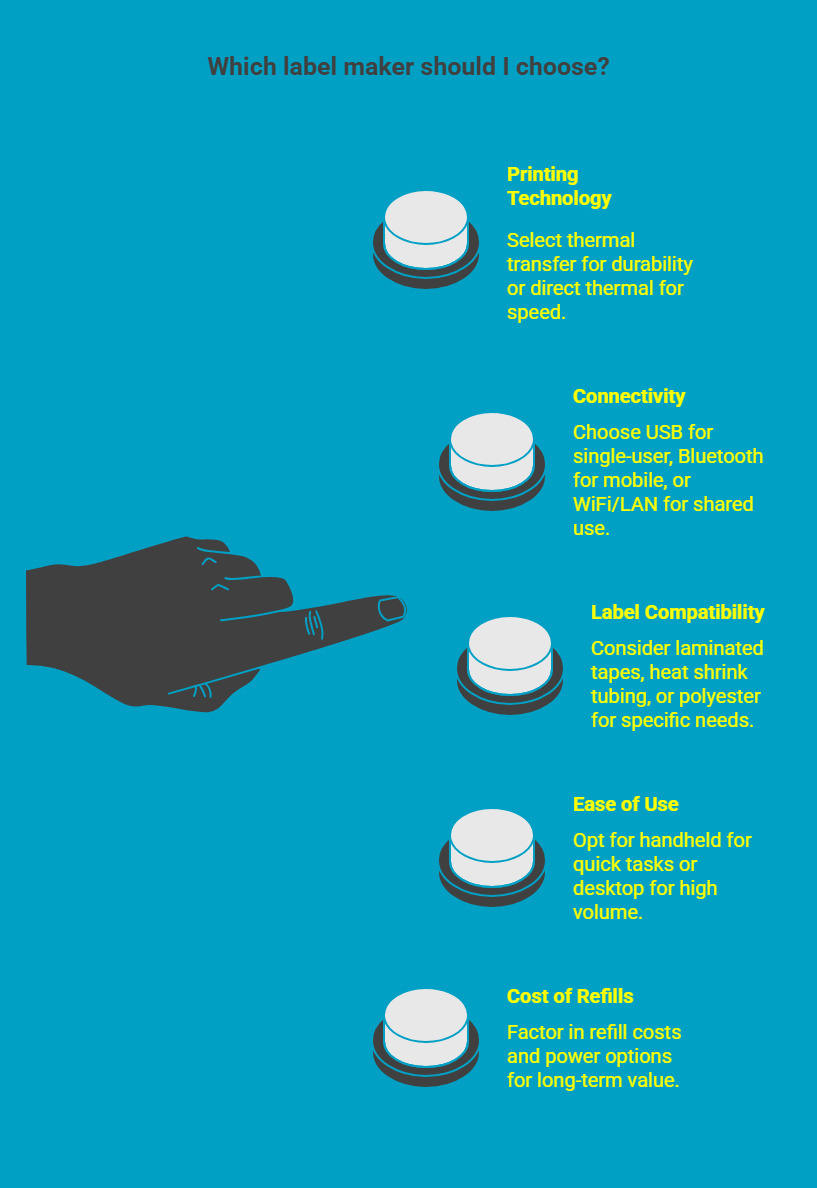
Choosing the right label maker starts with understanding how and where it will be used. Rather than focusing on brand names alone, evaluating a few core features, including the only feature you might want to consider, helps narrow down the best label maker for your specific needs and prevents overpaying for capabilities you may not need.
1. Printing Technology and Label Quality
Printing technology directly affects how long your labels last and where they can be used, and it doesn’t take up much room in your workspace.
Most label makers use one of two methods:
-
Thermal transfer printing, which uses a ribbon to produce highly durable labels that resist moisture, abrasion, heat, and fading. This option is better suited for professional, industrial, or long-term labelling.
-
Direct thermal printing, which does not require ink or ribbons, offers faster output. These labels are best for short-term uses such as shipping labels, QR codes, barcodes, or temporary organization, as they can fade over time.
Understanding this distinction helps align label durability with real-world use.
2. Connectivity Options and App Compatibility
Bluetooth for mobile printing from smartphones and tablets, including the Nelko Label Maker
Modern label makers may include:
-
USB connections for simple, single-user setups
-
Bluetooth for mobile printing from smartphones and tablets
-
WiFi or LAN for shared office or multi-user environments
The best Bluetooth label maker works well for dynamic spaces or home offices, while network-enabled desktop models are more efficient for teams that need consistent access.
3. Label Sizes, Tape Types, and Material Durability
Label compatibility varies significantly between models, and this often limits how versatile a printer can be.
Some label makers only support standard paper labels, while others handle:
-
Laminated tapes for moisture and wear resistance
-
Heat shrink tubing for cable and wire identification
-
Industrial-grade polyester for equipment and outdoor use
If you plan to label cables, shelving, tools, or exposed surfaces, material durability should be a deciding factor when selecting the best label maker.
4. Ease of Use, Interface, and Design Features
Ease of use affects both setup time and long-term efficiency.
Handheld label makers are well-suited for quick, on-the-spot tasks, especially in home or light professional settings. Desktop printers are better for high volume or repeat labelling where speed and consistency matter more.
Look for features such as:
-
Clear screens and readable menus
-
Intuitive software or mobile apps
-
Logical button layouts and ergonomic design
These details make a noticeable difference when the device is used regularly.
5. Cost of Refills, Power Options, and Long-Term Maintenance
The upfront cost of a label maker does not always reflect its true value.
Some of the best cheap label maker options rely on proprietary labels or cartridges that increase ongoing expenses. Others offer broader tape compatibility, helping control long-term costs.
Also consider:
-
Battery type and runtime for portable models
-
Availability of power adapters for desktop use
-
Ease of cleaning and general maintenance
Factoring in these elements ensures the label maker remains cost-effective and reliable over time.
Which Are the 6 Best Label Makers for 2026?
Choosing the right label maker in 2026 depends on how often you print, the environments your labels are exposed to, and whether flexibility or specialization matters more, especially when considering standalone devices. The options below represent the most reliable choices across home, office, and professional settings, each excelling in a specific type of workflow.
1. Brother PTE560BTVP | P Touch Edge 560BTVP Handheld Label Printer
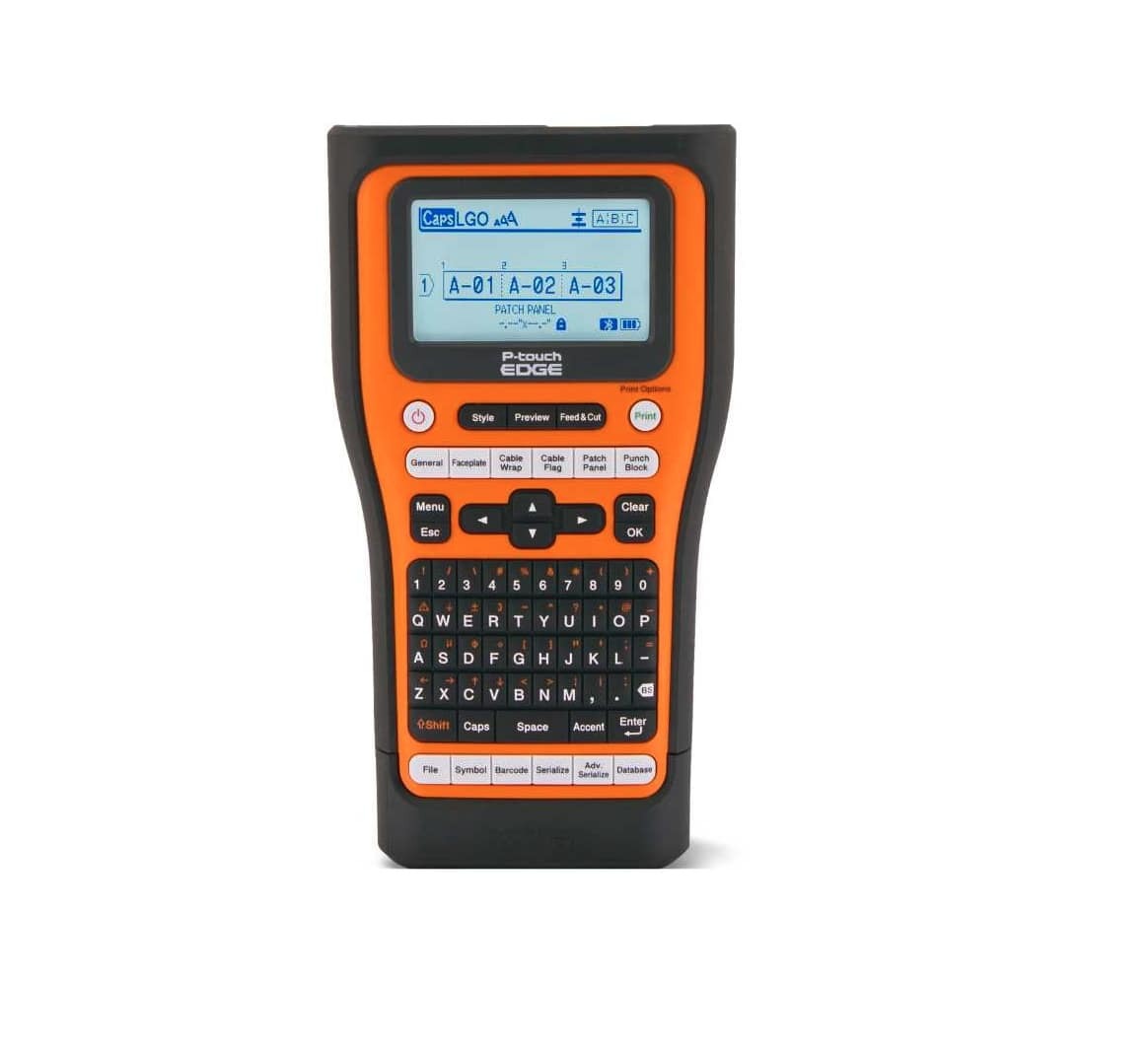
The Brother P Touch Edge 560BTVP leads this list because it adapts easily to both everyday and professional labelling without compromising on durability. It supports laminated Brother TZe tapes designed to resist moisture, heat, chemicals, and abrasion, making it suitable for long-term use in varied environments.
Bluetooth connectivity enables printing directly from mobile devices, while the built-in keyboard allows complete standalone operation. This flexibility makes it a strong choice for home offices, workshops, IT teams, and small businesses that need one reliable tool for multiple tasks.
Key strengths
-
Broad compatibility with durable laminated tapes
-
Bluetooth support for mobile workflows plus standalone use
-
Reliable performance across home and professional settings
2. DYMO Rhino 6000+ Industrial Label Maker
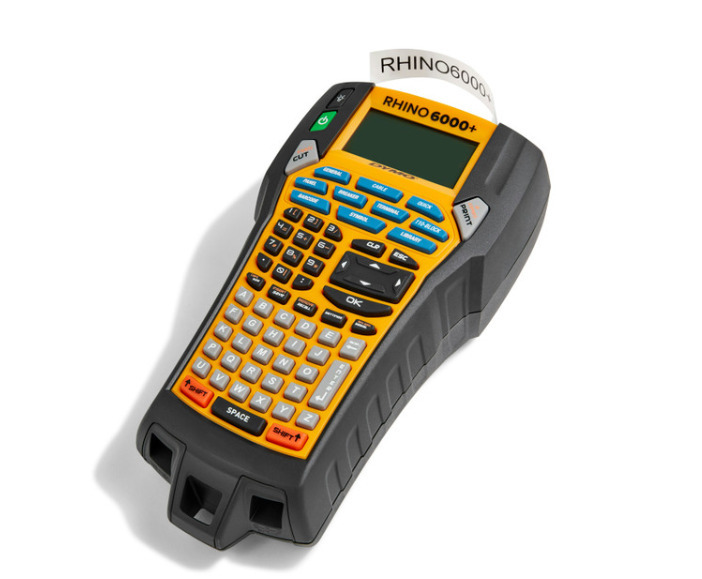
The DYMO Rhino 6000+ is purpose-built for specialized labelling where durability is non-negotiable. It supports materials such as heat shrink tubing, nylon, and permanent polyester, making it ideal for electrical, construction, and maintenance applications.
While compact and rugged, its industrial focus limits its practicality for general home or office organization.
Best suited for
-
Electrical and technical installations
-
Construction and maintenance work
-
Repetitive, material-specific labelling tasks
3. Epson LabelWorks LW PX900 Industrial Label Printer
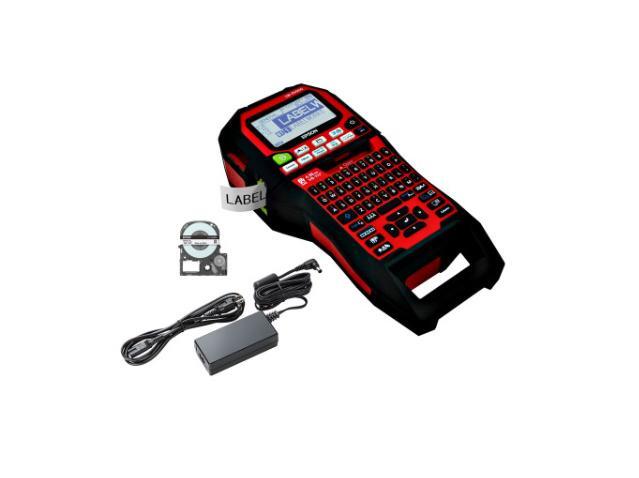
The Epson LW PX900 is designed for structured, high-volume environments and supports wider label widths, advanced formatting, and compliance-driven layouts commonly used in manufacturing, warehousing, and asset management.
Its desktop setup delivers precision and consistency, but it is best suited to fixed workstations rather than flexible or mobile use, especially when paired with a thermal label maker.
Ideal for
-
Manufacturing and warehouse operations
-
Asset tracking and compliance labelling
-
Fixed professional workspaces
4. Seiko Smart Label Printer 620 SLP620
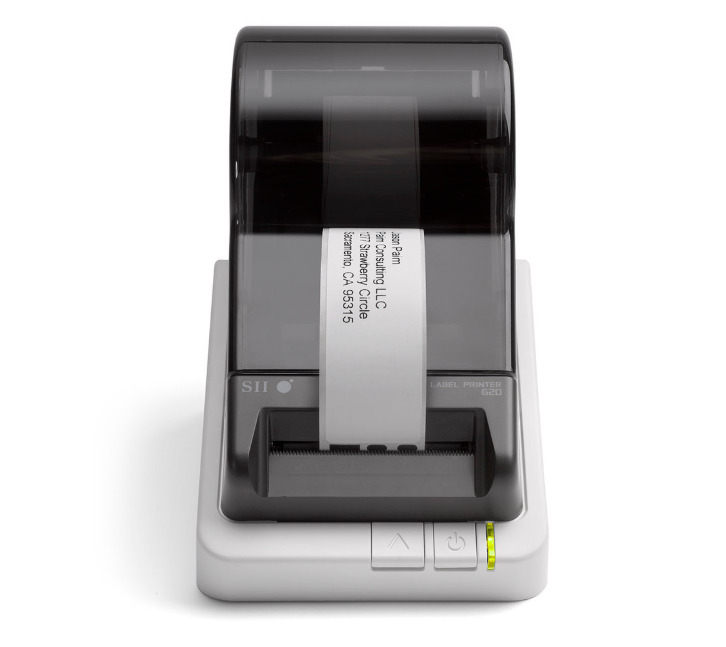
The Seiko SLP620 offers fast, reliable label printing for office-based tasks. As a direct thermal printer, it works well for address labels, file folders, and shipping labels where speed and simplicity are priorities.
Label durability is more limited compared to thermal transfer printers, making it better suited for short to medium-term applications.
Works well for
-
Office administration and filing
-
Shipping and mailing tasks
-
Users seeking a simple desktop solution
5. Brother QL 1110NWBC Wide Format Label Printer
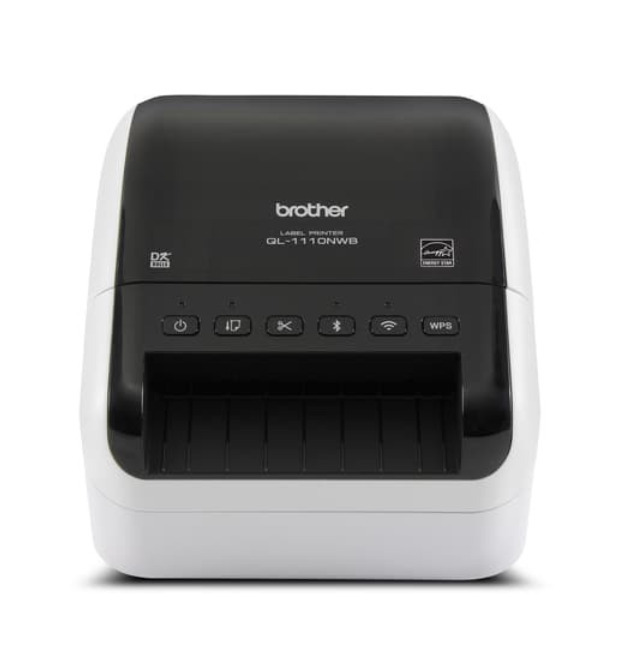
The Brother QL 1110NWBC supports labels up to four inches wide, making it a strong option for shipping, warehouse shelving, and signage. Multiple connectivity options, including USB, LAN, WiFi, and Bluetooth, allow it to integrate smoothly into professional workflows.
Its size and output focus make it more appropriate for operational environments than casual use.
Best used in
-
Logistics and shipping operations
-
Warehouse and storage facilities
-
Multi-user professional setups
6. DYMO LabelWriter 550 Label Printer

The DYMO LabelWriter 550 is a practical choice for basic home office labelling, allowing you to print dozens of labels. It handles address labels, simple organization, and everyday tasks efficiently while maintaining a compact footprint.
Limited material options and proprietary labels reduce flexibility, but it remains a solid entry point for light use.
Best for
-
Home offices with basic labelling needs
-
Low volume, everyday tasks
-
Budget-conscious buyers
Taken together, these six label makers cover a wide range of needs, from simple home organization to industrial-grade labelling. Choosing the right one depends on how much durability, flexibility, and scale your workflow requires today and in the future.
How To Maintain Your Label Maker for Long-Lasting Performance
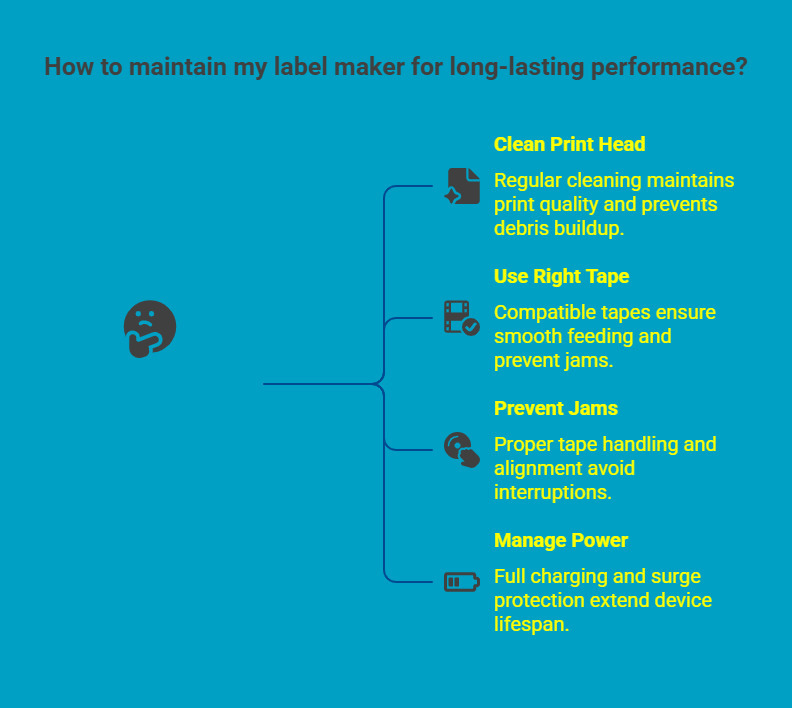
A label maker performs best when it is treated as a long-term tool rather than a one-time purchase. Consistent maintenance helps preserve print quality, prevents avoidable downtime, and ensures the device continues to perform reliably in both home and professional environments, such as labelling storage bins.
1. Clean the Print Head Regularly
The print head is one of the most critical components of a good label maker. Over time, dust, adhesive residue, and debris can build up and affect clarity or cause uneven printing. Periodic cleaning, following the manufacturer’s recommended process, helps maintain sharp and consistent results.
2. Use the Right Tape
Using tapes designed specifically for your label maker reduces strain on internal components and ensures smooth feeding. Compatible tapes come in different widths, adhere properly, maintain print quality, and lower the risk of jams, while incorrect materials can lead to errors or long-term damage.
3. Prevent Label Jams
Proper tape handling plays a key role in preventing jams. Store cartridges in a clean, dry environment and insert them carefully without forcing. Before longer print runs, a quick check for alignment helps avoid interruptions and wasted materials.
4. Manage Battery and Power
Power management directly impacts device lifespan. Recharge batteries fully and unplug once charging is complete to prevent degradation. For desktop label makers, using surge protection helps shield internal electronics from power fluctuations and extends overall reliability.
With these simple practices in place, your label maker remains dependable, efficient, and ready to support everyday organization and professional labelling needs over the long term.
Why Buy Your Label Maker From DuraFast Label Canada?
Choosing the right label maker is only effective when it is paired with reliable supplies and expert support. DuraFast Label.Ca specializes in professional labelling solutions that work for both home and office use, helping buyers choose equipment that fits real workflows.
Why DuraFast Label Canada stands out:
-
Genuine tapes and labels designed for consistent performance and producing crisp text
-
Genuine tapes and labels designed for consistent performance
-
Practical guidance on compatibility, durability, and long-term cost control
-
Local Canadian availability with dependable support
Build a labelling setup that performs reliably and scales with your operations. Connect with https://www.durafastlabel.ca/contact-us/ to get expert guidance and the right solution in one place.
Final Thoughts
The right label maker brings structure, clarity, and efficiency to everyday work, especially when labels are arranged in alphabetical order. Rather than focusing on price or features alone, the best choice comes from understanding how often you label, where labels are used, and how durable they need to be.
Brother P Touch remains a reliable all-around option, while other models suit more specialized needs like various font sizes. By aligning your workflow with the right balance of performance, flexibility, and long-term value, you can choose a label maker that takes up minimal space and supports consistent organization, growing with your home or office needs.
Frequently Asked Questions
What is the best label maker for home use?
The Brother P Touch Edge 560BTVP is a top pick and strong choice for home use. It offers easy operation, durable laminated tapes, Bluetooth connectivity, and enough flexibility for home organization, storage, and light professional labelling without complex setup.
Is the DYMO or the Brother label maker better?
Brother label makers are better for long-term use due to stronger tape durability and wider material compatibility. DYMO LabelManager models suit budget-focused or specific industrial needs but offer less flexibility across varied labelling applications.
What is the best label maker for home use in 2026?
In 2026, the Brother P Touch Edge series remains a top home option. It combines professional-grade durability with simple setup, mobile printing, a QWERTY keyboard, and lots of features, including a wide range of tape options for everyday organization.
Which label maker brands are considered the most reliable?
Reliable label maker brands include Brother, DYMO, Epson, and Seiko. Brother stands out for balanced home and professional use, while Epson and DYMO focus more on industrial or high-volume labelling requirements compatible with Android devices.
How do Bluetooth label makers compare to regular ones?
Bluetooth label makers allow printing directly from smartphones or tablets, offering more flexibility for shared or mobile setups. They suit users who prefer app-based label design instead of desktop software.
Where can I buy the top-selling label makers online?
Top-selling label makers are available through authorized retailers, including DuraFast Label Canada, office supply stores, and manufacturer websites. Buying from specialized suppliers ensures genuine products, compatible tapes, warranty coverage, and reliable long-term support.
How do the best label makers from Wirecutter or PCMag compare?
Wirecutter and PCMag focus on ease of use and consumer testing. Professional buyers also assess tape cartridges durability, refill costs, and scalability. Brother models consistently rank highly for reliability, versatility, and long-term performance.
Which label maker models are best for organizing kitchen or pantry items?
For kitchen or pantry organisation, compact Brother P Touch models with laminated, water resistant tapes work best as they offer excellent value. They handle moisture, frequent handling, and small container labels while offering simple setup and clear, easy-to-read text.