Which Barcode Types Are Best for Your Business Needs?
8th Jul 2026
Key Highlights
-
Barcode types are broadly divided into one-dimensional and two-dimensional formats, each serving different data and scanning needs.
-
Retail, logistics, healthcare, and manufacturing industries rely on specific barcode types for accuracy, speed, and compliance.
-
UPC, Code 128, QR Code, and Data Matrix are among the most commonly used barcode formats worldwide.
-
Barcode types can be identified visually, manually, or using modern barcode scanners and software tools.
-
Barcode labels can be generated and printed in-house using compatible software and a reliable barcode label printer.
-
P Touch Editor enables businesses to generate and print multiple barcode types for inventory and asset management.
-
Choosing the right barcode depends on data capacity, environment, durability, and long-term scalability.
Ever scanned a barcode that failed at the worst possible moment? That small delay at checkout, on the warehouse floor, or during asset tracking is often a sign of a bigger issue. Barcodes power everyday business operations, yet many teams rely on them without fully understanding which barcode type they are using or whether it still fits their needs.
As businesses grow, barcode requirements rarely stay the same. A format that works for basic product labelling may struggle with asset tracking, batch control, or compliance-driven workflows. Choosing the wrong barcode type can lead to scanning errors, limited data storage, and costly relabelling down the line.
This guide walks through the different barcode types in use today, how to recognize them, and how barcode labels are printed for accuracy and durability. It also explains how tools like P Touch Editor allow businesses to generate and manage barcodes efficiently for inventory and asset management.
What Are the Different Barcode Types?
Barcode types define how binary data is encoded into machine-readable symbols and how scanners interpret that data. Each format follows a defined standard that controls data structure, character limits, and scanning behaviour.
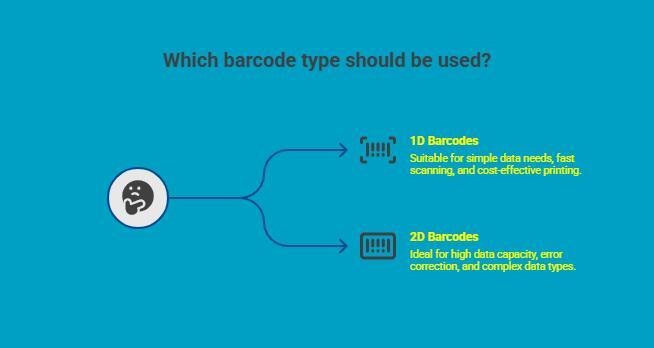
At a high level, barcode types are grouped into one-dimensional formats, which include examples of parallel lines, and two-dimensional formats. This distinction determines data capacity, label size, print requirements, and scanner compatibility. Understanding these differences helps businesses choose barcodes that fit their operational and scaling needs.
1. 1D Barcode Types
One-dimensional barcodes encode data horizontally using bars and spaces of varying widths. Information is read in a single direction, enabling fast scanning and straightforward integration with existing systems.
They are commonly used in retail, shipping, warehousing, and basic inventory tracking, where simple identifiers such as product codes or shipment numbers are sufficient.
Key characteristics of 1D barcodes:
-
Store numeric or limited alphanumeric data
-
Scan quickly, even at high throughput
-
Works with most laser and CCD scanners
-
Easy and cost-effective to print
As data increases, 1D barcodes grow longer, which limits their use on small labels or in applications requiring detailed information.
2. 2D Barcode Types
Two-dimensional barcodes encode data both horizontally and vertically, allowing more information to fit into a smaller space. They appear as square or rectangular patterns made up of dots or modules.
These barcodes, characterized by their series of parallel lines, are widely used in healthcare, manufacturing, electronics, and asset tracking, where data density and reliability matter.
Key characteristics of 2D barcodes:
-
High data capacity in compact formats
-
Built-in error correction
-
Support for text, serialized data, and URLs
-
Require imaging-based scanners
Their ability to remain readable despite partial damage makes them suitable for demanding environments.
Comparing 1D and 2D Barcodes
Choosing between 1D and 2D barcodes depends on how much data must be stored, available label space, and scanning conditions.
|
Features |
1D Barcodes |
2D Barcodes |
|---|---|---|
|
Data Structure |
Horizontal encoding only |
Horizontal and vertical encoding |
|
Data Capacity |
Low |
High |
|
Label Size |
Grows with data length |
Compact |
|
Scanner Type |
Laser or CCD |
Imaging scanners |
|
Error Tolerance |
Minimal |
Built in |
|
Common Uses |
Retail, shipping, basic inventory |
Healthcare, manufacturing, asset tracking |
|
Scalability |
Limited |
High |
Many businesses use both formats across different workflows, selecting each based on the task rather than applying a single barcode type everywhere.
Still unsure whether your product actually needs a barcode to sell online?
Read this guide to understand when barcodes are required, when they are optional, and how they impact online marketplaces and inventory systems.
Which Barcode Types Are Most Widely Used?
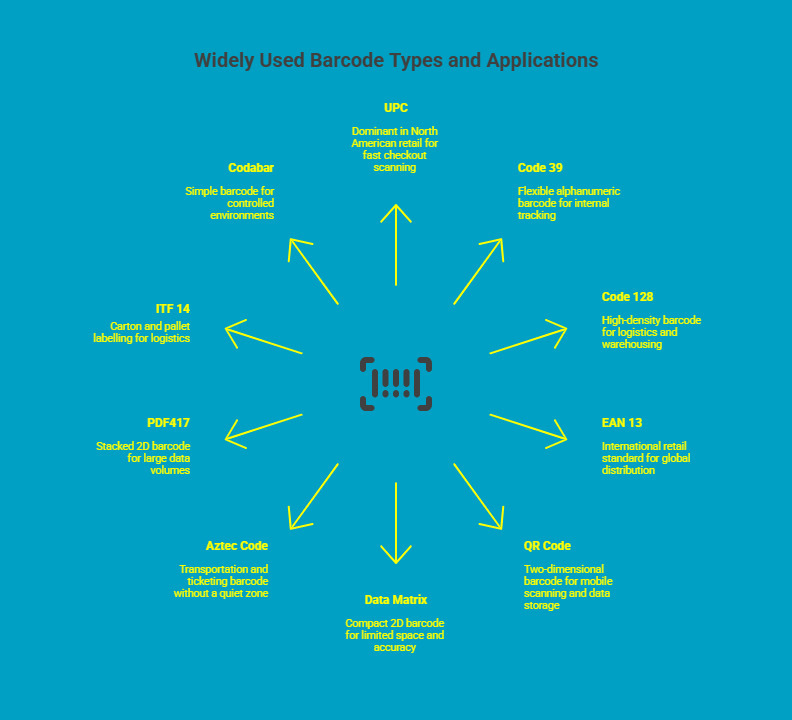
Different industries depend on specific barcode formats based on how products move, how data is captured, and where scanning takes place. Some barcode types, such as those with an identification number, dominate retail and logistics due to speed and standardization, while others are preferred in manufacturing, healthcare, or regulated environments where data density and durability matter more.
Below are the most widely used barcode types and where each fits best.
1. UPC (Universal Product Code)
UPC is the most common barcode type in North American retail environments. It encodes a twelve-digit numeric identifier that links directly to product pricing and inventory databases.
Its design prioritizes speed and reliability, making it ideal for high-volume checkout scanning. Nearly all retail scanners are optimized to read UPC barcodes accurately and quickly.
Common use cases include:
-
Retail point of sale systems
-
Supermarkets and consumer goods
-
Standardized product identification
Still figuring out how to print UPC barcode labels accurately and consistently?
Learn the step-by-step process, common pitfalls, and best practices to get reliable scans every time.
2. Code 39
Code 39 is a flexible, high-density alphanumeric barcode widely used outside traditional retail. It supports letters, numbers, and select special characters, making it suitable for internal tracking systems.
A key advantage of Code 39 is that it does not require a check digit, which simplifies barcode generation and reduces setup complexity.
Common use cases include:
-
Asset and equipment tracking
-
Industrial and manufacturing environments
-
Government and defence applications
3. Code 128
Code 128 is a high-density barcode designed for situations where more information must fit into limited label space. It supports full ASCII characters and offers efficient encoding.
Because of its compact structure and data capacity, Code 128 is a standard choice for logistics and warehousing operations.
Common use cases include:
-
Shipping and logistics labels
-
Warehouse inventory management
-
Serial number and batch tracking
4. EAN 13 (European Article Number)
EAN 13 is the international retail barcode standard used outside North America. It encodes thirteen numeric digits and integrates seamlessly with global point of sale systems.
Businesses that sell products across borders rely on EAN 13 to maintain consistency and compliance across regions.
Common use cases include:
-
International retail distribution
-
Export-focused product lines
-
Global inventory systems
5. QR Code (Quick Response Code)
QR Codes are two-dimensional barcodes capable of storing significantly more information than linear formats. They can encode URLs, text, serial numbers, and structured data in a compact form.
Their ability to be scanned using smartphones has driven adoption across both operational and customer-facing workflows.
Common use cases include:
-
Inventory and asset management
-
Mobile scanning applications
-
Product information and traceability
Want to see how QR codes go beyond basic tracking? Explore how QR code labels support smarter inventory control, product traceability, and real-world business applications in one place.
6. Data Matrix
Data Matrix is a compact 2D barcode designed for environments where space is limited and accuracy is critical. It remains readable even when printed at very small sizes or partially damaged.
Industry standards often recommend Data Matrix for applications requiring permanent part marking and long-term traceability.
Common use cases include:
-
Electronics and component labelling
-
Healthcare and pharmaceutical tracking
-
Manufacturing and compliance marking
7. Aztec Code
Aztec Codes are primarily used in transportation and ticketing systems. Unlike many barcode types, they do not require a quiet zone around the symbol.
This allows them to function reliably in tight layouts where label space is constrained.
Common use cases include:
-
Transport tickets and boarding passes
-
Identification systems
-
Secure access applications
8. PDF417
PDF417 is a stacked two-dimensional barcode capable of storing large volumes of data across multiple rows. It balances readability with high data capacity.
This format is commonly used where extensive information must be embedded directly into the barcode.
Common use cases include:
-
Identification cards and licences
-
Shipping documentation
-
Regulatory and compliance labels
9. ITF 14 (Interleaved 2 of 5)
ITF 14 is designed specifically for carton and pallet labelling in logistics and distribution environments. It performs reliably when printed on corrugated surfaces.
Its structure supports scanning at different distances, making it suitable for warehouse handling and shipping operations.
Common use cases include:
-
Case and pallet identification
-
Distribution centres
-
Supply chain logistics
10. Codabar
Codabar is a simple, self-checking barcode format used in controlled environments. It is easy to print and decode, even with basic scanning equipment.
While less common today, it remains in use where systems prioritize simplicity and reliability.
Common use cases include:
-
Libraries and book tracking
-
Blood banks and healthcare labs
-
Internal logistics systems
Together, these barcode types form the backbone of modern identification and tracking systems across industries. Understanding where each format performs best helps businesses choose barcodes that remain reliable, scalable, and future-ready.
How to Know What Barcode You Have?
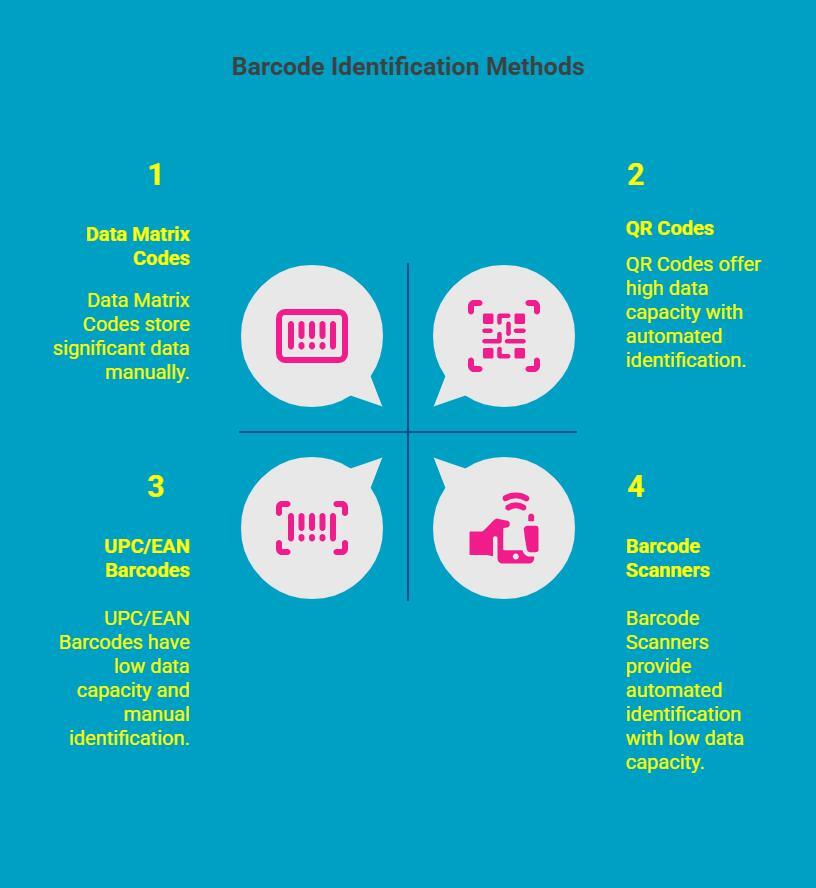
Identifying the barcode type you are currently using is a critical first step before upgrading printers, changing label materials, or scaling inventory systems. Correct identification prevents compatibility issues, scanning failures, and unnecessary relabelling across operations.
1. Identifying 1D Barcodes
One-dimensional barcodes follow a simple linear structure that makes them easy to recognize in most environments, and these barcodes can be scanned by barcode readers. Their visual layout and printed characters provide clear clues about the specific barcode format in use.
Key indicators of 1D barcodes include:
-
A single horizontal row of vertical bars
-
Numbers or alphanumeric characters printed beneath the bars
-
Predictable spacing and consistent line patterns
UPC and EAN barcodes are common examples. They primarily encode numeric data and follow fixed-length standards, making them widely used in retail and basic inventory tracking.
2. Identifying 2D Barcodes
Two-dimensional barcodes are designed to store significantly more data within a compact space. Their unique shapes and structural markers allow quick visual identification without scanning tools.
Common visual characteristics include:
-
Square or rectangular patterns made of dots or modules
-
Dense data arrangement across rows and columns
-
Fixed orientation markers that guide scanners
QR Codes typically display three corner markers, while Data Matrix codes feature a solid L-shaped border. These structural elements make visual recognition fast and reliable.
3. Using Barcode Scanners for Identification
Barcode scanners offer the fastest and most accurate way to identify barcode types, especially in environments with mixed symbologies. Modern scanners automatically recognize and decode multiple barcode formats during a single scan.
Many scanner systems provide:
-
The decoded barcode data
-
The detected symbology type
-
Scan confirmation or error alerts
This method eliminates guesswork and is ideal for warehouses, production floors, and asset tracking workflows.
4. Manual Methods to Determine Barcode Type
Manual identification is useful when scanners or software tools are unavailable. This approach relies on analyzing the barcode’s structure and comparing it against known barcode standards.
Manual checks typically involve:
-
Counting encoded characters or digits of small products
-
Reviewing borders, markers, or check digits
-
Matching visual patterns with documented symbologies
While accurate, manual identification requires familiarity with barcode formats and is best used for validation rather than routine classification.
Choosing the right identification method ensures your barcode system remains accurate, compatible, and ready to scale as your business grows.
Still struggling with slow or failed scans? Discover how the right barcode scanner can dramatically improve scan speed, accuracy, and reliability across real-world business environments.
How Barcode Labels Are Printed?
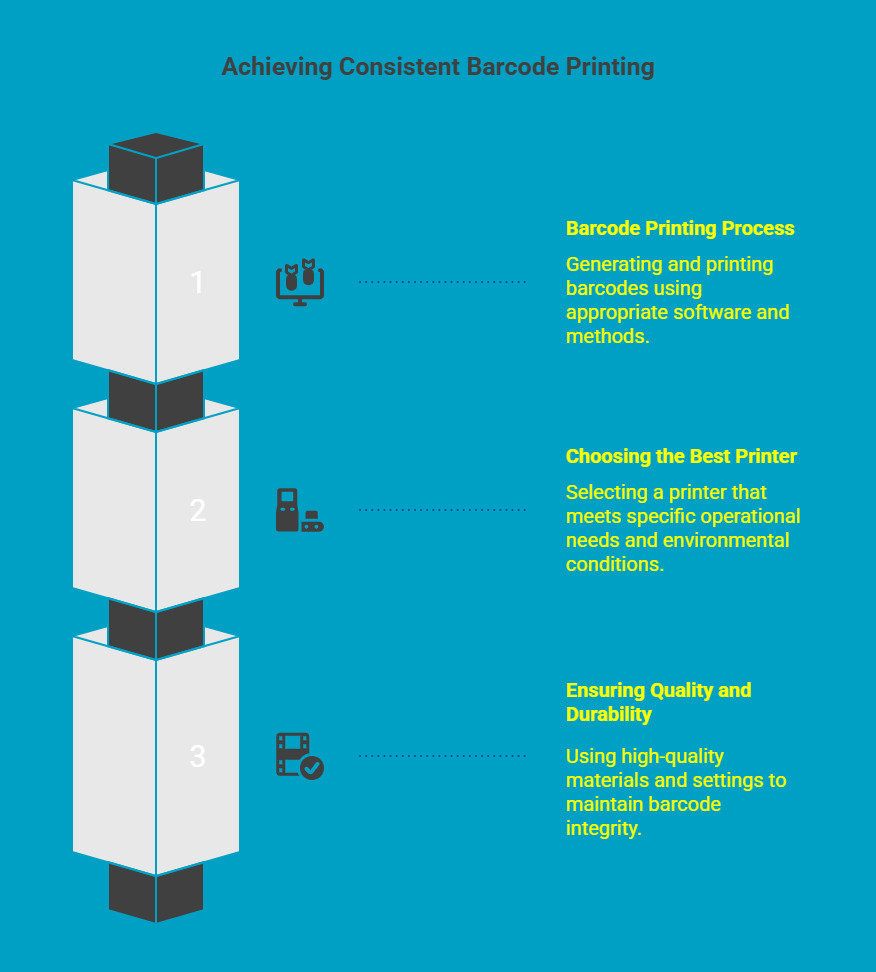
Barcode labels need to be produced with consistency and accuracy to ensure they scan correctly throughout their lifecycle. Poor print quality can disrupt inventory tracking, delay operations, and increase error rates, especially in high-volume or fast-moving environments. Effective barcode printing, as well as product packaging, starts with the right process, continues with the right equipment, and is sustained through quality control.
1. Barcode Printing Process
The barcode printing process begins with generating the barcode using dedicated barcode technology software. This software defines the barcode type, data structure, size, and layout based on the intended application. Once finalized, the design is sent to a barcode label printer for production.
Most businesses use thermal printing methods for barcode labels. Direct thermal printing is suitable for short term labels, while thermal transfer printing is preferred for labels that require long term durability. Common types of print resolution, label alignment, and contrast levels must be carefully set to ensure scanners can read the barcode reliably.
Key steps in the process include:
-
Generating the correct barcode format using approved software
-
Selecting the appropriate print method based on label lifespan
-
Calibrating the printer to match the label size and material
-
Verifying scan accuracy before full-scale printing
2. Choosing the Best Barcode Printer
Selecting the right barcode label printer depends on how and where the labels will be used. Print volume, label size, barcode density, and environmental conditions all influence this decision.
Thermal barcode printers are widely used because they produce consistent output at high speeds and support a wide range of barcode types. For offices or light-duty applications, desktop printers may be sufficient. Warehouses, factories, and distribution centres typically require industrial printers built for continuous operation.
When evaluating barcode printers, businesses should consider:
-
Daily and monthly print volume requirements
-
Supported barcode types and print resolution
-
Durability in dust, heat, or high-use environments
-
Compatibility with label materials and software systems
3. Ensuring Quality and Durability in Barcode Printing
Barcode quality does not depend on the printer alone. Label materials, adhesives, and print settings play an equally important role in long-term performance. Labels exposed to moisture, friction, chemicals, or temperature changes require materials designed to withstand those conditions.
High-quality labels maintain contrast and edge clarity in retail stores, which directly affects scan reliability. Poor quality printing, misalignment, or fading is a common cause of barcode scanning failures in warehouses and logistics operations.
Best practices to maintain barcode quality include:
-
Using label materials matched to the environment
-
Choosing adhesives suited to the surface type
-
Setting the correct print darkness and speed
-
Performing regular scan verification checks
When barcode labels are printed with the right process, equipment, and materials, they remain scannable, reliable, and cost-efficient over time. This consistency is what keeps inventory, assets, and operations moving without disruption.
How to Find the Best Barcode for Your Business?
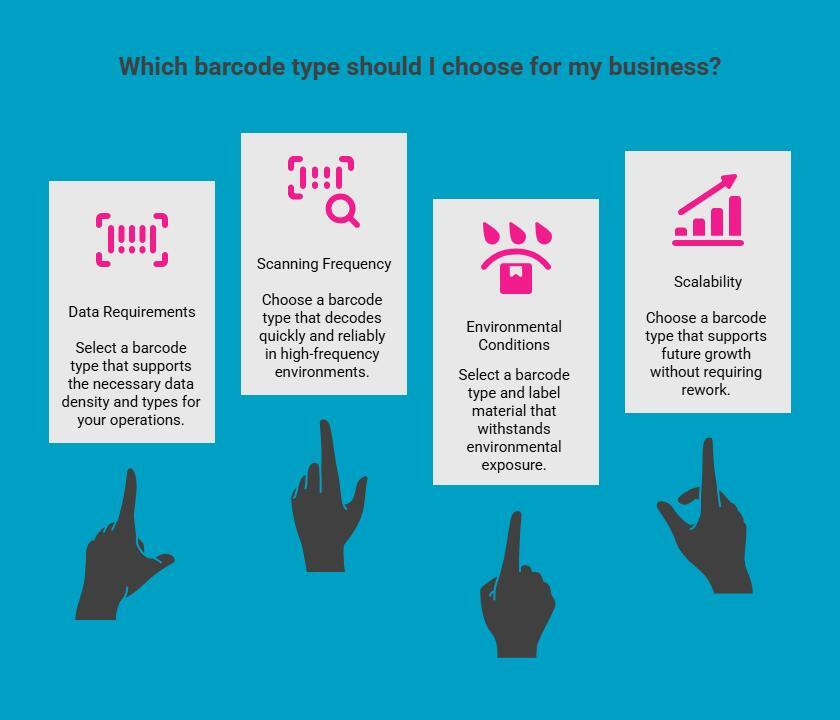
Selecting the right barcode type starts with understanding how the barcode will function within your daily operations. Rather than following industry trends, businesses benefit more from evaluating real usage conditions, data capture needs, and long-term operational goals.
1. Data Requirements and Information Density
Different barcode types support different amounts and types of data. Some workflows only require a basic identifier, while others depend on serial numbers, batch tracking, or expiration dates, and location-level data. Matching the barcode format to the data requirement avoids unnecessary complexity.
2. Scanning Frequency and Readability
How often a barcode is scanned and from what distance directly affects barcode performance. High-frequency scanning environments require formats that decode quickly and reliably, even when labels are printed in different type of barcode sizes or scanned repeatedly.
3. Environmental Conditions and Label Exposure
Barcodes exposed to heat, moisture, chemicals, or abrasion must remain readable over time. In these cases, barcode selection should be considered alongside label materials and print quality to ensure long-term durability.
4. Scalability and System Longevity
A barcode system should support growth without forcing rework. Choosing flexible barcode formats allows businesses to add products, assets, or automation without replacing existing labels or infrastructure.
By aligning barcode selection with data needs, scanning conditions, and future scalability, businesses can implement a barcode system that remains reliable as operations expand.
How to Generate Barcodes Using P Touch Editor for Inventory & Asset Management?
After selecting the appropriate barcode type, consistency in generation and printing becomes critical. Centralizing barcode creation reduces manual errors and ensures labels remain standardized across teams and locations.
1. Supported Barcode Formats
P Touch Editor supports commonly used barcode types such as UPC, Code 128, and QR Codes. This allows businesses to generate barcodes for retail products, logistics, and asset tracking from a single interface.
2. Batch Creation and Data Integration
For inventory applications, P Touch Editor enables batch barcode creation and spreadsheet integration. This makes it easier to generate large volumes of serialized or variable data labels accurately.
3. Custom Label Layouts for Operational Use
The software allows custom label designs tailored to shelves, bins, equipment, and assets. Consistent layouts improve readability and support faster scanning during daily operations.
4. Centralized Control and Standardization
Generating barcodes from one platform helps maintain consistency across departments. It also ensures labels align with internal systems and scanning requirements, reducing rework and mismatches.
Using P Touch Editor for barcode generation gives businesses control over accuracy, consistency, and speed, making it a practical solution for inventory and asset management workflows.
Why Does Reliable Barcode Printing Matter as Much as the Barcode Type?
Choosing the right barcode format only works when the barcode is printed clearly, consistently, and on materials that hold up in real working conditions. Print quality, label durability, and printer reliability all directly affect scan accuracy.
DuraFast Label.ca provides industrial-grade barcode label printers and durable label solutions designed for high-use environments. Their systems support common 1D and 2D barcode types, enabling businesses to print barcode labels in-house with confidence.
For teams managing inventory, logistics, or assets, reliable printing helps reduce scanning errors, relabelling costs, and operational delays, making barcode systems more dependable as operations scale.
Need help choosing the right barcode printer or label solution?
Talk to the team at https://www.durafastlabel.ca/contact-us/ to discuss your barcode types, printing volume, and environment. Get practical guidance on printers and labels that fit your operations today and scale with your business.
Final Thoughts
Choosing the right barcode type, including linear barcodes, is a practical decision that directly affects accuracy, efficiency, and scalability across your operations. By understanding how different barcode formats work, where they perform best, and how they are identified and printed, businesses can avoid costly errors and rework.
The right combination of barcode type, printing process, and generation tools ensures reliable scanning today while supporting future growth, automation, and evolving data requirements across inventory and asset management workflows.
Frequently Asked Questions
What are the most commonly used barcode types in retail and inventory management?
The most commonly used barcode types include UPC for retail, Code 128 for logistics, and QR Codes for flexible inventory applications due to their compatibility and reliability.
Can I use the same barcode for different products, or does each need its own type?
Each product or asset should have a unique barcode identifier to prevent inventory errors, tracking issues, and system conflicts across databases and scanners.
Do all types of barcodes need special scanners?
Most modern scanners support multiple barcode formats, but older laser scanners may not read two-dimensional barcodes such as QR Codes or Data Matrix.
What industries commonly use different barcode formats?
Retail, healthcare, manufacturing, logistics, and transportation industries each use specific barcode formats based on compliance, data needs, and scanning environments.
What factors should I consider when choosing a barcode type for my business?
Key factors include data capacity, label size, scanning environment, printer compatibility, durability requirements, and future scalability.
How can I ensure my barcodes are scannable and accurate for optimal performance?
Use high-quality labels, appropriate print resolution, compatible printers, and test barcode performance regularly to prevent scanning failures.