A Beginner’s Guide to Printing Shipping Labels at Home or in the Office
8th May 2026
Packages don’t wait around for perfect setups. Whether you're shipping five orders a week or fifty a day, the way you print labels directly affects speed, accuracy, and even customer satisfaction. A smudged barcode or misaligned label can slow everything down, or worse, send a package to the wrong place.
This beginner’s guide to printing shipping labels is built for people setting up from scratch, whether at home or in a small office. The goal isn’t just to print labels; it’s to do it efficiently, consistently, and without constant troubleshooting.
Setting Up Your Printing System
At its core, printing shipping labels comes down to three components: hardware, software, and supplies. Miss one, and the whole process becomes frustrating.
1. The Printer
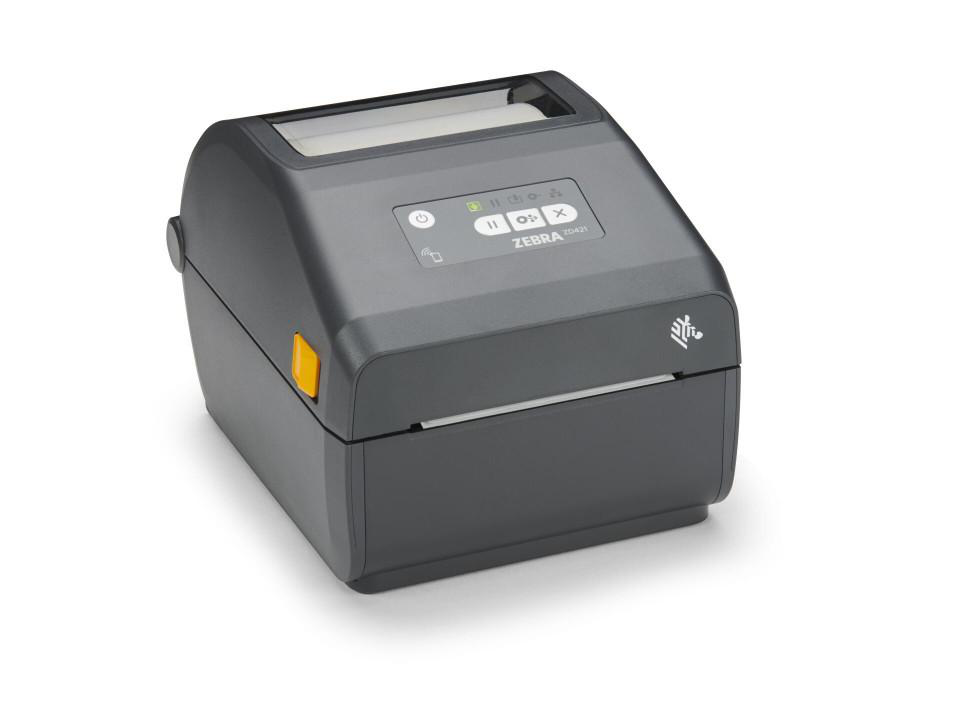
Most shipping operations today rely on thermal printers instead of inkjet or laser. Why? Because they’re faster, cleaner, and don’t require ink cartridges.
Brands like Zebra Technologies dominate this space for a reason; they produce reliable printers designed for high-volume, consistent output.
According to reports, thermal printing accounts for a majority of barcode and shipping label printing globally due to its efficiency and low maintenance requirements.
2. Label Selection
Shipping labels might look simple, but quality matters. Poor-quality labels can jam printers or fade during transit.
For most shipping needs:
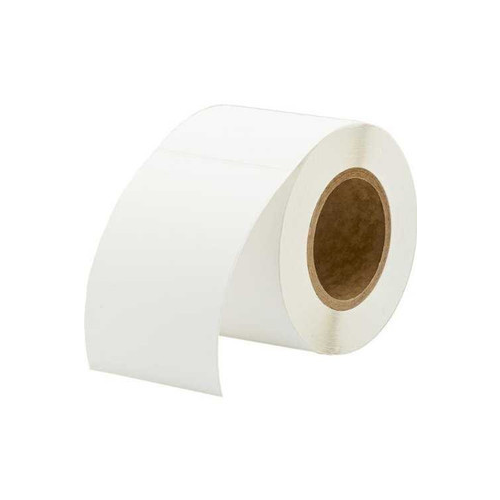
- Direct thermal labels are ideal for short-term use (like shipping)
- They don’t require ribbons
- They’re cost-effective and easy to use
However, if your packages face heat or long transit times, durability becomes more important.
3. Label Software
Shipping platforms like Shopify and carrier systems (UPS, FedEx, Canada Post) generate labels automatically. Most integrate directly with thermal printers.
Which Thermal Label Printer Is Best For Shipping Labels?
There’s no one-size-fits-all answer, but certain features matter more than others when choosing a printer for shipping.
What to look for:
- Print resolution (203–300 DPI): ensures barcodes scan easily
- Print speed: important for growing businesses
- Connectivity options: Wi-Fi vs wired
- Media compatibility: supports different label sizes
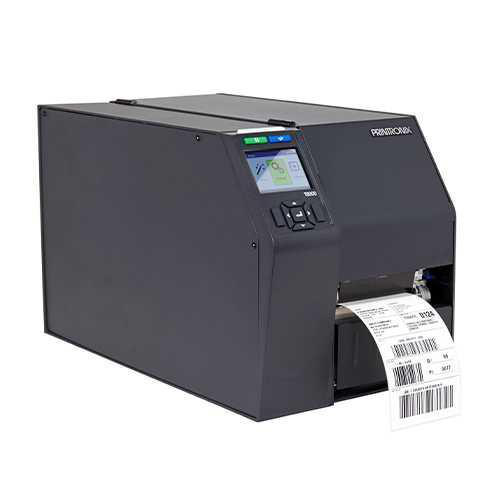
Entry-level desktop printers are perfect for home offices or small businesses, while mid-range industrial models are better suited for higher volumes.
Models from Brother are often favored for their user-friendly setup and consistent performance, while Honeywell printers are known for precision and durability in more demanding environments.
What Is The Difference Between Direct Thermal And Thermal Transfer Labels?
This is one of the most important decisions in any beginner’s setup.
Direct thermal:
- No ribbon required
- Uses heat-sensitive paper
- Ideal for short-term shipping labels
- Lower upfront cost
Thermal transfer:
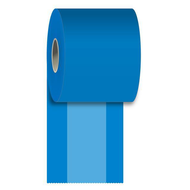
- Requires a ribbon
- Produces more durable, long-lasting prints
- Resistance to heat, moisture, and chemicals
- Better for long-term labeling
For shipping, direct thermal is usually enough. Many e-commerce businesses use direct thermal labels for shipping because of their simplicity and cost efficiency.
However, if you’re shipping products internationally or storing packages for extended periods, thermal transfer labels offer added reliability.
Common Mistakes Beginners Make
Even with the right tools, small oversights can cause ongoing issues.
1. Using the wrong label size
Carrier platforms often default to standard sizes (like 4” x 6”). Using the wrong size leads to scaling problems.
2. Ignoring printer maintenance
Thermal printers are low-maintenance, but not no-maintenance. Dust and adhesive buildup can affect print quality.
3. Choosing cheap labels
Low-quality labels may save money upfront, but often lead to reprints and delays.
4. Skipping software integration
Manually entering shipping details wastes time and increases error rates.
How To Maintain A Label Printer For Long-term Use
A well-maintained printer can last for years without issues.
Simple maintenance tips:
- Clean the printhead regularly with isopropyl alcohol
- Store labels in a cool, dry place
- Avoid touching the printhead directly
- Use compatible labels and supplies
Routine maintenance can extend the printer's lifespan significantly while maintaining consistent output quality.
Scaling from a home setup to a small business
What starts as a home setup often grows quickly, especially in e-commerce.
As volume increases:
- Upgrade to faster printers
- Use larger label rolls to reduce reload time
- Consider automation tools for batch printing
This is where investing in reliable hardware early pays off. Switching systems later can disrupt workflows and require retraining.
Getting shipping labels right isn’t about complexity; it’s about consistency. Once the setup is dialed in, printing becomes a seamless part of daily operations rather than a recurring bottleneck. For small businesses and growing e-commerce sellers, that reliability is often what keeps fulfillment running smoothly even during peak order periods.
For businesses looking to build or upgrade their setup, DuraFast Label Company offers a wide range of professional labeling solutions designed specifically for high-performance environments. We provide printers from leading manufacturers like Godex and SATO Holdings, along with supplies tailored for shipping, inventory, and product labeling workflows.
Whether you're exploring printing systems for the first time or upgrading your existing setup, having access to the right combination of printer, software compatibility, and label materials makes a noticeable difference in speed and accuracy.
If you're ready to streamline fulfillment and reduce labeling errors, now is the time to upgrade your setup. Explore our printing solutions today and build a shipping workflow that keeps up with your business.