Zebra ZD421 Desktop Printer: The Comprehensive Canadian Business Guide for 2026
12th Jul 2026
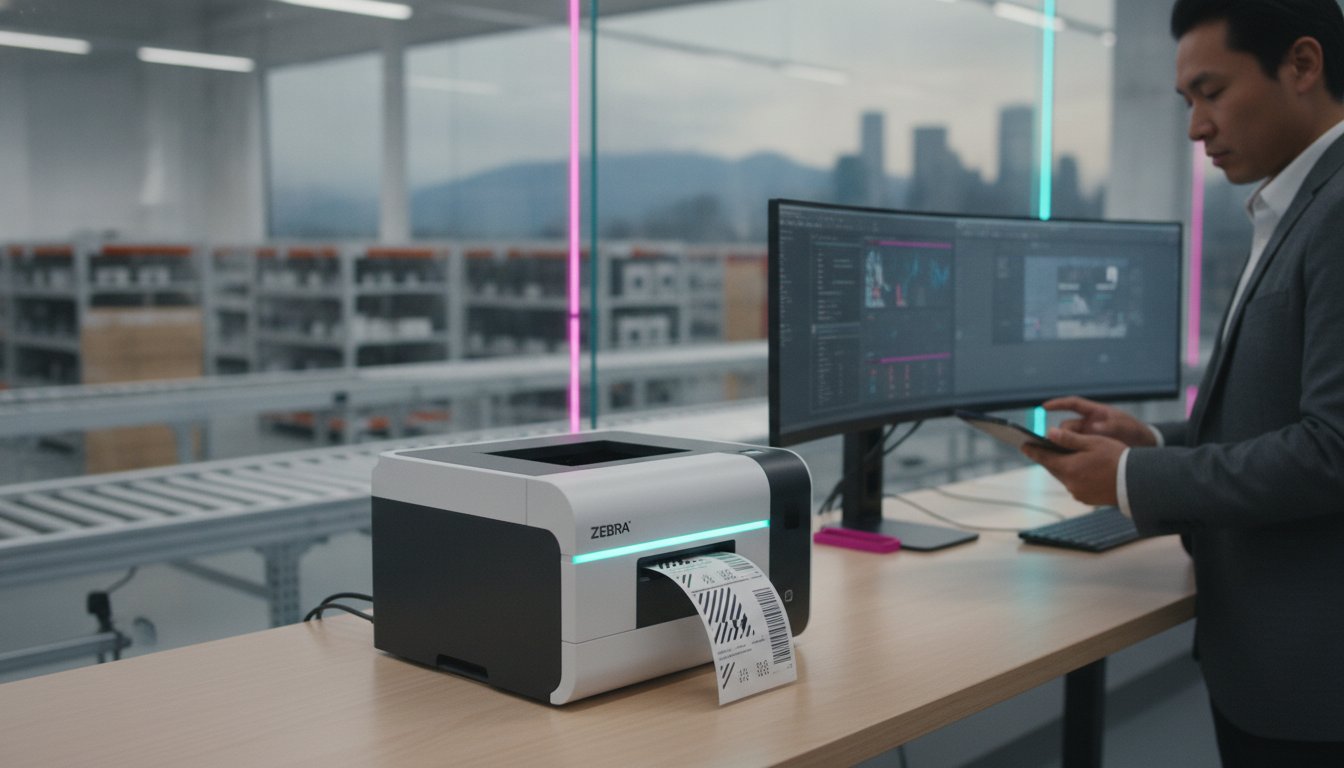
Is your current labelling setup a strategic asset or a hidden bottleneck that's quietly draining your operational budget? Many Canadian business owners realize that aging equipment leads to frequent downtime and technical frustration, particularly when trying to decipher the functional differences between direct thermal and thermal transfer requirements. You deserve a printing solution that doesn't just keep up but actually propels your growth.
The zebra zd421 addresses these logistical hurdles by offering a modular, future-proof platform designed to adapt as your production needs evolve. In this guide, you'll discover how to optimize your workflow with advanced security and superior print performance, ensuring your team stays productive and compliant with the 2026 Canadian front-of-package regulations. We'll examine the specific hardware specifications, compare baseline models against upgraded configurations, and show you how to achieve seamless integration with your existing ERP or shipping software.
Key Takeaways
- Understand why the zebra zd421 has replaced the legacy GK series as the primary 4-inch desktop solution for Canadian businesses seeking improved security and processing power.
- Compare the performance metrics of 203 dpi and 300 dpi models to ensure your hardware choice aligns with your specific print resolution and speed requirements.
- Learn to distinguish between Direct Thermal and Thermal Transfer technologies to select the most durable and cost-effective media for your specific labelling application.
- Explore industry-specific configurations, such as disinfectant-ready models for healthcare or external unwinder setups for high-volume logistics centres.
- Discover how utilizing the right combination of ribbons and high-quality blank labels can prevent equipment downtime and maximize your long-term investment.
The Zebra ZD421 Evolution: Why Canadian Businesses are Upgrading in 2026
As we move through 2026, the shift in Canadian logistics and manufacturing demands more than just a standard printer. The zebra zd421 has officially emerged as the successor to the legacy ZD420 and GK series, establishing itself as the primary 4-inch desktop solution for modern operations. This transition isn't merely about aesthetic changes; it's about a complete architectural rebuild. By integrating a more powerful processor and an intuitive interface featuring five LED status icons, Zebra has simplified the way staff interact with hardware. This clarity helps businesses centre their logistics around reliable equipment that reduces the risk of human error during high-volume shifts.
From ZD420 to ZD421: Understanding the Key Improvements
The main difference between these generations lies in the internal processing power. The ZD421 is designed to handle more simultaneous tasks without the latency issues common in older models. While the ZD420 was a capable workhorse, the ZD421 offers 30% more power, which translates to faster first-label-out speeds and smoother data handling. Security has also seen a significant boost through Zebra's Print DNA software suite. This protects your networked printers from cyber threats, ensuring that sensitive shipping or customer data remains secure. Additionally, the redesigned ribbon setup in thermal transfer models makes media changes faster, which is a major benefit in fast-paced warehouses.
Future-Proofing with Modular Connectivity
How does a business avoid the cost of replacing entire fleets when technology changes? The zebra zd421 solves this through its modular connectivity slot. This allows for field-upgradeable serial or Ethernet ports, meaning you don't have to buy a new printer just to change how it connects to your network. With support for Wi-Fi 5 and Bluetooth 5.2, wireless integration across your facility is both seamless and stable. This flexibility helps businesses realize a lower total cost of ownership. Instead of full hardware replacements, you simply add the modules you need. When paired with high-quality thermal transfer ribbons and the right thermal transfer printing technology, these thermal label printers become a long-term investment that grows alongside your production scale.
Technical Deep Dive: Performance Metrics and Physical Architecture
The zebra zd421 is engineered to withstand the rigours of industrial environments while maintaining high-speed output. Built with a dual-wall construction, the frame provides the necessary durability for Canadian warehouses where equipment often faces environmental debris or significant temperature shifts. This physical robustness is paired with a print speed of up to 6 inches per second (ips), which is essential for high-efficiency shipping docks and production lines. To ensure compatibility with various media types, the unit includes a moveable sensor. This component allows you to use a wide variety of label stock, including those with off-centre black marks or non-standard notches, without encountering constant calibration errors.
Resolution and Clarity: 203 dpi vs. 300 dpi
Choosing the right resolution is a balance between speed and precision. The 203 dpi configuration is the standard choice for 4x6 shipping labels and large barcodes. It offers the fastest output for general logistics and distribution tasks. In contrast, the 300 dpi model is recommended for specialized applications like jewellery and ring labels or small pharmaceutical barcodes where high-density data is vital. The only difference in performance is a slight reduction in speed at higher resolutions. This ensures the print head has sufficient time to produce crisp, legible text on smaller surfaces. If you're unsure which resolution fits your specific application, you can speak with a labelling specialist to find the best match for your workflow.
The Redesigned User Interface
Operator errors often stem from confusing status lights that require a manual to decipher. The zebra zd421 replaces the single-light interface found on older models with five intuitive LED icons. These icons provide immediate status updates for media, ribbon, network, and data. You can identify issues like 'media out' or 'network down' at a glance, which significantly reduces operator downtime during busy shifts. The ZD421 interface is the most user-friendly desktop UI in the current Zebra lineup. This clarity is especially helpful when using direct thermal labels for high-volume tasks. It empowers staff to resolve minor issues immediately, keeping your production lines moving without the need for constant IT intervention.
Choosing Your Technology: Direct Thermal vs. Thermal Transfer Models
Do you know if your labels will still be readable after sitting in a hot delivery van or a humid warehouse? Selecting the right technology for your zebra zd421 is a critical decision that impacts both operational costs and brand reputation. While both models share the same robust architecture, the main difference between them lies in how they apply images to the media. Direct Thermal (DT) models offer a streamlined, ribbon-free process, while Thermal Transfer (TT) models provide the longevity required for harsh environments. Making the correct choice ensures you avoid the logistical hurdle of unreadable barcodes or faded shipping information.
The Direct Thermal ZD421: Simplicity for Shipping
Why manage ribbon inventory if your labels only need to last a few days? The direct thermal version of the zebra zd421 is the ideal solution for high-volume 4x6 shipping labels that remain in transit for a short period. This technology uses heat-sensitive media, which eliminates the need for thermal transfer ribbons. It's a fiscally responsible choice for businesses focusing on e-commerce fulfillment where labels are used indoors and away from extreme heat. However, because the paper reacts to temperature, these labels are prone to darkening if exposed to prolonged UV light or high-heat environments. This model keeps your workspace organized by reducing the number of consumables you need to store on-site.
Thermal Transfer and Ribbon Cartridges: Durability for Industrial Use
Is your product destined for an outdoor garden centre or a cold storage facility? If so, you require the permanence offered by thermal transfer technology. This method uses a ribbon to fuse ink onto the label material, creating durable industrial labels that resist moisture, chemicals, and abrasion. The ZD421c (cartridge model) represents a significant leap in usability. It features a ribbon cartridge that even untrained staff can snap in in seconds, removing the complexity of traditional ribbon threading. This ensures operational seamlessness even during staff turnover. For a broader look at how these technologies compare across different hardware, consult our Comprehensive Guide to Thermal Label Printers for Canadian Businesses (2026). By matching the ZD421's capabilities to your specific environmental challenges, you realize a more reliable and efficient labelling workflow.

Optimizing the ZD421 for Specific Canadian Industry Applications
The zebra zd421 isn't just a generic printer; it's a specialized tool that adapts to the specific regulatory and environmental demands of the Canadian market. For healthcare environments, the ZD421 is available with disinfectant-ready plastics and a sealed button interface to prevent germ spread. Beyond medical use, its ZPL II and EPL2 emulation ensures it works with nearly all existing Canadian software platforms. This means you won't face software conflicts when integrating with your current warehouse management system or shipping software. By choosing the right configuration, you can realize a more efficient workflow that respects both safety protocols and operational speed.
Logistics and 4x6 Shipping Label Workflows
Packing stations are often crowded. The ZD421's compact footprint is designed to fit on these tight benches or at a busy reception centre. If you're running high-volume logistics operations, you can handle large rolls by adding an external label unwinder, which reduces the frequency of media changes. These units integrate seamlessly with Canada Post, Purolator, and FedEx systems using standard direct thermal settings. For a deeper look at how this compares to other models in the market, see our Direct Thermal Label Printers: The Complete Canadian Business Comparison Guide for 2026. This guide helps you determine if the ZD421's speed and footprint are the right fit for your specific facility layout.
GHS Compliance and Durable Industrial Labelling
Compliance is a major concern for Canadian manufacturers dealing with chemicals. By pairing the Thermal Transfer zebra zd421 with pigment-receptive labels and specific Zebra ribbons, you can produce chemical-resistant WHMIS and GHS labels that meet strict safety standards. This setup is also ideal for horticulture labels and tags that require weatherproofing for outdoor display in garden centres. Depending on whether you use synthetic or paper-based materials, you should select resin or wax-resin ribbons to ensure the print remains crisp under abrasion. If you need help selecting the right ribbon and label combination for your specific compliance needs, contact our Canadian support team for a technical consultation.
Maximizing Your Investment: Ribbons, Labels, and Maintenance
How do you ensure your zebra zd421 remains a high-performance asset for years to come? Regular maintenance is the curative for premature equipment failure and degraded print quality. The ZD421 is designed with a user-friendly clamshell opening that provides easy access to the printhead for routine cleaning with isopropyl alcohol. Choosing the correct blank labels prevents adhesive buildup inside the printer mechanism, which is a leading cause of feed issues and sensor errors. DuraFast Label provides the technical expertise to help you realize the maximum lifespan of your Zebra hardware through proper media selection and maintenance protocols.
Protecting Your Printhead and Extending Equipment Life
A worn printhead is the most common cause of unreadable barcodes and vertical white lines. If you notice gaps in your print, it's often a sign that debris has accumulated or the heating elements have failed due to excessive heat settings. For detailed troubleshooting steps, consult our Thermal Printheads: The Complete Maintenance and Replacement Guide for 2026. Using high-quality ribbons significantly reduces the friction and heat damage to the printhead. By implementing a scheduled cleaning routine every time you change a ribbon roll, you can prevent debris from scratching the delicate ceramic surface of the printhead, ensuring your barcodes remain crisp and scannable.
Matching Consumables to Your ZD421
Operational seamlessness depends on the synergy between your hardware and your supplies. One technical detail often overlooked is ribbon width. You should always ensure your ribbon width matches or slightly exceeds your label width to protect the printhead edges from direct contact with the abrasive label media. This small adjustment prevents premature wear on the outer edges of the heating elements. If your business handles specialized tasks, you might consider textile labels for apparel applications, which require specific resin ribbons to survive laundering. DuraFast Label stocks a wide variety of thermal ribbons specifically tested for the zebra zd421 series. Selecting the right combination of wax, wax-resin, or resin ribbons allows you to tailor your output to the durability requirements of your specific industry.
Future-Proof Your Labelling Operations with the Zebra ZD421
Implementing a zebra zd421 is a strategic step toward operational seamlessness and long-term fiscal responsibility. You've seen how its modular design and advanced security features provide a curative for the downtime associated with legacy equipment. Whether you're navigating the 2026 food labelling regulations or scaling a national logistics workflow, this printer adapts to your specific environmental hurdles. This reliability ensures your team remains productive without the frustration of frequent technical interruptions.
DuraFast Label acts as your strategic partner in this growth. As an authorized reseller of Zebra Technologies, we offer national Canadian shipping on all hardware and provide expert consultation for precise ribbon and label matching. We're here to help you realize the full potential of your production process and maintain a competitive edge in your industry. Shop the Zebra ZD421 Series and Supplies at DuraFast Label Canada and take control of your labelling workflow today.
Frequently Asked Questions
What is the main difference between the Zebra ZD420 and the ZD421?
The main difference between the Zebra ZD420 and the ZD421 is the updated architecture that provides 30% more processing power and enhanced security features through Print DNA. While the ZD420 is a legacy model, the ZD421 includes a five-icon LED status display to replace the older single-light interface. This allows operators to diagnose media or network issues at a glance without consulting a manual.
Can the Zebra ZD421 print both direct thermal and thermal transfer labels?
You must select a specific model based on your technology needs, as the direct thermal model cannot be upgraded to thermal transfer later. However, the thermal transfer version of the zebra zd421 is versatile enough to print both ribbon-based and ribbon-free labels. This is possible as long as you use heat-sensitive media when printing without a ribbon.
How do I know if I need the 203 dpi or 300 dpi version of the ZD421?
Choose the 203 dpi version if you primarily print standard 4x6 shipping labels or large barcodes where speed is the priority. The 300 dpi model is the better choice for jewellery tags, small pharmaceutical labels, or high-density barcodes. These applications require maximum clarity to ensure scannability and professional text presentation on smaller surfaces.
Does the Zebra ZD421 support wireless printing via Wi-Fi or Bluetooth?
Yes, the zebra zd421 supports wireless printing through factory-installed options or field-upgradeable modular slots. It utilizes Wi-Fi 5 and Bluetooth 5.2 to ensure a stable connection across your facility. This modularity allows you to realize a networked printing setup even if your connectivity requirements change after the initial purchase.
What is a Zebra ZD421 ribbon cartridge, and is it better than standard rolls?
The ZD421c ribbon cartridge is a proprietary housing that allows for snap-in loading in seconds, which is significantly faster than threading standard ribbon rolls. While standard rolls are often more cost-effective for high-volume production, the cartridge model is ideal for environments with frequent staff turnover. It ensures that media changes are handled correctly every time without technical training.
Is the Zebra ZD421 compatible with my existing label design software like BarTender?
The ZD421 is fully compatible with BarTender, Loftware NiceLabel, and other professional design packages using ZDesigner Windows drivers. It also supports ZPL II and EPL2 emulation, ensuring it integrates with your existing ERP or shipping software. This compatibility prevents the need for custom programming when you upgrade from older Zebra or competitive models.
How often should I clean the printhead on my ZD421 to maintain quality?
You should clean the printhead every time you replace a ribbon or a roll of direct thermal labels to prevent adhesive buildup and debris accumulation. Using isopropyl alcohol and a cleaning pen helps you maintain consistent print quality and prevents the premature failure of the heating elements. This simple routine is the best way to protect your hardware investment.
Can I use the ZD421 for GHS or chemical labelling in Canada?
Yes, the ZD421 is an excellent choice for GHS or chemical labelling when configured as a thermal transfer model. You must pair the printer with chemical-resistant synthetic labels and high-durability resin ribbons to ensure compliance with WHMIS standards. This combination ensures that your labels remain legible even when exposed to harsh chemicals, moisture, or abrasion.