Thermal Printheads: The Complete Maintenance and Replacement Guide for 2026
8th Jul 2026
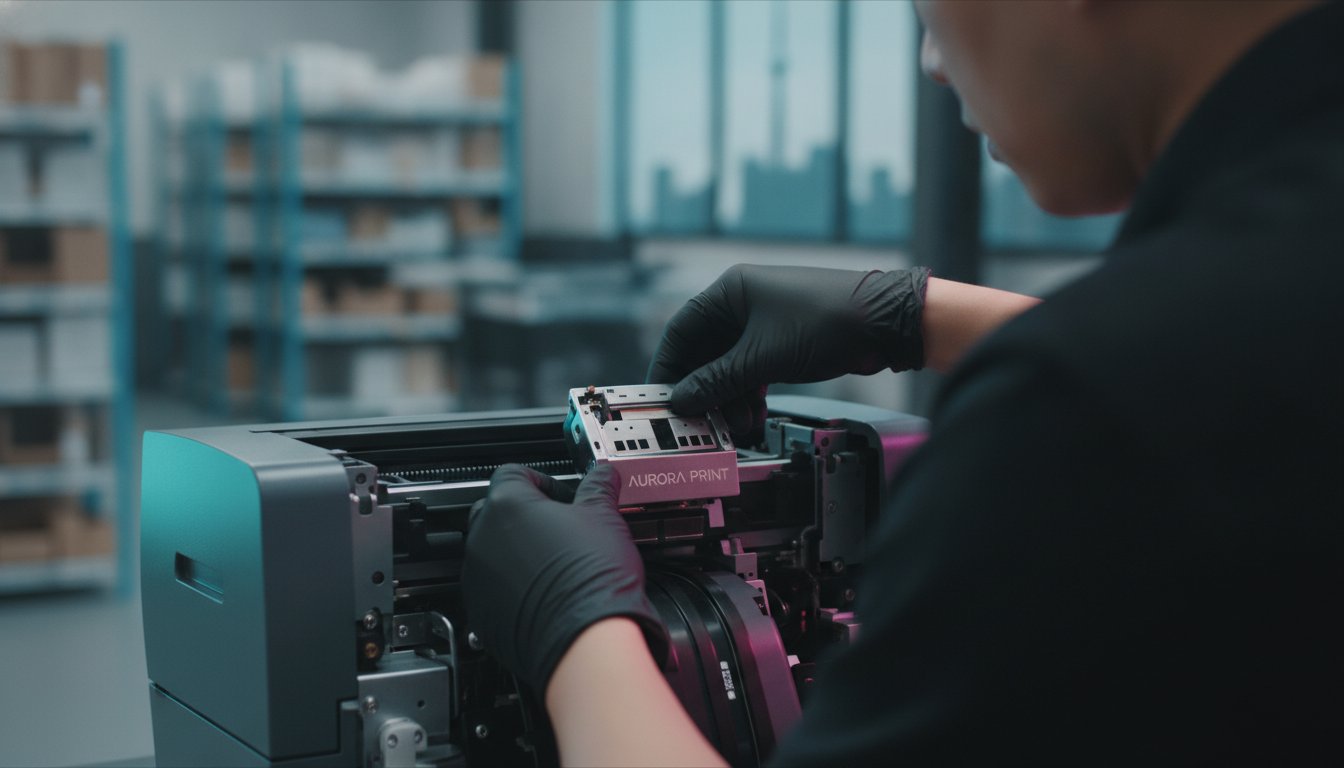
If a single vertical line on a shipping label can halt an entire Canadian distribution centre, why is the most critical component often the most overlooked? We understand that unexpected production downtime and wasted label stock don't just hurt your workflow; they impact your bottom line and frustrate your team. Managing thermal printheads shouldn't feel like a guessing game involving confusing technical specifications or trial-and-error cleaning routines that fail to deliver results. You likely prioritize operational seamlessness, yet find that poor print quality continues to drain your resources and time.
This guide will show you exactly how to extend the life of your equipment, diagnose common print issues, and execute a seamless replacement to keep your business running efficiently. You'll gain the confidence to handle your hardware with precision, ensuring every barcode is crisp and scannable. We'll walk through proactive maintenance strategies, compare the functional differences between OEM and compatible parts, and provide a clear framework for lowering your cost-per-label through better equipment care.
Key Takeaways
- Understand how microscopic heating elements translate digital data into physical labels to better diagnose hardware performance and print quality.
- Establish a consistent cleaning routine to shield thermal printheads from the abrasive effects of dust and environmental debris commonly found in Canadian warehouses.
- Adopt a diagnostic approach to distinguish between simple configuration errors and actual component failure, preventing the unnecessary waste of label stock.
- Learn the specific steps to safely replace hardware from leading brands like Zebra, Honeywell, and Toshiba to ensure a seamless transition during maintenance.
- Compare the value proposition of OEM versus compatible replacement parts to make an informed decision based on fiscal responsibility and manufacturer warranty support.
Understanding the Role of Thermal Printheads in Your Operations
How can you ensure your labelling operations remain uninterrupted during peak production? The answer lies in understanding the thermal printhead. This precise component is the engine of your printing system; it translates digital data into physical heat to mark your media. By utilizing a row of microscopic heating elements, the printhead creates sharp images and text on various substrates. Mastering the basics of thermal printing technology is the first step toward achieving operational seamlessness and reducing physical waste in your facility.
It's vital to recognize that thermal printheads are a consumable part. Much like the tires on a delivery truck, they'll eventually require replacement after processing a certain volume of labels. In a high-demand industrial environment, treating the printhead as a wear item allows you to plan for maintenance rather than reacting to a failure. This proactive stance supports long-term fiscal responsibility and helps you avoid the high costs of emergency downtime. When you understand the physical mechanics of how heat creates an image, you can better diagnose why certain labels aren't meeting your quality standards.
Direct Thermal vs. Thermal Transfer Printheads
Choosing the right technology depends on your specific application and environment. Direct thermal heads apply heat directly to direct thermal labels that are chemically treated to darken upon contact. In contrast, thermal transfer heads heat a thermal transfer ribbon to melt ink onto the label surface. The main difference between the two is the requirement of this secondary consumable. While direct thermal is simpler and often used for short-term shipping labels, thermal transfer labels provide the durability needed for long-term storage or labels exposed to sunlight and chemicals. Understanding this distinction helps you select the correct hardware for your specific Canadian supply chain requirements.
Why Printhead Health Affects Barcode Scannability
Why does a small amount of wear on a printhead lead to massive logistical headaches? Even a single failed heating element can cause a vertical white line, often called a "void," through your barcode. These imperfections make labels unscannable for high-speed sorting systems and automated inventory tools. In Canada, unscannable labels lead to shipping delays and potential retailer chargebacks that erode your profit margins. Maintaining consistent heat distribution across the entire head is essential for keeping your "ips" (inches per second) speed high without sacrificing clarity. If you notice fading or streaks, it's a clear signal that your printhead health is declining, which directly threatens your operational efficiency.
Maximizing Lifespan: A Preventative Maintenance Routine
Why do some thermal printheads last twice as long as others? It isn't just luck; it's a commitment to a structured maintenance routine. In Canadian warehouses, environmental debris like cardboard dust and fine particulates act as sandpaper against the delicate surface of the head. When combined with the dry air of Canadian winters, static build-up can attract even more contaminants, leading to premature "burnout" of the heating elements. This abrasion doesn't just dull the image; it physically destroys the microscopic heaters that translate your data into labels.
Establishing a routine ensures that small issues do not turn into costly hardware failures. By treating maintenance as a strategic operational safeguard, you protect your business from the #1 cause of barcode failure in Canadian supply chains. Proper care allows you to realize the full ROI of your industrial label printer while maintaining the scannability of every barcode you produce. If you are unsure about the best cleaning supplies for your specific model, feel free to reach out to our technical team for guidance.
The "Every Ribbon" Cleaning Rule
Consistency is the backbone of operational longevity. We recommend cleaning the printhead surface every single time you replace your thermal transfer ribbons. For those using direct thermal technology, cleaning should occur after every two rolls of labels. This prevents the accumulation of burnt-on ink and adhesive residue that creates a barrier between the head and the media. Use 99% Isopropyl alcohol and a lint-free cloth or a specialized cleaning swab. It is critical to avoid using sharp objects or metal tools to scrape away residue. Even a microscopic scratch in the protective coating can lead to a total component failure.
Managing Pressure and Heat Settings
Are your darkness settings higher than they need to be? High heat levels accelerate the degradation of the heating elements, essentially "cooking" the component from the inside out. You should adjust your software settings to the lowest heat level that still produces a crisp, scannable image. This often involves a trade-off with your "ips" (inches per second) speed; slower speeds usually require less heat to achieve the same darkness. Additionally, ensure the printhead pressure is balanced across the width of the media. Uneven pressure causes one side of the head to wear out faster than the other, forcing a replacement long before the part has reached its full potential.
Troubleshooting Common Print Quality Issues
How can you tell if your hardware is failing or if your settings are simply misconfigured? Many operators rush to replace thermal printheads when a simple adjustment to darkness levels or a change in media would resolve the issue. Adopting a diagnostic approach helps you distinguish between a failed component and a configuration error. Before you order a replacement, always check the "baseline" quality of your labels and ribbons. A common cause of poor output is a mismatch between the ribbon formulation and the specific coating of your label stock. The main difference between a failed head and a dirty head is the consistency of the defect across multiple labels.
Starting with the basics prevents unnecessary spending on replacement parts. You should first verify that the printer settings match the requirements of your media. If your "ips" (inches per second) speed is set too high for the darkness level, the heating elements won't have enough time to create a solid image. This creates a "faded" look that many mistake for a worn-out head. By systematically checking each variable, you can keep your Canadian business running efficiently without overspending on hardware.
Identifying Vertical White Lines
A solid vertical white line that runs through every label usually indicates a "blown" pixel or heating element. If a thorough cleaning with isopropyl alcohol doesn't remove the line, the element is permanently damaged. This often occurs when "environmental debris" like metal staples, grit, or even dust enters the printer and creates a physical scratch on the protective glaze. While a single dead pixel might not stop a simple text label, it can make a high-density barcode completely unscannable. The only difference between a software glitch and a dead pixel is that the pixel failure remains in the exact same spot on every single printout.
Faded or Patchy Print Output
Is your print looking weak or inconsistent across the page? Fading is frequently caused by insufficient heat settings or a lack of compatibility with your thermal transfer labels. You should verify that your ribbon is slightly wider than your label stock. This extra width provides a protective lubricant layer that prevents the label edges from grinding against the head. Other than this, check the platen roller for wear or build-up. If the roller has "flat spots" or adhesive residue, it creates uneven contact that mimics a failing printhead but only requires a simple roller cleaning or replacement.

How to Safely Replace a Thermal Printhead
Replacing your own thermal printheads might feel like a daunting technical hurdle, but it is a standard part of maintaining an efficient production line. Most industrial models are designed for user-serviceability, allowing your team to handle replacements without waiting for external technician support. While the mechanical layout varies between a Zebra and a Honeywell unit, the fundamental logic remains consistent. Prioritizing a clean, static-free workspace is essential to avoid introducing dust or oils that could degrade the new component before it even begins its first run. Taking the time to do this correctly ensures your Canadian business avoids the frustration of poor print quality right after a fresh installation.
Step-by-Step Installation Guide
Start by powering down your thermal label printer. You must allow the assembly to cool completely; these components reach high temperatures during operation and can cause burns if handled too early. Next, locate the manufacturer’s specific latch or screw system to release the printhead assembly. Carefully disconnect the data and power cables. We recommend taking a photo or noting the orientation of these cables to ensure they are returned to the correct position. When you connect the new head, ensure the pins are fully seated and the head is perfectly centred. Misalignment, even by a millimetre, can lead to uneven wear on the platen roller and poor print quality across the width of your labels.
Post-Replacement Calibration
Once the physical installation is complete, your printer needs to recognize its new hardware. Perform a factory reset or a sensor calibration through the printer's menu system. This step ensures the printer correctly reads the resistance of the new heating elements. Print a test pattern immediately to verify that all pixels are firing correctly. Remember to adjust your darkness and pressure settings back to their optimal "baseline" levels. As discussed in previous sections, using excessive heat on a brand new head is a common mistake that shortens its lifespan immediately. If you have any doubts about the calibration process for your specific Toshiba or Godex model, contact our support experts for technical assistance.
Following these steps allows you to resume production with confidence. A successful replacement results in crisp, scannable barcodes and a machine that operates at its peak "ips" (inches per second) rating. By managing this process internally, you reduce the total cost of ownership and ensure that your labelling operations remain agile and responsive to your customers' needs. For broader hardware maintenance needs, you can check out ZD Computer Trading LLC to see how professional printer and plotter repair services operate.
Selecting the Right Replacement: OEM vs. Compatible Printheads
How do you decide between a manufacturer-branded part and a high-quality alternative? Choosing between Original Equipment Manufacturer (OEM) and compatible thermal printheads is a common dilemma for Canadian facility managers. The main difference between the two usually comes down to the price point versus the manufacturer’s warranty coverage. While OEM parts offer a guaranteed baseline of performance, a high-quality compatible printhead can offer significant cost savings for high-volume operations. DuraFast Label Company Canada provides a comprehensive selection of options for major brands including Zebra, Honeywell, and TSC, ensuring you have access to the right hardware for your specific printer model without compromising on quality.
When to Choose OEM Printheads
You should choose an OEM component if your equipment is currently under a comprehensive service contract or lease agreement. In many cases, using non-branded parts can complicate your support terms or void specific manufacturer guarantees. OEM heads are also recommended for mission-critical applications where zero deviation in print density is permitted. These parts provide the exact baseline performance the printer was designed for; this is vital for high-speed industrial environments where every scannable barcode is a critical link in the supply chain. Other than the higher price point, the only difference is the peace of mind that comes with a direct manufacturer warranty. If you don't have a service contract, the choice becomes more flexible based on your specific budget goals.
The Value of High-Quality Compatible Options
Compatible heads are an excellent choice for businesses looking to manage their fiscal responsibility more aggressively. Modern manufacturing deltas mean that high-quality alternatives often match the lifespan and ips (inches per second) performance of their OEM counterparts. The only difference you shouldn't see is a drop in quality, but rather a significantly lower replacement cost. This directly reduces your total cost of ownership over the life of the machine. When selecting these, you must verify that the compatible head matches the exact DPI (dots per inch) of your original unit. Other than this technical specification, high-quality compatibles are a pragmatic solution for reducing waste and keeping your production line moving. At DuraFast Label Company Canada, we ensure our compatible options meet the rigorous demands of the Canadian warehouse environment.
Securing Your Labelling Efficiency for the Long Term
Maintaining high-performance labelling operations requires more than just high-quality hardware; it demands a strategic approach to component care. By establishing a routine cleaning schedule and using the diagnostic framework discussed to troubleshoot quality issues, you can significantly extend the life of your thermal printheads. This proactive stance ensures your Canadian business avoids the high costs of unscannable barcodes and unexpected production stops. Whether you choose the guaranteed baseline of an OEM part or the fiscal value of a high-quality compatible alternative, the goal remains operational seamlessness across your supply chain.
As an authorized dealer for Zebra, Honeywell, and Toshiba, DuraFast Label Company Canada acts as your strategic partner in production. We maintain an extensive Canadian inventory to ensure fast shipping and minimal disruption to your workflow. Our team provides expert technical support for all the hardware we sell, helping you make informed decisions about your equipment care and part selection. Browse our full range of replacement thermal printheads at DuraFast Label Company Canada today. Take control of your production process and realize the benefits of a well-maintained labelling system.
Frequently Asked Questions
How long should a typical thermal printhead last?
A typical printhead should last between 1 million and 2 million linear inches when using thermal transfer technology. Direct thermal applications often see a shorter lifespan, typically ranging from 500,000 to 1 million inches, due to the abrasive nature of chemically treated paper. Your actual results depend on your cleaning frequency, the darkness settings in your software, and the quality of your label stock.
Can I use a 300 DPI printhead in a 203 DPI printer?
No, you cannot swap a 300 DPI printhead into a 203 DPI printer without also replacing the printer's mainboard and firmware. The dots per inch (DPI) rating is a fixed hardware specification that must match the printer's electronic configuration to function. Other than this physical limitation, some industrial series allow for field-conversion kits, but these require a total assembly change rather than just a new head.
Will using compatible thermal printheads void my printer warranty in Canada?
Using high-quality compatible thermal printheads does not automatically void your manufacturer’s warranty in Canada. Most manufacturers cannot legally tie their warranty to the exclusive use of their own consumables unless those parts are provided free of charge. However, if a third-party component physically damages the printer assembly, that specific repair would likely not be covered under the standard warranty terms.
What is the best way to clean a printhead without a cleaning pen?
The most effective alternative to a specialized cleaning pen is 99% Isopropyl alcohol applied with a lint-free cloth or a medical-grade swab. You should avoid using standard "rubbing alcohol" from a pharmacy, as it often contains a higher water content that can leave streaks or cause corrosion. This method is often preferred in dusty Canadian warehouses because the cloth can cover more surface area than a pen to remove stubborn adhesive residue.
Why does my printhead keep burning out prematurely?
Premature burnout is most frequently caused by excessive darkness settings or the presence of "environmental debris" within the printer assembly. If your heat settings are at the maximum level to compensate for poor-quality ribbons, the heating elements will fail much faster. Other than this, ensure your ribbon is wider than your labels to provide a lubricant layer that prevents the label edges from grinding against the head glaze.
Is there a difference between printheads for direct thermal and thermal transfer?
The main difference between the two is often the thickness of the protective coating on the heating elements. Some thermal printheads are specifically optimized for direct thermal use to better withstand the constant friction of chemically treated paper. Other than this, many modern industrial printers from brands like Zebra or Honeywell use a universal head that can handle both technologies, provided the operator adjusts the pressure and heat for the specific media type.