Silver Metallic Inkjet Roll Labels in Canada: A Practical Buying Guide
20th Oct 2026
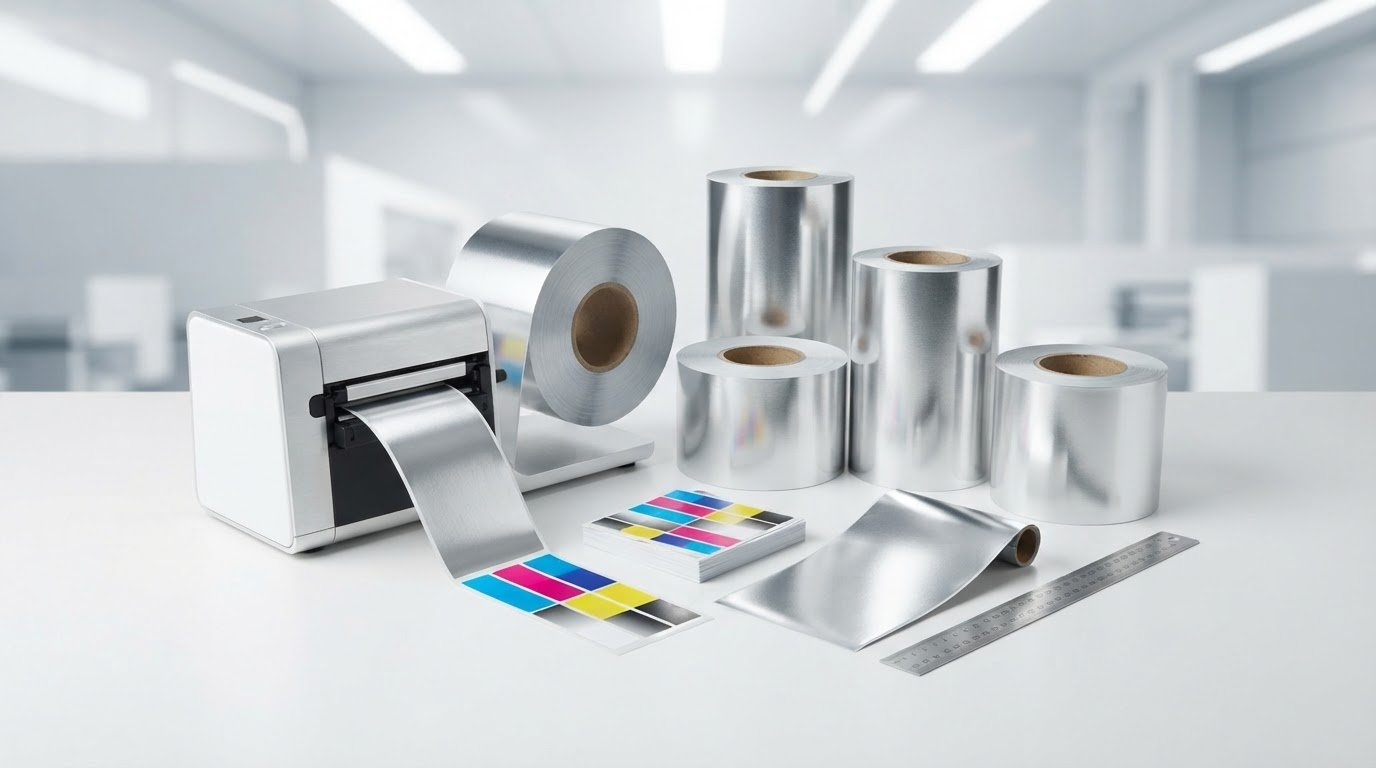
What if the silver effect comes from the label material, not the ink in your printer? That distinction matters when choosing silver metallic inkjet roll labels Canada businesses can use for product presentation. Reflective stock can change how printed colours appear, while areas without ink show the material’s silver finish. Choosing the right option means considering the look you want alongside your printer and application requirements.
If you’re comparing reflective labels or matching a roll to your equipment, start by separating metallic-looking artwork from reflective label material. This guide explains what to compare before choosing a print setup, including printer and ink compatibility, surface finish, roll dimensions, core size and unwind direction. It also outlines how to assess the printed result with a proof or test sample. DuraFast Label Company Canada offers inkjet labels, colour label printers and free label quotes to help businesses plan their requirements.
Key Takeaways
- When comparing silver metallic inkjet roll labels Canada, decide whether you want reflective stock or metallic-looking artwork. They create different effects.
- Compare the label material’s specifications with the printer and ink system you plan to use.
- Consider how a reflective surface may affect colour, contrast and readability.
- Gather the roll details your equipment needs, including dimensions, core, roll direction and unwind direction.
- Use a proof or test print to assess the finished appearance before settling on a production workflow.
What Silver Metallic Inkjet Roll Labels Are, and What the Finish Changes
A silver metallic roll label gets its reflective appearance from the label material. That differs from printing a flat grey or silver graphic on white stock: the graphic can suggest a metallic colour, but the white surface does not reflect light like silver material. This distinction affects the appearance of the finished label and the choices you need to make about printing.
When comparing silver metallic inkjet roll labels Canada, assess the complete print system, not just the colour of the material. The substrate, its surface, the ink and the printer all contribute to the result. A metallic appearance alone does not confirm that a material suits a particular inkjet printer or meets the durability needs of an application.
Metallic substrate versus metallic-looking artwork
On reflective silver stock, unprinted areas can show the material beneath. Printed colours sit against that reflective background, so they may look different from the same artwork on white stock. The result depends on which parts of the design expose the substrate and which are covered by ink. A flat silver graphic, by contrast, is part of the printed design rather than a reflective surface.
Inkjet printers deposit ink onto a surface, but that does not mean every reflective material will accept ink as intended. Compare the media requirements with your printer’s specifications before choosing a roll. A physical sample or proof lets you assess how your actual artwork looks on the selected surface.
Where silver roll labels can support product presentation
A reflective finish may suit a product accent, a technical-goods label or container branding where a metallic look supports the presentation. It can also help distinguish parts of a design. Consider whether the effect fits the product and leaves the information on the label clear and readable. The label’s setting and performance requirements matter as much as its appearance.
For example, a brand may want exposed silver areas to frame a logo, while another may prefer a more subdued overall look. Those goals call for different artwork and material choices. A printer’s ability to produce colour does not, by itself, show how those colours will appear on reflective stock. A physical proof helps you assess the result before settling on a production approach.
Explore inkjet label materials when comparing media for your printing workflow. To make a sound selection, compare the specific printer, label application and performance requirements. A metallic finish alone does not establish inkjet suitability or durability. With those criteria in mind, you can assess how the material and surface may affect print results.
How Inkjet Printing Interacts With Silver Metallic Label Material
A printer and a roll of media need to work as a system. A printer may produce colour labels, but that alone does not establish that it can handle a particular reflective surface. Consider the material’s specifications alongside the printer’s supported media requirements, ink system and intended use of the finished label.
Printer compatibility depends on the exact media and ink system. Use that as the starting point when evaluating silver metallic inkjet roll labels in Canada. A printer family name or the fact that a model uses dye ink is not enough to confirm that a specific metallic label material is suitable. Water-enhanced dye inks should not be treated as proof of metallic-media compatibility either.
Check the printer and ink system before selecting media
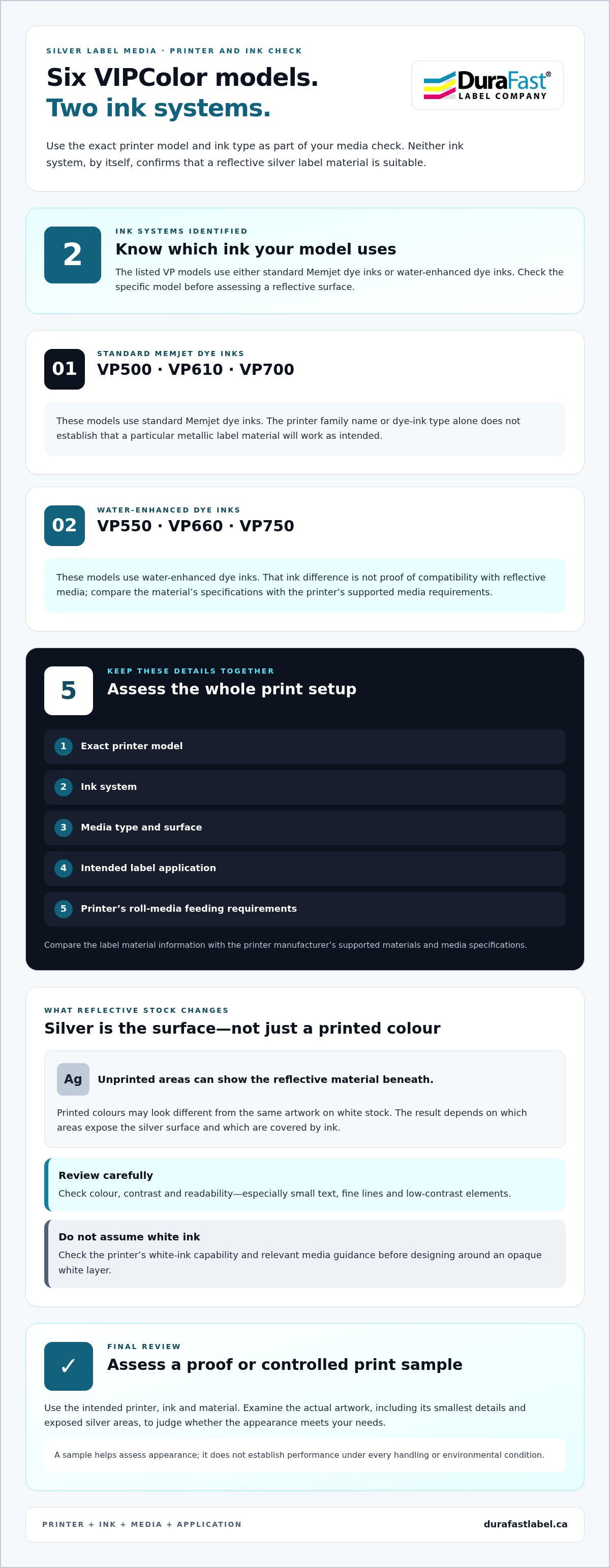
Review the printer manufacturer’s supported label materials and media specifications, then compare them with the label material information. Check that the stock meets the printer’s stated requirements and consider how the printer feeds roll media. If you use a VIPColor model, identify the exact model and ink type: VP500, VP610 and VP700 printers use standard Memjet dye inks, while VP550, VP660 and VP750 use water-enhanced dye inks. These ink differences do not, on their own, establish suitability for a reflective surface.
Keep the relevant details together: printer model, ink system, media type, surface and intended application. Reviewing them as one setup gives you a clearer basis for evaluating the workflow. Industry analysis also considers materials and printing technology as parts of the label market. The Industrial Labels Market Analysis provides broader context, but it does not replace the specifications for your printer and media.
Plan colour, contrast and artwork for a silver base
On reflective stock, the surface beneath printed areas may affect how colours appear compared with the same design on white material. The effect can vary across the artwork: open areas show more of the silver base, while printed areas interact with the reflective surface. Pay particular attention to small text, fine lines and low-contrast elements. The finished appearance may not match a design viewed on a white screen or mock-up.
Before production, review a representative proof or controlled print sample made with the intended printer, ink and material. Examine the actual design, including its smallest details and the areas where silver remains exposed. This helps you judge whether the appearance meets your needs, but it does not establish performance under every handling or environmental condition. Do not assume white ink is available or will create an opaque layer. Check the printer’s white-ink capability and relevant media guidance before planning artwork around it.
If you’re comparing media for an in-house colour-printing workflow, inkjet label materials are one part of the selection process. DuraFast Label Company Canada offers free label quotes. The contact page is a place to provide your printer and media details.
Compare Silver Metallic Roll Labels by Surface, Finish, and Application
Which surface suits the look you want? Compare the material’s appearance, how your design uses that surface and where the label will be seen. Keep the visual decision separate from printer compatibility and performance requirements: a finish that suits your brand still needs to work with your setup and application.
Confirm media suitability before choosing a visual effect. This keeps design preferences from getting ahead of practical requirements. The table compares broad appearance choices, not guaranteed print results or product recommendations.
Reflective silver, white, and metallic-effect alternatives
A reflective silver base can add shine to exposed areas, while white stock provides a different background for the printed design. A flat silver graphic on white can suggest a metallic colour without making the label itself reflective. Each approach offers a different balance of contrast, branding and design flexibility, so no one construction is automatically best for every product.
| Surface or finish | Reflective appearance | Artwork effect | Possible use to consider |
|---|---|---|---|
| Reflective silver stock | The material contributes a reflective silver look where it remains visible. | Printed areas may appear different from the same design on white stock. | Product accents or branding where a reflective effect is part of the intended presentation. |
| White stock | Doesn’t provide the same reflective silver base. | Offers a white background for colour and graphic elements. | Designs where a white field or clear separation between graphic elements matters. |
| Silver-coloured graphic on white | The silver effect is represented by the printed artwork rather than reflective label material. | Lets the graphic suggest silver without making unprinted areas reflective. | Branding that calls for a silver-coloured motif but not a reflective surface. |
| Gloss or matte silver finish | Competitor-described options for silver labels; the finish may change the overall visual impression. | Consider how the finish complements the design and viewing conditions. | Compare as appearance choices only; the finish alone doesn’t establish printer suitability. |
Match the finish and label design to the application
Consider the container’s shape, the distance from which customers will view the label and the lighting where the product is displayed. A curved container may show highlights differently from a flat package. If the label needs to be read at a glance, clear branding and legible details may matter more than maximizing reflective area. A restrained metallic accent can add contrast while leaving space for essential information.
For silver metallic inkjet roll labels Canada businesses are considering, assess a sample of the intended design in context. Review it on the package, at its usual viewing distance and under representative lighting. This helps distinguish a finish that looks appealing on screen from one that suits the product’s presentation. If you’re planning an in-house colour-printing workflow, explore colour label printers as part of the wider equipment decision and evaluate media suitability separately from appearance.
Use This Checklist Before Ordering Silver Metallic Inkjet Roll Labels
A clear specification helps you compare options and catch fit issues before ordering. Work through these steps, starting with the label’s purpose and ending with a print sample. When evaluating silver metallic inkjet roll labels in Canada, include both the visual goal and the printer details. A roll that looks right still needs to suit the equipment and application.
- Define the application. Note what the label will identify or promote, what it will be applied to and how it will be handled. Record relevant exposure conditions, such as moisture, condensation, temperature changes or frequent handling. Use these requirements to guide material and durability decisions. Do not assume that a metallic appearance guarantees performance.
- Describe the look you want. Specify whether you want a reflective silver surface, silver-coloured artwork on a non-reflective base, or a design that combines printed and exposed areas. Include finish preferences and describe how the label should look on the product, not only on screen.
- Record label dimensions and construction. Specify label width and height, shape, and the gap between labels where applicable. Include the roll core, roll direction and unwind direction. Note the expected quantity as well. These details describe the job clearly and help determine how the roll needs to feed through your equipment.
- Check the printer’s media requirements. Record the printer model and compare the proposed roll dimensions with its documented media path and capacity. Review its supported media specifications alongside the label material information. A printer’s ability to print colour, or its model family alone, does not establish suitability for a reflective surface.
- Review the design and operating conditions. Flag small text, fine lines, colour blocks and areas where the silver surface will remain visible. Note the package shape, application process and conditions the label will encounter. These details show what to examine closely during testing.
- Proof before committing to the workflow. Print a representative sample using the intended printer, ink and label stock. Check whether the roll feeds and aligns as expected, then assess colour appearance, readability and handling after printing. Treat this as an evaluation of your setup, not a guarantee of performance under conditions the sample does not represent.
Keep your notes, sample and artwork together. A clear record makes it easier to compare the intended label with the printed result and adjust specifications before production. If the label will face demanding exposure, consider whether the sample represents those conditions. Avoid assuming durability without suitable evidence for the complete material and ink combination.
When your requirements are organized, include your printer model, dimensions, roll details, quantity, application conditions and proofing priorities with a label quote request. A complete specification gives the discussion of label and printer options a practical starting point.
Plan Your Silver Metallic Inkjet Label Project With DuraFast Label Company Canada
A clear sequence can make the buying decision easier: define the appearance you want, compare the material with your printer’s specifications, record the roll requirements, then evaluate a representative print. This keeps design goals, equipment constraints and application needs in view at the same time.
DuraFast Label Company Canada serves businesses across Canada with inkjet labels and colour label printers. These products are relevant when planning in-house colour printing, but the specific label material and printer still need to be assessed as a combination. A silver finish alone does not establish compatibility, durability or a particular print result.
Bring clear project details to the quote request
Prepare details that describe your setup and intended result: printer model, material under consideration, label dimensions and shape, roll core and direction, and expected quantity. Describe where the label will be applied and the conditions it may encounter, such as handling, moisture or condensation. These application details help frame the media requirements without assuming a particular material will meet them.
Include an artwork sample if available, or explain the reflective effect you want. For instance, specify whether the design should leave silver areas visible or use silver as a subtle accent. If you’re comparing printers as part of the project, DuraFast Label Company Canada’s colour label printer options can inform your in-house workflow planning. Keep the media specifications alongside the printer details, then use a representative proof to assess the combination before settling on a production process.
Consider the print method when metallic media is not the right fit
The desired appearance and production requirements may point toward different printing methods. If reflective inkjet media does not align with your printer’s documented requirements or application needs, review the label design and workflow before deciding. Thermal transfer is another printing method, but it uses a different print system and is not automatically suitable for a particular metallic material. Consider the printer, ribbon and label stock together. DuraFast Label Company Canada offers thermal transfer ribbons as part of the supplies used in this type of workflow, but the media still needs to suit the printer.
Once you’ve organized the printer model, material requirements, artwork, roll specifications and intended use, you’ll have a clear basis for evaluating practical options. DuraFast Label Company Canada offers a free label quote to support your planning.
Move Your Label Project Forward With Confidence
Your first production decision can also create a useful reference for future runs. Keep the approved artwork, media details and print sample together, with notes about how the label looks on the product and performs in its intended setting. This record gives your team a practical baseline if the design, printer setup or application changes later.
For silver metallic inkjet roll labels Canada businesses are considering, base the next step on the project requirements rather than appearance alone. Bring together what you’re printing, the effect you want, your printer details and the roll specifications. DuraFast Label Company Canada serves businesses nationally with inkjet labels and colour label printers, and offers free label quotes based on project requirements.
The contact page provides a way to share the printer details and roll requirements you’ve gathered. A clear brief is a useful starting point for choosing a setup that suits your product and workflow.
Frequently Asked Questions
Are silver metallic roll labels compatible with every inkjet printer?
No. Compatibility depends on the specific label material, printer specifications and ink system. A printer that handles colour roll labels is not automatically suitable for every reflective surface. Compare the media information with your printer’s documented requirements, including how the roll feeds through the machine. A representative test can help assess the setup before production.
Can an inkjet printer print directly on silver metallic labels?
Yes, when the particular label material is intended for use with that inkjet printer and ink system. “Metallic” describes an appearance, not a universal printing specification, so the label’s surface and the printer requirements matter. Before preparing a full run, print a sample with the actual artwork and equipment. Check whether small text and colour areas look suitable and whether the sample handles as required for your application.
What makes silver metallic labels look reflective?
The reflective appearance comes from the label’s surface material, rather than a standard inkjet printer producing metallic pigment. Where the design leaves the surface exposed, the silver material can remain visible. The look depends on the material and finish, as well as how the artwork uses printed and unprinted areas. A silver-coloured graphic on white stock can suggest a metallic tone, but it does not have the same reflective surface effect.
Will colours look different when printed on a silver label?
They may. The reflective base can influence how printed colours appear compared with the same artwork on white stock, particularly where the design allows the silver surface to show through. A colour block beside an unprinted area, for example, may create a different overall impression than it does in a screen preview. Review a sample under lighting similar to where the product will be displayed, and assess readability as well as colour.
How do I choose the right roll direction and core size?
Use your printer’s documentation to identify the core size and roll orientation it accepts, then compare those requirements with the roll specification. Roll direction describes how labels are positioned as they unwind; unwind direction describes how the web feeds off the roll. If you’re unsure how your machine defines these terms, use its diagram or a sample roll to match the orientation. Check the roll dimensions and capacity as well, not just the core.
How much do silver metallic inkjet roll labels cost in Canada?
There isn’t one reliable price for every project. The quote can depend on the required material, label dimensions, roll specifications, quantity and application details. Those details also define what you’re comparing, so a quote for one construction may not match another. Prepare your printer model and requirements when requesting a label quote. This gives the discussion a clearer basis than a general price that may not fit your setup.
Can silver metallic roll labels be used on products exposed to moisture?
Possibly, but the complete label setup needs to suit the exposure. Consider the label material, ink system and actual conditions, such as occasional splashes or condensation on refrigerated packaging. VIPColor VP550, VP660 and VP750 printers use water-enhanced dye inks for better durability on labels exposed to water or condensation. That does not by itself confirm compatibility with metallic media or establish the performance of the complete label construction, so assess the combination for the application.