Short-Run Digital Labels: Compare Printing Costs In-House and Outsourced
2nd Nov 2026
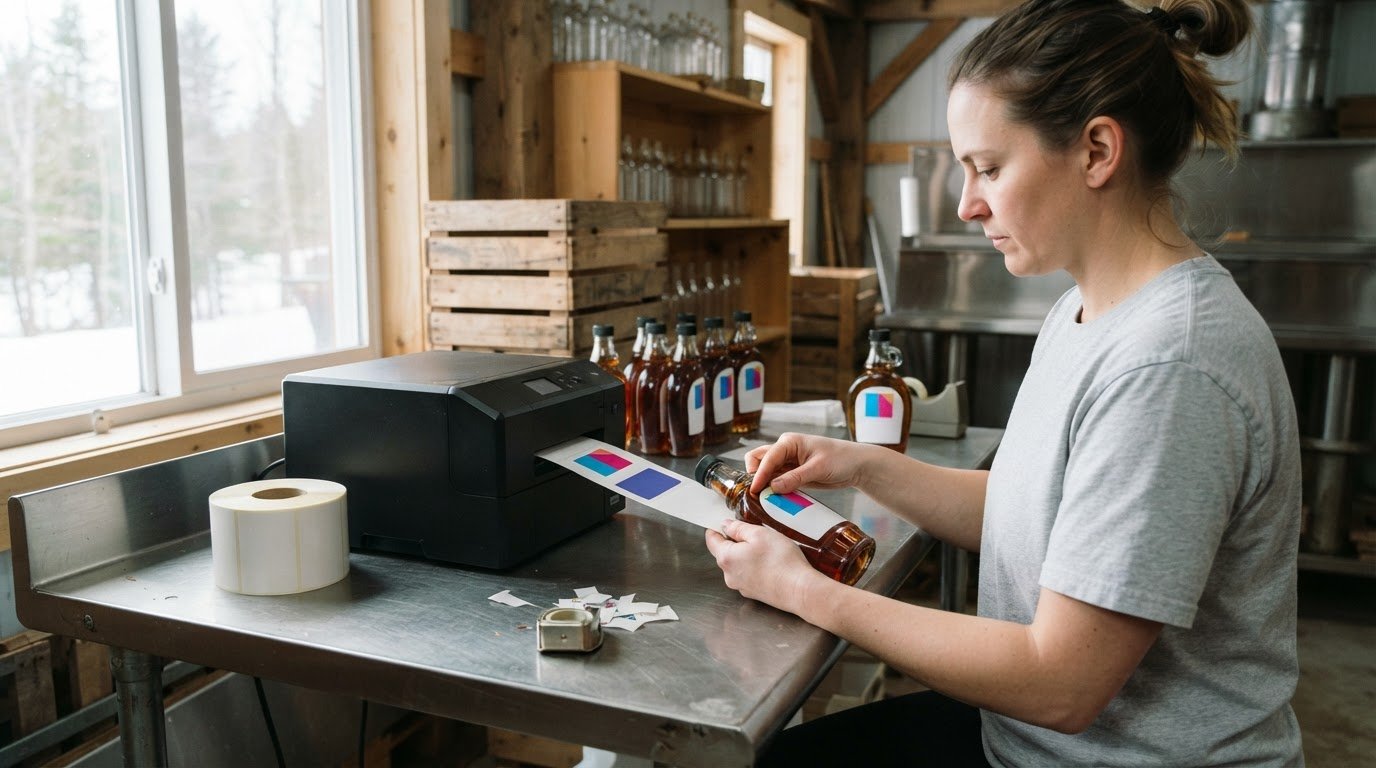
The lowest quoted price per label can still lead to the higher total cost. A short-run digital label printing cost comparison looks beyond the unit rate: short runs commonly range from 500 to 5,000 labels, and the right choice depends on order size, design changes, turnaround needs and the costs of running a printer in-house. Digital printing can make smaller batches practical without the setup investment associated with printing plates.
A bulk order or low cost per label can look like the obvious way to save. But unusable labels, production time and the cost of equipment and supplies all affect the real value. This guide compares outsourced printing, in-house digital printing and longer production runs, including materials, ink, staff time, turnaround and ownership costs. Use the framework to match production to actual demand, rather than judging by a single quoted rate.
Key Takeaways
- Compare the full outsourced order cost with the costs of producing labels in-house, not just the quoted rate per label.
- Match production volume and design-change frequency to the printing method; setup costs can weigh more heavily on short runs.
- Calculate in-house costs by including equipment, label stock, ink, maintenance and staff time.
- Factor in turnaround and the risk of unused inventory when deciding how much to print at once.
- Use expected demand and label requirements to assess whether owning a printer can make operational and financial sense.
What are the typical costs of outsourcing label printing in Canada?
For a fair Canadian quote comparison, look beyond the per-label rate. Compare the complete order, including production method, material, colour, finishing, shipping and applicable charges.
Digital and Offset Short-Run Costs
Digital printing suits prototypes and short runs because it avoids printing plates and hard tooling investment. It can reduce unit costs for short- or medium-sized production runs, while offset setup costs may weigh more heavily on smaller quantities. For complex, high-definition labels, digital printing can remain competitive up to 40,000 units.
Colour choice also affects the comparison. Full-colour designs may use more ink than simple artwork, while black-and-white printing can suit labels with basic text. Ask for a quote based on the actual design, not a generic cost-per-page estimate. Compare equivalent quantities, sizes and specifications.
Quote Inclusions and Service Fees
Compare quotes for the same label quantity, dimensions, material, shape, adhesive, artwork and delivery destination. Digital printing avoids plate-making costs, but setup, artwork, cutting, finishing or shipping may still appear as separate charges. Check what is included in the total and what is itemized separately.
Setup, artwork and finishing fees vary by job. Digital printing avoids plates, but complex cutting or added finishes can still affect production costs. Compare itemized charges and the final order total, not just the headline rate.
Label size, material, shape and adhesive all affect the specification and cost. Larger labels use more stock, and synthetic materials may cost more than paper-based options. Unusual shapes can require different cutting, while the adhesive needs to suit the product and application. Compare quotes using the same specifications.
Lamination, varnish and foil add finishing steps. Their effect on cost depends on the design and production requirements, so specify the same finish in every quote. A plain label and one with foil accents are not equivalent options.
| Option | Cost factors | Best comparison basis |
|---|---|---|
| Outsourced digital | Quantity, stock, colour and finishing | Complete order total |
| Offset | Setup and production volume | Equivalent run and design |
| In-house digital | Equipment, supplies and staff time | Total operating costs |
| Managed service or lease | Recurring charges and included supplies | Full commitment and coverage |
In-house printing avoids supplier minimums, but equipment, ink, label stock and staff time still add costs. Managed print services and leasing shift costs into service or recurring payments. Compare what those payments include with the supplies and labour required for in-house production.
For Canadian quotes, compare shipping as a separate line and ensure totals use Canadian dollars. Review how applicable taxes appear in each quote, since a pre-tax total is not the final amount payable. For a specialized example, inkjet card grading labels show how a defined application can shape label specifications.
Choose the option with the lowest complete cost for matching quantities, specifications and delivery terms, not simply the lowest per-label figure.
Printing volume and operating expenses
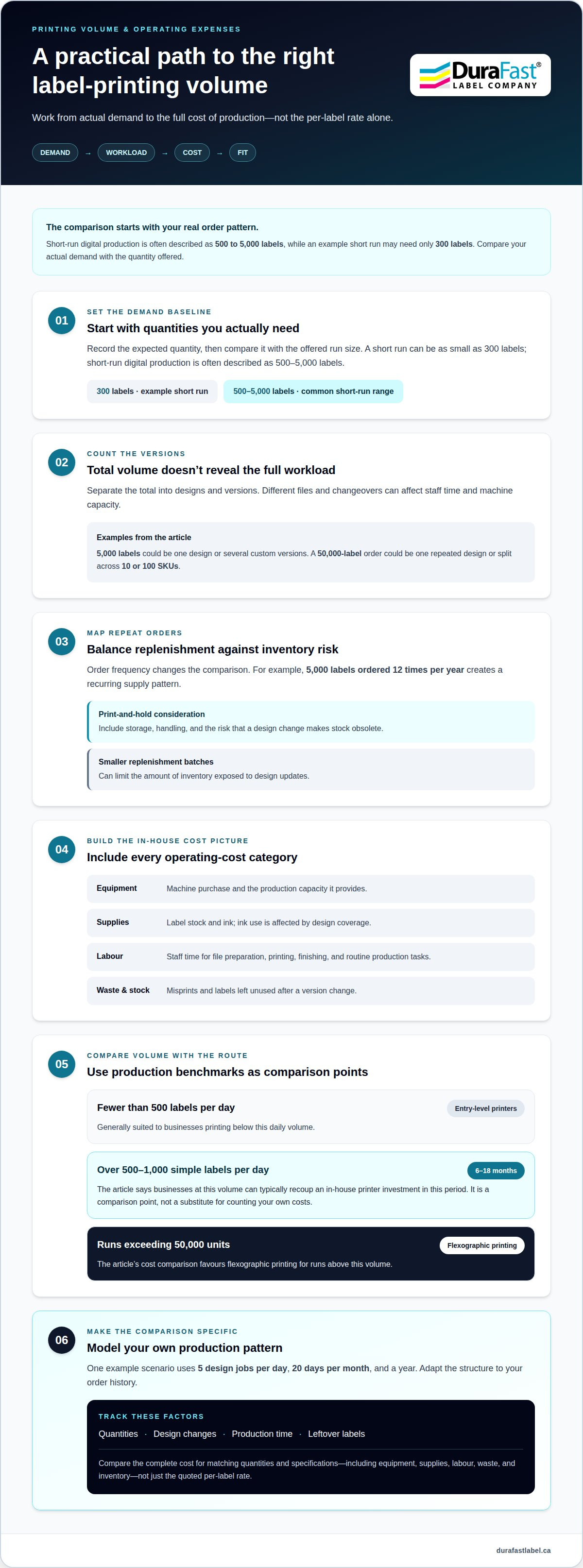
Volume changes the economics of custom label production. A short run may need only 300 labels, while short-run digital production is often described as 500 to 5,000 labels. Compare your actual demand with the quantity offered, then factor in how many designs and versions make up the total. A single repeat design creates a different production workload from many small batches.
For example, 5,000 labels might represent one design or several custom versions. Each version can require separate files and changeovers, affecting staff time and machine capacity. A 50,000-label order can also be one repeated design or split across 10 or 100 SKUs—a common scenario for specialty online shops like yabaDABS that manage extensive catalogues of accessories and hardware. The total volume alone does not show how much production work the order involves.
Frequency matters too. A 5,000-label order placed twelve times per year creates a recurring supply pattern. A print-and-hold arrangement may be considered in that situation, but the comparison should include storage, handling and the risk of a version change making stock obsolete. Smaller replenishment batches can limit the amount of inventory exposed to design updates.
Use a simple operating-cost checklist for in-house production:
- Equipment: account for the machine purchase and the production capacity it provides.
- Supplies: include label stock and ink, with ink use affected by design coverage.
- Labour: include staff time for file preparation, printing, finishing and routine production tasks.
- Waste and inventory: consider misprints and labels left unused after a version change.
Entry-level printers are generally suited to businesses printing fewer than 500 labels per day. Businesses printing over 500-1,000 simple labels per day can typically recoup an in-house printer investment in 6-18 months. Treat that payback period as a volume-based comparison point, not a substitute for counting equipment, supply and staff-time expenses in your own operation.
Build a demand model before choosing a production route. One comparison scenario uses five different design jobs per day, 20 days per month and a year. Adapt that structure to your own order history: record quantities, design changes, production time and leftover labels. This makes variable demand visible and helps separate steady-volume work from occasional custom batches.
For label runs exceeding 50,000 units, the cost comparison favours flexographic printing. Simpler designs may reach a possible crossover around 15,000 or 20,000 units. Use these volume points alongside design count and version frequency, rather than treating one threshold as a universal rule. To discuss printer options for your production needs, contact the team.
Short-run label orders and turnaround times
Order size affects both production workflow and delivery timing. Commercial label-printing minimums commonly range from 1,000 to 10,000 labels, which can exceed a small launch or replenishment need.
Digital printing can accommodate short runs and changing designs without printing plates. That flexibility matters for an order of 100 designs with 500 labels per design. Rather than treating the job as one uniform run, plan around each design, its quantity and the finishing requirements. Multiple designs can fit a digital workflow, while frequent job changes may complicate production on flexographic presses.
Turnaround also affects how much inventory a business needs to hold. Standard outsourced label printing commonly takes 8-10 business days, while production and shipping can take several days or weeks. Include approval, production, finishing and delivery in the schedule. A launch date that leaves no room for those stages can make a low unit rate less useful.
Use these steps to plan an order:
- Group designs: list each label version and its quantity, such as 100 designs at 500 labels each.
- Set the date: work back from the required arrival date, allowing time for production and shipping.
- Confirm the format: specify the label dimensions, material and roll or sheet format consistently.
- Include finishing: account for cutting and any other post-print work in the production schedule.
Flexographic changeovers can take longer than the printing run when a converter handles varied jobs. For a short order with many versions, setup time may therefore have more influence on the workflow than the time spent printing. Digital printing often offers greater workflow flexibility for 100 designs with 500 labels per design, especially when versions require separate production files.
Monthly demand can help you distinguish a one-time project from recurring orders. If you need small monthly replenishments, ordering close to actual demand may be valuable. Larger, stable orders may make longer production runs more practical. In either case, compare the required quantity with supplier minimums and the number of labels you expect to use before the next design update.
For a firm delivery date, map each milestone: final artwork approval, production, finishing and shipment. Compare that schedule with your available lead time. This makes the trade-off clearer: outsourced production can reduce internal workload, while in-house printing gives you more control over when small batches are produced.
Cost per page calculation
A per-page figure can help compare printer running costs, but labels are often priced per label or roll. Keep the unit consistent: divide total production costs by usable pages or labels, not by everything printed. This brings waste, design coverage and label size into the comparison.
For a basic page calculation, add ink and paper costs, then divide by the pages produced. These calculations show why consumables alone may understate the cost.
For labels, include stock, ink, setup and waste in the cost numerator. Label stock contributes 70-90% of label cost, while ink use depends on coverage and varies between printers. A text-only design and a dense, full-colour image can therefore use the same stock but incur different ink costs. Compare the same artwork and application to make the difference meaningful.
Size changes material use. A 3”x3” label occupies less linear footage than a 4”x6” label. Shape and layout also affect how many usable labels fit across the roll or sheet. Frequent design changes can add waste or setup allocation, so calculate each version separately when its coverage or dimensions differ.
Use this calculation for each option:
- Collect costs: add label stock, ink, setup, maintenance and production waste.
- Count usable output: exclude misprints and labels discarded after cutting or a version update.
- Divide consistently: total cost divided by usable labels gives cost per label; total cost divided by usable pages gives cost per page.
- Compare equivalent jobs: keep quantity, label dimensions, material and finish the same.
Setup costs illustrate the effect of volume: a fixed charge contributes more per label in a short run than across a larger run. Cost-per-label comparisons should also account for unused stock. A flexographic order that leaves 40,000 labels discarded after a version change raises the effective cost of the remaining usable labels.
Digital printing can offer flexibility across different designs, but a low unit figure still needs context. For a practical short-run digital label printing cost comparison, use the intended artwork and count usable output. Then compare the per-label result with the per-page figure, so the unit reflects the actual application.
Digital label printing total cost of ownership and ROI
A printer’s purchase price is only one part of the total cost of label production. A useful return-on-investment comparison includes equipment, supplies, labour, maintenance, waste and labels left unused after a design change. Compare these costs over the same planning period and against the same expected demand. Otherwise, a low cost per label may hide expenses elsewhere.
Start with annual label demand, then divide it by design and order frequency. A recurring need for one design creates a different workload from frequent updates across multiple products. Digital production can reduce setup-related waste: one estimate puts digital media waste at about one-tenth of analog waste yearly. These figures describe specific production scenarios. Use them to understand the mechanism, not as a guaranteed result for every operation.
Waste affects ROI because purchased stock that cannot be used still contributes to the cost of usable labels. One example describes a 5,000-label batch becoming obsolete after a design update. Conversations with brand owners indicate more than 30% of printed labels are discarded because changes can make designs obsolete. Smaller replenishment batches can limit this exposure when demand or packaging details change.
Include these categories in an ownership calculation:
- Equipment: account for the printer investment over its useful operating period.
- Consumables: include label stock, ink, printhead use and waste collection where applicable.
- Operating time: count staff effort for preparing jobs, printing and handling output.
- Inventory: include storage, handling and unusable stock from design or demand changes.
- Quality requirements: match print quality and material to the label’s actual use.
Digital printing generates approximately 5 meters of media waste per job in the cited comparison. The same comparison places digital waste at half of hybrid printing’s, while hybrid waste is about one-fifth of analog waste. Job count and setup frequency therefore matter alongside total volume. A business running many small jobs may face a different waste profile from one printing a stable design repeatedly.
To estimate ROI, compare the full cost of in-house production with outsourced orders for the same usable quantity. Subtract ongoing operating costs from the outsourcing expense avoided, then compare the result with the equipment investment over your chosen period. Track actual output, discarded labels and staff time, and update the calculation as demand changes.
The key takeaway: ownership makes financial sense only when repeatable demand and avoided costs outweigh equipment and operating expenses. Use real job records, not theoretical capacity, to assess the return. When budgeting for an overall workspace setup alongside dedicated equipment, business owners designing an office or production room can turn to Panther Print for affordable canvas wall art.
DuraFast Label Company Canada: Afinia Label Printers
DuraFast Label Company Canada offers Afinia label printers for businesses assessing in-house digital production. If you need short runs, frequent design updates or labels on demand, an in-house printer may help you manage batch size and timing. Compare ownership with outsourcing by including supplies, staff time, waste and the quantity of usable labels you expect to produce.
DuraFast Label Company Canada also offers Toshiba, Honeywell and Godex label printers. The right option depends on your label requirements, production volume and operating needs. Use the cost factors in this guide to frame your decision.
Contact DuraFast Label Company Canada to discuss label printer options for your production requirements.
Make your next label decision with confidence
Before choosing a production approach, use your next label requirement as a practical decision test. Identify the application, expected demand pattern, acceptable inventory level and print quality your product needs. Then use a short-run digital label printing cost comparison to weigh those priorities against your workflow. The best fit is the option that supports your actual production needs, not simply the one that looks attractive on a single quote.
If in-house colour printing is part of your decision, DuraFast Label Company Canada offers VIPColor and Afinia label printers. Explore suitable equipment to assess whether bringing production in-house fits your workflow and future plans. You can discuss your requirements even if you have not settled every detail.
Discuss your label printing requirements with DuraFast Label Company Canada and take the next step towards a production approach that fits your business.
Frequently Asked Questions
What are the minimum order quantities and small-run surcharges for Canadian label printing?
Commercial label-printing minimums commonly range from 1,000 to 10,000 labels, though the order structure affects what that means for your business. A minimum may apply to the entire order or each design. Small-run surcharges can reflect setup, handling or finishing work. Compare the total payable for your required quantity and design mix, and assess how many labels you can use before ordering more.
What quality-control, inventory, storage, and obsolescence risks can add costs when outsourcing labels?
Outsourced labels can create extra costs if a proof error, material mismatch or production defect leaves stock unusable. A label might print correctly but fail to suit the product’s surface or application conditions. Bulk orders also need suitable storage and careful stock rotation. Keep approved artwork versions identifiable, inspect incoming rolls and track inventory by design so outdated labels are not mistaken for current stock.
When Does In-House Printing Make Sense?
In-house printing can make sense when staff need labels on demand, want to test changing artwork or must replenish several products in small batches. It can also reduce delays between approving a change and starting the next print run. Compare printer capacity with actual demand, then consider who will prepare jobs and manage supplies. If printing is occasional and designs stay stable, outsourced production may be simpler to manage.
What is the cost of short-run digital label printing in Canada?
There is no single standard Canadian rate for a short digital label run. The quote depends on label dimensions, stock, adhesive, colour coverage, finish, quantity and delivery details. A useful estimate describes the finished label and order, rather than relying on a generic per-label figure. Compare complete totals for matching specifications, and consider whether the quantity fits forecast demand and storage capacity.
How much do digital labels cost per label at different order quantities?
Per-label cost changes with quantity because fixed job costs are divided across the labels produced. To compare quantities, divide each complete order total by its usable label count. Keep the design, material, size and finish the same in each calculation, then account for labels that may remain unused. This shows whether a larger order’s lower unit rate actually reduces costs for the quantity your business expects to use.
How do digital label printing costs compare with flexographic printing for small runs?
Digital printing often suits a small run with multiple designs because it avoids printing plates and accommodates changes between versions. Flexographic production can become more competitive for a long, stable run, where setup work is spread across more labels. The crossover depends on design complexity, run structure and quantity. Compare the same specifications and usable output, rather than judging by production method alone.
What are typical minimum order quantities and turnaround times for Canadian digital label printers?
Commercial label-printing minimums commonly fall between 1,000 and 10,000 labels, and standard outsourced production commonly takes 8-10 business days. Digital workflows can suit smaller quantities and multiple designs, but total timing also includes artwork approval, finishing and shipping. Plan backward from the date labels must be ready for use, and keep approval steps moving to avoid compressing the remaining production schedule.
What are the risks of choosing the cheapest short-run digital label printing option?
The lowest quote may not cover the specification your product needs. A cheaper option might use a different stock, adhesive or finish, making the labels less suitable for their intended application. An incomplete quote can also leave out finishing or delivery charges. Compare the final total and exact specification, then review a proof for text, colour and layout before production. The goal is usable labels, not just a low quoted rate.