RFID Printers for Inventory Management: The 2026 Canadian Business Guide
3rd Jul 2026
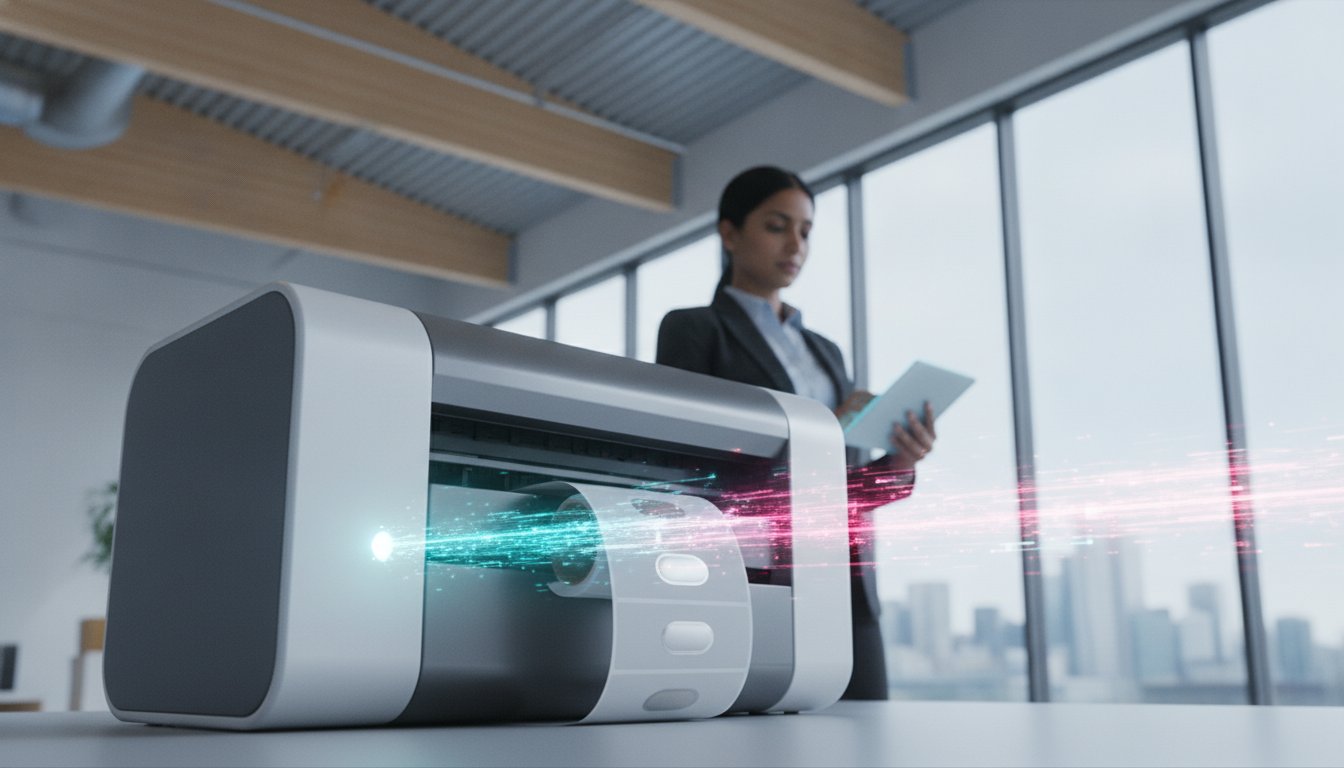
How much time does your team lose to the repetitive, line-of-sight scanning of individual barcodes every single week? You likely recognize that manual tracking is not just slow; it's a primary source of inventory shrinkage and high labour costs that hinder your ability to scale. Implementing RFID printers for inventory management is no longer a futuristic concept. It's a pragmatic necessity for Canadian businesses facing retail mandates and the need for absolute supply chain transparency.
We understand that transitioning from traditional labels to RFID technology can feel like a complex technical hurdle. This 2026 guide is designed to simplify that process. You'll discover how to select and implement the right RFID printing hardware to eliminate manual scanning and achieve 100% inventory accuracy. We will walk through the specific differences between desktop and industrial models, compare performance metrics like print speed and encoding reliability, and outline a logical path to achieving real-time visibility across your entire facility.
Key Takeaways
- Understand how moving from manual line-of-sight scanning to bulk RFID reading can drastically reduce labour costs and eliminate tracking errors.
- Learn to distinguish between industrial, desktop, and mobile models by evaluating print speed, volume requirements, and environmental durability.
- Discover why selecting the correct inlays and thermal transfer ribbons for RFID printers for inventory management is vital for maintaining 100% data accuracy.
- Identify how professional software suites like Bartender or Loftware NiceLabel act as the critical bridge between your hardware and your Warehouse Management System.
- Realize the operational advantages of a unified approach that secures real-time visibility across your entire Canadian supply chain.
Why Canadian Enterprises are Transitioning to RFID for Inventory Tracking
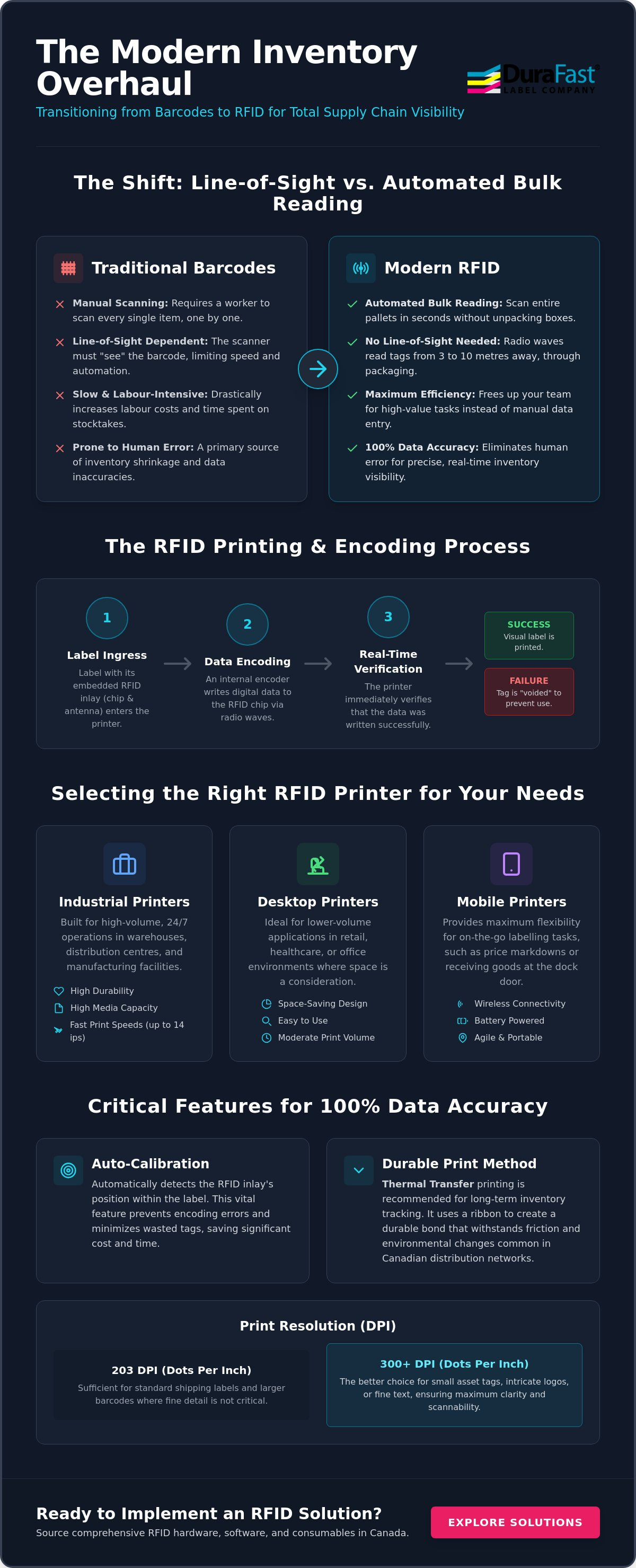
Why are so many Canadian businesses moving away from traditional barcodes in favour of more advanced tracking? The answer lies in the fundamental difference between simple visual marking and the power of RFID printers for inventory management. An RFID printer does more than apply ink to a surface; it performs the simultaneous process of visual labelling and electronic encoding. While a barcode is a static image that must be seen to be read, Radio-frequency identification (RFID) uses radio waves to transmit data, allowing for a level of automation that standard labels can't match.
With Canadian labour costs remaining a significant overhead, especially in logistics and warehousing centres, the efficiency of bulk reading has become a primary ROI driver. Manual inventory counts are notoriously slow and prone to human error. By transitioning to RFID, enterprises can realize several key benefits:
- Reduced inventory shrinkage through precise, automated tracking.
- Drastically faster stocktakes that don't require facility shutdowns or overtime.
- Improved shipping accuracy for complex B2B orders across national supply chains.
The Technical Shift: Barcode vs. RFID Encoding
An RFID printer differs from a standard thermal unit because it contains an internal encoder. This component writes digital data to the RFID inlay, which is a tiny chip and antenna embedded within the label material. During the printing process, the hardware verifies the data write in real time. If the encoder detects a failed write, the printer immediately "voids" the tag by printing a dark pattern over the visual face, ensuring that faulty tags don't enter your system. For long-term inventory tracking, we recommend using thermal transfer labels. This method utilizes high-quality thermal transfer ribbons to create a durable bond that withstands the friction and environmental changes common in Canadian distribution networks. High-performance models often maintain these encoding tasks even at speeds up to 14 ips, ensuring your production line stays moving.
Labour Efficiency and National Supply Chain Visibility
The most significant advantage of RFID is the elimination of the "line-of-sight" requirement. Traditional barcodes require a worker to physically point a scanner at every single item. In contrast, RFID enables the scanning of entire pallets in seconds without ever unpacking a box. For Canadian businesses managing multiple distribution centres from coast to coast, this provides the real-time visibility needed to make informed stock decisions. In an industrial setting, the read range of passive UHF RFID tags typically extends from three to ten metres, depending on the environment and the power of the reader. This capability allows your team to focus on high-value tasks rather than manual data entry, turning your inventory from a static cost centre into a dynamic data asset; for those managing expansive outdoor yards, Caswell Aviation Ltd can complement your RFID system with high-resolution aerial imagery for total site oversight.
Top RFID Printers for Inventory Management: A Comparative Roundup
How do you determine which hardware will best support your facility's throughput? Selecting the right RFID printers for inventory management requires a balance between print volume, environmental durability, and tag size compatibility. While assessing the pros and cons of RFID, most operations managers find that the hardware category is the first major decision point. You must choose between high-capacity industrial units, space-saving desktop models, or agile mobile printers. Each category serves a specific role in maintaining real-time visibility.
One critical feature to look for is "Auto-Calibration." Since RFID inlays are placed at different positions within a label depending on the manufacturer, a printer that automatically detects the inlay position prevents wasted tags and encoding errors. You should also consider print resolution. A 203 dpi (dots per inch) setting is generally sufficient for standard shipping labels. However, if your inventory requires small asset tags with fine text or intricate logos, a 300 dpi printhead is the better choice for clarity. If you're unsure which specifications match your facility requirements, you can speak with our technical specialists for a tailored recommendation.
High-Volume Industrial RFID Powerhouses
For 24/7 warehouse operations, the Zebra ZT400 series remains the industry standard. These industrial label printers are built with all-metal frames to withstand harsh environments. The main difference between the Zebra units and the Toshiba B-EX series is the printhead technology. Toshiba utilizes a unique "near-edge" printhead that reduces friction and extends the life of the component. Other than this, both series offer internal label unwinders. These are essential for high-volume Canadian distribution centres because they protect the RFID labels from warehouse dust and environmental debris before they reach the printhead.
Compact Desktop and Mobile Solutions for Retail
The Honeywell PC43 series is a reliable baseline for back-office tagging or small-scale inventory. The only difference between these desktop models and their industrial counterparts is the print speed and duty cycle. Desktop units typically operate at 4 to 8 ips (inches per second), whereas industrial models reach 10 to 14 ips. For "on-the-fly" re-labelling in warehouse aisles, mobile RFID printers provide unmatched utility. They allow your team to encode and apply new tags at the point of activity, which eliminates the need to travel back to a central printing station. This reduces operational downtime and ensures that every item is tracked the moment it's received.
The Consumable Ecosystem: Matching RFID Printers with Tags and Ribbons
While the hardware provides the encoding power, the success of your tracking system depends heavily on the consumables you feed into it. Using RFID printers for inventory management effectively requires a precise match between the printer, the RFID inlay, and the ribbon. If these components aren't synchronized, you risk encoding failures or labels that fail to adhere in the fluctuating temperatures and humidity levels common in Canadian warehouses. The printer is essentially the engine, but the labels and ribbons are the fuel that keeps the system running reliably.
One of the most significant technical hurdles is the "On-Metal" challenge. Standard RFID tags often fail when applied directly to metal surfaces, such as industrial equipment or steel racking, because the metal reflects radio waves and interferes with the signal. To overcome this, you must use specialized on-metal tags that include a physical spacer. These tags are thicker than standard labels, so you'll need to ensure your printer's media sensors and printhead can accommodate the additional depth without causing jams or inconsistent print quality.
Selecting the Right RFID Labels
The first step in building your ecosystem is choosing the label material. The main difference between paper and synthetic labels is their resistance to environmental stress. Paper labels are an excellent, cost-effective baseline for dry, indoor storage. However, if your inventory is stored in cold storage or outdoor yards, synthetic materials like polyester or polypropylene are necessary to prevent the label from degrading. Other than the material, you must account for the "pitch"—the distance from the top of one label to the top of the next. If the pitch isn't calibrated to your printer’s encoder, the device won't be able to find the inlay, leading to a high rate of voided tags. You can find a variety of compatible RFID Labels for Sale that are pre-tested for these specific alignment needs.
Thermal Transfer Ribbon Compatibility
To ensure your visual barcodes and text remain legible for years, you must use high-quality thermal transfer ribbons. There are three primary types to consider:
- Wax Ribbons: Best for standard paper labels in low-contact environments.
- Wax-Resin Ribbons: Provide a balance of durability and cost, ideal for labels that undergo frequent handling.
- Resin Ribbons: The only choice for synthetic labels in harsh, chemical, or outdoor environments.
A poor ribbon match often leads to unreadable barcodes on the RFID face stock, which forces your team to rely solely on the electronic chip—a risky strategy if the hardware fails. Whether you are sourcing SATO ribbons or Zebra-specific ribbons, the goal is to match the ink's melting point to the label material. This ensures a crisp, smudge-proof image that survives the rigours of the national supply chain.
Overcoming Implementation Hurdles: Software and Network Integration
How do you ensure the data encoded by your RFID printers for inventory management actually reaches your central database? The hardware is only as effective as the software that manages it. Software acts as the critical bridge between your Warehouse Management System (WMS) and the physical RFID encoder. Without professional suites like Bartender or Loftware NiceLabel, you lack the granular control needed to manage complex encoding tasks and serialisation across thousands of unique assets. The goal is to create a seamless data loop where every tag read is instantly reflected in your stock levels.
One common hurdle in large-scale facilities is the risk of "data flooding" or duplicate reads. This is where "Middleware" becomes essential. Middleware is a software layer that sits between the readers and your WMS to filter raw radio frequency data. It ensures that a single tag isn't recorded multiple times simply because it remains within the read range of a sensor. Additionally, you must address network security. Deploying wireless RFID printers across a facility requires robust encryption and segmented VLANs to protect your sensitive inventory data as it travels over the Wi-Fi network.
RFID Label Design and Encoding Workflows
Professional design software like Bartender simplifies the serialisation of Electronic Product Code (EPC) data. This ensures that every item receives a globally unique identifier without the need for manual data entry. When transitioning from a barcode-only system, we recommend a "baseline and delta" approach. You don't need to reinvent your entire label library; instead, you take your existing barcode templates as the baseline and add the RFID encoding instructions as the delta. This method maintains visual consistency while adding electronic tracking capabilities. For Canadian businesses with multiple distribution centres, Loftware Cloud simplifies multi-site RFID printer management by allowing IT teams to push updates and configurations to every printer on the national network from a single dashboard.
Integration with Warehouse Management Systems (WMS)
Modern RFID printers offer "Plug-and-Play" capabilities with major Enterprise Resource Planning (ERP) platforms like SAP or Oracle. This level of integration allows for automated workflows where a sales order trigger automatically sends an encoding command to the nearest printer in the warehouse. To maintain peak efficiency, you should utilise printer management tools to monitor printhead health and encoding success rates in real time. If your encoding failure rate begins to climb, it's often a sign of environmental debris or a misaligned sensor that needs attention. Ensuring your industrial label printers are correctly integrated into your network monitoring tools prevents unexpected downtime. If you need assistance mapping your software workflow to your specific hardware, you can contact our technical team for a detailed consultation.
The DuraFast Advantage: Sourcing Comprehensive RFID Solutions in Canada
How can you simplify the procurement process for a technology that involves so many moving parts? Sourcing RFID printers for inventory management is only the first step in a successful deployment. To achieve true operational seamlessness, you need a partner who understands how the hardware interacts with specific inlays, adhesives, and software protocols. DuraFast Label Company Canada positions itself as a strategic partner rather than a mere vendor, providing a unified source for hardware, consumables, and professional guidance. Whether you require the industrial strength of Zebra and Toshiba or the compact reliability of Honeywell, we provide national delivery and technical support across Canada.
One of the primary benefits of working with a single provider is the guarantee of compatibility. Sourcing your blank labels and ribbons from the same source as your hardware eliminates the trial and error phase that often plagues new RFID adoptions. Our team helps you avoid the common mistake of "over-speccing" your hardware. You don't always need the most expensive industrial unit for simple back-office tagging; often, a well-configured desktop model provides better fiscal responsibility and the exact performance metrics your application requires.
Why a "Hardware-Only" Approach Fails
Buying a printer in isolation often leads to unforeseen integration costs. If you purchase hardware without verifying that your chosen tags and software templates are compatible with the internal encoder, you risk significant operational downtime. Our commitment to your growth involves verifying these connections before the equipment reaches your facility. For a deeper understanding of how material choices impact your results, you can refer to our Thermal Transfer Ribbons Canada guide. This resource provides the technical clarity needed to match ribbon types with the synthetic or paper stocks used in RFID labelling.
Next Steps for Your RFID Transition
Transitioning to RFID is a methodical process that should begin with a controlled pilot program. This allows you to verify "read rates" in your actual warehouse environment, where metal racking and electronic interference can affect signal strength. Use the following checklist to guide your initial phase:
- Define your specific tracking objectives and required read ranges.
- Select RFID tags based on the surface material of your assets (e.g. on-metal vs. standard).
- Verify that your labelling software can communicate with your WMS and the printer encoder.
- Conduct a pilot test with a small batch of items to confirm 100% encoding accuracy.
If you're ready to eliminate manual scanning and gain real-time visibility into your supply chain, Contact DuraFast Label Company Canada today for an RFID hardware and software consultation. We are here to ensure your transition to modern inventory tracking is both efficient and cost-effective.
Achieving Real-Time Visibility in Your Canadian Supply Chain
Transitioning to a modern tracking system is a strategic investment that shifts your inventory from a cost centre to a valuable data asset. By moving away from individual barcode scanning and adopting RFID printers for inventory management, your team can achieve bulk read capabilities that drastically reduce labour requirements and eliminate manual tracking errors. The success of this transition depends on a synchronized ecosystem where high-performance hardware is paired with the correct inlays and durable thermal transfer ribbons. Our baseline approach ensures that your hardware, software, and consumables work together without conflict to maximize your operational resources.
As an authorized dealer for Zebra, Honeywell, and Toshiba, DuraFast Label Company Canada provides more than just equipment. We offer a comprehensive inventory of RFID-compatible thermal ribbons and expert Canadian support for professional software suites like Loftware and Bartender. This ensures your encoding workflows are reliable and fully integrated with your existing Warehouse Management System. If you're ready to secure real-time visibility across your facility and reduce operational downtime, we are here to guide your implementation with technical precision and pragmatic solutions.
Browse our full range of RFID Printers and Labels and take the first step toward 100% inventory accuracy today. DuraFast Label Company Canada is here to help you empower your production and distribution processes.
Frequently Asked Questions
What is the main difference between an RFID printer and a standard barcode printer?
The primary difference is the presence of an internal RFID encoder. While a standard barcode printer only applies ink to a surface, RFID printers for inventory management simultaneously print visual text and write electronic data to an embedded chip. This dual process allows for bulk reading capabilities that standard labels cannot provide, enabling tracking without a direct line of sight.
Can I use my existing thermal labels in a new RFID printer?
No, you cannot use standard thermal labels because they lack the necessary RFID inlay. RFID labels contain a microchip and antenna embedded between the face stock and the liner. Using standard labels in an RFID-enabled printer will result in encoding errors as the hardware searches for an inlay that isn't there, effectively disabling the tracking features.
How much faster is inventory counting with RFID compared to barcodes?
Inventory counting is significantly faster because RFID eliminates the need for individual line-of-sight scanning. Instead of scanning every item one by one, a worker can read an entire pallet or shelf of goods in seconds. This transition from manual tracking to bulk reading is the main driver for reducing labour costs in Canadian distribution centres and logistics hubs.
What software do I need to encode RFID tags for inventory management?
You need professional label design software such as Bartender, Loftware NiceLabel, or Teklynx. These suites act as the interface between your Warehouse Management System and the printer's encoder. They handle the serialisation of Electronic Product Codes (EPC) and ensure the data is correctly mapped to the physical tag during the printing and encoding process.
Do RFID printers require special thermal transfer ribbons?
RFID printers use standard thermal transfer ribbons, but the ribbon type must be precisely matched to your label material. For instance, synthetic RFID tags used in cold storage require high-durability resin ribbons. Using a low-quality wax ribbon on a synthetic tag will lead to smudging and unreadable visual backups, which compromises your inventory data integrity.
Can RFID printers handle "On-Metal" tags for tracking tools and machinery?
Yes, many industrial RFID printers are designed to handle "On-Metal" tags. These tags are thicker than standard labels because they include a physical spacer to prevent signal interference from metal surfaces. You must ensure your printer's media sensors and printhead are calibrated to accommodate this extra thickness to prevent jams and ensure consistent encoding success.
What happens if an RFID printer fails to encode a tag correctly?
If the encoder fails to write data to the chip, the printer will automatically "void" the tag. It does this by printing a dark, recognizable pattern over the visual face of the label. This fail-safe ensures that your team doesn't accidentally apply a non-functional tag to an item, which is critical for maintaining 100% inventory accuracy across the supply chain.
Is RFID technology cost-effective for small Canadian warehouses?
RFID technology is increasingly cost-effective for smaller facilities when the cost of inventory shrinkage and manual labour is high. While the initial hardware investment for RFID printers for inventory management is higher than standard thermal units, the long-term savings from faster stocktakes and reduced tracking errors often provide a clear path to fiscal responsibility for growing businesses.