Primera LX600 vs LX610: Which Label Printer Should You Buy?
25th Jul 2026
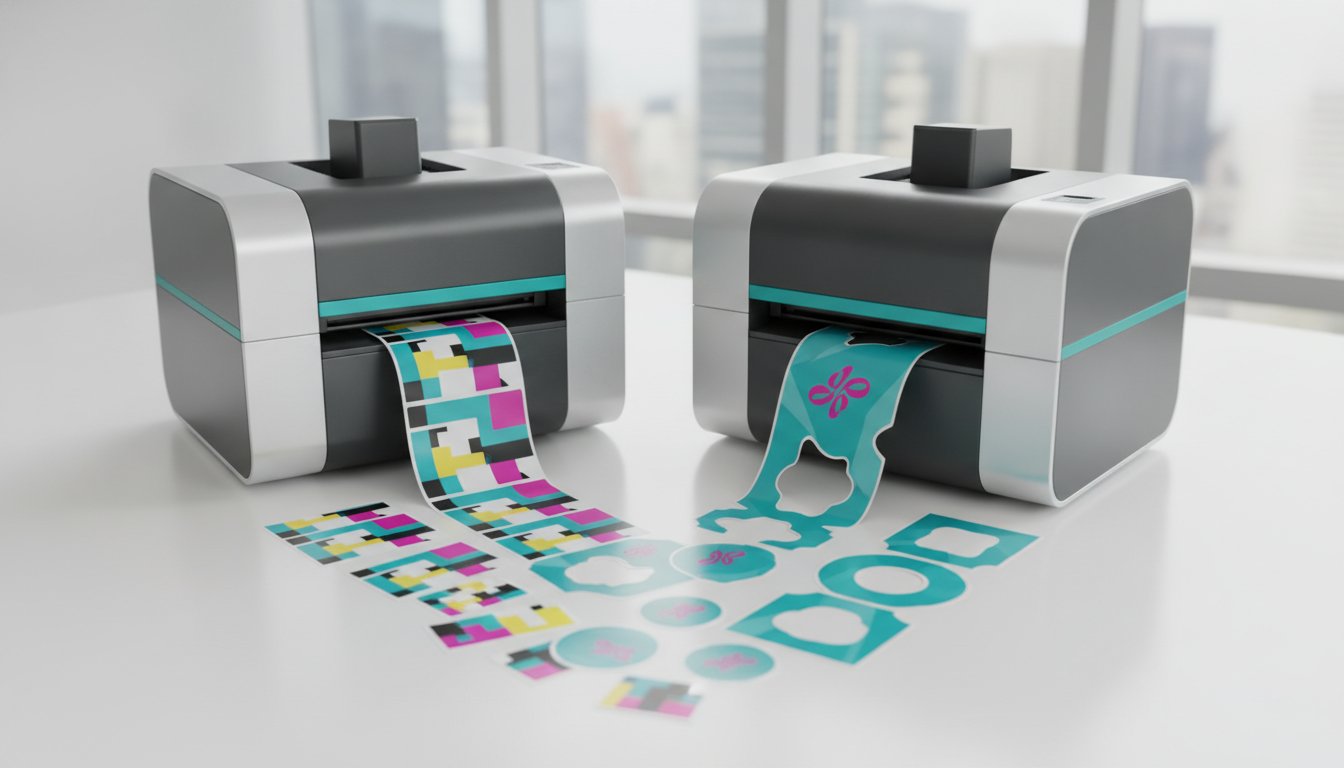
The choice between the Primera LX600 and LX610 might be simpler than you think. If you've been searching for answers on the Primera LX600 and LX610 which one do I buy, you've likely encountered a wall of spec sheets that make two nearly identical printers seem worlds apart. The truth is, they're not.
You already know the frustration of paying a premium for outsourced labels, only to receive rolls that don't quite fit your packaging or hold up under moisture and cold. Bringing label production in-house with a 5-inch Primera printer is a smart move, but picking the wrong model can mean paying for capabilities you don't need or missing the ones you do.
This guide cuts through the confusion. You'll walk away with a clear understanding of the one critical difference between these two printers, what it means for your workflow, and which model makes the most sense for your production environment, your media requirements, and your long-term cost of ownership. Let's get into it.
Key Takeaways
- The Primera LX600 and LX610 share the same print engine, ink system, and 4800 dpi resolution — the single differentiator is the LX610's built-in digital die-cutter, which determines which model is right for your operation.
- If you're asking Primera LX600 and LX610 which one do I buy, the answer comes down to one question: do your products require custom-shaped labels, or do standard rectangles and circles meet your packaging needs?
- The LX610's integrated plotter cuts circles, contours, and complex shapes on the fly using PTCreate software, eliminating the need for expensive pre-cut media or outsourced finishing.
- Matching the correct inkjet label rolls to your ink type — and choosing synthetic, weatherproof media for cold or moisture-exposed products — has a significant impact on your long-term cost of ownership.
- This guide delivers a clear, side-by-side verdict so you can invest with confidence, whether you're prioritising a lower entry price or the production flexibility to handle frequent label size changes.
Primera LX600 and LX610: An Overview of the 5-Inch Series
Both the LX600 and LX610 belong to Primera's professional 5-inch colour label printer series, a lineup built specifically for businesses that have outgrown outsourced label production but don't yet need the throughput of a full industrial press. Understanding label printer technology at a foundational level makes it easier to appreciate what sets this series apart: a high-resolution inkjet engine capable of 4800 dpi output, a compact desktop footprint, and the ability to print directly onto inkjet-compatible label rolls without the setup costs or minimum order quantities that come with third-party label suppliers.
The only difference between the two models is the cutter mechanism. The LX600 uses a standard rotary "pizza-wheel" cutter that trims labels to a set length between pre-defined shapes. The LX610 replaces that with an integrated digital die-cutter, a servo-driven plotter that follows a vector path to cut circles, ovals, contours, and complex custom shapes on the fly. Every other component, including the printhead, ink system, media handling, and connectivity, is identical. The image quality you get from one is exactly what you get from the other.
That shared print engine is the key point for anyone asking Primera LX600 and LX610 which one do I buy. You're not choosing between better or worse print quality; you're choosing between two finishing approaches based on the shapes your products actually require.
Why the 5-Inch Format Matters
A 4-inch print width works well for standard product labels, but it limits your layout options for wider packaging, wraparound bottle labels, or designs that require breathing room. The 5-inch format expands that canvas without pushing you into a floor-standing industrial unit. It fits comfortably on an office desk or warehouse workbench, and it handles batches of 50 to 500 labels efficiently, making it a practical fit for short runs and frequent design changes.
Common Use Cases in Canada
Canadian businesses across a range of industries have adopted this series for on-demand label production. Typical applications include:
- Craft breweries and artisanal food producers printing small-batch product labels with seasonal artwork
- Health supplement and natural cosmetic brands requiring durable, moisture-resistant labelling
- Retail boutiques producing jewellery and ring labels in small quantities with variable pricing or SKU information
- Businesses managing promotional or limited-edition product variants that change frequently
For these operations, the ability to print exactly what's needed, when it's needed, without committing to large pre-printed inventories, is where the real value of this series lies. The question of Primera LX600 and LX610 which one do I buy only becomes relevant once you've confirmed this format fits your volume and width requirements.
Comparing Technical Specifications: Speed, Resolution, and Ink
Since both models share the same print engine, the technical specifications covered here apply equally to both. That's actually reassuring news for anyone still wrestling with the Primera LX600 and LX610 which one do I buy question: you're not sacrificing performance by choosing the more affordable model. The hardware underneath is identical.
Print speed reaches up to 4.5 inches per second (ips) in draft mode. To put that in practical terms, a standard 4-inch label prints in under a second. A batch of 200 labels runs in roughly 10 to 12 minutes depending on label length and image complexity. That's a meaningful throughput for short-run production, though it's worth understanding where this speed sits relative to higher-end alternatives, which we'll address shortly.
Resolution is rated at 4800 dpi, which is sufficient for photorealistic product photography, fine-line barcodes, and small regulatory text. At this resolution, the output is sharp enough that most customers won't distinguish it from commercially printed labels at arm's length.
The ink system uses a single high-yield CMY cartridge rather than separate colour channels. There's no dedicated black cartridge; black is composited from the three colours. This simplifies cartridge management and reduces the number of consumables you need to stock, but it does mean that high-volume black text printing will consume colour ink rather than a cheaper mono cartridge. For businesses printing predominantly full-colour product labels, this trade-off is negligible.
Ink Versatility: Dye vs. Pigment
The main difference between dye and pigment inks isn't print quality; it's durability. Dye inks produce vivid, saturated colours that make retail product labels visually striking on shelf. Pigment inks sacrifice a small degree of colour vibrancy in exchange for significantly greater resistance to water, UV exposure, and environmental debris. If your labels will face condensation from refrigerated storage, outdoor conditions, or wet handling environments, pigment inks paired with compatible inkjet label rolls are the responsible choice. For dry, indoor retail applications where colour pop is the priority, dye inks deliver excellent results at a lower cost per cartridge.
Scaling Beyond the LX Series
At 4.5 ips, the LX600 and LX610 are well-suited to batches in the hundreds. But if your volume is climbing into the thousands per day, it's worth understanding where this series reaches its ceiling. The VIPColor VP550 Memjet Color Label Printer operates at up to 12 ips using Memjet page-wide array technology, which prints an entire label width simultaneously rather than scanning line by line. At that throughput, an external label unwinder becomes a practical necessity to manage large media rolls without manual intervention. For most Canadian businesses currently asking Primera LX600 and LX610 which one do I buy, the LX series is the right starting point; but knowing where the upgrade path leads helps you plan for growth rather than react to it.
Not sure which ink type aligns with your specific media and environment? Reach out to the DuraFast team for a straightforward recommendation based on your actual products and conditions.
The Digital Die-Cutter: Is the LX610 Worth the Investment?
The LX610's integrated digital die-cutter is the single feature that separates these two printers, and understanding exactly what it does, and what it costs you in time, makes the Primera LX600 and LX610 which one do I buy question much easier to resolve. The cutter is a servo-driven plotter, a blade on a motorised carriage that follows a vector path programmed into your label design. After the ink is laid down, the plotter traces the cut line automatically, producing finished labels in any shape your design specifies without any external tooling or manual trimming.
The software that drives this process is PTCreate, Primera's proprietary design and cutting platform. PTCreate handles basic shape creation and cut-line assignment. For businesses that need more complex contour cutting or prefer to import artwork from Adobe Illustrator or similar design tools, PTCreate Pro extends that capability with additional file compatibility and precision controls. The learning curve is real but manageable; most users are producing clean custom-cut labels within a few hours of initial setup. That's a meaningful distinction from what you'll find in Primera's own documentation, which treats the software as a given without acknowledging the onboarding time Canadian businesses should budget for.
One of the strongest arguments for the LX610 is the elimination of die charges. Traditional custom-shaped labels require a physical die, a precision cutting tool fabricated to your exact label dimensions. These tools carry upfront tooling costs and lock you into a fixed shape. Change your label design and you're paying for a new die. The LX610 removes that constraint entirely: changing a cut path is a software edit, not a capital expense.
Design Freedom with Custom Shapes
Non-rectangular labels do more than look interesting; they reinforce brand identity in a way that standard rectangles simply can't. A craft food producer can prototype a heart-shaped label for a Valentine's promotion, run 150 units, evaluate the response, and switch back to their standard oval the following week, all without ordering new pre-cut rolls or waiting on a supplier. That kind of agility is genuinely valuable for businesses managing seasonal or limited-edition product variants. You can trace a custom logo outline, cut a star, or follow the contour of a product illustration, and the only investment is the media roll and ink you'd be using anyway.
Brands looking to further distinguish themselves can also explore LogoShop, which specializes in custom PVC products like patches and badges that offer a unique, three-dimensional branding element.
Operational Speed and Limitations
The LX610's cutting speed is slower than its print speed. The plotter traces each label individually, so a complex contour cut adds time to every label that a simple straight cut on the LX600 does not. For standard rectangular or square labels, the LX600 is the faster choice because its rotary cutter trims between labels in a single motion rather than plotting a path. If your production schedule is time-sensitive and your shapes are straightforward, that speed difference matters. The cutting blade also requires periodic replacement and regular cleaning to maintain cut quality; a dull or contaminated blade produces ragged edges that undermine the premium appearance the LX610 is designed to deliver. Factor both blade consumables and cleaning time into your total cost of ownership assessment before committing to either model.
For businesses that print a mix of shaped and standard labels, the LX610 handles both. But if every label you produce is a rectangle or a circle sourced from pre-cut inkjet label rolls, the LX600 delivers identical print quality at a lower entry cost and a faster production pace.

Consumables and Media: Planning Your Long-Term Costs
While the hardware investment is a one-time capital expense, your consumables dictate the daily operational cost and the final quality of your packaging. Achieving professional results requires matching the specific coating of your inkjet label rolls to the ink type you've selected. Inkjet media is not a generic commodity; it features a microscopic receptive coating designed to "lock" the ink droplets in place. Using the wrong media can lead to bleeding, slow drying times, or poor colour accuracy, which ultimately wastes both time and resources.
Because the LX series uses a single CMY cartridge, it relies on a process called "Ultra Black" to produce dark tones. By precisely mixing cyan, magenta, and yellow, the printer creates a deep, rich black that rivals dedicated K cartridges in visual density. This approach simplifies your inventory since you only stock one cartridge type, but it also means your ink consumption is tied directly to your design's colour balance. If your labels feature heavy black backgrounds, you'll find yourself replacing cartridges more frequently than a business printing minimalist, colourful designs.
The choice between continuous and pre-cut media is where the operational impact becomes most visible. When considering the Primera LX600 and LX610 which one do I buy, you must evaluate your tolerance for media costs versus production speed. Continuous rolls used in the LX610 are generally less expensive per square inch because they don't require factory die-cutting. However, the LX600 uses pre-die-cut rolls that allow for much faster throughput because the printer only needs to cut the liner between labels rather than plotting a custom shape. For high-volume runs of standard shapes, the slightly higher roll cost of pre-cut media is often offset by the significant reduction in production time.
Specialized Media for Niche Markets
Certain industrial and retail environments demand more than standard paper can provide. The LX series is fully compatible with weatherproof and UL certified labels, which are essential for products exposed to heavy moisture, chemicals, or abrasion. To maintain the integrity of these specialized materials, organize your media storage in a cool, dry centre away from environmental debris. Dust and cardboard fibres can settle on the roll surface, causing "fish-eyes" or print voids that ruin an entire batch of labels.
Maintenance and Reliability
One of the most significant advantages of the Primera system is that the printhead is integrated into each ink cartridge. Every time you replace your ink, you're essentially installing a brand-new print engine, which ensures consistent quality over the life of the machine. Hardware maintenance is minimal but critical. On the LX600, keep the "pizza-wheel" rotary cutter free of adhesive buildup to ensure clean, straight edges. For the LX610, the cutting blade must be cleaned regularly with isopropyl alcohol to prevent "dragging" during complex contour cuts, which can tear the face sheet of your media.
Need help calculating the total cost of ownership for your specific label volume? Contact the experts at DuraFast Label for a detailed analysis of ink and media costs tailored to your production needs.
Final Verdict: Which Primera Printer Should You Buy?
After examining the print engine, ink system, cutting mechanisms, and consumable costs, the answer to Primera LX600 and LX610 which one do I buy resolves into a single practical question: what shape is your label? Everything else, the resolution, the ink type, the media compatibility, is identical between the two models. Your label geometry is the deciding factor.
Here's the clearest breakdown possible:
- Buy the LX600 if your products use standard rectangles, squares, or circles sourced from pre-cut inkjet label rolls. You'll benefit from a lower entry price, faster rotary cutting, and a simpler production workflow with no software learning curve.
- Buy the LX610 if your products require ovals, contours, custom silhouettes, or any shape that would otherwise demand expensive physical dies. The integrated digital cutter pays for itself quickly when you factor in eliminated die charges and the freedom to change cut paths without any tooling cost.
- Look beyond the LX series if your monthly volume is climbing well past a few thousand labels, or if you need a wider print canvas. The Primera LX910 and LX4000 extend the lineup with wider format capability, while industrial label printers are the appropriate step for high-throughput production environments.
The Decision Matrix for Business Owners
Three questions will confirm your choice before you commit. First, assess your volume. If you're consistently printing at high monthly quantities and turnaround time is critical, the LX series may become a bottleneck sooner than expected. Second, assess your shapes. If even one of your core product lines uses a non-rectangular label, the LX610 removes a recurring cost that compounds over time. Third, assess your software budget. The base PTCreate software is included with the LX610, but advanced contour cutting from imported artwork requires PTCreate Pro, which carries an additional cost you should factor into your total investment.
Next Steps for Your Labelling Project
Choosing the right printer is only the first decision. The ink type, media coating, and label material all need to align with your specific container surfaces and storage conditions. If you also handle shipping, barcoding, or warehouse identification alongside product labelling, our comprehensive guide to thermal label printers covers those parallel requirements in detail. For businesses still weighing Primera against other brands, our full range of quality colour label printers includes options from Epson, Afinia, and VIPColor, each suited to different production profiles.
When you're ready to move forward, the DuraFast team can match you to the right Primera model, confirm your ink type, and ensure your media selection is compatible from day one. Both the LX600 and LX610 are professional-grade investments. The right one is simply the one that fits the labels your products actually need.
For businesses looking to extend this same level of on-demand flexibility to their physical product components, you can discover VPrint3D Limited for integrated 3D printing and rapid prototyping services.
Start Printing the Right Labels From Day One
The answer to Primera LX600 and LX610 which one do I buy has always been straightforward: your label shape determines your model. If rectangles and circles cover your product range, the LX600 delivers identical print quality at a lower entry cost. If your packaging demands contours, ovals, or custom silhouettes, the LX610's integrated cutter eliminates die charges and gives you the freedom to change shapes without any tooling expense.
What matters beyond the hardware decision is making sure your ink type and media are matched correctly from the start. Getting that combination right protects your investment and ensures every batch looks as professional as the last.
DuraFast Label stocks both models along with the full range of dye and pigment inks and compatible label rolls, with Canadian shipping on qualifying orders and expert technical support for all Primera hardware. You don't have to figure this out alone. Contact the DuraFast team today and get a clear recommendation tailored to your products, your environment, and your production volume. The right setup is closer than you think.
Frequently Asked Questions
Can the Primera LX600 be upgraded to an LX610 later?
No, the LX600 cannot be field-upgraded to an LX610. The digital die-cutter in the LX610 is a factory-integrated component, not an accessory that attaches to an existing unit. If your production requirements change and custom-cut shapes become a priority, you'd need to purchase the LX610 as a separate unit. That's worth factoring into your initial decision if you anticipate expanding your product line into non-rectangular packaging within the next year or two.
Do the LX600 and LX610 use the same ink cartridges?
Yes, both models use identical ink cartridges. Since the print engine is the same across the entire 5-inch series, your ink supply doesn't change based on which model you choose. DuraFast stocks the full range of Primera ink cartridges for both models, including dye and pigment options, so you can switch ink types without switching suppliers if your media or environmental requirements evolve over time.
What is the maximum label width for the Primera LX600 series?
Both the LX600 and LX610 support a maximum print width of 5 inches. This accommodates most standard product label formats, including wraparound bottle labels and wider retail packaging. Media rolls up to 5.125 inches wide can be loaded into either unit. If your label designs require a wider canvas, Primera's LX910 extends that capability, and DuraFast carries compatible blank label rolls for those models as well.
Do I need special software to use the LX610's digital die-cutter?
Yes. The LX610 requires PTCreate software to define and send cut paths to the integrated plotter. A base version of PTCreate is bundled with the printer and handles standard shapes and simple contour cuts. For businesses importing artwork from professional design applications or requiring more precise cut-line control, PTCreate Pro is available as a separate purchase. Budget for that additional software cost when evaluating the Primera LX600 and LX610 which one do I buy, particularly if your label designs originate in Adobe Illustrator or similar tools.
Can I use pigment ink in the LX600 for waterproof labels?
Yes, and for products exposed to moisture, condensation, or outdoor conditions, pigment ink is the responsible choice. Pigment inks bond more durably to synthetic media surfaces than dye inks, making them significantly more resistant to water and UV exposure. The key is pairing the correct pigment ink cartridge with a compatible inkjet label roll that has a pigment-receptive coating. Using the wrong media with pigment ink can result in poor adhesion and compromised durability, which defeats the purpose entirely.
What is the difference between PTCreate and PTCreate Pro?
PTCreate is the standard cutting software included with the LX610. It handles basic shape creation, simple contour paths, and straightforward label cutting workflows. PTCreate Pro is an upgraded version that adds compatibility with imported vector artwork, more granular cut-line adjustment tools, and expanded file format support. For businesses with in-house design teams working in professional applications, Pro is generally the more practical choice. If your labels are simple shapes produced directly within the software, the standard version is sufficient.
How often do I need to replace the cutting blade on the LX610?
Blade replacement frequency depends on media type, cut complexity, and production volume. Synthetic and weatherproof materials wear the blade faster than standard paper-faced labels. A dull blade produces ragged cut edges rather than clean contours, which is usually the most reliable indicator that replacement is due. Regular cleaning with isopropyl alcohol after each production run extends blade life considerably by preventing adhesive residue from building up and dragging across the media surface during cuts.
Are the LX600 and LX610 compatible with Mac and Windows?
Both models are compatible with current Windows and macOS operating systems. Drivers and software are available from Primera's support resources for either platform. PTCreate and PTCreate Pro are also available for both operating systems, so LX610 users don't face any platform restrictions when setting up their cutting workflows. If you're running a mixed environment with both Mac and Windows workstations, either printer integrates without requiring a dedicated machine for label production.