Primera LX4000 Ink Cartridges Canada: How to Find the Right Replacement
1st Oct 2026
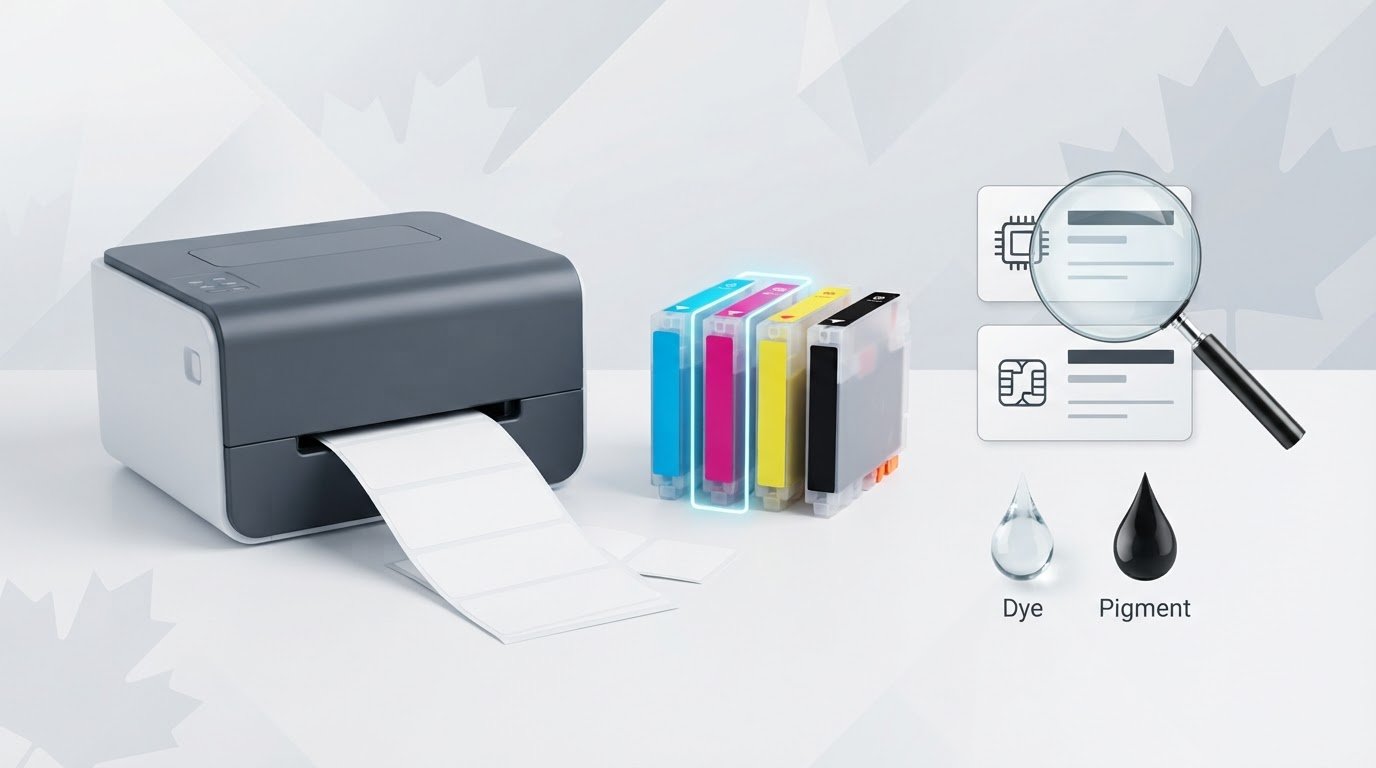
What if the LX4000 name on a cartridge listing isn’t enough to confirm it’s the right replacement? Before ordering primera lx4000 ink cartridges Canada, check your printer’s exact ink configuration and verify the cartridge identifier. Guessing can lead to a mismatch and unnecessary disruption to your label-printing work.
It’s understandable to expect the printer model alone to identify the right ink. Instead, confirm the details for your specific device before ordering. This guide explains how to identify your LX4000 and its ink configuration, what to check on a product listing, and what information to share when asking for help. DuraFast Label Company Canada is a Canadian online retailer offering Primera products and inkjet ink cartridges. Its specialists can assist with product selection when you provide your printer details. With the right information in hand, you can compare cartridge options more confidently.
Key Takeaways
- Match replacement ink to your LX4000’s exact configuration. The printer model alone may not confirm compatibility.
- Use the printer’s labels and documentation to gather details, then confirm the cartridge identifier with a supplier before ordering.
- For primera lx4000 ink cartridges Canada, check whether your printer is configured for dye or pigment ink and whether the proposed cartridge is confirmed for that setup.
- Before checkout, confirm the complete model, ink configuration, cartridge identifier and current Canadian availability.
- DuraFast Label is a Canadian retailer offering Primera ink cartridges. Its specialists can assist with product selection when you provide your printer details.
Primera LX4000 ink cartridges in Canada: what to confirm first
Confirm your LX4000’s exact configuration before comparing sellers or placing an order. A compatible replacement must be confirmed for your printer’s precise model and ink setup, not just described as “for the LX4000.” Product listings distinguish between dye-ink and pigment-ink configurations, so the printer name alone may not provide enough information to verify a match.
Don’t assume that cartridges associated with these configurations are interchangeable. Check product documentation or ask a supplier to confirm the cartridge requirements for your specific printer. General information about inkjet printing technology explains how ink is applied to a surface, but it doesn’t establish which cartridge is suitable for a particular LX4000 setup.
Why the LX4000 configuration matters when choosing ink
Listings may identify an LX4000 as a dye-ink or pigment-ink configuration, but that description alone doesn’t confirm that a replacement cartridge will work in your printer. Check the cartridge identifier against documentation for the complete configuration. Matching the ink setup and cartridge details helps you avoid choosing based on the printer model name alone.
What information to gather before searching
Start with the information on your printer, its supplies and its documentation. Check the device label and the label on an existing cartridge, then compare those details with the manufacturer documentation. Record what each source confirms and flag anything missing or unclear. Clear photos can help a supplier review the labels without relying on an incomplete model description.
Use this checklist before searching for primera lx4000 ink cartridges Canada:
- Printer: Record the complete model name as shown on the device and in its documentation.
- Ink setup: Note any reference to dye or pigment ink. If the configuration isn’t stated, don’t guess.
- Cartridge: Copy the identifier from the existing cartridge label, if available. Treat it as a detail to verify, not proof of compatibility.
- Evidence: Take clear photos of the printer label, cartridge label and any relevant documentation.
- Unconfirmed details: List what still needs checking, including whether the proposed cartridge is confirmed for your configuration.
These details make it easier to compare Canadian listings or ask for product-selection assistance. Information printed on a label is useful evidence to share, but compatibility should still be confirmed before ordering.
How to identify the correct Primera LX4000 ink cartridge
Checking the details is more reliable than choosing by printer name alone. Listings distinguish between LX4000 dye-ink and pigment-ink configurations, but that doesn’t confirm which cartridge your printer requires. Follow these steps and keep confirmed information separate from details that still need checking.
- 1. Identify the printer. Record the complete model name exactly as it appears on the printer and in its documentation. Include any configuration details rather than shortening the name to “LX4000.”
- 2. Inspect the installed cartridge. Note the cartridge identifier and any ink-type information printed on its label. Treat these as useful clues, not automatic proof that a replacement listing is compatible.
- 3. Check the documentation. Compare the printer and cartridge details with manufacturer documentation for your configuration. If the documents don’t clearly identify the required cartridge, mark the information as unconfirmed.
- 4. Confirm with a supplier. Ask whether the proposed cartridge matches your exact LX4000 model and ink setup. Resolve any uncertainty before purchasing.
Check the printer and installed cartridge labels
Read the printer label carefully and copy the model information as printed, including any configuration wording. Then check the installed cartridge for an identifier and ink-type details. If a label is difficult to read, take a clear photo rather than relying on memory. A partial model name or vague online listing may omit details needed to confirm compatibility.
Use documentation or supplier confirmation to resolve uncertainty
Compare your notes with official documentation or a supplier listing that clearly identifies the compatible configuration. If the match isn’t explicit, ask: “Is this cartridge confirmed for my exact Primera LX4000 configuration?” Share the printer and cartridge identifiers along with clear photos. This gives the supplier useful context and can reduce avoidable follow-up.
Keep a simple record before you shop:
- Confirmed: Details visible on your printer or cartridge labels, and information explicitly stated in documentation.
- To verify: The required cartridge identifier, whether the ink configuration affects cartridge requirements, and whether a seller’s listing applies to your printer.
The key pre-order check is straightforward: match the cartridge identifier to your exact LX4000 model and ink configuration, then get compatibility confirmed before buying. If you’re sourcing primera lx4000 ink cartridges Canada and want help reviewing the details, DuraFast Label is a Canadian retailer whose specialists can assist with product selection. Share your model information, ink configuration and label photos through the product assistance contact page, and confirm compatibility and current availability before ordering.
Primera LX4000 dye and pigment ink: compare before ordering
LX4000 product listings may identify a printer as a dye-ink or pigment-ink configuration. Use that wording to check your printer’s setup, not to assume which replacement cartridge it takes. When comparing primera lx4000 ink cartridges Canada, verify the cartridge identifier and its match to the complete printer configuration before ordering.
What the supplied LX4000 listings establish, and what they don’t
Product listings describe LX4000 printer configurations for both dye and pigment ink. This establishes that both configuration descriptions appear in listings. It doesn’t establish the cartridge part number, which supplies are included with a printer, or whether a particular cartridge is compatible with either setup. Check those details against authoritative product information.
Use the comparison below to guide your checks. It isn’t a compatibility chart. The cartridge requirements still need to be confirmed for your printer.
| Printer configuration shown | What to check | What to confirm with the supplier |
|---|---|---|
| Dye ink | Does the printer documentation or configuration label explicitly identify dye ink? | Which cartridge identifier is confirmed for this complete LX4000 configuration? |
| Pigment ink | Does the documentation or configuration label explicitly identify pigment ink? | Which cartridge identifier is confirmed for this complete LX4000 configuration? |
| Ink type not clear | Can you find the setup in the printer documentation or other product records? | Can the seller verify the configuration and matching cartridge before purchase? |
Don’t infer that dye and pigment cartridges are interchangeable, or that a printer listing confirms the right replacement. A listing may identify the printer’s ink configuration without providing enough information to establish the cartridge requirements for your device.
Questions to answer before selecting a cartridge
Before checkout, separate what you know from what still needs verification. Ask:
- Does the printer documentation identify a dye or pigment configuration?
- Does the cartridge identifier match the seller’s listing and the complete printer configuration?
- If the product information is unclear, can the seller confirm the match in writing?
Keep the printer configuration and cartridge identifier together when checking listings or asking for help. If either detail is missing, pause and request confirmation instead of choosing based on the LX4000 name alone. This helps distinguish what a listing states from compatibility that still needs to be checked.
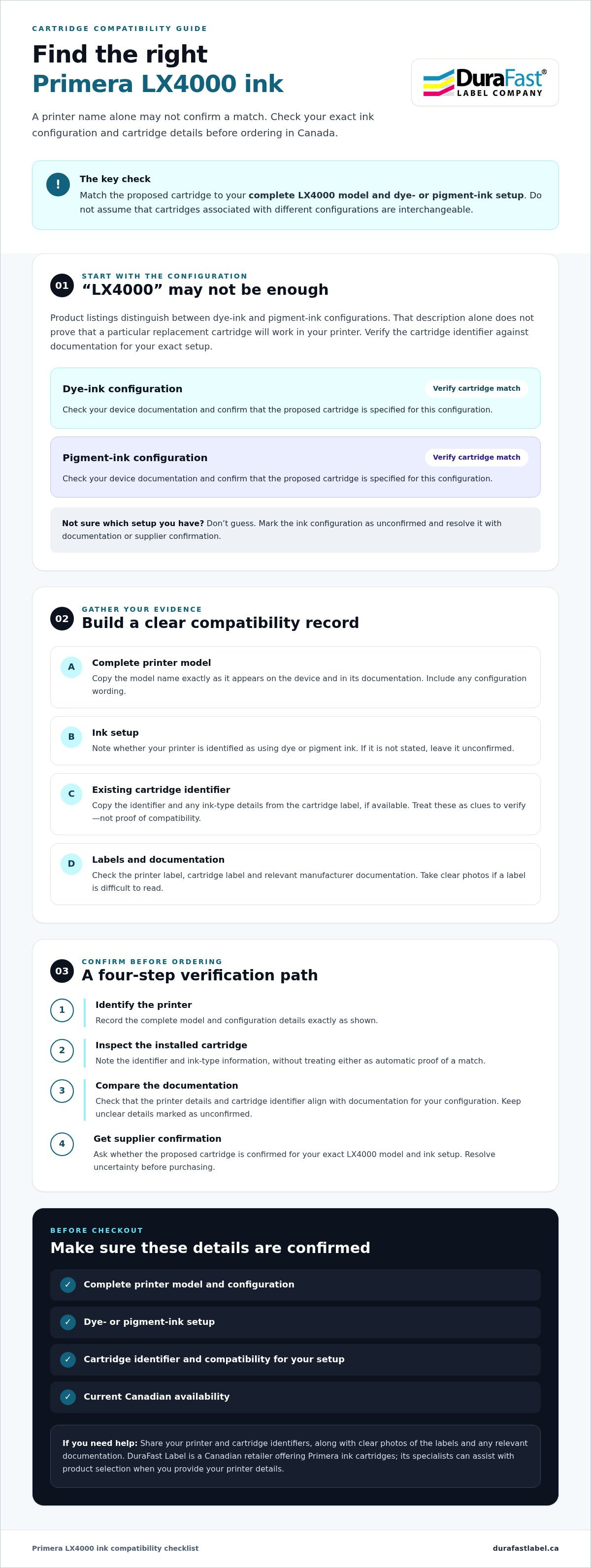
Before ordering Primera LX4000 cartridges in Canada: a buyer checklist
Before checkout, compare your printer details and cartridge information with the seller’s listing. This final review can reveal missing details before you place an order based on an assumption. For primera lx4000 ink cartridges Canada, confirm the cartridge match and practical ordering details with the retailer.
A pre-order compatibility checklist
- Confirm the complete printer model. Record the model name as it appears on the printer and in its documentation. Don’t rely on a shortened name if the device or records include configuration details.
- Check the ink configuration. Look for documentation identifying the printer as a dye-ink or pigment-ink configuration. If you can’t confirm the ink type, ask the seller before selecting a cartridge.
- Match the cartridge identifier. Compare the identifier on your existing cartridge with reliable product documentation or a supplier’s verified listing. A similar-looking product name isn’t proof of compatibility.
- Get seller confirmation. Ask whether the cartridge is confirmed for your exact LX4000 model and ink configuration. If the listing is unclear, request a direct answer before placing the order.
- Check current Canadian availability. Ask the retailer to confirm current stock and relevant ordering and delivery details. Inventory and order information can change, so don’t assume availability from an older listing.
For broader printer context, browse the colour label printers category. It can help you explore the retailer’s printer range, but it doesn’t replace configuration-specific cartridge verification.
When to ask a supplier for help
Ask for assistance if the printer label and existing cartridge details don’t agree, either identifier is difficult to read, or the documentation doesn’t clarify the ink setup. Send the complete model information, cartridge identifier and clear photos of the relevant labels together. These concrete details give the product-selection team more to check and can help avoid unnecessary follow-up.
DuraFast Label is a Canadian online retailer offering Primera products and inkjet ink cartridges. Its specialists can assist with product selection, but confirm cartridge compatibility and current availability for your specific printer before ordering. Ask DuraFast Label to help confirm your cartridge, including the configuration and identifier shown on your device and supplies.
Get help sourcing the right Primera LX4000 ink cartridges in Canada
The decision comes down to three checks: identify your printer’s ink configuration, verify the cartridge identifier against that setup, and confirm current Canadian availability with the retailer. A model name or product listing on its own isn’t final proof of compatibility.
DuraFast Label is a Canadian online retailer offering Primera products and inkjet ink cartridges. Its specialists can assist with product selection. Share the details you’ve gathered and ask for the cartridge match to be checked before ordering. Confirm stock and ordering information directly with the retailer, as availability may change.
What to include in a cartridge enquiry
A focused enquiry gives the product-selection team useful information to assess. Include:
- Complete printer model: Copy the model name as it appears on the device and include any configuration details shown.
- Ink configuration: Note whether the documentation identifies the printer as a dye-ink or pigment-ink configuration. If you can’t tell, say so rather than guessing.
- Cartridge identifiers: Record the identifier on the currently installed cartridge, if available.
- Clear photos: Attach photos of the printer and cartridge labels so the printed details can be reviewed.
- Questions to resolve: Ask whether the proposed cartridge is confirmed for your exact configuration and currently available in Canada. Confirm relevant ordering and delivery details directly with the retailer.
If the printer label and cartridge information don’t match, mention that in your message. A brief note about the discrepancy helps separate confirmed information from details that still need checking.
Take the next step with DuraFast Label
You don’t need to resolve every uncertainty before asking for assistance. Clear model details, cartridge identifiers and label photos make product-selection questions easier to assess. They also help identify which points still require confirmation, without assuming a cartridge match or current stock.
Gather the information you have, note what remains unclear, and ask for help with the specific configuration. Contact DuraFast Label about Primera LX4000 cartridges to ask about cartridge selection and current Canadian availability.
Order with confidence by checking the details first
To source primera lx4000 ink cartridges Canada, first confirm your printer’s exact ink configuration. Check the complete model details and any dye- or pigment-ink information, then verify the cartridge identifier against reliable documentation or with a retailer. A listing that names the LX4000 may not confirm a match for your specific setup.
Before ordering, ask the retailer to confirm current Canadian availability and relevant ordering details. This helps you distinguish what’s established from what still needs verification, so you can make an informed purchasing decision without relying on guesswork.
DuraFast Label is a Canadian online retailer offering Primera printers and inkjet ink cartridges. Its specialists can help customers select label-printing products. Share your model details, cartridge identifier and clear photos when asking for guidance, and request confirmation of compatibility before you buy.
Contact DuraFast Label for help confirming your Primera LX4000 cartridge. With the right information in hand, you can take the next step with greater confidence.
Frequently Asked Questions
Which ink cartridges fit a Primera LX4000?
The correct cartridge depends on the LX4000’s exact ink configuration, so confirm the cartridge identifier before ordering. Listings distinguish between dye-ink and pigment-ink configurations, but that alone doesn’t establish the cartridge part number or compatibility. Check the printer documentation and label on an installed cartridge, then compare those details with authoritative product information or ask a retailer to confirm the match for your specific printer.
Are Primera LX4000 dye and pigment ink cartridges interchangeable?
Don’t assume that dye and pigment cartridges are interchangeable. Product listings identify LX4000 printer configurations by ink type, but that wording doesn’t confirm whether a cartridge works with either setup. Check the cartridge identifier against documentation for your exact configuration, or ask the seller to verify compatibility before purchase. If the information is unclear, provide the printer model and photos of the relevant labels for review.
How can I find the cartridge number for my Primera LX4000?
Check the label on the currently installed cartridge and record its identifier exactly as printed. Also review the printer’s complete model information and manufacturer documentation for details about its ink configuration or cartridge requirements. Treat the existing cartridge number as a useful starting point, not automatic proof that a replacement listing is compatible. Confirm the identifier against reliable product information or with a supplier before ordering.
Can I buy Primera LX4000 ink cartridges in Canada?
Canadian retailers offer Primera products, but a listing doesn’t guarantee that a particular cartridge is currently available or suitable for your printer. DuraFast Label is a Canadian online retailer offering Primera printers and inkjet ink cartridges. Contact a retailer to verify the cartridge identifier for your LX4000 configuration and confirm current Canadian availability and relevant ordering details before placing an order.
What is the difference between dye and pigment ink for the LX4000?
For cartridge identification, the key distinction is that LX4000 listings describe both dye-ink and pigment-ink printer configurations. Check which configuration your printer documentation identifies, then use that information when verifying the required cartridge. Don’t infer cartridge compatibility, performance differences or interchangeability from the ink-type label alone. If your records don’t clearly identify the configuration, ask a supplier to help confirm it before selecting a replacement.
What should I check before ordering Primera LX4000 cartridges online?
Before ordering, confirm the complete printer model, the stated dye- or pigment-ink configuration and the cartridge identifier. Compare these details with reliable documentation or ask the seller to confirm compatibility with your exact printer. Also check current availability in Canada and relevant ordering or delivery details with the retailer. A product title that mentions LX4000 may not provide enough information to establish a configuration-specific match.
What should I do if I cannot tell which LX4000 cartridge I need?
Pause before ordering and ask a retailer for product-selection assistance. Share the complete printer model, any dye- or pigment-configuration details, the identifier on the installed cartridge and clear photos of the labels. Ask the retailer to confirm which cartridge identifier matches your setup and whether it’s currently available in Canada. DuraFast Label’s specialists can help customers select label-printing products, but compatibility should be confirmed before purchase.