Premium Blank Roll Labels for Inkjet Printers: 2026 Guide
30th Jul 2026
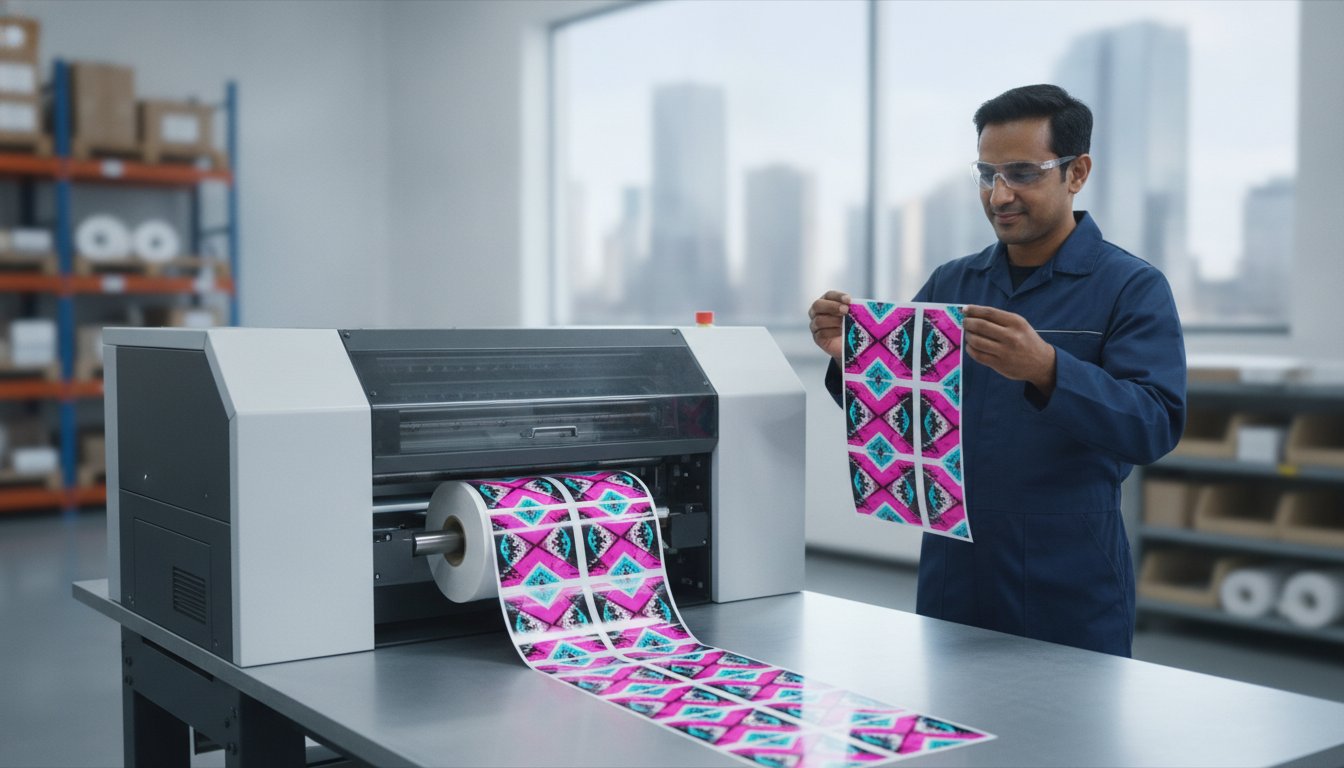
Why are your high-end colour labels smudging before they even reach the shelf, despite your printer's 1200 DPI resolution? You likely invested in a VIPColor or Epson system to achieve professional results in-house, but the wrong media can quickly turn that investment into a source of frustration. It's a common struggle to manage rolls that don't fit your internal unwinder or adhesives that peel off in damp Canadian storage conditions.
Choosing the right blank roll labels for inkjet printers is a science of compatibility where ink chemistry must perfectly match the label coating. This 2026 guide will help you master these technical specifications to ensure perfect print quality and operational efficiency for your facility. We'll examine the critical differences between dye and pigment-optimized media, provide clarity on hardware configurations like external unwinders, and review the latest regulatory requirements affecting packaging in 2026. By the end, you'll have the data needed to minimize your cost-per-label and eliminate media-related downtime for good.
Key Takeaways
- Understand why transitioning from sheet-fed labels to high-speed roll-fed systems is the most effective way to reduce operational downtime and improve production throughput.
- Learn how to match your specific ink chemistry—whether dye or pigment—to the correct blank roll labels for inkjet printers to prevent smudging and ensure professional colour reproduction.
- Identify critical hardware specifications, such as the difference between 2-inch and 3-inch core sizes, to ensure your media fits perfectly within your printer’s internal unwinder.
- Select the ideal material finish and adhesive for your application, from vibrant high-gloss aesthetics to freezer-grade adhesives designed for cold Canadian storage conditions.
- Discover the methodology for calculating your total cost-per-label to maximize fiscal responsibility while maintaining high-quality output for your in-house labelling.
Understanding Blank Roll Labels for Inkjet Printing
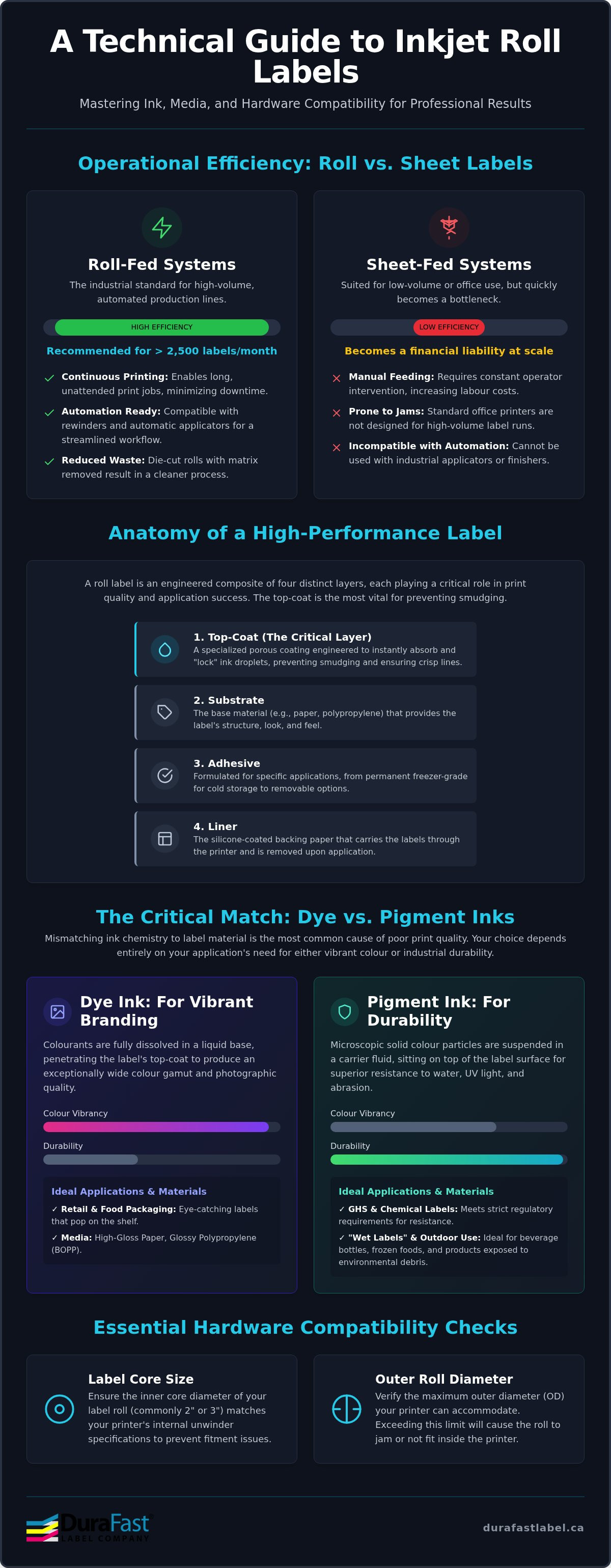
What exactly are blank roll labels for inkjet printers? Effectively, they are continuous media wound around a central core, engineered specifically for high-speed, on-demand colour production. Unlike traditional sheet-fed labels, these rolls allow you to print precisely what you need without the waste of large minimum orders. They serve as the foundation for businesses using equipment from VIPColor or Afinia to create professional packaging in-house. These rolls are designed to work seamlessly with inkjet printing technology, which requires specific surface treatments to manage liquid ink droplets at high speeds.
The primary advantage of roll media is operational continuity. While sheet labels require constant manual feeding and are prone to jams in standard office printers, roll systems allow for hours of unattended printing. This setup is essential if you plan to use secondary equipment like label rewinders or automatic applicators. By moving to a roll-fed system, you enable a streamlined workflow where labels move from the printer directly to the product with minimal human intervention. This transitions your labelling from a manual chore into a repeatable industrial process.
Roll Labels vs. Sheet Labels: When to Switch?
Are you still manually peeling labels from sheets? If your monthly production exceeds 2,500 units, you've likely reached the threshold where sheet-fed systems become a financial liability. The main difference lies in labour efficiency. Automatic label applicators require roll media to function; switching allows you to apply hundreds of labels in the time it takes to apply ten by hand. Additionally, die-cut roll labels reduce waste. Since the "matrix," which is the excess material around the labels, is usually removed during manufacturing, your printer only applies ink to the usable area. This simplifies the recycling of backing liners and keeps your workspace cleaner.
The Anatomy of a Roll Label
A high-quality label is more than just a single layer of paper; it's a complex stack of four distinct components. First is the liner, which carries the labels through the printer's internal mechanisms. Next is the adhesive, which must be matched to your specific environment, such as "wet labels" or cold storage. The substrate, whether paper or synthetic, provides the physical structure. Finally, the specialized top-coat is the most critical element. These blank roll labels for inkjet printers feature porous or swellable coatings that instantly "lock" ink in place. Without this coating, the ink would simply pool on the surface, leading to the smudging issues often seen with generic media.
Dye vs. Pigment Ink: Matching Chemistry to Material
Why does your ink choice dictate your media selection? The answer lies in the fundamental chemistry of how colour is delivered to the page. Dye inks consist of colourants fully dissolved in a liquid base, while pigment inks contain microscopic solid particles suspended in a carrier fluid. This distinction is the only reason why a label that looks stunning on one printer might smudge or appear dull on another. To achieve professional results, your blank roll labels for inkjet printers must be engineered to handle these specific delivery methods. Mismatching the ink to the coating is the most common cause of operational frustration in in-house labelling.
Dye Ink Labels for Vibrant Branding
If your goal is to produce photographic-quality packaging for retail or the food and beverage industry, dye-based inks are often the superior choice. Systems utilizing Memjet Technology or water enhanced dye inks offer an incredibly wide colour gamut, resulting in vibrant, punchy reds and deep blacks. However, because dye ink is a liquid solution, it requires a highly porous or "swellable" top-coat to absorb the moisture. High gloss paper and glossy polypropylene (BOPP) are the standard materials here. These surfaces allow the dye to penetrate the coating, locking the colour beneath the surface for a smooth, reflective finish that resists light handling. Without this specialized coating, the ink would simply pool on the surface and never truly dry.
Pigment Ink Labels for Industrial Durability
Does your product need to survive harsh environments, such as "wet labels" for beverages or GHS chemical containers? Pigment ink is the better choice for these scenarios. Because the colourant consists of solid particles, it offers exceptional UV stability and resistance to environmental debris. These particles sit on top of the substrate rather than soaking in. Consequently, pigment-optimized blank roll labels for inkjet printers usually feature a matte finish or a specialized "satin" synthetic surface designed to anchor these particles. This configuration is essential for labels that will be introduced to water or extreme cold, as the pigment bonds tightly to the matte top-coat to prevent smudging and fading over time.
The main difference between a successful print run and a wasted roll is often just a simple technical mismatch. Using dye-optimized glossy labels in a pigment printer like the Epson C6500 will result in poor adhesion and easy scratching. Conversely, using pigment-optimized matte labels with dye ink will result in muted, flat colours that lack brand impact. If you are currently evaluating a new printer model or looking to improve your current print quality, you can request custom samples to test in-house before committing to a bulk order. This simple step ensures your media chemistry perfectly aligns with your hardware capabilities.
Critical Hardware Specs: Core Sizes and Roll Diameters
Why do your labels jam or fail to feed despite using premium materials? Often, the issue isn't the ink or the substrate but a mismatch in physical hardware specifications. Even the highest quality blank roll labels for inkjet printers will cause operational delays if they don't sit correctly on your printer’s spindle. Understanding the mechanical constraints of your specific model is the only way to ensure zero downtime and maintain high print speeds measured in ips (inches per second). Physical compatibility is just as vital as chemical compatibility for a successful in-house labelling operation.
Standardizing Your Core Requirements
Which core size does your printer require? The main difference between desktop and industrial printers often starts with the Core ID (Inner Diameter). Entry-level and mid-range units, such as the Primera LX500, are typically engineered for 2-inch cores. In contrast, industrial-grade systems like the Epson C7500 or the VIPColor VP700 require 3-inch cores. These larger cores are necessary to manage the increased weight and torque of high-volume rolls. Attempting to use mismatched cores leads to uneven tension, which causes the media to "walk" across the printhead, resulting in misaligned graphics and wasted ink.
Measuring Maximum Roll OD
Will the roll actually fit inside your printer's chassis? Roll OD is the total distance across the roll. Most internal label unwinders have a strict physical limit, often capped at 6 or 8 inches. You must realize that the relationship between label thickness and total diameter is non-linear. If you choose a thicker 7.5 mil synthetic material for extreme durability, the roll diameter will increase much faster than it would with a standard paper substrate. For businesses looking to scale, adding an external label unwinder is often the best choice, as it allows you to use 10-inch or 12-inch rolls that would never fit inside a standard desktop footprint.
Finally, consider how roll width affects your sensor detection. Your printer uses gap or black mark sensors to identify the start of each label. If your roll width isn't properly aligned with the printer’s guides, the sensor may fail to recognize the media position, triggering "media out" errors. Properly matching your roll dimensions to your industrial label printers ensures that your production remains seamless and your cost-per-label stays optimized. This technical alignment prevents the environmental debris and dust buildup that often occurs when media is forced through an incompatible path.
Selecting the Right Finish and Adhesive for Your Application
How do you balance shelf appeal with technical performance? While a high-gloss finish provides the vibrant colour reproduction needed for prime product branding, a matte finish offers superior scanability for warehouse barcodes and industrial tracking. Choosing the right blank roll labels for inkjet printers requires you to look beyond the surface level and consider the environment where the label will live. A mismatch here leads to labels that peel, fade, or fail to communicate your brand's quality. Success in in-house labelling is about matching the physical properties of the media to the logistical journey of your product.
Material Choices: Paper vs. Polypropylene
When is paper the better choice? For dry, indoor applications where cost-per-label is the primary metric, paper substrates remain the standard. For those who also need to source the raw materials for the packaging itself, you can explore Wholesale Paper and Board Trading to find high-quality board and paper for bag production. However, if your products face moisture, oils, or heavy handling, BOPP (polypropylene) is essential. Polypropylene provides a significant advantage in durability; it don't tear or degrade when exposed to the oils often found in cosmetics or the condensation common on chilled beverages. The main difference between paper and BOPP is the latter's ability to maintain its structural integrity in "wet label" scenarios. For extreme industrial environments, polyester synthetics offer even greater heat resistance and longevity, ensuring your marking remains legible throughout the product's lifecycle.
Adhesive Performance in the Canadian Climate
Does your warehouse temperature fluctuate? In the Canadian climate, labels often face high humidity in the summer and extreme cold in the winter. Standard adhesives can become brittle and lose their bond in these conditions. If your products are destined for cold storage or frozen food aisles, you must utilize freezer-grade adhesives. These are specifically formulated to maintain a secure bond at temperatures as low as -40 degrees Celsius. The only difference between a standard permanent adhesive and a freezer-grade variant is the temperature range at which the chemical bond stabilizes.
You also need to understand the difference between initial tack and ultimate bond. Initial tack is the immediate "grab" the label has when it first touches the surface, while ultimate bond is the strength of the adhesive after it has had time to cure. If you apply labels to cold, damp containers, condensation can act as a barrier, preventing the adhesive from ever reaching its ultimate bond. This is why testing is so critical. To ensure your labels stay exactly where you put them, you can consult with our experts to find the right adhesive for your specific environment.
Finally, for businesses in the chemical industry, GHS BS5609 compliance is a non-negotiable requirement. These specialized synthetic labels are engineered to survive immersion in saltwater for 90 days without losing legibility or adhesion. Utilizing pigment-based inks with BS5609-certified blank roll labels for inkjet printers ensures your facility remains compliant with international safety standards while protecting your staff and customers.
For high-durability applications that require advanced marking techniques like UV printing or laser engraving, Pro Fist (STF d.o.o.) offers specialized solutions that extend beyond traditional inkjet capabilities.
Optimizing Your In-House Labelling Workflow
How can you ensure your in-house labelling remains a strategic asset rather than a logistical bottleneck? Optimization begins with a clear understanding of your fiscal metrics. To calculate your true total cost per label, you must combine the price of your media with the specific ink volume (ml) consumed per print. Most modern software allows you to estimate these costs before you start a production run. By analyzing these figures, you can decide whether a high-gloss synthetic or a matte paper substrate is the better choice for your bottom line. Using high-quality blank roll labels for inkjet printers ensures that your cost-per-label remains predictable by eliminating the waste associated with misprints and jams.
What is the most effective way to avoid bulk ordering errors? We always recommend testing with sample rolls before committing to a large inventory. This diagnostic step allows you to verify that the adhesive performs in your specific storage conditions and that the top-coat reacts correctly with your ink set. As a Canadian-based partner with national shipping, DuraFast Label provides the local expertise needed to navigate these technical decisions. We act as a comprehensive resource for innovators who want to take control of their own marking processes and achieve professional results without the need for external vendors.
Streamlining Production with Accessories
How can you reduce manual handling during high-volume runs? Integrating label rewinders and finishers into your production line is the most effective solution. Instead of labels piling up at the output tray, a rewinder creates a neat, tightly wound roll that is ready for an automated applicator. This setup significantly reduces labour costs and prevents the environmental debris that can settle on labels left in loose piles. Automated dispensers further simplify the process by presenting labels one at a time; this allows your staff to focus on consistent placement rather than struggling with backing liners.
Ordering Custom and Brand-Specific Labels
Why is brand-specific media so critical for your hardware’s longevity? Buying labels for inkjet printers designed specifically for your equipment prevents damage to sensitive printheads. The main difference between generic rolls and brand-optimized media is the precision of the die-cutting and the quality of the liner. If your packaging requires a unique aesthetic, you can request custom shapes and sizes to fit your specific containers perfectly. This level of customization ensures that your branding remains professional and distinct in a crowded market. To start optimizing your production today, you can Browse our full selection of blank roll labels and find the perfect match for your blank roll labels for inkjet printers requirements.
Scaling Your In-House Labelling for 2026
Achieving professional results in-house isn't a matter of trial and error. It's a precise alignment of ink chemistry, hardware specifications, and environmental resilience. By matching your dye or pigment ink sets to the correct top-coat and ensuring your core sizes fit your internal unwinder, you eliminate the downtime that stalls growth. Whether you're managing "wet labels" in humid conditions or cold-storage packaging, the right media makes the difference.
At DuraFast Label, we act as your strategic partner with a Canadian-based inventory for fast national shipping. We provide expert technical support for Afinia, Epson, and VIPColor printers to ensure your blank roll labels for inkjet printers perform exactly as intended. If you're unsure which material is best for your unique application, custom sample kits are available for testing in your own facility. Take control of your production today and realize the benefits of a truly optimized workflow.
Shop High-Quality Blank Roll Labels for Inkjet Printers
Frequently Asked Questions
Will these roll labels work with any inkjet printer?
No, these labels are engineered specifically for inkjet systems and won't work with standard laser or flexographic printers. The only reason they function correctly is the presence of an inkjet-receptive top-coat that absorbs liquid ink droplets instantly. Using non-inkjet media will lead to ink pooling and significant mess inside your hardware.
What is the difference between a 2-inch and 3-inch core?
The difference between these sizes refers to the Inner Diameter (ID) of the roll's central tube. Desktop printers usually utilize a 2-inch core to maintain a smaller footprint, while industrial models require a 3-inch core to handle the weight of larger media rolls. You must match this spec to your printer's spindle to avoid feeding issues.
Do I need different labels for dye ink and pigment ink?
Yes, you absolutely need to match your media to your ink type to achieve professional results. Dye inks perform best on high-gloss paper to maximize colour vibrancy, whereas pigment inks require matte or specialized synthetic surfaces to ensure the solid particles bond correctly for smudge resistance and longevity.
How do I know the maximum roll diameter my printer can handle?
You can find this specification in your printer's technical manual under "Maximum Roll OD" or Outer Diameter. This metric defines the total physical space available within your internal unwinder. If you want to use larger rolls than your chassis allows, you'll need to invest in an external label unwinder to bypass the internal constraints.
Are there waterproof blank roll labels for inkjet printers?
High-quality blank roll labels for inkjet printers are available in waterproof synthetic materials like BOPP and Polyester. When paired with pigment-based inks, these labels resist moisture, oils, and even saltwater immersion. This makes them the better choice for "wet labels" or products stored in damp Canadian warehouses where condensation is a factor.
Can I use thermal labels in my inkjet printer?
You shouldn't use direct thermal labels in an inkjet printer because they lack the necessary porous coating. Thermal media is designed to react to heat, not absorb liquid. Attempting to use them will result in ink that never dries, potentially contaminating your printhead and internal rollers with wet residue that is difficult to clean.
Why are my inkjet labels smearing after printing?
Smearing is almost always a symptom of a chemistry mismatch between the ink and the top-coat. If you're using blank roll labels for inkjet printers that aren't optimized for your specific ink type, the liquid can't penetrate the surface. This leaves the ink sitting on top where it remains vulnerable to even the lightest touch during the application process.
Does DuraFast Label offer custom-sized roll labels in Canada?
Yes, we provide custom shapes and sizes tailored to your unique packaging requirements directly from our Canadian inventory. We realize that standard sizes don't always fit every brand's vision, so we offer expert support to help you develop a custom solution that maintains operational efficiency and professional aesthetics for your in-house labelling.