On-demand printing or pre-printed labels for contract packagers?
16th Nov 2026
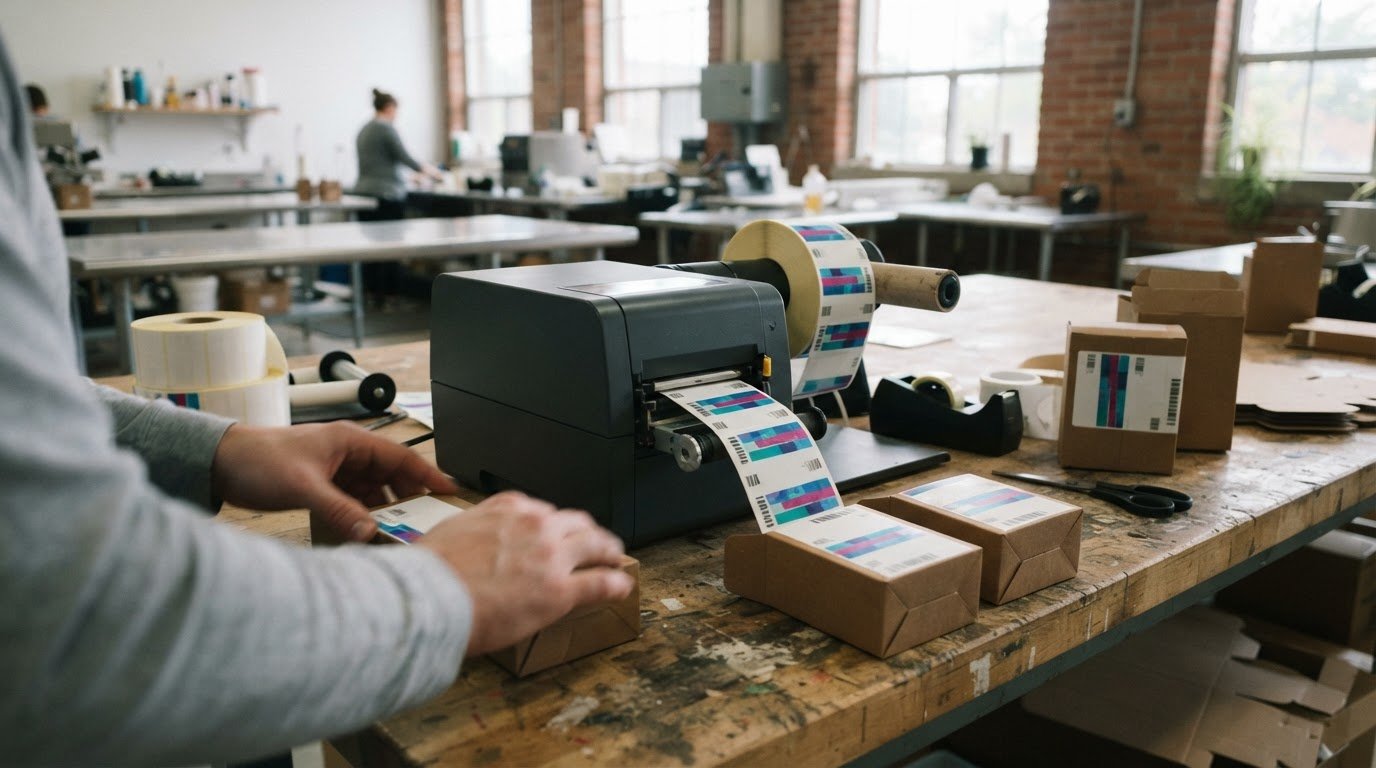
Pre-printed labels can be efficient until an order changes or label details need updating. On-demand label printing for contract packagers lets teams print the quantity needed for each run, while pre-printed labels are produced ahead of time and stored until use. The better fit depends on how often products, batches and label information change.
Both approaches support production, but place different demands on inventory and operations. If you manage multiple products or short runs, keeping every label version in stock can be challenging. Printing as needed offers flexibility, while pre-printing may suit stable, repeat orders.
This article compares the two methods for label inventory, regulatory updates, batch data and expiry dates, as well as day-to-day production demands. You’ll see when each approach can help, which trade-offs to weigh, and how colour label printers can fit into an on-demand workflow.
Key Takeaways
- Choose on-demand or pre-printed labels based on how stable your product range and order volumes are.
- Printing labels as needed can reduce the risk of holding stock that becomes unusable after a label update.
- Plan how batch details and expiry dates will be added so variable information stays aligned with each production run.
- Match printer speed, ink type and label unwinder design to your production pace and the conditions around your equipment.
- Explore DuraFast Label Company Canada’s label printer offerings to find options suited to short runs and changing packaging needs.
What Is On-Demand Colour Label Printing?
On-demand colour label printing produces labels in the quantity a packaging run requires, when it requires them. For a contract packager, this can mean printing product identification and design elements for each client’s order.
In-house Digital Label Production
In-house digital printing means producing labels at the packaging facility instead of ordering finished labels for every run. The packager needs a digital colour printer, compatible label stock, ink, approved artwork and a process for matching each print job to the correct product. In-house production gives the team direct control over timing and quantities, but also adds equipment and workflow responsibilities.
Outsourcing can suit packagers who prefer to receive finished labels rather than manage printing equipment. In-house production can respond more readily when orders change, but staff must manage print files, materials and quality checks.
Short-Run Label Production
Short-run label production serves limited quantities or multiple product versions without requiring a large stock of each design. It generally means fewer than 10,000 labels. A packager handling several client SKUs can print the quantity needed for each run, rather than holding identical large batches for every product.
Digital printing also suits short and medium runs when artwork or product details vary between orders. The practical choice depends on run size, design stability, production time and how often labels change.
To integrate label printing with ERP, WMS and packaging lines, map each approved product record to its label template and variable fields. Test a print job against the order and line process, including how operators select the SKU and release labels for production.
Print quality, durability and material should suit the container, label design, and handling and storage conditions. Check that small text and product identifiers remain legible, colours reproduce consistently, and the label stock suits the package surface. For Canadian consumer prepackaged products, mandatory label information must appear in English and French. According to Competition Bureau Canada, labels must include product identity, net quantity, and the dealer’s name and place of business. The dealer’s name and address may appear in either language.
| Option | Quantity and timing | Production control | Best fit |
|---|---|---|---|
| In-house digital | Print to match planned runs | Managed at the packaging site | Changing orders and label versions |
| Outsourced pre-printed | Labels arrive ahead of production | Label stock is managed across orders | Stable designs and repeat runs |
| Outsourced digital | Short or varied runs can be ordered | Printing is handled externally | Packagers avoiding in-house printing |
For another product-identification application, inkjet card grading labels show how a printed label can identify an individual item.
Choose by comparing run size, artwork changes, inventory capacity and who will manage printing. Stable designs and repeat demand may favour pre-printing; frequent variations can make digital production more practical.
Reducing pre-printed label inventory and waste
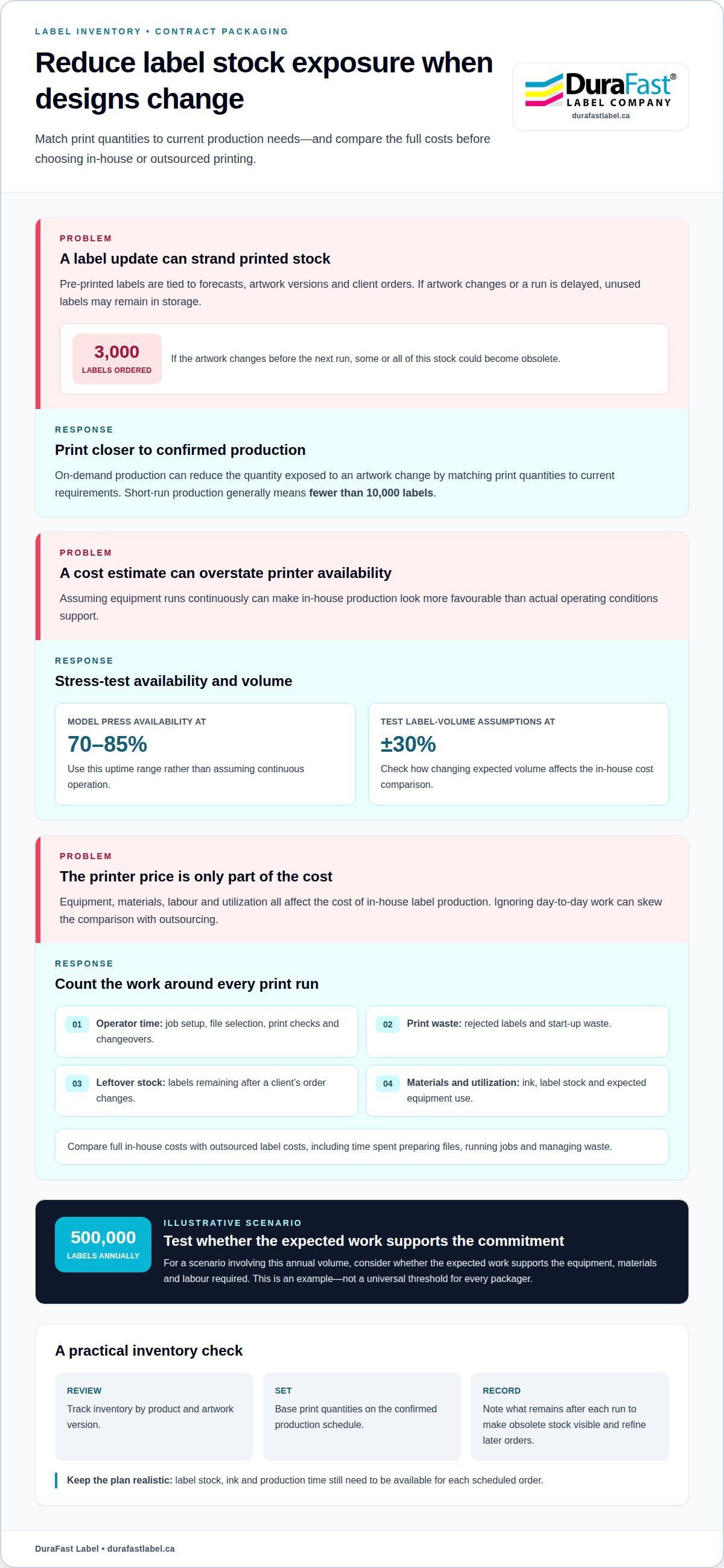
Pre-printed labels tie inventory to forecasts, artwork versions and client orders. If a product changes or a run is delayed, unused labels may remain in storage. On-demand production can reduce that exposure by matching print quantities to current requirements. Short-run printing generally means fewer than 10,000 labels, making it relevant to packagers handling smaller orders or several product versions.
Consider a packager that orders 3,000 labels for one product. If the artwork changes before the next run, some or all of that stock could become obsolete. Printing closer to production reduces the quantity exposed to that change. It doesn’t remove the need for inventory planning: label stock, ink and production time still need to be available for each scheduled order.
Printer purchase and operating costs in Canada depend on equipment capacity, ink, label materials, labour and expected utilization. Compare the full in-house cost with outsourced label costs, including time spent preparing files, running jobs and managing waste. For a useful estimate, use your order mix and material requirements rather than relying on the printer’s purchase price alone.
A useful cost model accounts for production conditions, not just theoretical output. Estimate each client’s label volume, then test how changes affect the comparison:
- Use 70-85% uptime when modelling in-house press availability, rather than assuming the equipment runs continuously.
- Test label-volume assumptions at ±30% when evaluating in-house press costs.
- Include operator time for job setup, file selection, print checks and changeovers.
- Track rejected labels, start-up waste and stock left after a client’s order changes.
These inputs matter because a printer that sits idle still represents a purchase and operating commitment. A high-volume scenario can make in-house production look attractive, while lower utilization or frequent job changes can shift the comparison. In an illustrative scenario involving 500,000 labels applied annually, the central question is whether the expected work supports the equipment, materials and labour required. That figure is a scenario, not a universal threshold for every packager.
Review inventory by product and artwork version. Set a print quantity from the confirmed production schedule, then record what remains after each run. This makes obsolete stock visible and helps refine later orders. To assess how printing equipment could fit your workflow, discuss your label production requirements.
Variable data for batches and expiry dates
Batch labels combine approved artwork with details that vary from one production run to another. A fixed design may show the product name, brand colours and barcode, while variable fields carry a lot code, production date or expiry date. Separating these elements lets a contract packager reuse approved artwork without treating each batch as a new label design.
Accuracy starts with a controlled source for each variable field. Match the packaging work order to the approved template, then preview the populated label before printing. Validate barcode content with a scanner and compare the lot and date information with the production record.
For example, a product template might contain a fixed product name and barcode, alongside editable fields for a lot code and expiry date. The operator selects the work order, confirms the values and releases the label job for that run. This keeps batch-specific information separate from artwork that should remain unchanged.
A reliable variable-data workflow defines who supplies, enters and approves each value. Clear handoffs reduce the risk of copying information from an unrelated product record. For example, the packaging line can use the active work order as its reference, while the print file maps the order’s batch field to the label’s lot-code area.
- Separate fixed and changing content: keep the product identity and brand artwork in the approved template; assign batch and expiry fields separately.
- Use a defined data source: populate lot and date fields from the production record, not an operator’s memory.
- Preview the complete label: check that the text fits, remains legible and appears beside the intended product information.
- Test barcode output: scan a printed sample and confirm that it represents the intended product or batch data.
- Control job release: associate the approved file and populated values with the correct packaging order.
Expiry information needs particular care: a correctly printed date can still be wrong if its source or format is incorrect. Define the date format in the template and use the same convention in the production record. A preview can reveal day and month positions that are swapped, clipped characters or a field that has not populated.
Once a job begins, compare a sample label from the line with the approved preview. Confirm the lot code, expiry date, product name and barcode before continuing the run. If any value differs, pause label release and correct the work order or template mapping before printing more. Record the approved job version so later runs don’t inherit outdated data settings.
This process makes variable printing practical for products with shared layouts but distinct batch records. The key is a reliable connection between the work order, template fields and packaging run, with a deliberate review before labels reach the line.
Challenges with pre-printed labels
Pre-printed labels arrive ready for a planned product and production run. This can simplify line-side printing, but the packager must have the correct artwork, quantity and version available. If a client changes a product name, ingredient panel or design, existing rolls may no longer match the order. Separate label versions by client, SKU and approval status to help prevent a roll from being selected for the wrong job.
Errors can also be discovered after printing starts. Bob McCauley caught a spelling error after 10 labels had been printed and corrected it. That example shows why checking a proof before producing a full order matters. A review should focus on text, product identifiers, barcode content and the specific artwork version approved for the run.
Approval handoffs create another risk. A client may send a revised file while purchasing or production still has an earlier version. Give each approved design a clear version identifier, and distinguish the released file from drafts. Before a run, match the label roll and its identifier to the production order. This reduces the risk of using obsolete artwork.
- Artwork change: compare the released proof with the client’s approved file before ordering labels.
- SKU change: match the roll identifier to the exact product and packaging order.
- Reprint: retain the approved version and prevent an old file from being selected again.
- Line start-up: inspect the first labels for correct text, layout and product match.
Pre-printed rolls also need storage and handling controls. Keep each client’s rolls identified, protected and organized by product version. When similar products use different designs, physical separation and clear roll labels can reduce selection mistakes during a busy changeover. A location record helps staff find the right roll without relying on memory.
Timing can be difficult when label supply and packaging schedules diverge. Delayed client approval may leave a run waiting, while an order change can make a delivered roll unsuitable. Reduce coordination problems by aligning artwork approval, label ordering and the confirmed production schedule. The key handoff is when the approved design becomes the version used for purchasing and production.
Pre-printing remains practical for stable designs and repeat orders, especially when the exact label version is known before production. The main operational challenge is keeping approved artwork, label stock and work orders synchronized. A clear approval trail, version control and roll identification help manage this process, while early proof review can catch issues before they affect a larger print run.
Another important consideration is making sure the roll fits the equipment: a co-packer’s label equipment commonly uses a 3-inch cardboard roll core, but confirm the required core size and specifications with the co-packer to help prevent line jams and delays.
Which digital label printers are best for short-run, variable-data packaging labels?
The right printer depends on run volume, required pace, ink durability and workspace. Short-run production generally means fewer than 10,000 labels. For variable-data packaging, also consider how operators prepare jobs and manage changes between client orders. A suitable model should match the work pattern without adding unnecessary production steps.
For colour label printing, the VIPColor VP500, VP610 and VP700 use Memjet Technology and standard Memjet dye inks. The VP500 prints at 8 ips and uses 200ml ink cartridges. The VP610 prints at 12 ips and uses 250ml cartridges. Both have external label unwinders, so the roll sits outside the printer.
The VP700 has an internal label unwinder. It has the same features, print quality and print speed as the VP610, and uses the same 250ml ink cartridges. Its internal unwinder can suit dusty environments because the label roll is protected from environmental debris. If the work area is clean and an external roll is practical, the VP610 offers the same print speed and quality without the internal unwinder.
For labels exposed to water or condensation, such as frozen-food labels, consider the water-enhanced Memjet dye inks in the VP550, VP660 and VP750. The VP550 has a maximum print speed of 8 ips and 200ml cartridges. The VP660 has a maximum speed of 12 ips and 250ml cartridges. Both have external label unwinders. The VP750 has an internal unwinder, like the VP700.
Compare the options against your production needs:
- Lower print speed: the VP500 or VP550 prints at 8 ips and uses 200ml cartridges.
- Higher print speed: the VP610 or VP660 prints at 12 ips and uses 250ml cartridges.
- Internal unwinder: the VP700 or VP750 has a built-in unwinder.
- Water exposure or condensation: the VP550, VP660 and VP750 use water-enhanced dye inks.
For example, a packager prioritizing the internal roll arrangement in a dusty workspace can consider the VP700 or VP750. If labels may face water or condensation, the water-enhanced ink models are the relevant choices. Match the printer to the package conditions, planned run pace and label workflow, then assess a representative label before production.
Discuss your short-run label printing requirements to identify a suitable direction for your packaging workflow.
Short-run label printing can help manufacturers avoid wasting large quantities of labels when regulations change. When selecting a printer, consider how well it can accommodate changing packaging needs, alongside printing pace, ink durability and roll arrangement. Assess how often label details may need revision and whether your production approach can handle changes without committing to more labels than needed. For variable-data work, decide how operators will manage updated job information and transitions between orders, then test the workflow with a representative label. This helps determine whether the printer’s speed, ink and unwinder arrangement suit the job while keeping quantities aligned with current requirements. Choose equipment for both the physical conditions labels will face and the need to respond to packaging changes, not print speed alone.
DuraFast Label Company Canada: Dymo LabelWriter label printers
DuraFast Label Company Canada offers reliable on demand label printing for contract packagers evaluating label-printing equipment. The right option depends on the label’s purpose, print requirements, production pace and operating environment. For colour product labels, VIPColor, Afinia and Toshiba label printers are other printer families to consider.
Let your workflow guide the decision: identify the labels you need, the packaging conditions they face and how production schedules affect printing. These details help narrow the choice of printer and support a practical equipment decision for contract packaging.
Contact DuraFast Label Company Canada to discuss your label-printing requirements.
Set up your next label-production decision
Turn the comparison into a focused equipment decision by defining what success means for your operation. Choose a representative product and document its label material, artwork, variable fields, production environment and line workflow. This gives your team a practical basis for assessing on-demand label printing for contract packagers, rather than choosing equipment based on a single specification.
Consider who will prepare print jobs, approve artwork and manage label stock alongside production. A clear process connects the printer choice to day-to-day responsibilities. DuraFast Label Company Canada offers VIPColor, Afinia and Primera label printers for packaging teams to consider for colour label production. The right fit depends on how your labels and workflows align with each printer’s capabilities.
Bring your requirements together and discuss the next step with DuraFast Label Company Canada. A well-defined evaluation can help your team move forward with greater clarity and confidence.
Frequently Asked Questions
What is on-demand label printing for contract packagers?
It’s an in-house approach where a contract packager prints labels as production orders require them. For example, a packager can prepare labels for a client’s upcoming run without ordering finished rolls for every possible product variation. The process requires suitable printing equipment, label materials and a controlled job workflow. It differs from outsourcing: the packager manages the print operation and coordinates it with its own production schedule.
Which Canadian suppliers offer on-demand label printing systems and service?
DuraFast Label Company Canada is a Canadian online retailer supplying label printers and related products for in-house printing operations. This is a systems-and-supplies option, not an outsourced label-printing service: the packager operates the equipment and manages production. The right system depends on your packaging workflow, label material, print volume and operating environment. Consider these requirements together when evaluating equipment.
What are the purchase and operating costs of on-demand label printers in Canada?
Costs depend on equipment capacity, ink, label materials, labour and expected utilization. Compare the full in-house cost, including file preparation, printing and waste, with outsourced label costs, using your own order mix and material requirements.