Motorized Label Rewinder Canada: How to Choose the Right Setup
20th Oct 2026
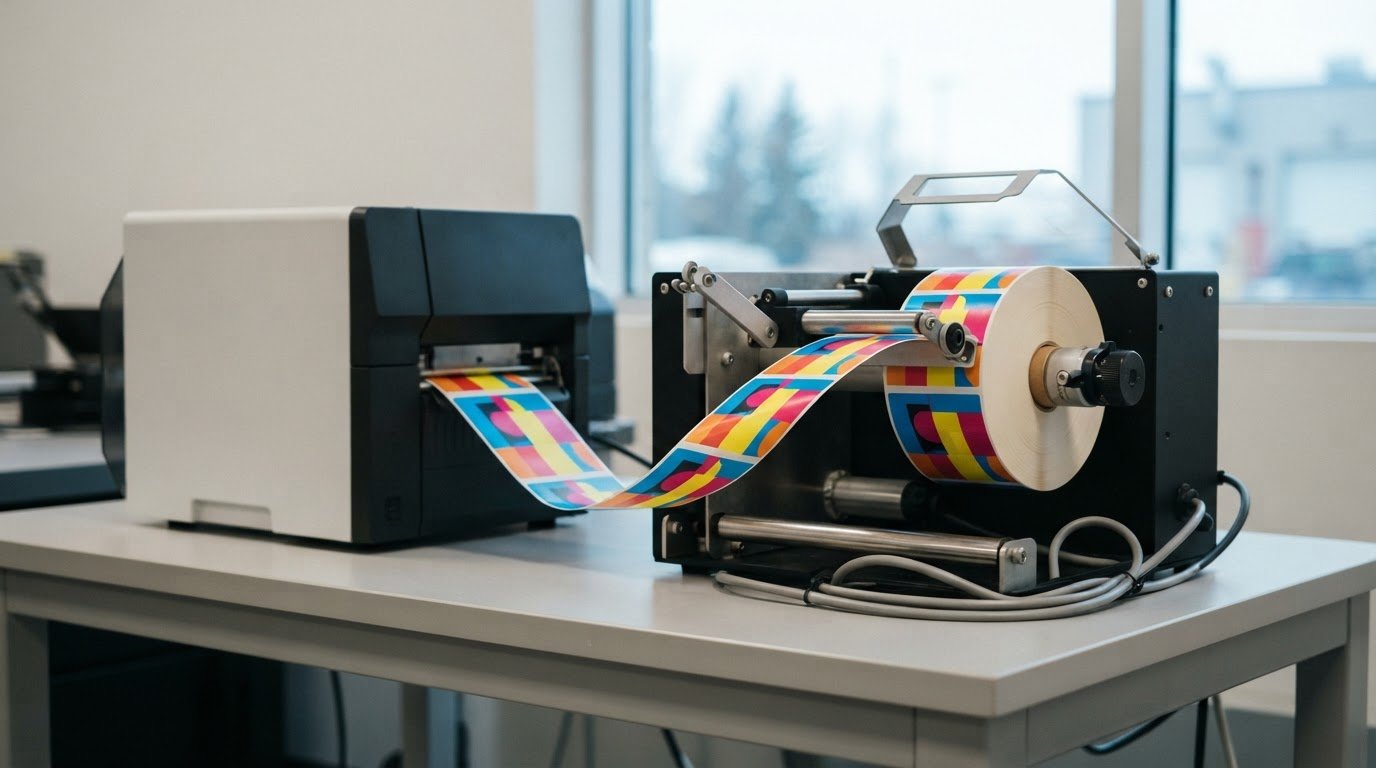
What if smoother label production comes not from a faster printer, but from a better way to collect finished rolls? During longer runs, printed labels can be awkward to handle. A motorized label rewinder Canada businesses add to their workflow can gather output into an organized roll for the next step. Choosing the right setup means looking beyond the motor to the printer, media and finished-roll requirements.
To decide whether motorized operation suits your print routine, consider how often you print, how output leaves the printer and what happens to labels after collection. This guide explains what to compare before choosing a rewinder and how to plan the handoff from printing to storage, dispensing or application.
Start with the full workflow rather than the accessory alone. Check the printer’s output, label dimensions, core and finished-roll requirements, winding direction, and where the roll goes next. These details help you assess whether a rewinder will make collection and handling more manageable.
Key Takeaways
- Compare motorized and manual rewinders against how often you print and how much operator involvement your process requires.
- For a motorized label rewinder Canada setup, check printer output, label dimensions, roll and core requirements, and winding direction.
- Plan the handoff from printing and roll collection to storage, transport or label application.
- Choose equipment for the actual workload and next production step, not the motor alone.
- DuraFast Label Company Canada offers label rewinders and finishers to support in-house print-and-finish workflows.
What a motorized label rewinder does for a Canadian print workflow
A motorized label rewinder collects printed label material as it exits the printer and winds it onto a roll. The roll can then be stored, moved to another work area or used in a later production step.
A rewinder changes how output is collected, not how the printer produces it. It does not improve print quality, change the label design or correct a print job. Its value depends on whether rolled output makes the work after printing easier to manage.
For a business evaluating a motorized label rewinder Canada workflow, begin with a practical question: are labels printed in batches for later use, or in short runs and applied right away?
When motorized rewinding can help
Batch printing can leave an operator managing a long strip of output. A rewinder gathers the material into a roll, making a completed batch easier to handle, store or move between work areas. This can be useful when printing and application happen at different times or in separate parts of the operation.
For example, if labels are printed in advance for a separate application step, a roll gives the next operator a consolidated handoff instead of loose or draped output. For a short run that is applied beside the printer, rolling the labels may add little practical value. Base the decision on the batch, timing and next step, not simply on whether the printer can accept an accessory.
What a rewinder does not replace
A rewinder handles printed output. It does not create artwork, design labels, print them or determine how they should be applied. It is also not automatically a dispenser or applicator: winding labels onto a roll is different from presenting individual labels for use or applying them to products. The broader label printer applicator process illustrates how printing and application can be separate parts of a production workflow.
Keep the equipment’s role clear. A motor handles the winding motion, but it does not determine how much operator time or production capacity a business will gain. Those outcomes depend on the full setup and how finished rolls are handled.
- Print: The printer produces labels according to the prepared job.
- Collect: The rewinder gathers the exiting material onto a roll.
- Handoff: The roll is stored, moved or passed to a separate application step.
Some printer configurations are designed to work without an external motorized rewinder, relying instead on basic manual collection methods or integrated tabletop setups. The difference helps clarify the decision: add rewinding when rolled output supports the next stage of your process, rather than assuming every print job needs it.
Motorized vs. manual label rewinders: which workflow needs which?
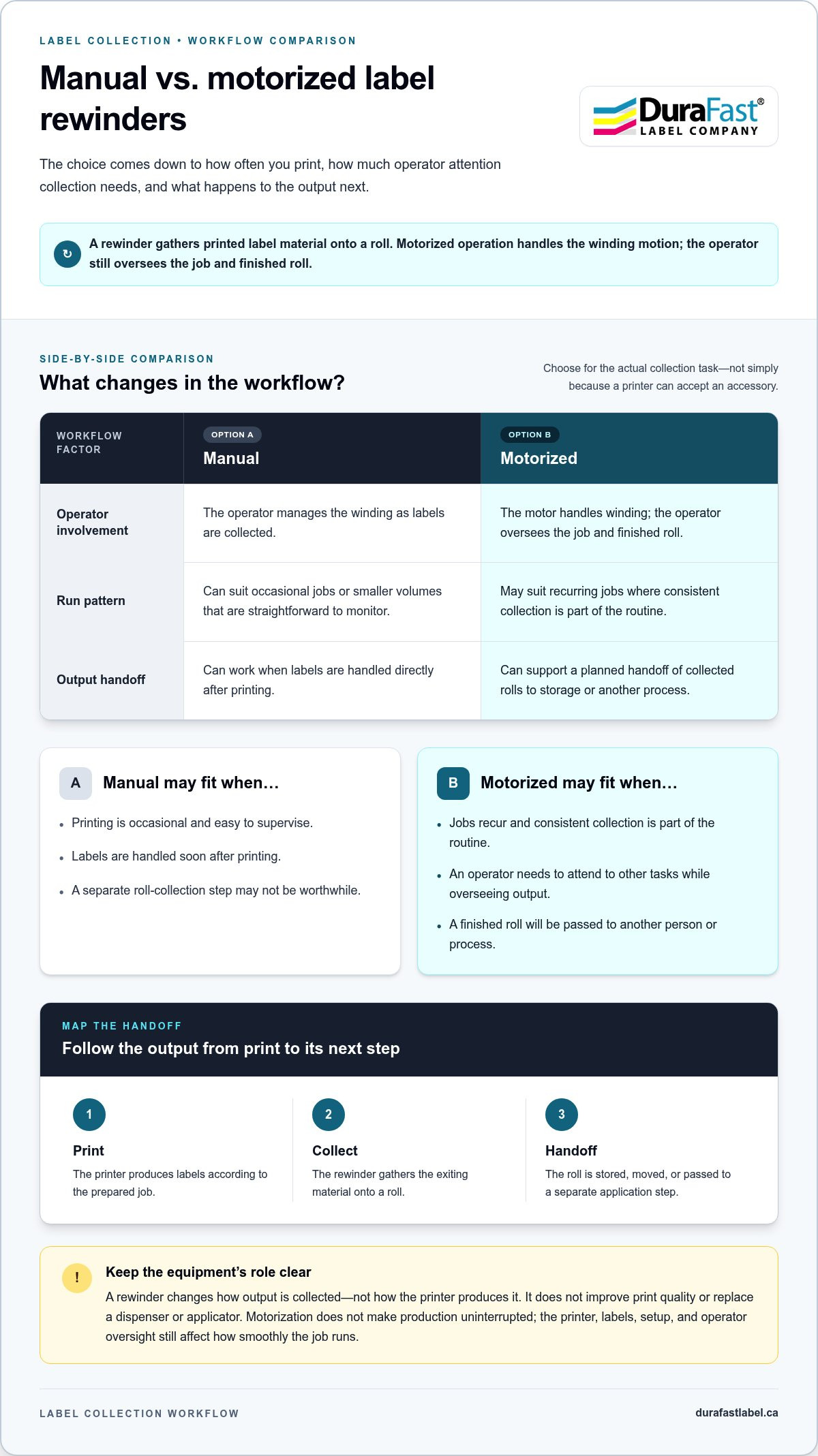
The choice comes down to how often you print, how much operator attention collection requires and what happens to the output next. A manual option may suit occasional jobs that are easy to oversee. Motorized operation may be a better fit when recurring runs call for consistent collection.
A manual rewinder relies on the operator to manage collection, while a motorized rewinder handles the winding motion to support repeatable output handoffs.
| Workflow factor | Manual rewinder | Motorized rewinder |
|---|---|---|
| Operator involvement | The operator manages the winding as labels are collected. | The motor handles winding, while the operator oversees the job and finished roll. |
| Run pattern | Can suit occasional jobs or smaller volumes that are straightforward to monitor. | May suit recurring jobs where consistent collection is part of the routine. |
| Output handoff | Can work when labels are handled directly after printing. | Can support a planned handoff of collected rolls to storage or another process. |
When a manual rewinder may be sufficient
For occasional printing, an operator may be able to manage collection without motorized operation. This can suit a work area where jobs are limited, easy to supervise and handled soon after printing. If labels move directly to their next use, a separate roll-collection step may not be worthwhile. Judge the fit by the task, not an assumed volume threshold.
When motorized operation may suit the process
For repetitive jobs, motorized operation can make collection a more consistent part of the print routine. Consider how often batches recur, whether the operator needs to attend to other tasks and whether another person or process takes over the finished roll. Motorization does not make production uninterrupted: the printer, labels, setup and operator oversight still affect how smoothly the job runs.
Before deciding, map a typical work cycle. Note whether printing is occasional or routine, how closely an operator needs to monitor output and whether the finished roll is handled immediately or passed along. A motorized label rewinder Canada setup makes sense when it addresses a recurring collection need, rather than adding equipment to a workflow that already works well.
When comparing options for a specific print routine, include the label-handling workflow in your evaluation. Discuss your label-handling workflow with DuraFast Label.
How to assess motorized label rewinder compatibility
A rewinder can collect output effectively only when its specifications suit the printer and the label roll. Before comparing equipment, gather details from your printer documentation, label stock and intended next step. Check each requirement against the specifications for the specific rewinder model. General guidance can help you identify what to compare, but model-specific limits determine fit.
Use this checklist to make the comparison:
- Printer output: Record how labels exit the printer, including the output direction and how the material feeds toward the rewinder. Consider the printer’s operating speed and whether the rewinder’s stated operating characteristics suit that output. Speed and tension need to work with the printer’s feed, rather than pulling or slackening the material in a way that disrupts tracking.
- Label dimensions and material: Note the label width and full media width, including the liner where applicable. Compare these dimensions with the rewinder’s stated limits. Identify the label material and format too, since the media must travel and wind appropriately for the job.
- Finished roll requirements: Determine the roll format needed for storage, transport or the next production step. Compare the required core and finished-roll dimensions with the specific model’s published specifications. Core size and roll capacity are not universal across rewinders.
- Winding direction: Identify whether the next step requires labels wound in a particular orientation, such as labels facing inward or outward. Compare that requirement with the winding options stated for the equipment. A mismatch can make a roll awkward to load or use later.
Match the rewinder to printer output and label material
Review the complete media path from the printer’s exit point to the rewinder’s take-up area. Record the direction the output travels and the winding orientation the next operator needs. If labels will feed into an application step, consider whether the roll needs consistent alignment for that handoff. Compare label and media width with the rewinder’s specifications, rather than relying on the printer’s maximum print width alone.
Check the complete roll and core requirements
Think beyond the end of the print run. A roll intended for storage may have different handling needs from one that will be moved to another work area or loaded into a later process. Write down the required core and finished-roll dimensions, then match each against the rewinder’s published limits. These requirements are model-specific, so don’t treat one unit’s specifications as a category-wide standard.
Finally, review the compatibility details together. The printer’s output, media width, winding orientation, core and roll dimensions, and the relationship between printer speed and rewinder operation all need to align. For a motorized label rewinder Canada setup, this comparison helps focus your choice on equipment that fits the production workflow, without assuming one model’s specifications apply to every printer or label job.
Set up a label rewinding workflow from printing to application
Plan the rewinding process before the printer runs. Decide where each roll will go, prepare the job and collection area, and assign responsibility for monitoring and removing completed rolls. A defined handoff helps whether labels are stored for later or moved directly to an application step.
Prepare the print job and collection point
First, define the finished-roll format and its next use. Labels headed to storage may need to be identified and kept with the correct job. Rolls for an application step need to be oriented and handled for that process. Position the printer and rewinder according to the selected equipment’s instructions and the available work area. Follow the model’s manual for loading and setup, since threading paths and controls vary between units.
Organize the work in this sequence:
- Prepare the job: Confirm the label artwork, media and quantity. Make sure the intended roll format and next use are clear to the operator.
- Set up the equipment: Position the printer and rewinder, then load the label material and core as directed by the equipment instructions.
- Start and observe: Begin printing and watch the material travel from the printer to the collection point. Check for consistent alignment and orderly winding.
- Pause and assess if needed: If the media shifts, bunches or winds unevenly, follow the equipment instructions before continuing. Don’t assume the same adjustment applies to every model.
- Remove the completed roll: When the job is finished, handle and identify the roll so it can be stored, transported or passed to the next process.
- Complete the handoff: Put the roll in its designated location or prepare it for the separate label-application step.
Monitor the run and manage finished rolls
During production, monitor the media path and collection rather than assuming motorized operation makes the process self-managing. Check that labels remain aligned as they leave the printer and that the roll forms as intended. Follow the model’s operating instructions if tracking or winding issues arise.
When a roll is complete, remove it as directed and keep it associated with the correct job. A clear handoff can include the job identification and destination, so the next operator knows whether the roll is for storage, transport or application. Handle it in a way that suits the label material and workplace procedures. This workflow can improve organization, but it does not guarantee a particular output rate or prevent defects.
Connect each stage, from print preparation through finished-roll handling, to the work that follows. Discuss your label rewinding workflow with DuraFast Label Company Canada and explore label-handling equipment for your process.
Choose a motorized label rewinder in Canada with DuraFast
The right setup depends on how labels move through your operation, not on the rewinder alone. Consider the workload, printer output, label format and step that follows printing. A solution for recurring batch work may not suit occasional jobs or output that is applied immediately. Bringing these details together keeps equipment choices focused on the actual workflow.
DuraFast Label Company Canada offers label rewinders and finishers alongside printers and labelling supplies. That broader selection supports a workflow-based evaluation: the rewinder is one part of an in-house print-and-finish process, connected to the printer, media and handling of finished rolls.
Build a concise equipment brief
Before comparing equipment, write down the essentials so the discussion can focus on fit. Include your printer’s make and model, label dimensions, core and finished-roll requirements, and the winding direction needed for the next step. Note how often you print, how long a typical run lasts, and whether rolls will be stored, transported or used after printing. Your brief describes the job; the selected equipment’s specifications determine compatibility.
- Printer: Make, model and how printed material exits the printer.
- Labels: Label and media dimensions, plus the format used in production.
- Roll: Required core and finished-roll dimensions, and winding direction.
- Workflow: Typical run frequency and the roll’s next destination.
For example, a team printing labels in advance for later application should specify the expected roll format and how the next operator will use it. A business applying labels directly after short print runs can describe that workflow too. These details keep the evaluation grounded in the job, without treating one model’s specifications as universal.
Plan the next step with DuraFast
Consider the rest of the process alongside the rewinder. Printer output, label supplies and finishing requirements all affect how collected rolls fit into production. DuraFast Label Company Canada offers label-handling equipment as part of a wider selection of printers and labelling supplies for businesses reviewing their in-house workflow.
For a motorized label rewinder Canada setup, bring your equipment brief and planned roll handoff into the discussion. Compare workload and compatibility with the specifications of the equipment being considered. Share your printer, label format, run pattern and next process step with DuraFast Label Company Canada to discuss your label-handling requirements.
Put your next label run to work
Use an upcoming production run to assess whether the planned handoff works in practice. Notice where rolls need to be moved, when someone must handle them and how they are prepared for the next task. Those observations can help you refine the setup around real operating conditions. A motorized label rewinder Canada solution should suit the way your team uses finished rolls, with specifications matched to the printer and media.
Keep the goal practical: make label collection and the next step work together. DuraFast Label Company Canada makes customer satisfaction a priority and offers label-handling equipment for businesses planning their in-house workflows.
Ready to plan your setup? Contact DuraFast Label Company Canada about your label rewinding requirements.
Frequently Asked Questions
What does a motorized label rewinder do?
A motorized label rewinder turns the movement of printed label material into an organized roll as it leaves the printer. For example, a team can collect a completed job on one roll rather than gather loose output across a work surface. The rewinder handles collection only; the printer determines the printed content, colour and image quality.
When should a business use a motorized label rewinder?
Consider one when collecting output by hand is a recurring part of production, particularly if labels are printed in batches and used later. A business printing scheduled batches for another work area may benefit from a consistent roll handoff instead of loose material. The value of a motorized label rewinder Canada setup depends on how often collection is needed and whether the roll format supports the next step.
Can a motorized label rewinder work with any label printer?
No. Compatibility depends on the specific printer’s output path and the rewinder’s supported media and operating characteristics. A printer’s ability to print labels doesn’t mean every rewinder can collect its output appropriately. Compare the printer documentation with the exact rewinder specifications, including how media exits and whether operating speeds and handling requirements work together.
What label specifications should I check before choosing a rewinder?
Start with the label and media width, then note the material format, core dimensions, finished-roll size and required winding direction. For example, labels intended for a later machine application may need a particular orientation on the roll. Compare each requirement with the selected rewinder’s published specifications and use the label product details to identify media dimensions.
Is a manual label rewinder enough for short print runs?
It can be. For an occasional, small job that an operator can manage comfortably, a manual rewinder may suit the task without adding motorized operation. If labels are applied immediately beside the printer, there may be no need to form a separate roll. Consider whether collection interrupts other work and how the labels are handled before choosing between manual and motorized operation.
Can a label rewinder prepare rolls for a label applicator?
Yes. A rewinder can collect labels onto rolls for a later application step, provided the roll suits the applicator’s media requirements. Before production, compare the applicator’s required core, roll dimensions, winding direction and label orientation with the rewinder’s capabilities. A compatible roll supports the handoff, but the rewinder itself doesn’t dispense individual labels or apply them to products.
Does a label rewinder change the quality of printed labels?
No. A rewinder doesn’t change the printer’s resolution, colour output or label design. Print quality depends on factors such as the printer, print settings and compatible label material. Rewinding is a post-print handling step that collects output in a useful format. Assess print-quality concerns separately from the rewinder.