Loftware NiceLabel PowerForm Software: The Ultimate Guide to Automated Labelling
17th Jun 2026
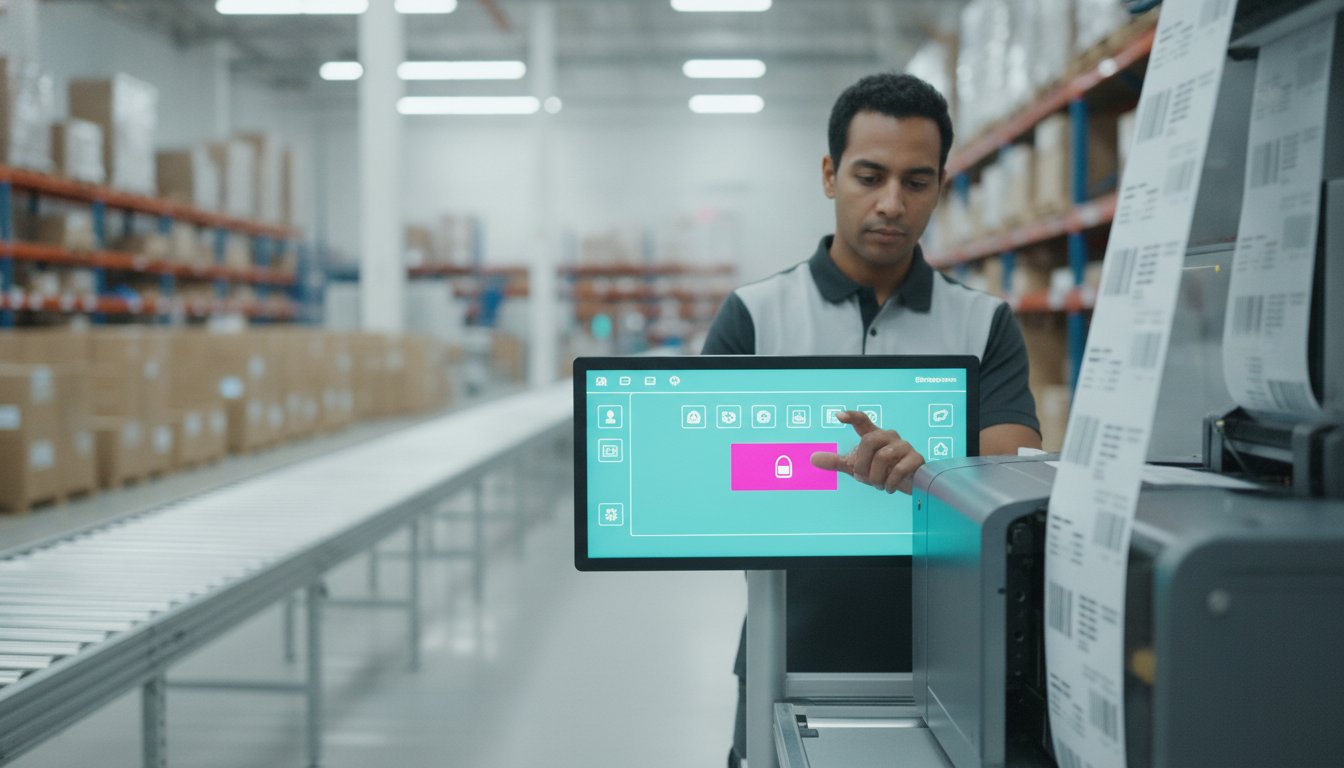
A single manual typing error on your production floor isn't just a minor mistake; it's a logistical bottleneck that can halt your entire supply chain and erode your bottom line. You likely already realize that relying on operators to manually enter data into complex templates is a recipe for inconsistency and wasted stock. Implementing Loftware NiceLabel PowerForm software allows you to move away from these risky manual processes and toward a professional, automated environment that protects your productivity.
In this guide, you'll discover how to streamline your operations with advanced form-building capabilities that ensure 100% data accuracy. We'll explore how to create a simplified "click-and-print" interface for your workers and integrate complex databases without the need for custom coding. We will also examine the specific differences between the PowerForm suite and the standard Designer Pro version to help you determine which scalable labelling solution best fits your business goals.
Key Takeaways
- Learn why separating the design interface from the production floor is the most effective way to prevent accidental template changes and costly labelling errors.
- Discover how Loftware NiceLabel PowerForm software uses a no-code "Business Logic" layer to automate complex database integrations and if-then scenarios.
- Understand how to optimize your printer fleet's performance and "ips" using native drivers that outpace standard Windows alternatives.
- Explore the benefits of building custom, touch-screen optimized printing applications that allow workers to maintain accuracy even in dusty industrial environments.
- Master the printer-seat licensing model to realize a scalable labelling strategy that grows with your business without incurring unnecessary per-user costs.
Beyond Label Design: Understanding Loftware NiceLabel PowerForm
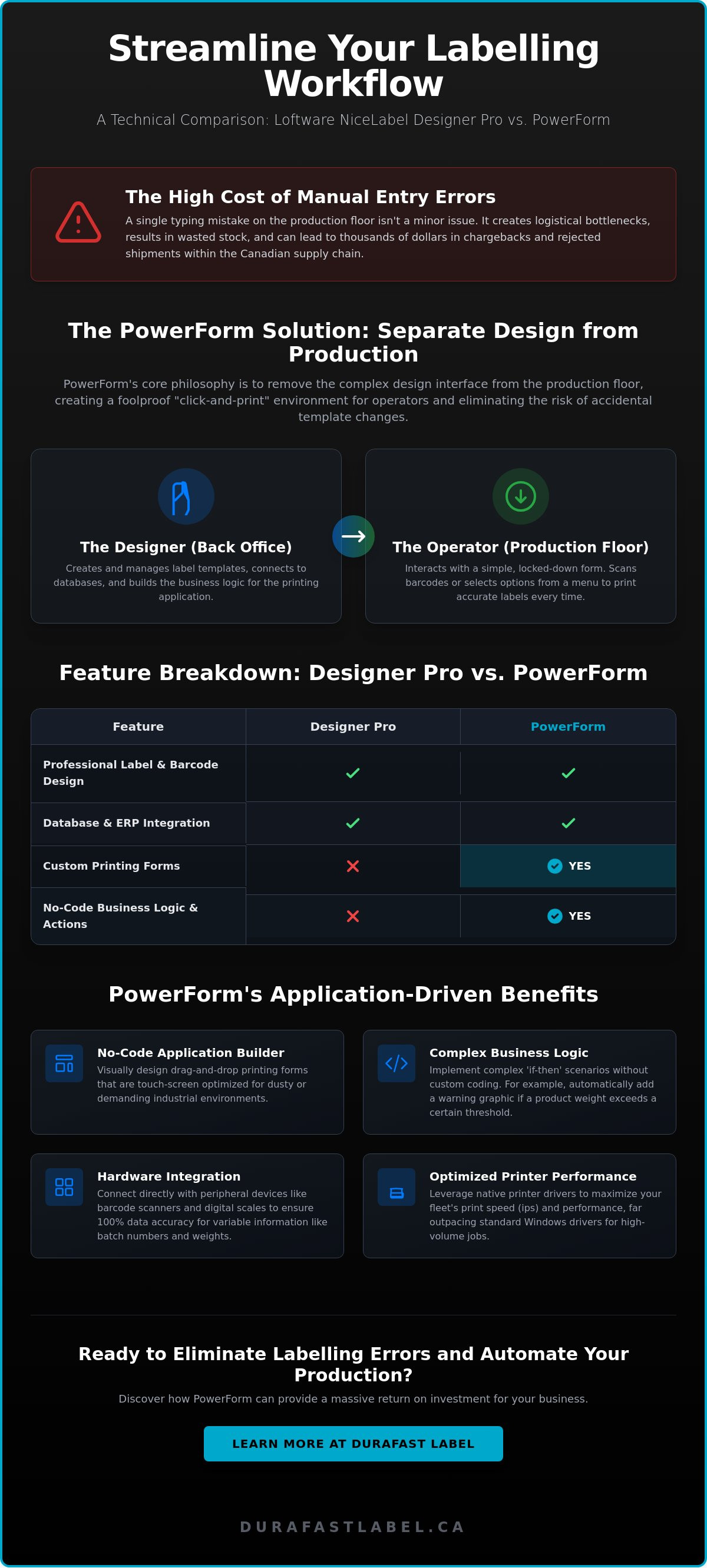
How can you ensure your production staff never touches a label template? Loftware NiceLabel PowerForm software represents the "application builder" tier of the NiceLabel suite. While many businesses start with basic design tools, they quickly realize that label design is only half the battle. The core philosophy behind PowerForm is the total removal of the design interface from the production floor. By separating the creation process from the execution process, you eliminate the possibility of accidental changes to templates. This software provides a visual, drag-and-drop environment where you can build custom printing forms that pull data directly from your business systems. Canadian businesses are increasingly moving away from manual entry because automated data retrieval is the only way to maintain a truly competitive production speed.
The Evolution from Designer Pro to PowerForm
What is the main difference between Designer Pro and PowerForm? To understand the value, you must look at the "baseline and delta." Both versions share baseline features like high-quality barcoding and RFID support. However, the delta in PowerForm is the inclusion of the Application Builder. This tool allows you to create custom form logic that governs how data is handled. In a standard setup, an administrator uses the "Designer" view to create the layout and logic. The operator then only sees the "Print" view, which is a simplified interface designed for speed and accuracy. This setup ensures that the technical complexities of label design stay in the back office while the production floor focuses solely on output.
Why Error Reduction is the Primary ROI Driver
A single mislabelled shipment in the Canadian supply chain can result in thousands of dollars in chargebacks, rejected loads, and shipping delays. Loftware NiceLabel PowerForm software provides a massive return on investment by locking down the user interface. Operators cannot change font sizes, move barcodes, or alter the brand's logo; they simply interact with the buttons and fields you have provided. This level of control prevents human error from entering your data stream. By creating a controlled environment, you protect your brand's reputation and your operational budget simultaneously. The PowerForm interface creates a foolproof environment where the right data reaches the right label every single time, regardless of the operator's technical skill level.
When you automate the label selection process, you also reduce the time spent on training new staff. Instead of teaching a worker how to navigate a design program, you give them a screen with three buttons. This simplicity is vital for high-volume environments where every second of downtime costs money. It's a pragmatic solution for businesses that value longevity and operational seamlessness.
Technical Architecture and Key Features of PowerForm
The technical architecture of Loftware NiceLabel PowerForm software is built on a modular framework that prioritizes ease of use for the end-user while maintaining deep complexity for the administrator. At its core, the Application Builder allows you to design forms with functional elements like buttons, checkboxes, and data entry fields. This isn't just about aesthetics; it's about creating a controlled environment. The "Business Logic" layer is where the real power lies. It handles complex "if-then" scenarios without requiring a single line of custom code. For instance, you can set a rule that if a product's weight exceeds a certain threshold, the label must include a specific warning graphic. This level of automation ensures supply chain transparency through labelling by keeping data consistent across every touchpoint. The software supports over 70 different barcode types, including GS1 standards, ensuring your business remains compliant with global retail and logistics requirements.
Building Custom Printing Applications Without Coding
You don't need a degree in computer science to build complex workflows. Non-programmers can utilize visual tools to create sophisticated applications that guide operators through the printing process. The software uses "Actions" to automate repetitive tasks. These actions can trigger a print job, send a confirmation email, or update a database record the moment a label is generated. You can also integrate peripheral devices directly into your forms. Connecting a digital scale or a barcode scanner ensures that variable data, such as weight or batch numbers, is captured accurately at the point of origin. If you need help mapping your current database to a new workflow, you can speak with our technical team for guidance.
Dynamic Data Handling and Database Connectivity
How do you manage thousands of unique product SKUs without creating thousands of separate files? Loftware NiceLabel PowerForm software solves this through robust database connectivity. It pulls real-time data from Excel, SQL, or Oracle databases, allowing you to use the "one label template, many products" approach. This significantly reduces file clutter and ensures that updates made in your ERP system are immediately reflected on the production floor. Dynamic graphics and variable data fields allow the label to change its layout based on the data retrieved. This flexibility is essential for professional product labelling where ingredients, logos, and safety icons may vary by region or customer. By centralizing your data, you realize a higher level of operational seamlessness and fiscal responsibility.
Solving Operational Challenges: Application-Driven Benefits
Does your current labelling process struggle in the presence of environmental debris or dusty warehouse air? Loftware NiceLabel PowerForm software is specifically engineered to handle these industrial realities. It isn't just a digital tool; it's a physical interface designed for the warehouse floor. One of the most significant advantages is the ability to create touch-screen optimized forms. Fine particulate matter or moisture can often damage traditional keyboards; a touch-screen interface reduces these points of failure and allows workers wearing heavy protective gloves to operate the system with ease. To further reduce waste, you can integrate a mandatory "Print Preview" within your custom forms. This step forces a visual verification of the data before any ink or media is consumed, which is vital for businesses using high-end colour label printers for on-demand prime product labels.
Streamlining the Production Floor in Harsh Environments
How do you maintain high throughput in high-glare or low-light industrial areas? You can design your PowerForm UI with high-contrast colour schemes and large, unmistakable "Print" buttons to minimize interaction time. This approach maximizes throughput by allowing operators to trigger jobs without fumbling through small menus or complex navigation trees. For specialized applications like "frozen foods," the software can be programmed to pull specific storage instructions and temperature warnings automatically based on the SKU. This level of automation ensures that your labels remain accurate even when the physical environment is demanding. By tailoring the interface to the specific conditions of your facility, you create a more resilient and efficient workflow that doesn't rely on perfect ambient conditions.
Compliance and Accuracy for Regulated Industries
For Canadian chemical manufacturers, maintaining GHS and WHMIS compliance is a non-negotiable requirement. Loftware NiceLabel PowerForm software uses its built-in business logic to ensure the correct hazard symbols and signal words appear based on the product selected from your database. This eliminates the risk of an operator accidentally selecting the wrong pictogram during a busy shift. When you pair this software with weatherproof UL certified labels, you guarantee that your safety information remains legible throughout the product's lifecycle. Additionally, implementing advanced labelling for product authentication can help your business combat counterfeiting and ensure supply chain integrity. This comprehensive approach to compliance protects your company from legal liability while building trust with your end-users through consistent, accurate marking.
Hardware Compatibility: Optimizing Your Printer Fleet
Why do generic Windows drivers often fail in high-volume industrial environments? They typically convert label data into large bitmap images, which bottlenecks the print spooler and slows down production. Loftware NiceLabel PowerForm software utilizes native drivers that communicate directly with the printer's firmware in its own language, such as ZPL or DPL. This allows you to maximize the "ips" (inches per second) of your equipment, ensuring your labelling speed matches the pace of your conveyor belts. When paired with heavy-duty industrial label printers, this software supports 24/7 operations without the memory leaks or crashes common with standard office drivers. High-speed jobs also require physical stability. Printers equipped with internal label unwinders help maintain consistent media tension, preventing the registration shifts that can occur when the software triggers a rapid succession of labels.
Maximizing High-Speed Colour with VIPColor and Memjet
The VIPColor VP550 Memjet Color Label Printer is a prime example of where software efficiency meets hardware performance. Loftware NiceLabel PowerForm software manages high-resolution colour assets by sending data in a format the Memjet printhead can process instantly. This prevents the "stuttering" often seen in inkjet printers during large runs. For environments where labels face condensation or moisture, we recommend using water-enhanced dye inks. These inks, when managed by PowerForm's precise colour profiles, provide the durability needed for refrigerated or outdoor applications. This combination ensures your prime product labels remain vibrant and legible regardless of the storage conditions.
Seamless Thermal Transfer Integration for Zebra and Honeywell
What about thermal transfer technology? For brands like Zebra and Honeywell, PowerForm optimizes the use of thermal transfer ribbons through highly precise start and stop commands. This reduces ribbon waste and ensures the printhead only fires when necessary, which extends the longevity of your hardware. While the baseline performance of a Zebra printer is reliable, pairing it with NiceLabel native drivers unlocks advanced features like real-time status monitoring and media alerts. This diagnostic capability allows your team to address empty ribbon rolls or media jams before they cause significant downtime. If you're unsure which driver or printer configuration is right for your facility, contact our hardware specialists for a complete compatibility audit.
Licensing and Implementation: Getting Started in Canada
How do you scale your labelling operations without ballooning your software costs? Understanding your licensing options ensures you don't overspend on technology you aren't using. Loftware NiceLabel PowerForm software operates on a "printer seat" licensing model, which is a significant departure from traditional per-user licenses. This approach focuses on the output device rather than the individual worker, allowing for a more predictable cost structure as your business grows. The License Center provides a centralized hub for managing your activations and reserved printer seats, giving administrators full visibility into which devices are currently authorized. Whether you choose a perpetual license for on-premise control or a subscription model through NiceLabel Cloud, selecting the right framework is essential for long-term fiscal responsibility.
Understanding Printer-Seat Licensing Models
What is the main difference between a user-based and a printer-seat model? In a printer-seat environment, you pay for the number of printers that will be active, not the number of people using the software. This means a single license for Loftware NiceLabel PowerForm software can serve an entire warehouse team, provided they're all sending jobs to the same authorized printer. It's a highly scalable solution. As your production volume increases, you simply add more "seats" to your existing license. This allows unlimited users to design templates and trigger prints, which is ideal for multi-shift operations where dozens of employees might need access to the "click-and-print" interface throughout the day.
Why Sourcing Locally from DuraFast Label Company Canada Makes Sense
Choosing a Canadian partner for your software implementation helps you avoid the costly unknowns of cross-border duties and unpredictable currency fluctuations. When you work with DuraFast Label Company Canada, you gain access to a partner that understands the specific logistical hurdles of the Canadian market. We provide a curative approach that pairs your new software with the right hardware and consumables. For example, you can source blank labels for sale directly from our stock to test your PowerForm designs immediately after installation. This ensures that your digital logic matches the physical reality of your media.
Our team also provides a steady supply of thermal transfer ribbons Canada wide, ensuring your production line never grinds to a halt due to a simple supply chain gap. By sourcing locally, you realize better technical support and faster delivery times, which protects your operational seamlessness. We don't just sell you a license; we act as a strategic partner to help you organize your production floor for maximum efficiency and growth.
Future-Proof Your Production with Automated Labelling
Implementing Loftware NiceLabel PowerForm software is a strategic step toward turning your labelling process into a professional, automated asset. By moving beyond simple template design and embracing the Application Builder, you finalize the separation between the design interface and the production floor. This transition is what eliminates the root cause of manual entry errors and protects your business from the logistical bottlenecks of mislabelled shipments. The delta between simple printing and a fully controlled form-based workflow is the key to maintaining 100% data accuracy in high-volume environments.
As an Authorized Loftware Partner, DuraFast Label Company Canada provides the strategic guidance and technical support necessary for a successful implementation. We offer a comprehensive inventory of compatible labels and ribbons, ensuring your hardware maintains its peak ips without disruption. Our team understands the unique requirements of the Canadian supply chain, from GHS compliance to the specific durability needs of frozen food or chemical labels. We act as a long-term partner in your growth, providing the curative solutions that resolve your most complex logistical hurdles.
Ready to realize a more efficient and foolproof production floor? Contact our expert team today to discuss how we can support your transition to an automated labelling environment. Taking control of your production processes today ensures operational longevity and fiscal responsibility for the future of your business.
Frequently Asked Questions
What is the main difference between NiceLabel Designer Pro and PowerForm?
The main difference is the inclusion of the Application Builder tool in the PowerForm tier. While Designer Pro focuses on template creation, Loftware NiceLabel PowerForm software allows you to build custom printing applications that simplify the interface for production staff. This separation ensures that operators can only interact with specific fields and buttons, preventing accidental changes to the label design itself and reducing the risk of errors.
Does NiceLabel PowerForm require coding knowledge to build forms?
No coding knowledge is required to build sophisticated forms in this software. The Application Builder uses a visual, drag-and-drop environment where you can place buttons, input fields, and checkboxes. You can define complex business logic using pre-built actions rather than writing scripts. This empowers non-technical staff to create professional, automated workflows that would typically require a software developer to implement.
How does printer-seat licensing work with NiceLabel PowerForm?
Printer-seat licensing is based on the number of individual printers used to generate labels, regardless of how many workstations have the software installed. For example, if you have a three-printer license, an unlimited number of users can design or trigger prints, but the software will only communicate with three unique printer addresses. This model is ideal for multi-shift environments where many employees share a centralized fleet of equipment.
Can I use PowerForm with my existing Zebra or Epson label printers?
Yes, the software is fully compatible with Zebra thermal printers and Epson inkjet systems. It utilizes native printer drivers to communicate directly with the hardware's firmware, which is more efficient than using standard Windows drivers. This direct communication allows you to maintain high ips speeds and access hardware-specific features like media alerts or RFID encoding directly from your custom Loftware NiceLabel PowerForm software interface.
Is NiceLabel PowerForm available as a cloud-based subscription?
Yes, this software is available through a cloud-based subscription model known as NiceLabel Cloud. This option eliminates the need for on-site server maintenance and allows for centralized management of label templates across multiple locations. It provides the same advanced form-building capabilities as the on-premise version while offering the fiscal flexibility of an annual subscription that includes ongoing updates and technical support.
What happens if I need to print to more printers than my license allows?
If you attempt to print to more devices than your license allows, the software will prevent the job from starting on the new printer. You can manage your reserved printers within the License Center to swap out old hardware for new units. To increase your capacity permanently, you can purchase printer add-ons to expand your seat count as your Canadian production facility grows.
Does PowerForm support RFID label encoding and printing?
Yes, the software provides comprehensive support for RFID label encoding and printing. You can design labels that include both visual data and encoded electronic information for tracking and authentication purposes. The business logic layer can automate the encoding process by pulling data directly from your database, ensuring that the physical label and the internal chip contain identical, accurate information for your supply chain.
Can I integrate NiceLabel PowerForm with my current Excel or SQL database?
You can easily integrate the software with your existing Excel spreadsheets, Access files, or SQL and Oracle databases. PowerForm uses standard OLE DB and ODBC drivers to establish a real-time connection to your data sources. This connectivity allows you to use a single label template for thousands of different products, as the software pulls the correct specifications, logos, and barcodes automatically based on the item selected.