High-Contrast White Resin Ribbons for Zebra Printers
30th Sep 2026
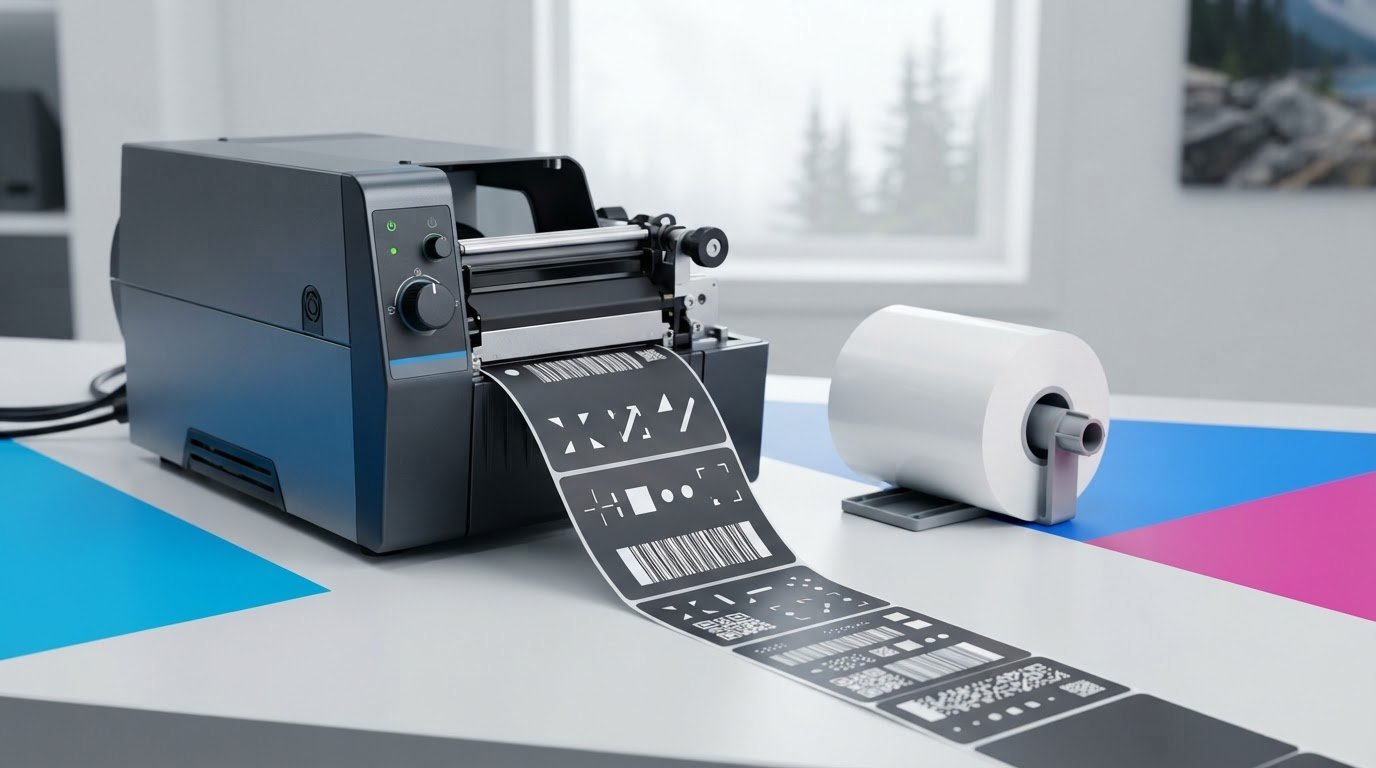
What if white print looks crisp on-screen but fades, smears or becomes hard to scan once a label is in use? Choosing a white resin ribbon for zebra printers involves more than selecting a ribbon colour. The printer must support thermal transfer printing, and the ribbon must suit both the label material and the conditions the label will face.
If you’re unsure whether a ribbon will fit your Zebra printer or work with your labels, check the specifications before ordering. Compatibility depends on printer-specific requirements, while a mismatch between ribbon and substrate can affect print quality. White printing is often considered for dark synthetic labels when clear identification is needed, but the actual result depends on the materials and design.
This guide explains which printer and ribbon specifications to verify, how to compare a resin ribbon with label material and intended use, and what to consider when legibility and durability matter. These checks can help you make an informed choice and reduce the risk of compatibility or print problems.
Key Takeaways
- Start with the exact Zebra printer model and its documentation to check which ribbon formats it supports.
- Before ordering a white resin ribbon for zebra printers, verify ribbon dimensions and winding direction instead of assuming the colour confirms compatibility.
- Compare the ribbon formulation with the label material and the conditions the label will face. Confirm suitability with the supplier.
- Use the pre-order checklist to gather printer, ribbon, label stock and application details before requesting a quote or placing an order.
- DuraFast Label offers Zebra ribbons and thermal transfer ribbons. Check product specifications before selecting a particular white resin option.
White Resin Ribbon for Zebra Printers: Uses and Overview
A white resin ribbon is a thermal-transfer ribbon with a white resin-based ink layer. During printing, heat from the printhead transfers that layer onto a label’s printable surface. It may be used for white text, symbols or codes on dark label stock, but colour alone doesn’t establish whether a ribbon will work in a particular Zebra printer or suit a specific label.
Check three parts of the combination: the printer, the label face stock and the label’s intended use. A ribbon that fits the printer may still be unsuitable for the label material or its operating conditions. Treat “white resin” as a description, not a complete compatibility specification. Ribbon colour describes the print appearance, formulation describes the ink’s composition, and label substrate is the material receiving the print.
How thermal transfer printing uses a ribbon
In thermal-transfer printing, a heated printhead applies controlled heat to the ribbon, transferring its coating onto compatible label material. The result depends on the ribbon, the label’s printable surface and the printer settings working together. Assess the ribbon and label stock as a pair, and confirm suitability for your application rather than assuming a resin formulation will perform the same way on every material.
First, confirm that the Zebra printer uses thermal transfer printing. Direct thermal printing uses heat-sensitive label material and doesn’t use a ribbon. For more background on thermal transfer ribbons available from DuraFast Label, consider how the ribbon type and label surface work together, then verify the match against the printer documentation and supplier information.
Why choose white print on a label?
White print may be useful when dark label material makes conventional dark printing difficult to see. For example, a white identifier or symbol on a dark synthetic label can provide a distinct visual treatment for a component or container label. Whether the print is easy to read depends on the label colour, layout and viewing conditions. Small text, fine symbols, curved surfaces and poor lighting can all affect legibility.
If appearance or readability is important, print a sample using the intended printer, ribbon and label stock. Assess it under representative viewing conditions, and check that the actual text, symbols or codes are easy to distinguish. A sample can reveal issues that a product description or colour choice alone can’t resolve.
How to Check White Resin Ribbon Compatibility with a Zebra Printer
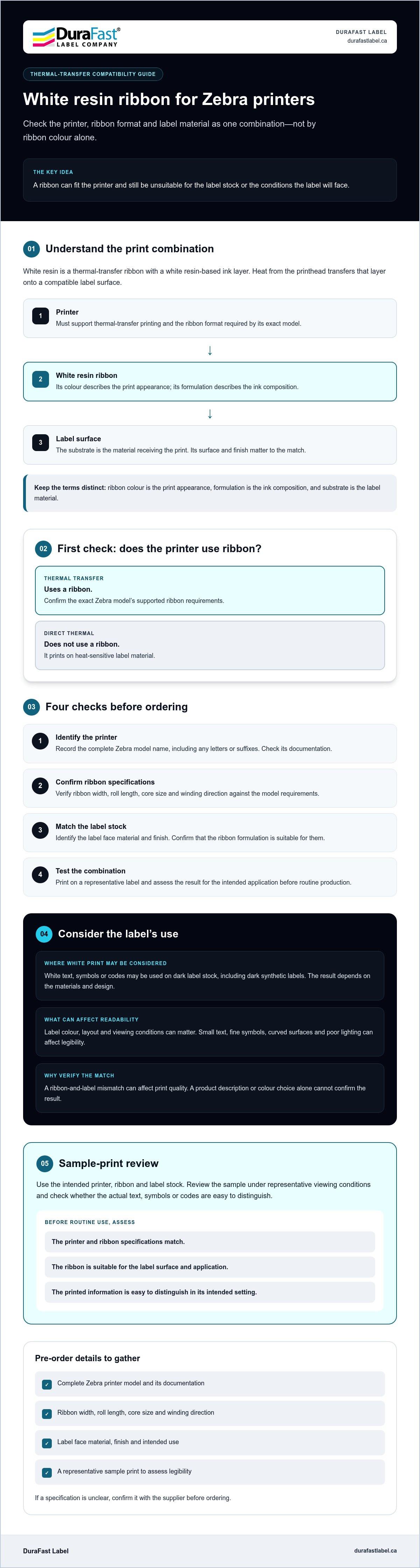
Use this sequence before ordering a white resin ribbon for zebra printers. The Zebra name alone isn’t enough to confirm a match. The exact printer model, ribbon format and label stock all matter.
- 1. Identify the printer. Record the complete Zebra model name and check its documentation.
- 2. Confirm ribbon specifications. Verify width, roll length, core size and winding direction against the requirements for that model.
- 3. Match the label stock. Identify the label face material and finish, then confirm the ribbon formulation is suitable.
- 4. Test the combination. Print on a representative label and assess the result for your application before routine production.
These checks can help catch mismatches before they interrupt a labelling workflow. DuraFast Label’s thermal transfer ribbons category is a starting point for reviewing ribbon options. If the printer or label documentation doesn’t confirm a detail, contact the team with your printer and label information.
Which printer details should you verify first?
Start with the complete model name, including any letters or suffixes, and consult the model’s documentation for ribbon requirements. Check ribbon width, roll length and core size, along with winding direction. These details vary by model. Don’t assume a ribbon will fit just because it’s described as being for Zebra printers. If the documentation is unclear, ask for confirmation before ordering.
How do ribbon and label materials need to match?
Use the label supplier’s product specification to identify the face material and finish, rather than relying on a broad description such as “synthetic.” Confirm that the ribbon formulation is intended for that substrate. If you can’t verify the match, ask the supplier to check it. Then test a sample using the actual ribbon, label and print content.
Consider the label’s operating conditions during the test. A label stored indoors may face different demands from one exposed to handling, moisture or chemicals. Don’t assume a result will carry over to a different surface or environment. A broader guide to thermal transfer ribbons for Canadian buyers may also help with terminology, but confirm every printer-specific requirement against your model’s documentation.
White Resin, Other Ribbon Formulations, and Label Materials: What to Compare
Compare the ribbon and label as a working pair, not as separate purchase decisions. A white resin ribbon for Zebra printers describes a print colour and a formulation category, but those words alone don’t confirm printer fit, substrate suitability or performance in your operating conditions. Use the comparison below to identify what to verify with the printer documentation, label specifications and ribbon supplier.
What should the ribbon comparison table include?
Start with the intended substrate and print appearance, then check application conditions and verified printer fit. The notes below describe general considerations, not guarantees for every product. Confirm claims about the exact ribbon and label combination before ordering.
| Ribbon type | Substrate and print appearance | Conditions and compatibility to confirm |
|---|---|---|
| White resin | White print, often considered for dark label materials. Confirm the label face material and finish. | Verify the specific ribbon’s stated exposure suitability and fit for the Zebra model. |
| Other resin | Typically considered for synthetic stocks. Print colour depends on the ribbon. | Confirm substrate match, intended conditions and printer requirements for the specific product. |
| Wax-resin | Often used with coated paper or some synthetic stocks. Confirm the exact combination. | Check suitability for the label surface and expected handling or exposure. |
| Wax | Often intended for paper labels. Confirm the stock’s coating and required print appearance. | Verify that the product meets the application’s needs and is supported by the printer. |
Use the table as a shortlist, not a performance ranking. Resin terminology alone doesn’t establish how a finished label will withstand abrasion, moisture, chemicals, heat or outdoor exposure. Results depend on the specific ribbon, label material, printer setup and application. For broader printer context, see DuraFast Label’s thermal label printers information.
How do application conditions affect the choice?
Describe what the label will encounter after printing. Will it be handled frequently, exposed to moisture or chemicals, stored in heat, or used outdoors? Share those details with the ribbon and label suppliers, and ask them to validate the proposed combination. A desired appearance, such as crisp white text on a dark surface, doesn’t prove the print will resist conditions in service.
Before routine use, test a sample made with the exact ribbon, label stock and printer settings. Check its appearance and legibility, then assess the print after representative handling and exposure. Record what was tested so you can compare materials consistently and avoid relying on a formulation name as a substitute for application-specific evidence.
A Pre-Order Checklist for White Resin Ribbon
Gathering a few details before ordering can help prevent choosing a ribbon that won’t fit the printer or suit the label. Use this checklist when requesting a quote or checking specifications for a white resin ribbon for zebra printers. If a detail isn’t available, mark it as unconfirmed rather than guessing.
What information should you gather?
- Printer: Record the full Zebra model name and consult its manual for ribbon requirements.
- Ribbon: Note the required width, roll length, core size and winding direction. If you have a current ribbon, record its core and roll specifications, but verify that they’re suitable for the specific printer.
- Label: Identify the face material, finish and colour from the label supplier’s specification. Note whether the print will include text, symbols, barcodes or a combination.
- Application: Describe how the label will be handled and where it will be used. Include possible exposure to moisture, abrasion, chemicals, heat or outdoor conditions.
- Samples: If material or ribbon specifications are unclear, provide samples of the label and ribbon for review, if available.
For a compatibility check, provide the exact printer model, ribbon dimensions and winding direction, label material, and the conditions the finished label will face. This gives the supplier practical details to compare with product and printer specifications.
How can you reduce avoidable ordering errors?
Before placing an order, compare your notes with the printer manual and the ribbon and label suppliers’ specifications. Don’t rely on a similar-looking model or an existing roll as proof that the dimensions, core or winding direction are correct. If a detail doesn’t match or can’t be confirmed, ask for clarification first.
Take the same care with material matching. A label’s colour and finish may affect the appearance of white print, while its face material and intended use help determine whether the ribbon is appropriate. Share those details with the supplier, especially if the label will encounter conditions that could affect print performance.
Once the specifications are confirmed, run a sample with the intended printer, ribbon and label stock. Check the print’s appearance and legibility, then assess it under representative handling and operating conditions before using the combination in routine production. Keep a record of the tested materials and setup so future reorders can be checked against the same requirements.
Still unsure which details to provide? Contact the team with your printer and label specifications to clarify the ribbon requirements before ordering.
Find the Right White Resin Ribbon for Your Zebra Printer
The right choice depends on three details working together: a ribbon your exact printer can use, a label material suited to that ribbon, and an application the finished print can handle. A white resin ribbon for Zebra printers isn’t automatically compatible or appropriate just because it’s white and resin-based. Confirm printer fit, label match and intended operating conditions as part of the same selection decision.
DuraFast Label offers Zebra ribbons and thermal transfer ribbons. The availability and specifications of a particular white resin ribbon need to be confirmed before ordering. Check the details for the specific option rather than assuming a general ribbon description establishes fit or performance.
When should you ask a supplier to confirm compatibility?
Ask for help if the printer manual, current ribbon packaging or label specification leaves a requirement unclear. This is especially useful if you can’t verify a dimension, winding direction or material match. Share the full Zebra printer model, ribbon dimensions, label material and finish, and the conditions the label will encounter. Include samples and written specifications if you have them, so the details can be reviewed together.
Before proceeding, request confirmation of the exact ribbon specifications and product availability. A recommendation should be based on the named printer model, not just the brand, and should address the label substrate and intended use. If a critical detail remains unconfirmed, treat the selection as provisional and test a sample before standardizing it for production.
What should you expect from a useful product recommendation?
A useful recommendation should make clear which printer requirements were checked, which ribbon dimensions and winding details apply, and whether the ribbon is intended for the label material you identified. It should also consider the label’s operating conditions, including handling or exposure that could affect the finished print. Ask what information supports the match, and verify that it applies to your exact printer, ribbon and label stock.
When these details are confirmed together, you can make a more informed choice and reduce the risk of ordering a ribbon that won’t fit or perform as required. For help reviewing your Zebra printer and label requirements, contact DuraFast Label to discuss your Zebra ribbon requirements.
Confirm the Match Before You Order
Choosing a white resin ribbon for zebra printers means checking the full printer model, ribbon specifications and label material together. Confirm details such as dimensions and winding direction against the printer documentation, then consider the label’s finish and the conditions it will face. A sample print can help you assess appearance and legibility using the actual materials before moving into routine production.
Ribbon colour or formulation alone can’t confirm compatibility or guarantee how a finished label will perform. If specifications are unclear, gather your printer model, label details and intended use so the requirements can be reviewed before ordering.
DuraFast Label offers Zebra ribbons and thermal transfer ribbons for business labelling. For help confirming what to check, contact DuraFast Label to confirm your Zebra ribbon requirements. With the right details in hand, you can make a more confident choice and move forward with your labelling needs.
Frequently Asked Questions
What is white resin ribbon used for in a Zebra printer?
White resin ribbon is used in a thermal-transfer Zebra printer to print white text, symbols or codes onto compatible label stock. A heated printhead transfers the ribbon’s coating onto the label surface. It may be selected for dark labels where white marks are easier to see, such as component or container labels. Check that the printer supports thermal transfer, and verify the ribbon and label combination for your application.
Are white resin ribbons compatible with all Zebra printers?
No. Zebra printers don’t all share the same ribbon requirements, and the brand name alone can’t confirm compatibility. Check the exact printer model and consult its documentation for the supported ribbon format. Verify details such as ribbon width, roll length, core size and winding direction against the model. If a specification isn’t clear, ask the supplier to confirm the exact ribbon’s fit before ordering.
How do I know which ribbon size fits my Zebra printer?
Use the printer’s documentation to identify its supported ribbon dimensions and format. Confirm ribbon width, roll length and core size, as well as winding direction, against the requirements for your exact model. Don’t assume a ribbon currently in the printer is the right reference for a replacement. If the manual or packaging doesn’t provide clear details, request confirmation using the full model name.
Can white resin ribbon print on any colour of label?
Not necessarily. White print may be more visible on dark label stock, but the result depends on the label’s colour, finish, design and viewing conditions. The label surface must also suit the specific ribbon. Before using a new combination in production, print a sample with the intended printer, ribbon and label. Check the actual text or symbols for clear, consistent legibility in the conditions where they’ll be viewed.
What is the difference between white resin ribbon and other thermal transfer ribbons?
White describes the print colour, while resin describes the ribbon formulation. Other thermal transfer ribbons may use different formulations, such as wax or wax-resin, and may be intended for different label materials. Don’t use the formulation name alone to predict performance. Suitability depends on the specific product, label stock and application. Confirm the manufacturer’s specifications for the substrate, expected exposure and printer compatibility before selecting a ribbon.
How can I check whether a ribbon will work with my label material?
Find the label’s face material and finish in the supplier’s product specification, then compare them with the ribbon manufacturer’s stated substrate compatibility. If the match isn’t clear, ask the label or ribbon supplier to review the combination. A sample print using the intended printer, ribbon and label stock can help you assess appearance and legibility. Also consider the label’s expected handling and exposure before standardizing the materials.
What information should I provide when asking about Zebra ribbon compatibility?
Provide the complete Zebra printer model and any available ribbon details, including width, roll length, core size and winding direction. Identify the label’s face material, finish and colour, and describe its intended use and operating conditions, such as exposure to moisture or abrasion. If specifications are uncertain, share product documentation or samples of the ribbon and label, if available. Ask the supplier to confirm exact specifications and availability before ordering.