Free Barcode Generators vs. Professional Design Software: A 2026 Comparison
26th Jun 2026
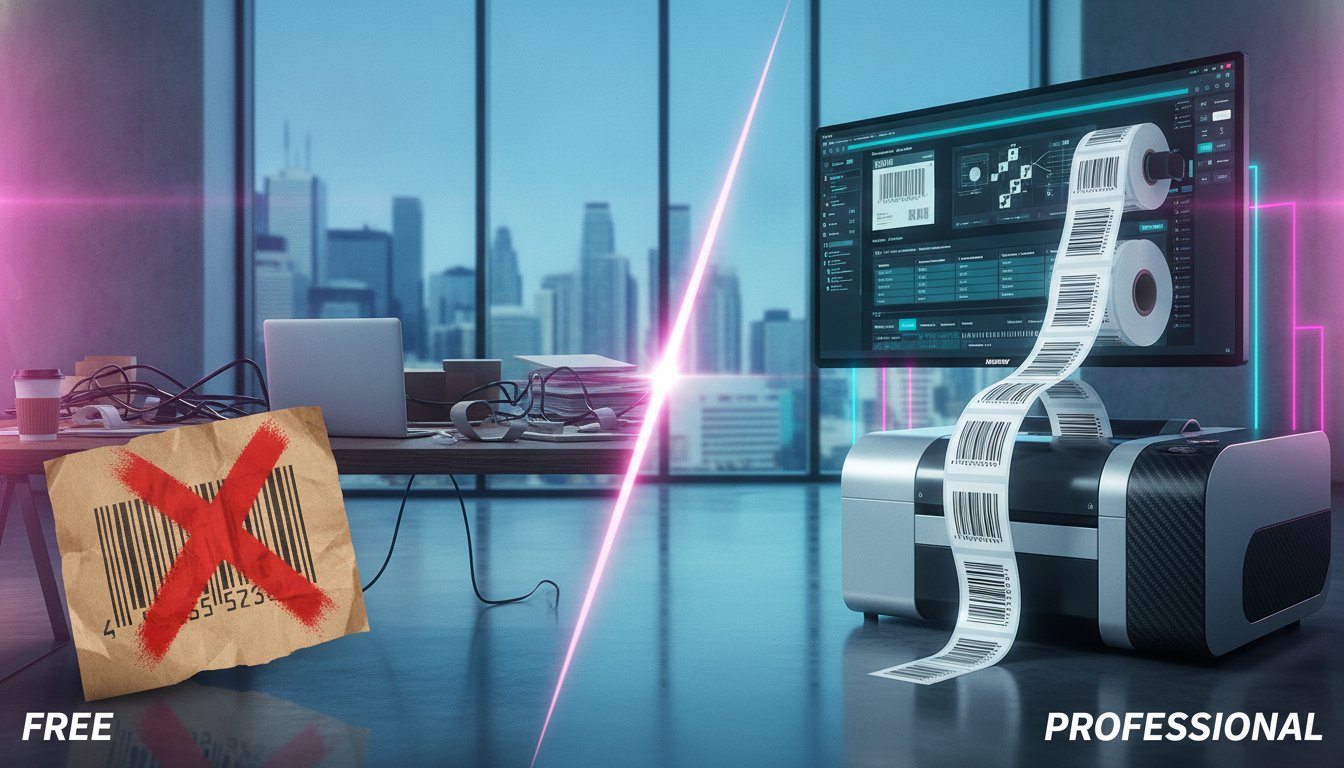
Is saving a few dollars on a free online tool today worth risking a five-figure shipping rejection at the border tomorrow? Many Canadian business owners initially turn to free generators because they seem like a quick, cost-effective way to get products out the door. You want to keep overhead low, and a simple barcode often looks the same on a screen whether it is free or paid. However, as GS1 standards evolve and new Canadian front-of-package labelling requirements take effect in 2026, the gap between a basic image and professional barcode label design software has become a matter of operational survival.
We understand the frustration of manual data entry errors that lead to costly shipping delays or labels that simply won't scan at retail checkouts. It is a common hurdle, but it is one you can easily overcome with the right tools. This guide will show you how to ensure your business remains efficient and compliant by moving beyond static images. We will compare the functional limitations of free tools against the dynamic capabilities of professional suites, helping you decide which path secures your supply chain and supports your long-term growth.
Key Takeaways
- Identify the fundamental differences between static free generators and dynamic professional suites to avoid costly shipping rejections and retail scanning failures.
- Learn how professional barcode label design software automates compliance with 2026 GS1 standards and upcoming Canadian front-of-package labelling mandates.
- Discover how "Intelligent Templates" streamline your operations by reducing the number of individual label files you need to organize and manage.
- Understand the critical role of driver compatibility in achieving high-resolution results on advanced hardware like the VIPColor VP700 series.
- Compare the specific strengths of BarTender and Loftware NiceLabel to determine which platform best supports your business growth and technical requirements.
The Lure of the Free Barcode Generator: Why Businesses Start There
Why do so many Canadian entrepreneurs start their journey with a free online barcode generator? The answer is usually simple: it costs nothing upfront. When you are launching a startup or managing a small pilot project, every dollar counts. A free generator is typically a web-based utility that allows you to type in a serial number or product code and download a static image file, such as a JPEG or PNG. While these tools provide a basic visual representation of what a barcode is, they are often limited to producing one label at a time.
For a business handling a handful of one-off shipping labels or tracking a dozen internal assets, these tools seem like a logical choice. However, this "zero-cost" approach is frequently a myth. The hidden expenses appear in the form of manual labour. If your staff spends hours every week copy-pasting data from a spreadsheet into a web form, you aren't saving money. You are actually paying for inefficient manual data entry that could be automated. These small time-losses accumulate quickly, turning a free tool into an expensive operational bottleneck.
Static images also present physical challenges in professional environments. A low-resolution image from a free website might look fine on your monitor, but it often fails on the production line. In a dusty warehouse or a high-speed distribution centre, scanners require crisp, high-contrast edges to function. If an image is slightly blurred or pixelated, it leads to scan failures, shipping delays, and potential fines from major Canadian retailers who demand 100% scannability.
When a Free Generator is Sufficient
There are specific scenarios where a free tool makes sense. If you are working on a personal project, a temporary event badge, or internal shelf labelling for a very small inventory, these generators are perfectly adequate. They serve as a quick fix for non-retail applications where the volume is low and the risk of a "no-scan" is minimal. However, as soon as you need to organize a growing SKU list or meet strict industry compliance standards, the limitations of these tools become a liability rather than an asset.
The "Broken Link" in Free Tools
The main difference between free utilities and professional barcode label design software is the lack of database connectivity. Free tools are "islands" of data. They cannot talk to your inventory management system or your Excel spreadsheets. This lack of integration is the primary cause of manual entry errors that lead to mismatched labels and inventory discrepancies.
Furthermore, free web exports often lack the precision required for modern hardware. High-performance industrial label printers often operate at speeds of 12 ips (inches per second). At these speeds, even a minor resolution error in a static image can result in "barcode unreadability." Professional barcode label design software creates vector-based barcodes that maintain perfect clarity, ensuring your hardware, whether it uses standard thermal transfer or advanced Memjet technology, produces a scannable result every single time.
What is Professional Barcode Label Design Software?
How do you manage a product line that grows from ten items to ten thousand without losing control of your data? While free tools are simple image generators, professional barcode label design software suites like BarTender, Loftware NiceLabel, and Teklynx function as robust business engines. These platforms don't just "draw" a barcode; they manage the entire logic of your labelling process. This distinction is vital for Canadian businesses that need to scale operations while maintaining absolute accuracy.
One of the most significant advantages of professional software is the use of "Intelligent Templates." Instead of creating a separate file for every single SKU, you design one master template. This template uses conditional logic to change its content based on the data it receives. It can automatically adjust fonts, swap product images, or toggle regulatory symbols depending on the destination of the shipment. This reduces the number of files you need to manage from thousands to just a handful, significantly lowering the risk of using an outdated design.
Compliance is another area where professional suites provide a necessary safety net. These tools are built to strictly adhere to global barcode standards, ensuring your products are ready for retail shelves across North America. Whether you need to meet GS1 requirements for grocery retail or GHS standards for chemical safety, the software includes pre-built wizards that guide you through the complex rules of sizing, quiet zones, and data formatting. If you are unsure which software version matches your specific hardware, you can speak with our technical consultants for a personalized recommendation.
Dynamic Data Integration: The Core Delta
The main difference between a free tool and professional software is the ability to connect directly to your existing data sources. You can link your labels to Excel spreadsheets, SQL databases, or enterprise ERP systems. This connection automates the population of variable data such as lot numbers, expiry dates, and weights. By removing the need for manual typing, you eliminate the "human error" factor that leads to mislabelled products and costly inventory corrections.
Advanced Features for Canadian Industry
Professional barcode label design software offers specialized features tailored to demanding industrial environments. For Canadian businesses operating in the chemical or manufacturing sectors, GHS compliance is essential for labels that must remain legible in wet or freezing conditions. These suites also support RFID encoding for advanced logistics and offer native drivers for high-performance hardware. This ensures seamless operation with specialized thermal transfer ribbons and synthetic materials, providing a level of durability that standard web-based exports simply cannot match.
Free Barcode Generators vs.
Professional Label Software
A Readiness Check for Canadian Businesses Facing 2026 Regulations
The Hidden Costs of "Free"
While free generators seem cost-effective, they introduce risks of manual errors, shipping rejections, and retail scan failures. Professional software is an investment in operational stability, compliance, and long-term growth.
Free Generators
Manual Data Entry
Generates one static image at a time. Requires staff to manually copy and paste data from spreadsheets, increasing the risk of costly errors.
Individual Label Files
Requires a separate image file for every single product SKU. Becomes unmanageable and error-prone as your product line grows.
Low-Resolution Images
Outputs static images (JPEG, PNG) that can become pixelated or blurry, leading to scan failures on high-speed industrial printers.
No Compliance Guarantee
No built-in validation for GS1 standards or upcoming 2026 Canadian front-of-package labelling rules, risking border rejections and fines.
Professional Software
Database Connectivity
Directly connects to your inventory system or spreadsheets, automating data population and eliminating manual entry errors.
Intelligent Templates™
A few master templates use conditional logic to manage thousands of SKUs, dynamically changing text, images, and symbols as needed.
High-Resolution Vector Output
Creates mathematically precise vector graphics that ensure 100% scannability and perfect clarity at any resolution or print speed.
Built-in Compliance
Software suites like BarTender and NiceLabel are regularly updated to adhere strictly to global standards, ensuring your labels are compliant.
A Free Generator is Sufficient If...
- You are labelling a personal project or one-time event.
- You need internal-only labels for a very small inventory.
- The volume is extremely low (a few labels per month).
- The consequences of a "no-scan" are minimal.
Professional Software is Essential If...
- You sell products through retail or supply chain channels.
- You need to manage a growing list of SKUs efficiently.
- You must comply with GS1 or other industry standards.
- You use high-performance industrial label printers.

Free vs. Professional Software: The 2026 Comparison
Is it really "saving" money if the tool you use limits your ability to fulfill orders? While the upfront price of a free generator is zero, the long-term return on investment (ROI) for professional barcode label design software is significantly higher. Professional suites provide the digital infrastructure needed to grow from a single desktop setup to a national distribution network. This scalability ensures that as you add more industrial label printers or open new facilities across Canada, your labelling process remains unified and secure.
Reliability is another critical factor in this comparison. When you invest in a professional suite, you aren't just buying code; you're gaining a strategic technical partner. Having the team at DuraFast Label Company Canada available for troubleshooting ensures that your production doesn't grind to a halt due to a software glitch or a driver conflict. Additionally, professional platforms prioritize high-level security and comply with Canadian privacy standards. This protects your sensitive business data and proprietary SKU information in ways that anonymous, web-based tools simply cannot guarantee.
Feature Breakdown: Baseline and Delta
The main difference between these two options lies in how they communicate with your hardware. Free tools export static images that often ignore the specific print resolutions of your thermal label printers. In contrast, professional software uses native printer drivers to ensure every dot is perfectly placed for maximum scannability. While free tools offer a handful of basic symbols, professional suites support hundreds of different types of barcodes, including the 2D DataMatrix and GS1 Digital Link codes required for modern inventory tracking. Other than this, professional software allows for conditional logic and layers, meaning the label design can change automatically based on the data it receives.
The Hidden Costs of "Free"
Why does a label look perfect on your screen but appear blurry or misaligned once printed? The answer usually lies in driver compatibility. High-performance hardware requires precise instructions to execute complex designs. Professional barcode label design software uses native drivers specifically written for each printer model, ensuring the digital image translates perfectly to the physical media. This is the only way to achieve the sharp edges required for high-density barcodes and fine-print technical data.
When you use advanced colour label printers like the VIPColor VP700 series, the software does more than just send a print command. It manages the intricate details of Memjet Technology, including ink delivery and timing. Professional suites allow you to monitor ink levels in real-time and adjust settings to minimize waste. This level of control is essential for maintaining fiscal responsibility while producing high-quality, prime product labels.
The main difference between standard and professional software is also visible in how it handles hardware longevity. Incorrect heat settings on a thermal printer can prematurely wear out thermal printheads, leading to expensive replacement costs. Professional software allows you to calibrate the "darkness" or heat energy applied during the print process. By optimizing these settings for your specific ribbon and label combination, you extend the life of your equipment and ensure consistent print quality over thousands of cycles.
Optimizing for VIPColor and High-Resolution Inkjet
For businesses using inkjet technology, achieving vibrant results on inkjet labels requires more than just a standard print driver. Using Loftware NiceLabel allows you to maximize colour depth by adjusting saturation levels directly within the software. This is particularly useful for specific applications involving frozen foods or heavy condensation, where ink density must be precisely controlled to prevent bleeding. Furthermore, professional suites are engineered to handle large print jobs at 12 ips without system lag, ensuring your production line never has to wait for the computer to "catch up" with the printer.
Thermal Solutions for Industrial Use
In high-volume environments, industrial label printers must operate with absolute precision. Professional software ensures that barcodes on direct thermal labels remain crisp and scannable even at high speeds. One of the key differentiators is how paid software manages "ribbon-saver" features found in high-end Toshiba or SATO printers. By only engaging the ribbon when data is present, the software helps you reduce consumable costs. If you need assistance matching your current hardware to the correct software suite, reach out to our technical support team for a compatibility review.
Selecting the Right Suite for Your Canadian Business
How do you decide which platform fits your specific workflow? Choosing the right barcode label design software requires a clear understanding of your team's technical comfort level and your industry's unique regulatory demands. BarTender serves as the industry standard for "Labels-to-Logistics" management; it is particularly effective for businesses managing complex, multi-site supply chains that require centralized control. If your staff prefers a user-friendly, "Office-like" interface, Loftware NiceLabel is a superior choice. It allows non-technical employees to manage designs without constant IT intervention. For those in specialized sectors like healthcare or automotive manufacturing, Teklynx provides robust solutions designed for those high-compliance environments where every millimetre of label space is strictly regulated.
Starting your transition from a free generator to a professional suite doesn't have to be an overwhelming overhaul. You can begin with a "Starter" or "Professional" edition to master the basics before moving to an Enterprise-level system. This incremental approach allows you to prove the value of the investment without a massive upfront commitment. A trial period is essential during this stage. It gives you the chance to test database connectivity with your actual SKU list and ensures your data flows correctly before you commit to a full rollout. During this trial, pay close attention to how the software handles "label preview" modes. This feature allows your team to see exactly how variable data will look on the final print before wasting any physical media.
Implementation Strategy
A successful rollout involves more than just software. You should consider how your digital designs interact with your physical media. Consulting with a specialist to bundle your barcode label design software with high-quality blank labels for sale ensures that your adhesive and face-stock are perfectly matched to your printer technology. This synergy prevents common issues like label peeling or ink smearing that can occur when software settings and physical materials are mismatched. By coordinating your software and consumables, you create a seamless production cycle that minimizes downtime and maximizes the longevity of your equipment.
The DuraFast Label Company Canada Advantage
Why is a local partner vital for your success? Choosing DuraFast Label Company Canada as your strategic partner ensures you receive support tailored to Canadian shipping standards and provincial regulatory requirements. We help you bundle your software with industry-leading hardware like the VIPColor VP550 to create a high-speed production environment. This combination allows you to maintain industrial reliability while keeping your operational costs predictable. Our goal is to empower you to take control of your production process with confidence. Contact our experts to find your perfect labelling software match.
Future-Proofing Your Canadian Labelling Operations
Transitioning from a free generator to professional barcode label design software represents a strategic shift from manual guesswork to automated precision. While free tools offer a temporary fix for small projects, they cannot provide the database connectivity or hardware optimization required to scale a modern business. By investing in a professional suite, you ensure that your labels remain compliant with 2026 GS1 standards and that your high-performance printers operate at their full potential without unnecessary wear on technical components.
DuraFast Label is your dedicated partner in this growth. As an authorized reseller of BarTender and Loftware, we specialize in Canadian GHS and retail compliance. Our team provides expert support for VIPColor and Epson integration, helping you realize a labelling process that is both durable and fiscally responsible. We are here to help you overcome logistical hurdles and achieve long-term efficiency in your production line. Explore Professional Barcode Software at DuraFast Label today and take control of your distribution future with confidence.
Frequently Asked Questions
Can I use a free barcode generator for retail products in Canada?
You should avoid using free generators for retail products because they often fail to meet the strict GS1 standards required by Canadian distributors. Retailers require high scannability rates to prevent checkout delays and inventory errors. Free tools produce static images that lack the precise quiet zones and sizing control necessary for professional retail environments.
What is the main difference between BarTender and NiceLabel?
The main difference between BarTender and NiceLabel lies in their user interface and deployment focus. BarTender is the industry standard for complex, enterprise-level logistics and deep system integration. NiceLabel provides a familiar Microsoft Office-style interface that is often more accessible for smaller teams, particularly those prioritizing cloud-based label management.
Do I need special software to print QR codes on my product labels?
While you can generate basic QR codes online, professional barcode label design software is required to ensure they are compliant with GS1 Digital Link standards. Professional suites allow you to embed dynamic data and maintain high resolution. This prevents the pixelation that frequently occurs with free generators, ensuring the codes remain scannable even on small packaging.
How does professional barcode software reduce printing errors?
Professional software reduces errors by replacing manual data entry with direct database integration. By pulling lot numbers, weights, and expiry dates directly from your Excel or ERP system, you eliminate the risk of "human error" during the design process. This automation ensures that the physical label always reflects the accurate data stored in your business records.
Can I connect my Excel spreadsheet to a free barcode tool?
Most free barcode tools do not support Excel connectivity, which forces you to type each entry individually. This manual process is extremely slow and increases the likelihood of mismatched labels. Professional barcode label design software is specifically designed to bridge this gap, allowing you to print thousands of unique labels from a single spreadsheet in one session.
What happens if my barcode is designed in the wrong resolution?
If a barcode is designed in the wrong resolution, it will appear blurry or distorted to high-speed scanners, leading to rejected shipments at distribution centres. Professional software uses native printer drivers to match the exact DPI of your hardware. This ensures that every dot is perfectly placed for maximum contrast and scannability on the production line.
Is cloud-based label software better than a perpetual license for small businesses?
Cloud-based software is often better for businesses that need remote access and low upfront costs. It allows you to manage labelling from any location with a subscription model. However, a perpetual license might be more fiscally responsible for a stable, single-site operation. It offers a one-time payment for long-term use without recurring monthly fees.
How do I ensure my labels are GHS compliant using design software?
You can ensure GHS compliance by using the built-in hazard pictograms and regulatory templates found in professional design suites. These tools include wizards that guide you through the placement of signal words and safety statements according to Canadian standards. This ensures your chemical labels remain compliant and legible even when exposed to moisture or industrial chemicals.