Epson C6500 vs Primera LX910 vs Afinia L502: Top Comparison
10th Aug 2026
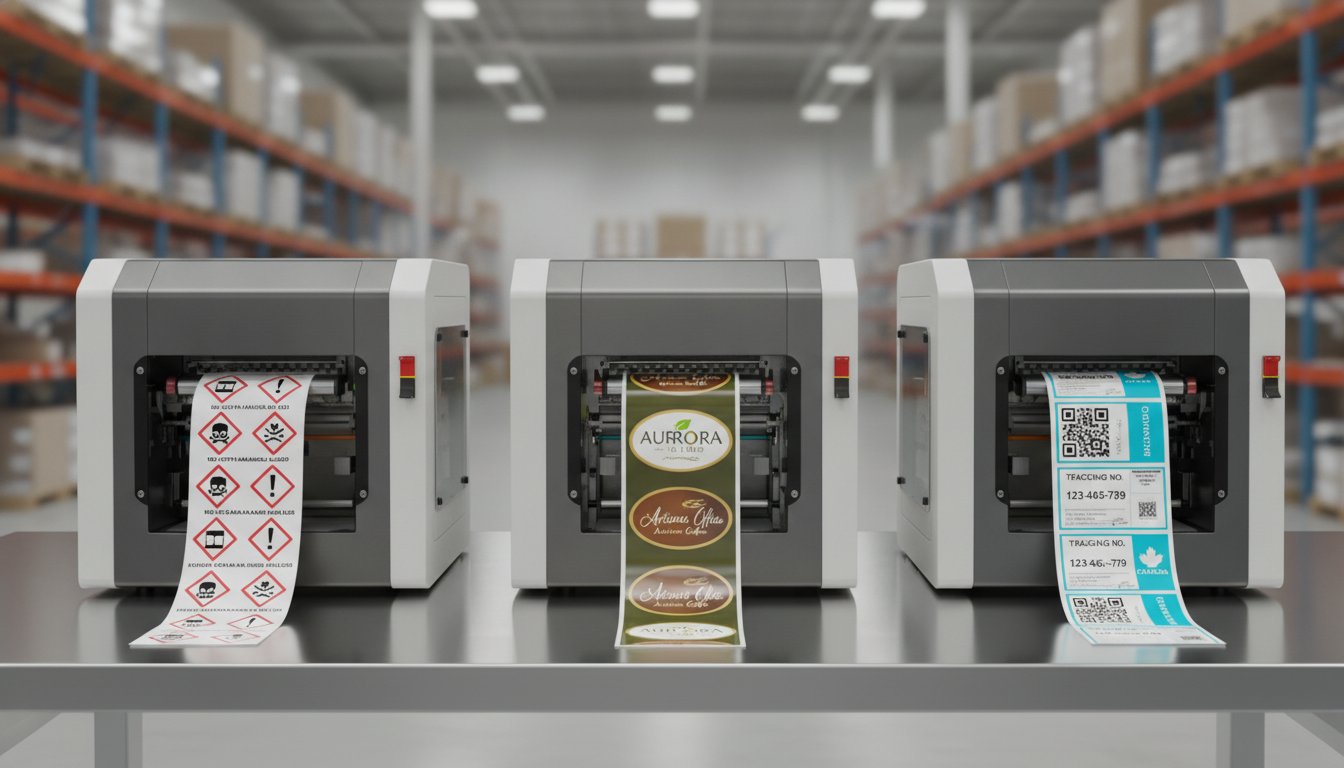
The most expensive label your facility produces isn't the one with the highest ink coverage; it's the one you're still waiting for a third-party vendor to ship. You've likely realized that outsourcing often leads to bloated lead times and minimum order quantities that don't align with your actual production needs. But how do you determine which hardware will actually survive your specific operational environment? When you compare epson c6500 versus Primera LX910 versus Afinia L502, the choice isn't just about the initial investment. It's about matching ink chemistry to your durability requirements and ensuring your hardware can handle the dust or moisture of a Canadian warehouse.
This comparison provides the clarity you need to move forward with confidence. We'll examine the technical differences in ink durability, print speed, and operational footprint to help you choose the right 8-inch colour label printer for your facility. You'll learn which model excels at GHS/WHMIS compliance for chemical safety and which delivers the high-resolution "prime" finish required for retail shelves. By the end of this guide, you'll have a clear roadmap to reduce production delays and achieve professional results in-house.
Key Takeaways
- Understand how specific ink chemistry differences between pigment and dye affect GHS and WHMIS compliance for Canadian industrial safety standards.
- Use our guide to compare epson c6500 versus Primera LX910 versus Afinia L502 to determine which printer offers the best balance of speed and visual impact for your SKUs.
- Evaluate the operational footprint and media handling requirements to ensure your new hardware integrates seamlessly into your existing facility space.
- Discover how transitioning to in-house inkjet labels can eliminate the logistical hurdles of high minimum order quantities and long vendor lead times.
- Identify the ideal 8-inch printer for your environment by analyzing how internal versus external unwinders protect your media from warehouse debris.
8-Inch Colour Label Printing: Comparing the Industrial Landscape
Canadian manufacturers are increasingly bringing their label production in-house to combat rising supply chain costs and unpredictable lead times. By 2026, the mid-range industrial sector has solidified around the 8-inch format. This width provides the necessary real estate for large chemical pails, pallet labels, and wide-format retail packaging. Choosing the right machine requires looking past the marketing brochures to see how each handles a real-world production floor. To effectively compare epson c6500 versus Primera LX910 versus Afinia L502, you have to evaluate how they balance daily throughput with print precision.
Modern label printing technology has evolved to the point where digital inkjet can now compete with traditional thermal transfer for durability while offering full-colour flexibility. These three models dominate the Canadian market because they offer a clear path to GHS and WHMIS compliance without requiring the massive capital expenditure of a full-scale press. They represent a strategic investment for businesses looking to scale their inkjet labels production while maintaining total control over their inventory.
Epson C6500, Primera LX910, and Afinia L502 at a Glance
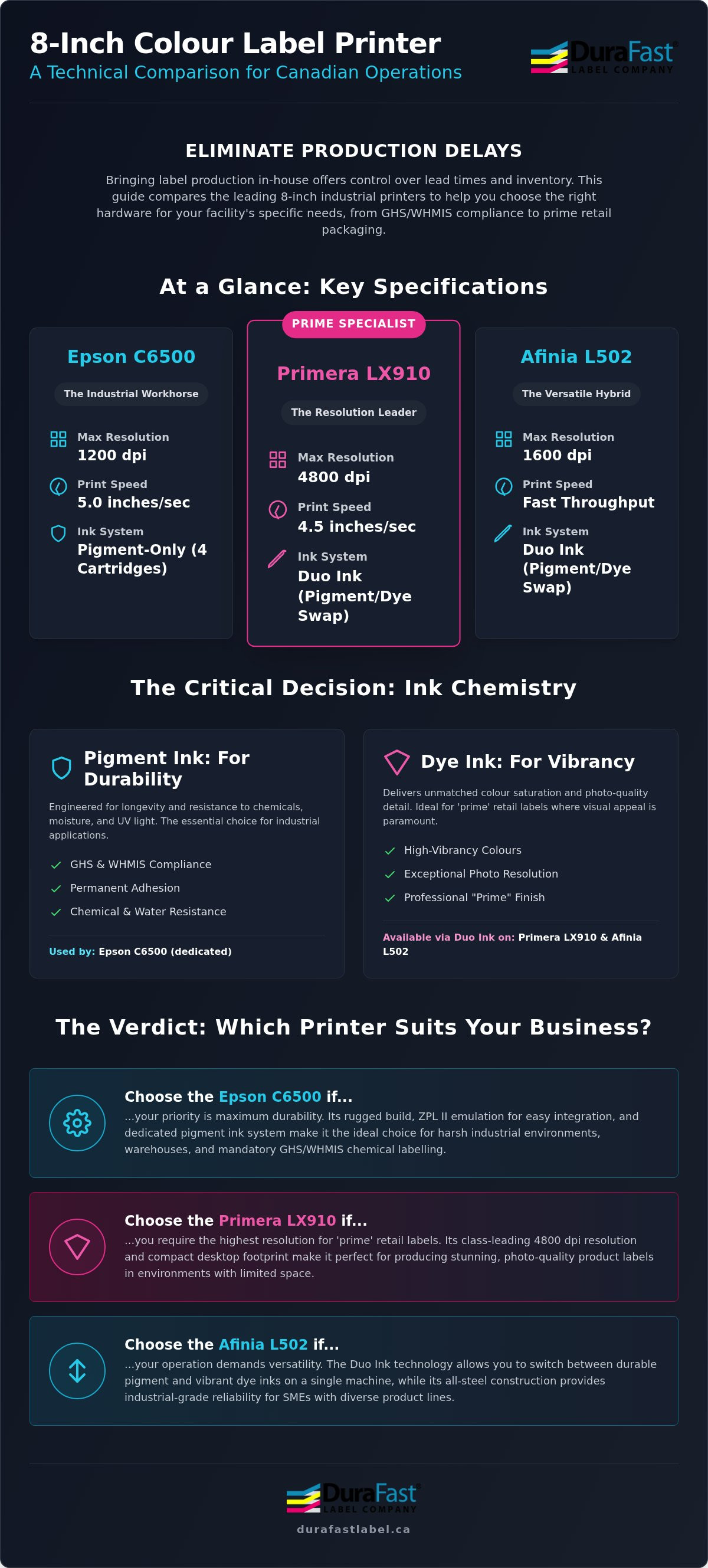
While all three machines handle 8-inch wide media, their internal specifications cater to different production priorities. Here is how they stack up on the baseline technical requirements:
- Print Resolution: Epson C6500 delivers 1200 dpi for crisp industrial text; Afinia L502 provides 1600 dpi; Primera LX910 reaches up to 4800 dpi for high-end "prime" labels.
- Max Print Speed: Epson maintains a consistent 5 inches per second (ips); Primera offers up to 4.5 ips; Afinia L502 boasts speeds more than double its predecessor.
- Ink Volume and Delivery: Epson uses four individual cartridges for efficiency; Primera utilizes a single high-capacity CMY cartridge for simplicity; Afinia employs four separate CMYK tanks.
The Core Differences in Hardware Architecture
Epson's C6500A is engineered as a direct colour replacement for older thermal transfer systems. It features a rugged industrial design and supports ZPL II emulation, which allows it to drop into existing enterprise workflows with minimal software reconfiguration. It's a heavy-duty machine that feels at home in a busy manufacturing plant or warehouse. In contrast, the Primera LX910 offers a more compact desktop footprint. It's the preferred choice for businesses with limited bench space that still require professional-grade output. The Afinia L502 takes a hybrid approach; its all-steel construction provides the durability required for industrial label printers in a size that fits most production centres. Understanding these physical builds is the first step in determining which model integrates into your facility's physical layout without causing bottlenecks.
Ink Chemistry: Pigment vs. Dye for Canadian Operations
Choosing the right ink chemistry is the most critical decision for any facility manager. In Canada, where products often move from humid production floors to freezing cold storage, the physical properties of your ink determine whether your branding stays intact or slides off the container. To accurately compare epson c6500 versus Primera LX910 versus Afinia L502, you must first understand the fundamental divide between pigment-based and dye-based inks. While dye offers unmatched colour saturation, pigment provides the chemical stability required for WHMIS labels and GHS compliance.
Epson’s UltraChrome DL pigment ink is designed for permanent adhesion and resistance. It's a dedicated system that prioritizes longevity over everything else. Conversely, the Primera LX910 and Afinia L502 utilize "Duo Ink" technology. This allows you to swap between a dye cartridge for high-vibrancy marketing materials and a pigment cartridge for industrial safety markings. This versatility is a major advantage for SMEs that produce a wide variety of product types on a single machine. It eliminates the need for two separate printers when your product line includes both retail goods and industrial chemicals.
When to Prioritize Pigment Ink Durability
Pigment ink consists of tiny solid particles suspended in liquid. Once printed, these particles sit on the surface of the media, creating a bond that resists UV fading, abrasion, and harsh chemicals. If your facility handles industrial parts or chemical pails, pigment is non-negotiable. The Epson C6500 is a dedicated pigment workhorse, ensuring that every label meets the BS5609 standard for marine immersion. This is vital for Canadian exporters shipping through coastal ports where salt spray and heavy moisture are constant threats. For these rugged applications, using weatherproof UL certified labels ensures your data remains legible throughout the supply chain. If you're unsure which ink fits your specific environment, you can request a printed sample to test durability in your own facility.
The Case for Dye Ink and High-Vibrancy Prime Labels
Dye-based inks are liquid-based, allowing the colour to soak into the fibres of the label material. This results in a much wider colour gamut and smoother gradients, which is essential for "prime" labels in the gourmet food or cosmetics industries. The Primera LX910 excels here by using a single, high-capacity CMY cartridge. This simplifies maintenance significantly, as you only have one item to replace. However, remember that dye ink will bleed if it encounters heavy condensation in cold storage. While it makes your product "pop" on a retail shelf, it isn't suitable for the rigorous demands of GHS chemical labelling. For those applications, you must switch the LX910 or L502 to their respective pigment options to maintain compliance.
Throughput and Resolution: Balancing Speed with Visual Impact
Does your production line value raw speed or photographic precision? For most Canadian businesses, the answer depends entirely on the application. When you compare epson c6500 versus Primera LX910 versus Afinia L502, you'll find that "inches per second" (ips) isn't just a static number on a spec sheet. It represents your facility's ability to respond to urgent orders without creating a bottleneck. While marketing brochures often highlight maximum resolution, the real-world challenge is maintaining high throughput while keeping small text legible.
Speed Metrics for High-Volume Workflows
The Epson C6500 is engineered for consistency, maintaining a steady 5 ips even when processing complex, data-heavy graphics. This makes it a reliable choice for 4x6 shipping labels and industrial tags where timing is everything. It also features ZPL II emulation, allowing it to integrate into existing systems that previously relied on black-and-white thermal printers. The Primera LX910 offers a respectable 4.5 ips in its high-speed mode, though it's important to realize that selecting higher quality settings will significantly reduce this throughput. The Afinia L502 provides a balanced performance for mid-range batch runs, offering a substantial speed increase over entry-level models. If your daily volume exceeds several thousand labels, the Epson's ability to maintain its rated speed regardless of print quality becomes a decisive factor in operational efficiency.
Resolution and Fine Detail for Small Text
Is 4800 dpi actually better than 1200 dpi for an industrial environment? While the Primera LX910 boasts a 4800 dpi capability that is perfect for high-end cosmetics, most industrial applications find 1200 dpi to be the "sweet spot." This resolution ensures that 4pt fonts for ingredient lists and regulatory warnings are perfectly crisp and easy to read. Investing in high-quality colour label printers isn't just about aesthetics; it's about ensuring your barcodes scan on the first attempt every time. The Epson C6500 and Afinia L502 both provide the precision required for complex WHMIS symbols and fine line art without the massive file processing delays often associated with ultra-high resolution settings. By choosing a resolution that matches your actual needs, you prevent your internal print server from becoming a production hurdle.
Operational Logistics: Unwinders and Environmental Resilience
How much does a speck of dust cost your business? In a busy Canadian warehouse, environmental debris is the silent enemy of high-quality printheads. When you compare epson c6500 versus Primera LX910 versus Afinia L502, the physical architecture of the machine is just as important as the ink inside it. You need a setup that protects your media and fits your available bench space without creating a logistical nightmare. Choosing the wrong physical configuration can lead to clogged nozzles and wasted stock, regardless of how advanced the print technology is.
Managing Media in Dusty or Industrial Settings
The Epson C6500A features an internal unwinder that keeps the entire label roll enclosed within the printer's chassis. This design is a significant advantage in facilities where airborne dust or moisture could contaminate the media before it even reaches the printhead. By contrast, the Primera LX910 and Afinia L502 typically rely on external rolls. While this makes it easier to monitor media levels at a glance, it leaves the labels exposed to the environment. To realize the best possible print quality, your media must remain pristine. Afinia's L502 uses a rugged, all-steel industrial design to mitigate some of these risks, but it lacks the total enclosure found in the Epson. If your facility is particularly dusty, you might be used to the protection offered by thermal transfer ribbons in older systems. Moving to inkjet requires a more mindful approach to media storage and handling to prevent debris from damaging the sensitive printheads.
Footprint and Workspace Optimization
Does your production centre have room to grow? The Primera LX910 is often the best choice for crowded offices or small workshops due to its compact desktop footprint. However, you must account for the "total operational area." This includes the space needed for external rewinders and the clearance required to change ink cartridges. The Epson C6500 is a larger, more imposing unit, but its self-contained nature means it doesn't necessarily require more total bench space than a Primera setup with an external unwinder attached. The Afinia L502 offers a modular approach, allowing you to separate the printer from the unwinder if your workspace has an unusual layout. Maintenance is another key factor. The Primera uses a single-cartridge system that includes the printhead, meaning you get a fresh head with every ink change. The Epson and Afinia use permanent or semi-permanent heads that require more diligent cleaning but offer lower long-term consumable costs for industrial label printers. If you need help measuring your workspace for a new installation, you can speak with our technical team for a layout consultation.
The Verdict: Which 8-Inch Printer Suits Your Business?
The decision to bring label production in-house is a significant step toward operational independence. By eliminating the high costs and long lead times of outsourced printing, Canadian SMEs can respond faster to market changes and regulatory updates. Transitioning to inkjet labels allows you to print only what you need, which effectively removes the burden of carrying obsolete inventory. When you compare epson c6500 versus Primera LX910 versus Afinia L502, the right choice isn't necessarily the most expensive unit; it's the one that aligns with your specific durability standards and volume requirements.
Operational success hinges on more than just the initial hardware purchase. You must also consider the long-term availability of consumables and technical support within Canada. Working with a domestic partner ensures you have access to Canadian-stocked ink and blank media, avoiding the cross-border delays and currency fluctuations that can disrupt a production schedule. Whether you are labelling chemical pails for a facility in Alberta or gourmet food products in Ontario, your printer must be a reliable asset that simplifies your workflow rather than complicating it.
Scenario-Based Recommendations
- Best for Chemical and Industrial: The Epson C6500 is the definitive choice for businesses requiring strict GHS and WHMIS compliance. Its dedicated pigment ink system and rugged industrial design ensure that safety information remains legible in the harshest conditions.
- Best for Retail and Prime Labels: If your primary goal is shelf appeal, the Primera LX910 is the superior option. Its ability to utilize dye-based inks produces the vibrant colours and smooth gradients necessary for high-end cosmetics, beverages, and gourmet foods.
- Best for Versatility: The Afinia L502 offers a balanced middle ground. Its "Duo Ink" capability and all-steel construction make it ideal for businesses that need to switch between industrial safety labels and retail packaging without investing in multiple machines.
Next Steps for Your Labelling Strategy
Before making a final investment, it's vital to evaluate your current cost-per-label. This analysis should include ink consumption, media waste, and the time spent on maintenance. We also strongly recommend testing your specific label materials with each ink type to ensure the adhesive and finish meet your durability expectations, especially if your products face moisture or cold storage. A small amount of preparation now prevents costly production hurdles later. If you're ready to see the numbers for your specific facility, you can contact our Canadian experts for a custom label cost analysis to determine your exact ROI.
Take Control of Your 8-Inch Label Production
Selecting an industrial printer is a strategic investment that defines your production efficiency for years to come. Whether you prioritize the ruggedness of the Epson C6500, the retail vibrancy of the Primera LX910, or the modular flexibility of the Afinia L502, your choice should reflect your facility's specific environmental challenges and compliance needs. When you compare epson c6500 versus Primera LX910 versus Afinia L502, it becomes clear that the best value lies in matching technical capabilities to your actual daily throughput.
We provide authorized Canadian service and support to ensure your equipment remains a high-performing asset. Our team offers in-depth cost-per-label analyses and a wide selection of Canadian-stocked media and inks to prevent cross-border delays. Request a technical consultation for your 8-inch labelling needs to find the perfect fit for your facility. You don't have to handle these technical specifications alone; we're here to help you scale your in-house production with confidence.
Frequently Asked Questions
What is the main difference between the Epson C6500 and the Afinia L502?
The Epson C6500 is a dedicated pigment printer featuring an internal unwinder designed for seamless industrial integration. In contrast, the Afinia L502 is a modular, all-steel printer that allows you to swap between dye and pigment ink sets. While the Epson is built to replace traditional thermal transfer systems, the Afinia offers more flexibility for facilities that produce both retail packaging and industrial safety labels.
Can the Primera LX910 print GHS-compliant chemical labels?
Yes, the Primera LX910 produces GHS-compliant labels when you use its pigment ink cartridge combined with BS5609-certified media. It's vital to switch from the standard dye cartridge to the pigment version to ensure the necessary chemical and moisture resistance. This versatility is a major factor when you compare epson c6500 versus Primera LX910 versus Afinia L502 for workplace safety and compliance applications.
Which of these 8-inch printers has the lowest ink cost per label?
The Epson C6500 typically offers the lowest long-term ink costs for high-volume runs because it uses four individual high-capacity cartridges. Unlike the Primera LX910's single-cartridge system, the Epson allows you to replace only the specific colour that has run out. For Canadian businesses printing thousands of labels monthly, this efficient delivery system significantly reduces consumable waste and improves your overall return on investment.
Do I need an external rewinder for the Epson C6500?
You don't strictly require an external rewinder for hand-application, but it's highly recommended for automated workflows. Since the C6500A model includes an integrated auto-cutter, a rewinder helps manage finished labels by winding them onto neat rolls for use in applicators. This accessory keeps your production centre organized and prevents finished stock from piling up on the floor or getting damaged by warehouse debris.
Are labels for the Afinia L502 compatible with the Epson C6500?
Compatibility depends on the core size and the specific top-coating of the media. Both printers handle 8-inch wide material on a standard 3-inch core; however, you must ensure the labels are specifically coated for pigment inkjet technology. Most labels designed for the Afinia L502 will work on the Epson C6500 provided they share the same pigment-receptive surface required for durable industrial applications.
How does the print speed of the Primera LX910 compare to the Epson C6500 in real-world use?
The Epson C6500 maintains a consistent real-world throughput of 5 inches per second even when handling complex, data-heavy graphics. While the Primera LX910 is rated for up to 4.5 inches per second, it often slows down when you select higher resolution print modes. For busy facilities, the Epson's ability to maintain its rated speed regardless of image complexity usually results in higher daily production totals.
Is the Afinia L502 better for dye or pigment ink applications?
The Afinia L502 is equally capable in both areas, which is its primary advantage for growing businesses. It utilizes separate, interchangeable printheads for dye and pigment, allowing you to optimize for either retail vibrancy or industrial durability. This dual-purpose design is a key consideration when you compare epson c6500 versus Primera LX910 versus Afinia L502 to find a single machine that handles diverse SKUs.
What happens if I use dye ink on a label intended for cold storage?
Using dye ink for cold storage applications often leads to smearing or bleeding as condensation forms on the label. Because dye ink is water-soluble, it cannot withstand the moisture levels typically found in Canadian supply chains. Pigment ink is the only reliable choice for these environments, as it creates a permanent bond with the media that remains legible even when exposed to damp or freezing conditions.