Epson C6500 vs. Afinia L502: Which Label Printer to Buy?
13th Jun 2026
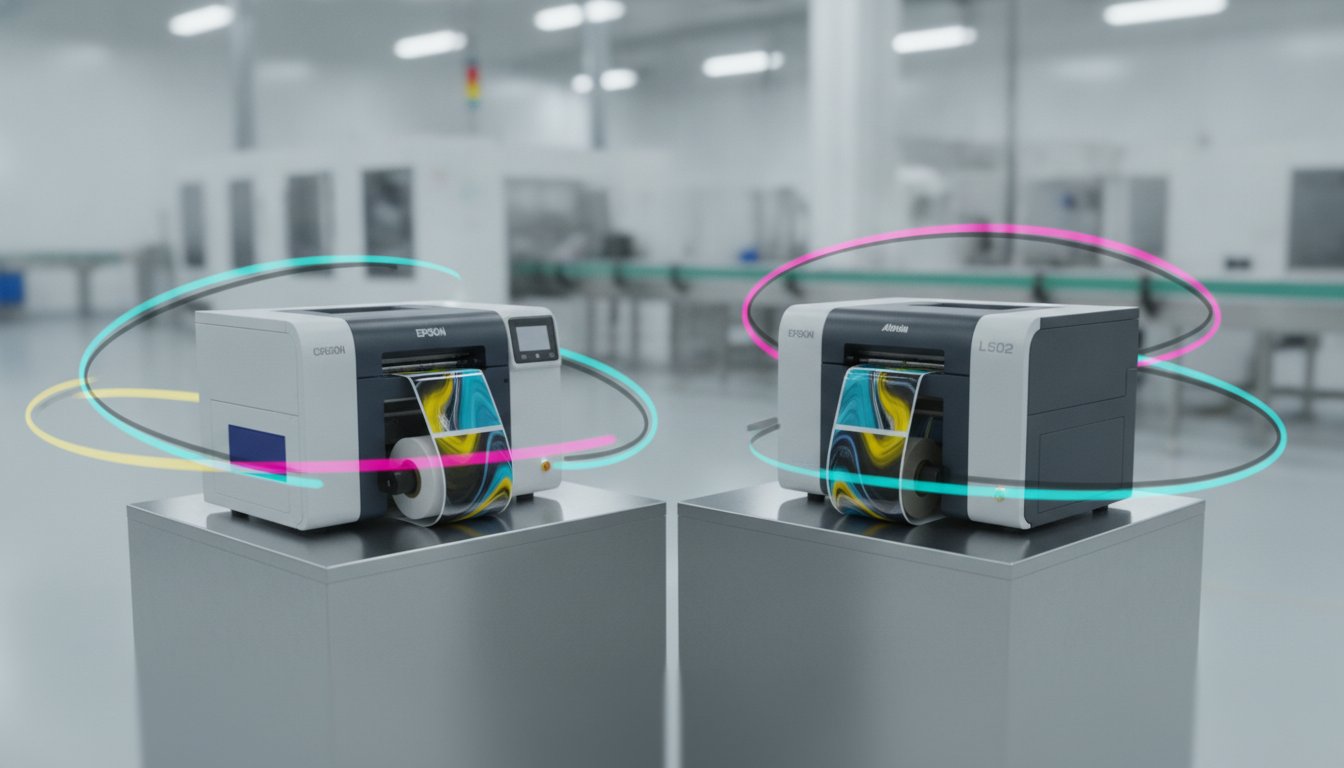
Choosing the wrong 8-inch label printer can lock your business into a rigid production cycle that drains your budget through wasted ink and incompatible media. You likely already realize that moving label production in-house is the most effective way to reclaim control over your supply chain and eliminate the high costs of outsourcing. However, deciding between a dedicated industrial workhorse and a flexible hybrid system often creates more confusion than clarity, especially when you're worried about how different inks will react to your specific packaging. This article provides a technical, side-by-side comparison to help you compare Epson C6500 and Afinia L502 color label printer models, ensuring you invest in hardware that offers a genuine return on investment.
We will break down the baseline and delta differences between these two machines, from the Epson's 1200 dpi precision to the Afinia's 4800 dpi capabilities. You'll learn how the Epson C6500 functions as a rugged, pigment-only replacement for thermal transfer setups, while the Afinia L502 utilizes a Duo Ink system for both vibrant prime labels and durable GHS-compliant output. By the end of this guide, you'll have a clear understanding of which printer handles your label material best and which physical design features, such as internal unwinders, fit your facility's environmental needs.
Key Takeaways
- Identify the main difference between Epson’s UltraChrome DL pigment ink and Afinia’s flexible Duo Ink system to ensure your labels withstand moisture and chemicals.
- Compare Epson C6500 and Afinia L502 color label printer specifications to see how print resolution directly impacts your production speed in inches per second (ips).
- Discover why an internal label unwinder is a critical feature for maintaining print quality in dusty industrial environments and protecting media from debris.
- Evaluate the long-term ROI of each 8-inch printer by matching technical capabilities to your specific pallet and product labelling workflows.
- Understand the "baseline and delta" of each model to choose between a dedicated industrial workhorse and a versatile hybrid system.
8-Inch Colour Label Printing: The Epson C6500 and Afinia L502 Landscape
Are you finding that your current 4-inch printer simply cannot keep up with the demands of wide-format branding or pallet identification? For many Canadian SMEs, the jump to 8-inch printing marks a significant shift from restrictive, small-scale labelling to professional, large-format production. A Label printer designed for this width allows you to handle everything from chemical drum labels to oversized shipping identifiers without the delays of a third-party print shop. When you compare Epson C6500 and Afinia L502 color label printer options, you'll see two distinct approaches to this industrial need. The Epson ColorWorks C6500 series, including the C6500A with its integrated auto-cutter and the C6500P with peel-and-present functionality, targets reliability and thermal transfer replacement. Conversely, the Afinia L502 builds on the success of the previous L501 platform, offering a refined Duo Ink system that provides unmatched versatility for businesses needing both aesthetic appeal and industrial durability.
The Need for In-House 8-Inch Printing
Why do so many businesses decide to bring their wide-format printing in-house? The answer usually lies in the high cost and logistical friction of outsourcing. When you rely on external vendors, you're often forced into high minimum order quantities that lead to significant inventory waste if a product formulation or regulatory requirement changes. By printing 8-inch labels on-demand, you can produce exactly what you need for a specific production run. High-capacity inkjet cartridges also offer a clear cost-per-label advantage over pre-printed stock. This transition allows you to respond to market shifts instantly, ensuring your warehouse operations remain seamless and your fiscal resources are maximized. It empowers you to take control of your supply chain by eliminating the wait times associated with traditional print houses.
Epson C6500 vs. Afinia L502: The Baseline Specs
While both machines are designed for heavy-duty use, they occupy different physical footprints. The Epson C6500 is a compact, rugged unit designed to slot into existing thermal printer spaces; it's built to withstand the rigours of a busy production line. The Afinia L502 offers a slightly different profile that accommodates its unique printhead design and interchangeable ink system. Both units feature standard USB and Ethernet connectivity, which is essential for integration into Canadian business networks and ERP systems. You can find both of these colour label printers through national suppliers like DuraFast Label. Whether you prioritize the industrial reputation of Epson or the hybrid flexibility of Afinia, both models provide a professional foundation for your wide-format labelling needs. It's helpful to compare Epson C6500 and Afinia L502 color label printer dimensions before finalizing your workstation layout to ensure a proper fit.
Ink Technology Comparison: Epson Pigment vs. Afinia Duo Ink
The main difference between these two units is how they handle ink chemistry. While both use advanced inkjet technology, their approaches to durability and visual appeal follow very different philosophies. When you compare Epson C6500 and Afinia L502 color label printer models, you'll find that one is a dedicated industrial specialist, while the other is a versatile hybrid. The choice between these technologies often boils down to the need for long-lasting inkjet prints that can survive harsh environmental exposure or high-impact retail branding.
Epson’s Dedicated Pigment Approach
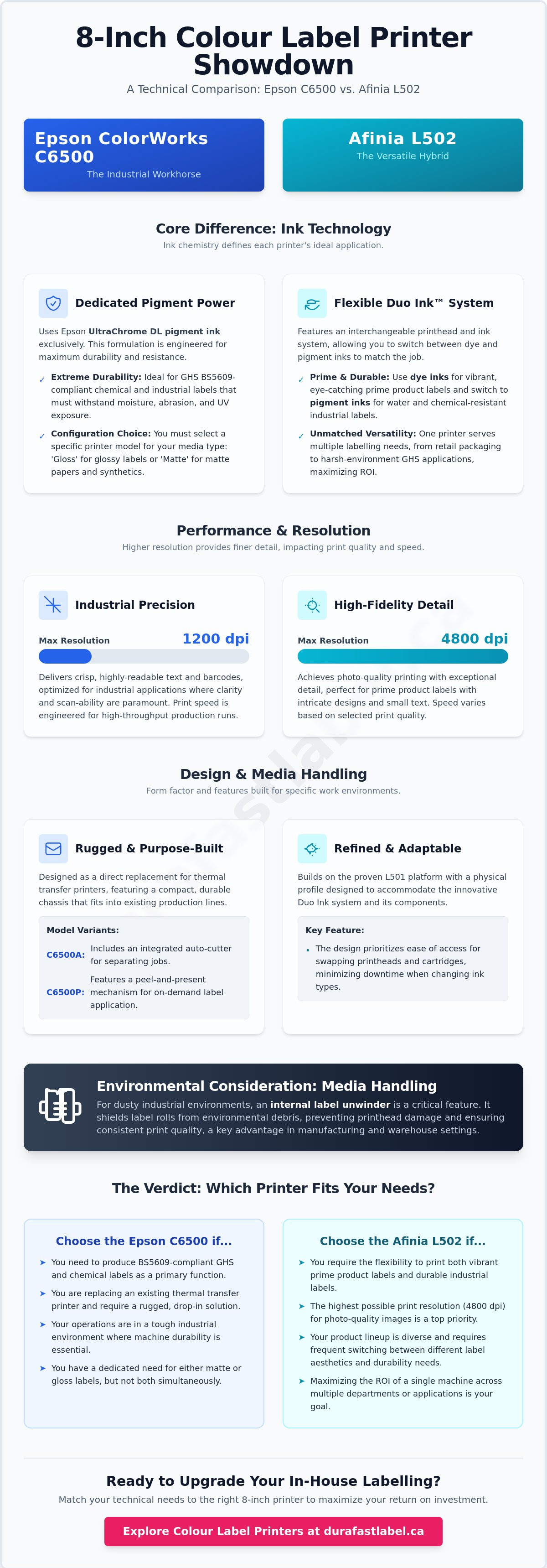
Epson utilizes UltraChrome DL pigment ink across the entire C6500 series. This ink is engineered for extreme durability, making the C6500A (Auto-cutter) and C6500P (Peeler) ideal for producing GHS BS5609-compliant chemical labels. However, there is a technical trade-off you must consider: the printer is available in either a "Gloss" or "Matte" configuration. The matte version provides superior resistance to smudging and chemicals on porous media, whereas the gloss version uses a specific black ink to provide better vibrancy on shiny synthetic materials. It's a "set and stay" system. Once you choose your ink type, you're committed to that specific chemistry for the life of the machine. This makes the Epson a perfect workhorse for pharmaceutical packaging, outdoor equipment, and industrial marking where consistency is more valuable than flexibility.
Afinia L502: The Hybrid Advantage
The Afinia L502 takes a different path with its DuraPrime Duo Ink Technology. It functions essentially as two printers in one because it allows you to swap between dye and pigment printheads. If you're printing prime product labels for the food and beverage industry, you can use water-enhanced dye inks to achieve maximum colour "pop" and saturation. When your production run shifts to industrial pallet labels or chemical drums, you simply swap the head and cartridges to pigment ink. While the process of switching heads is straightforward, it does require a few minutes of downtime and a head priming cycle. It's practical for businesses that change their label types weekly or monthly, but it may not be ideal for those needing to switch multiple times per day. This hybrid capability ensures you don't have to purchase two separate machines to handle both marketing and logistics requirements.
Are you still unsure which ink chemistry will bond best with your specific containers? It's often helpful to see the results on your own media by speaking with a labelling specialist about your application requirements.
Performance Metrics: Print Speed and Resolution Realities
How fast do you actually need to print to maintain your daily production schedule? When you compare Epson C6500 and Afinia L502 color label printer specifications, the raw numbers seem nearly identical. The Epson C6500 offers a maximum speed of 5 ips (inches per second), while the Afinia L502 reaches approximately 5.2 ips. However, raw speed is only one part of the throughput equation. You must also consider how resolution settings impact these speeds. Cranking either machine to its maximum resolution will significantly reduce the ips, which can create bottlenecks in high-volume environments. The real-world performance depends on whether you're printing simple barcodes or high-density, photorealistic graphics.
Resolution and Image Quality
The technical delta between these two printers is most apparent in their resolution capabilities. Epson utilizes its proprietary PrecisionCore TFP printhead technology, which delivers a maximum resolution of 1200 x 1200 dpi. This system uses variable-sized droplets to produce incredibly sharp 4-point fonts and crisp barcodes, even on smaller labels. On the other hand, the Afinia L502 leverages HP-based thermal inkjet technology to achieve a higher maximum resolution of 1600 x 1600 dpi. This makes the Afinia an exceptional choice for prime product labels that require photorealistic detail and vibrant colour gradients. If your application involves intricate branding for luxury goods, the Afinia's higher dpi provides a slight edge in visual depth. For industrial marking where legibility and durability are the primary goals, the Epson's 1200 dpi is more than sufficient and often more efficient.
Throughput in High-Volume Workflows
Throughput isn't just about how fast the paper moves; it's about how quickly you can get the finished label onto your product. The Epson C6500P version features a built-in peeler, which automatically separates the label from the liner. This is a massive time-saver for manual application stations. In contrast, the Afinia L502 is built with an all-steel industrial design that is engineered for longevity in 24/7 operations. It handles media flexibility well, but it lacks the specialized "peel-and-present" workflow found in the Epson P-series. To maximize your uptime in a busy Canadian warehouse, you should always use high-quality inkjet labels. Low-grade media can shed dust that clogs nozzles, forcing frequent cleaning cycles that negate any speed advantages these printers offer. Choosing the right model depends on whether your bottleneck is the print speed itself or the manual labour required to apply the labels after they're printed.
Operational Logistics: Media Handling and Durability
Does your production facility struggle with environmental debris? In many Canadian industrial settings, dust and particulate matter are constant challenges that can compromise print quality. When you compare Epson C6500 and Afinia L502 color label printer models, the physical design of the media path becomes a critical factor for long-term reliability. The Epson C6500 features a fully enclosed internal label unwinder. This design creates a protected path that shields your media from warehouse dust before it ever reaches the printhead. While the Afinia L502 offers impressive media flexibility, its design is more open. This openness is beneficial for rapid media changes, but it requires a cleaner environment to prevent debris from sticking to the label surface and causing nozzle deflections.
In terms of chassis construction, the Afinia L502 is built with an all-steel industrial frame designed for high-impact durability. It's a rugged machine that feels at home in heavy manufacturing environments. The Epson C6500 utilizes a robust plastic and metal hybrid construction that is equally durable but focuses more on compact efficiency and thermal transfer replacement. Another technical delta lies in media sensors. The L502 has been updated with improved sensors that better handle reflective metallic materials. These materials can sometimes "blind" standard optical sensors, so the Afinia's sensitivity is a major benefit for specialty branding.
GHS and BS5609 Compliance
Adhering to WHMIS and GHS requirements for chemical labelling in Canada is non-negotiable. The Epson C6500 is often considered the "Gold Standard" for this application because its UltraChrome DL pigment ink was specifically engineered to meet BS5609 standards for marine immersion. However, the Afinia L502 is also a strong contender when equipped with pigment inks. It's an excellent choice for producing weatherproof UL certified labels that must remain legible under extreme UV exposure or moisture. Both machines ensure your compliance, but the Epson's dedicated pigment system simplifies the certification process for many safety managers.
Software and Integration
Both printers integrate seamlessly with major industry software suites like Loftware, NiceLabel, and BarTender. If you're managing a fleet of printers across multiple locations, Epson offers superior remote management tools. These tools allow IT teams to monitor ink levels and printer status from a central hub, reducing the need for on-site checks. Conversely, Afinia provides an enhanced toolbox utility that simplifies the process of firmware updates and sensor calibration. This makes the L502 very user-friendly for operators who need to make quick adjustments on the fly without waiting for IT support. This balance of remote control and local flexibility ensures your production line stays moving regardless of your technical setup.
If you're still weighing these logistical factors against your specific warehouse conditions, contact our technical team for a consultation on environment-specific hardware placement.
The Verdict: Choosing the Right 8-Inch Printer for Your Business
When you compare Epson C6500 and Afinia L502 color label printer options, the final decision rests on your specific production philosophy. The baseline for both machines is high-quality, 8-inch wide output, but the delta lies in how they manage ink and media over the long term. One printer is a specialized industrial tool designed for unwavering consistency, while the other is a versatile hybrid built to adapt to shifting marketing and logistics needs. Choosing the right hardware ensures that your operational challenges have accessible, high-quality solutions that support your business growth without unnecessary hardware redundancy.
When to Choose the Epson C6500
The Epson C6500 is the superior choice if your primary focus is industrial durability and seamless integration into existing thermal workflows. It's the ideal workhorse for GHS, chemical, or outdoor applications where pigment ink stability is non-negotiable. You should select this model if:
- You require a built-in peeler (C6500P) to speed up manual application on your production line.
- Your environment is dusty or prone to debris, making the enclosed internal label unwinder a necessity.
- You prefer a single-ink pigment system to minimize operator error and maintain BS5609 compliance across all print runs.
- You need ZPL II compatibility to replace aging black-and-white thermal transfer printers without overhauling your entire software stack.
When to Choose the Afinia L502
The Afinia L502 is the best fit for small-to-medium businesses that need maximum flexibility across diverse product lines. Its Duo Ink technology allows you to pivot between high-impact retail branding and rugged industrial marking with a single machine. Consider the L502 if:
- You print a mix of vibrant retail labels using dye inks and durable shipping labels using pigment inks.
- Your branding requires the photorealistic 1600 dpi resolution for intricate graphics or luxury packaging.
- You need to print on specialty media like reflective metallic or textured stocks that require the L502’s improved sensor sensitivity.
- You value an all-steel industrial chassis for 24/7 durability but don't require a built-in peeler.
If your production volume is exceptionally high and you find that 5 ips is insufficient for your daily needs, refer to our guide on the VIPColor VP550 Memjet Color Label Printer. This model utilizes Memjet Technology to achieve significantly higher speeds for enterprise-level demands. Ultimately, both the Epson and Afinia models offer excellent fiscal responsibility by reducing your reliance on outsourced print shops. By matching the technical specifications of these printers to your specific label material and environmental conditions, you can invest with confidence in the long-term ROI of your hardware.
Optimize Your 8-Inch Label Production
Deciding on the right 8-inch printer requires a strategic choice between specialized industrial performance and hybrid flexibility. The Epson C6500 stands as a rugged, pigment-only workhorse for GHS and industrial marking, whereas the Afinia L502 provides the unique ability to swap between dye and pigment inks for diverse product lines. Whether you prioritize the built-in peeling technology of the Epson or the photorealistic 1600 dpi resolution of the Afinia, both machines offer a path toward greater operational independence and fiscal responsibility. It's about finding the hardware that best aligns with your specific container types and environmental conditions.
When you compare Epson C6500 and Afinia L502 color label printer specifications, the technical deltas become clear. DuraFast Label is an authorized dealer for both Epson and Afinia, providing expert technical support to assist with your in-house printing transition. We provide national Canadian shipping and the professional guidance required to ensure your hardware investment delivers lasting value. If you're ready to reclaim control of your production process, contact our team today to discuss your specific labelling requirements. We look forward to helping you achieve the professional results your business deserves.
Frequently Asked Questions
What is the main difference between the Epson C6500A and C6500P?
The main difference between the Epson C6500A and C6500P is the media handling mechanism at the output. The C6500A includes an integrated auto-cutter for separating individual labels or batches, while the C6500P features a peel-and-present sensor. This peeler automatically separates the label from the liner, making it the superior choice for manual application stations in fast-paced production lines.
Can I use third-party inks in the Afinia L502 or Epson C6500?
You should always use genuine OEM cartridges to ensure the longevity of your hardware. While third-party inks exist, using them in these precision machines often leads to nozzle clogging and voids your manufacturer warranty. When you compare Epson C6500 and Afinia L502 color label printer models, you'll realize that the cost of a replacement printhead far outweighs any minor savings from non-certified ink supplies.
How often do I need to swap the printheads on the Afinia L502?
You only need to swap the printheads on the Afinia L502 when you are switching between dye and pigment ink chemistries. Other than this, printheads are considered a consumable item that should only be replaced if the print quality degrades or the head reaches its end-of-life. This swappable system is the core feature that allows the L502 to function as a hybrid machine for both prime and industrial labels.
Are both printers compatible with Mac and Windows?
Yes, both the Epson C6500 and the Afinia L502 offer full compatibility with Windows and macOS environments. The Epson C6500 series goes a step further by providing support for Linux and SAP environments, which is a significant benefit for larger enterprises with complex IT infrastructures. Both manufacturers provide updated drivers on their official support pages to ensure seamless integration with your existing workstations.
Do these printers come with an internal label unwinder?
The Epson C6500 features a fully enclosed internal label unwinder that protects your media from environmental debris. The Afinia L502 also includes an internal unwinder, but it utilizes a more open design. This difference is important for dusty Canadian warehouses where an enclosed path prevents dust from settling on the label surface, which helps maintain consistent print quality and prevents nozzle damage.
Which printer is better for GHS BS5609 chemical labels?
The Epson C6500 is generally considered the better option for GHS BS5609 chemical labels because it's a dedicated pigment ink system. Its UltraChrome DL ink is specifically formulated for extreme chemical and moisture resistance. While the Afinia L502 can achieve compliance when using its pigment printhead and cartridges, the Epson's specialized focus on industrial durability makes it the gold standard for safety managers.
What is the maximum print width for these models?
The maximum print width for these models is slightly different, though both are categorized as 8-inch printers. The Epson C6500 supports a maximum print width of 8.34 inches, while the Afinia L502 offers a slightly wider capacity at 8.5 inches. This extra fraction of an inch on the Afinia can be useful for specific large-format pallet labels or oversized product branding that requires full-bleed coverage.
Where can I buy replacement ink cartridges in Canada?
You can purchase replacement ink cartridges and supplies directly from DuraFast Label, an authorized dealer serving all of Canada. We stock a full inventory of Epson and Afinia ink cartridges, ensuring that your production line never faces unnecessary downtime. Ordering from a domestic supplier helps you avoid the logistical hurdles and unpredictable costs associated with importing specialized supplies from international vendors.