Dymo LabelWriter 450 Guide: Optimizing Performance & Supplies
9th Aug 2026
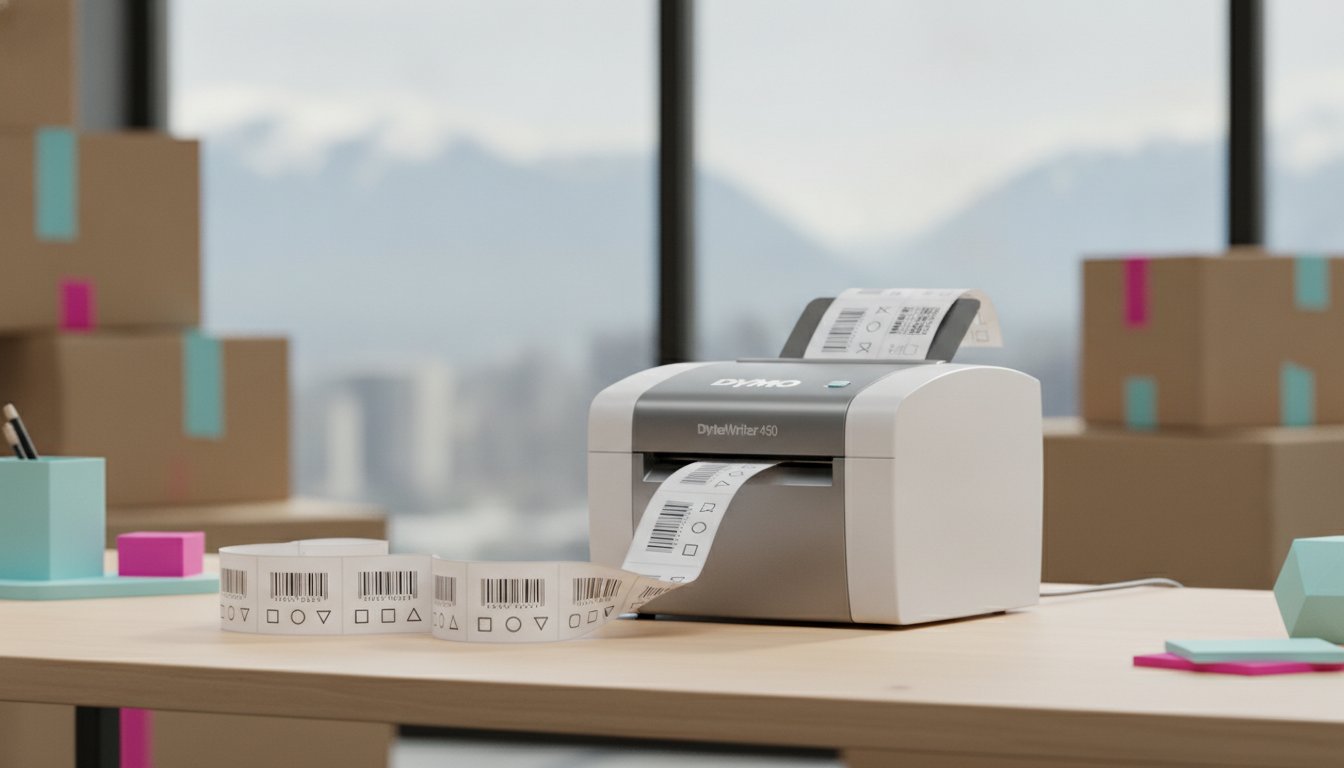
Your legacy dymo labelwriter 450 might actually be more valuable to your business today than the newer models currently sitting on retail shelves. While the industry shifts toward proprietary, RFID-locked media, your existing hardware remains a symbol of operational flexibility and fiscal responsibility. We understand that maintaining a discontinued unit presents unique challenges, from sourcing reliable direct thermal labels in Canada to ensuring software compatibility with the latest operating systems. You've likely felt the frustration of a blurry barcode or a driver that refuses to communicate with your modern workstation.
We agree that a printer should be a tool for growth, not a source of daily disruption. This guide provides the expert technical insights you need to master your dymo labelwriter 450, ensuring every label is crisp and every installation is seamless. We'll walk through the latest DYMO Connect version 1.6.1 updates, share maintenance tips to prevent jams, and provide a clear framework for when your production volume warrants a transition to industrial solutions like VIPColor or Zebra. By the end of this article, you'll have a clear roadmap to maximize your current resources while identifying the right moment to scale your operations.
Key Takeaways
- Maintain seamless operations by utilizing the latest DYMO Connect version 1.6.1 software for compatibility with modern Windows and macOS environments.
- Understand the hardware capabilities of the dymo labelwriter 450 series, specifically how to maximize the 600 x 300 dpi print resolution for professional barcodes.
- Learn why the 450 series remains a strategic asset for Canadian businesses by allowing the use of high-quality, third-party direct thermal labels without RFID restrictions.
- Identify the optimal label materials for your specific environment, ensuring print durability for applications involving condensation or heavy handling.
- Evaluate your current production metrics to recognize when your workflow requires a transition from desktop units to high-speed industrial printing solutions.
Understanding the DYMO LabelWriter 450 Legacy in 2026
How has a discontinued printer maintained its status as a staple in Canadian offices for so long? The dymo labelwriter 450 is a direct thermal workhorse that has outlived many of its successors by prioritizing user autonomy. While newer models introduce digital rights management through RFID tags, the 450 series remains an open platform. This allows you to source high-quality direct thermal labels from independent suppliers, avoiding the premium costs associated with proprietary media. It's a pragmatic choice for businesses that value fiscal responsibility over manufacturer-locked ecosystems.
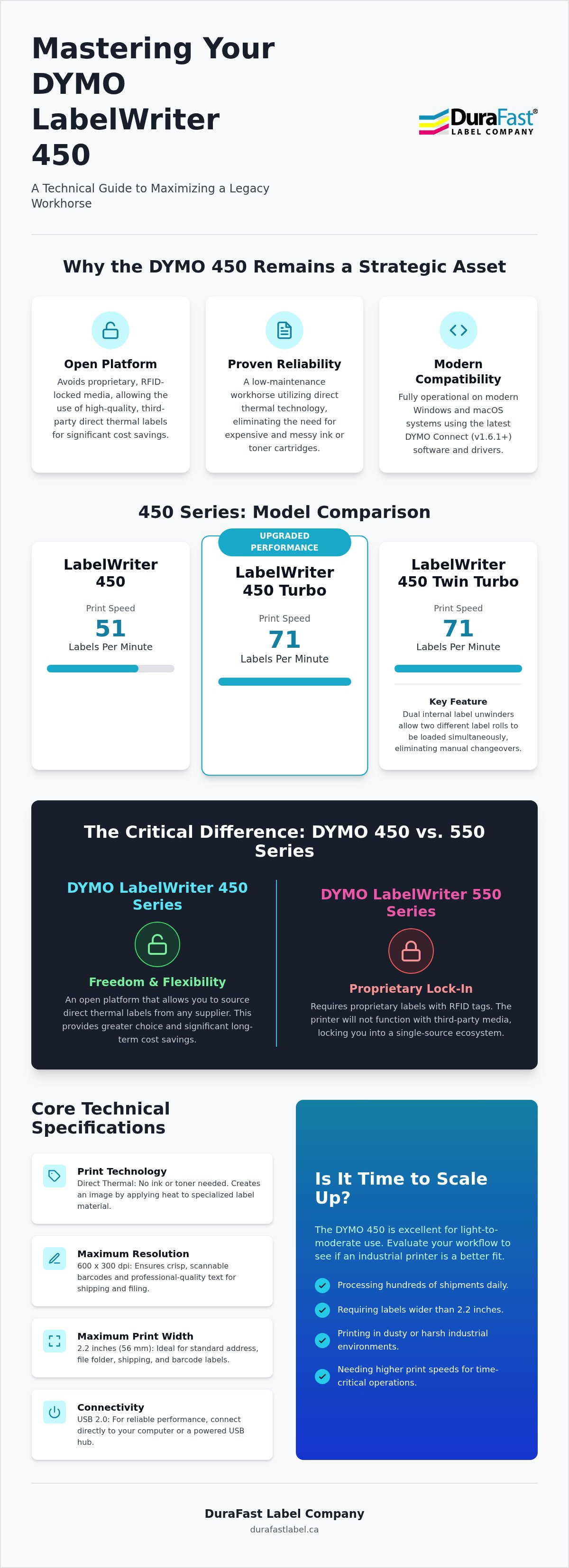
Examining the Dymo Corporation history reveals a trajectory of innovation in the desktop marking space, but the 450 stands out for its sheer reliability. It prints at a steady rate of 51 labels per minute, which is sufficient for small-scale shipping, filing, and barcode applications. However, you must recognize its hardware boundaries to get the best results. With a maximum print resolution of 300 dpi and a 2.2-inch width limit, it's designed for standard office tasks rather than high-density industrial graphics. It's a specialized tool that excels when used within its intended parameters.
The Direct Thermal Advantage
Why deal with the mess and expense of ink? The 450 utilizes a thermal printhead that reacts with heat-sensitive paper, eliminating the need for toner or cartridges. This results in a compact footprint that fits easily on a crowded desk or at a retail point-of-sale station. Small businesses across Canada utilize this technology for everything from file folder identification to 4x6 shipping labels when using the Turbo or Twin Turbo variants. It's a low-maintenance solution that ensures your operations don't stop because of an empty ink tank. For those in other regions, AIS Group, a stationery shop Sharjah Muwailah, can provide similar expertise in printing and supplies to help you save money while reducing waste.
Software Compatibility and Drivers
Can you still run a legacy printer on a 2026 operating system? The short answer is yes. While the older DYMO Label Software (DLS) is no longer the primary focus, the newer DYMO Connect for Desktop provides the necessary bridge for modern Windows and macOS versions. Most installation hurdles arise from driver conflicts or outdated firmware. By ensuring your system is running DYMO Connect version 1.6.1 or higher, you can bypass common connectivity issues. If your device isn't recognized, a full power cycle and a fresh driver installation usually resolve the hurdle. This allows for seamless printing directly from your database or spreadsheet applications.
Technical Performance: Print Speeds and Hardware Configurations
While retail listings often highlight "labels per minute" (lpm) as the primary metric, industrial buyers usually evaluate the dymo labelwriter 450 through inches per second (ips). The standard 450 model prints at approximately 51 lpm, which translates to a modest speed for light office tasks. In contrast, the Turbo and Twin Turbo variants increase this throughput to 71 lpm. Understanding these metrics is vital when comparing desktop units to thermal label printers used in high-volume logistics. If your business processes hundreds of shipments daily, those extra 20 labels per minute significantly reduce the time spent at the packing station.
The main difference between the standard, Turbo, and Twin Turbo models involves the print engine and roll capacity. The Twin Turbo features a dual internal label unwinder system, allowing you to load two different rolls simultaneously. This hardware configuration enables you to switch between address labels and postage without a manual changeover. Connectivity remains tied to USB 2.0. To ensure consistent power delivery and data transfer on modern workstations, avoid unpowered hubs. Plug the printer directly into your computer or a high-quality powered docking station to prevent print spooler errors or mid-job stalls.
Print Speed vs. Print Quality
Maintaining a balance between output speed and clarity is necessary for meeting global barcode standards. The 450 operates at a 300 dpi resolution, which is the industry standard for most shipping and inventory labels. However, high-speed printing can sometimes lead to faint text if the print density settings aren't calibrated. You can realize better contrast by adjusting the software settings to match the specific sensitivity of your labels. This ensures that every barcode is dark enough for reliable scanning, even at the printer's maximum velocity.
Hardware Durability and Environmental Resilience
The 450 series is appreciated for its environmental resilience, particularly in Canadian warehouses where temperature fluctuations and dust are common. Unlike newer models that rely heavily on lightweight plastic components, the 450 has a robust feed path. However, environmental debris like cardboard dust or adhesive seepage can still accumulate on the printhead. This buildup results in "white lines" where the thermal elements cannot reach the paper. Regular cleaning with a dedicated thermal cleaning card or isopropyl alcohol is a simple way to protect your investment. If you are encountering persistent hardware hurdles, it may be time to discuss your workstation setup with a technical advisor.
DYMO 450 vs. DYMO 550: The Proprietary Label Debate
The only difference that truly impacts your long-term operational budget is the introduction of RFID technology in the newer 550 series. While the manufacturer markets this as a "smart" feature that automatically recognizes label sizes, it functions as a restrictive gatekeeper. The 550 series requires rolls embedded with a specific chip to function. In contrast, the dymo labelwriter 450 remains an open system, allowing you to utilize high-quality, third-party media from suppliers like DuraFast Label Company Canada. This lack of restriction is why many Canadian businesses are choosing to maintain their legacy units rather than upgrading to a model that dictates their supply chain.
The Impact of RFID Lock-In
The move toward DRM in printer paper has created a significant hurdle for budget-conscious innovators. When you're locked into a single source for supplies, you lose the ability to negotiate on price or choose specialized materials that may not be offered by the original manufacturer. For a high-volume user in Canada, the cost of proprietary rolls can be significantly higher than generic equivalents over the life of the printer. The dymo labelwriter 450 provides the fiscal flexibility to source rolls in bulk, which translates to tangible savings that can be reinvested into other areas of your production. Beyond the financial aspect, the "smart" features of the 550 can actually hinder your workflow if the sensor fails to read a chip or if you need a custom size that isn't readily available in the chipped format.
Evaluating the Upgrade Path
Is it better to repair an aging 450 or transition to a different brand entirely? If your current unit is showing signs of wear, you have a strategic decision to make. While the 450 is a reliable tool, it's a desktop-class device. If you find yourself frequently hitting the limits of its 51 labels per minute speed, scaling to a more robust thermal label printer might be the smarter move. Brands like Zebra or Seiko offer desktop solutions that maintain the open-media philosophy you enjoy with the 450 but provide enhanced durability for industrial environments. Consider these factors when deciding your next step:
- Supply Chain Control: Do you want to be tethered to a single manufacturer for labels?
- Production Volume: Is 51 to 71 labels per minute sufficient for your current growth trajectory?
- Hardware Resilience: Does your environment require a printer with a more rugged internal frame or an external unwinder?
By identifying these specific needs, you can choose a path that ensures operational seamlessness without unnecessary restrictive costs. Maintaining your 450 with professional supplies is a valid short-term strategy, but having a clear understanding of the broader market allows you to scale with confidence when the time is right.
Optimizing Your 450 with Professional Labels and Maintenance
How do you ensure your labels actually stay attached during a cold Canadian winter or within a damp warehouse environment? Sourcing high-quality direct thermal labels for your dymo labelwriter 450 is about more than just finding a compatible roll size. It's about matching the chemical composition of the label face and the strength of the adhesive to your specific application. While retail grade labels might suffice for standard envelopes, industrial tasks require a more robust approach to prevent peeling and fading.
Choosing the Right Label Material
Standard paper labels are excellent for indoor filing and short-term identification. However, they quickly degrade when introduced to water or heavy condensation. If you are labelling products for frozen foods or items that will be stored in humid areas, synthetic materials are a better choice. These "wet labels" utilize a polypropylene or polyester base that resists moisture and smudging. Adhesive strength is another critical factor. Shipping and logistics labels need a high-tack permanent adhesive to survive the friction of sorting belts and varying temperatures. You can browse our full selection of blank labels for sale to find specialized materials that offer the durability your business requires.
Maintenance Best Practices
What is the secret to making a legacy printer last for a decade? The thermal printhead is the most sensitive component of the machine. Cleaning it is the only maintenance you really need to perform to maintain professional results. Over time, environmental debris and adhesive seepage from low-quality rolls can create a crust on the thermal elements. This buildup leads to those frustrating white vertical lines on your barcodes. You can safely clean the printhead using a lint-free cloth dipped in 99 percent isopropyl alcohol. Simply wipe the dark strip on the underside of the printhead to remove any residue. A simple cleaning card can extend the life of your 450 by years by keeping the entire feed path clear of microscopic dust.
Common hardware hurdles like label jams or flashing lights are often caused by misaligned rolls or adhesive buildup on the internal rollers. If your computer displays a "printer not found" error, the issue is usually related to the USB connection or a driver conflict within the DYMO Connect software. Ensuring your cables are plugged directly into a powered port can resolve many connectivity stalls. If you find that your current desktop setup is struggling to keep up with your production demands, you can contact our support team to discuss high-speed alternatives that integrate with your existing workflow.
Scaling Your Production: Moving Beyond Desktop Labeling
At what point does a desktop solution become a bottleneck for your business growth? While the dymo labelwriter 450 is a reliable starting point for many Canadian entrepreneurs, its 51 label per minute speed creates a physical limit on your daily throughput. If your packing station is constantly backed up or if you find yourself replacing label rolls multiple times an hour, you've reached the "break-point." Transitioning to industrial label printers allows for 24/7 operations and significantly faster print speeds, often measured in inches per second rather than labels per minute. This shift ensures that your hardware keeps pace with your ambition rather than restricting it.
The move from monochrome thermal printing to inkjet colour label printers offers a strategic advantage for your brand identity. While the 450 excels at basic shipping and inventory barcodes, it cannot produce the vibrant, high-resolution graphics required for retail shelf appeal. By bringing colour labeling in-house, you gain the flexibility to print seasonal variations or private-label products without the high minimum order quantities associated with external print houses. DuraFast Label is positioned to support this growth, providing a clear path from a single desktop unit to a fully automated production line.
The Power of In-House Colour Labeling
The main difference between the dymo labelwriter 450 and a high-performance unit like the VIPColor VP550 is the ability to print full-bleed, professional-grade imagery on demand. The VP550 utilizes Memjet Technology to achieve speeds up to 8 ips while maintaining crisp detail that a thermal head simply cannot match. You must also consider the ink type based on your environment. Dye inks are the better choice for vibrant marketing labels that need to pop on a shelf. Conversely, pigment inks are necessary if your labels will be introduced to water or require GHS compliance for chemical resistance. For a deeper dive into this hardware, read our sibling guide on the VIPColor VP550.
Expert Consultation for Canadian Enterprises
Scaling your production involves more than just buying faster hardware; it requires a cohesive ecosystem where your labels and software work in unison. Whether you are in the horticulture sector requiring weatherproof tags or the pharmaceutical industry needing precise marking, a customized solution is necessary. We help integrate your hardware with professional design software such as BarTender or Loftware NiceLabel to automate your data entry and ensure regulatory compliance. If you are ready to modernize your production line and move beyond desktop limitations, contact our Canadian experts today for a tailored equipment recommendation.
Future-Proofing Your Canadian Labeling Operations
DuraFast Label acts as a strategic partner for businesses across Canada. We're an authorized reseller of top brands like VIPColor and Zebra, and we maintain a comprehensive inventory of thermal and inkjet supplies to prevent any production stalls. Our team understands the specific logistics of the Canadian market. We're dedicated to providing the pragmatic solutions you need to minimize disruption and maximize resources. Whether you're optimizing a single desktop unit or building a full production line, our expertise is at your disposal.
Get Expert Advice on Your Labeling Workflow today to discuss your specific requirements. We're ready to help you achieve the professional results your business deserves.
Frequently Asked Questions
Is the DYMO LabelWriter 450 still supported in 2026?
Yes, the 450 series is supported through the latest DYMO Connect for Desktop software, version 1.6.1. While the hardware has been discontinued in favour of the 550 series, Dymo continues to provide driver updates for modern operating systems like Windows 11 and macOS 14. This ensures that your existing unit remains functional and secure within your current digital workstation environment.
Can I use third-party labels in my DYMO 450?
You can absolutely use third-party labels with the dymo labelwriter 450 because it does not feature the RFID sensor found in newer models. This lack of proprietary restriction allows Canadian businesses to source high-quality direct thermal labels from independent suppliers. It's a significant advantage for those looking to manage supply costs without being tethered to a single manufacturer's ecosystem.
Why is my DYMO 450 printing blank labels or skipping?
Printing blank labels or skipping often indicates a sensor obstruction or a misaligned roll. Start by cleaning the internal sensors with a lint-free cloth to remove any accumulated environmental debris or adhesive residue. If the issue persists, ensure the label roll is seated correctly on the spindle and that you aren't using rolls that have become damaged or warped due to improper storage or temperature fluctuations.
What is the difference between the DYMO 450 and the 450 Turbo?
The main difference between the standard model and the Turbo version is the maximum print speed. The standard 450 prints at approximately 51 labels per minute, while the Turbo increases this throughput to 71 labels per minute. Both units share the same 600 x 300 dpi resolution, meaning you don't sacrifice print quality for the additional speed. The Twin Turbo model adds a dual roll capacity for even greater efficiency.
How do I install DYMO 450 drivers on the latest version of Windows?
To install drivers on modern Windows versions, download the DYMO Connect for Desktop software directly from the official website. Ensure you select the 64-bit version compatible with Windows 10 or higher. If the printer isn't recognized after installation, try connecting it to a different USB port or using a powered hub to ensure it receives consistent data and power. This typically resolves most connectivity stalls.
Does the DYMO 450 require ink or toner?
The dymo labelwriter 450 does not require ink or toner because it utilizes direct thermal printing technology. The printhead applies heat directly to chemically treated paper, which creates the image or text. This eliminates the ongoing cost of cartridges and makes the printer a low-maintenance solution for small offices and retail environments. You only need to ensure you have a steady supply of thermal labels.
Can I print shipping labels with the DYMO 450?
You can print shipping labels with the 450 series, though the standard model is limited to a 2.2-inch width. For full-sized 4x6 shipping labels, you would typically require the 4XL model. However, many Canadian courier services offer smaller label formats that fit the 450 perfectly. It's an excellent choice for address, tracking, and return labels if you don't require the larger industrial format.
What should I do if my DYMO 450 is no longer fast enough for my business?
If your production volume has outgrown the 51 to 71 labels per minute threshold, it's time to consider an industrial upgrade. Scaling to a Zebra or VIPColor unit offers significantly higher ips and greater durability for 24/7 operations. These professional-grade printers allow you to handle thousands of labels daily without the hardware fatigue associated with desktop-class devices. Our team can help you identify the right model for your growth.