Brother HSe Tape in Canada: How to Choose the Right Heat-Shrink Tape
19th Oct 2026
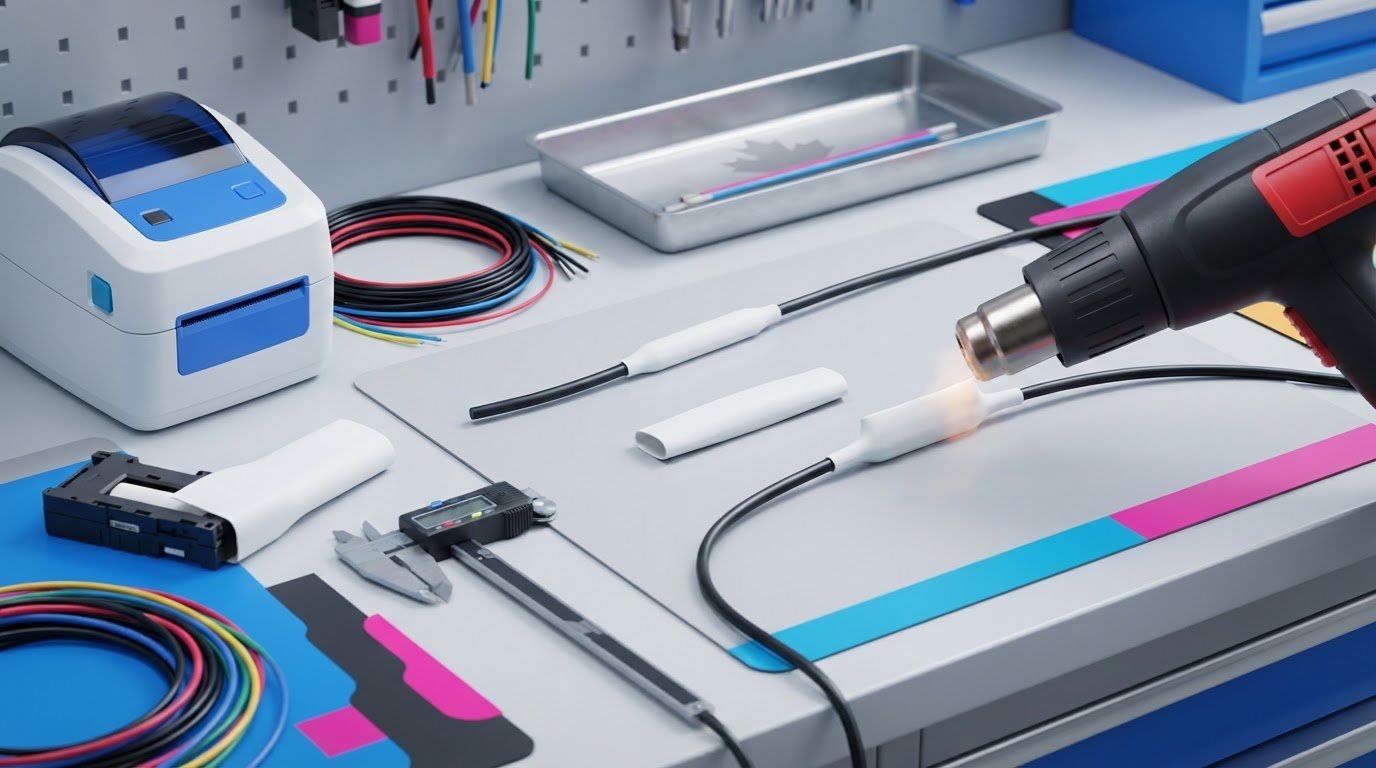
The widest Brother HSe cassette isn’t automatically the right one for your cable. Printer compatibility and cable fit matter just as much, so choosing brother hse tape canada options by width alone can leave you with a cassette that won’t work for your printer or application. HSe is non-adhesive, printable tubing: print the identification, slide it over the cable before termination, then apply heat so it shrinks snugly around the wire.
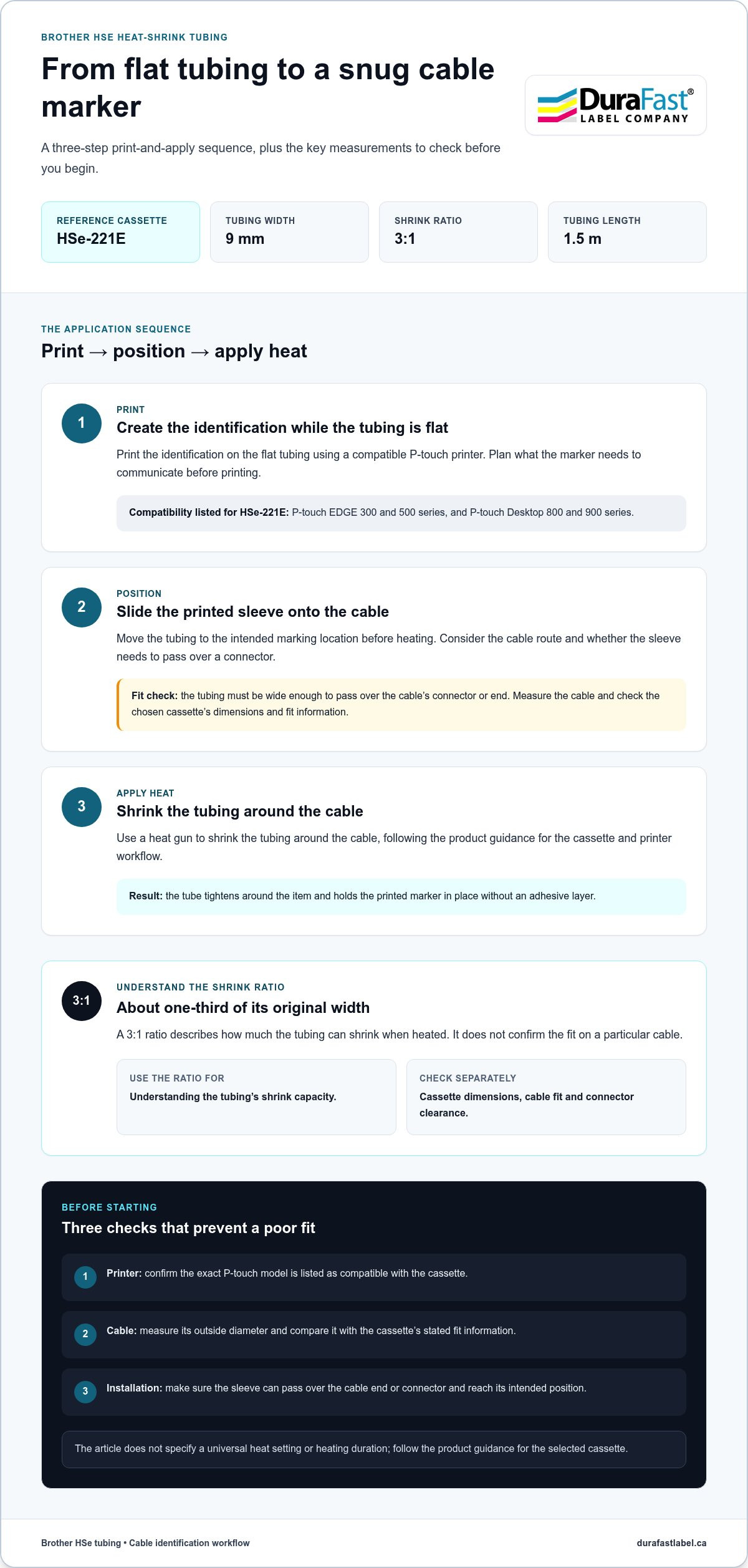
Before choosing, match the cassette to your P-touch model, measure the cable and decide how much printed identification you need. This guide explains how HSe widths and shrink ratios affect fit, how to apply heat-shrink tubing, and how HSe differs from adhesive label tape. As one reference, the HSe-221E is a 9 mm cassette with a 3:1 shrink ratio and 1.5 m of tubing. Its listed compatibility includes P-touch EDGE 300 and 500 series and Desktop 800 and 900 series. Use these details alongside your printer and cable measurements to choose a cassette for your labelling workflow.
Key Takeaways
- Check the exact P-touch model against the cassette’s compatibility information before choosing a tape width.
- Measure the cable’s outside diameter and compare it with the cassette’s stated fit range.
- Use the shrink ratio to understand the tube’s shrink capacity, not as a substitute for checking its dimensions and cable fit.
- Plan what each marker needs to communicate, then standardise wording and abbreviations for easier cable identification.
- DuraFast Label Company Canada sells Brother labels and tapes in Canada. Compare cassette specifications with your printer and cable needs.
What is Brother HSe Tape & Heat-Shrink Tubing Used For?
Brother HSe tape is printable heat-shrink tubing that fits around a cable or wire and tightens when heated. Unlike a conventional label that sticks to a surface, HSe tubing forms a sleeve for printed identification. It’s useful when you need to mark the cable itself rather than attach a label to a nearby panel, container or piece of equipment.
The tubing comes flat in a cassette for printing. After printing, position the tube around a cable, wire or connector before applying heat. The material shrinks around the item, holding the marker in place without an adhesive layer. For a general overview of this material and its uses, see Heat-shrink tubing.
How Brother HSe tape differs from adhesive label tape
Adhesive-backed label tape sticks to a surface; HSe tape is a tube that must pass over the item being identified. The cable or wire needs to be accessible so you can slide the printed sleeve into position. Heat shrinks the tube around it, and the snug fit holds the marker in place. This format is useful when a flat label isn’t the right shape or placement for the identification task.
The difference helps narrow your choice. If you need a label that sticks to a flat surface, choose an adhesive tape format. If you need printed identification around a cable, heat-shrink tubing is designed for that application. Check both the printer and cassette specifications, since HSe is a specific tape type, not a universal label cassette.
Where heat-shrink cable identification can be useful
Printed markers help distinguish cables and wires, making it easier to follow a line during installation, maintenance or troubleshooting. You can also mark a connector when the tube can be placed over it before heating. A clear marker makes it easier to identify what a cable is associated with, without relying only on its position or appearance.
Fibre cables are another stated application for the Brother HSe-221E. Its product information describes the tube as suitable for cable and wire marking, including fibre cables. The same identification approach can suit different cable types, but the right cassette still depends on printer compatibility and the dimensions of the item being marked.
When comparing brother hse tape canada options, start by deciding what needs to be identified and where the marker will sit. Heat-shrink tubing isn’t interchangeable with adhesive-backed tape: its sleeve format and shrink fit define how it’s used. Keep that distinction in mind as you compare compatible cassettes and plan a consistent cable-marking workflow.
How Brother HSe Tape Shrinks Around a Cable
Applying HSe tubing follows a simple sequence: print the identification, place the tube around the cable, then use a heat gun to shrink it. Plan the cable path before printing. The tubing needs to slide into position, so consider whether it must pass over a connector and whether the final marker will be easy to read.
What the 3:1 shrink ratio means
A 3:1 shrink ratio means the tubing can shrink to about one-third of its original width when heated. This describes the material’s shrink capacity, not the exact fit on every cable. The cassette’s width and stated cable range are separate specifications, so don’t choose by ratio alone. For an overview of heat-shrink tubing applications, including cable marking, see Applications of Heat Shrink Tubing.
The tube must be wide enough at the start to pass over the cable’s connector or end. If the connector is wider than the tube opening, the sleeve may not reach its intended position. Plan the route and installation point first, especially if the cable is already assembled.
The basic print-and-apply sequence
- Print: Create the identification on the flat tubing using a compatible P-touch printer.
- Position: Slide the printed tube over the cable and move it to the intended marking location.
- Apply heat: Use a heat gun to shrink the tubing around the cable, following the product guidance for the cassette and printer workflow.
Print first, while the tube is flat and can feed through the printer. Position the tube before heating changes its size. Use a heat gun to shrink the tubing around the cable. The product information here doesn’t specify a temperature setting or heating duration, so don’t assume one value applies to every setup.
Keep the ratio separate from the cassette dimensions. The HSe-221E listing specifies a 9 mm width, a 3:1 ratio and 1.5 m of tubing. Those figures apply to that cassette; don’t transfer its width or other dimensions to a different HSe model. HSe-251E is also described as shrinking to about one-third of its original width, but assess its specifications separately from the HSe-221E.
For a brother hse tape canada workflow, use the ratio to understand how much the tube can shrink, then use the chosen cassette’s dimensions and cable-fit information to guide selection. DuraFast Label sells Brother tapes and labelling equipment in Canada. Details about the company are available on its contact page.
Match Brother HSe Tape to Your P-touch Printer & Cable
Choose a cassette only after confirming two things: your printer supports it, and its tubing suits the cable. A matching width alone doesn’t confirm compatibility or fit. For brother hse tape canada options, start with the printer model and measured cable diameter, then compare both with the cassette specifications.
Check P-touch model compatibility before selecting a cassette
The HSe-221E product information lists compatibility with the P-touch EDGE 300 and 500 series and P-touch Desktop 800 and 900 series. This information applies to that cassette, not every P-touch printer. Find the model name on your printer and compare it with the compatibility information for the exact cassette you’re considering.
Series names can be easy to confuse, so use the full model designation rather than relying on the brand name or the printer’s appearance. If you can’t identify the model, consult the printer’s documentation. Confirming the match before choosing helps avoid selecting a cassette the printer doesn’t support.
Match tube size to cable diameter and connector
Measure the cable’s outside diameter and compare it with the cassette’s stated cable range. The tube must also pass over the connector or cable end before shrinking. Consider both measurements when deciding where the marker will sit, especially if the connector has to pass through the tube opening.
The listed HSe-221E upper diameter has a discrepancy: the product summary gives 5.4 mm, while the specification text gives 5.3 mm. Since those figures conflict, don’t treat either as a verified limit. Resolve the exact upper limit before using it to determine fit, and don’t assume a cable at either threshold is suitable based on just one figure.
| Cassette reference | Listed width | How to use this detail |
|---|---|---|
| HSe-221E | 9 mm | Use the cassette’s own compatibility and cable-fit information; its upper diameter figure needs clarification. |
| HSe-251E | 21 mm | Treat this as a distinct width specification, not as an HSe-221E dimension. |
These widths describe different cassette references, not interchangeable cable ranges. A wider tube may help with a larger cable or connector, but width alone doesn’t confirm the correct fit. First confirm the printer model, then use the selected cassette’s cable specifications to make your choice.
How to Plan a Clear Brother HSe Cable-Identification Job
A useful cable marker answers a clear question: what does this wire connect to, or how can someone distinguish it from nearby cables? Decide what each identifier needs to communicate before opening a print job. A simple naming plan keeps related markers consistent and makes the finished set easier to scan during installation or troubleshooting.
Prepare the label content and print setup
Write down the identifiers and choose a consistent order for details, such as a cable ID followed by a destination. Keep the wording concise enough for the selected tube width. Use the same terms, capitalization and abbreviations throughout, and don’t use different names for the same location or component.
- Choose a clear identifier for each cable.
- Use consistent abbreviations across related markers.
- Review spelling and text before printing.
Before printing the set, confirm P-touch model and cassette compatibility, then make sure the cassette width suits your planned text. This preparation helps prevent mismatched supplies and crowded identification. Keep a record of the naming convention so future additions follow the same format.
Check the fit and legibility before repeating the job
Print a test marker before producing the full batch. Confirm that the tube passes over the connector and reaches the planned position on the cable. After applying it, check that the text is readable and the identifier is easy to distinguish from others in the same group.
- Print one sample with representative wording.
- Test whether the tube passes over the connector and fits the cable.
- Apply the tube, then review the text and placement before continuing.
If the wording is hard to read, shorten it or refine the abbreviation before printing the remaining markers. If the sleeve won’t pass the connector or the placement isn’t practical, revisit the cable and cassette choice before repeating the job. A brief test can reveal problems while changes are still straightforward.
For a brother hse tape canada project, this planning connects cassette selection to the actual identification task, not just the printer. DuraFast Label sells Brother tapes and labelling equipment in Canada. Information about the company is available through its contact page.
Find Brother HSe Tape in Canada Through DuraFast Label Company Canada
Choose a cassette by matching the printer, cable and job requirements, in that order. DuraFast Label Company Canada is a Canadian retailer of Brother tapes and labelling equipment, including Brother HSe tape for cable identification. Before comparing options, gather the details that determine whether a cassette suits your setup.
What to have ready when choosing Brother HSe tape
- Identify the printer: Record the exact P-touch model number and compare it with the cassette’s compatibility information. The HSe-221E listing names P-touch EDGE 300 and 500 series and P-touch Desktop 800 and 900 series.
- Measure the cable: Note its outside diameter and consider the connector the tubing must pass over. This helps assess cable fit and where the sleeve can be positioned.
- Define the task: Decide what each marker needs to identify, then compare the cassette’s specifications, including width and stated cable-fit information, with the application.
Keep the printer model and cable measurements together as you review cassette details. Compatibility and fit are separate checks: a cassette may suit the cable but not the printer, or fit the printer without matching the cable. Comparing both before choosing helps narrow the options without relying on width alone.
Use the HSe-221E listing as a specification reference
The HSe-221E listing describes a black-on-white heat-shrink tube cassette with a 9 mm width, a 3:1 shrink ratio and 1.5 m of tubing. It is intended for cable and wire identification, including fibre cables. These details offer a reference point, but don’t assume they apply to other HSe cassettes.
For cable fit, compare your measurement with the selected cassette’s stated range. If a specification appears inconsistent, resolve that detail before relying on it to assess fit. Also consider installation: the tubing must pass over the cable end or connector before it can be positioned.
Confirm the P-touch model, measure the cable, then match the identification task to the cassette specifications. With those details in hand, contact DuraFast Label Company Canada to choose Brother HSe tape for your setup.
Make Cable Identification Easier to Maintain
A cable-marking decision affects how easily people recognize connections after installation. Before you begin, consider how new cables will be named and how future additions can follow the same convention. A consistent approach keeps identification useful as a system changes, rather than leaving each new marker to be designed from scratch.
That planning also gives you a clearer basis for choosing brother hse tape canada options. Bring together the printer model, cable details and intended identification task, then use them to guide cassette selection. If the application is unusual, describe it clearly so the cassette choice can be matched to the actual job.
DuraFast Label is a Canadian retailer of label printers and supplies, including Brother tapes and labelling equipment. Contact DuraFast Label to plan your Brother HSe tape selection.
Frequently Asked Questions
Is Brother HSe tape waterproof?
The HSe product details presented here don’t state a waterproof rating. A close fit around a cable shouldn’t be taken as proof that the cable or its connection is waterproof. If labelled equipment may be exposed to water, consult verified documentation for the specific tubing and the equipment’s requirements before choosing a material. Keep identification needs separate from any expectation of environmental protection.
Can Brother HSe tape be used to identify fibre-optic cables?
Yes. DuraFast’s HSe-221E product information names fibre cables among its intended identification applications. For a fibre installation, match the cassette to the exact printer model and cable size, then use a clear identifier that fits your existing naming system. For example, a marker might distinguish a cable’s route or destination, provided that wording is meaningful to the people who maintain the installation.
How do I find my Brother P-touch model number?
Look for the model designation on the printer or in its documentation, and record the complete name rather than only the family. This helps avoid confusing similarly named devices when comparing cassettes. For example, the HSe-221E listing specifies compatibility with P-touch EDGE 300 and 500 series and Desktop 800 and 900 series. Compare your exact model with the selected cassette’s information before buying.
What happens if heat-shrink tubing is too large for a cable?
If the tube doesn’t shrink closely enough, it may not sit snugly on the cable as intended for identification. Compare the cable’s outside diameter with the cassette’s stated fit information, and consider whether the sleeve must pass over a connector. A 3:1 ratio describes shrink capacity, not a guaranteed fit for every cable. Test the selected tube on the intended cable before preparing a larger set of markers.
How much Brother HSe tape is in an HSe-221E cassette?
DuraFast’s HSe-221E listing specifies 1.5 m of tubing and a width of 9 mm. These measurements apply to that cassette, not automatically to other Brother HSe options. If you’re planning several cable markers, consider the number and length you need, then compare the exact cassette details with your printer and application. Checking the individual listing helps prevent carrying one model’s dimensions over to another.
Does every Brother P-touch printer work with HSe tape?
No. Don’t assume compatibility across the entire P-touch product family. The HSe-221E listing names EDGE 300 and 500 series and Desktop 800 and 900 series, but other cassette and printer combinations may differ. Read the compatibility information for the specific HSe cassette and match it with the model designation on your device. This check is especially useful when planning brother hse tape canada purchases for mixed printer fleets.