Best Label Software for VIPColor Printers | Canada Guide
16th Aug 2026
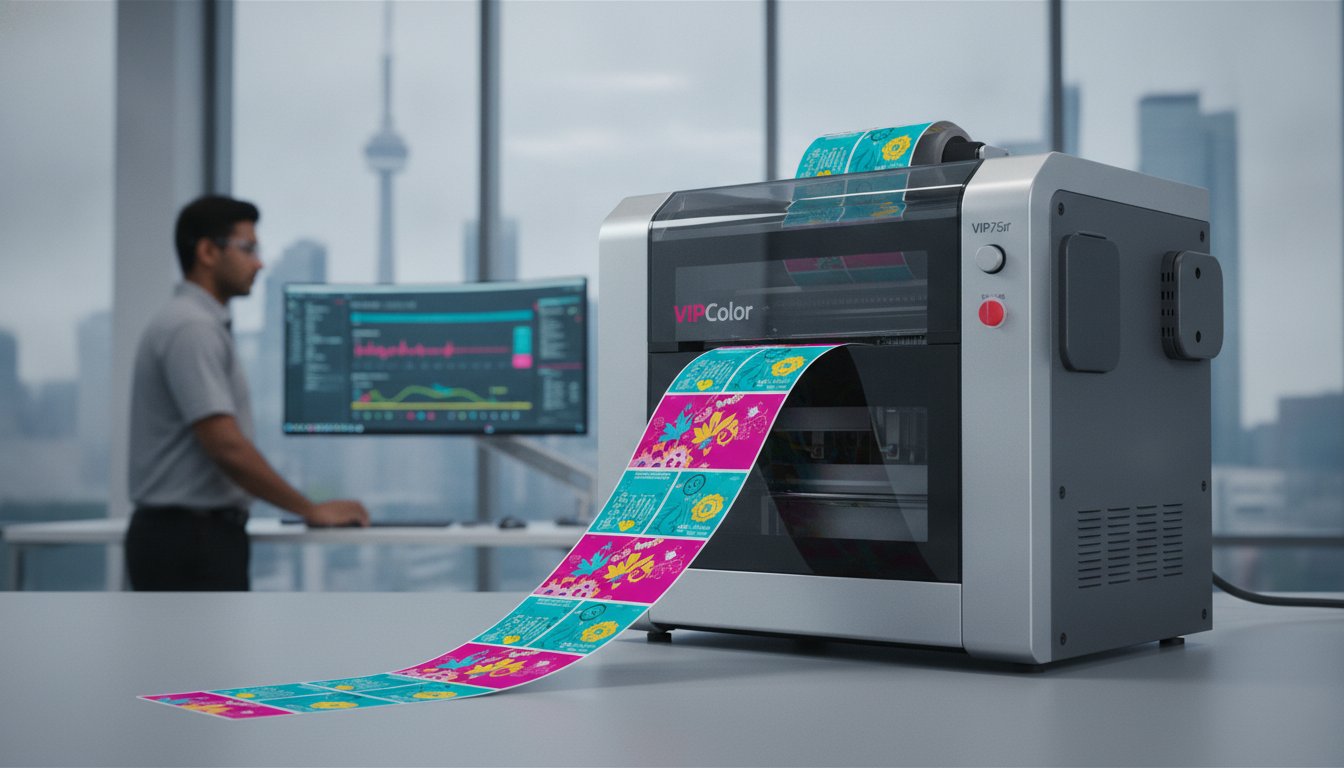
Why is your 12 ips VIPColor printer crawling along at a fraction of its rated speed? You've likely invested in Memjet technology for its industry-leading throughput, yet software bottlenecks often turn high-speed production into a series of frustrating starts and stops. It's a common hurdle for Canadian businesses managing large SKU counts or complex variable data. Finding the ideal label software for vipcolor printers is the critical step to ensuring your hardware performs as promised without data-driven lag.
We understand that your operational efficiency depends on more than just a fast engine. You need a design suite that handles colour consistency across diverse inkjet media while simplifying GHS and nutritional compliance. This guide provides a strategic roadmap to choosing and configuring the right tools to maximize your print quality and speed. We'll compare the latest 2026 releases from Loftware and BarTender, highlighting how they integrate with the VIPColor ecosystem to eliminate printhead pauses and streamline your entire production workflow. From meeting new Health Canada front-of-package requirements to managing industrial-scale print runs, you'll discover how to turn your labelling process into a true competitive advantage.
Key Takeaways
- Eliminate printhead pauses and data lag by selecting software designed to handle the high-speed throughput of Memjet technology.
- Compare the features of the best label software for vipcolor printers, including the latest 2026 releases from Loftware NiceLabel and BarTender.
- Learn how to optimize your configuration based on your specific printer model and whether you utilize an internal or external label unwinder.
- Efficiently manage variable data to handle condensation for frozen foods and ensure compliance with the latest Canadian front-of-package labelling regulations.
- Realize the benefits of partnering with an authorized Canadian dealer for integrated support across hardware, software, and consumables.
Why Specialized Design Software is Essential for VIPColor Memjet Printers
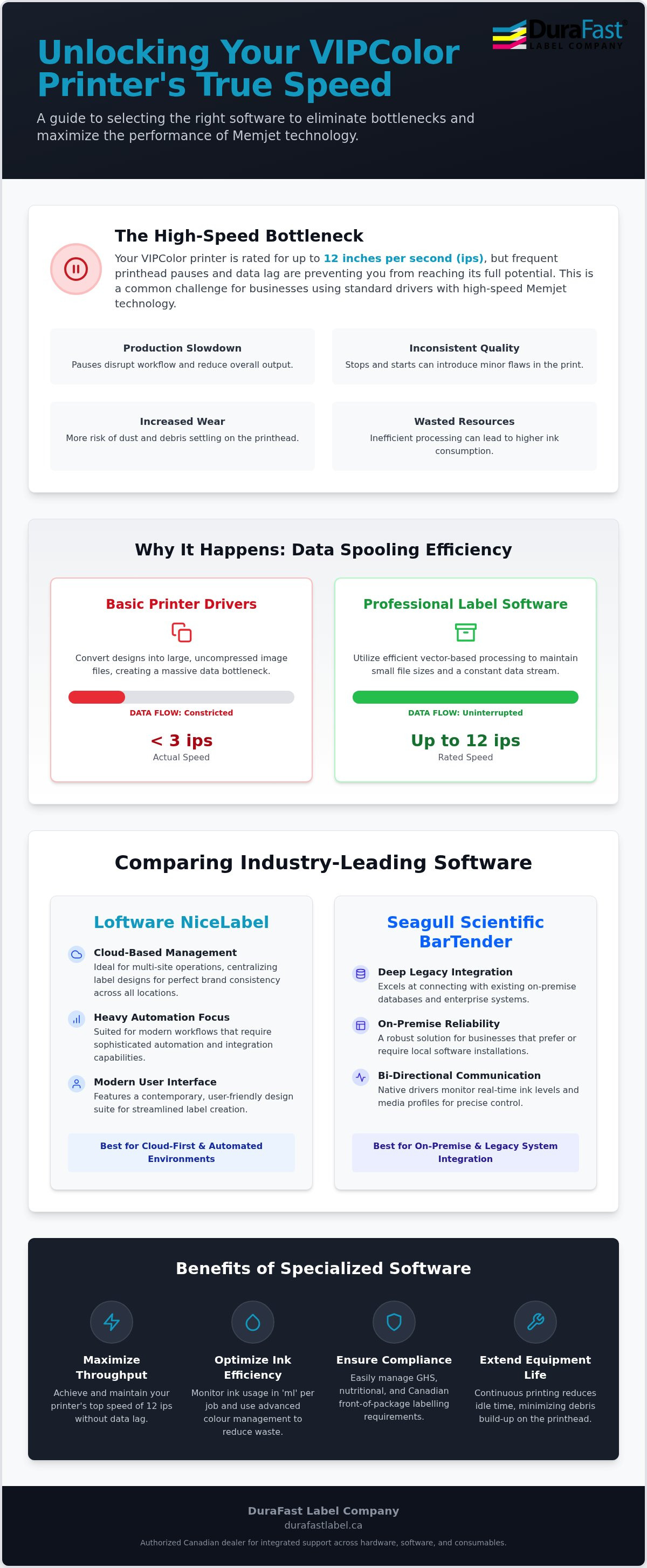
Are you struggling with printhead pauses or data lag during high-volume runs? This is a common frustration for operators using high-speed colour label printers. Memjet technology is designed for exceptional speed, often reaching up to 12 ips, but this velocity requires a constant stream of high-density data. If the software cannot keep up with the processing demands of a 1600 dpi file, the printer is forced to stop and wait for the buffer to refill. These pauses don't just slow down your production schedule; they can lead to inconsistent print quality and unnecessary wear on the printhead.
Choosing the right label software for vipcolor printers ensures that your branding remains consistent across every SKU. Professional suites manage complex colour profiles and vector data more efficiently than standard office drivers. By understanding the fundamentals of label printing technology, businesses can better appreciate how specialized software bridges the gap between a digital design and a high-fidelity physical label. This integration is the only way to realize the full potential of your industrial hardware.
The Technical Link Between Data Spooling and Print Speed
Basic printer drivers often convert designs into large, uncompressed image files before sending them to the printer. This creates a massive data bottleneck that can't support a 12 ips velocity. Professional label software for vipcolor printers utilizes vector-based processing, which keeps file sizes manageable while maintaining crisp lines. This efficient spooling is vital for maintaining a constant print speed. When a printer stops and starts frequently, it becomes more susceptible to "environmental debris." Dust and microscopic particles are more likely to settle on the printhead during these idle moments, potentially causing nozzle clogs. A continuous print cycle keeps the printhead active and clear, significantly extending the lifespan of your equipment.
Maximizing VIPColor Ink Efficiency Through Software
Financial responsibility in labelling starts with managing ink consumption. Because Memjet printers use high volumes of ink to achieve their signature depth, even a small reduction in coverage per label can save thousands of dollars over a fiscal year. Specialized software allows you to monitor ink usage in "ml" for each job, providing precise data for cost-tracking. By using advanced colour management tools, you can achieve vibrant results with optimized ink layers, reducing waste during calibration cycles. This level of control is essential when managing the high-capacity VIPColor ink cartridges required for industrial production.
Comparing Industry Leaders: Loftware NiceLabel vs. Seagull Scientific BarTender
Why do Loftware NiceLabel and Seagull Scientific BarTender dominate the Canadian industrial landscape? The answer lies in their deep integration with hardware. Both suites provide native drivers that allow for bi-directional communication with your VIPColor industrial label printers. This means the software can monitor ink levels in real-time and adjust for specific inkjet media profiles automatically. When searching for the best label software for vipcolor printers, these two options represent the gold standard for reliability and performance.
Choosing between them often depends on your existing IT infrastructure. If you manage multi-site operations across Canada, a cloud-based management system might be superior to a traditional on-premise installation. Cloud solutions allow you to centralize your designs, ensuring that a label printed in one facility is identical to one produced in another. This consistency is essential for meeting federal packaging and labeling regulations, which demand precision in product information and barcode readability.
Your decision ultimately hinges on your specific operational needs. If your priority is heavy automation and a modern, cloud-first approach, Loftware is likely the better fit. Conversely, if you need to maintain deep legacy integration with established databases or complex ERP environments, BarTender remains a formidable option. Both platforms have released significant updates in 2026, ensuring they stay ahead of evolving technical requirements.
Loftware NiceLabel: User Experience and Cloud Integration
NiceLabel is frequently praised for its "Office-like" interface. This design allows team members to organize and edit labels without needing extensive graphic design training. The latest version 10.5, released in 2026, further refines this user experience. For businesses requiring high levels of automation, NiceLabel PowerForm is a game-changer. It allows you to create custom printing applications that strip away unnecessary options, reducing the risk of human error on the production floor. It's particularly effective for managing GHS and WHMIS labelling requirements in Canada, where chemical safety data must be perfectly accurate.
BarTender by Seagull Scientific: Reliability and Legacy Power
BarTender remains a powerhouse for businesses with complex legacy systems. Its "Intelligent Templates" system is designed to manage thousands of SKUs from a single file, using conditional logic to swap out data fields dynamically. With the release of version 12.x in February 2026, Seagull Scientific introduced even more robust tools for track and trace capabilities. If your workflow relies on real-time data from an ERP like SAP or Oracle, BarTender offers some of the most sophisticated integration tools available. This makes it a preferred choice for high-security pharmaceutical labelling where every variable must be tracked and audited. If you're unsure which suite fits your existing IT stack, we can help you evaluate your specific integration needs.
Optimizing Software Performance Across the VIPColor VP Series
Does your current software setup actually support your hardware's full capabilities? The main difference between software needs for the entry-level VP500 series and the industrial VP750 is how the system processes high-velocity data. While a VP500 is often the centre of small-batch operations, the VP750 requires label software for vipcolor printers that can feed a 12 ips print engine without interruption. If you're currently utilizing a mid-range model, our guide on the VIPColor VP550 Memjet Color Label Printer: The Ultimate Business Guide for 2026 provides specific insights into that hardware's requirements.
Beyond speed, the software must account for physical hardware configurations. Choosing between an internal label unwinder and an external label unwinder changes how the printer handles media tension. Professional software suites allow you to define these parameters, ensuring the media path remains stable during long production runs. This level of control prevents misalignment and ensures that every label in a 1,000-unit roll is as perfect as the first.
Software Configurations for the VP500 and VP600 Series
When working with the VP500 or VP600, your software should prioritize colour vibrance for prime product labels. These models typically use standard dye inks, which are perfect for indoor retail displays. You should adjust your software settings to maximize the 1600 dpi output, ensuring that your branding is crisp and professional. Since these printers often have a smaller footprint and use internal unwinders, the software needs to be set for standard roll sizes to prevent environmental debris from entering the more compact media path. This careful management helps maintain the health of your Memjet printheads over the long term.
High-Volume Workflows for the VP700 and VP750
Scaling up to the VP700 or VP750 shifts the focus toward massive throughput and durability. The VP750 specifically utilizes water enhanced dye inks, which are engineered for superior moisture resistance. To get the best results, you must select the correct software media profile to manage ink saturation. This ensures your labels can withstand condensation for frozen foods without smudging or bleeding. For these high-output models, integrating an external unwinder and rewinder into the software-controlled flow is the only way to maintain a continuous 12 ips speed while managing rolls that can weigh several kilograms. This setup allows you to organize your production for maximum fiscal efficiency while meeting the most demanding industrial standards.
Implementing Variable Data and Automation in Your Labelling Workflow
Scaling up production from a few hundred labels to thousands of unique SKUs requires a fundamental shift in how you manage information. The only difference between a manual, error-prone process and a truly scalable operation is software automation. By using professional label software for vipcolor printers, you can eliminate the need for manual data entry, which is often the primary cause of labelling delays and misprints. This transition allows your team to focus on quality control rather than repetitive design tasks.
One of the most significant advantages of this automation is the ability to handle demanding environments, such as condensation for frozen foods. When you print batch data or expiration dates on durable synthetic media, the software ensures that the ink saturation is perfectly calibrated for the material. This precision allows you to realize 100% scan success rates at the point of sale or during distribution, even if the labels have been exposed to moisture. To find the right media for these challenging applications, you can explore our range of blank labels for sale that are specifically certified for VIPColor inkjet technology.
Step-by-Step: Connecting Your Database to VIPColor Hardware
Implementing an automated workflow is a structured process that starts with your data source. First, organize your product information in a structured format like Excel or an SQL database. This allows for seamless mapping of fields such as product names, prices, and batch codes. Second, design your master template within your chosen software suite. Instead of static text, you'll place dynamic fields that pull information directly from your database. Finally, configure your VIPColor driver to prioritize high-speed Memjet output. This ensures that as the software cycles through variable data, the printer maintains its velocity without waiting for the next data packet.
Design Strategies for Industrial Resilience
In a busy warehouse or production facility, labels are often subjected to dusty environments and environmental debris. Smart design strategies within your software can mitigate these risks. For instance, you can position critical barcodes away from the edges of the label where scuffing is most likely to occur. This small adjustment can prevent costly shipping errors caused by unreadable codes.
Professional software also allows you to adjust ink saturation levels to achieve great durability on synthetic materials. This is particularly important for GHS compliance, where hazard pictograms and safety data must remain legible for the entire life of the product. Automated pictograms ensure that the correct safety symbols are printed based on the chemical data in your database, removing the guesswork for your operators. If you're ready to modernize your production line, you can request a software demonstration from our technical team to see these features in action.
Choosing the Right Software Partner for Your VIPColor Infrastructure in Canada
Are you prepared to manage a technical conflict between your design software and your hardware? When a production line stops, the last thing you need is a software vendor blaming the printer manufacturer while your orders sit unfulfilled. Canadian businesses should prioritize partners who offer comprehensive support for the entire labelling ecosystem. By working with a single-source provider, you ensure that your label software for vipcolor printers is perfectly tuned to the specific mechanics of your Memjet engine, preventing the data bottlenecks discussed in previous sections.
Professional consultation is the only way to avoid the common pitfalls of over-purchasing enterprise-level suites or under-specifying a system that cannot scale. DuraFast Label Company Canada helps you realize a seamless transition from initial design to the final printed product. We act as a strategic partner, ensuring your software choices align with your fiscal responsibilities and operational goals. Our final recommendation is always to start with a thorough needs analysis before committing to a perpetual license, ensuring the tool you choose actually solves your specific logistical hurdles.
The Advantage of a Unified Ecosystem
A unified ecosystem means your inkjet labels are tested and profiled against the exact software and ink combinations you use. This integration is vital for maintaining colour consistency across different media types. When you encounter performance issues at 12 ips, having a single point of contact for both hardware and software support allows for faster troubleshooting. Furthermore, we provide access to Canadian-specific templates designed for local regulatory compliance. This includes the 2026 Health Canada front-of-package nutrition labelling requirements, which demand precise symbol placement and standardized formatting that basic drivers simply cannot manage.
Next Steps: Evaluating Your Labelling Maturity
Before you upgrade your current design suite, it's helpful to ask a few diagnostic questions about your workflow. Does your current team struggle with manual data entry? Are you seeing a high rate of barcode scan failures? If you answered yes to either, it's time to consider a more automated approach. You can request a software demo tailored specifically to your VIPColor model, whether you're running a compact VP610 or a high-output VP750. This hands-on evaluation allows you to see exactly how the software handles your unique SKU data before you make a financial commitment. Contact our Canadian experts today to find the perfect software for your VIPColor printer.
Take Control of Your VIPColor Production Flow
How much more efficient could your production floor be with the right digital tools? You've learned that Memjet technology requires more than just a standard driver to reach its full 12 ips potential. By selecting the ideal label software for vipcolor printers, you eliminate data bottlenecks and ensure your 1600 dpi designs remain crisp and consistent across every media type. Whether you prioritize the cloud-based automation of Loftware or the deep legacy integration of BarTender, your software choice is the foundation of a scalable labelling strategy.
DuraFast Label Company Canada is your strategic partner in this journey. As an authorized Loftware and BarTender partner, we provide the expert technical support necessary to optimize all VIPColor models. We offer national shipping and service across Canada to keep your operations running smoothly. Don't let software lag dictate your output speeds or compromise your compliance with new Health Canada regulations. Get a Professional Software Consultation for Your VIPColor Printer today. We're here to help you turn your labelling process into a true competitive advantage.
Frequently Asked Questions
Can I use free label software with my VIPColor VP700 printer?
While you can use basic drivers or free tools, they are rarely sufficient for the high-output VP700. These programs often struggle to process 1600 dpi files quickly enough; this leads to frequent printhead pauses. To maintain a constant 12 ips velocity, you need professional label software for vipcolor printers. These industrial suites prioritize data throughput, which prevents the hardware from idling and ensures your production schedule remains on track.
How does Loftware NiceLabel improve the print speed of Memjet printers?
Loftware NiceLabel improves performance by using optimized native drivers and vector-based spooling. Unlike generic drivers that convert designs into massive image files, NiceLabel keeps the data stream lean and fast. This ensures the Memjet print engine's buffer never runs dry. By maintaining a steady flow of information, the software allows your hardware to reach its maximum rated speed without the stuttering common in less sophisticated design programs.
Does BarTender support variable data for GHS chemical labels on a VIPColor VP750?
BarTender provides comprehensive support for GHS and WHMIS compliance on the VP750. The software utilizes "Intelligent Templates" to pull hazard data directly from your database and automatically place the correct pictograms. This is especially effective when using the VP750's water enhanced dye inks on synthetic media. It ensures that your chemical labels remain legible and compliant even when exposed to moisture, which is a critical requirement for industrial safety standards.
What is the difference between a perpetual license and a subscription for label software?
The main difference between these models is how you manage your long-term costs. A perpetual license involves a larger upfront investment for a permanent right to use a specific version. In contrast, a subscription model provides an annual fee that covers all software updates and technical support. Many businesses in Canada now prefer subscriptions because they offer lower initial costs and ensure you always have access to the latest security patches and cloud features.
Can I manage multiple VIPColor printers from a single software license?
Yes, you can manage several units from a single license by choosing a printer-based licensing tier. Both NiceLabel and BarTender offer editions that allow you to install the design software on multiple workstations while limiting the number of unique printers that receive jobs. This centralized approach makes it much easier to organize your label templates and ensure that every printer in your network is using the most current version of your branding.
How do I ensure my corporate colours are accurate when using VIPColor dye inks?
Achieving precise corporate colours requires using professional label software for vipcolor printers that supports advanced ICC colour profiling. This technology allows you to calibrate your digital design to the specific characteristics of VIPColor dye inks and your chosen inkjet media. By creating these custom profiles, the software adjusts the ink laydown to compensate for the absorbency of the material. This ensures that your brand's signature shades look identical whether they are printed on matte paper or glossy synthetics.
Is it possible to automate label printing directly from my ERP system?
Automation is entirely possible through the integration tools found in professional design suites. Software like BarTender and NiceLabel can monitor "drop folders" or connect directly to ERP systems like SAP and Oracle. When an order is processed in your ERP, the label software for vipcolor printers automatically pulls the relevant data and triggers a print job. This removes the need for manual design work and significantly reduces the chance of human error.
Does the software choice affect the lifespan of my VIPColor printheads?
Software choice has a direct impact on the health of your Memjet printheads. Efficient data processing ensures that the printer maintains a continuous motion, which is the ideal state for the hardware. When software causes frequent pauses, the printhead is more likely to be exposed to environmental debris and microscopic dust. By keeping the nozzles active and the media moving, professional software helps minimize clogs and extends the overall longevity of your equipment.