1D Barcode Printing: How to Create Labels That Scan Reliably
6th Oct 2026
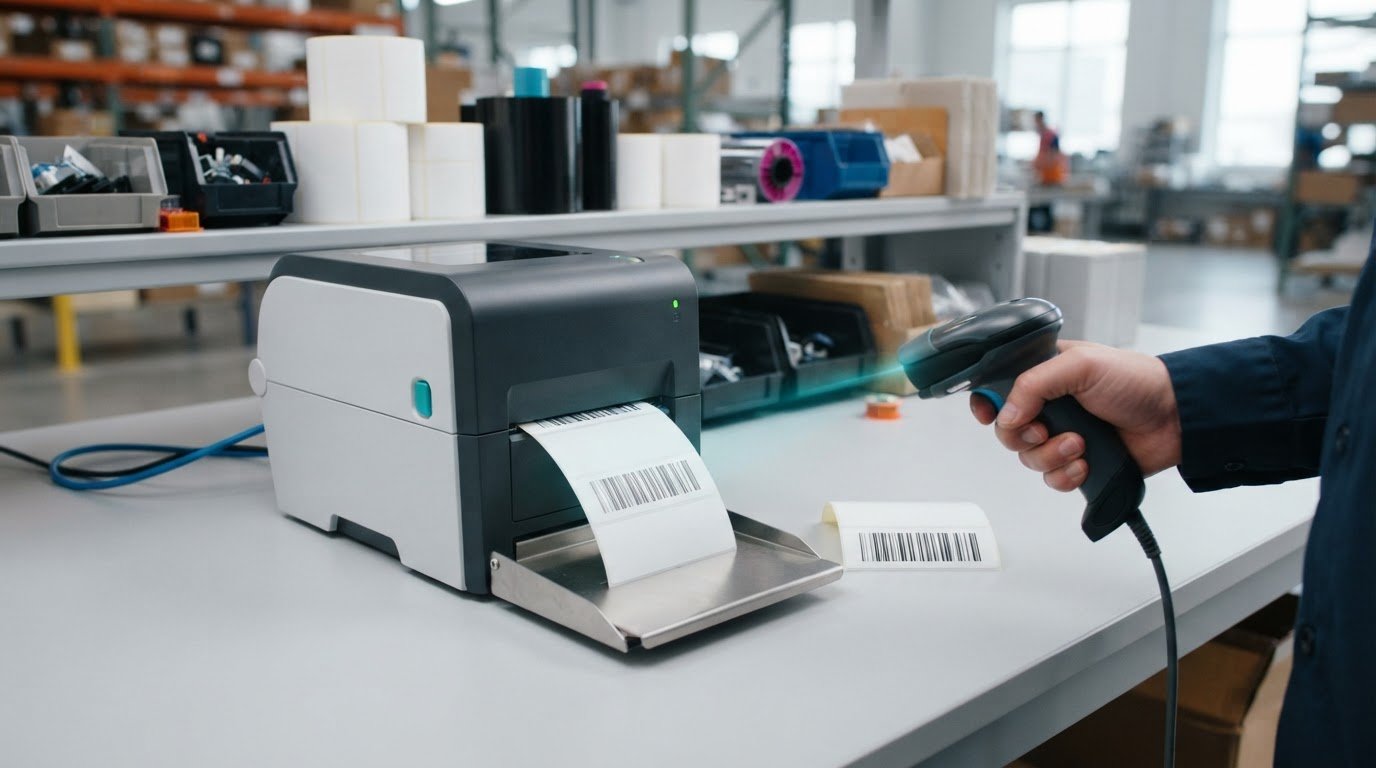
What if a barcode looks crisp on the label but still fails at the scanner? With 1d barcode printing, appearance is only one part of reliable performance. A barcode can be difficult to read if its format, dimensions, contrast, label material or print settings don’t suit the way it will be scanned. The result can slow receiving, inventory checks and checkout, even when the printed lines seem clear.
Consistent results come from treating the barcode, label, printer and verification process as one system. Confirm the data and barcode format first, then test the complete setup before labels enter circulation. That makes it easier to find problems in the design or print process before they disrupt a workflow.
This guide explains how to choose a suitable 1D barcode format, prepare a readable label design and select a printing method and supplies for your application. You’ll also learn how to test printed samples, troubleshoot failed scans and document a repeatable process. DuraFast Label Company Canada offers barcode printers, label supplies and barcode design software to support in-house printing.
Key Takeaways
- Choose a 1D barcode format that fits the data and the system that will scan it.
- Build a reliable 1d barcode printing workflow by confirming the format and data, then designing, test-printing and scanning a sample.
- Match direct thermal or thermal transfer printing and label stock to how the label will be handled and stored.
- Troubleshoot failed scans in order, checking contrast, smudging, damage, distortion and anything blocking the barcode.
- Document approved label layouts, materials and printer settings so future runs stay consistent.
What Is 1D Barcode Printing, and What Makes a Barcode Scannable?
1D barcode printing produces a linear pattern of dark bars and light spaces that represents data. A scanner reads the pattern and passes the decoded information to a connected system, such as inventory or point-of-sale software. A barcode can look sharp to the eye and still fail to scan if the encoded pattern is incorrect or the scanner cannot distinguish the bars and spaces.
Unlike a linear 1D barcode, a two-dimensional symbol such as a QR code arranges data across both horizontal and vertical dimensions. The Barcode overview describes these broad barcode categories. For a 1D label to scan reliably, its symbology, dimensions, contrast and print quality must work together. Faint, blurred or distorted bars can make the pattern difficult for a scanner to interpret.
How does a linear barcode encode information?
A barcode’s bars and spaces vary in width according to rules set by its symbology. The scanner detects that sequence and translates it into data. One symbology may represent a combination of letters and numbers, while another is designed around numeric retail product identifiers. The same visual pattern doesn’t mean the same thing across every format, so generate the barcode using the symbology required by the system that will read it.
Which 1D barcode formats might a business encounter?
Code 128 and Code 39 are examples of linear barcode symbologies used in business applications. UPC-A and EAN-13 are retail-oriented formats associated with product identification. Their expected data structures differ, so they aren’t interchangeable simply because both appear as horizontal bars. The right choice depends on the receiving system and how the barcode will be used.
Before designing a label, confirm the required format and data with the system or organisation that will scan or process it. Then preserve the barcode’s intended proportions and provide sufficient contrast against the label background. Keep text, graphics, edges and other marks clear of the barcode area, and don’t stretch or compress the image to fit. A clean test print is a useful visual check, but scanning it with the intended equipment confirms whether the pattern can be read in practice.
How to Prepare a 1D Barcode for Printing: A Step-by-Step Workflow
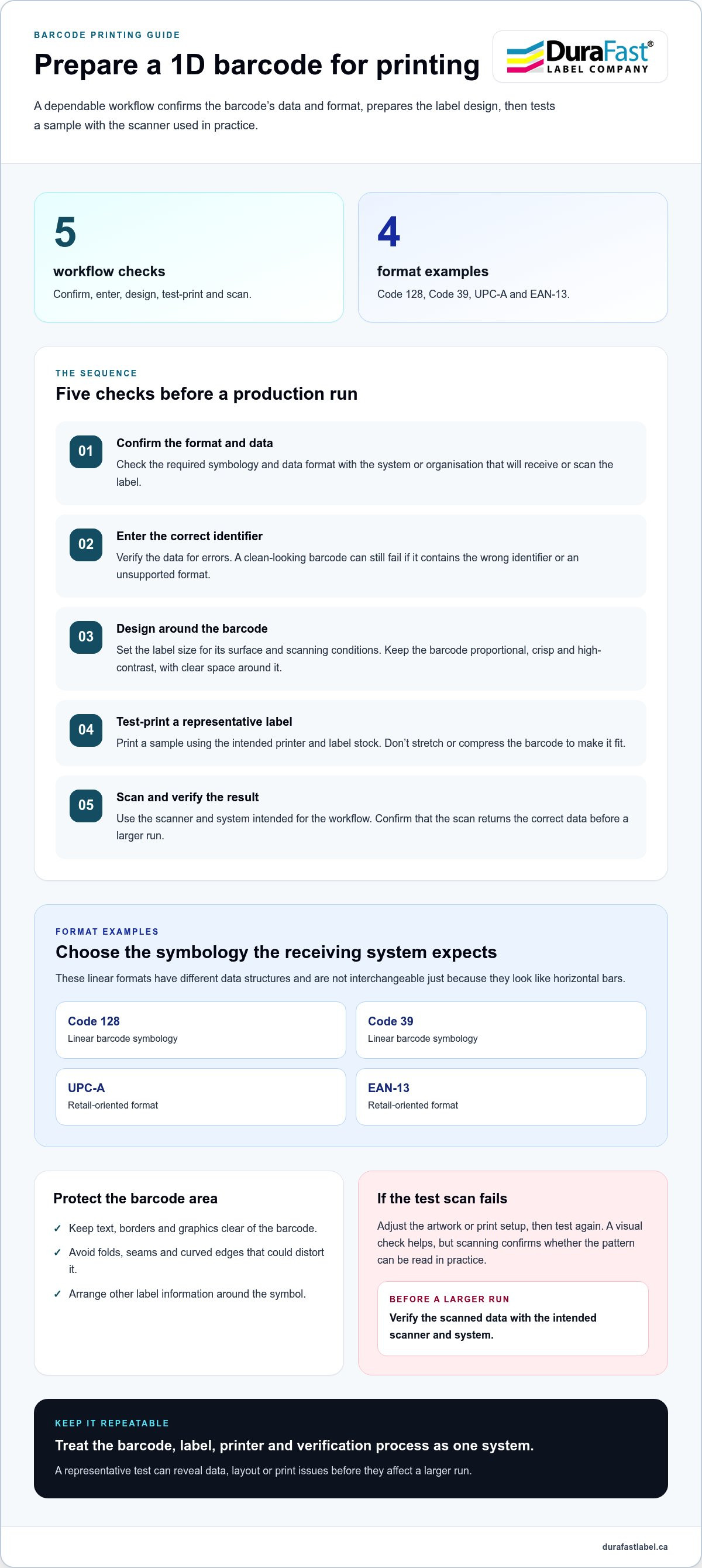
A dependable 1d barcode printing workflow starts before the printer runs. Confirm what the barcode must identify, create the artwork to the receiving system’s requirements, then test a representative label with the scanner used in the workflow. This sequence can catch data, layout and print issues before they affect a larger run.
What should you decide before creating barcode artwork?
First, identify the product, item or process each label represents. Confirm the required symbology and data format with the system or organisation that will receive or scan it. A barcode can print cleanly and still fail if it contains the wrong identifier or uses a format the receiving workflow doesn’t accept. GS1’s GS1 barcode standards provide guidance for GS1 barcodes and their specifications.
Next, consider where the label will be applied and scanned. Set the label dimensions around the available surface and intended scanning conditions, leaving enough room for the barcode and its required clear space. Check the applicable specification before reducing the symbol to fit a smaller area.
How should the barcode be placed in the label design?
Generate the barcode using the confirmed symbology and data, then place it in the layout without stretching or compressing it. Uneven resizing changes the width of bars and spaces, which can make the pattern harder for a scanner to interpret. Keep the symbol crisp, with strong contrast between the bars and the background.
Protect the barcode’s clear space. Keep text, borders, decorative graphics and other marks away from this area, and avoid placing the symbol across folds, seams or curved edges that could distort it. Arrange product information and branding around the barcode rather than crowding it.
Use this practical sequence:
- Confirm: Check the required barcode format and data with the destination workflow.
- Enter: Add the correct identifier and verify it for errors.
- Design: Set the label size, place the barcode proportionally and preserve clear space.
- Test-print: Print a representative label using the intended printer and label stock.
- Scan: Test the sample with the scanner and system that will be used in practice.
Don’t commit to a larger production run based on appearance alone. Scan the test label and confirm that it returns the correct data. If it fails, adjust the artwork or print setup and test again. DuraFast Label’s barcode printing options include printers, media and barcode design software for in-house workflows.
Choosing a 1D Barcode Printing Method, Printer, and Label
Reliable 1d barcode printing depends on a compatible setup, not simply a particular printer type. The barcode design, label stock, print method and operating conditions all affect whether the finished label remains clear and scans as intended. Start with the label’s application: a label used briefly in a controlled workspace may have different requirements from one handled frequently or exposed to moisture, heat or abrasion.
When should a business compare direct thermal and thermal transfer printing?
Direct thermal printing uses heat-sensitive label material to create the image, so it doesn’t require a ribbon. Thermal transfer printing uses heat to transfer ink from a ribbon onto label stock. Each method has different media requirements, and neither is the universal choice. Consider how the label will be handled and stored, then match the media and printing method to those conditions. DuraFast Label carries thermal label printers for workflows using these print technologies.
With thermal transfer printing, the ribbon and label stock need to be compatible with each other and the printer. Direct thermal labels, by contrast, must be heat-sensitive. In either case, choose the material for the application and confirm that it is suitable for the printer rather than assuming any roll will work equally well.
What should you compare when selecting barcode printing equipment?
Consider the expected workload and where printing takes place. A desktop printer may suit a lower-volume workstation, while an industrial printer may be better suited to a demanding production environment. Compare the printer’s supported label width and dimensions with your layout, and make sure its resolution can produce the barcode clearly at the required size. Also consider print volume, connectivity and how the printer will receive label data from your software or other systems.
Review the whole workflow before choosing. Will staff print at a fixed workstation or at different points in the operation? How often will labels be produced, and what happens if printing is interrupted? These details help narrow equipment and media choices without treating a single printer category as right for every business.
DuraFast Label offers barcode printers, including thermal models, as well as label stock, thermal transfer ribbons and barcode software such as BarTender and Loftware. Compare these components against your label dimensions, expected volume and operating conditions. Then test the complete combination of barcode artwork, printer, label stock and, where applicable, ribbon. Scan a representative sample using the equipment intended for everyday use. If a barcode won’t scan consistently, check the setup rather than assuming the printer alone is at fault.
How to Troubleshoot 1D Barcodes That Will Not Scan
A failed scan doesn’t automatically mean the printer is faulty. Work from the simplest checks toward the design, media, printer and scanner settings, changing one factor at a time. This approach helps isolate the cause and makes it easier to repeat a successful adjustment in your 1d barcode printing workflow.
Which print and artwork issues can prevent a barcode scan?
Start by checking the label itself. Look for weak contrast, smudging, streaks, incomplete bars or uneven spacing. Confirm that the barcode hasn’t been stretched or compressed and that its clear surrounding area remains unobstructed. Dirt, creases, scratches, reflective surfaces or placement across a seam can also interfere with a scan. If the label is damaged, test a fresh one before changing printer settings.
How can you isolate printer, label, and scanner problems?
Print a controlled sample using known-good barcode artwork and label stock intended for that printer. Scan it with the usual device, then try another suitable scanner if available. If the fresh sample reads correctly, inspect the original artwork or label condition. If it fails across scanners, focus on the design, media and printer output. If only one scanner struggles, review its setup and scanning conditions.
Use this troubleshooting order to narrow down the issue:
- Check the label: Replace damaged, dirty or smudged labels with a clean sample.
- Inspect the artwork: Look for distorted bars, poor contrast or blocked clear space.
- Review the media: Confirm the label stock is suitable for the printer and print method.
- Check the printer: Print a fresh sample and inspect for streaks, gaps or inconsistent output.
- Test the scanner: Scan the same sample with another suitable device, if possible.
Change only one setting or component between tests, then record what changed and whether the scan improved. Adjusting several variables at once can make it difficult to identify the fix. If basic scanner checks don’t explain inconsistent reads, a barcode verifier can assess print quality against applicable criteria. A handheld scanner confirms whether it can read a particular label; a verifier provides a more detailed quality assessment.
For barcode printers and supplies from DuraFast Label, see barcode workflow and product information.
Build a Repeatable 1D Barcode Printing Process for Your Business
Consistent output comes from controlling the process, not relying on memory or a single successful print. A repeatable 1d barcode printing routine gives operators a clear reference for producing, checking and reprinting labels. It also helps identify whether a change in artwork, media or printer settings is affecting scan results.
What belongs in a practical barcode label production routine?
Keep approved barcode artwork, data-entry rules and label specifications in a shared, accessible location. Document the selected symbology, label dimensions, printer settings and compatible materials. If a label is revised, update the approved file and retire older versions so operators don’t accidentally print outdated artwork or identifiers.
Build a test-print and scan check into the routine, especially when starting a new job or changing label stock, ribbons or printer settings. Record the result and the setup used. During production, watch for changes such as faint bars, streaking or smudges, and replace damaged or unsuitable consumables rather than continuing with labels that may fail to scan.
A useful production record can include:
- Artwork and data: The approved layout and the rules for entering barcode information.
- Materials: The label stock and ribbon, if required, used for the job.
- Printer setup: The saved settings associated with the approved label.
- Quality check: The test-print result and scan check used before routine production.
How can the right supplies support in-house barcode printing?
Choose consumables as part of the full printing setup. Direct thermal labels work with a heat-sensitive print method, while thermal transfer printing requires a compatible ribbon and label stock. The label’s handling and environment matter too. For example, labels exposed to moisture or frequent handling may call for different materials than labels used briefly in a controlled setting. Match the supplies to the application and verify the printed result with a scan check.
Compare thermal transfer labels or direct thermal labels against the requirements of your printer and workflow. Avoid choosing a printer or consumable based on an isolated feature. Consider expected volume, label dimensions, operating conditions and how staff will produce and apply each label. DuraFast Label’s selection of barcode printers, labels, ribbons and barcode design software supports businesses setting up in-house label production.
For details on barcode printers, labels and supplies, visit DuraFast Label’s barcode printing information.
Make Reliable Barcode Printing Part of Your Workflow
Consistent scan results come from a connected process: choose the format your workflow requires, keep the artwork and label dimensions intact, match the printer and materials to the application, then test and scan a sample. Documenting approved layouts, supplies and settings helps your team produce dependable reprints and catch changes before they disrupt operations.
For 1d barcode printing, the right setup depends on how your labels will be produced, handled and scanned. DuraFast Label is a Canadian retailer of barcode and label printers, with label media, ribbons and barcode design software for in-house production. Choosing compatible pieces for the workflow helps make routine printing more consistent.
Explore printers, labels, ribbons and barcode software from DuraFast Label to build a setup that fits your operation. Contact DuraFast Label to discuss your barcode printing requirements.
Frequently Asked Questions
What is 1D barcode printing?
1D barcode printing creates a linear pattern of bars and spaces that encodes information for a compatible scanner to read. Reliable results depend on more than a barcode-shaped image: the symbology, dimensions, contrast, label material and print quality all matter. Before creating artwork, confirm the format and data requirements of the system that will receive the barcode. Then test a printed sample with the scanner used in your workflow.
Which 1D barcode should I use on a product label?
Choose a barcode format based on the label’s purpose and the system that needs to read it. Retail workflows may specify UPC-A or EAN-13, while other applications may use formats such as Code 128 or Code 39. These symbologies aren’t interchangeable just because they look similar. Confirm the accepted format and data requirements with the receiving system before creating the label artwork.
Can I print a 1D barcode on a regular label printer?
A label printer can print 1D barcodes if it supports the required label dimensions, materials and print quality. Your barcode design software must also create the required symbology and encode the correct data. Print a representative test label using the intended stock, then scan it in the workflow where it will be used. This helps confirm that the complete setup works before routine production begins.
Why will my printed barcode not scan?
Common causes include weak contrast, blurred or incomplete bars, distorted scaling, damaged labels and marks too close to the barcode. Scanner setup or scanning conditions can also affect results. Inspect the label and artwork first, then print a fresh sample using known-good data and suitable stock. Test it with the usual scanner, changing one factor at a time so you can identify what improves readability.
Is direct thermal or thermal transfer better for barcode labels?
Neither method is best for every application. Direct thermal printing uses heat-sensitive label material, while thermal transfer uses a ribbon to transfer an image onto label stock. The right choice depends on the printer, compatible media, label handling and environmental conditions. Consider the complete setup rather than the print method alone, then test a representative label to check that the barcode scans as intended.
How do I check whether a printed 1D barcode is readable?
Scan a representative printed label with the scanner and workflow intended for everyday use, and confirm that it returns the correct data. Check multiple test labels for consistent results rather than relying on one successful scan. For a more detailed print-quality assessment, use an appropriate barcode verifier and follow the criteria for the application. A regular scanner test checks readability, but doesn’t assess every aspect of barcode quality.