170Xi4 Ribbons: How to Choose the Right Thermal Transfer Ribbon
4th Oct 2026
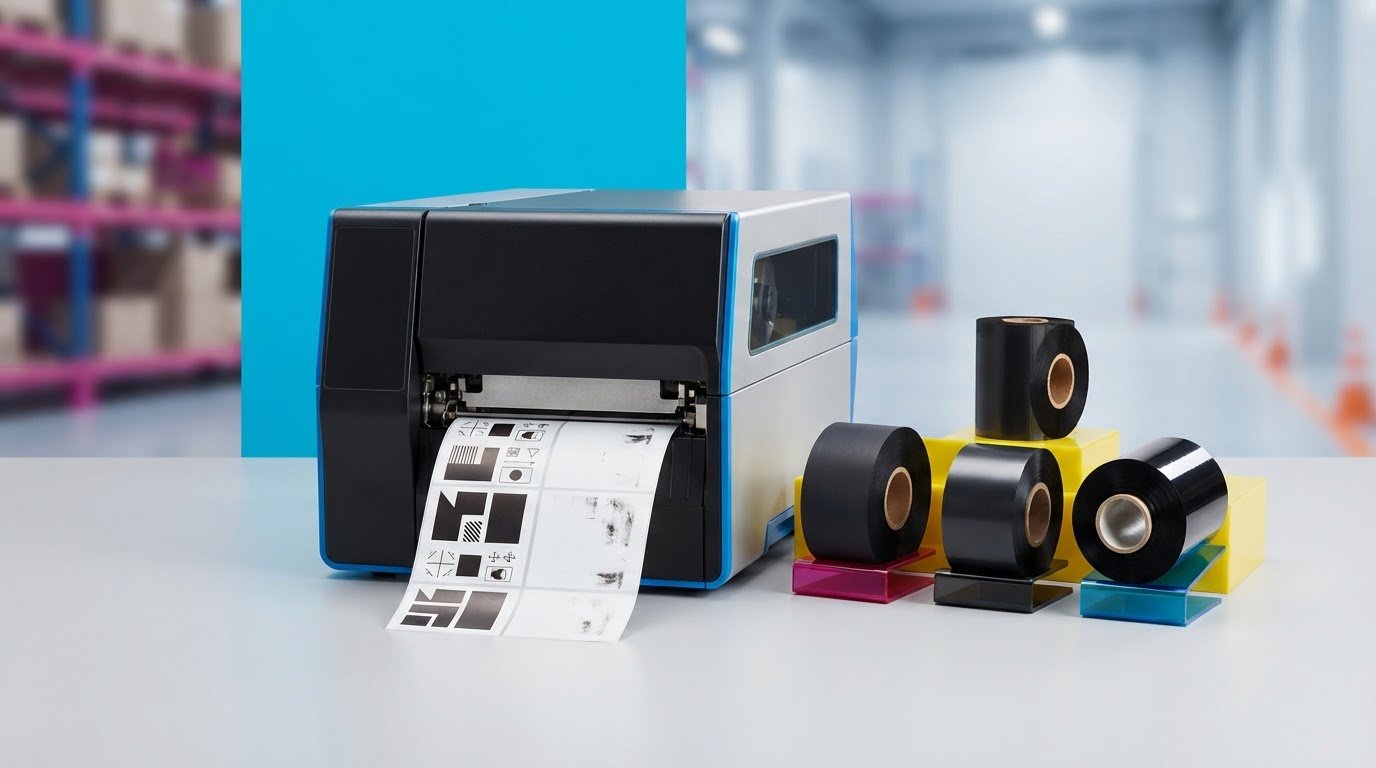
Choosing the right 170xi4 ribbons means looking beyond whether a roll fits the printer. A ribbon that works with your Zebra 170Xi4 can still produce faint, smudged, or short-lived labels if its construction does not suit the label material or the conditions the labels will face.
When replacing a ribbon, check the printer requirements and the label job together. Ribbon width, roll format, and ink-side orientation affect fit and feeding. The choice between wax, wax-resin, and resin affects how the ribbon pairs with the label stock and the demands of the application.
This guide walks through the checks to make before ordering, how to compare ribbon types, and what to review when print quality suffers. Whether you print everyday labels or labels exposed to demanding conditions, recording the right specifications makes it easier to choose a suitable replacement and reorder consistently.
Key Takeaways
- Choose ribbon construction according to your label material and the conditions labels will face, not the printer model alone.
- Compare wax, wax-resin, and resin ribbons by their general application fit, then verify the match for your specific label stock.
- Before ordering 170xi4 ribbons, confirm the printer model and check its documentation for the required width, roll length, core, and ink-side direction.
- If print looks faint or hard to read, review ribbon installation, label compatibility, and print settings before replacing supplies.
- Keep your printer details, label material, application, and verified ribbon specifications together to make repeat orders more straightforward.
170Xi4 ribbons: what the printer and label job need to match
Replacing a ribbon before it runs out can help keep routine label production on track. To choose a replacement for a Zebra 170Xi4, match three things: the printer’s ribbon requirements, the label material, and the conditions the printed label will face. A printer-model match alone does not establish that the ribbon will produce clear, durable results for your job.
A thermal transfer ribbon is a coated film that transfers ink to a label. During printing, heat from the printhead transfers the coating onto compatible label stock. The thermal transfer printing process depends on the interaction between the printhead, ribbon coating, and label surface. The right combination helps produce legible printing that suits the label’s intended use.
How does a thermal transfer ribbon work?
As the label and ribbon move through the printer, heated areas of the printhead transfer ink from the ribbon to the label. The label’s face material must work with the ribbon coating. A poor match may result in faint, uneven, or easily smudged print. The conditions the label will encounter after printing also matter, including handling, storage, and exposure to the working environment.
Direct thermal printing works differently. Instead of transferring ink from a ribbon, it uses heat-sensitive label material that darkens when heated. Because thermal transfer and direct thermal printing use different supplies, identify your printing method before ordering replacement consumables.
Which 170Xi4 details should buyers identify first?
Start by confirming the exact printer model and consulting its documentation for ribbon requirements. Do not assume the specifications are the same as those of a similar printer or infer them from the label roll. Verify these details against model-specific guidance:
- Ribbon width: Check the permitted width and consider the label width and printer configuration.
- Roll length and core: Confirm both requirements in the printer documentation.
- Ink-side orientation: Verify which way the ribbon coating must face as it unwinds.
These checks narrow down the compatible supply options, but the ribbon still needs to suit the label stock and application. For example, label width helps you assess a practical ribbon width, while the label surface and intended use inform which ribbon type to consider. Gather those job details alongside the printer requirements before ordering.
DuraFast Label Company Canada offers thermal transfer ribbons for business labelling needs. With the printer model, label material, and verified ribbon specifications in hand, you can make a more informed selection and reduce the risk of production delays caused by a supply mismatch.
Compare wax, wax-resin, and resin ribbons for 170Xi4 labels
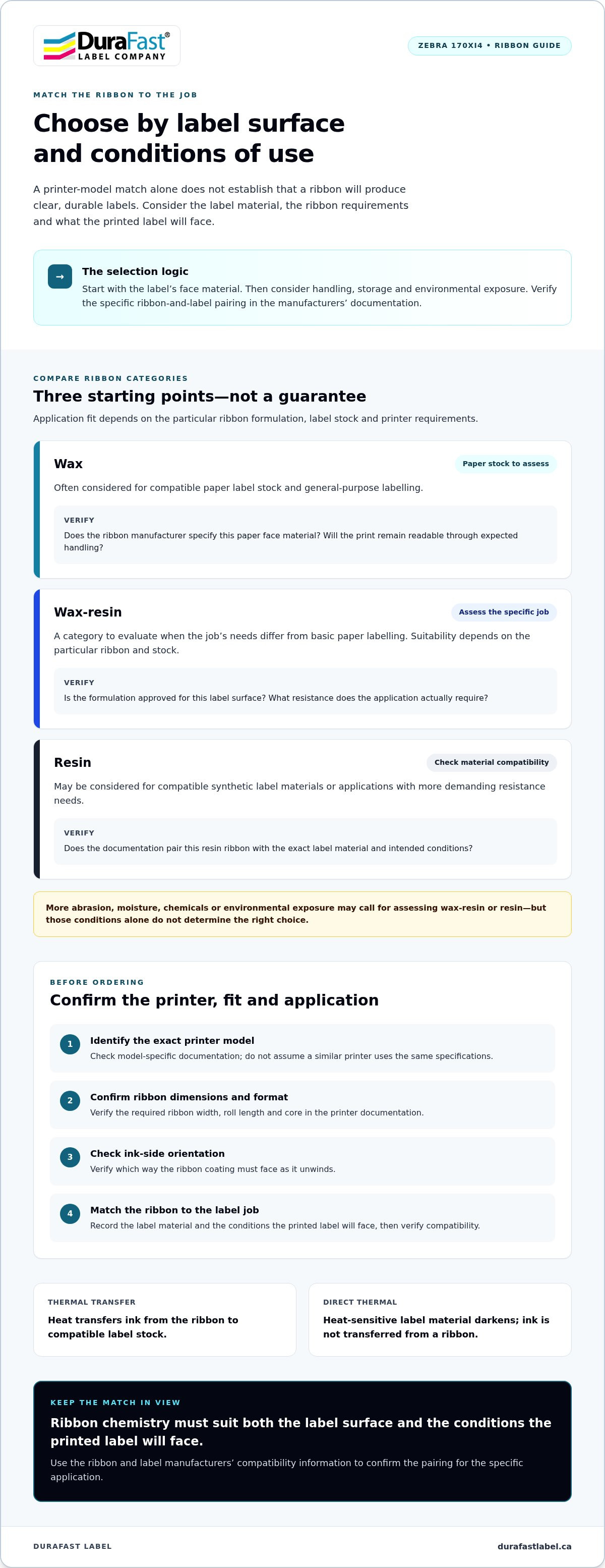
To narrow down ribbon types, start with the label’s face material. Then consider what the printed information must withstand during handling, storage, and use. Wax, wax-resin, and resin describe broad ribbon categories, not guaranteed performance. Suitability depends on the specific ribbon formulation, the label stock, and the printer requirements.
The comparison below is a starting point for evaluating 170xi4 ribbons. Treat each application fit as a possibility to verify against the ribbon and label documentation, not a universal compatibility claim.
| Ribbon category | Typical application fit to assess | Questions to verify |
|---|---|---|
| Wax | Often considered for compatible paper label stock and general-purpose labelling. | Does the ribbon manufacturer specify this paper face material? Will the print remain readable through the expected handling? |
| Wax-resin | A category to evaluate when the job’s needs differ from basic paper labelling. Suitability depends on the particular ribbon and stock. | Is the formulation approved for this label surface? What resistance does the application actually require? |
| Resin | May be considered for compatible synthetic label materials or applications with more demanding resistance needs. | Does the documentation pair this resin ribbon with the exact label material and intended conditions? |
When might a wax ribbon be considered?
For paper labels, wax is a category to assess first, provided the ribbon documentation supports the specific label face. Not all paper labels behave the same way, and the category alone does not guarantee print durability. Check the printer and ribbon instructions for an approved pairing. If appropriate, evaluate whether the resulting print stays legible through the label’s expected handling and use.
When might wax-resin or resin be a better fit?
If a label needs to withstand more abrasion, moisture, chemicals, or other environmental exposure, assess whether a wax-resin or resin formulation is specified for the job. Those conditions do not automatically make one category the right choice. Verify the exact ribbon and label materials together, and follow the manufacturers’ guidance for the intended application.
Ribbon chemistry must suit both the label surface and the conditions the printed label will face. Choosing by printer model alone cannot establish that match.
For more background on selecting ribbon types, read this thermal transfer ribbon guidance. Use the manufacturer’s compatibility information to narrow down the options before ordering, especially when the label needs to remain clear under specific operating conditions.
Check ribbon compatibility before ordering 170Xi4 supplies
A consistent check before ordering can help prevent a replacement ribbon from disrupting production. Confirm the printer model, consult its documentation, identify the label stock, then compare the required ribbon specifications with the product details. For 170xi4 ribbons, model-specific verification matters. A roll that looks like the one you are replacing is not proof that it will fit or feed correctly.
Which ribbon dimensions and orientation must be verified?
Use the printer documentation and ribbon information to verify width, roll length, core size, and ink-side orientation. Do not rely on assumptions based on another printer. An old package can be a useful reference, but confirm that its details match the requirements for your specific configuration. A discrepancy in any one detail can make a roll unsuitable, even if it looks right.
Compare each verified requirement with the product details before ordering. Check the specifications rather than inferring a match from the printer name alone.
| Detail to verify | Where to check | Why it matters |
|---|---|---|
| Printer model and configuration | Printer identification label and model documentation | Establishes which ribbon requirements apply to your particular setup. |
| Ribbon width | Printer documentation and ribbon listing | Helps confirm the roll suits the printer and the label width in use. |
| Roll length and core | Printer documentation and product specifications | Confirms the roll’s physical format matches the printer’s requirements. |
| Ink-side orientation | Printer setup instructions and ribbon packaging or listing | Ensures the ribbon is oriented as the printer requires. |
| Label stock and application | Label packaging, supplier specifications, and job requirements | Helps assess whether the ribbon and label face are suitable for the intended use. |
How should label stock influence the ribbon choice?
Identify the label’s face material, then consider what the printed label will encounter during handling, storage, and use. Ribbon and label compatibility can affect transfer and legibility, so compare both materials rather than choosing a ribbon in isolation. If you are also sourcing label stock, explore thermal transfer labels and use their material information alongside the ribbon specifications.
Before checkout, compare the printer requirements with the ribbon’s width, length, core, and orientation. Then review the compatibility information for the ribbon and label materials. For help organizing these details for a ribbon selection, contact DuraFast Label Company Canada’s team.
Improve print results and troubleshoot common ribbon issues
Unclear labels can slow scanning and make routine identification harder. The print symptom offers a place to start, but it does not identify the cause on its own. Faint print, inconsistent transfer, or poor readability may call for checking ribbon installation, label compatibility, print settings, and the printer’s instructions.
What should you check if 170Xi4 labels look faint?
Start with the setup. Check that the ribbon is installed correctly and oriented as required by the printer instructions. Review the print settings, then confirm that the ribbon formulation is specified for the label stock in use. A mismatch between ribbon and label surface can affect ink transfer, so a settings adjustment does not prove the materials are compatible.
- Faint or incomplete print: Check ribbon orientation and installation, then review the print settings and ribbon-label compatibility information.
- Inconsistent transfer: Inspect the ribbon path and loading according to the printer instructions. Compare the label stock and ribbon details with their documentation.
- Poor readability: Check whether the label material and ribbon suit the job, and consider whether the printed label’s handling conditions may affect legibility.
If the issue continues, consult Zebra’s documentation for model-specific troubleshooting and any cleaning or maintenance instructions. Follow those directions rather than applying an unverified cleaning method or changing multiple settings at once. Make one adjustment at a time so you can assess whether it changes the result.
How can you reduce repeat ribbon and label problems?
Once a combination produces acceptable results, record it. Note the ribbon type and verified specifications, label material, printer configuration, and settings used. Keep the information with your printer records and the related supply details. This makes it easier to compare future replacement rolls and reorder without relying on memory.
Record job-specific conditions that matter, such as frequent handling or moisture exposure. That context helps you evaluate a replacement against the same requirements instead of selecting by ribbon category alone. DuraFast Label Company Canada’s thermal ribbon selection is a useful resource when reviewing ribbon options.
For help with a ribbon selection, contact DuraFast Label Company Canada about your ribbon requirements. Have your printer model, ribbon specifications, label material, and any print-quality symptoms ready to make the discussion more focused.
Choose and source 170Xi4 ribbons with a repeatable process
A reliable replacement process starts with the label job, not just the printer name. Identify the exact printer model, label stock, conditions the labels will face, and ribbon specifications verified in the printer documentation. Matching these details helps narrow down the options without relying on assumptions about compatibility.
What information helps identify the right replacement ribbon?
Before selecting 170xi4 ribbons, gather a few details. Check the printer documentation and existing ribbon packaging, then note:
- Printer: Exact model and any relevant configuration details.
- Current ribbon: Type and available specifications, including width, roll length, core, and ink-side orientation.
- Label stock: Face material and any product information that identifies it.
- Application: What the label identifies and the handling or environmental conditions it must withstand.
Use documented specifications instead of estimating from a roll’s appearance. Complete information makes it easier to compare a replacement with the printer’s requirements and assess whether the ribbon and label materials suit the application.
How can a consistent supply process support operations?
Once you have established a combination that produces acceptable results, keep the verified ribbon and label details with the printer records. Include the ribbon specifications, label material, and application notes. This gives the next person ordering supplies a clear reference and helps avoid repeating the selection process from scratch.
Set a reorder point using your organization’s own usage patterns and workflow. Reviewing how quickly your operation uses ribbons can help you plan replenishment before supplies run out, without relying on a generic estimate that may not fit your production schedule.
DuraFast Label Company Canada is a Canadian source for Zebra ribbons and thermal transfer supplies, serving businesses across Canada. With the printer model, label material, application, and documented ribbon specifications ready, you can make a more focused selection. Contact the DuraFast Label Company Canada team for help with your ribbon requirements.
Make your next ribbon order with confidence
A dependable ribbon choice starts with the label job. Match the ribbon category to the label material and working conditions, then verify the printer’s required width, roll length, core, and ink-side orientation in its documentation. These checks help you assess 170xi4 ribbons on more than appearance alone and support clear, readable labels.
Keep the verified ribbon and label details with your printer records, including the application and any settings that produced acceptable results. That habit can make repeat orders more consistent and help reduce avoidable supply mismatches.
DuraFast Label is a Canadian retailer serving customers nationally, with Zebra ribbons and thermal transfer ribbon supplies for business labelling needs. For help with your printer and label requirements, contact DuraFast Label. Share the specifications you have gathered to make a practical, informed selection.
Frequently Asked Questions
Is every thermal transfer ribbon compatible with the Zebra 170Xi4?
No. A ribbon needs to meet the printer’s supported specifications and suit the label material being printed. Check the 170Xi4 documentation for requirements such as ribbon width, roll configuration, and ink-side orientation instead of relying on the printer name alone. Also consider the label’s intended use, since the ribbon and label stock work together to affect ink transfer, print clarity, and performance in your operation.
How do I choose between wax, wax-resin, and resin ribbons?
Start with the label material and the conditions the printed label will encounter. Wax, wax-resin, and resin are broad ribbon categories, and no one formulation suits every job. Check that the selected ribbon is compatible with both your 170Xi4 configuration and label stock. Then evaluate a test print against your application’s requirements, including the readability needed after the label has been handled or exposed to its working environment.
What ribbon size does a Zebra 170Xi4 use?
Do not assume ribbon size from the printer model alone. Consult Zebra documentation for your exact printer configuration and verify the required width, roll length, and core. Packaging from an existing roll may help identify its specifications and orientation, but compare those details with the printer documentation and replacement ribbon information before ordering. A roll that looks similar is not enough to establish that it will fit or work correctly.
Can I use the same ribbon with different label materials?
Sometimes a ribbon may be suitable for more than one compatible label material, but do not assume that it is. Print performance depends on the ribbon formulation, the label’s face material, and the demands of the application. Check the recommended ribbon-and-label pairing, then assess print quality under conditions relevant to your operation. Before standardizing on a supply, record the materials and specifications that produce clear, readable results.
Why are my 170Xi4 labels printing faintly?
Faint output can have several possible causes, so check the setup before settling on one explanation. Confirm that the ribbon is installed in the correct orientation, verify that the ribbon and label stock are compatible, and review the printer settings. Follow Zebra’s instructions for cleaning and maintenance. If the issue continues, note the ribbon and label details alongside the print symptom to support a more focused diagnosis.
How can I tell which way the ribbon should face in a 170Xi4?
Check the Zebra 170Xi4 documentation and the ribbon packaging or product specifications for the required ink-side orientation. Do not infer the direction from how a roll looks or from another printer model, since ribbon configurations can vary. Install the roll according to the instructions and run a test print. Correct orientation allows the ribbon to transfer ink as intended, while an incorrect setup may affect the printed result.
Where can I find replacement Zebra 170Xi4 ribbons in Canada?
DuraFast Label serves customers across Canada and offers Zebra ribbons and thermal transfer supplies. To narrow down your selection, gather the exact printer model, verified ribbon specifications, label material, and intended application. Compare those details before ordering rather than relying on the model name alone. For assistance with your ribbon requirements, contact DuraFast Label with the information you have collected.