057212 Label Stock Surface and Printer Fit
2nd Nov 2026
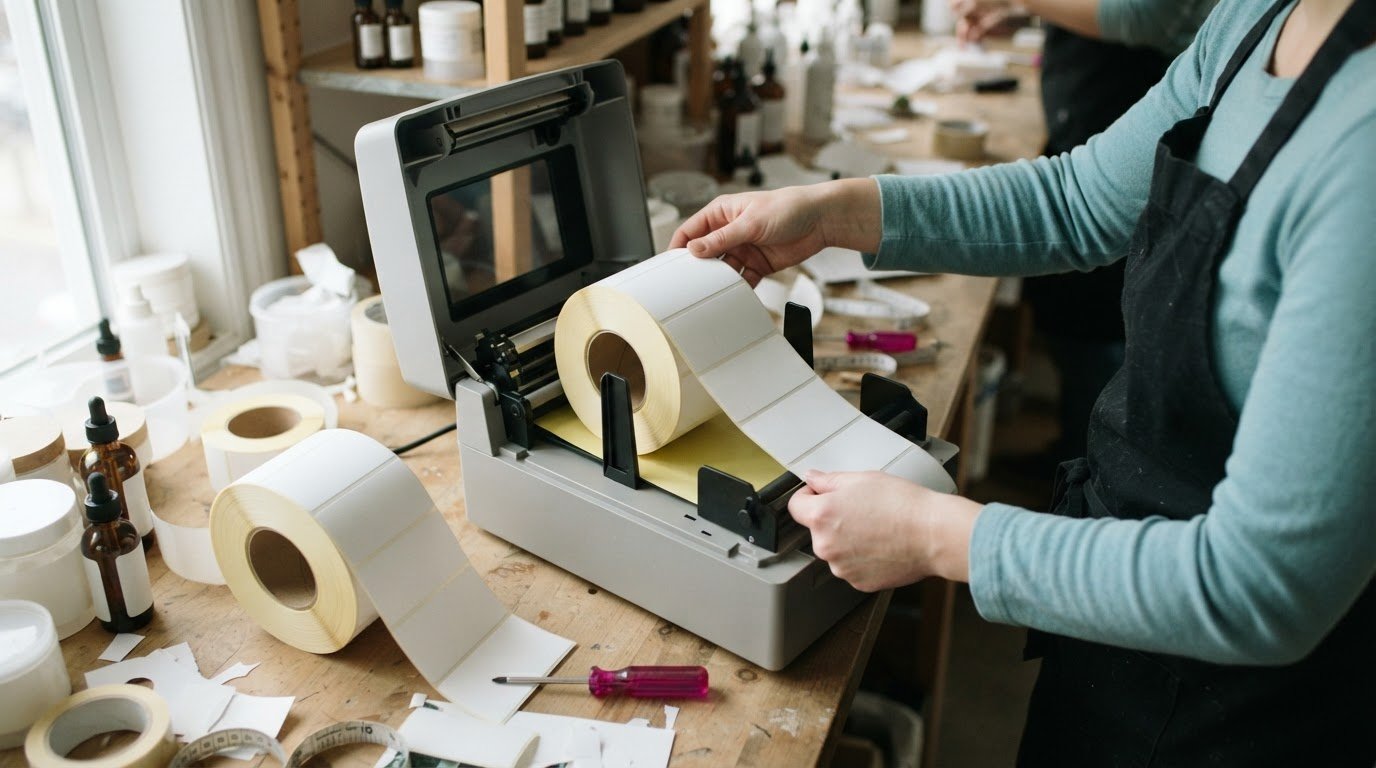
A label roll can fit a printer physically and still be the wrong stock for the job. With 057212 Primera label stock, the surface, finish, roll format and printer compatibility all matter when deciding whether it suits your labelling workflow. This guide explains what to look for across each of those specifications.
Choosing media isn’t just about finding a roll that feeds through the printer. The label surface affects how the stock performs in your application, while roll format and printer compatibility determine whether it runs as intended. Check these details before ordering to reduce the risk of a mismatch.
Read on to learn how 057212 is characterized, what its surface and finish mean in practical terms, how to interpret its roll format, and what to consider when assessing printer compatibility. You’ll have a clearer framework for understanding the stock and its fit with your label-printing setup.
Key Takeaways
- Use the stock’s surface and finish details to judge whether it suits your labelling application.
- Compare the roll format with your printer’s media requirements before selecting label stock.
- Separate physical fit from overall printer compatibility when assessing a label roll.
- When printer choice is part of the decision, explore DuraFast Label Company Canada’s Primera and other label printer offerings.
057212 Primera
Treat 057212 as a product identifier, not as a complete description of a label roll. The code alone doesn’t explain the face material, surface texture, finish, dimensions, core, or winding direction. Those details determine whether a roll suits a particular label design and printer. Before choosing media, match the product number with a full specification, then compare each specification with the job and printer requirements.
Start with the surface. The face material is the printable layer that receives the image; its surface may be smooth, textured, coated, or uncoated. These terms aren’t interchangeable. A smooth, coated face and an uncoated paper face can behave differently during printing, even when both rolls look white. For fine text, choose a printable surface suited to the job, not just a roll with the right width.
Next, distinguish the surface from the finish. “Matte” and “gloss” describe appearance, but don’t establish a material’s composition or intended use. A matte face may reduce reflected light in some viewing conditions, while a gloss finish may make colours appear more prominent. Neither effect proves water or scuff resistance, or compatibility with a particular ink. Match the finish to the label’s presentation needs, then assess durability separately.
Read the roll format before loading
Record the label’s width and length, the roll’s outside diameter, and its core diameter. These are separate measurements. Label dimensions describe each individual label; roll diameter and core describe the supply roll and its centre opening. Labels may suit your layout while the roll itself does not fit the printer holder. Compare the full roll format with the media limits in the printer manual.
Identify the gap or mark between labels and the unwind direction, too. Printers use media sensors to detect label edges or marks, so the sensor method must match the roll construction. Winding direction also matters when feeding labels from a roll. Compare the roll’s unwind path with the printer diagram, then make sure the first label enters the feed path correctly.
Printer fit has two parts: physical fit and print compatibility. Physical fit covers roll width, core, diameter, and feed path. Print compatibility depends on the printer’s printing method and the media it can process. Don’t assume a roll works just because it mounts or because another Primera model accepts it. Compare the exact printer model with the media specifications, then select print settings suited to the stock.
A practical compatibility check
- Match the identifier: compare 057212 on the roll or packaging with the specification record.
- Check label dimensions: use the stated width and length in the label layout.
- Check roll measurements: compare the core and outside diameter with printer limits.
- Confirm sensing and feed: match the gap or mark, sensor method, and unwind direction.
- Assess the application: choose surface and finish for the image and viewing conditions.
Keep the roll label, printer model, and media specification together when preparing a job. If a label prints off-centre, compare the layout dimensions with the actual label size. If the printer fails to detect label boundaries, check the gap or mark and the sensor setting. If the roll won’t mount properly, recheck its core and diameter. These steps help pinpoint a mismatch without assuming the stock is defective.
For Canadian operations, use the exact printer model and roll specifications rather than relying on a product code alone. Record the surface, finish, dimensions, roll format, and tested printer settings for each approved media roll. This makes it easier for staff to repeat a successful setup and identify whether a change came from the stock, printer, or layout.
DuraFast Label Company Canada: VIPColor Label Printers
DuraFast Label Company Canada offers Primera and VIPColor label printers for businesses choosing equipment for product labelling. If your assessment of 057212 has raised questions about printer fit, start by matching the label stock’s requirements with the exact printer model and intended workflow. The right choice depends on the media and printing needs, not simply the brand name.
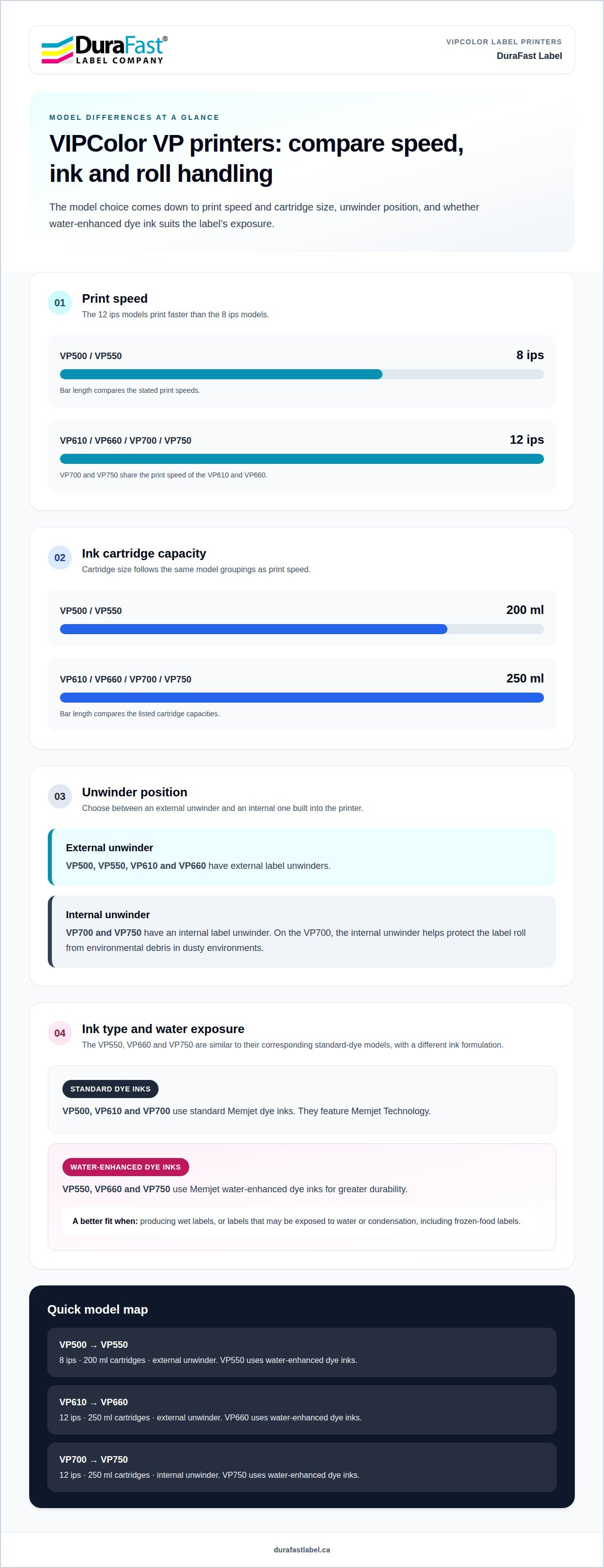
For colour label production, VIPColor models offer different configurations. The VP500 prints at 8 ips and uses 200 ml cartridges, while the VP610 prints at 12 ips with 250 ml cartridges. Both have external unwinders; the VP700 has an internal unwinder and shares the VP610’s print speed and print quality. These distinctions can help narrow printer options based on production pace and roll handling.
For printer options suited to your operation, contact DuraFast Label Company Canada.
Make your next label decision with confidence
Use the information gathered about 057212 Primera stock to create a clear media-and-printer checklist for your next production run. Record the stock identifier, application requirements, and printer model together. This gives your team a practical reference when reviewing label options, preparing a new job, or considering a change in equipment.
If the next step is choosing a printer, DuraFast Label Company Canada offers VIPColor, Afinia, and Primera label printers. Comparing options against your workflow can help you focus on the equipment category that makes sense for your operation, rather than choosing by brand alone.
Bring your printer requirements and labelling priorities into the conversation, then explore an option that supports your production plans. Contact DuraFast Label Company Canada to discuss your next step.
Matching the stock, printer, and application carefully helps you build a more considered setup.