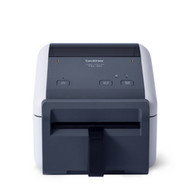
Which Linerless Printers Stand Out in 2026
8th Jan 2026
Key Highlights
- A linerless printer eliminates backing paper, which significantly reduces waste.
- By removing the liner, you get more linerless labels per roll, meaning fewer roll changes.
- This technology improves operational efficiency and lowers shipping and storage costs.
- Modern linerless printing solutions offer flexible label sizes for a wide range of applications.
- Linerless printers are an eco-friendly choice that helps businesses achieve sustainability goals.
- DuraFast supplies premium linerless label printers, leasing plans, and printing materials to support smarter in-house operations across Canada.
Are you tired of messy piles of backing paper from your label printing process? Traditional labels generate a surprising amount of waste, and constantly changing rolls can slow down your operations.
Now, imagine a linerless printer that does away with all that hassle. A linerless label printer gives you a smarter, cleaner, and faster way to print. No backing paper, no wasted time, just smooth, efficient labeling that’s kinder to your business.
In this blog, we’ll explore what makes linerless label printers such valuable assets. You’ll discover how they work, why they’re better for the environment, and which models are leading the way in 2026.
Why Choose a Linerless Label Printer?
Unlike traditional printers that use labels with a waxy backing paper, you have to peel off. A linerless printer uses one long roll of special labels that don’t need any backing paper. The labels have a smooth silicone layer, so they don’t stick to each other.
Since there’s no extra paper, you can fit up to 60% more labels on each roll. This means fewer stops to change rolls, faster printing, and even lower costs for shipping and storage. It’s a simple switch that helps your business save time, as well as money.
Which Must-Have Features Define a Reliable Linerless Label Printer?
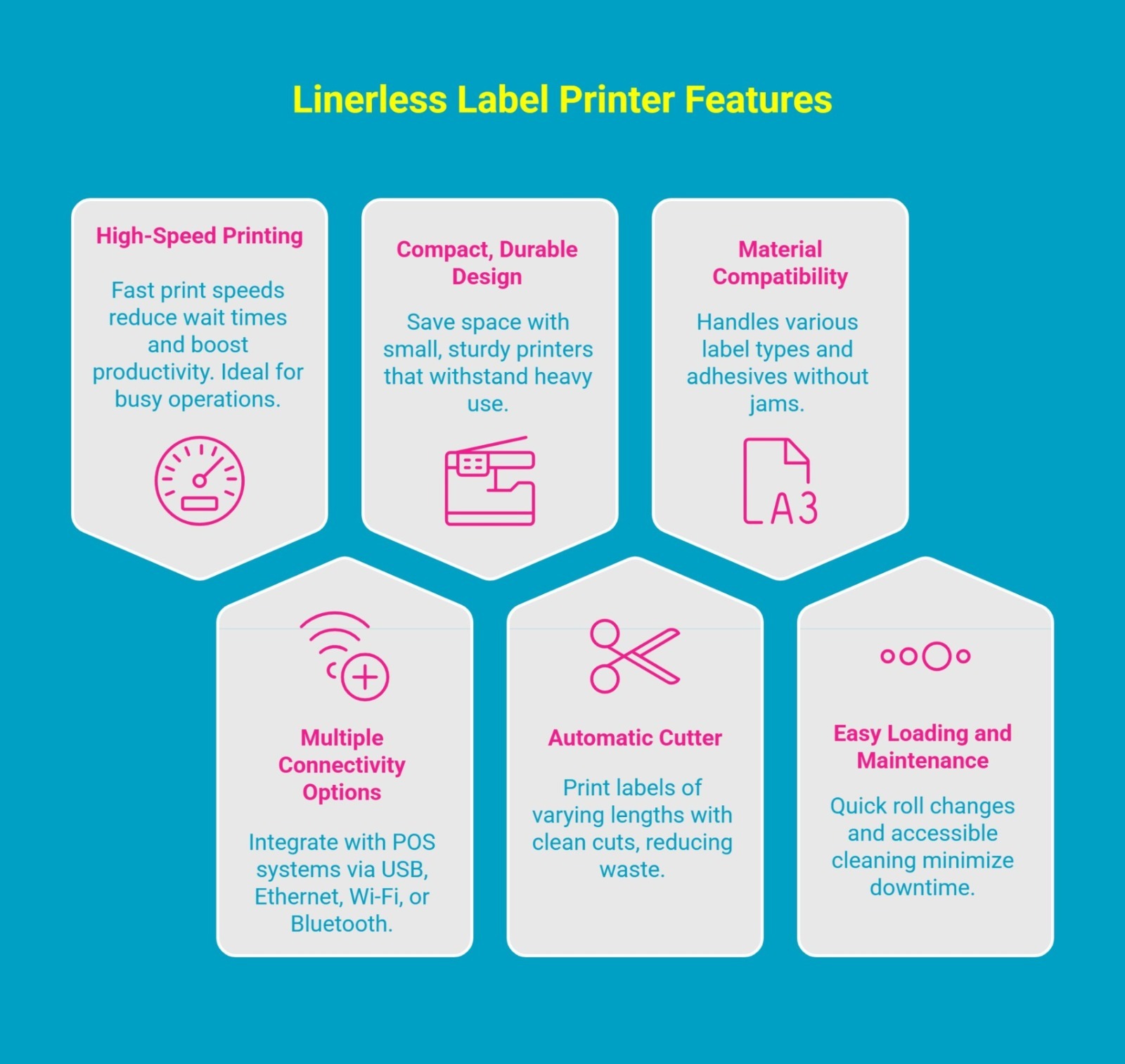
Alt text: Infographic showing linerless label printer featuresInfographic showing linerless label printer features
A reliable linerless printer should deliver fast speeds, sharp print quality, and easy system integration while supporting multiple label sizes. With thermal printing technology, it cuts ink use and waste for a more sustainable setup.
Here are the key features to look for when choosing one:
1. High-Speed Printing
In a fast-paced business, every second counts. Fast printing speeds are crucial for efficiency. High-volume environments like restaurants, retail stores, and warehouses rely on printers that produce labels quickly. This keeps queues short and orders moving smoothly.
Linerless printers are built for speed. Some models print at up to 8 inches per second (ips). They handle a wide range of labels, from shipping labels to order tickets during lunch rushes. High speed combined with fewer roll changes means minimal downtime and a smoother workflow.
When you look for a printer, consider how its speed can benefit you:
- Reduces customer wait times
- Keeps up with high-demand production lines
- Increases overall team productivity
- Improves order fulfillment accuracy
Make your in-house printing hassle-free by using DuraFast’s trusted Liner-Free Mobile Printers.
2. Multiple Connectivity Options
A linerless printer is only useful if it connects easily with your existing technology. Multiple connectivity options make integration with POS systems, barcode scanners, and other devices simple. Whether you work at a fixed station or need mobility, the right connections are essential.
Most modern linerless printers support standard systems and offer multiple connection methods. This lets you set up your printing station exactly how you need it. For mobile businesses, a wireless label printer is essential, as it allows printing on the go.
Look for printers with a combination of these options:
- USB: For a simple, direct connection to a single computer.
- LAN/Ethernet: To connect the printer to your local network for shared access.
- Wi-Fi: For wireless printing from anywhere within your network range.
- Bluetooth: For easy pairing with mobile devices like tablets and smartphones.
3. Compact, Durable Design
Your workspace is valuable, and a bulky printer can get in the way. A compact design is essential in places with limited counter or storage space, like small retail shops or quick-service restaurants. Most linerless printers are small but powerful, fitting neatly without causing clutter.
Durability is just as important. Printers must withstand the demands of a busy workplace. Look for models made with high-quality materials that handle continuous use. For mobile printers, durability is crucial because they face bumps and drops. A sturdy printer ensures reliable performance every day.
Here’s why a compact and durable design matters:
- Saves valuable counter and storage space.
- Ensures longevity and a better return on investment.
- Reduces the risk of damage in busy environments.
- Provides reliability for both desktop and mobile printing needs.
4. Automatic Cutter
A key feature of linerless printing is the ability to create labels of different sizes from a single roll. This is possible thanks to an automatic cutter, which slices labels to the exact length needed. It eliminates waste and removes the hassle of manually tearing or cutting labels.
This is ideal for businesses with varying needs. For example, a restaurant can print a short label for a drink and a long one for a complex order, all from the same roll. Continuous printing with an automatic cutter offers unmatched flexibility and efficiency. Also, you don’t need to stock multiple rolls of pre-sized POS linerless labels.
An automatic cutter offers several key advantages:
- Allows for variable and precise label sizes on demand.
- Reduces material waste by printing only what's needed.
- Creates clean, professional-looking labels every time.
- Speeds up the labeling process in high-volume settings.
Say goodbye to messy, low-quality labels with DuraFast’s high-performance desktop linerless printers.
5. Compatibility with Different Label Materials
Not all linerless label materials are the same. They differ in thickness, adhesive strength, and surface finish. For reliable printing, your printer must work well with different media types. This allows you to switch label stocks without jams or poor print quality.
Top linerless printers handle a variety of label materials. Many feature a silicone-coated platen roller, which prevents adhesive from sticking to internal parts. This ensures smooth thermal printing and consistent performance, no matter the label size or adhesive type.
Here’s why compatibility is so important:
- Gives you the freedom to choose the best label material for the job.
- Prevents adhesive buildup and reduces maintenance needs.
- Ensures consistent, high-quality printing results.
- Allows you to use both permanent and repositionable labels.
6. Easy Loading & Maintenance
A printer that’s hard to load or maintain can slow down operations. Easy loading is essential. Look for printers with a drop-in design for media rolls. This allows staff to replace them in seconds.
Linerless labels have more labels per roll, so roll changes are less frequent. Still, maintenance matters. Adhesive residue can build up over time, so easy access and cleaning are important. User-friendly printers improve efficiency and help extend the printer’s lifespan.
Focus on these aspects for a hassle-free experience:
- Simple, drop-in media loading designs.
- Easy access to the printhead and platen roller for cleaning.
- Fewer roll changes due to larger roll capacity.
- Clear instructions or indicators for maintenance tasks.
Make in-house printing effortless and professional with DuraFast’s POS linerless printers.
What Are the Top 10 Linerless Label Printers Recommended by DuraFast?
Now that you know what to look for, you might be wondering which linerless printer suits you best. At Durafast, we offer reliable models for every need, from compact retail setups to high-volume warehouse use.
Here are some top picks from trusted brands to help you choose the right fit:
1. Seiko Instrument SLP720RT 2" Linerless Label Printer w/ WiFi | SLP720RT-W2FU1-0
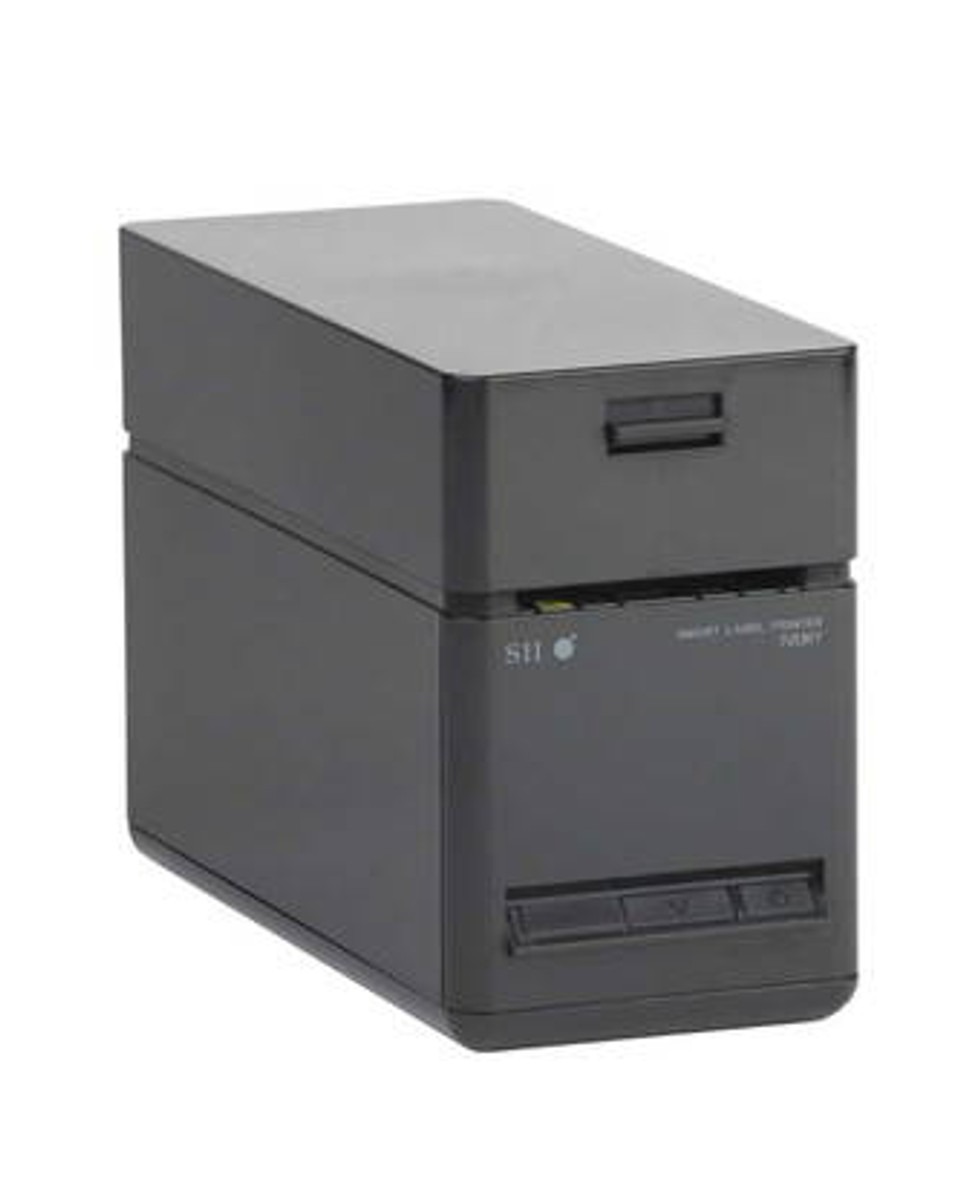
The Seiko SLP-720RT is a compact and efficient linerless label printer designed for fast, reliable printing. This printer is ideal for retail stores, restaurants, logistics, healthcare facilities, and any business that requires fast, accurate, and flexible label printing.
What makes it perfect:
- Built-in WiFi for easy wireless printing.
- Reliable power supply for uninterrupted operation.
- Comes with a USB cable for direct connections.
- 203 DPI resolution with print speeds up to 200 mm/sec.
- Supports 58 mm or 40 mm paper on rolls up to 4" diameter.
- Prints on linerless labels, receipt paper, and standard labels.
2. Brother TD2350DFC203 2"- 203 dpi Linerless Label Printer w USB/LAN/WiFi/Bluetooth/Cutter
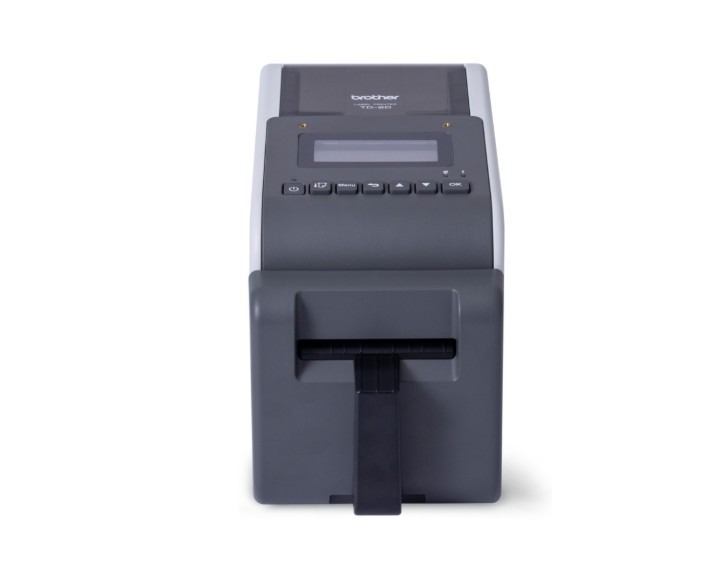
The Brother TD-2350DFC203 offers reliable performance with its built-in cutter, ensuring your label printing is both productive and waste-free. It is a popular choice for businesses seeking an efficient and straightforward linerless printer. This 2-inch model is perfect for retail, food service, and logistics applications where space is at a premium.
What makes it perfect:
- Built-in WiFi for quick and easy wireless printing.
- Reliable power supply for smooth, nonstop performance.
- Includes USB cable for simple plug-and-play connection.
- 203 DPI print resolution with speeds up to 200 mm/sec.
- Supports 58 mm or 40 mm paper rolls up to 4" in diameter.
- Prints on linerless labels, receipt paper, and standard labels.
3. Brother TD2350DFC300 2"- 300 dpi Linerless Label Printer w USB/LAN/WiFi/Bluetooth/Cutter
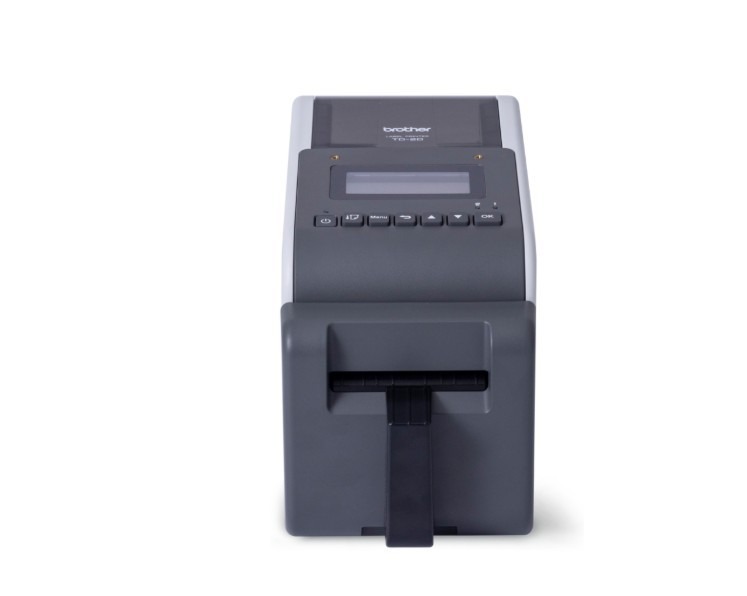
The Brother TD-2350DFC300 is a high-resolution desktop linerless label printer built for precision and speed. It combines the eco-friendly benefits of linerless technology with the professional finish of high-resolution output. If your business prioritizes crisp, high-quality printing, this model delivers the performance you need.
What makes it perfect:
- Built-in WiFi and Bluetooth for seamless wireless connectivity.
- Strong 6 ips print speed ensures consistent and reliable printing.
- Includes USB-C connection for quick plug-and-play setup.
- High-resolution 300 DPI printing with speeds up to 200 mm/sec.
- Supports 58 mm and 40 mm paper rolls up to 4″ diameter.
- Prints smoothly on linerless labels, receipts, and standard label media.
4. Brother TD4550DNWBFC 4-Inch 203 dpi - 8 ips Direct Thermal Linerless Desktop Barcode Printer with LAN/USB/WiFi/Bluetooth
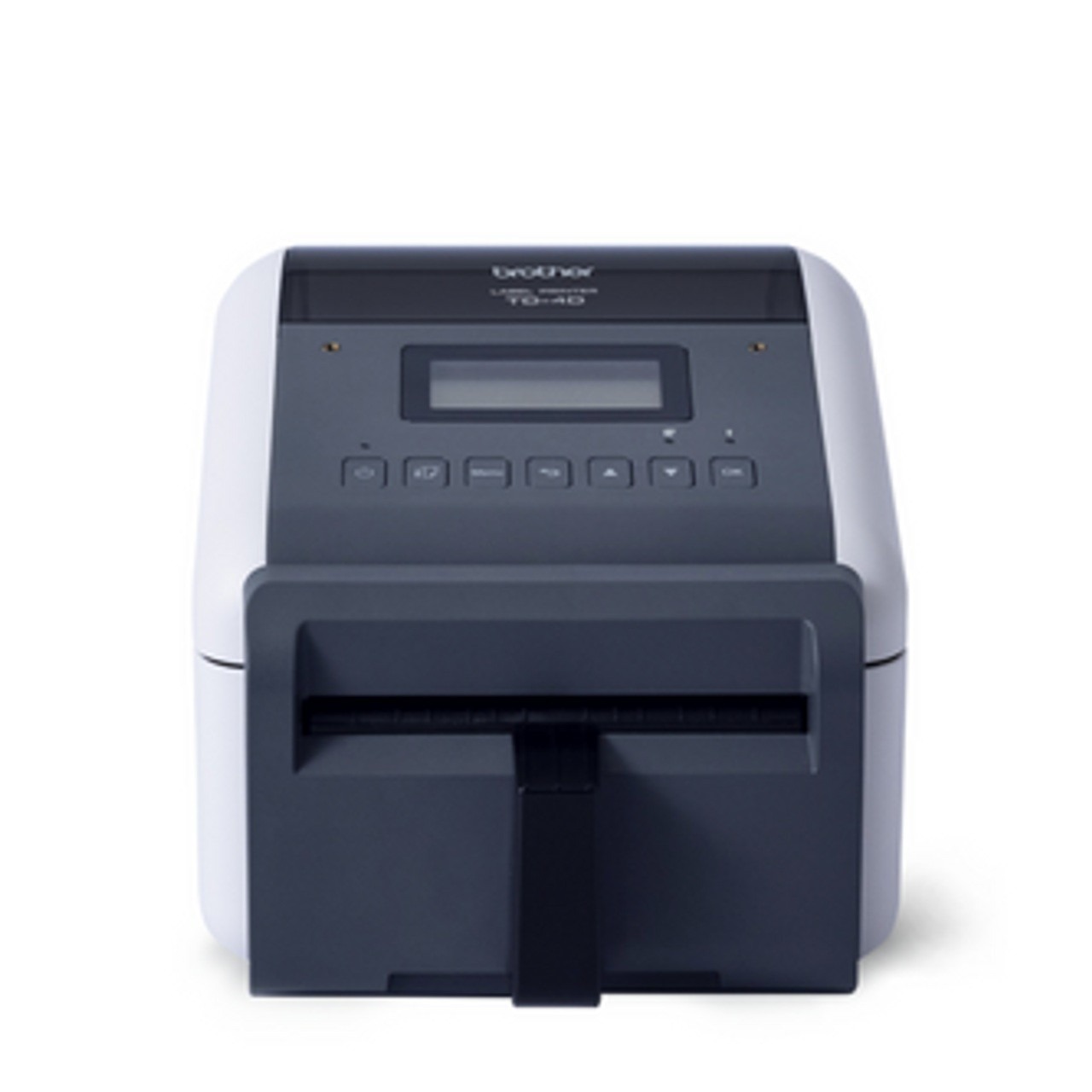
When you need wider labels and maximum connectivity, the Brother TD-4550DNWBFC stands out. This printer is a leading choice for businesses that require top-tier flexibility and performance. Its wider print width gives you the flexibility to create large shipping labels, detailed inventory tags, and more.
What makes it perfect:
- Dual-band WiFi, Bluetooth 4.2, and LAN keep your printer connected anywhere.
- 300 DPI resolution delivers fast, sharp labels at up to 8 inches per second.
- Handles label widths from 19 mm to 118 mm with generous roll capacity.
- Prints directly on linerless, die-cut, or continuous labels for full flexibility.
- Easy drop-in media loading and replaceable parts make upkeep simple and quick.
5. Brother TD4420DNFC 4-Inch 203 dpi - 8 ips Direct Thermal Linerless Desktop Barcode Printer with LAN/USB

The Brother TD-4420DNFC is another excellent 4-inch linerless label printer built for speed and efficiency. Its ability to handle high-volume tasks effortlessly makes it a valuable asset for any business. It helps streamline the labeling process while also reducing waste.
What makes it perfect:
- 203 DPI resolution delivers sharp, professional barcodes, text, and graphics.
- 8 ips print speed ensures fast, efficient label production for high-demand tasks.
- LAN and USB connectivity provide flexible, reliable system integration.
- Linerless printing cuts waste and supports continuous label rolls for better efficiency.
- Direct thermal technology needs no ink or toner, reducing maintenance and printing costs.
6. TSC DH240T 4-8 IPS Linerless Direct Thermal Label Printer w Cutter | DH240-A001-0031
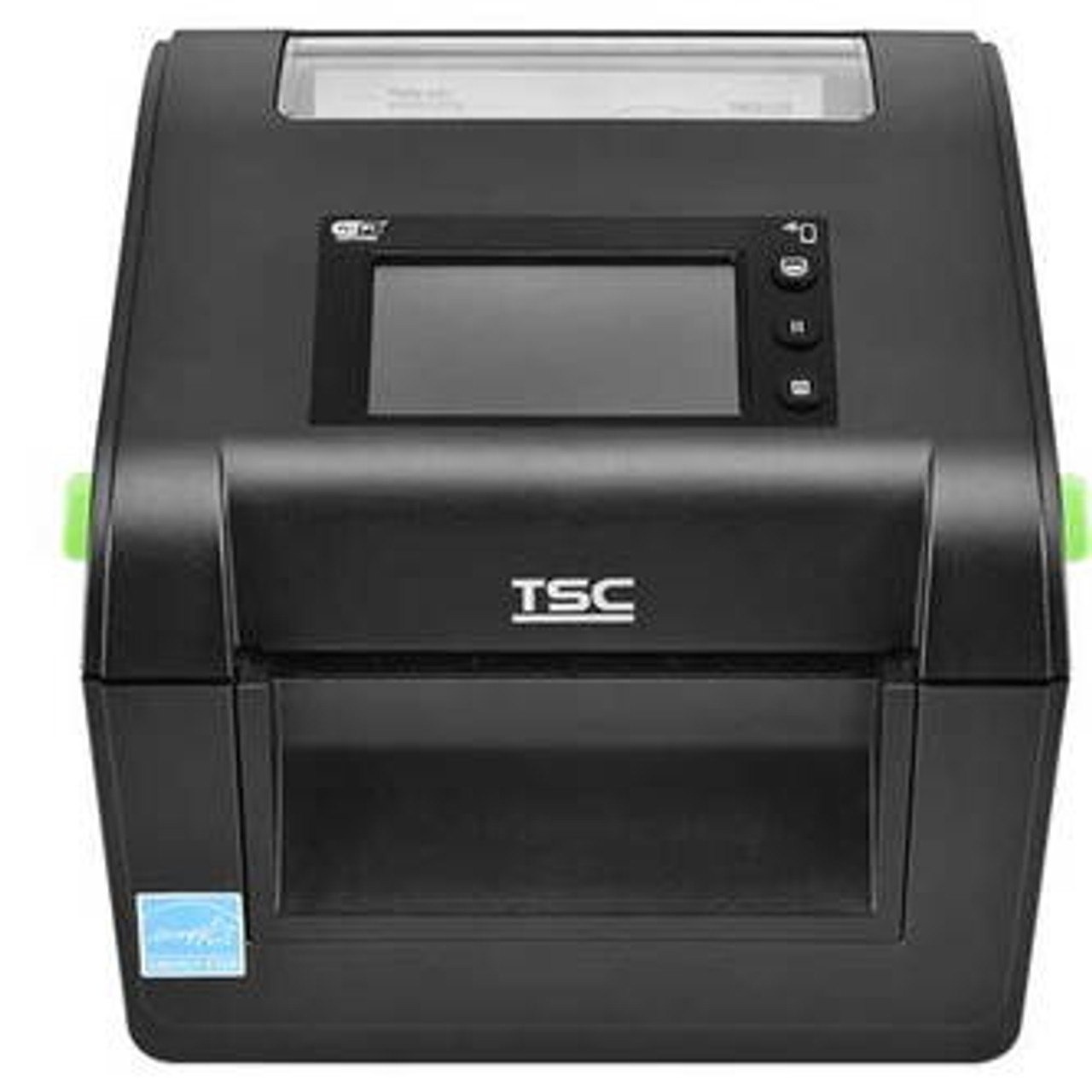
The TSC DH240T, is engineered for demanding environments where reliability and performance are critical. This 4-inch thermal printing model is built to handle high-volume, precise labeling tasks. It combines high-quality output with industrial-grade performance. Making it a smart investment for any large-scale labeling operation.
What makes it perfect:
- 203 DPI resolution ensures sharp, easy-to-read barcodes and text.
- Prints up to 203 mm/s (8 ips) for quick, high-speed output.
- Supports 15–120 mm media widths for multiple label sizes.
- Compatible with continuous, die-cut, notch, and linerless media for flexibility.
- USB, Ethernet, RS-232, and USB-Host ports allow seamless connectivity.
- Tool-free printhead and roller replacement simplifies maintenance and reduces downtime.
7. Godex DT200L 2" Liner-free Direct Thermal Barcode Printer, 203 dpi, 7 ips, USB, LAN (Cutter Not Included) 011-D20F0L-A0L
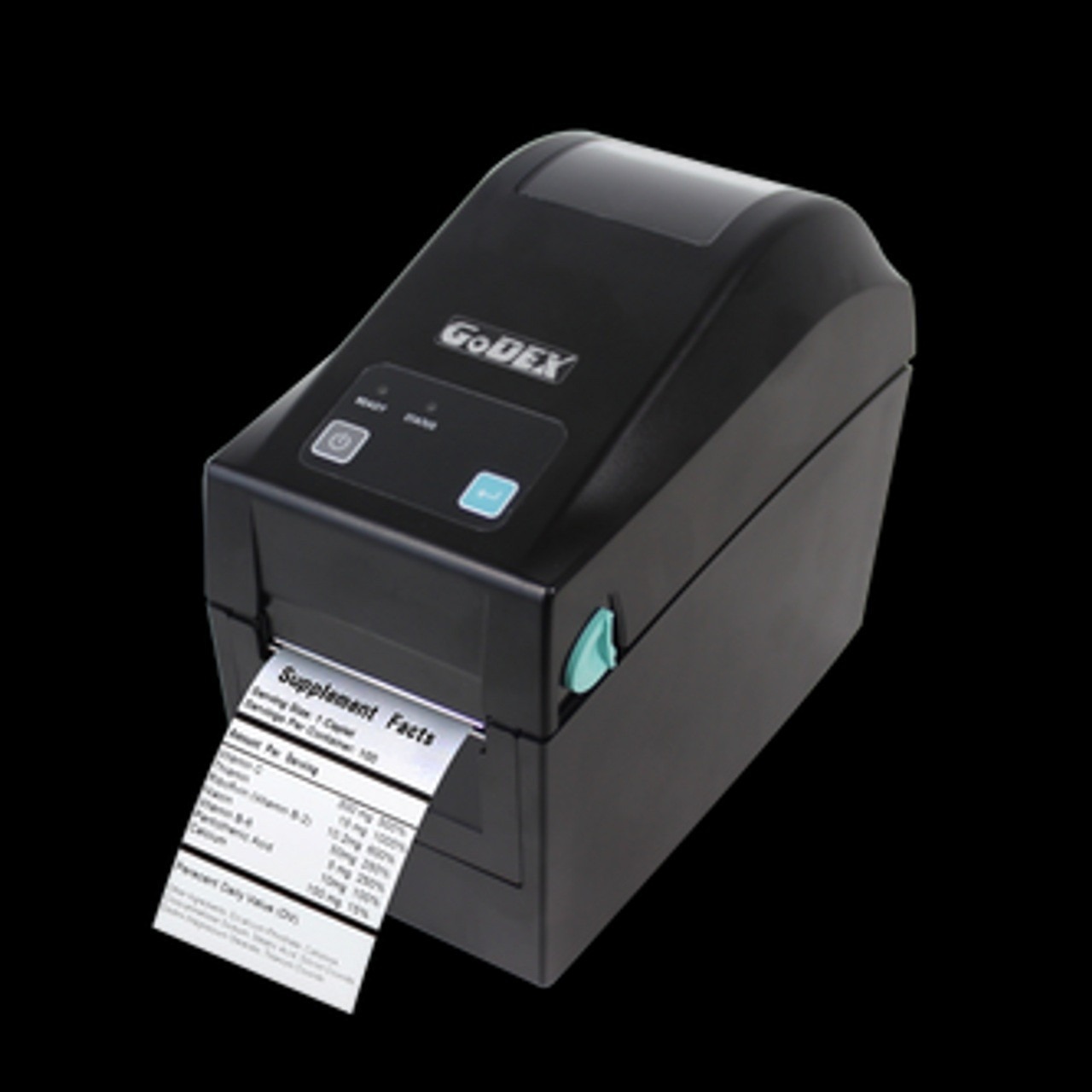
The GoDEX DT200L is a compact 2-inch desktop direct thermal printer built for efficiency and eco-friendly operation. It offers a resolution of 203 dpi, delivering clear, high-quality barcodes and text labels. Its compact design is ideal for retail, healthcare, logistics, and manufacturing, where space is tight and efficient printed labels matter.
What makes it perfect:
- 203 DPI resolution delivers sharp, high-quality barcodes and text.
- Compact 2-inch design fits easily into small workspaces.
- Supports linerless media to reduce waste and extend roll life.
- Multiple connectivity options, USB 2.0, RS-232, and Ethernet, for easy integration.
- Holds 5-inch media rolls for longer, uninterrupted printing.
- Direct thermal printing requires no ink or toner, keeping maintenance simple.
8. Godex DT230L 2" Liner-Free Direct Thermal Barcode Printer, 300 dpi, 5 ips, USB, LAN (Cutter Not Included) 011-D23F0L-A0L

The GoDEX DT230L is a compact 2-inch liner-free direct thermal printer designed for efficient, eco-friendly label printing. With its combination of high resolution, linerless support, and space-saving design, the DT230L stands out as a reliable printer. It’s a great choice for businesses that need flexible, fast, and cleaner label printing.
What makes it perfect:
- 300 DPI resolution delivers sharp, detailed barcodes, text, and graphics.
- Print speeds up to 7 inches per second ensure fast and efficient output.
- Supports linerless media for eco-friendly, waste-free printing.
- Compact 2-inch design fits perfectly in small or tight workspaces.
- Multiple connectivity options, USB, RS-232, and Ethernet, for easy setup.
- Optional WiFi and Bluetooth modules add wireless flexibility.
- Built-in cutter ensures clean, precise label separation.
9. Godex DT200iL 2" Liner-Free Direct Thermal Barcode Printer, 203 dpi, 5 ips, USB, LAN (Cutter Not Included) 011-D2iF01-00L
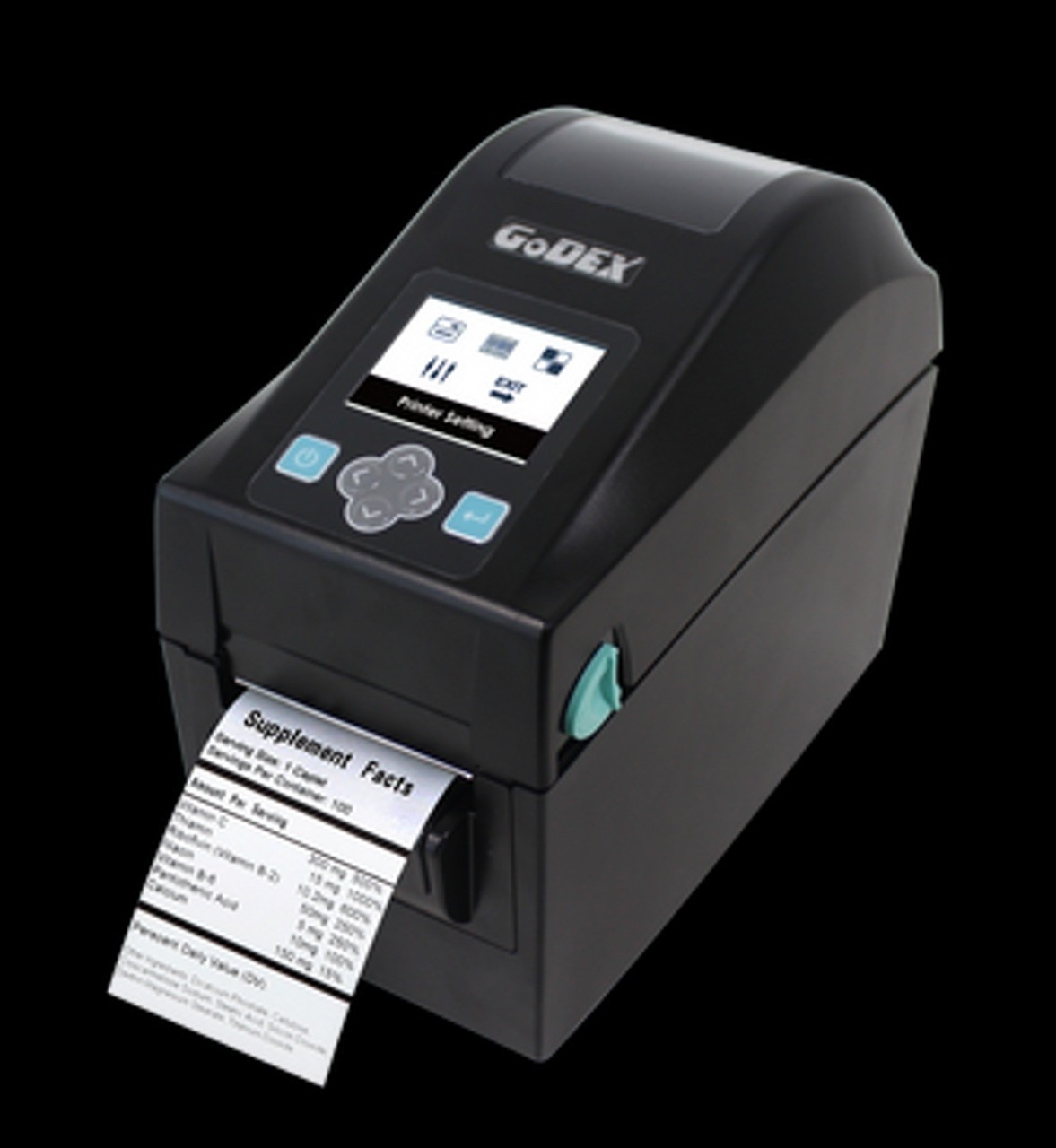
The GoDEX DT200iL is a compact 2-inch desktop printer built for efficiency and eco-friendly printing. User-friendly design with auto-calibration and optional 2.4″ LCD screen for easy operation. It's built tough for daily use in retail, logistics, healthcare, and other business environments.
What makes it perfect:
- 203 dpi print resolution for clear, professional labels and barcodes.
- Print speed up to 7 ips for fast, efficient output.
- Supports linerless label media to reduce waste and boost productivity.
- USB, Ethernet, and RS-232 ports for flexible connectivity.
- Auto-calibration button for quick, hassle-free setup.
- Optional 2.4″ colour LCD screen for easy standalone use.
10. Godex DT4L 4" 203 dpi, 6 ips Linerless Desktop Direct Thermal Printer with USB, RS232, LAN, Cutter Included | 011-DT4001-14L
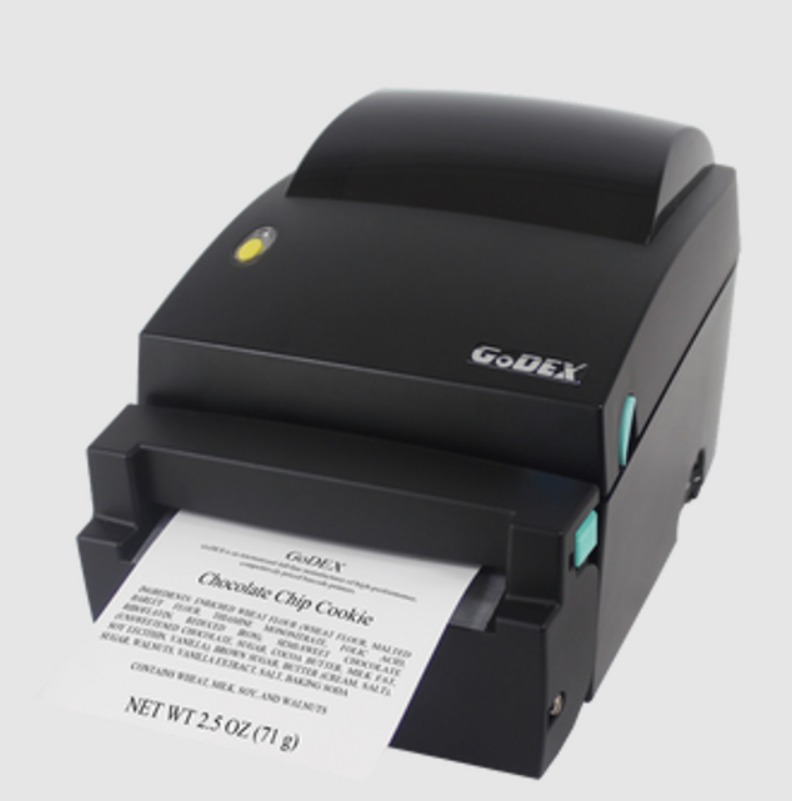
The GoDEX DT4L is a 4-inch wide desktop linerless direct thermal printer built for productivity and eco-friendly labeling. Designed specially for retail, logistics, manufacturing, and healthcare environments. The DT4L offers efficient performance and reduced roll changes thanks to its linerless design.
What makes it perfect:
- 203 dpi print resolution for sharp, clear text and barcodes.
- Prints up to 6 inches per second for fast, efficient output.
- Supports 4-inch wide (108 mm) media for flexible label applications.
- Built-in linerless cutter for clean, precise label separation.
- Anti-stick platen design ensures smooth, linerless printing.
- USB, RS-232, and Ethernet ports for easy connectivity.
- Simple drop-in media loading for quick setup and use.
Need durable, professional-quality labels for every application? Check out DuraFast’s full lineup of linerless labels.
How to Choose the Right Linerless Label Printer for Your Business?
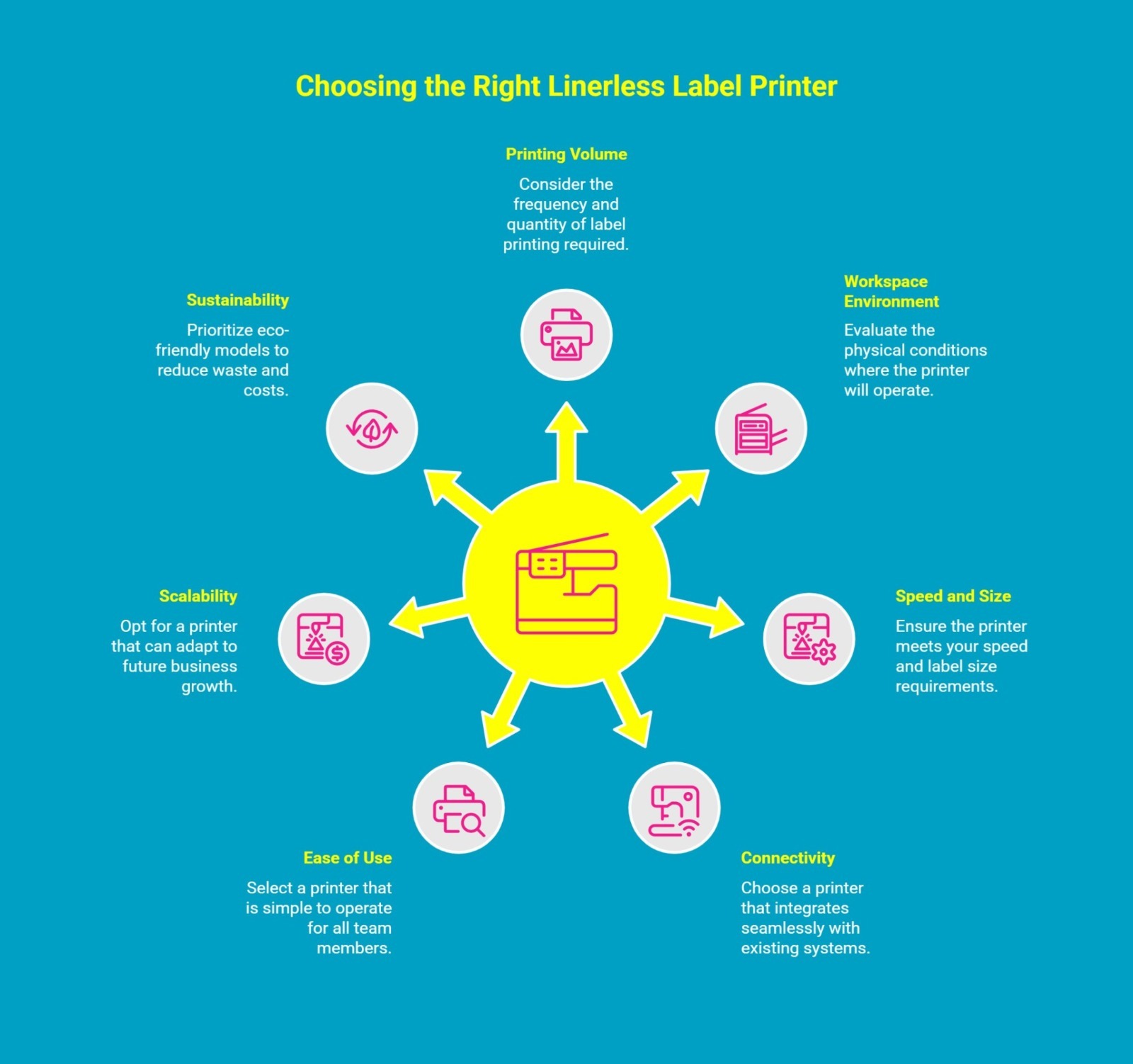
Choosing a linerless label printer doesn’t have to feel complicated. The key is knowing what really matters to your business. Here’s what to focus on before you buy.
1. Know What You Actually Need
Start by thinking about how often you print labels and what you’re printing them for. A busy warehouse needs a fast, durable printer, while a small retail counter might do better with a compact, easy-to-handle model.
2. Think About Where You’ll Use It
Your workspace says a lot about the kind of printer you need. Dusty, hot, or high-traffic areas require something tough and reliable. If it’s for an office or store, quieter models with a smaller footprint are ideal.
3. Speed and Size Matter
Nobody likes waiting for slow prints. Check the printer’s speed and label width; it should keep up with your workload and handle different label sizes without slowing down your day.
4. Make Sure It Fits Your Setup
Your printer should work smoothly with the systems you already use. Whether it’s USB, Wi-Fi, or Bluetooth, go for one that connects easily and doesn’t need constant tech support.
5. Keep It Simple for Your Team
A complicated printer only slows everyone down. Look for one that’s easy to load, has a clear display, and lets your team print labels without a learning curve.
6. Pick One That Can Grow With You
Your needs today might not be the same next year. Choose a model that can handle more volume or adapt to new label types as your business expands.
7. Go Green While You Print
Linerless printers are already eco-friendly, but some models take sustainability even further. Less waste, no liners, and lower material costs mean you’re saving money while helping the planet.
The best linerless label printer is the one that fits your workflow, keeps your team productive, and supports your growth while reducing waste and printing costs.
Why Buy Linerless Label Printers from Durafast Canada?
If you’ve ever outsourced your labels, you know the struggle with delays, high costs, and limited control. Waiting days for a new batch or paying extra for last-minute changes can slow your business down. That’s where DuraFast Canada steps in.
At DuraFast Label Company, we help you take control of your labeling. Our linerless label printers let you print exactly what you need, when you need it, in a fast, reliable, and cost-effective way.
Whether you buy or lease, you’ll get more than a printer. You’ll get a complete solution backed by top brands, expert support, and flexible pricing that fits your business.
Here's why businesses choose us:
- Instant, On-Demand Printing
Print high-quality labels on demand without waiting for third-party suppliers. - Custom Labels Made Simple
Easily include your logo, barcodes, and product details for a professional finish every time. - Save More Over Time
In-house printing cuts outsourcing costs and helps you respond faster to changing needs. - Flexible Purchase or Lease Plans
Choose the payment option that works best for your business and budget. - Fast Nationwide Delivery
Get your printer and supplies quickly, with many orders arriving within one business day.
With DuraFast Canada, you’re not just buying a printer; you’re investing in freedom, flexibility, and long-term savings. We carry trusted brands like GoDEX, Zebra, Brother, and TSC, all backed by warranties and real support from people who know printing inside out.
Ready to stop waiting and start printing? Contact DuraFast Canada today.
Conclusion
Choosing a linerless label printer can significantly enhance your business operations. It saves time, money, and adds flexibility. These printers have features like fast printing, easy connections, and simple maintenance. They are built to meet both current and future business needs.
Whether you work in retail, logistics, or manufacturing, picking the right model can streamline your labeling processes and improve productivity. It helps your team stay productive and efficient while reducing waste and simplifying day-to-day operations.
Ultimately, a smart linerless label printer is a tool that saves time, cuts costs, and supports sustainability. Making it a must-have for any modern operation aiming to stay competitive.
Frequently Asked Questions
What is the advantage of a linerless label printer?
The biggest advantage of a linerless label printer is that it produces significantly less waste because it doesn't use backing paper. This supports sustainability efforts and leads to cost savings on waste disposal.
Which businesses benefit most from linerless printers?
Various industries benefit, but linerless technology is especially valuable in fast-paced environments. Quick-service restaurants, grocery stores, logistics companies, the healthcare sector, and many more.
Can the SLP-720 RT handle variable-length labels?
Yes, the Seiko SLP-720 RT is a linerless label printer designed to handle variable-length labels. It uses continuous rolls and features a built-in cutter, allowing it to produce custom label sizes on demand.
Do linerless printers cost more than traditional label printers?
Linerless printers may cost more upfront, but they save money over time. You use fewer materials and produce less waste. Shipping and storage expenses are lower, making them a smart investment.
Which Durafast model is best for warehouse labeling?
For warehouse labeling, a 4-inch linerless label printer like the Brother TD-4550DNWBFC or the TSC DH240T is an excellent choice from Durafast. These models offer a wider print width, fast speeds, and robust connectivity options.
Where can I find linerless label printers at affordable prices?
You can find affordable linerless label printers in Canada through retailers like DuraFast Label Company, offering a wide range at competitive pricing.