Which Printer is the Best Label Maker for Home Organization?
28th Jan 2026
Key Highlights
-
Finding the best label maker is key to successful home organization, helping you turn cluttered spaces into clear, manageable systems.
-
Look for features like Bluetooth connectivity, design flexibility and high print quality for long-lasting labels.
-
Compact label makers offer portability, making it easy to organize any room in the house.
-
Many modern devices connect to mobile apps so you can print labels directly from your phone.
-
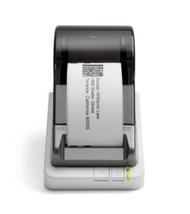
Seiko SLP-620, SLP-650 and SLP-650SE printers stand out for speed, clarity and ink-free direct thermal printing.
-
Seiko Smart Label Printers create crisp, professional labels ideal for kitchens, home offices, craft rooms and storage areas.
-
Using the right label tapes ensures durability, clean finishes and strong adhesion on different surfaces.
Feeling overwhelmed by cluttered drawers, tangled cables, or storage areas where nothing seems to have a place? It’s frustrating when you spend time cleaning only to have everything become chaotic again because there’s no clear system to follow.
A label maker can change that by bringing clarity and structure to your home. When every item has a label and a permanent home, it becomes easier to stay organized, find things quickly, and keep spaces looking neat without constant effort.
In this blog, you will learn how a label maker can transform daily organization, what features to look for when choosing the right model, and which options work best for different home needs. You will also discover practical ways to use labels creatively throughout your space to build a system that lasts.
Why Is Labeling Important for an Organized Home?
A clear labeling system makes everyday life run more smoothly. Labels help you identify items instantly without digging through boxes or guessing what’s inside. Whether you’re hunting for holiday décor, finding the right spice, or matching the right cable, good labeling saves time, reduces stress and keeps everything in its place.
Here’s how labels make home organization easier:
-
Quick Identification: Labels on storage boxes, containers, and drawers help you locate items fast without unnecessary searching.
-
Better Kitchen Efficiency: Clearly marked jars and containers help you grab the right ingredients while cooking.
-
Stress-Free Storage: Seasonal décor, tools, or craft supplies become much easier to find when each box is properly labelled.
-
Cable and Cord Clarity: Labelling power cords lets you instantly recognize which plug belongs to which device.
-
Organized Workspaces: Labelled file folders and office drawers help you retrieve documents quickly and keep your desk tidy.
-
Kid-Friendly Clean-Up: Labels on toy bins and school supplies teach children where items belong and make clean-up routines easier.
-
Durable Options Available: Many label makers produce long-lasting labels that stick well to storage bins, kitchen canisters, and everyday household items.
A simple habit like labelling can transform the way your home functions, helping you maintain clarity, save time, and stay effortlessly organized.
If you want to learn how to create labels yourself, read How to Make Your Own Product Labels at Home for Beginners.
What Features Should You Look for in the Best At-Home Label Maker?
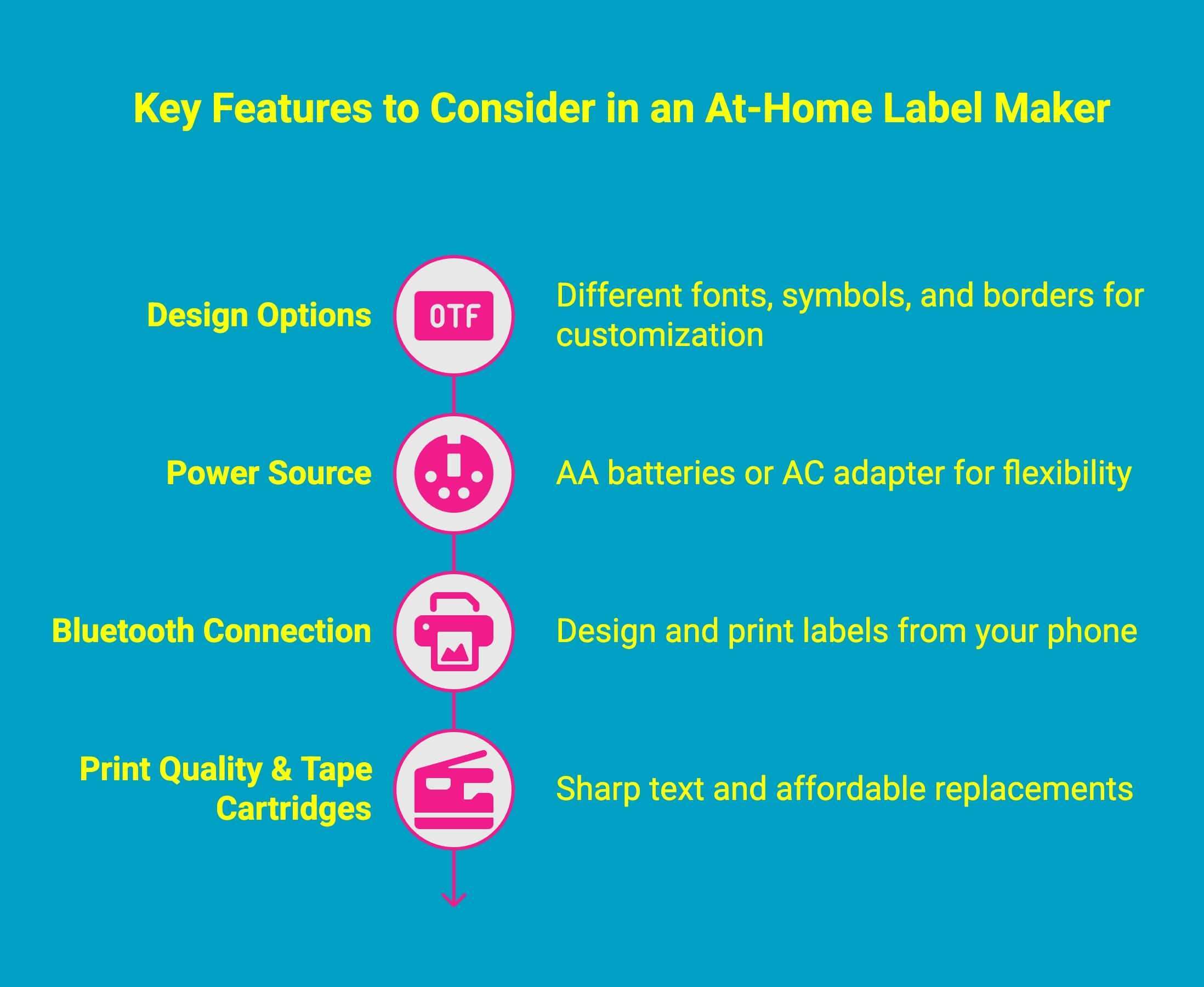
Choosing the right at-home label maker can make organizing feel genuinely easier. The best one does more than print labels, it simplifies your routine and keeps everything running smoothly. If you’re unsure what to look for, it really comes down to a few key features that make everyday labeling faster and more enjoyable.
Start with something that’s simple to set up and easy to use, then look for features that match the way you organize at home:
-
Design Options: It’s nice to have choices. Different fonts, symbols, and borders let you create labels that look neat, fun, or totally customized to your style.
-
Power Source: Think about how you’ll use it. Do you want the freedom of AA batteries so you can move around the house, or do you prefer the convenience of an AC adapter?
-
Bluetooth Connection: This is a big plus. Bluetooth lets you design and print labels right from your phone, which feels much quicker and more flexible than typing on a tiny device.
-
Print Quality & Tape Cartridges: Make sure the text comes out sharp and smudge-free, and check that replacement tape isn’t overly expensive or hard to find.
Once you know what matters most to you, choosing the right label maker becomes much easier, and using it becomes something you’ll actually enjoy.
To get started with sticker printing basics, read our beginner’s guide to printing custom stickers.
Which Printers Are Considered the Best Home Label Printers for Everyday Use?
When you’re organising your home, having a label printer that’s easy to use and reliable can make everything feel so much more manageable. Seiko’s Smart Label Printer (SLP) series is a favourite for many homeowners because it’s simple, dependable and great for everyday labelling. Here’s a quick look at the two most popular models and what they offer.
Seiko SLP 620
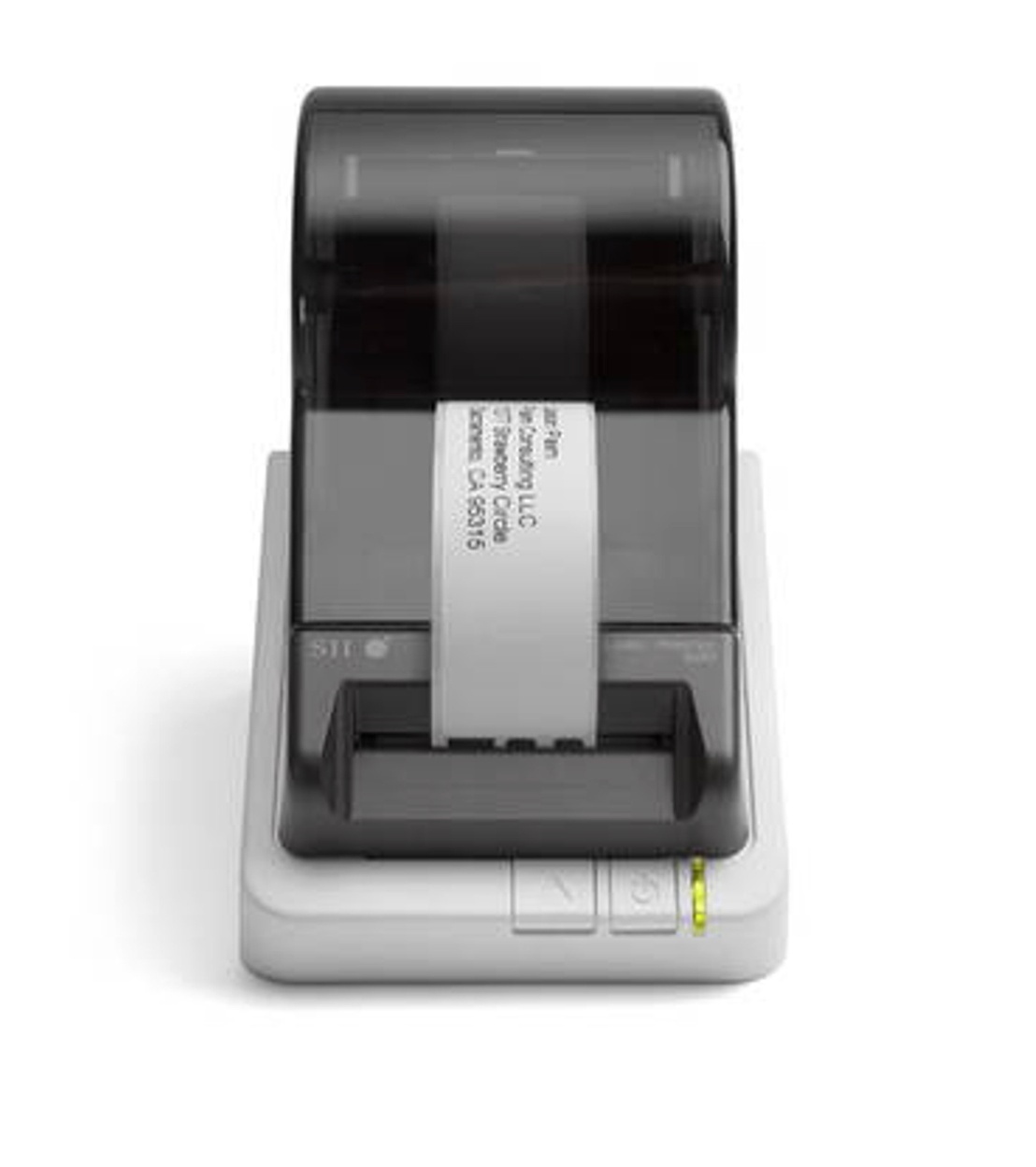
If you want something straightforward for day-to-day labelling, the SLP 620 is a solid choice. It’s compact, easy to set up and perfect for things like storage bins, files, pantry containers and even cables.
Key features:
-
Uses direct thermal printing, so you don’t have to deal with ink or toner.
-
Prints clearly at around 203 dpi with a nice, steady speed.
-
Connects easily to your computer through USB and works with Seiko’s Smart Label software.
-
Supports lots of label sizes, making it flexible for different home projects.
-
Small enough to fit comfortably in a home office, kitchen or craft area.
Seiko SLP 650
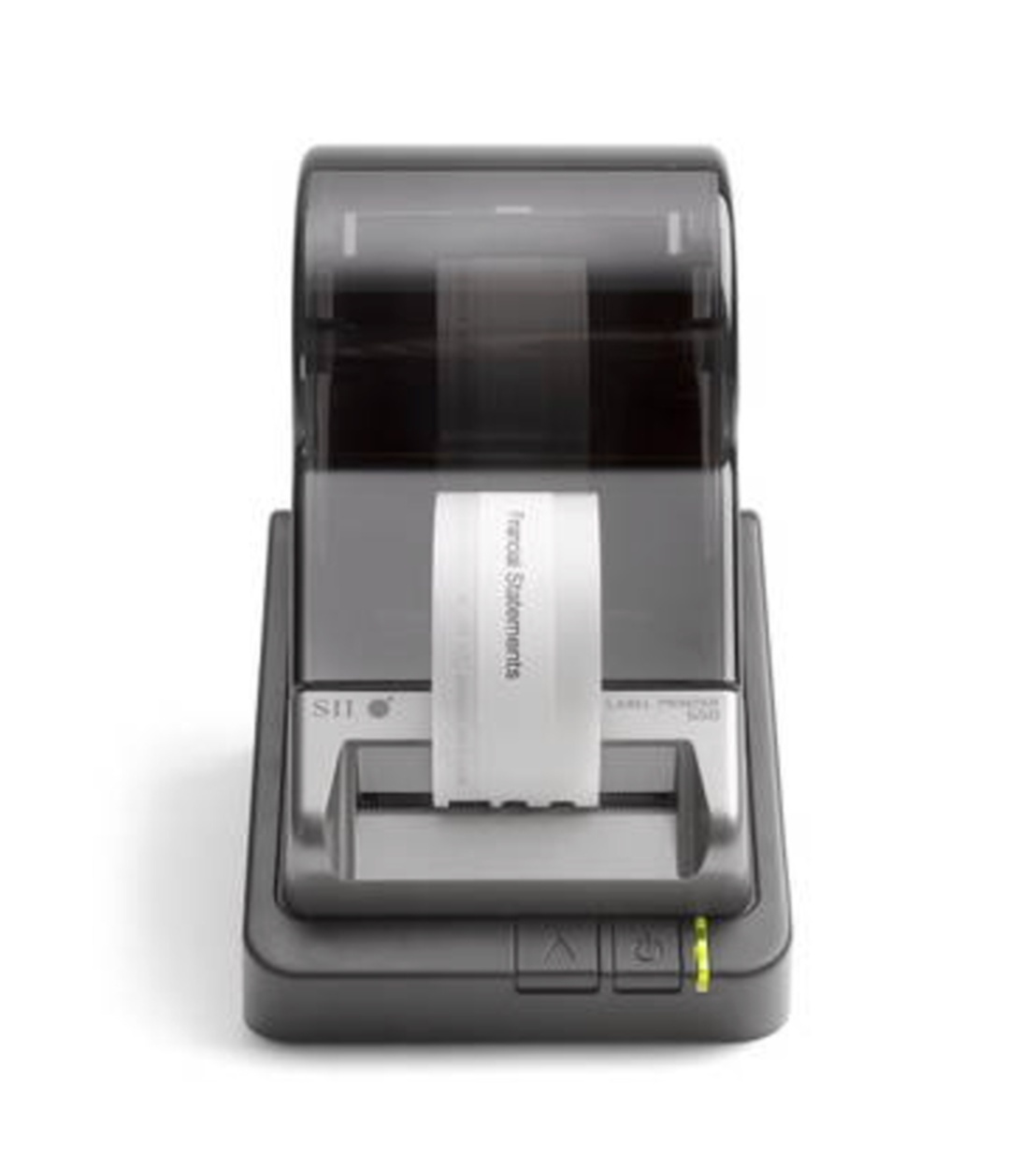
If you print labels more often or want sharper detail, the SLP 650 gives you a little extra power. It’s still simple to use but offers better print resolution and faster output.
Key features:
-
Higher 300 dpi print quality for crisp text and graphics.
-
Faster print speed, which is great when you need to label a bunch of items at once.
-
Also uses direct thermal technology, keeping maintenance and running costs low.
-
Works with the same user-friendly Seiko software and supports a wide range of label types.
-
Slightly bigger than the 620, but still very home-friendly.
Seiko SLP 650SE
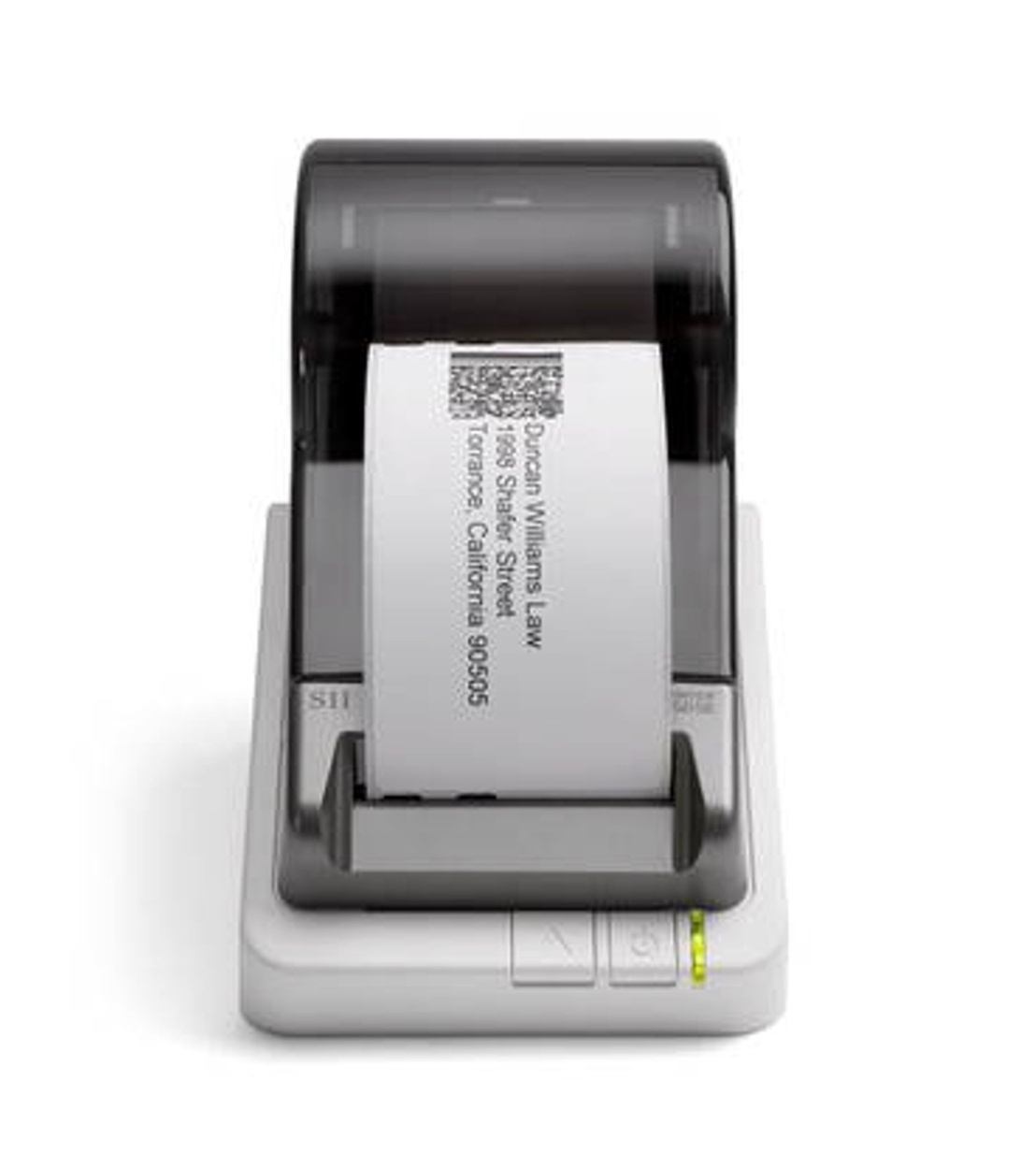
For households with big organising projects or shared workspaces, the SLP-650SE provides even more capability. It matches the quality and speed of the 650 but adds extra connectivity for bigger workflows.
Key features:
-
300 dpi resolution and fast print speeds for large batches
-
Adds network/serial connectivity for multiple-user access
-
Ideal for home-based businesses, craft sellers or large storage systems
-
Supports advanced label materials and accessories
-
Built for durability when handling continuous printing tasks
How Can You Set Up A Label Maker For Home Organization?
Setting up a label maker at home should feel simple, and Seiko’s SLP printers make the process pretty effortless. Whether you’re using the Seiko SLP 620, Seiko SLP-650 or the Seiko SLP 650SE, the setup steps are almost the same: just a quick plug-in, a bit of software, and you’re ready to start organising everything from pantry containers to cords and storage bins.
Setting Up the Seiko SLP 620
The SLP 620 is very beginner-friendly, so getting started only takes a few minutes.
How to set it up:
-
Unbox the printer and plug it into your computer using the USB cable.
-
Install the Seiko Smart Label software (it walks you through everything step by step).
-
Drop in your preferred label roll, and the printer automatically feeds it into place.
-
Open the software, choose your label size, font and layout, and start printing.
It’s perfect if you want a no-fuss setup for simple home labelling tasks.
Setting Up the Seiko SLP 650
The SLP 650 uses the same basic process but gives you more precision and print clarity, which is great if you like cleaner, sharper labels.
How to set it up:
-
Connect the printer to your computer and install the Smart Label software.
-
Insert the label roll, and the SLP 650 aligns it automatically.
-
In the software, you’ll find more detailed print options since it supports 300 dpi quality.
-
Choose your design and print your first label for your kitchen, office or craft room.
Even with the added capabilities, the setup stays simple and quick.
Setting Up the Seiko SLP-650SE
The SLP-650SE is ideal for larger organizing projects, shared workspaces or home-based businesses, and adds network connectivity on top of the features of the 650.
How to set it up:
-
Connect via USB or network, depending on your setup
-
Install the Smart Label software to access advanced settings
-
Load your label roll and let the printer auto-feed it
-
Customize label formats and print at high speed with 300 dpi precision
Great for high-volume printing or situations where multiple people need access to the same label printer.
Want to keep your labels in perfect condition? Read How to Store and Handle Blank Labels Correctly.
How Can Seiko Smart Label Printers Help You Organize Your Home Easily?
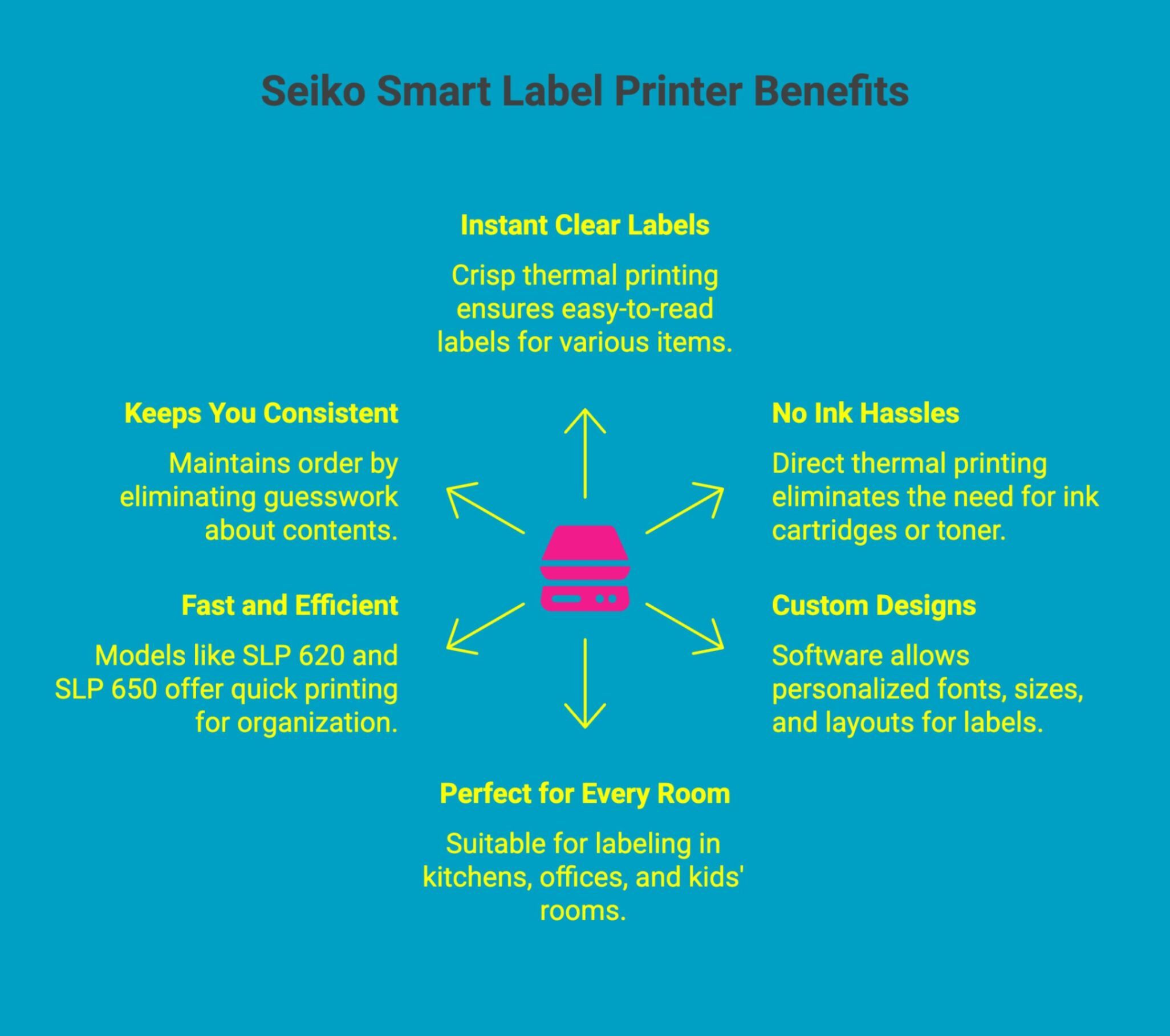
Keeping your home organized is so much easier when your label printer is fast, clear and simple to use. That’s where Seiko Smart Label Printers really stand out. Whether you’re tackling the kitchen, setting up a tidy workspace or finally labelling all those mystery cables, they help bring order to every corner of your home with ease.
Here's how Seiko smart label printers make home organization simple:
-
Instant, Clear Labels: With crisp thermal printing, you can create easy-to-read labels for storage bins, pantry jars, school supplies, files and more.
-
No Ink Hassles: Since they use direct thermal printing, you never have to worry about ink cartridges or toner, just drop in a roll and print.
-
Custom Designs: The Smart Label software lets you choose fonts, sizes and layouts so your labels match your style and space.
-
Perfect for Every Room: From the kitchen and office to kids’ rooms and craft areas, you can label containers, cords, folders, boxes and anything else that needs a place.
-
Fast and Efficient: Whether you pick the SLP 620 for simple daily tasks or the SLP 650 for sharper, faster printing, both models help you stay organized without slowing you down.
-
Keeps You Consistent: Once everything is labelled, it’s much easier to maintain order, no more guessing what’s inside a bin or which charger belongs to which device.
Where Can You Buy the Best Seiko Label Printers and Label Supplies for Home Use?
DuraFast Label Company is Canada’s trusted source for genuine Seiko Smart Label Printers and premium thermal label supplies. If outsourcing basic labeling tasks is becoming costly or inconvenient, bringing an SLP printer in-house can save time, reduce expenses and give you full control over your home or business organization.
The Seiko SLP series makes it easy to create clean, professional labels whenever you need them, without the hassle of ink or complicated setups.
Why buy from DuraFast Label Company?
-
Genuine Seiko SLP-620, SLP-650 and SLP-650SE printers in stock.
-
Direct-thermal technology with no ink or toner required.
-
Crisp, smudge-proof printing for barcodes, file labels, shipping labels and home organization.
-
Compatible label rolls, accessories and replacement parts available in one place.
-
Fast Canadian shipping and knowledgeable support from real labeling specialists.
-
Strong manufacturer warranties for long-term reliability.
Explore Seiko label printers or contact us at DuraFast Label Company and find the perfect fit today.
Conclusion
A quality label maker can truly transform your home from cluttered to calm. Now that you know about the best label printer for home use and how different features can support your routine, take a moment to think about where labeling would make the biggest impact first: your pantry, workspace, kids’ storage or that drawer you avoid opening. Start with one area, choose the label maker that fits your needs, and build your system step by step. Once you see the difference it makes, expanding throughout your home will feel natural and rewarding.
Frequently Asked Questions
What is the best label maker for home use?
The best label maker for home organization is the Brother P-touch PT-D210. It offers a variety of features, including customizable labels, easy navigation, and a compact design. With its user-friendly interface and versatile labeling options, it’s perfect for organizing every space in your home effectively and stylishly.
Are there recommendations for compact label makers suitable for small spaces?
The most compact option for small spaces is a Seiko SLP printer because it fits neatly on desks, uses minimal supplies, prints quickly and gives homes convenient, clutter-free labelling without needing a bulky handheld.
How durable are labels made by popular home label makers?
Most reputable home label makers produce durable, smudge-resistant labels. Seiko’s thermal labels hold up well for kitchens, storage bins and files, maintaining clarity over time even with frequent handling or exposure to moisture.
What is the best label maker for home and kitchen organization?
A great kitchen label maker prints clearly, handles multiple label sizes and stays easy to maintain. Seiko SLP printers meet these needs, especially for spices, containers and shelves where readability and consistency matter.
Can I print custom designs or fonts with Seiko label printers?
Yes. Seiko Smart Label software supports various fonts, sizes and layouts, allowing you to customize labels for style or function. It’s flexible enough for pantry labels, craft rooms, office files and everyday organization.
Are Seiko label printers easy to set up and use for beginners?
Seiko printers install quickly and feel beginner-friendly, but you can also compare them with a handheld label maker or even a Dymo LabelManager. They handle address labels, white labels and small business tasks.
How does a home edit label maker help you create Pinterest-worthy spaces?
For a Pinterest-worthy organisation, choose a desktop label printer offering clean designs and consistent label printing. Seiko software handles QR codes easily, while a portable label maker with lots of features helps organize spaces.
What is the best label maker for home organization in 2025?
In 2025, organizers prefer a portable label printer using label sheets, clear label text and custom labels. Its ease of use and lifetime warranty add value; examples include Seiko SLP620 or Brother PT.