Labelling Network Cables Standards: What You Need to Know
12th Feb 2026
Key Highlights
-
Labelling network cables standards reduces downtime, mispatching, and troubleshooting delays in office networks, data centres, and telecom environments.
-
A clear network cable labelling scheme improves maintenance, documentation, and long-term scalability as networks grow and change.
-
ANSI TIA 606 C provides the recognized framework for consistent, traceable network cable identification.
-
Choosing the best way to label network cables depends on cable type, environment, and durability needs, including wrap, flag, and heat shrink options.
-
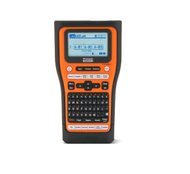
Using a professional network cable label printer, such as the Brother P-touch EDGE series, supports accuracy and bulk labelling workflows.
-
High-quality laminated and heat-shrink labels ensure labels remain readable and compliant over time, even in demanding network conditions.
Labelling network cables standards often only gets attention when something breaks. A server goes down, a connection is lost, or a routine change suddenly turns into a long troubleshooting session. In office networks, data centres, and telecom environments, poorly labelled or unlabelled cables create unnecessary downtime, slow diagnostics, and add risk every time upgrades or maintenance are required.
As networks expand, knowing how to label network cables correctly becomes just as important as choosing the right switches or patch panels. A clear and consistent network cable labelling scheme helps technicians identify connections at a glance, avoid mispatching, and keep documentation clean and reliable. When labels make sense, everything from onboarding to upgrades runs smoother.
To support professional labelling network cables standards, many IT teams turn to the Brother P-touch Label Maker EDGE series. These printers are widely seen as the best label maker for network cables, thanks to Bluetooth connectivity, database imports, serialization, and industrial laminated labels built for long term clarity and reliability.
Why Do Labelling Network Cables Standards Matter in Network Management?
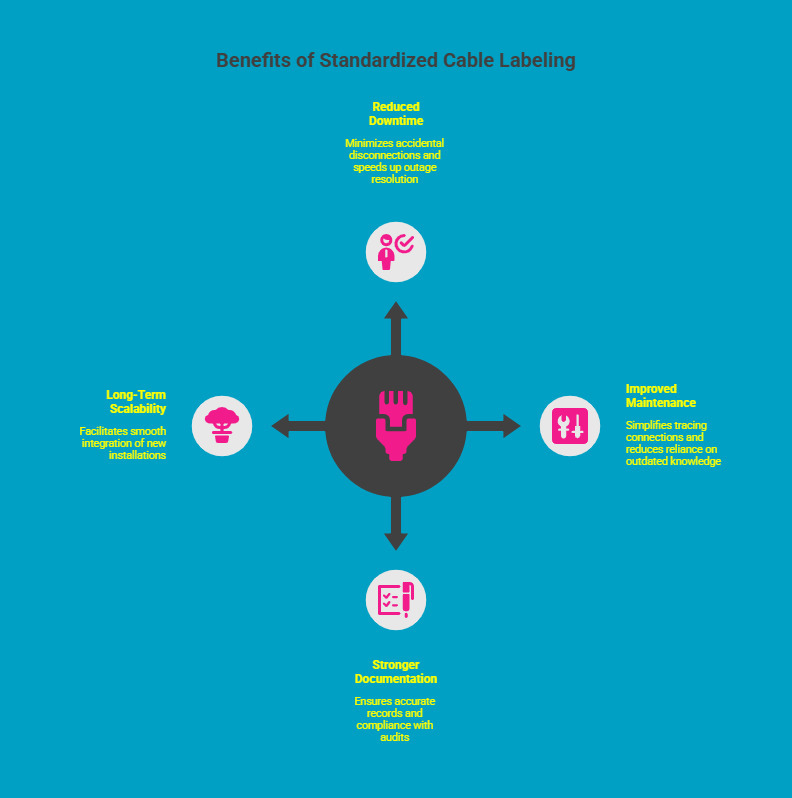
Labelling network cables standards are essential for controlling modern IT infrastructure. Without a standardized approach to how to label network cables, teams face delays during troubleshooting, upgrades, and maintenance, increasing risk and reducing operational efficiency.
1. Reduced Downtime and Mispatching
Clear and consistent labels help teams identify the correct cable or port quickly, reducing accidental disconnections and shortening outage resolution time.
2. Improved Maintenance and Serviceability
A defined network cable labelling scheme allows technicians to trace connections efficiently without relying on outdated diagrams or institutional knowledge.
3. Stronger Documentation and Compliance
Labelling network cables standards support accurate documentation, audits, and compliance requirements by ensuring every cable has a unique, traceable identifier.
4. Long-Term Scalability
When everyone follows the same labelling network cable standards, new installations integrate smoothly, even years after the original network build.
In practice, consistent cable labelling reduces operational risk and makes network management faster, safer, and more predictable. It creates a foundation that supports both day-to-day work and future expansion.
As the need for consistency becomes clear, the next step is understanding which formal frameworks define how labelling should be done correctly and at scale.
What Are the Official Standards for Labelling Network Cables?
The most widely recognized framework for labelling network cables standards is ANSI TIA 606 C, a structured cabling standard used across commercial and enterprise networks. It provides a consistent system for identifying network components as infrastructure scales.
Instead of rigid naming rules, ANSI TIA 606 C prioritizes clarity, consistency, and traceability across the cabling environment.
The standard applies identifiers across:
-
Network cables and cable runs
-
Patch panels and ports
-
Racks, cabinets, and pathways
-
Telecommunications and equipment rooms
A compliant network cable labelling scheme uses logical numbering and consistent formats that reflect the physical layout of the network. Colour coding may support identification, but text-based labels remain the primary reference.
Applied consistently, ANSI TIA 606 C ensures cables stay traceable, compliant, and manageable over time, even as networks expand and teams change.
What Is the Best Way to Label Network Cables for Clear Identification?
The best way to label network cables is determined by how and where the cables will be used. Factors such as cable thickness, environmental exposure, and long-term durability all influence which labelling method will remain readable and compliant with labelling network cables standards over time.
Choosing the right format ensures faster identification during troubleshooting while maintaining consistency across the entire network.
Common Methods for Network Cable Labelling
-
Wrap Labels for Standard Ethernet Cables
Wrap labels are the most common option for Ethernet patch cords, such as CAT5 and CAT6 cables. These labels wrap fully around the cable jacket, protecting printed information while keeping it visible from multiple angles. This method is widely used in office networks and data centres. -
Flag Labels for Fibre and Thin Cables
Flag labels are better suited for fibre cables or thin network wiring that cannot support a full wrap. The extended flag creates a larger readable surface without placing tension on the cable, making it easier to identify connections in dense racks. -
Heat Shrink Labels for Permanent or Industrial Installs
Heat-shrink labels are designed for long-term or industrial installations. Once applied, the tubing shrinks tightly around the cable, offering resistance to heat, dust, moisture, and abrasion in harsher environments.
Regardless of the label type used, both ends of every cable should be marked using the same network cable label sticker format. Labels must remain legible to support consistent labelling network cable standards throughout the cable lifecycle.
How to Label Network Cables Using a Brother P Touch Label Maker?
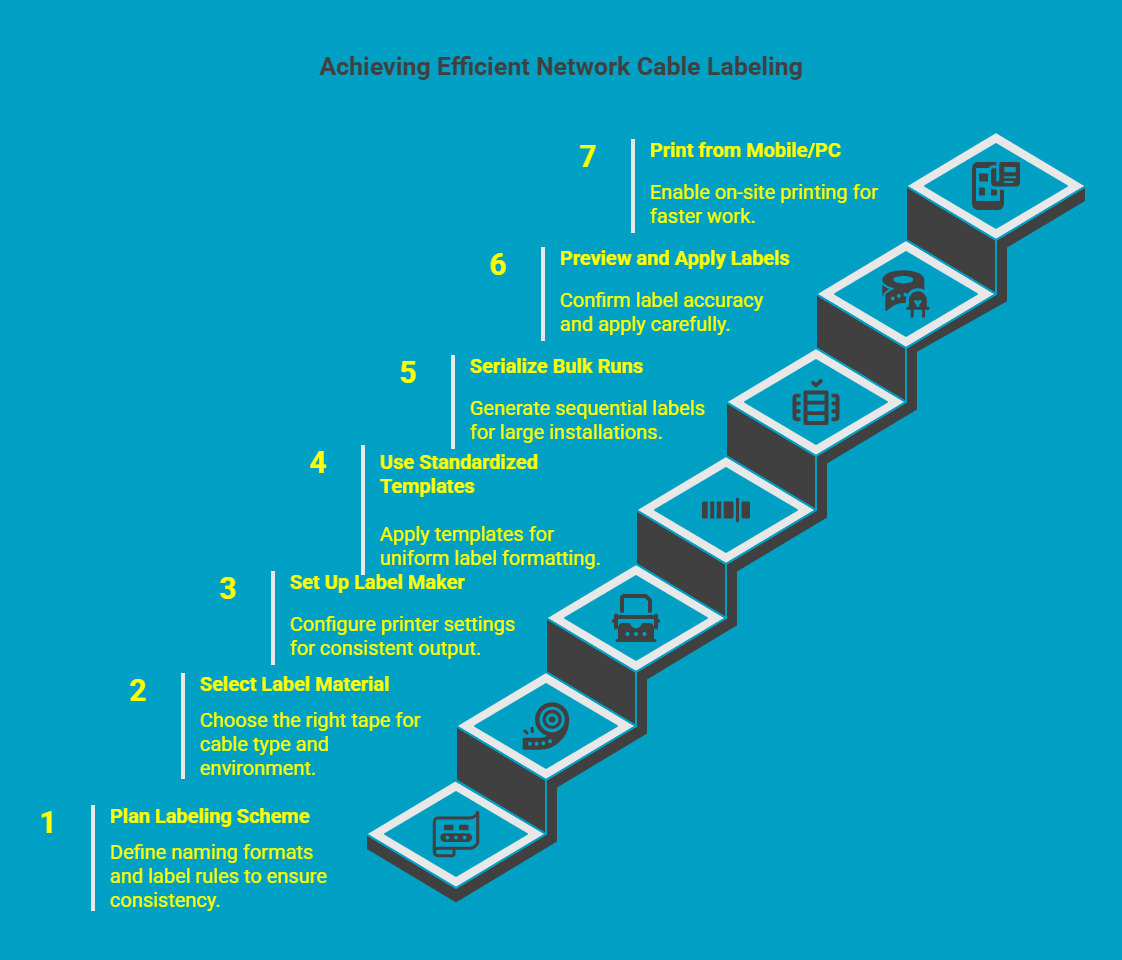
Knowing how to label network cables efficiently comes down to two things: using the right label material and following a repeatable workflow. A Brother P touch Label Maker from the EDGE series supports professional labelling network cables standards because it helps teams produce consistent labels quickly, even during large installs.
Step 1: Plan Your Network Cable Labelling Scheme Before You Print
Before you touch the printer, confirm what identifiers you will use for patch panels, ports, racks, and cable runs. This prevents random formatting and supports consistency across teams.
Quick checklist:
-
Decide the naming format for each cable (for example: rack, panel, port, destination)
-
Confirm label length and font size rules
-
Ensure both ends of the cable follow the same structure
Step 2: Select the Correct Label Material for the Cable Type
Choose tape based on where the cable will sit and how long the label must last.
Recommended options:
-
Flexible ID TZe tape: Best for wrap labels and flag labels on Ethernet patch cords and thin cables
-
HSe heat shrink tubing: Best for rugged environments, permanent installs, and high exposure areas
Matching the material to the application helps labels stay readable and aligned with labelling network cables standards.
Step 3: Set Up the Brother P Touch Label Maker for Consistent Output
Load the tape correctly and confirm your print settings before you start a bulk run.
Settings that usually matter most:
-
Label width and cut options
-
Print density for readability
-
Font size and character spacing for clean cable IDs
This step reduces wasted tape and improves consistency across the entire deployment.
Step 4: Use Standardized Templates for Patch Panels, Ports, and Cables
Templates help avoid manual formatting errors and ensure every technician prints labels the same way.
Where templates help most:
-
Patch panel port IDs
-
Rack and switch identifiers
-
Cable end labels that need a consistent structure
This is especially useful when your team follows a documented network cable labelling scheme.
Step 5: Use Serialization for Bulk Cable Runs
For larger installs, serialization is one of the fastest ways to label correctly at scale.
What serialization does well:
-
Generates sequential labels automatically
-
Reduces manual typing and duplicate IDs
-
Supports clean workflows for patch panels and multi-cable runs
This is a key reason Brother EDGE printers are a preferred network cable label printer in IT environments.
Step 6: Preview, Print, and Apply Labels Using a Consistent Method
Use print preview to confirm spacing, readability, and formatting before printing a batch. Then apply labels carefully for durability.
Best practice application tips:
-
Apply labels close to the termination point without covering the connector
-
Use the same placement on both ends of every cable
-
Ensure the label wraps cleanly with no bubbles or loose edges
-
For a network cable label sticker, avoid stretching the tape during application
Half-cut functionality speeds up handling and reduces time during large deployments.
Step 7: Print From Mobile or PC for Faster On-Site Work
Bluetooth connectivity allows technicians to print directly from mobile devices or PCs, which supports faster work during installs and changes. This is what makes Brother EDGE printers a practical network cable label maker for both field and data centre work.
Following this step-by-step approach helps teams label accurately, work faster, and maintain consistent labelling network cable standards across installations. With the right workflow, network cable identification remains clear, scalable, and easy to manage over time.
What Tools Are Recommended as the Best Label Makers for Network Cables?
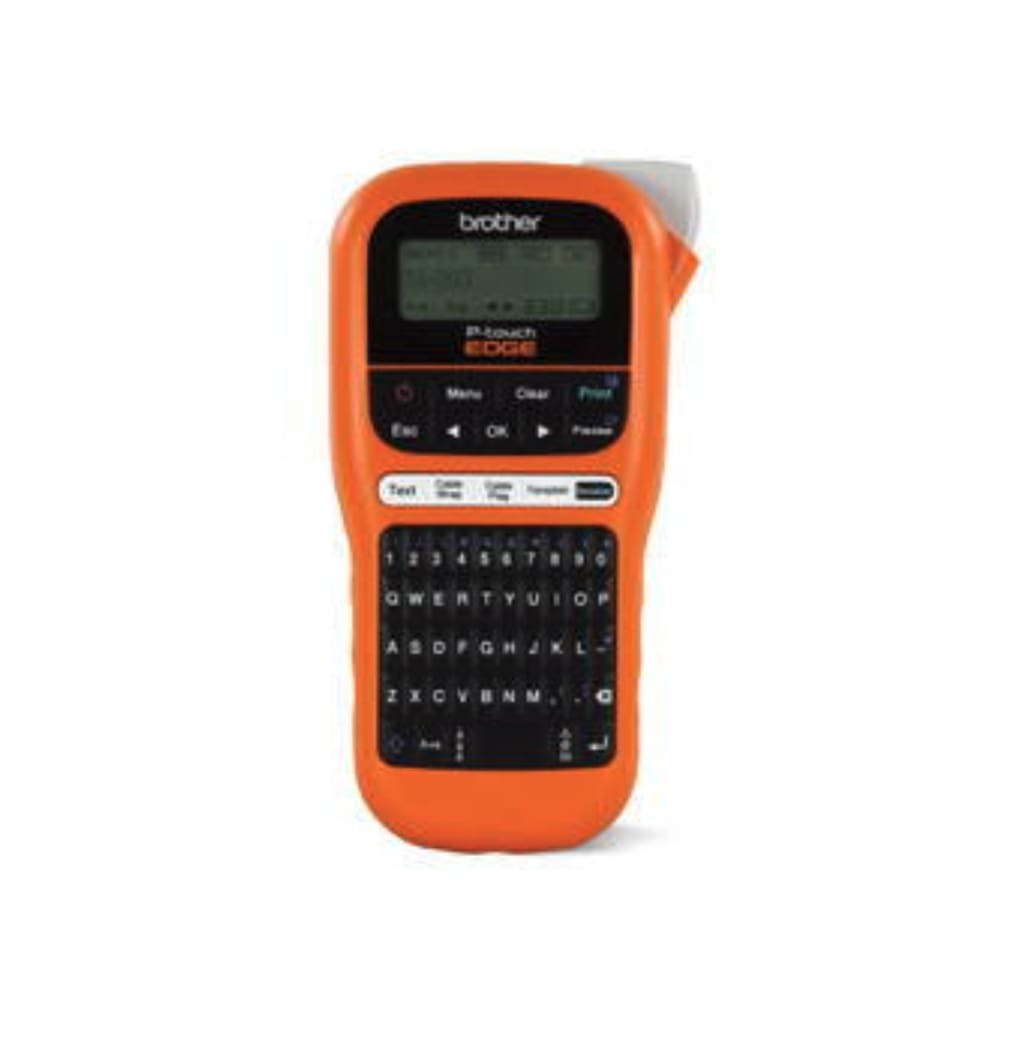
In professional networking environments, choosing the right equipment directly affects labelling accuracy and efficiency. Brother EDGE models are widely regarded as the best label makers for network cables due to their reliability and network-specific features.
-
Models Built for Different Workloads
The PT E110 supports basic field labelling, while the PT E510VP and PT E560BTVP are designed for structured cabling and enterprise-scale projects. -
Support for Mobile and PC Based Workflows
Bluetooth and USB connectivity allow printing from mobile apps or desktop software, supporting flexible deployment scenarios. -
Network Specific Formatting and Symbols
Dedicated hotkeys and symbols simplify the creation of port IDs, rack labels, and patch panel identifiers.
These capabilities make Brother EDGE devices a preferred network cable label printer for installers, IT teams, and telecom technicians working in demanding environments.
How Does a Network Cable Label Printer Improve Deployment and Maintenance?
A dedicated network cable label printer adds value beyond initial installation. It improves speed, accuracy, and long-term maintainability across the network lifecycle.
-
Faster and More Standardized Installations
Batch printing and serialization allow technicians to label large volumes of cables quickly while ensuring each identifier follows the same labelling network cables standards. This reduces setup time and avoids inconsistencies across racks, patch panels, and ports. -
Reduced Human Error During Deployment
Automated numbering and predefined templates eliminate handwritten labels and manual formatting mistakes, which are common causes of mispatching and documentation errors. -
Quicker Cable Tracing and Fault Isolation
Clear, legible labels make it easier to trace cables during outages or changes. Technicians can identify the correct connection without unplugging multiple cables, reducing service disruption. -
Lower Downtime During Maintenance and Upgrades
Accurate labelling helps teams perform changes, moves, and upgrades with confidence. This reduces accidental disconnections and shortens maintenance windows. -
Improved Network Documentation Accuracy
Consistent labelling aligns physical infrastructure with documentation, making audits, handovers, and compliance checks easier to manage. -
Long-Term Label Durability in Technical Environments
Industrial laminated labels resist heat, dust, moisture, and abrasion found in server rooms and wiring closets. This durability helps maintain labelling network cable standards over time. -
Scalability for Future Expansion
A structured labelling approach allows new cables and equipment to be added without reworking existing identifiers, supporting network growth. -
Lower Long-Term Maintenance Costs
By reducing troubleshooting time, rework, and service interruptions, a network cable label printer helps lower ongoing operational expenses.
Together, these benefits contribute to a more reliable, maintainable, and scalable network infrastructure that supports both day-to-day operations and future growth.
What Network Cable Labelling Best Practices Should Every Installer Follow?
Even the best tools require disciplined execution. Following established network cable labelling best practices ensures clarity, consistency, and scalability.
-
Define the network cable labelling scheme before installation
Establish naming conventions, numbering logic, and location identifiers in advance to avoid inconsistencies later. -
Label both ends of every cable using the same format
Consistent identifiers at both termination points make tracing and troubleshooting faster and more accurate. -
Use high contrast fonts for visibility in dense racks
Clear typography improves readability in low-light or crowded environments such as server rooms. -
Apply uniform naming conventions across all locations
A standard format across rooms, floors, and sites prevents confusion during maintenance or upgrades. -
Save and standardize templates for future expansion
Reusing templates ensures new installations follow the same labelling network cable standards as existing infrastructure.
When these best practices are combined with professional labelling tools, teams can maintain labelling network cable standards that support long term reliability, scalability, and efficient network management.
What Types of Network Cable Labels and Tags Are Available?
Different network environments require different labelling solutions. Cable size, installation permanence, readability needs, and exposure to heat or handling all affect which label type best supports labelling network cables standards and long-term maintenance.
|
Label Type |
Best Use |
Tape Type or Format |
Notes |
|---|---|---|---|
|
Network cable wrap labels |
CAT5 and CAT6 patch cables |
Wrap-around design provides secure adhesion and clear identification on standard Ethernet cables |
|
|
Flag labels |
Fibre and thin cables |
TZe Flexible |
An extended print surface improves readability without stressing small-diameter cables |
|
Heat shrink labels |
Permanent and industrial installations |
Shrinks tightly to the cable jacket, offering high durability in harsh environments |
|
|
Network cable label stickers |
Office and low traffic environments |
Sticker format |
Suitable for short-term use, but has limited resistance to wear and heat |
|
Network cable label tags |
Temporary setups or testing |
Clip-on tags |
Reusable option ideal for reconfiguration, validation, or troubleshooting phases |
Using the right label type ensures network cables remain identifiable, readable, and compliant over time. When labels match the environment and use case, maintaining labelling network cables standards becomes significantly easier and more reliable.
Not sure how to print stickers that actually last? This quick guide walks you through printing durable, professional stickers without trial and error.
Where Can You Buy Network Cable Labelling Supplies and Compatible Printers?
Using genuine labelling supplies is essential for maintaining clear, durable, and consistent labelling network cables standards. Low-quality tapes often peel, fade, or lose adhesion in active network environments, leading to misidentification and rework over time.
For professional network cable labelling, commonly used supplies include:
-
TZe Flexible ID tapes for secure wrap and flag labels on Ethernet and patch cables
-
HSe heat shrink tubing for permanent and rugged network installations
-
Laminated tapes for patch panels, faceplates, racks, and enclosure identification
DuraFastLabel.ca supplies genuine Brother P touch EDGE printers and certified labelling materials for Canadian businesses. All products are tested for compatibility and long-term reliability, helping IT teams and installers maintain consistent network cable labelling across deployments. For product selection or setup guidance, their support team can assist in choosing the right printer and supplies.
Get the right labelling setup the first time.
Contact https://www.durafastlabel.ca/contact-us/ for product recommendations, pricing, and compatibility support tailored to your environment.
Final Thoughts
Labelling network cables standards are a foundational part of reliable IT infrastructure, not an afterthought. When cables are clearly identified, teams troubleshoot faster, reduce errors, and manage change with confidence. By following recognized standards, choosing durable label formats, and using professional tools, organizations create networks that scale cleanly and remain easy to maintain.
With the right labelling approach in place, everyday operations, upgrades, and future expansions become more predictable, efficient, and far less disruptive.
FAQs
What Tape Is Best for Labelling Network Cables?
Flexible ID laminated tape is ideal for cable labelling in offices and data centers. It wraps securely around different connection type jackets, supports various sizes, resists heat and dust, and works reliably with professional cable labellers.
Should I Use Wrap or Flag Labels for Networking?
Wrap labels suit standard Ethernet connections, while flag labels are better for fibre or thin cables. The choice depends on connection type, readability needs, and the number of labels required in dense racks or patch panels.
How Do I Prevent Network Cable Label Stickers From Peeling?
To prevent peeling, clean the cable surface before application and use laminated materials designed for cable labelling. Avoid paper stickers, especially in data centers, where heat, airflow, and handling reduce label lifespan.
Can I Print Serialized Labels With a Network Cable Label Printer?
Yes. Many cable labellers and types of label printers support serialization, allowing teams to print labels in sequence. This improves accuracy, reduces manual entry, and speeds up cable labelling during large network deployments.
Are Brother Laminated Labels Suitable for Harsh Environments?
Yes. Brother laminated labels are engineered for data centers and industrial spaces. They withstand heat, dust, and frequent handling while maintaining legibility, even at high print speeds and across various sizes of cables.