Choosing the Right Thermal Label Printer for Your Business
7th May 2026
A label printer doesn’t usually get much attention until it slows everything down. Whether it’s a warehouse dealing with unreadable barcodes or a retail counter stuck reprinting labels, the wrong printer tends to show up in lost time rather than obvious errors. That’s why choosing the right thermal label printer isn’t just about specs; it’s about how your business actually operates day to day.
Thermal printing has become the standard across industries because it’s efficient, reliable, and relatively low-maintenance. But within that category, the type of printer you choose, be it desktop, industrial, or portable, can have a major impact on productivity, cost, and long-term scalability.
This guide breaks down how to choose the right thermal label printer based on volume, environment, and application, so your labelling system works with your workflow, not against it.
Why Thermal Label Printers Dominate Modern Workflows
Thermal printing has replaced many traditional printing methods in logistics, retail, manufacturing, and healthcare. The main reason is consistency. Unlike ink-based systems, thermal printers produce sharp, scannable barcodes without smudging or drying time.
Thermal printing accounts for a significant share of global label printing because of its reliability in high-volume environments and lower maintenance requirements compared to inkjet or laser systems.
Businesses using thermal barcode printers rely on the technology because it minimizes downtime and supports continuous operations.
However, not all thermal printers are built for the same workload. Choosing the wrong type can lead to bottlenecks, premature wear, or unnecessary costs.
Desktop Thermal Label Printers: Compact but Capable
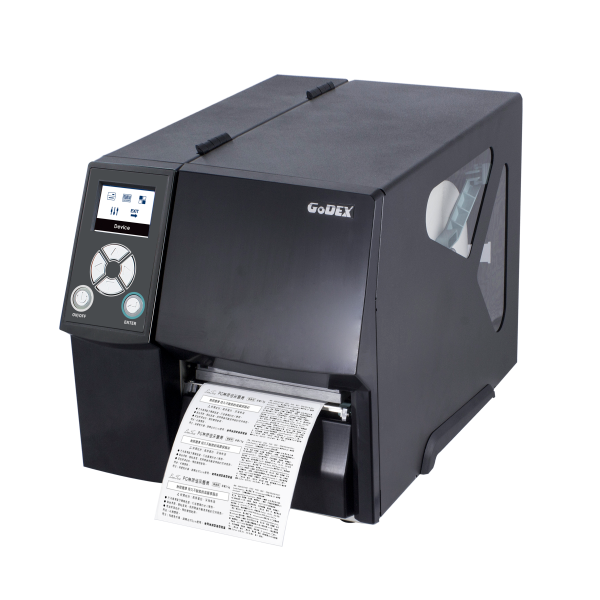
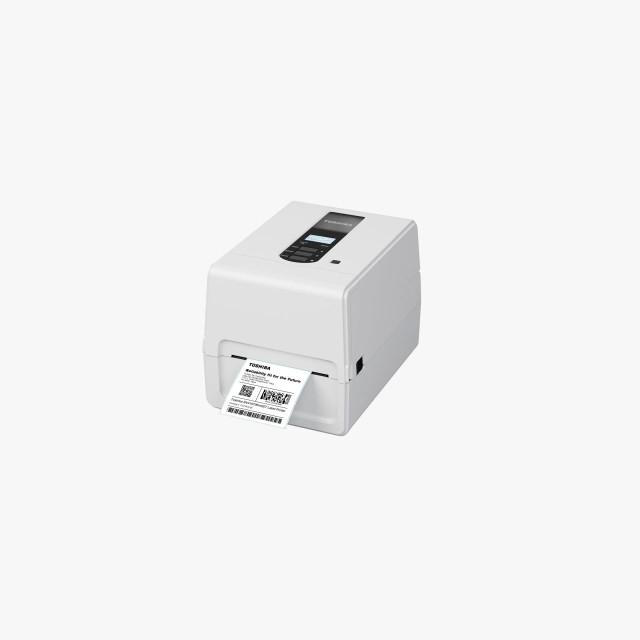
Desktop printers are often the first step into professional labelling. They’re designed for moderate usage and fit easily into small workspaces like retail counters, offices, or small warehouses.
These machines are widely used in environments where labelling is frequent but not constant. For example, businesses printing custom product labels in small batches often rely on desktop systems.
Where Desktop Printers Work Best
Desktop models are ideal for:
- Retail and point-of-sale labeling
- Small-scale inventory management
- Office-based shipping operations
- Healthcare environments with moderate labelling needs
They’re also commonly paired with tools like barcode scanners to create efficient, compact workflows.
Strengths and Limitations
Desktop printers are affordable, easy to operate, and compatible with a wide range of media, including direct thermal and thermal transfer labels. Many businesses start with these systems because they offer a balance between cost and performance.
However, they’re not built for continuous high-volume printing. Overloading a desktop printer in a busy warehouse environment can lead to overheating, increased wear, and reduced lifespan.
Example Models
Models like the SATO CT4-LX are often used when businesses need colour labelling in smaller volumes. Similarly, compact systems, such as Zebra printers, are widely used for everyday labelling tasks.
Industrial Thermal Label Printers: Built for Scale and Durability
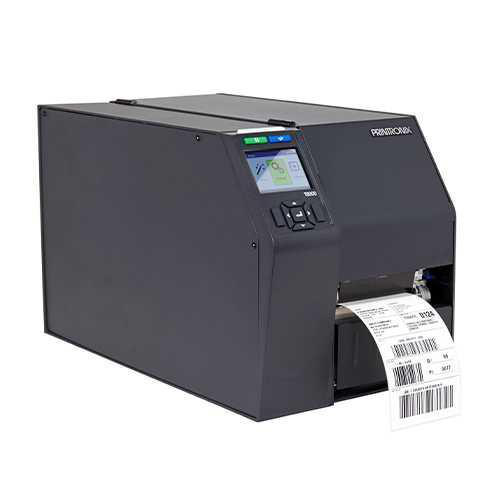
Industrial printers are designed for one thing: continuous, high-volume output. These machines are built with rugged components that can handle demanding environments, from manufacturing floors to large distribution centers.
If your operation involves thousands of labels per day, industrial printers are not optional; they’re essential.
Where Industrial Printers Excel
Industrial systems are commonly used in:
- Manufacturing and production lines
- Large-scale warehousing and logistics
- Automotive and chemical industries
- Applications requiring durable industrial labelsor waterproof barcode labels
These printers are often paired with label applicators, label counter machines, and other automation tools to streamline production.
Performance Advantages
Industrial printers support high-speed printing capabilities, allowing businesses to print continuously without sacrificing quality. They also handle a wider range of materials, including synthetics and vinyl labels for industrial and outdoor use, which are essential for harsh environments.
Research highlights that industrial thermal printers significantly reduce labelling errors in high-volume operations, improving both efficiency and compliance.
Example Models
Printers like the Afinia L901 Plus are often used for high-volume colour labelling, while robust thermal systems from leading manufacturers are staples in industrial barcode printing.
Portable Thermal Printers: Flexibility on the Move
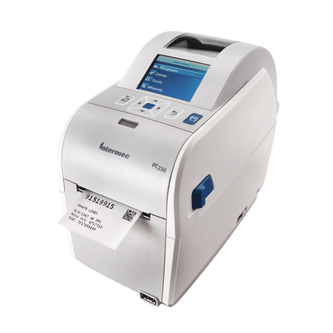
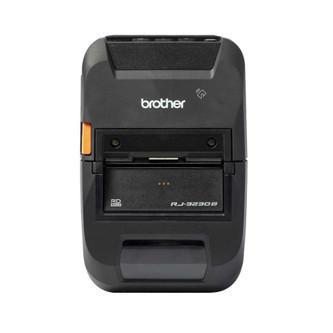
Not every labelling task happens at a workstation. In many industries, mobility is just as important as speed. That’s where portable thermal printers come in.
These compact, battery-powered devices allow users to print labels on demand, wherever they are, whether it’s a warehouse aisle, a delivery route, or a healthcare facility.
Ideal Use Cases
Portable printers are commonly used for:
- Field service operations
- On-the-go inventory management
- Logistics and delivery verification
- Retail floor labeling
They’re often integrated with wireless or Bluetooth barcode scanners to create mobile labelling systems.
Advantages and Trade-Offs
The biggest advantage of portable printers is flexibility. They reduce the need to return to a central workstation, saving time and improving efficiency.
However, they’re not designed for high-volume printing. Battery life, media capacity, and print speed are all more limited compared to desktop or industrial systems.
Still, for businesses that need mobility, tools like portable label makers are invaluable.
Matching Printer Type to Your Business Needs
Choosing the right printer starts with understanding your workflow. There’s no universal solution, only the one that fits your specific requirements.
Volume
If your business prints labels occasionally, a desktop printer is usually sufficient. For moderate daily use, it offers a cost-effective solution without unnecessary complexity.
But if you’re running continuous operations, especially in logistics or manufacturing, industrial printers are the only viable option. They’re built to handle the load without slowing down.
Portable printers, meanwhile, are best used as a complement rather than a replacement, adding flexibility to existing systems.
Environment
The environment where your labels will be used matters just as much as how many you print.
If labels are exposed to heat, moisture, or chemicals, you’ll need a printer capable of producing durable outputs. That often means thermal transfer printing combined with materials like vinyl labels or other synthetic options.
Applications involving oil change labels or outdoor equipment require printers that can handle weatherproof labels and long-lasting materials.
Application
Different industries have different labelling needs.
Retail businesses often prioritize speed and simplicity, making desktop printers a practical choice. They frequently use POS receipt printers and compact labelling systems for everyday operations.
Manufacturing and logistics operations require precision and durability, which makes industrial printers the standard.
Specialized applications, such as garment labelling with wash care labels or advanced tracking using RFID labels, may require more specific equipment.
Beyond the Printer: Building a Complete Labelling System
A printer alone doesn’t create an efficient workflow. To get the most out of your investment, it’s important to consider the entire labelling ecosystem.
Software Integration
Tools like Bartender label software and Nicelabel software allow businesses to design and automate labels, integrate with databases, and ensure consistency across operations.
These platforms are especially useful for companies producing custom labels, packaging, or managing large inventories.
Consumables and Supplies
The quality of your labels and ribbons directly affects print performance. Businesses often source consumables such as:
- Thermal labels
- Ribbons
Choosing the right combination of printer and materials ensures consistent, high-quality output.
Accessories and Automation
To improve efficiency, many businesses integrate additional tools such as:
- Label cutters for precision finishing
- Label counter machinesfor batch processing
- Label applicators for automated labeling
- Thermal printer accessories for system optimization
These additions can significantly reduce manual labour and improve accuracy.
Cost Considerations: Thinking Beyond the Initial Purchase
It’s easy to focus on the upfront cost of a printer, but the long-term expenses often tell a different story.
Desktop printers are more affordable initially, but they may require replacement sooner if used beyond their capacity. Industrial printers have a higher upfront cost but offer better durability and lower maintenance over time.
Consumables also play a role. Whether it’s toners for label printers (for hybrid systems) or thermal ribbons, ongoing costs should be factored into your decision.
Ultimately, the goal is to choose a system that aligns with your workload and reduces the need for reprints, repairs, and downtime.
The Role of Colour and Specialty Printing
While most thermal printers produce monochrome labels, some applications require colour for branding or compliance.
This is where solutions like colour label printers come into play. These systems are often used alongside traditional thermal printers to handle specialized labelling needs.
FAQs
1. What is the difference between desktop and industrial thermal printers?
Desktop printers are designed for moderate use and smaller spaces, while industrial printers are built for high-volume, continuous operation in demanding environments.
2. Can a portable thermal printer replace a desktop printer?
Not entirely. Portable printers are ideal for mobility but are limited in speed and capacity. They work best as a complement to desktop or industrial systems.
3. How do I know which printer is right for my business?
Consider your print volume, environment, and application. High-volume operations need industrial printers, while smaller businesses can rely on desktop models.
4. Are thermal printers suitable for outdoor labelling?
Yes, but it depends on the materials used. For outdoor applications, thermal transfer printing combined with durable materials like vinyl is recommended.
Choosing the right thermal label printer comes down to understanding how your business actually operates on a daily basis. It’s not just about selecting a machine; it’s about making sure your labelling process keeps up with your workload, your environment, and your long-term growth plans. When the right system is in place, labelling becomes something that simply works in the background: reliable, consistent, and efficient.
For businesses ready to move beyond basic setups, DuraFast Label Company provides a complete ecosystem designed to deliver label printing solutions in Canada. Our range includes thermal label printers for sale, from compact desktop units to robust industrial label printers that can handle high-volume production environments.
What sets our approach apart is the ability to bring everything together in one place. Alongside printers, we supply compatible media like thermal transfer labels and direct thermal labels, as well as ribbons for top printing systems such as Zebra, Datamax, and Printronix.
With software to streamline label design and automate workflows and accessories like label applicators and label cutters, we help businesses improve speed and accuracy on the production floor.
If your current labelling setup is holding back efficiency or creating unnecessary rework, now is the time to upgrade. Explore our printing solutions today and build a system that supports your operations while scaling with your business.