How to Use Label Makers for Quick Office Organization
10th Feb 2026
A cluttered workspace is more than just unsightly—it affects productivity, focus, and efficiency. When everything has a clear, visible label, finding documents, supplies, or assets becomes effortless. That’s why more offices today rely on portable label makers online and desktop labeling systems to bring order and structure to their operations.
At DuraFast Label Company, we understand that even small businesses and home offices need efficient labeling solutions. Label makers are compact, affordable, and incredibly versatile tools that help you organize faster, reduce errors, and create a professional, consistent look across your workspace.
Whether you’re managing files, cables, or storage cabinets, the right label maker can help transform a disorganized office into a neatly structured environment that saves time and reduces stress.
Why Labeling Is Essential for Every Office
Office organization goes far beyond aesthetics—it’s about optimizing efficiency. Misplaced files, mislabeled shelves, or unidentified equipment can cause delays, confusion, and wasted effort. By implementing a labeling system, you make it easier for everyone in your office to find what they need instantly.
Labels also promote consistency and professionalism. Imagine walking into an office where every drawer, binder, and device is clearly marked—it immediately communicates order and reliability.
From employee lockers to mail bins, labeling every area ensures your office runs like a well-oiled machine. And because today’s label makers are compact and easy to use, maintaining that system is simpler than ever.
1. Getting Started with Label Makers
Before you begin labeling, it’s important to choose a device that suits your needs. Modern label makers range from small handheld models for light use to advanced desktop machines for high-volume printing.
Handheld Label Makers
These are perfect for quick labeling tasks—such as marking office supplies, personal items, or cables. They’re battery-powered and portable, allowing staff to print labels directly at their desks.
Desktop Label Makers
Desktop models connect to computers or networks, offering more design flexibility. They can print custom fonts, logos, and barcodes—ideal for larger offices or shared environments.
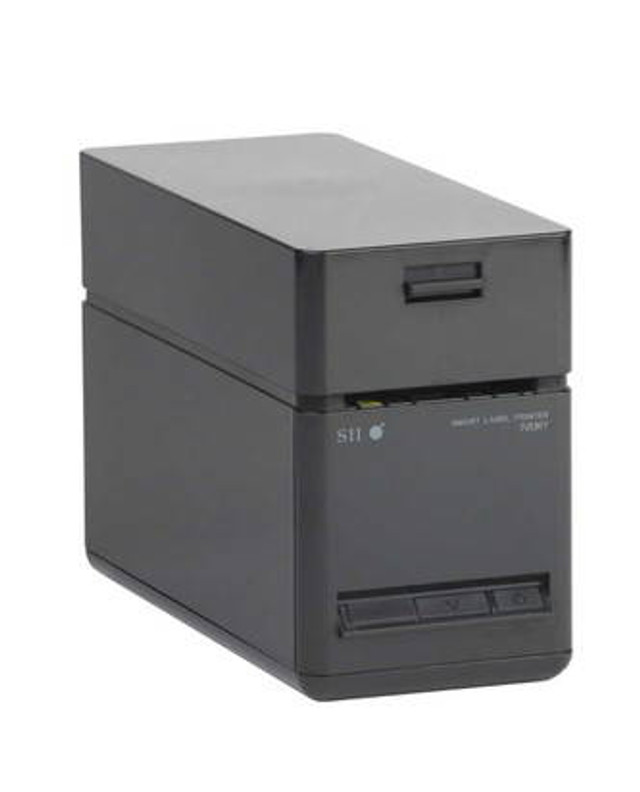
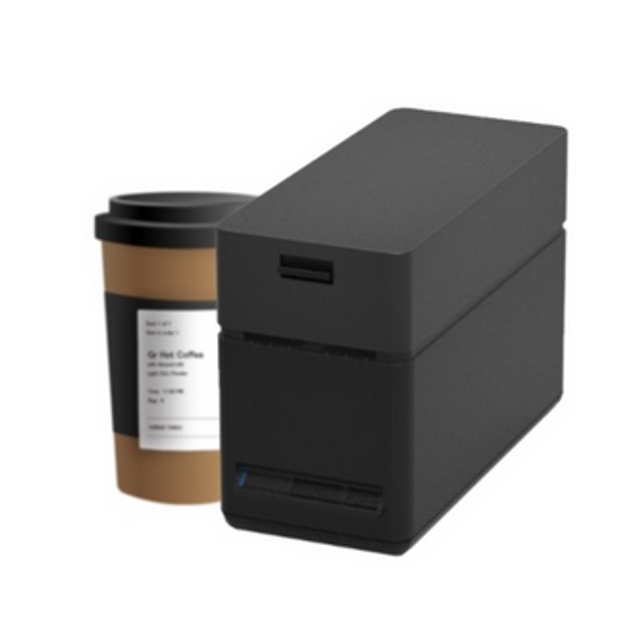
For example, the Seiko SLP720RT Linerless Label Printer (USB + LAN) delivers sharp, clean prints with minimal waste, while the Wi-Fi version of the Seiko SLP720RT enables wireless printing from multiple devices—ideal for busy office setups where mobility and convenience are key.
These models support continuous rolls, so you can print labels of any length without dealing with liner waste. That makes them perfect for office environments where sustainability and speed are priorities.
2. Labeling Essentials for Office Organization
Once you’ve selected your label maker, it’s time to plan your labeling system. Here are some of the most common and effective uses:
File and Binder Organization
Labeling file folders and binders ensures instant identification. Include both titles and dates to make retrieval faster. Use colour-coded labels for departments, years, or document types.
Office Supplies and Drawers
Mark drawers, trays, and shelves to avoid mix-ups. For example, having designated labels like “Printer Paper”, “Invoices 2024”, or “Marketing Materials” keeps shared spaces organized.
Cables and Equipment
Cable management is a common pain point in offices. Use small, durable labels to tag power cords, network cables, or adapters. This saves time when troubleshooting or reorganizing workstations.
Mail and Delivery Areas
Label incoming and outgoing mail bins, courier bags, and packaging stations. Consistent labeling improves workflow and reduces errors in document handling.
Storage Rooms and Supply Closets
Clearly marked shelves make it easier for everyone to find toner cartridges, stationery, or archived files. Durable, adhesive labels prevent confusion and help track inventory.
Employee Lockers or Personal Items
In shared spaces, labeling personal storage areas prevents misplaced items and promotes accountability.
Creating a master list of label categories before you start printing helps you maintain consistency across all departments.
3. Tips for Designing Professional Labels
A label’s readability and longevity depend on how it’s designed and printed. Follow these best practices for creating effective, professional-looking office labels:
- Choose Clear Fonts: Sans-serif fonts like Arial or Helvetica are easy to read at a glance.
- Use Proper Sizing: Ensure text is large enough to be visible from the distance it will be read.
- Add Icons When Needed: Simple icons or symbols make navigation faster—ideal for mailrooms or storage.
- Color Code Intelligently: Assign colours by department or urgency (e.g., red for “urgent,” blue for “HR”).
- Ensure Durability: Use laminated or smudge-resistant materials for labels exposed to handling or cleaning.
DuraFast Label Company offers durable label stocks that work perfectly with high-quality color label printers, ensuring your designs remain sharp and professional over time.
4. Using Label Makers for Digital and Physical Integration
Modern offices rely on both physical and digital organization systems. Label makers can bridge the gap between them.
For instance, when labeling storage drives, document boxes, or filing cabinets, include QR codes or barcodes that link to digital records. This approach improves traceability and reduces manual searching.
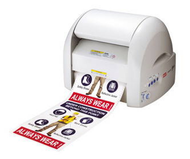
For high-end, multifunctional setups, the MAX Bepop CPM-200GU 8-Inch Sign and Label Printer offers the ability to design and cut custom-shaped labels and signage in full colour. Offices that frequently change layouts or signage can use this system to create professional, on-demand nameplates, warnings, or wayfinding signs.
5. Maintenance and Best Practices
A well-maintained label maker will perform consistently and last longer. Follow these tips to keep your device in top shape:
- Clean Printheads Regularly: Dust and adhesive buildup can cause print fading or misalignment.
- Use Genuine Supplies: Compatible label rolls and ribbons ensure consistent performance and prevent jams.
- Store Materials Properly: Keep label rolls in a cool, dry place to maintain adhesive quality.
- Calibrate Before Large Jobs: Run a quick test print to ensure proper alignment and label sizing.
Routine maintenance ensures your labeling remains efficient and cost-effective—especially in offices where label makers are used daily.
6. Benefits of an Organized Office
Implementing a labeling system has far-reaching benefits beyond simple organization:
- Boosted Productivity: Employees spend less time searching and more time working.
- Improved Communication: Clear labeling standardizes how items are identified across teams.
- Enhanced Professionalism: Clean, uniform labels make your office appear well-managed to clients and visitors.
- Better Safety and Compliance: Labels can identify hazards, storage zones, or restricted areas for workplace safety.
When you use label makers strategically, they become an integral part of a more structured, productive, and visually appealing workspace.
7. Eco-Friendly and Cost-Efficient Labeling
Sustainability matters. Many modern label makers, like the Seiko SLP720RT series, use linerless label rolls that reduce waste. These rolls produce less scrap material and maximize printing efficiency.
At DuraFast, we promote eco-conscious labeling by offering recyclable materials and energy-efficient equipment. Our goal is to help offices maintain order while reducing their environmental footprint.
When paired with custom thermal transfer labels and high-quality color label printers, your labeling system becomes both sustainable and professional—combining performance with environmental responsibility.
8. Getting the Most from Your Label Maker
Once your office labeling system is in place, review it regularly. Over time, categories may change, new departments may form, or equipment may be replaced. Regular audits ensure your system stays relevant and efficient.
Consider training staff on basic labeling best practices—such as font consistency, size guidelines, and colour coding. This keeps labeling standardized across departments and avoids duplication or clutter.
Labeling software, often bundled with printers, allows teams to share templates and maintain consistent formatting. That’s especially useful for organizations with multiple office locations or shared workspaces.
Labeling Smarter, Working Better
Efficiency begins with clarity—and clarity starts with proper labeling. Label makers are affordable tools that can revolutionize how your office operates.
At DuraFast Label Company, we help businesses of all sizes improve organization, workflow, and branding through advanced labeling technology. From portable handheld units to professional-grade systems like the MAX Bepop CPM-200GU, our solutions combine ease of use with precision results.
To build a complete system, we recommend pairing your device with label cutters in Canada, custom thermal transfer labels, and high-quality color label printers to achieve consistency across your office and production lines.
A well-labeled workspace reduces confusion, enhances efficiency, and makes your office look and feel professional.
If you’re ready to upgrade your office organization and simplify daily operations, let us help you choose the right tools for your business.
Contact DuraFast Label Company today to explore label makers, materials, and accessories that bring clarity and order to your office environment.