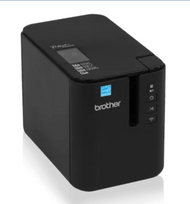
Brother Label Maker Tips for Effortless Organization
20th Dec 2025
Tips for Using Your Brother Label Maker Effectively

Key Highlights
-
Check out the many Brother P-touch label makers that are there. These range from small handheld tools to high-tech desktop models. If you need the best label maker for a home office and want it for less than $60, look at the Brother P-touch PT-D210. It is a good choice, works well, and is easy to read. This model gives you dependable labels at a low cost. You also get new features the people want, such as USB, wireless printing, and a built-in cutter. You can choose the best label maker for you, whether you work at home, at an office, or on big industrial jobs.
-
Find out about features people use today like USB, printing without wires, and cutters built-in.
-
Pick out the best label maker for your work, your home, or bigger jobs in a factory or shop.
-
Know more about the label tape types you get and which ones work with different machines.
-
Stay tidy with keyboards that are easy to use. The label makers have a simple print button, so you can print labels with no trouble.
-
Buy any Brother P-touch printer or label tape you need in Canada from DuraFast Label Company.
Introduction
Are you trying to find a simple way to get things in order at your home, office, or workshop? The Brother P-touch label maker is just what you need. You can use it to label file folders, kitchen containers, and cables. It also helps you keep track of items for work and for different industrial applications.
If you are someone who likes to work on projects with a Raspberry Pi, this label maker makes things easy. If you need strong labels for your job, there is a P-touch model for that as well. A label maker helps you feel more organized and can save you time every day.
Understanding Brother P-touch Label Maker Series
Brother has many different options when it comes to P-touch label makers. You can get a basic handheld model. This is good for home use and simple jobs. If you need more features, there are also desktop printers. These come with more advanced tools for business work. Each type is made for a different job, so you can find what fits your needs.
When you look at the different label maker models, you will see that they do not all use the same cartridge and amount of tape. You can also find changes in the font styles and the templates that come ready for you to use. Now, how does the Brother P-touch label maker stack up against other models from Brother? Some of them can be carried around and run on batteries. Others are desktop choices and can handle a lot of printing work. Let's take a closer look at how these label maker series have changed over time.
Overview of the Brother P-touch Label Maker Evolution
The Brother P-touch label maker started out as a simple and handy tool. These early label maker models were easy to use and ran on AAA batteries. A basic keyboard was there, so you could quickly type in text. The label maker made it easy for people to get the label they needed by printing text on a roll of tape. A cutter was part of the label maker, which let you cut your labels to the length you wanted as soon as you printed them.
As technology got better, the P-touch series also changed. Soon, desktop models came out, and these had more features that were good for the office. Many of these printers had larger keyboards, bigger screens, and you could connect them to a computer. This change made it possible for people to do more, like make labels with different fonts and graphics, not just plain text.
Printers have come a long way. Today, the desktop printer is more connected and flexible than before. Many newer P-touch label makers have an automatic cutter. They also have rechargeable batteries and wireless connectivity. This change from simple handheld devices to smart label makers that work with a PC shows that Brother wants to keep improving. The brand works to meet all the organizational needs people have.
Comparing Popular Models: Home Office vs. Industrial Use
Choosing the right label maker really depends on what you want to use it for. If you need one for your home or a small office, a small and easy-to-use model is often the best label maker. This kind of device works well for organizing files, pantry shelves, and things you use every day. These label makers usually have a good mix of features and price.
In industrial applications, there is a need for more durability and extra features. These models be made for work that is tough and demanding. They can handle wider tape, let you print barcodes, and keep working in hard places. You find them in warehouses, data centers, or out on the job site. The Dymo Label Manager is also used by some people, but the industrial models from Brother offer tapes for special tasks, and they give you strong connectivity options.
How does the Brother P-touch label maker stand against other Brother models for different needs? Here is a look at some of the P-touch printers Brother has made over the years. Some of these printers are not made anymore, but you can still get label tapes for them from DuraFast Label Company.
|
Model |
Key Features |
Media Width |
Status |
|---|---|---|---|
|
PT-300 |
Handheld, basic functions |
Up to 12mm |
Discontinued |
|
PT-E300 |
Industrial handheld, QWERTY keyboard |
Up to 18mm |
Discontinued |
|
PT-D210 |
Handheld, many templates |
Up to 12mm |
Current |
|
PT-P700 |
PC-connectable, plug-and-play |
Up to 24mm |
Current |
|
PT-P900W |
Wi-Fi & USB, high-resolution |
Up to 36mm |
Replaced by PT-P900Wc |
|
PT-8000 |
PC-connectable, professional |
Up to 36mm |
Discontinued |
|
PT-9500PC |
High-res, auto-cutter, barcoding |
Up to 36mm |
Discontinued |
Handheld Brother P-touch Label Maker Models
Brother makes handheld P-touch label makers that are easy to carry and use. The machines are small and light, so you can take them around the house, to the office, or to any work site. They use batteries, which means you get good battery life for all your labeling needs. With a simple print button and a cutter built in, you can make labels fast and without any trouble.
The main reason people like a handheld unit is that it is easy to pick up and use anywhere. You can label things as you sort them without sitting at a desk. These printers can use many tape widths. So, you can make labels for small cables or big boxes. Let's look at some of the main handheld series that have made on-the-spot labeling so popular.
Early Innovations: PT-300 to PT-350 Series Features
The PT-300 series was one of the first P-touch handheld models. The PT-300 was made to be easy to use. It could use TZe tapes that were up to 12mm wide, which is about half an inch. People could type text and use the print button to make a strong label quickly. The unit was powered by AAA batteries, so you could take it anywhere.
After seeing how well it worked, Brother came out with better versions called PT-310 and PT-320. These new models gave people more to do with their labels. They added more print choices and let you save labels you use a lot. You could also pick from more font styles and sizes. The PT-320 also came with a keyboard that used a QWERTY layout. This made it faster and easier for many people to type text.
The PT-340 and PT-350 are the top models from this series. The PT-340 lets you pick more formatting options, and it shows more symbols on a better screen. The PT-350 steps up by adding barcoding. It also works with more sizes of tape rolls. This made it suit many jobs and feel more professional in your hand.
These models are not sold anymore, but you can still get the right roll of tape for them.
Advanced Handheld Options: PT-E300 and PT-E300VP
If you need a tough and loaded label maker, the PT-E300 is a great pick. It is made for industrial applications and can take on a lot of work. The label maker comes with a QWERTY keyboard, making typing fast and easy. There is a backlit display, so you can see well even in low light. It also has keys made just for jobs like cable wrapping. The strong build helps it last on a busy work site. Which Brother label maker model is best for home use? Although the PT-E300 is made for the pros, it is simple enough for home use. It is a great choice for people who want to be well-organized at home.
The PT-E300 works with a battery you can charge. The battery life is long, so you can use it for a long time. You can also use an AC adapter with it. The PT-E300 uses strong TZe tapes. These tapes do not let water, chemicals, or fading damage your labels. So, you can use these labels inside or outside without worry. The built-in cutter helps you make cuts that are neat and clear every time.
Brother has the PT-E300VP label maker. In this model, "VP" means Value Pack. You will get the same strong label maker, plus a hard case. It also comes with a battery you can charge and an adapter. This is a good deal because you can start using it for your labeling jobs right away. You do not need to buy anything extra.
You can find the PT-E300VP and its supplies on Amazon or from Canadian dealers who specialize in the product.
Desktop and Office P-Touch Printer Solutions
When you need more than just quick labeling, Brother's desktop and office P-touch printers can help. These printers sit on your desk and they give you more power and different options compared to handheld models. Many of them connect by USB to your PC or mac, so you get better connectivity and use advanced design features with Brother's software. You can make custom labels using many fonts, graphics, and templates.
These desktop units are just right for making labels for files, assets, and products. You do not have to spend lots of dollars to get a good result. They come with a cutter that works by itself, and you can use wider tapes with them. This makes it easy to work with a big number of labels. The labels always look neat. Now, let’s look at some top desktop series that have become staples in many offices.
Key Features of the PT-8000, PT-8500, and PT-8800
The PT-8000 series was a big change for desktop label printer users. This printer was one of the first to let you connect it to a PC. With this, you could make extra detailed labels right on your computer. It used strong TZe tapes and worked well in busy office places. Many people think it set the standard for what a professional desktop label printer should be with its easy connectivity.
The PT-8500 and PT-8800 came after this earlier model and gave users better features. The PT-8500 is a desktop printer. It had stronger PC connectivity and let people have more control with label designs. Users could set up detailed layouts with it. This helped when you wanted to make asset tags or labels for you or your team to keep everything organized. It runs on AC power so you can use it any time. You will not have to wait for it to be ready when you print a label.
The PT-8800 was a desktop printer made for professionals. It was easy to use with a PC and worked smoothly with your computer and the printer. You could use different font types and graphics from your Mac or PC. The printer had a strong build and came with a trusty cutter. It was good for busy offices that needed a solid tool. Even though it is not made now, DuraFast Label Company in Canada still helps people who use it by giving them label tapes that fit the printer.
Professional Desktop Models: PT-9000 to PT-9600 Series
The PT-9000 series label maker brings high-end features for big jobs in the industrial and enterprise world. The PT-9000 label printer works great when you need larger labels for things like signs, barcodes, or keeping track of what you have. The printer is a strong desktop machine that can keep up with heavy work every day.
If you need a good Brother label maker for your home office and want to spend under $50, this series might not be the one for you. But Brother has other desktop models that are affordable and perfect for home use.
The series had several models that you can connect to a PC, such as the PT-9200PC and the PT-9400. The PT-9200PC has strong features for people who want to design labels on a computer. The PT-9400 gives you more flexibility because you can use it on its own or connect it to a computer. The PT-9500PC stands out in the series. It has a good auto-cutter and can print at a high resolution. That makes it a top choice for those who want clear barcodes and asset labels with a pro feel. The connectivity and cutter make these models easy to use for many tasks.
The PT-9600 was at the top of the line. It was a high-end industrial printer. The printer had a big screen and enough memory to hold many templates. It also offered strong printing options. You could switch between different fonts and styles with the device. You could also do this from your Mac or PC. When you press the print button, the cutter works by itself. The cutter gives you a clean label every time.
Modern Connectivity: PC, USB, Wireless, and Mobile Printing
Today's Brother P-touch label makers use new technology, which makes printing simple and flexible. They come with standard USB connectivity. So, you can connect your label maker to your Mac or PC with no trouble. This lets you use strong design tools. You get to use any font from your computer with your label maker. You can also add your company logo for more options.
Now, you can find many models that go beyond regular wired connectivity. They come with wireless options, too. With Bluetooth and Wi-Fi, it is easy to print labels right from the mobile device you use, like a smartphone or a tablet. You do not need cables, so you are free to print and design from any spot in your workplace. This gives your work more convenience. Now, let's see some models that are top picks when looking for modern connectivity features.
Plug-and-Play Models: PT-700, PT-P700, and PT-P750W
The PT-700 series made things easy to use because of its PC-connectivity. The first PT-700 had a USB that let you connect to a computer. It could work with TZe tapes that are up to 24mm in width. There was also an automatic cutter, so you could print many labels without much work. This model was a good choice for those who wanted to do more than just use a simple handheld label maker. It let you switch to making labels on your computer.
The PT-P700 changed things with its easy plug-and-play use. You can connect it to a PC or a Mac with a USB. The software runs right from the device, so you do not need to install anything. This means you can start using it right away. The printer works fast and gives you many templates to use. With this, people can make good labels without any problem.
The PT-P750W made things better by adding wireless connectivity. The printer did not just rely on a usb cable. It also had Wi-Fi. You could print from computers and mobile devices with an app. This model kept the automatic cutter. It also worked with tape width up to 24mm. The printer was good for offices where people share it or for anyone who did not want to be tied to a computer.
Wireless Innovation: PT-P710BT, PT-P750TDI, and PT-9800PCN
Brother is working to make wireless labeling better with new products like the PT-P710BT, called the P-touch CUBE. This labeler is small and looks good. You can connect it to your smartphone or computer by Bluetooth. It uses a battery you can recharge, so you can take it anywhere. Is Brother easy for beginners? Yes, models like the CUBE use an app that is simple to get and start using.
The PT-P750TDI is a top model and lets you get the best of both worlds. It has a touchscreen display, so you can use it by itself to design and print your labels. You do not need another device to get the job done. You can also connect it to a PC when you want to do more detailed design work. This makes it a great choice for different professional jobs. The long battery life means it will be ready for you anytime you need it.
The PT-9800PCN is made for big businesses. It has strong network features. This printer is like the fast PT-9700PC, but now it works with networks. You can set it up for many people to use at the same time in an office. It connects through Ethernet, so it is steady and can be trusted in your IT set up.
You can print using any PC or Mac that is on the network. This helps your team work better and faster. It is a great option for lots of printing at work. You get well-made labels right from your iPhone or computer.
Comprehensive Guide to Brother 900 Series P-touch Printers
The Brother P-touch 900 series is at the top when it comes to desktop label printing. These machines are made to do a great job. You get wide-format prints and clear text every time. The labels are strong and last a long time. They work well for barcodes, asset work, and custom signs. The automatic cutter and quick print speed help you get a lot done fast. This desktop label printer is made to be easy to use and very good for work.
Whether you want a USB connection for one computer or need a network setup for your team, the 900 series has the right model for you. These printers use a simple cartridge. You can use the powerful software, which comes with many templates. Just design your label, click the print button, and you will get a good label every time.
PT-P900 Series: Wide Format and Professional Capability
The PT-P900 series printer is made for the people who need strong, wide labels at their work. The main PT-P900 printer is a desktop printer that works with your PC. It prints labels that are up to 36mm wide, so there is space for what you want on it. Every label is clear and sharp, with good details for your codes, marks or text. The cutter on it works by itself, so each label has a clean edge and is good to go. This model, plus the PT-P900c that comes after it, are good at helping one person get the job done at their desk.
These printers let you use Brother's P-touch Editor software. The software has a big list of templates and easy-to-use design tools. You can change your label a lot. Pick the font and size you like. Add pictures or bring in data from a spreadsheet. The amount of tape in each cartridge is quite good. You will get many labels from one cartridge before you need to change it.
The PT-P900W and the newer PT-P900Wc have Wi-Fi. This lets more than one person use the printer at the same time. You do not need to plug in a cable. That is good for teams who must share the printer. You can make laminated labels up to 36mm wide from any computer connected to the network. This helps people get more done at work. The Wi-Fi connectivity makes using the printer easy in a group.
Network and Bluetooth Options: PT-P950NW and PT-P910BT
The PT-P950NW is the top network labeling device in the 900 line. It is made for busy places where many people need to use it. The printer comes with Ethernet, Wi-Fi, and USB options. This makes it easy to connect to any office network. A group can use their PC or Mac to print strong laminated labels without any trouble.
Do Brother label makers work well to sort things at school or in the office? The answer is yes. While this model is very strong and made for companies, most Brother label makers give everyone easy access and clear labels. This is what makes Brother printers helpful for any kind of keeping things in order.
This desktop model is strong and steady. It comes with a fast print speed and an advanced cutter. It can handle labels up to 36mm wide. You can use it for small cable flags or big warning signs. The tough build helps it work well in a busy office or industrial place. It will give you good and steady work every day.
If you need a label maker for work on the go, the PT-P910BT (P-touch CUBE XP) is a great choice. This portable 36mm label maker has a rechargeable battery. It also has Bluetooth connectivity. You can make and print labels from your phone or tablet. This makes it good for stores, warehouses, and people who work in the field. It brings together the ease of being portable with strong professional features.
Brother Labels, Tape Types, and Compatibility in Canada
A good label maker needs the right labels to work well. Brother has many types of tapes and labels, so you can find what you need for any job. There are standard laminated tapes for your daily organizing and special tapes for tough, heavy work. You can get a roll of tape for any P-touch model you have. Each cartridge is easy to put in, so changing refills is fast and simple.
In Canada, it is not hard to get the supplies you need. If you use an older label maker, DuraFast Label Company still has label tapes that fit. This means your label maker can work well for a long time. To get good results with your label maker, you need to know about the different kinds of tape out there.
TZ, TZe, and Specialty Media: What Your Label P Touch Needs
Brother's tape technology has changed over time. TZe tapes are now the main type used for most P-touch label makers. These TZe tapes improve on the older TZ tapes and are also better for the environment. TZe tapes have a tough cover so they last longer. They stand up to water, scratches, chemicals, and very hot or cold places. This makes them the top choice for labels inside and outside.
TZe tapes are offered in many colors, styles, and sizes. You can find them as thin as 3.5mm or as wide as 36mm. That is just over one inch.
Brother has more options to use than just TZe. For different jobs, you can find several specialty tapes. HSe tapes are heat-shrink tubes made to help you label wires and cables. These give a safe and neat look. M tapes cost less than other options, and because they are not laminated, they work best for indoor jobs. Flexible ID tapes, called TZe-FX, are good if you need to go around something curved. If there is a rough or bumpy spot, extra-strength sticky tapes (TZe-S) are a good choice.
Choosing the right roll of tape from the many choices of Brother Labels is important. You need to know which tapes will work with your Brother label maker. Always look at your printer's details first. Tape types change based on the model and the width your printer can use. You will see that each tape cartridge has clear labels, so you can pick what you need without trouble. Some tapes also let you use different frames and add bright, fun patterns.
Where to Buy Brother Labels and Tapes in Canada
If you want the biggest range and the best help, it is good to go to a store that knows a lot about this. In Canada, DuraFast Label Company is the top place for anything about Brother P-touch. We have all the P-touch printers and a big stock of label tapes.
One big thing about shopping with us is that we help everyone. This is true even if you have older gear. If your P-touch model is no longer made, do not worry. We probably still have the cartridge you need. This way, you can keep using your machine and get the most out of what you bought.
-
Complete Selection: You can get every kind of tape here, like TZe, HSe, and special media.
-
Support for All Models: We have tapes for both new and old printer models.
-
Canadian Expertise: We are a Canadian business. We know what people and companies in Canada need.
-
Convenient Online Shopping: Order what you want on our website. It will get delivered right to your door.
Choosing the Right P Touch Label Machine for Your Needs
With many different options out there, picking the best label maker may feel hard. The most important thing to do is think about what you want to use it for. Do you plan to use a label maker for home office work, to label things for school, or handle items in a warehouse? Your answer will help you look at which model and features fit your needs best.
Think about things such as how easy the printer is to carry, how it connects, and the width of labels you need. A small handheld printer might work well for your home. A desktop printer that is connected to a network is better in a busy office. When you match the printer to what you need, it helps you get the right P-touch label machine for any job around the office or home. We will go over the important things to look at to help you pick the best one.
Key Considerations for Home, School, and Office Organization
When you pick the best label maker for your home, school, or office, there are a few things you should think about. First, know what you want to spend. Next, think to the features you want in the label maker and what things you will use it to label. A Brother label maker is known to be easy for beginners to set up and use. A lot of their models are made for places like the home, school, or work.
For home or school, it helps to have a label maker that is easy to carry and simple to use. A small, handheld one with a basic keyboard is a good choice. If it has a few font options and fun templates, you can use it for many things. It will be easy to organize your school stuff or keep the kitchen neat. Try to pick one that is light and can run on batteries. That way, you can use it anywhere. A label maker that can print labels up to a half-inch wide should be enough for most tasks you need to do.
In the office, it is good to have things that help you work fast and stay connected. A desktop label printer that you can connect to your computer is helpful. You can use it to print many labels at one time from a spreadsheet. Look for a desktop machine with an automatic cutter. It should also be able to use wider labels.
-
Portability: Will you carry the device with you, or will it stay on the desk all the time?
-
Connectivity: Do you need only USB to connect, or will you use Wi-Fi or Bluetooth for printing when you are not at the desk?
-
Label Volume: How many labels will you print? A cutter that works by itself is good if you have a lot to make.
-
Customization: Do you need labels with just text, or do you want different options, like using more fonts and graphics?
Comparing Brother P Label Maker Features by Application
To help make your choice easier, let's look at P-touch features for different uses. Each way you use it needs something special. People like to show their style when making crafts. A workshop needs tough labels that last. When you know these things, it helps you find the best model for your needs.
For example, a person who likes to make crafts or wants to keep the home tidy may want a label maker that has many different fonts, lots of symbols, and some fun frames. On the other hand, if you are an electrician or work in IT, you will need a label maker that can use special tapes like heat-shrink tubing. You may also want keys that help with cable wrapping. The width of the label you need can also change. Small files will use narrow labels, but bigger storage bins need labels with more width.
The built-in cutter is important if you print many labels at a time. A manual cutter works for when you only print a few labels now and then. The automatic cutter makes things easier when you need to print many labels. So, think about what you need before you choose the cutter type.
|
Application |
Recommended Features |
Example Models |
|---|---|---|
|
Home Organization |
Handheld, fun templates, different frames |
PT-D210, PT-H110 |
|
Small Office |
Desktop, USB connectivity, auto cutter |
PT-P700, PT-P750W |
|
Industrial/Trades |
Rugged, specialty tapes, QWERTY keyboard |
PT-E300, PT-E550W |
|
High-Volume Enterprise |
Networked, wide format, high resolution |
PT-P950NW |
Setting Up and Using Your Brother P Touch Printer
Getting started with your new Brother P-touch printer is simple and quick. Most models are easy to use, so you can start printing your first label just minutes after you unbox it. All you need to do is put in the batteries or connect the power adapter. After that, just load the tape cartridge and you are ready to print.
When you turn it on, you will see the easy-to-read display. The layout of the keyboard is simple, so you can type your text without trouble. You can pick from many templates. When you are done, just press the print button.
The cutter, which can be manual or automatic, will give you your finished label. The new label is now ready to stick on.
Let’s go over the easy steps that will help beginners get started and see some helpful tips for making your own custom labels.
Easy Setup Steps for Beginners
Are Brother label makers easy for beginners to set up and use? Yes, they are made to be simple. You do not have to be good with tech to start your P-touch printer. It is quick and clear, so you will spend less time setting up and more time getting things in order.
First, turn on your device. If you have a handheld model, put AAA batteries into the compartment on the back. If you use a desktop model, plug in the AC adapter that comes with it. Then, open the tape compartment. After that, put in the label cartridge. Check that the end of the tape goes through the guides. Close the cover. Now you are almost finished.
Turn on the printer. Now you can make your first label. If your printer has PC connectivity, just plug the USB cable into the computer. The software should open on its own. For Bluetooth models, pair the printer with your phone and open the special app. Press the print button. The cutter will finish and your label will be ready.
-
Put in the batteries or connect the AC adapter.
-
Open the back cover and place the tape cartridge inside.
-
Turn on the power.
-
Type your text with the keyboard.
-
Press the print button to make your label.
Tips for Creating Custom Labels (Fonts, Sizes, Styles)
One great thing about a Brother P-touch label maker is that you can change your labels to fit what you like. You may wonder if Brother label makers can print in different fonts and sizes. The answer is yes, they can do this and more. Most models give you many choices, so you get labels that are useful and look good.
Start by looking at the built-in templates. The templates are ready-made formats. You can use them for things like labeling files or making address labels. This can help you save time and work. After you pick a template, you can try out the different fonts on your device. You can also change the font style, such as using bold or italics. You may be able to change the font width and size too. This helps you make it look just the way you want.
If you want more ways to make labels, connect your label maker to a computer or use the app on your phone. You can use any font that is already to your device. You can add images or logos, too. You can also set up layouts just how you want. Try using different styles together to make labels that feel your own.
-
Use the "Font" key to see many styles and sizes for text.
-
Look in the "Symbol" menu to add icons you might need.
-
Change the label margins to help save tape.
-
Link to the P-touch Editor app to make your own designs, with no limits.
Frequently Asked Questions (FAQ)
Finding the right Brother P-touch label maker can be simple, but you may have questions. A common thing people ask about is the label tapes. You want to know if your label maker uses TZe, M, or HSe tapes. This helps you get the right products.
Many people also want to know about battery life. They wonder if AAA batteries last long enough or if using AC power is better, especially for those who label a lot. It's good to know which option will work well for you.
Connectivity can also be important. A lot of people want to use Bluetooth to connect their label maker with a smartphone. This can make things easier and faster.
For more details about each label maker, including product specs, visit the DuraFast Label Company’s Canadian site. It has all the information you may need.
What types of labels and tapes are compatible with Brother P Touch Label Maker?
Brother P-touch label makers work with many types of tape. You can use standard laminated TZe tapes, M tapes that are good for inside, HSe heat-shrink tubes to label cables, and flexible ID tapes. The roll of tape or cartridge you need will depend on your label maker model. Always check your label maker to see what width is supported before you buy a new roll of tape or cartridge.
Are Brother P Touch Label Makers easy to use for organizing offices and school supplies?
Yes, they are simple to use for getting things in order. You get helpful features like a keyboard that is QWERTY style, templates that are ready to use, and easy keys for changing how text looks. You can make clear labels that last in just a few seconds. It is quick and easy, so it works well for sorting out all kinds of things like office papers or a student's school items.
How do Brother P Touch printers compare to other brands in Canada?
Brother P-touch printers are known for making durable laminated labels. They also have many types of specialty tapes. Dymo LetraTag and Dymo Label Manager are other popular choices. Brother often has better connectivity in their desktop and professional models. It can also handle more types of labels.
Conclusion
Brother P-touch label makers be a great choice for your labeling needs. You can use them for your home, office, or even industrial applications. There is a wide range of printer models with many features. So, you can pick the one that fits what you want. Some are handheld, like the PT-E310BTVP, and others are desktop models, like the PT-P900Wc. All these devices give you high-quality labels for different tasks. Just make sure to use the right type of Brother labels, so your printer works well. If you want to make your life more organized and label things better, try a free trial of our products today!
Searching for a good label maker. Any recommendation's?
For a reliable label maker, the Brother P-touch series is highly recommended. These devices offer versatility, ease of use, and various label options for different needs. Whether for home organization or professional labeling, a Brother label maker ensures clear, durable labels that enhance your productivity and organization efforts.